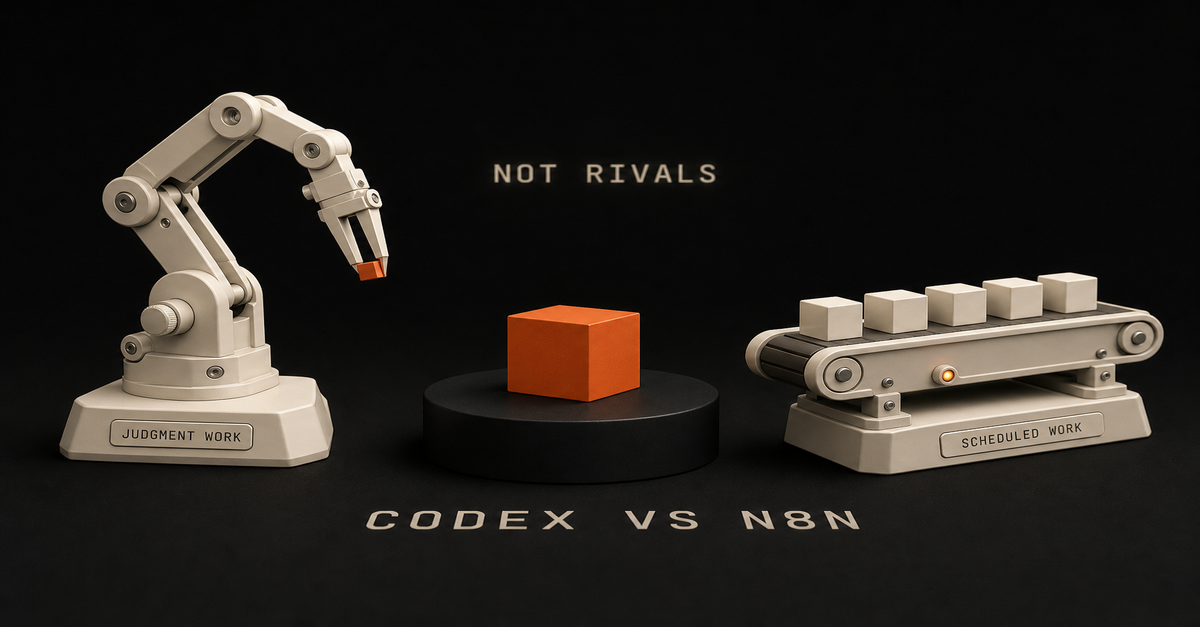
Quick answer: Use Codex when the work lives in a repo and needs judgment, editing, tests, or codebase context. Use n8n when the work needs a trigger, credentials, retries, run history, and repeatable automation. The Ship Lean rule is simple: Codex builds. n8n runs. Human approves.
Searching for "n8n codex" or "codex with n8n"? You usually do not pick one. You connect them: n8n owns the trigger and the routing, Codex does the build step that needs judgment, and a human approves before anything ships. Jump to the best pattern for the exact split.
Start with the n8n AI Agents hub if you want the whole system. If the workflow specifically needs an n8n agent, use the n8n AI Agent Workflow Builder before touching the canvas.
If you want the templates behind this split, use the public Claude Code Systems Kit. It covers repo-aware builder work, local agent runs, n8n approval gates, and workflow specs.
The Difference in One TableQuestion
Codex
n8nCan it read and edit repo files?
Best
WeakCan it run tests and inspect diffs?
Best
WeakCan it trigger from forms, webhooks, schedules, and apps?
Possible
BestCan it manage app credentials cleanly?
Not the job
BestCan it retry failed workflow steps?
Possible with scripts
BestCan it show run history?
Not the job
BestCan it draft, refactor, and QA content/code?
Best
Needs LLM nodesCan it route human approvals?
Possible
BestThis is why the comparison is not "which tool is smarter?" It is "which tool owns which layer?"
Use Codex for Builder Work
Codex is the better choice when the work requires context from your project:refreshing a blog article against Search Console evidence
adding schema, metadata, internal links, or page sections
building a new calculator, tool, or workflow page
reading existing files before making a change
running a build and fixing failures
turning a messy idea into a concrete implementationThat is builder work. It benefits from repo context and judgment.
If you try to force that whole process into n8n, the canvas gets crowded fast. Prompts, examples, brand rules, page templates, and QA checks belong in files where a coding agent can inspect and update them.
Use n8n for Runner Work
n8n is the better choice when the work needs to happen repeatedly:every Monday, pull Search Console data
when a form is submitted, enrich the lead
when a video is uploaded, create repurposing tasks
when a page draft is ready, notify the human reviewer
when approval is granted, send the next step to GitHub, Slack, Notion, or emailn8n is strongest as the workflow layer because it handles boring operational details: triggers, credentials, retries, node-level debugging, and run history.
That boring part is the part that keeps systems alive.
The Best Pattern: Codex Plus n8n
For organic traffic, the useful system looks like this:Step
Owner
Job1
n8n
Pull Search Console query/page data2
n8n
Filter for impressions, weak CTR, and low position3
Codex
Read the target page and refresh it4
Codex
Run build, SEO QA, and link checks5
Human
Approve the point of view6
n8n/GitHub/Vercel
Route deployment and notifyThat is the arbitrage: n8n finds and routes repeatable signals. Codex turns the signal into a useful asset.
When Codex Alone Is Enough
Use Codex alone when the task is one-time or repo-bound:"refresh this tutorial"
"add a hub page"
"fix this favicon"
"build a comparison page"
"run the local build"No workflow runner needed. The value is in the edit.
When n8n Alone Is Enough
Use n8n alone when the rules are clear:copy a form submission into a CRM
send a Slack notification after a status change
save an RSS item to a database
send a weekly report
route approved data between appsNo coding agent needed. The value is in the repeatable run.
When You Need Both
Use both when the workflow has a repeatable trigger but the output needs judgment.
Good examples:Search Console opportunity scoring
weekly content refresh queue
transcript-to-blog draft routing
lead triage with human approval
workflow JSON review before importThe model should not publish directly. It should prepare the work, show evidence, and ask for approval when the output touches the public site, customers, money, or production.
My Default Rule
If the problem is "build the system," use Codex.
If the problem is "run the system every week," use n8n.
If the problem is "use real signals to ship useful assets repeatedly," use both.
Next, read AI coding agent vs workflow automation, then map the runner side with the n8n AI agent workflow example.
Quick answer: An n8n AI agent is a workflow built on the AI Agent node, connected to tools (HTTP, database, code, APIs, or MCP servers) so an LLM can read context, call those tools, and pick the next step on its own. Without tools, it is just a chatbot in a workflow. Build one scoped agent: pick a single decision, attach the AI Agent node, wire tight tools, force structured output, test on real data, and put a human on anything that ships.
As of mid-2026, n8n also adds the MCP Client Tool (use any MCP server's tools) and the AI Agent Tool node (one agent supervising others on a single canvas). The Ship Lean pattern stays the same: Claude/Codex builds, n8n runs, a human approves anything risky.
Published June 2026. Last reviewed July 2026 against the current AI Agent node, MCP Client Tool, and n8n 2.0.
If you're trying to figure out whether you even need an agent, start with what an n8n AI agent is and n8n AI agent vs workflow automation. Short version: agents are for judgment calls, not every automation.
If you want the whole path in one place, start with the n8n AI Agents hub. It links the definition, workflow pattern, builder tool, and Claude Code handoff.
If your search is specifically for an n8n ai agent workflow or n8n agentic workflow, the canonical workflow page is n8n AI agent workflow for solo builders. Use this tutorial when you want the build sequence: node setup, tools, structured output, testing, and approval.This page owns the build tutorial. The related pages own the shorter definition and workflow-example intents:Query intent
Best owner
Direct answern8n ai agent tutorial
This tutorial
Build one scoped agent around the AI Agent node, tools, structured output, testing, and approval.n8n ai agent workflow
Workflow pattern
Trigger in n8n, let the model make one scoped decision, route the result, then approve risky output.n8n agentic workflow
Workflow pattern
The agentic part is tool use plus structured decisions, not just an LLM prompt.n8n ai agent node
This tutorial
The node is the reasoning step; n8n still owns triggers, credentials, routing, retries, and run history.what is n8n ai agent
Definition page
It is an LLM-powered workflow step that can use tools and return a decision inside automation.n8n ai agent documentation 2026
This tutorial + n8n docs
n8n's docs cover the node reference; this page covers the build sequence and the decisions the docs skip.I built my first "agent" in n8n and felt very smart for about ten minutes.
Then I realized I'd just made a fancy ChatGPT call. Input went in. Output came out. Nothing decided. Nothing checked. No tools.
That's the gap nobody flags in the tutorials: dropping the AI Agent node into a workflow doesn't make it agentic. It makes it an LLM with a trigger.
This post is the version I wish I'd had when I started: what an n8n AI agent actually is, when to use one instead of a normal workflow, and the pattern I use now that keeps me out of multi-agent spaghetti.
What Changed for n8n AI Agents in 2026?
n8n is no longer just "Zapier, but flexible." It is moving toward a durable AI workflow layer: agent nodes, tools, memory, structured output, retries, credentials, and run history in one canvas.
That matters because the winning pattern is not "let the model do everything." The winning pattern is:Layer
Best owner
WhyPrompt, schema, tool design
Claude Code or Codex
Repo context, writing, code, and judgmentTrigger, credentials, retries
n8n
Durable workflow operationsFuzzy decision
AI Agent node
Reads context and chooses a tool or answerPublic/customer action
Human approval
Keeps trust where it belongsAs of this refresh, n8n's AI Agent node is a versioned node with current support for tools and output parsers. n8n's own Tools Agent docs describe the agent as the piece that can choose external tools and return a standard output format. That is the part solo builders should care about: not "AI magic," but repeatable decisions with visible runs.
Two mid-2026 additions actually matter for solo builders:MCP Client Tool. The AI Agent node can now use tools exposed by remote MCP servers directly. There's also a standalone MCP Client node, so any step in the workflow — not just an agent — can call an MCP server. In plain terms: instead of hand-wiring an HTTP node for every API, you can point the agent at an MCP server that already exposes a clean set of tools.
AI Agent Tool node (single-canvas multi-agent). You can connect multiple AI Agent Tool nodes to one primary AI Agent, letting it supervise and delegate across specialized agents in a single execution, on one canvas. This is the sanctioned way to do "multiple agents" without the multi-workflow spaghetti most tutorials walk you into.A note on n8n 2.0: it shipped, but it's a security/reliability/performance release (sandboxed Code-node execution by default, a Publish/Save workflow paradigm) — not an AI-feature release. Worth upgrading for the platform maturity; don't expect it to change how you build agents.
Use current language when you build:AI Agent node for the reasoning step
Tools for API/database/app actions — or an MCP Client Tool when a server already exposes them
AI Agent Tool node when one agent genuinely needs to delegate to another (not before)
Structured Output Parser when downstream nodes need clean fields
Memory only when the task needs prior conversation or prior user state
Retries and run history for boring reliabilityIf you only remember one thing, remember this: n8n is the runner, not the whole brain. The AI Agent node should own one fuzzy decision. Everything before and after that should be boring workflow automation — and MCP tools don't change that rule, they just make the tool layer faster to wire.
What Is an n8n AI Agent, Exactly?
An n8n AI agent is a workflow built around the AI Agent node with tools attached: usually HTTP Request, a database, Airtable, code, or other n8n nodes. That lets the LLM do three things in a loop:Read the input and current context
Decide whether to call a tool (and which one)
Use the tool's output to pick the next action or final answerThe "agentic" part is the loop. The model isn't just generating text. It's choosing actions based on what it finds.
Without tools, the AI Agent node is a fancy LLM call. With tools, it can look things up, write to a database, hit an API, and reason about the result before answering.
For AEO purposes, this is the clean definition:An n8n AI agent is a workflow where the AI Agent node can use tools, memory, and structured output to make a judgment step inside a larger automation.n8n AI Agent vs Regular Workflow Automation: When to Use Which
I default to plain workflow automation. Agents are the exception, not the rule.Situation
Use a regular workflow
Use an AI agentInputs are predictable (form fields, structured webhook)
✅Logic fits a clean if-then tree
✅You need messy text classified or summarized✅You need it to look something up before deciding✅Output has to be structured every time, no surprises
✅Edge cases keep slipping through your filters✅Cost per run matters and volume is high
✅Rule of thumb I use:If I can write the rules in 10 minutes, it's a workflow. If I'd need 50 if-statements and still miss cases, it's an agent.A workflow that classifies email tone with keyword matching will miss "I've been waiting three weeks and this is getting ridiculous." An agent reads it and routes it correctly. That's the kind of decision worth paying tokens for.
If the decision is "did the Stripe webhook fire? then send the receipt," don't put an LLM in the path.
For a deeper split, read n8n AI agent vs workflow automation. If the question is whether Codex, Claude Code, or n8n should own the work, use AI coding agent vs workflow automation.
How Do You Structure an n8n AI Agent Workflow?
Here's the layout I use now. It's not clever. That's the point.1. n8n handles the trigger and routing.
Webhook, RSS, schedule, Airtable change: n8n is good at this. Don't make the LLM do it.
2. The LLM handles judgment.
This is the AI Agent node (or a Claude Code call via HTTP). It reads context, calls tools, returns a structured decision. One agent, one job.
3. Tools are scoped tight.
Read-only when possible. Pre-filtered queries, not "here's the whole database." Every tool is a surface area you have to trust.
4. A human approves anything that ships.
Sends an email to a customer, charges a card, posts to a public account, deploys code: that goes to a Slack/Telegram approval step before it executes. The agent drafts; you click yes.
5. Claude Code does the building, n8n does the running.
I draft prompts, tool definitions, and workflow logic in Claude Code or Codex. n8n runs the workflow on a schedule. GitHub holds the workflow JSON. Vercel hosts anything customer-facing. Each tool does what it's good at.
That's the whole stack. No swarm of sub-agents. No "AI orchestrator" picking other agents. One agent, scoped tools, human in the loop where it matters.
Still deciding which side of that build/run line your work belongs on? Read Claude Code vs n8n for solo builders: short version, Claude Code owns the judgment and the code, n8n owns the trigger and the repeat.
The 2026 Build Checklist
Before you touch the n8n canvas, write these five things down:Decision
Good answerAgent job
"Score this Search Console query as BUILD, REFRESH, or IGNORE."Input
Query, URL, impressions, clicks, position, current page summaryTools
Read page content, inspect sitemap, write row to task tableOutput
JSON with decision, reason, priority, next_actionApproval
Human approves new public pages and page refreshesIf you cannot fill in that table, the workflow is not ready. You do not have an agent problem yet. You have a scope problem.
What Do You Need Before Building an n8n AI Agent?An n8n instance. I self-host on Hostinger so I'm not paying per execution.
An API key. I use Claude Sonnet for most agent work because the structured output behaves.
A clear, single decision you want automated
Airtable or a database if your agent needs memoryIf n8n is new to you, run through the n8n tutorial for beginners first.
Use a manual trigger while you're building. You'll run the thing 30+ times tweaking prompts, and you don't want an RSS feed or webhook firing each time.
Step 1: Pick One Decision
Every agent needs one job. Not three. One.
Bad: "Read my inbox, write replies, schedule meetings, and update the CRM."
Good: "For each new RSS post, decide if it's worth sharing with my list. Output SHARE or SKIP and a one-line reason."
The narrower the scope, the easier it is to prompt, test, and trust. If you can't describe the agent's job in one sentence, the agent isn't ready to be built.
Step 2: Trigger and Input
For the example, we'll keep using the content filter: an RSS feed pulls new posts, each post becomes input.
The trigger's job is to give the agent enough context to make the call: title, link, full text, source. If your input is thin, the agent's decisions will be thin too.
Step 3: Add the AI Agent Node
Drop in the AI Agent node. Connect the trigger.
Configure:Provider/model: Claude Sonnet is my default for judgment work
System prompt: define the job, the criteria, and the output format
Output parser: use structured output when another node needs reliable fields
Memory: add it only if the workflow needs prior conversation or prior user stateExample system prompt:
You are a content relevance filter for a newsletter aimed at solo AI builders
who use Claude Code, n8n, and ship products on the side.For each post, decide:
- Relevance: High / Medium / Low (does it help this audience build or ship?)
- Quality: High / Medium / Low (is it specific and actionable, or generic?)
- Decision: SHARE or SKIP
- Reason: one line, plain languageDefault to SKIP when uncertain. We'd rather miss a marginal post than share a weak one.This alone is not an agent yet. It's an LLM with a prompt. It reads, it answers, that's it.
The next step is what changes that.
Step 4: Attach Tools and Structured Output
Tools are how the agent does things instead of just saying things.
In n8n, common tool options:HTTP Request: call any API
Database / Airtable / Postgres: look up or write history
Code: custom logic when needed
Other n8n nodes: wrapped as toolsFor the content filter, attach an Airtable tool pointing at a "Shared Posts" table. Update the prompt:
Before deciding, use the Airtable tool to check the "Shared Posts" table for
posts shared in the last 30 days. If a similar topic was already covered,
lean toward SKIP unless this post is meaningfully better or newer.Now the agent isn't analyzing a post in a vacuum. It's checking history, comparing, and using that to decide. That's the loop.
You don't need n8n's sub-agent feature for this. I almost never reach for it. One agent + a few tools handles most things I've thrown at it.
When the next node expects clean data, do not make it parse paragraphs. Require structured output:
{
"decision": "SHARE",
"reason": "Specific walkthrough for solo AI builders.",
"confidence": 0.82,
"approval_required": true
}This is the difference between a demo and a workflow you can run every week.
Step 5: Wire the Decision to Action
The agent returns something like:
Decision: SHARE
Reason: Concrete walkthrough of building a Claude Code subagent. Fits the audience.Downstream, you don't need a 12-branch if-then. You need one router checking Decision === "SHARE". The complexity lives in the agent's reasoning, not in the canvas.
For anything that goes out the door, like a tweet, an email, or a published post, route it to a human approval step. A Slack message with Approve/Reject buttons works fine. The agent drafts. You ship.
If you are building this for Ship Lean-style traffic work, the approval step matters even more. New pages, refreshed titles, comparison claims, and public recommendations should not publish automatically. The workflow should prepare the draft and evidence. A human should approve the point of view.
Step 6: Test on Real Data, Not Your Imagination
Your first version will be wrong. That's fine. Plan for it.
What I run into most:Vague prompts: agent makes inconsistent calls because the criteria are fuzzy
Tool not actually wired: agent "tries" the tool but the connection is broken
Output drifts: sometimes structured, sometimes prose
Real inputs are messier than your test inputsFix loop is always: tighten the prompt, add an example or two of correct output, narrow the tool's scope.
Step 7: Add the Boring Reliability
This is where n8n earns its keep.
For any workflow you plan to keep:Log every run somewhere boring: a Sheet, Airtable table, Postgres row, or Notion database.
Save the input, decision, model, cost estimate, and approval result.
Add retries where the failure is likely temporary.
Alert yourself when the workflow fails or the output parser breaks.
Keep credentials in n8n, not pasted into prompts.AI builders love the agent part. Operators love the run history. Organic traffic comes from writing about the version that actually survives contact with real inputs.
What Does a Real Production n8n AI Agent Look Like?
When I checked my own n8n workspace, the pattern was obvious: lots of experiments, one production workflow doing a clear job.
The active workflow is not a mystical multi-agent swarm. It is a content scheduling runner:A Notion trigger starts the run.
n8n grabs the page, length, and assets.
A filter, code step, and switch route the item.
Blotato nodes send the asset to YouTube, Instagram, X, TikTok, and LinkedIn.
n8n updates the status back in Notion.That is the lesson. The workflows that survive are not always the flashiest ones. They are the ones with a narrow trigger, clear routing, visible status, and boring handoffs.
Most of the other workflows in my account are paused experiments: idea engines, social research, lead routing, newsletter systems, job prep, payment reminders, and old tests. That is normal. n8n becomes more valuable when you label the experiments, retire the stale ones, and keep production workflows boring enough to trust.
The best public example from that inventory is not the active content scheduler. It is the lead qualification pattern.
The private workflow has the shape that actually teaches the idea:A webhook receives a lead.
n8n enriches the lead data.
An AI step qualifies the lead.
A structured parser turns the model response into fields.
n8n routes the result into hot lead, nurture, Slack, and email paths.That is the useful proof: the model makes one judgment call, then n8n routes the outcome. For a public template, I would not publish the private workflow raw. I would publish the cleaned pattern instead, with fake sample data and no credentials.
You can download that starter pattern here: n8n human approval workflow JSON. I also published the proof asset on GitHub: n8n AI lead qualification workflow with human approval.
What I Got Wrong Early
My first n8n agent system was a faceless YouTube pipeline: Reddit scrape to script to 11Labs voiceover to Creatomate render. Took me a couple weeks. Had four agents where one would've done.
It worked. The output wasn't great, but it ran. The lesson wasn't "agents are powerful." It was: I built before I validated, and I overcomplicated every step.
The rewrite was always the same: collapse to one agent, scope its tools, put a human at the publish step.
That's the version I'd build today, and it's the version above.
What Are the Most Common n8n AI Agent Mistakes?
1. Using the AI Agent node with no tools.
You built a chatbot. Tools = autonomy. No tools = no decisions worth calling agentic.
2. Multi-agent setups before you need them.
Sub-agents and agent loops exist. Skip them until a single agent has clearly hit its ceiling. It usually hasn't.
3. Vague system prompts.
"Make good decisions" isn't a prompt. Spell out criteria, output format, and what to do when uncertain.
4. No human approval on outbound actions.
The first time an agent emails a customer something weird, you'll wish you had this. Add it before you need it.
5. Testing only on data you wrote.
Real inputs break things synthetic ones don't. Test on actual feeds, actual emails, actual rows.
6. Adding memory because it sounds advanced.
Memory is useful for ongoing conversations. It is usually unnecessary for one-shot scoring, routing, enrichment, and drafting workflows. Start stateless, then add memory only when the missing context is actually hurting results.
7. Treating structured output as optional.
If n8n needs to route the result, make the agent return fields. Prose is for humans. JSON is for the next node.
n8n AI Agent FAQ
What is the n8n AI Agent node?
The AI Agent node is the reasoning step in an n8n workflow. It connects a model to tools, memory, and an output parser so the workflow can make a decision instead of only moving data. n8n still owns the trigger, credentials, routing, retries, and run history around it.
What makes an n8n workflow agentic instead of just an LLM call?
The workflow is agentic when the AI Agent node can choose a tool, inspect the result, and return a structured decision. A plain prompt with no tools attached is a chatbot in a workflow, not an agent. The agentic part is the loop: read context, call a tool, use the output to pick the next action.
Can an n8n AI agent use MCP tools?
Yes. As of mid-2026 the AI Agent node supports the MCP Client Tool, so the agent can call tools exposed by a remote MCP server without hand-wiring an HTTP node for every API. There is also a standalone MCP Client node so any step in the workflow, not just the agent, can hit an MCP server.
How do you run multiple agents in n8n?
Use the AI Agent Tool node. You connect one or more AI Agent Tool nodes to a primary AI Agent so it can supervise and delegate across specialized agents in a single execution on one canvas. Reach for this only after one well-scoped agent has clearly hit its ceiling, which is rare.
When should you use an n8n AI agent instead of a normal workflow?
Use a normal workflow when the logic is predictable and rule-based. Use an AI agent when the work needs judgment: messy text classification, summarization, or looking something up before deciding. If you can write the rules in ten minutes, it is a workflow, not an agent.
Does an n8n AI agent need memory?
Usually no. Add memory only when the workflow needs conversation history or prior user state. For stateless tasks like scoring a lead or classifying a query, structured input plus a tool is cleaner and cheaper. Start stateless, then add memory only when the missing context is actually hurting results.
Where to Go From Here
Pick one decision you make repeatedly that's annoying because it requires reading something: inbox triage, lead scoring, content filtering, support routing.
Build that. One agent, one tool, one decision. Run it manually for a week. Watch where it gets confused. Tighten the prompt.
Once that's working, the second one takes half the time. The third feels normal.
For more patterns, see 7 n8n workflow examples, what an n8n AI agent is, n8n AI agent vs workflow automation, and n8n vs Make for AI agent workflows. If you're still deciding which tool should own the work, Claude Code vs n8n for solo builders and Codex vs n8n draw the line clearly.
The AI Agent node is a building block, not the whole building. Tools are what turn it into something that decides. Keep the rest of the stack boring: n8n for plumbing, Claude Code for judgment, GitHub and Vercel for everything that ships. Then you can spend your time on the decisions, not the wiring.
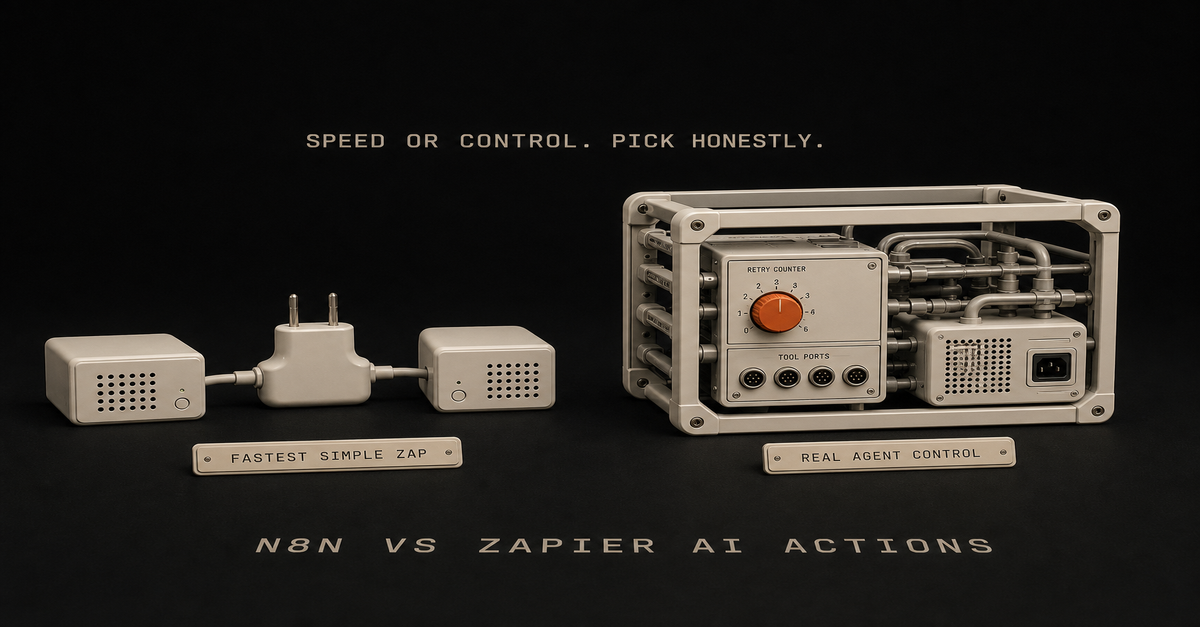
Quick answer: Use Zapier when you want the fastest simple automation between popular apps. Use n8n when you need a real AI agent workflow: tools, structured output, branching, retries, self-hosting, and deeper control. For Ship Lean-style systems, Zapier is a shortcut. n8n is the runner layer.
If you are new to the concept, start with what an n8n AI agent is. If you already know you want n8n, use the n8n AI Agent Workflow Builder.
Quick ComparisonQuestion
n8n AI Agent
Zapier AI ActionsBest for
Custom AI workflows with tools
Fast app-to-app AI actionsBuilder type
Technical solo builder, operator, team
Nontechnical operator, speed-first builderAgent depth
Stronger for tool-using workflows
Better for simple AI-assisted actionsHosting
Cloud or self-hosted
CloudWorkflow control
High
MediumDebugging
Node-level runs and logs
Simpler task historyBest first use
Agentic routing, enrichment, approval
Simple summaries, drafts, app updatesThis is not a moral decision. It is an architecture decision.
What n8n Does Better
n8n is stronger when the workflow has real logic:the agent needs to choose between tools
the output needs a structured schema
you need custom code in the middle
you want to self-host
the workflow needs approvals before publishing
the run history matters because this is becoming an operating systemThat makes n8n a better fit for durable AI workflows.
For example, a Search Console workflow might:Pull query/page data.
Ask an AI Agent node to classify the opportunity.
Use a tool to inspect the current page.
Return structured fields: refresh, build, or ignore.
Create a draft task.
Ask for human approval before publishing.That is more than "summarize this row." It is a small operating loop.
What Zapier Does Better
Zapier is stronger when speed and app coverage matter more than control.
Good Zapier use cases:summarize a form submission
draft a Slack reply
move a lead into a CRM
create a simple email draft
connect two common SaaS tools quicklyIf the workflow is simple, Zapier may be the better first move. The fastest useful automation often wins.
The Hidden Question: Do You Need an Agent?
Most workflows do not need an agent.
Use simple automation when the rule is clear:Task
UseNew form submission goes to CRM
Simple automationNew meeting gets a Slack reminder
Simple automationSupport message needs urgency classification
AI stepSearch query needs refresh/build/ignore judgment
AI agentPublic content needs approval
AI agent plus human reviewIf the workflow is just moving data, do not make it agentic. If the workflow needs judgment, tools, and routing, n8n gets more interesting.
The Ship Lean Pick
For a solo builder trying to grow organic traffic, I would use:Codex or Claude Code to build and refresh pages
n8n to pull recurring signals, route tasks, and manage approvals
Zapier only when a simple SaaS handoff is faster than building a custom n8n workflowThat keeps the core system owned by you while still allowing shortcuts when they are actually shortcuts.
When I Would Choose Each
Choose Zapier if:you need a working automation today
the workflow has two or three simple steps
you do not care about self-hosting
you do not need custom agent toolsChoose n8n if:you are building an AI agent workflow
you need structured output and branching
you want lower-level control
you want self-hosting or deeper data ownership
you want the workflow to become part of your operating systemFor deeper n8n patterns, read the n8n AI Agent Tutorial and n8n AI agent vs workflow automation.This post is part of the n8n AI agents hub: definitions, tutorials, workflow patterns, and the build-vs-run decision pages in one place.
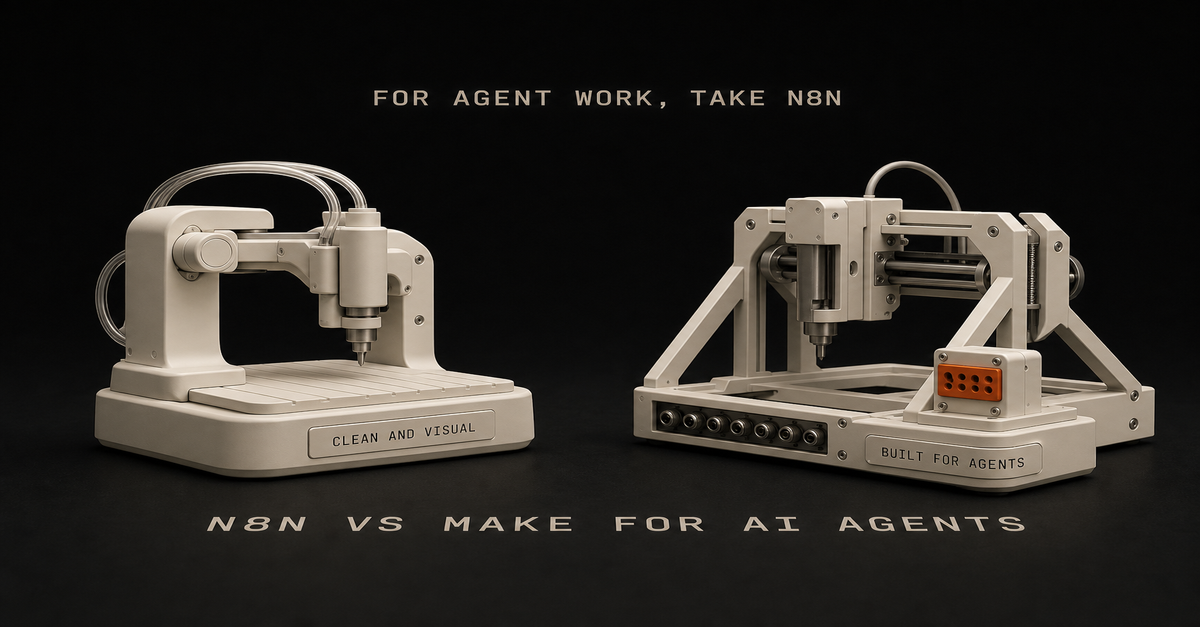
For AI agent workflows, I would usually pick n8n over Make.
Not because Make is bad. Make is clean, visual, and easier for a lot of app-to-app automations.
But for the technical or technical-adjacent solo builder, n8n has the better shape:Need
PickEasiest visual app automation
MakeSelf-hosting and control
n8nCode nodes and custom logic
n8nAI agent workflows with tools
n8nSimple marketing ops workflows
Make or n8nLower marginal cost at scale
n8n self-hostedWhere Make wins
Make is good when the workflow is visual and app-heavy.
Use it when:you want the easiest builder
you are connecting common SaaS apps
the workflow is not deeply technical
you do not care about self-hosting
you want a polished visual interfaceIf the goal is "move this from app A to app B with some formatting," Make is fine.
Where n8n wins
n8n is stronger when you want control.
Use it when:the workflow needs code
you want self-hosting
you care about cost at scale
you need custom API calls
you want agent tools and more flexible logic
you are comfortable debuggingThat last point matters. n8n is not always easier. It is more flexible.
The AI agent workflow angle
AI agent workflows tend to need:context gathering
tool access
memory/history
conditionals
retries
logging
approval steps
custom actionsn8n fits that shape well.
Make can do plenty, but n8n feels more natural when the workflow starts drifting from "connect apps" into "build an operating system."
My recommendation
If you are a solo builder using Claude Code, GitHub, Vercel, APIs, and custom workflows, start with n8n.
If you are a non-technical operator who wants polished app automation fast, start with Make.
If you already have Make working, do not migrate for sport. Move only when you hit control, cost, or flexibility limits.
Build your first n8n agent map with the n8n AI Agent Workflow Builder.
FAQ
Is n8n or Make better for AI agent workflows?
n8n is usually better for technical solo builders who want control, code nodes, self-hosting, and agent-style workflows. Make is easier for visual app automation.
Should solo builders start with n8n or Make?
Start with Make if you want the easiest visual builder. Start with n8n if you want more control and expect to build AI agent workflows.This post is part of the n8n AI agents hub: definitions, tutorials, workflow patterns, and the build-vs-run decision pages in one place.
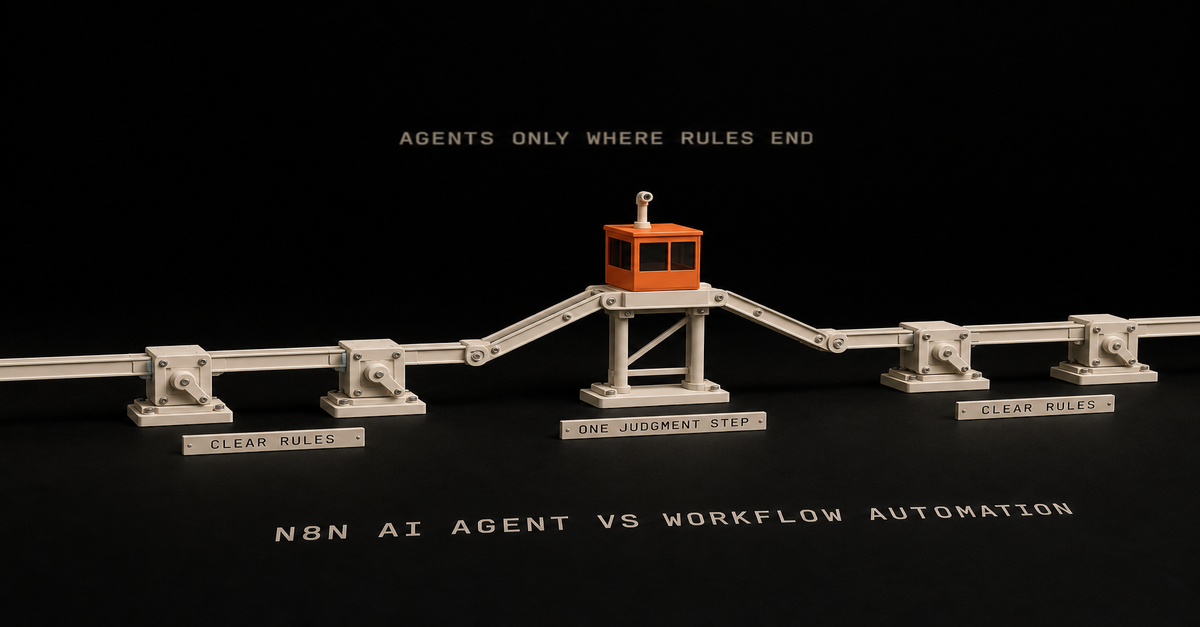
Use normal workflow automation when the rules are clear.
Use an n8n AI agent when one step needs judgment.
That is the whole decision. If you already know you need the agent version, the full n8n AI agent workflow pattern shows the build: trigger, context, scoped tools, human approval, and logging.Situation
UseCopy data from form to CRM
Normal workflowSend Slack alert after status changes
Normal workflowClassify messy customer messages
AI agentScore Search Console queries for content ideas
AI agentDraft a newsletter from a build log
AI agent plus approvalPublish automatically to production
Probably notWorkflow automation is for known steps
Normal automation is best when you can describe the rule clearly:when this happens, do that
if status is approved, send email
every Monday, pull this report
when form submits, create taskYou do not need an AI agent for that.
Adding one usually makes the workflow slower, harder to debug, and more expensive.
AI agents are for fuzzy steps
Use an agent when the workflow needs to interpret something:Is this lead qualified?
Is this query worth a page?
Does this transcript contain a strong proof moment?
Is this support message urgent?
Should this draft be published, revised, or killed?That is not a simple if/then branch. That is judgment.
The clean hybrid pattern
The best setup is usually both:n8n triggers the workflow.
n8n gathers data.
The agent handles the fuzzy decision.
n8n routes the result.
A human approves high-risk output.That gives you automation without pretending the agent should own the whole process.
Use the Claude Code + n8n Workflow Planner to split the work before building. If you're choosing between a coding agent and a workflow runner, read AI coding agent vs workflow automation.
What solo builders should build first
Start with a workflow where bad output is annoying, not catastrophic.
Good:content idea scoring
transcript repurposing
newsletter draft creation
lead triage draft
workflow planningBad:customer refunds
publishing without review
deleting production data
sending sales emails with no approvalThe goal is not to make the agent powerful. The goal is to make it useful and bounded.
FAQ
What is the difference between an n8n AI agent and workflow automation?
Workflow automation follows known rules. An n8n AI agent handles the judgment step inside a workflow.
Should every n8n workflow use an AI agent?
No. Use normal automation when the steps are clear and rule-based. Add an agent only when the workflow needs reasoning.This post is part of the n8n AI agents hub: definitions, tutorials, workflow patterns, and the build-vs-run decision pages in one place.
An n8n AI agent is a workflow step that uses an LLM plus tools to make decisions inside an automation. The agent reads context, chooses or calls tools, returns a structured result, and lets n8n route the next step.
The short version:Part
Jobn8n
Trigger, gather data, route output, retry failuresAI agent
Read context, decide, draft, classify, score, or planTools
Let the agent check data or take actionHuman approval
Protect anything public, expensive, or brand-sensitiveThe mistake is thinking the AI Agent node is magic by itself. It is not.
The node becomes useful when it has a clear job, enough context, and access to the right tools.
If you want the full build sequence, read the n8n AI agent tutorial. If you want the repeatable pattern, use the n8n AI agent workflow. This page is the short definition.
The plain-English version
Think of n8n as the operations desk.
It knows when something happened. A form came in. A video published. A Search Console export landed. A Notion status changed.
The AI agent is the person at the desk who can read the packet and make a call.
Should this lead go to sales? Should this query become a tool page? Should this transcript become a newsletter? Is this task worth automating?
That decision is the agent's job.
The routing, logging, retries, and notifications are n8n's job.
What makes it agentic?
An agentic workflow has more than a prompt.
It has:a trigger
context
a decision
tools or actions
memory or history when needed
a clear output
an approval gate when consequences existWithout tools or actions, the agent is usually just an LLM response inside a workflow.
That can still be useful. But it is not the same as an agent that checks, decides, and routes.
A simple n8n AI agent workflow
Here is the pattern I would start with:n8n detects a new input.
n8n gathers the context.
The agent makes one specific decision.
n8n saves the decision.
A human approves if needed.
n8n routes the output.Use the n8n AI Agent Workflow Builder to map that before you build.
For the full Ship Lean path, use the n8n AI Agents hub. It connects this definition to the workflow pattern, builder tool, and Claude Code/n8n handoff.
The distinction matters:Search intent
Best next pagewhat is n8n ai agent
Stay here for the definition.n8n ai agent tutorial
Use the build tutorial.n8n ai agent workflow
Use the workflow pattern.Good first use cases
For solo builders, good use cases are boring:score Search Console queries
classify inbound leads
turn a build log into a newsletter draft
summarize support requests
route content ideas
check if a workflow is worth automatingBad first use case: "run my whole business."
Start with one judgment step.
n8n AI agent vs Claude Code
n8n AI agents are good inside recurring workflows.
Claude Code is better when the task needs repo context, file edits, code changes, or a real implementation pass.
Use both when the workflow needs a trigger and a code-aware operator:n8n detects and gathers
Claude Code edits or drafts
human approves
n8n routesRead the full decision rule in Claude Code vs n8n.
FAQ
What is an n8n AI agent?
An n8n AI agent is an automation step that uses an LLM plus tools to reason over context and take actions inside a workflow.
Is the n8n AI Agent node agentic by itself?
Not really. It becomes agentic when it can use tools, check context, make decisions, and route work instead of only generating text.
When should solo builders use an n8n AI agent?
Use it when one repeatable workflow needs judgment, classification, drafting, scoring, or routing.
What is the difference between an n8n AI agent and an n8n AI agent workflow?
The agent is the judgment step. The workflow is the full system around it: trigger, context, tools, approval, routing, logging, and retries.
 Chris Alarcon