In April, Anthropic cut off OpenClaw, the tool my always-on bot ran on, and I had to move my work.
I put a lot of energy into this bot that can do anything in the cloud. That was my mistake, just relying on one model.
So if you're about to leave ChatGPT and you're scared of losing everything it knows about you, I get it. It's painful to switch because you can lose context and that builds up over time.
Your memory moves with one copy and paste. The rest is a rebuild of three or four jobs, and you don't have to delete anything to do it.
This is the button in my Claude that does the first part:The import button in my Claude, October 10, 2026.
What moves to Claude and what stays behindWhat you built in ChatGPT
Does it move?
HowSaved memories
Yes
Claude's Settings > Memory > Start importCustom instructions
By hand
Paste into Settings > General > Instructions for ClaudeCustom GPTs
No importer
Rebuild the ones you use as Claude Projects or SkillsFiles inside GPTs or projects
By hand
Upload again into a Claude ProjectChat history
No
Keep it in ChatGPT; copy the few you reuse into a ProjectImage making
No
Claude doesn't generate photos or illustrations; keep ChatGPT for itThe import and image facts are from Anthropic's help center, and the plan facts from its pricing page, read October 10, 2026.
What you need (as of October 10, 2026)A Claude account. Free is enough to start. Claude's pricing page lists memory, up to 5 Projects, Skills and connectors on Free. Pro is $20 a month, or $17 billed annually.
Claude on the web or the desktop app for the import. Anthropic's import article lists both and doesn't list the phone app.
Your ChatGPT login. You're keeping the account.
Some time over a week. Most of it is Step 4.
Work account? If your ChatGPT is a company account, ask IT before you export company chats or paste them anywhere.
Skip for now: paid migration tools and uploading your whole conversations file to Claude. You won't need either.Step 1: Take your copy out of ChatGPT first
chatgpt.com > Settings > Data controls > Export data > Export > Confirm export
Do it in the browser at chatgpt.com.
Do this first, because it's slow. OpenAI's export article says "Exports can take up to 7 days to arrive" and "The download link expires 24 hours after you receive it."
Daria Cupareanu, who wrote up her own move on AI Blew My Mind, asked for hers "several times over a couple of days and never got the email."
While it cooks, grab three things by hand:Your saved memories. Settings > Personalization > Manage memories. Read them before you move them. Daria's line on her own list: "I realized I'd maybe keep 20 to 30% of what was there."
Your custom instructions. Copy them into a note.
A list of your custom GPTs, with a star next to the ones you used this month.Step 2: Move your memory with Start import
Claude > Settings > Memory > Start import > paste > Add to memory
Claude shows you a prompt to paste into ChatGPT. It opens "I'm moving to another service and need to export my data. List every memory you have stored about me," then asks for the context ChatGPT picked up from past chats, in one code block. Paste ChatGPT's answer back into Claude and click Add to memory.
Two things Anthropic says about it, in its own words:"Memory imports are experimental and still in active development."
"Claude may not retain imported personal details unrelated to work." Your business context sticks better than your family trivia.Then check what landed. How to read, fix and delete memory entries is in Claude memory, checked.
Step 3: Paste your custom instructions into Claude by hand
Claude > Settings > General > Instructions for Claude
The import fills Claude's memory. Your custom instructions belong in their own box, so paste the note from Step 1 here yourself. It applies to every chat.
Mine opens with one line:My Instructions for Claude box, September 21, 2026.
Keep it short: who you are, what you do, and how you want answers back.The 60-second version, from my Shorts: Moving over from ChatGPT? Change these 5 Claude settings first.Step 4: Rebuild only the GPTs you use every week
There's no custom GPT importer, so rebuild by hand, and only the starred ones from Step 1. Each part of a GPT has a home in Claude:In your custom GPT
Goes here in ClaudeThe instructions box
A Claude Project's instructionsThe knowledge files
The same Project's filesA step-by-step routine you run the same way every time
A Claude SkillA few old chats you keep going back to
Copy them into a file in that ProjectThe export from Step 1 usually includes a chat.html file that opens in your browser. Pull the three to five chats you actually reuse into a Project file and leave the rest where they are.
This is the step my April move taught me. I lost a lot of stuff. Now I have backups in my repo, which is a fancy way of saying my folders. If one AI gets replaced, I swap in the best model and kick it off again.
So rebuild into Projects and Skills, and keep a plain copy of each GPT's instructions in a folder on your computer too.
Setup depth for both is in how to use Claude Projects and how to use Claude Skills. If you're still deciding whether Projects can replace your GPTs at all, that's Claude Projects vs custom GPTs.
Applicable for: anyone with a "Proposal writer" or "Brand voice" GPT they open every week.
Step 5: Give Claude one real job a day for a week before you pay
Pick one job you did in ChatGPT last week and do it in Claude instead, every day for seven days.
Start on Free. Then let the limits decide.
When to pay: once you feel the pain of one of them that you have to upgrade, that's your telltale sign. If Claude's Free limit keeps stopping you mid-job, that's the one to pay for. If you never hit it, you don't need to.
How the two companies' paid limits compare is in Claude Pro vs ChatGPT Plus. What Free actually covers is in Claude's free plan.
How to tell the switch worked
Open a brand new chat in Claude and ask:
What do you know about my work and how I like answers? Answer in five bullets.It worked if the bullets match what you imported and pasted: your job, your business, your format.
It half worked if it knows your preferences but not your business. Add two lines about the business to Instructions for Claude.
It didn't if it answers generically. Open Settings > Memory and check the import actually landed; Anthropic says the new experience shows it "shortly after."Then open one rebuilt Project and run the job you used its GPT for. If you didn't have to re-explain anything, you're done.
Keep both until one of them hurts
You were scared of starting from zero. You aren't. The memory came over, the jobs you actually use got rebuilt, and ChatGPT is still there.
So don't just delete your account, just keep it. They have a free one, pretty damn good. You won't get the top model on it, but you'll still use it for questions on the go.
That's how I run it. I think ChatGPT is just better for general questions. That's just my preference. Claude is my main engine. I pay for both:My ChatGPT plan in the desktop app, October 10, 2026.
And I pay $200 a month for Claude Max 20x on top of that. You don't need either of those plans. You need the free one of each until a limit tells you otherwise. More on running Claude in a normal job is under Claude guides, and which one to pick in the first place is Claude vs ChatGPT.
What April taught me: there's no single best model, period. There's always gonna be a better one. Keep your work in files you own, keep a free door open to the other app, and switch the paid plan only when it hurts.
Frequently asked questions
Can I transfer my ChatGPT chats to Claude?
Not as Claude chats. Anthropic's import covers memory only, meaning the preferences and context ChatGPT saved about you. Your ChatGPT data export gives you every chat as a file, so the practical move is to copy the few chats you actually reuse into a Claude Project and leave the rest in ChatGPT.
Do custom GPTs work in Claude?
No, and there is no importer for them. You rebuild each one by hand: the GPT's instructions go into a Claude Project's instructions, its knowledge files go into the Project's files, and any step-by-step routine you repeat can become a Claude Skill.
Is Claude's memory import free?
Yes. Anthropic says memory imports are available on the Free, Pro, Max and Team plans, on the web and in Claude Desktop. The phone app is not listed. You find it in Settings, then Memory, then Start import.
How long does the ChatGPT data export take?
OpenAI says an export can take up to 7 days to arrive, and the download link expires 24 hours after you get it. Request it first, before you do anything else, so it is waiting for you when you need it.
Should I cancel ChatGPT when I switch to Claude?
I wouldn't. Drop to ChatGPT's free plan instead of deleting the account, so your history stays readable and you still have it for quick questions. Keep both until one of them hurts enough that you need to pay for it.
Does Claude make images like ChatGPT?
No. Anthropic's help center says Claude doesn't generate photos or illustrations the way image-generation tools do. It can draw charts and diagrams as code. If you make product photos or thumbnails in ChatGPT, keep ChatGPT for that.
Where this comes from
Anthropic's import, pricing and image articles and OpenAI's export article, read October 10, 2026. The screenshots are my own Claude and ChatGPT apps, and the April move is mine. I haven't run the ChatGPT memory import into my own Claude, so Step 2 follows Anthropic's steps, not my test.
Published October 10, 2026. Plans and steps checked October 10, 2026.
Claude for Small Business is a plugin, not a new plan. It adds 44 skills to the paid Claude plan you already have. Turn on one of them.
I opened it in my own Claude. The way I remembered it, I didn't install anything 'cause it's just tailored, built for owners who don't have a setup yet.
My app says otherwise: installed, toggle on. My own setup already does those jobs, so for me it was inspiration.
For you, if you don't have a setup yet? Install it, keep what fits your week, and tweak it as you go.
Here's the job I'd start a friend on. Say you run a cleaning business and you keep missing leads because you're out cleaning all day.
Tell Claude, twice a day, before work and again at 7 p.m.: check my inbox for any leads and then draft a response. It can literally do that and you can just look in your phone.The Small Business plugin in my Claude desktop app, October 10, 2026.
Four steps get you there: install it, skip what you'd never use, hand it your inbox, then put the inbox on a schedule.
What you need (as of October 10, 2026)Pro for one person, Team for more than one. That's Anthropic's own answer on its small business page. Pro is $20 a month, or $17 billed annually, on Claude's pricing page. Max works too. Free does not.
The Claude desktop app. Anthropic's install guide says "You'll need the Claude desktop app on a Pro, Max, Team, or Enterprise plan."
No extra bill. Anthropic lists no separate price. Alex Kim at wotai.co put it plainly: "The plugin itself adds nothing to your bill." It does spend your normal usage.
Twenty minutes and one inbox. Gmail or Microsoft 365.
Using a work account? It reads only what your account can already see. If the inbox belongs to a company, ask whoever runs IT before you connect it.
Skip for now: the other 43 skills, and Claude Code. The plugin also installs there, but that's a developer's path, not yours.New to handing Claude a job at all? How to use Claude Cowork is the five-minute version of that, and it agrees with this page: one job first.
Step 1: Install the plugin from Customize in the desktop app
Customize (left sidebar) > Plugins > search "Small Business" > Install
That's where the plugin sits in my app today. The other door is the + under the message box: Plugins > Browse plugins.The Plugins menu in my Claude desktop app, October 10, 2026.
Once it's in, type / in a new chat to see the skills, or just describe the job in plain English. The plugin's README on GitHub also has a setup skill: say "get me started" and it walks you through about 15 minutes of questions about your business.
Step 2: Skip every skill you would never use
Type / in a new chat to see the list.
That's a lot of skills. Most of them are not for you, and that's fine.
My rule for skipping: if there's a PowerPoint and it looks nice, but you don't use PowerPoint, then why would you install it? Don't. Same for anything else that looks good in the list and has no job in your week.
Here's what's inside, grouped by the job, read off the plugin's README (version 1.35.1, September 15, 2026):The job
Skills in the plugin
How manyMoney and books
pay-the-bills, invoice-chase, cash-flow-snapshot, close-month, month-end-prep, ap-processor, payroll-prep, plan-payroll, tax-prep, tax-season-organizer, report-builder, report-pack
12Leads and customers
speed-to-lead, lead-triage, lead-finder, call-list, grow-pipeline, crm-autopilot, outreach-composer, reactivate
8Marketing
marketing-monday, social-content-engine, content-strategy, canva-creator, review-reputation, seo-ai-visibility, ad-manager, growth-pulse
8Inbox, stock and hiring
inbox-manager, inventory-planner, restock, hiring-screener, job-post-builder
5Proposals and paperwork
proposal-builder, contract-review, grant-rfp-writer, ticket-deflector
4Weekly check-ins
monday-brief, business-pulse
2Setup
smb-onboard, smb-router, brand-style, build-agent, build-connector
5It grew fast. At launch on May 13 it was 15 workflows and 15 skills, which is the number you'll see in the May headlines.
You don't need any connector to start. Anthropic says "Every workflow runs from a spreadsheet, a PDF, or a forwarded email," and the README says connectors "make it deeper, never mandatory."
Anthropic's plugin page counts 43 workflows and 37 partner connectors, including QuickBooks, Shopify, Stripe, Square, Xero and Gusto. My app shows 44 skills and 35 connectors. Neither number changes what you do first.
Step 3: Hand it your inbox first
+ (under the message box) > Connectors > Gmail (or Microsoft 365), sign in once, then run /inbox-manager
Why the inbox and not the books? Everyone has one. You're responding to leads and requests versus just being filled and overwhelmed with missing shit.
The inbox-manager skill drafts. It does not send. Its own instructions on GitHub say "Draft everything. Send nothing yet," and it writes replies in your voice from Gmail or Microsoft 365, whichever is connected.
This is my own connectors list. Gmail is the one I'd tell anyone to start with:My Claude connectors, September 5, 2026.
The prompt I'd hand a cleaning business on day one:
Check my inbox for any new leads from the last 12 hours: people asking
for a quote, a cleaning date, or prices. For each one, draft a reply in
my voice that answers what they asked and offers two time slots this week.
Don't send anything. List the drafts for me with the sender and one line
on what they want.The second job, once the first one is boring: the /monday-brief. It pulls what's pending into one message at the start of the week, so it can ping you: this is what's waiting, this needs your reply.
Which connector to add after Gmail is its own decision, and I ranked them in the best Claude connectors.
Applicable for: cleaners, Etsy and Shopify sellers, contractors, studios, coaches, anyone whose leads arrive by email.
Step 4: Schedule the inbox twice a day once the drafts stop surprising you
Run it by hand for a week. Then: Scheduled (left sidebar) > New task. Make two daily tasks with the same prompt, one for the morning and one for 7 p.m.
Don't schedule it on day one. My rule: by hand first, on the clock after.
Anthropic's scheduled tasks article says scheduled tasks are on every paid plan, and new ones run remotely, "even when your computer is asleep or the Claude Desktop app is closed." Check the first scheduled run's drafts yourself before you trust the morning one while you're on a job.
Each run starts fresh and doesn't remember the last one, so keep everything it needs in the prompt. Setup and the trust path are in Cowork scheduled tasks.
How to tell it worked
Open Gmail on your phone and check the Drafts folder.It worked if each draft answers the actual question in that lead's email, with their name and what they asked for.
It didn't if the drafts are generic ("Thanks for reaching out!") or it drafted replies to newsletters. Tighten the prompt: say what a lead looks like in your business.
Nothing went out. If anything was sent without you, stop and check the connector's permissions before the next run.Where I draw the line on money
Here's what Anthropic built in. On its small business page: "Anything that sends or pays still waits for your approval." And: "Payroll is set up for you to submit, bills wait for your approval before they're paid, and Claude doesn't file anything for you." The README adds that the plugin "does not provide financial, tax, legal, or HR advice."
Gmail works the same way by default:Anthropic's Gmail connector help page.
My own line goes further than the defaults:Guardrails, and a second checker. I would have another AI watch Claude for me. I wouldn't trust one model completely with sensitive stuff like that.
Give it a small account, not your main one. Maybe not even the main account, maybe it's the petty account, and you can give it access to it. Then it can tell you balances when money comes in.
Or everything, read-only. It can see it all and draw conclusions. You make the final decisions.Would I ever let it run money on its own? Only on that smaller account.
A landlord on r/ClaudeCowork described the real version of this work: "pulling bank statements, sending leases through Dropbox Sign, reconciling in QuickBooks, filing scanned paperwork." Those are the jobs where you want to read the plan before you click approve.
If heavy workflows start eating your plan, Claude Pro vs Claude Max is the math on when the bigger plan pays for itself. More setups for Claude in a normal job live under Claude guides.
Turn on one job and let it earn the next
Forty-four skills and no plan to buy looked like a lot of homework. It isn't. You don't need a new plan, and you don't need 44 skills.
You need one job that already eats your week. For most small businesses that's the inbox: leads answered the same day instead of found on Sunday.
What I would recommend is downloading and tweaking over time. Start with the inbox this week, and add the second skill only when the first is still running a month from now.
Frequently asked questions
Is Claude for Small Business free?
The plugin has no price of its own, but it needs a paid Claude plan. Anthropic's install guide asks for the Claude desktop app on Pro, Max, Team or Enterprise, so it does not run on the Free plan. Pro is $20 a month, or $17 a month billed annually.
Do I need Claude Team for Claude for Small Business?
Not if you work alone. Anthropic's own answer is Pro for one person and Team for a business with more than one, both month to month. Most owners using it run businesses under ten people, and many are solo.
Does Claude for Small Business work with Shopify, QuickBooks or Stripe?
Yes. As of October 10, 2026, the plugin page lists 37 partner connectors, including QuickBooks, PayPal, HubSpot, Shopify, Square, Stripe, Xero, Gusto, Google Workspace and Microsoft 365. Connectors are optional: Anthropic says every workflow also runs from a spreadsheet, a PDF or a forwarded email.
Do I need to code or use Claude Code to use it?
No. You install it from the Claude desktop app and run a skill by typing a slash or describing the job in plain English. Anthropic's answer to whether you need to be technical is that connectors are one click.
Can Claude for Small Business pay my bills on its own?
Not by default. Anthropic says anything that sends or pays still waits for your approval, payroll is set up for you to submit, and Claude does not file anything for you. The plugin's own README also says it does not provide financial, tax, legal or HR advice.
Where this comes from
Anthropic's small business page, plugin page, install guide, scheduled tasks article and the plugin's GitHub README, all read October 10, 2026.
The plugin card, menu and connectors list are my own Claude app. The plugin is installed on my account, but I haven't run its skills for this page, so the inbox steps are my advice, not a test of this plugin.
Published October 10, 2026. Prices and counts checked October 10, 2026.
I've made the mistake of making it grow over time. So you just learn from the mistakes and mistakes and mistakes.
"It" is the main file my Claude reads before every job. It kept growing because I kept adding to it. On June 9 I cut it from 173 lines to 155. Today it's 128.
Maybe you're on the other side of that. You tell Claude your job, your tone and the format you like, and next week it acts like it never met you. So you wonder if you're the problem.
You're not. The last thing you want to do is waste time and effort and tokens explaining everything all over again, starting from scratch.
Claude does have a memory, it's on by default, and you can read every line of it. This is mine:
Memory page with a You section listing Preferences and Profile and a Topics section listing Communication and Finances, each with an Updated date in late August, descriptions blurred">
My Claude memory page, September 21, 2026. Descriptions blurred.
Four entries, all saved from my chats. Here's where to find yours, what to fix, and what I keep in files instead.
What you need (as of October 2, 2026)Any Claude plan. Anthropic's memory help page says memory is on by default for Free, Pro and Max, on the web, the desktop app and your phone.
On a work account: Team and Enterprise owners control memory, and it's off for each member until they turn it on. Ask IT what Claude may keep about client work before you tell it anything.
Five minutes.
Skip for now: importing your ChatGPT memory. Read your own list first.Open Settings > Memory and read every entry like a stranger wrote it
Settings > Memory. On top sits You (Preferences and Profile on mine). Below it, everything else Claude saved sits under Topics.
Click an entry to read it. Use the edit icon to fix it or Delete to drop it. Anthropic says changes apply to every chat after that.
When I opened mine in September, my reaction was: "Interesting. Interesting. But it has it in there, so yes, it's on."
It knew people I'd talked about in old chats. And literally has my wife's name in there.
That's fine, as long as you know. The point of this page is not to memorize anything. In my words from that week: "Not to try to memorize things, but just to see things."
If an old guide sends you to Settings > Capabilities, that's the legacy layout. Anthropic redesigned memory on July 10, 2026, gave it its own Memory page on August 25, and closed the export window for the old version on September 9.
Check the three switches, and leave sensitive topics off
Scroll down the same page:My three memory switches, September 21, 2026. Sensitive topics off.Search and reference chats: lets Claude look through your past chats when it needs to.
Generate memory from chats: lets Claude keep adding entries as you talk.
Include sensitive topics in memory: health conditions, religious beliefs and similar. It's off by default, and mine is off.Two bigger buttons live on this page too. Pause keeps what Claude already saved but stops it from using or adding memories. Reset "permanently deletes all memories including project memories," and there's no undo.
Claude has three kinds of memory, and only one is the list you just read
People mix these up, and that's most of the "it forgot me" confusion.What it isWho has itWhere you control itMemoryTopics Claude saves as you chatFree, Pro, Max (Team and Enterprise if turned on)Settings > Memory
Chat searchClaude looks up old chats when it needs to, shown as a tool callPro, Max, Team, EnterpriseThe "Search and reference chats" switch
Project memoryA separate memory space and summary for each projectEvery plan with ProjectsInside the project
IncognitoNo memory at all: not saved, not searchableAll plansGhost icon on a new chatSource: Anthropic's memory and incognito help pages, read October 2, 2026.
The one that trips people: something Claude knew inside a project may not show up in a normal chat, because each project keeps its own memory. How projects work is its own page: how to use Claude Projects.
Tell Claude the few things that matter, on purpose
You don't have to wait for Claude to pick things up. Three ways to say it straight:In any chat, say "remember this." Anthropic's wording: tell Claude what you'd like it to remember, change or forget.
Put who you are and how you want answers in the Instructions for Claude box in Settings. It applies to every chat. Mine opens with one line:My Instructions for Claude box, September 21, 2026.Give each project its own line. For every project you can have that little line that says display my information this way.Steal this for a project's instructions box, then change the words to fit your job:
Answer first, in 3 short bullets. Put any numbers in a table.
No long paragraphs. If you're not sure about something, say so.Applicable for: ops leads, HR, project managers, teachers, anyone who keeps retyping the same setup.
Turn memory off for one chat before you send the first message
Sometimes you don't want a chat to teach Claude anything. Click + in the message box and switch Memory off before your first message. Anthropic says the setting locks once you send.The Memory switch in my Claude message box, September 18, 2026.
That chat still lands in your history and still shows up in chat search. If you want neither, start an incognito chat with the ghost icon instead.
Incognito chats aren't saved to history or memory, and Claude can't find them later. Anthropic keeps them for 30 days by default. They open in the older chat layout, so Claude can't create files or run code in them.
When Claude forgets or remembers the wrong thing, check these first
Has Claude remembered the wrong thing about me? Of course. Of course. But I think it happens less because I use Claude Code and I have the CLAUDE.md.
More on that file below.
You're not the only one who's felt this. A ChatGPT user on r/ChatGPT described the same fear about a different app: "it says 'memory saved' and then it works for a few weeks and then boom it forgets about it... Is it normal."
On Claude, it usually has a plain reason:What you seeWhyFixIt knew something in a project, not in a normal chatEach project has its own memorySay "remember this" in a normal chat, or put it in Instructions for Claude
It remembers something wrongAn entry in Topics is offSettings > Memory, edit or delete that entry
You deleted the chat and it still knowsDeleting a chat doesn't remove the memory it createdDelete the entry itself
It forgot an incognito chatIncognito never savesWorking as designed
Nothing gets saved on your work accountTeam and Enterprise start with memory off per memberTurn it on, or ask your admin
A Cowork task on your computer ignored memoryLocal Cowork sessions don't use memory, cloud ones doRun it in the cloud, or put the facts in the projectKeep what you can't afford to lose in files you own, and keep them lean
Claude's memory lives inside Claude. No memory feature moves on its own. You're the one who has to carry it.
So the stuff that matters goes in files. I use Claude Code, the version of Claude that works with files on my computer. It reads one plain text file, called CLAUDE.md, at the start of every session.
That's the file that grew. Now it has a rule.
I only add stuff that matters there, like model routing, behavior that is global and that I repeat over and over again. So my thing is lean. It's not just something that keeps growing over time.
Boris Cherny, who created Claude Code, goes further. At YC's Startup School in August, he told people to delete their CLAUDE.md, skills and hooks every six months and see what the model does, per one write-up of the talk. I don't do that, to be honest. I just keep it lean.
One of the biggest things I use it for is how it gives me information.
Today we added a rule to that file after Andrej Karpathy's post about better formats for explaining things: plainer writing, diagrams, interactive pages, custom videos. Quick questions stay short. Plans and decisions come back as a page that opens with a picture.Andrej Karpathy✓@karpathy · Oct 1, 2026𝕏
We'll be spending a lot more time trying to understand the outputs of language models. A few thoughts, tips & tricks:…Diagrams / images. Instead of writing, ask your LLM to create a diagram. These can be a lot easier to process, parse, and understand. But even better:Web pages. Ask for output "in HTML" to get a beautiful, interactive webpage…
View the post on X →3.6M viewsAnd I get video, which is something new to me. Instead of getting a block of text, you get a video sometimes showing you what you're about to approve or what changes just got made.
In the app, the same idea is that one line in a project. You don't need Claude Code for it.
Before you trust any of this to Claude alone, take a copy. Anthropic's export prompt, pasted into a new chat:
Write out your memories of me verbatim, exactly as they appear in your memory.Save the answer in a doc you own. If you want those files written for you, that's what The Setup does: one folder in a Project, three questions, $39.
Write it in the right place once, and stop repeating yourself
My file grew because I kept adding. It works now because it only gets the things I'd otherwise say every day.
Yours can start smaller than mine. I don't have to remind it. I just tell it in the CLAUDE.md, I write it in the right place. In the app, the right place is the Memory page, the Instructions box and one line per project.
So open Settings > Memory today. Delete one entry that's wrong, then write one line in Instructions for Claude. That's it. For the rest of the Claude setup around it, start at Claude Guides.
Common questions
Does Claude have memory on the free plan?
Yes. Memory is on by default for Free, Pro and Max on the web, desktop and phone, per Anthropic's help center as of October 2, 2026. Searching old chats is paid only. For what else the $0 plan covers, see Claude's free plan.
Does deleting a chat delete what Claude remembers?
No. Anthropic says the memory entries a deleted chat created stay put. Delete the entry itself in Settings > Memory. Reset wipes everything, project memories included, with no undo.
Can I move my ChatGPT memory to Claude?
Yes, on Free, Pro, Max and Team, on the web and desktop. Ask ChatGPT to "List every memory you have stored about me," then go to Settings > Memory > Start import, paste and click Add to memory. Anthropic's import page calls it experimental and says Claude focuses on work details, so personal ones may not stick.
Is Claude Code memory the same as memory in the Claude app?
No. Claude Code reads plain text files on your computer, mainly CLAUDE.md, at the start of every session. The app keeps its memory as a list in your account, and one doesn't feed the other. If Claude Code is next for you, start with how to use Claude Code.
Does Claude memory use up my usage limit?
Anthropic doesn't publish a usage cost for memory. My take: more context costs a little more, but it's minimal on a model like Sonnet. On the $20 Pro plan, Opus 5.5 runs inside your limits, and Anthropic says it performs at the level of Fable 5.1 on most work. How the meters work is in Claude usage limits explained.
Where this comes from
The settings, plans and dates come from Anthropic's help center and release notes, checked October 2, 2026. The memory screens are my own account from September, and the line counts come from my file's history.
I haven't tested the ChatGPT import. Most of what I need Claude to know lives in files, not the memory page.
Published October 2, 2026. Last reviewed October 2, 2026 against Anthropic's help center.This post is part of Claude Guides, the hub with every plan decision, task comparison, and setup guide for using Claude without code.
Picture the grocery order you keep meaning to place. It takes five to ten minutes. But certain stuff like this, you'd be surprised how often you push it off.
This is why a lot of people don't do it. Or they just buy junk food, at least that was my problem.
So I built my own app with Opus 5.5. Never thought I'd do that.
It's a kitchen app that holds next week's recipes. Now I ask Claude what's on the menu, swap what I don't want, and tell it to add all the items we need to my Amazon cart.
I took a picture of my fridge, who knows what we have, and boom. That's how it works for me.The app I built with Opus 5.5: next week's menu, October 2, 2026.Same app, Groceries tab: menu, fridge photo, then the list Claude shops from.
The cart part is Claude in Chrome: Anthropic's browser extension that works inside the Chrome tabs you're already signed into. It reads the page, clicks, types and fills forms. Checkout stays with you, because Anthropic blocks it from buying anything.Claude in Chrome switched on in my Claude connectors, September 5, 2026.
A few weeks ago that toggle was on and I barely touched it. What changed is just seeing other people use it and being curious enough to try it.
Here's the setup in five steps. The one setting to change before your first errand is in step 3.
What you need (as of October 2, 2026)A paid Claude plan. Pro, Max, Team or Enterprise, per Anthropic's get started guide. Free doesn't include it; Claude's free plan covers what $0 gets you.
Google Chrome on a computer. Not Edge, Brave, Arc or another Chromium browser, and not your phone.
About 15 minutes, plus one boring errand that lives behind a login.
A check with IT if it's a work laptop. Anthropic's safety page says to keep it off work accounts with sensitive company data, and Team or Enterprise admins can limit which sites it reaches.
Skip for now: Skip all approvals and scheduled shortcuts. Get one errand right by hand first.1. Add Claude from the Chrome Web Store and pin it to your toolbar
Chrome Web Store > search "Claude" > Add to Chrome > sign in with your Claude account > puzzle piece icon > thumbtack next to Claude > grant the permissions.
Look for the listing published by claude.com. Pinning matters, because the pinned icon is how you open it every time after this.The Claude listing on the Chrome Web Store, October 2, 2026.
The rating is 2.8 stars, so not everyone loves it. Judy Sanhz at XDA Developers went in skeptical and wrote: "I installed this Chrome extension expecting to uninstall it, and that's not happening any time soon."
2. Open the side panel right next to the page you're on
Click the pinned Claude icon in your Chrome toolbar. The panel opens on the right side of the tab, and Claude can see the page you're looking at.
That's the whole appeal for me. You have the chat right next to it and you're asking questions and you can see your browser.My real grocery order with the side panel open, October 2, 2026. One line is blurred for privacy.
On Max and Team plans, on Pro as the rollout reaches you, and on Enterprise once an admin turns it on, the side panel runs as a Claude Cowork session. Anthropic's guide says that means:Your conversations are saved in your history like any other session.
Sessions move with you, so you can pick one up on the web, desktop or mobile app.
Your skills, plugins and connectors work there too.If you'd rather have the old panel, click the three dots in the upper right corner and pick Switch back to classic. Recording a workflow only works in the classic panel.
Using the Claude desktop app instead? Settings > Connectors > Claude in Chrome > Configure, then toggle it on. Anthropic says it's off by default in each chat, so turn it on from the Connectors drop-down in the conversation where you need it.
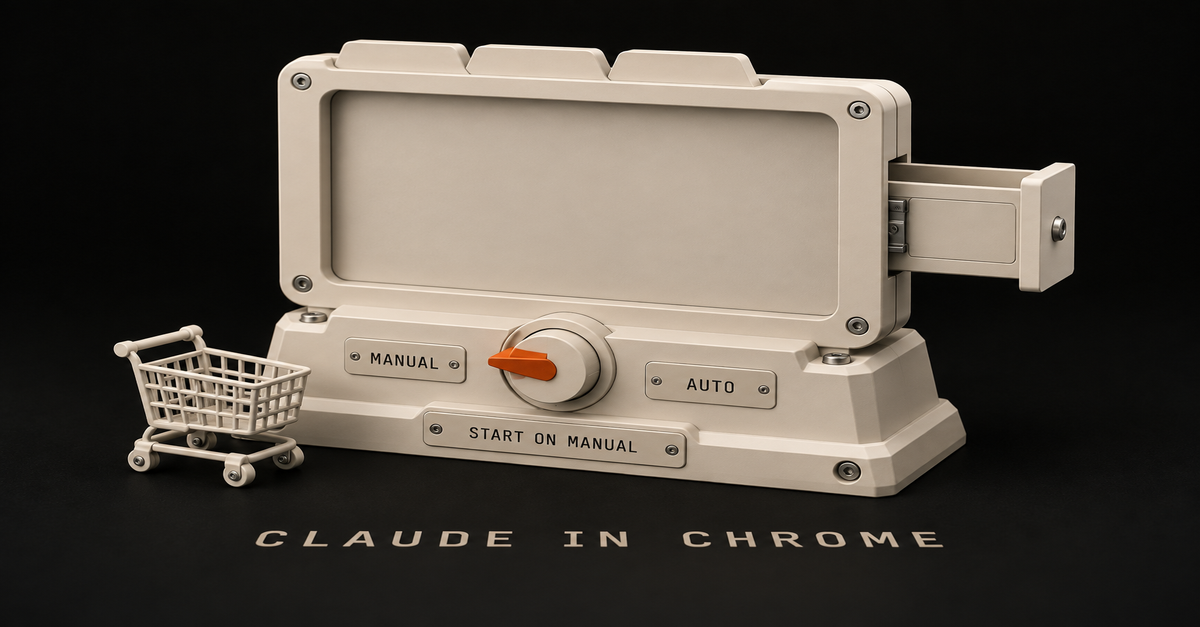
3. Switch the side panel to Manual before your first errand
This is the one setting. The side panel starts on Automatically approve, and it keeps whatever you pick for future sessions.Anthropic's Claude in Chrome permissions guide, updated August 12, 2026.
My first guess was that it doesn't just automatically do stuff, that you would have to ask it to do something. Half right. It waits for you to give it a task. But once you do, Auto keeps clicking and typing through the steps on its own, with a safety check reviewing each action instead of you.
Here are the three modes on Anthropic's permissions guide, with the old names you'll still see in older tutorials: ModeOld nameWhat it doesUse it for Manually approveAsk before actingAsks you before each actionYour first errands, anything on your own accounts
Automatically approve (side panel default)NewKeeps going, a safety check reviews each action and blocks what looks unsafeAn errand you've already watched it do once
Skip all approvalsAct without askingNo pausing, and nothing checks its actionsSkip it. Anthropic says only when you completely trust every action, connector, file and appOn Manual in the side panel, every request gives you three buttons: Allow all for this website, Allow this time only, or Deny. Start with "this time only". It's slower, and that's the point the first time.
Two more reasons to change it. Anthropic says auto mode "consumes more of your usage limit than the other modes." And its own advice for "money, messages sent as you, important files" is to stay close or switch back to Manual.
The desktop app has the same switch. Mine sits on Manual:My Claude desktop permission menu set to Manual, September 25, 2026.
4. Hand it one boring errand on a site that has no connector
Gmail already has a Claude connector, so email doesn't need the browser. Chrome earns its spot on the other ones. It's those apps that are finicky that don't have that support, you can just now do it. The best Claude connectors page has the ones worth turning on first.
LinkedIn is my example. Before, I'd lean on a paid scraper like Apify for that kind of data. With Chrome, I had it go through my LinkedIn analytics while I was signed in: which posts got the most impressions, plus different hook ideas.Claude reading my LinkedIn analytics while I'm signed in, October 2, 2026. The ad is blurred.
Instead of copying and pasting from the browser, I can just say look at this. Steal this prompt and give it 15 minutes:
Look at my LinkedIn analytics for the last 30 days. Tell me which 3 posts got the most impressions, what they have in common, and give me 3 hook ideas for next week. Only open LinkedIn pages, and don't post or edit anything.The grocery version works the same way:
Read the grocery list on this page. Search Amazon for each item and add the closest match to my cart. If you're not sure an item matches, ask me first. Don't check out.Anthropic's guide lists what the side panel is good at: comparing what's open across your tabs, pulling details off a page into a note, doc or form, and walking through a task on a site step by step while you watch.
When a prompt works, save it as a shortcut and type / in the chat to run it again. You can schedule shortcuts too, but a live browser login is a shaky fit for jobs that run while you're away. Claude Cowork scheduled tasks explains why.
Applicable for: marketers, recruiters, ops people, anyone stuck in a portal with no export button.
5. Check it worked by watching the tab, not just the chat
The tell is simple. If the answer names things that only exist on your signed-in page (your post titles, your numbers, your cart), it read the page. If it sounds like a generic blog post, it didn't.
Watch the tab while it works. On Manual you'll see each site request pop up before anything happens. If nothing comes back from the page, refresh the tab and check that the extension has permission for that site.
Stop the task right away if Claude starts talking about something unrelated, opens a site you didn't expect, or asks for sensitive information. Anthropic names those three as signs of prompt injection, meaning instructions hidden in a page trying to steer it.
Keep it off the sites that could actually hurt you
A commenter on my YouTube channel put it plainly: "Giving AI access to your computer, passwords, etc. What could go wrong?" Fair question. Anthropic's answer starts with a hard list of things it won't do no matter which mode you pick.Anthropic's prohibited actions list for Claude in Chrome, checked October 2, 2026.
It also always asks before it downloads a file, types sensitive information into a page, or grants an authorization. Banking, investment and crypto sites are blocked by default. For passwords, a 1Password sign-in beta on macOS fills the login so Claude never sees it.
One more thing: when it's on, Claude takes screenshots of your active tab, and those land in the conversation and its history. Anthropic's own words on prompt injection: "The risk is not zero."
So here's what I do. When you're seeing sensitive information, I'm not gonna have it look at it. I'd rather feed it a screenshot, in a new chat in the actual Claude app so it's not mixed up with the browser task. Or I disable the extension temporarily.
I figured taxes would be a good one, because I was just copying stuff and taking screenshots. Anthropic says no: its safety page says to keep it off financial, legal and medical work. Taxes get the screenshot rule, not the extension.
If you want extra cover, run it in a separate Chrome profile with no bank or health logins.
Pick Chrome for your logins, Claude's built-in browser for everything else
Since September 16, 2026, Claude can browse two ways: with the browser built into the Claude desktop app, or in your own Chrome through this extension. Anthropic's built-in browser guide puts the difference like this:Claude in Chrome works on the page you're already on, with the accounts you're already signed in to.
The built-in browser is Claude's own, nothing to install, and it doesn't touch your tabs or logins. The desktop app has to stay open and online.If you already use Claude in Chrome, it stays your default. Switch in Settings > Cowork > Preferred browser. For the finicky signed-in sites in step 4, that means Chrome, because the built-in browser only gets the logins you import into it, site by site.
How to use Claude Cowork walks through handing it a full job, and Claude Cowork is now Claude explains the September merge.
Start with the errand you keep pushing off
The grocery order was never hard. It was five to ten minutes I kept not spending, and that's exactly the kind of job this is for.
My rule: Manual first, finicky sites only, and anything sensitive gets a screenshot in a fresh chat instead. Pick the one errand you've been putting off, turn the side panel to Manual, and watch it do it once. For the rest of the Claude setup around it, start at Claude Guides.
Common questions
Is the Claude Chrome extension free?
No. It needs Pro, Max, Team or Enterprise, per Anthropic's help center as of October 2, 2026, and Claude's pricing table marks it as not on Free. If sign-in fails, Anthropic's first fix is checking that your paid plan is active.
Does Claude in Chrome work in Edge, Brave, Arc or on my phone?
No. It runs in Google Chrome on a computer only. Anthropic says other Chromium browsers and mobile aren't supported, though a saved side panel session can be picked up later in the mobile app.
Why does Claude in Chrome use so much of my usage limit?
Browser work costs more than chat, and the default mode costs the most. Anthropic says browser interactions are "more compute-intensive than regular chats," and Automatically approve uses more than the other modes. Manual cuts the extra checking. The meters themselves are explained in Claude usage limits.
Claude Chrome extension not working: what should I check?
Check your paid plan, refresh the page, and make sure the extension has permission for that site. Anthropic also says to update Chrome, turn off extensions that interfere, and sign out and back in. Banking, investment and crypto sites are blocked by default, so those won't load for it at all.
Is Claude for Chrome still in beta?
Anthropic made it generally available on every paid plan on August 26, 2026, but the help center still calls the Chrome side panel beta. Claude Code can drive Chrome too, but that version is for people building websites, not this side panel.
Where this comes from
The install steps, modes and safety rules come from Anthropic's help center and the Chrome Web Store, checked October 2, 2026.
The kitchen app is mine; the two app screens are from my phone view on October 2, 2026. The grocery order and the LinkedIn read are my own Chrome, same day. I haven't tested Skip all approvals or scheduled shortcuts for this guide.
Published October 2, 2026. Last reviewed October 2, 2026 against Anthropic's help center.This post is part of Claude Guides, the hub with every plan decision, task comparison, and setup guide for using Claude without code.
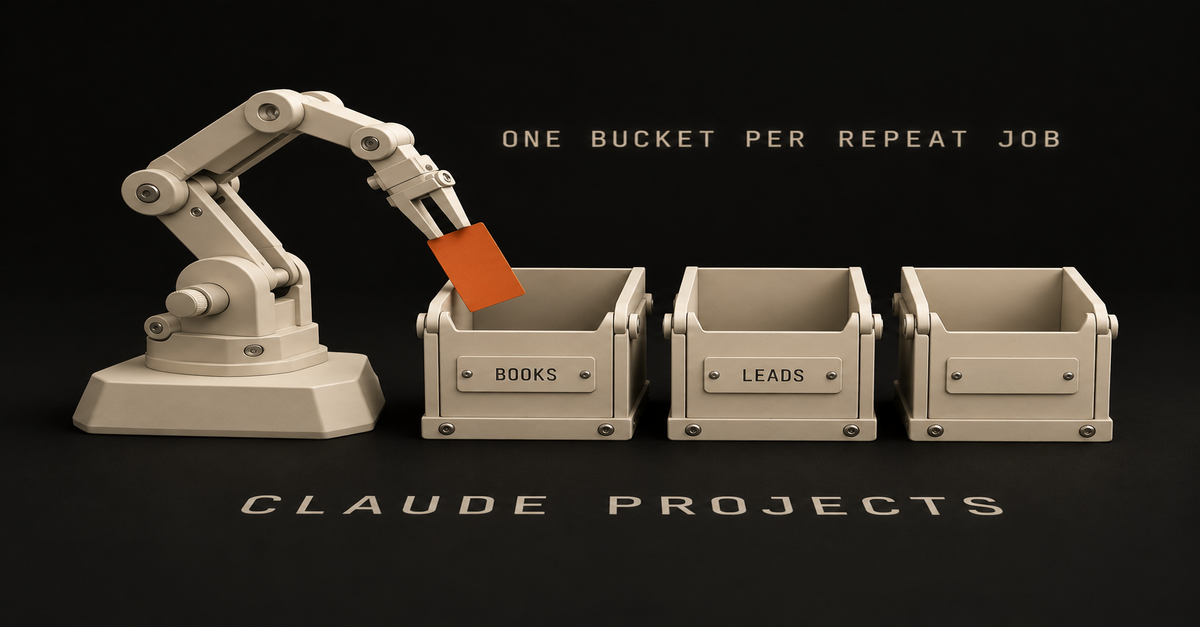
Open a project for something you do repeatedly and try to bucket them over time. That's my whole rule for Claude Projects.
Because the problem is the morning ritual. Every chat starts from zero, so you explain your job, your tone and the format again, and tomorrow you do it again.
A landlord on r/ClaudeCowork said it word for word: "What I keep hitting is that every session starts from zero."
Where I stand, so you know who's talking: most of my Claude work runs in Claude Code on my Mac. Lately I'm leaning more towards the app. I'm a little bit hybrid.
This is the Projects page on my account today:My Claude Projects page, Max plan, October 2, 2026.
Each card is one bucket. Client onboarding holds what a new client needs. My role holds the job description and the goals. So here are three steps, about 15 minutes: pick the bucket, let Claude write the instructions, drop in the real stuff.
What you need (as of October 2, 2026)Any Claude plan. Anthropic's What are projects page says free accounts get them too, up to five.
The web app or the desktop app. Projects sit in the left sidebar, or at claude.ai/projects, per Anthropic's create and manage guide.
15 minutes and one job you explained to Claude more than once this week.
A work laptop? What you upload sits in your Claude account, not on your laptop. Ask IT before a company file goes in.
Skip for now: the new projects beta (select Pro and Max Claude Code users only, per the same page) and the Scheduled row. Neither is needed to stop re-explaining yourself.Anthropic's help center, read October 2, 2026.
Five is plenty to start. What else the free plan gets is in Claude's free plan.The short version, from my Shorts: The free Claude folder that remembers you (3 setups beginners never turn on).Step 1: Make one project for one job you keep repeating
Sidebar > Projects > New project (web) · Project or folder > New project, under the message box (desktop, new layout)
Pick the thing you do every week. Not a one-off question, a job that comes back. Don't think about it too much, but definitely give it some thought.
Here's how I'd split it. Creating a bucket for books that you read and summaries, maybe you want to have that separate. And then for leads, that's separate.
If you find it's too similar, combine them. That's how I do it. Just optimize over time.The Project or folder menu in my Claude desktop app, October 2, 2026.
That menu is where projects live since Cowork and chat merged on September 16. Anthropic's merge article says it plainly: "Projects work in every conversation." Pick one there before you type, and the chat starts inside that bucket.
The new layout is rolling out to Pro and Max first. On Free, use the sidebar path.
"Add folder" is the other door. A folder project works on files on your computer, and the steps for that are in how to use Claude Cowork.
Applicable for: anyone with a weekly report, a client list, a reading pile, a job hunt or a side business.
Step 2: Ask Claude to write the instructions from one concrete goal
Your project > Instructions > Add (desktop) · Set project instructions > Save instructions (web)
I think just keep it high level. Ask Claude a concrete goal that you want to achieve and ask it to write your instructions for you and then just paste that in there.
Copy this into any chat and fill in the brackets:
I'm setting up a Claude project for one job: [the job, e.g. "turn every
book I finish into a one-page summary I can reread in 5 minutes"].
Write short project instructions for it. Keep it high level: who I am,
what this project is for, and what a good answer looks like.
Under 10 lines, plain English.Paste what comes back into the Instructions box and save. That's it.
Ruben Hassid at How to AI lands in the same place: "Keep them short. 5-8 lines max."One of my projects, October 2, 2026. Instructions and Context still say Add.
Look at that screen. My description up top is filled in, and the Instructions row still says Add. Anthropic's guide treats them as two separate steps: a name and description when you create the project, instructions after. Put the how-to-talk-to-me part in Instructions.
Where it breaks: long instructions about your style. A line like "plain English, no jargon, no acronyms" sounds like it should fix the voice. On its own, it still gets you generic.
A rule can't carry your voice. Real material can, which is step 3.
Step 3: Drop in real material, not a description of you
Your project > Context > Add (desktop) · the "+" button (web)
Upload the stuff that job actually runs on. For the books bucket, your highlights and one summary you liked. For leads, your real offer and two emails that got a reply.
Use your real sentences, not a paragraph about yourself. I checked my own Claude voice file against 11,000 words of me actually talking, and 45 of the 48 phrases in it were things I'd never said. A description of you is not you.
Upload to the project, not into one chat, so every new chat in it starts with the files. Got a good chat sitting outside? Move it in with the dropdown next to the chat name > Add to project. The same option sits in the "+" menu under the message box.My Claude plus menu, September 18, 2026. Add to project is second.
Files also cost you less over time. Anthropic's usage tips say project documents "are cached for future use," and cached parts "count less against your limits." The catch: "Caches expire after a period of inactivity." How the meters work is in Claude usage limits explained.
Check it worked: open a new chat and don't explain anything
Your project > new chat inside it > ask for the job in one line
Type the shortest version of the job, like "summary of the book I just added." No background, no tone notes.
It worked if:The answer comes back in your format without you asking for it.
It uses names, numbers or phrases from your files.
It sounds closer to you than a fresh chat outside the project does.Then click Memory > View. Per Anthropic's memory guide, "Each project has its own separate memory space and dedicated project summary." Memory is on for Free, Pro and Max. Searching your older chats is paid only, and inside a project it only searches that project. The full memory picture is in Claude memory.
If two projects keep giving you the same answers, that's your sign to combine them.
Use a skill or a folder when a project is the wrong toolSame steps, every time, in any chat? That's a skill, not a project. Start with how to use Claude skills.
The job is files on your computer? Use Project or folder > Add folder instead.
On ChatGPT, not Claude? The side-by-side is in Claude Projects vs Custom GPTs.Every Claude guide for office work, in order, lives on Claude guides.
Start one bucket tonight and fix it as you go
The goal was to stop re-explaining yourself every morning. One project for one repeat job does that.
Your first buckets will be off. Don't be afraid to pivot and get it wrong. You're never gonna nail it 100%.
So pick the job you explained to Claude most this week, and make that your first project tonight.
FAQ
What are Claude Projects?
A Claude project is a saved workspace for one job, with its own chats, instructions and uploaded files, so every new chat inside it starts with that context. Anthropic's help center calls them self-contained workspaces with their own chat histories and knowledge bases.
Are Claude Projects free?
Yes. Anthropic's help center says Projects are available to all users, including free accounts, and free users can create a maximum of five projects. The help center lists no cap for paid plans, and paid plans also get RAG, which can expand what a project holds by up to 10x once it nears the context limit.
Does a Claude project remember my other chats?
Partly. Each project has its own separate memory space and a project summary, and every chat in the project starts with its instructions and files. Searching your older chats is paid only (Pro, Max, Team and Enterprise), and a search inside a project only looks at that project's chats.
What should go in Claude project instructions?
Keep them short and high level: who you are, what this project is for, and what a good answer looks like. The easy way is to give Claude one concrete goal, ask it to write the instructions, and paste the result in. Your real examples and documents go in the project's files, not the instructions box.
Did the Cowork merge delete my Claude projects?
No. Anthropic's merge article says your chats, tasks, projects and settings come with you when your account moves over, and projects now work in every conversation. In the new layout you pick one from the Project or folder menu under the message box.
Where this comes from
The click paths, the free limit, memory and caching come from Anthropic's help center, read October 2, 2026. The screenshots are my own Claude app on my Max plan.
The bucket rule and the instructions trick are mine. I haven't shown you a project filled with files yet, and I haven't timed what one saves.
Published October 2, 2026. Checked that day against Anthropic's help center, linked inline.
If it was as easy as installing a skill and growing a business and you become a millionaire, everybody would be doing it. It's not that easy, man.
That's my whole reaction to the "500 free Claude skills" posts.
Maybe you saved one of those lists anyway. Or you landed on a GitHub page with 100 skills on it and closed the tab feeling behind.
Me too. I'm having a hard time sometimes keeping up with the features, man.
If GitHub is new to you: it's just a website where coders and developers share code and resources for free. People give away business skills there, and some of it is cool. I just think it should be an inspiration versus downloading and hoping that it's gonna do magic for you.
Out of everything I've downloaded, two survived my test (do I still use it?): my copy of Andrej Karpathy's autoresearch loop, which makes my other skills better, and Tesseract, which turns information into motion graphics.
The other three on this page are skills you build yourself: an inbox skill, a weekly prioritizer and a news digest.
Here's the Skills menu in my Claude app today, flaws included.My Claude app's Skills menu, October 2, 2026.
That n8n skill has been on since January. And neither of my two keepers shows up in that menu, because they live in Claude Code, where most of my skills run.
Published October 2, 2026. Skill, plugin and plan facts checked against Anthropic's help center and the GitHub pages linked below that same day.
Two of the 5 best Claude skills are downloads, and you build the other three#
Skill
What it does for you
Where it comes from
The catch1
A skill-improvement loop (my copy of Karpathy's autoresearch)
Runs a skill, grades the result, keeps the better version, repeats
A free GitHub project I copied and rewrote as my own skill
Karpathy's version needs an NVIDIA graphics card. You copy the idea, you don't install it2
Tesseract, by Mirage
Turns information into motion graphics and edited video
Public download on GitHub
Needs Claude Code or Codex on your computer, not a chat toggle3
An inbox skill
Sorts your email so only the things you have to do stay
You build it
Needs the Gmail connector. Keep sending on approval4
A weekly prioritizer
Reads your Trello or Notion tasks and picks the week's top few
You build it
Needs that app's connector5
A news digest
A short read of the sources you actually care about
You build it
You'll tweak the sources for a whileMy rule for the order: a skill I still use beats one that sounds powerful.
If you haven't turned skills on yet, the switches are in how to use Claude Skills. This page is about which ones are worth it.
New to Claude altogether? Start at the Claude guides.
The four built-ins are already on, so don't count them as picks
Anthropic's Use skills in Claude page lists four built-in skills: Excel, Word, PowerPoint and PDF. They're on once code execution is on, on every plan, Free included.
Back in July I made a Short calling PowerPoint, Excel, Word, PDF and Canvas Design the five to install. I'd change that now.
These are all generic. I think Claude is smart enough to just know what to use. Ask for a deck and it reaches for the PowerPoint skill on its own.
If I had to name one to care about, probably PDF.
Design is already in every chat, so skip hunting for a design skill
Claude Design stopped being a separate thing on September 16. Anthropic's release notes say you can now ask for a design, deck or document in any conversation, on every plan including Free.
There's also a separate Design add-on from Anthropic in the skills directory. It's a bundle: 7 skills and 9 connectors for design critique, UX writing and accessibility checks. It's not on my account.Anthropic's Design bundle in my skills directory, October 2, 2026.
A bundle like that is what Anthropic calls a plugin, and its plugins help page lists those on paid plans only. Unless you do design critique for a living, the built-in Claude Design covers you.
1. Karpathy's autoresearch loop makes your other skills better, and I copied it instead of installing it
Best for: anyone with one skill they use every week that's almost right.
The mess: you build a skill, it gets you 70% there, and you tweak it by hand for weeks.
Andrej Karpathy, the AI researcher, put autoresearch on GitHub in March 2026. The idea: an AI agent changes the code, runs a 5-minute experiment, checks if the result improved, keeps it or throws it out, and repeats overnight.
His version trains a small AI model and needs an NVIDIA graphics card. That's not the part I wanted.
I didn't even download it. I just copied it. Meaning I took it and I modified it for me.
Think of it like a smarter way to make a skill loop and just get better instead of painfully doing it for months.
My copy is a skill called refine, in my skills folder since June. It runs the skill I'm fixing, has a separate agent grade the output, changes one thing, and keeps the best version.
You don't need my files to get the same thing. Steal this:
Here is my [name] skill and three outputs from it I didn't like.
Grade each output against what I actually want, out of 10.
Change one thing in the skill, run it again on the same inputs,
and keep whichever version scores higher. Show me the scores.The catch: it only works on a skill you already use. A loop can't fix a job you haven't figured out yet.
2. Tesseract turns information into motion graphics you actually watch
Best for: people who make videos, and anyone who reads a wall of text and retains none of it.
Tesseract comes from a company called Mirage. It went up on GitHub on September 16, 2026, and today it carries four skills: Edit Video, Motion Graphics, Editor and Design.
It's the one that intrigues me the most right now. I'm working with it a lot for motion graphics as I put out video.
You don't have to make videos to get something out of it. It's just one way to render information, to get Claude to give you back information in a way you digest better.My HyperFrames vs Tesseract test render, September 25, 2026.
That frame is from a side-by-side I ran: the same motion graphic in HyperFrames, HeyGen's free, open-source tool that turns a web page into video, and in Tesseract. HyperFrames is the cheap way to get video out of Claude. Tesseract is another one I downloaded, and it's hard to replicate.
The catch, and it's a real one for a non-coder: Tesseract's own page says your agent "needs file and command access." That means Claude Code or Codex running on your computer, not a toggle in the chat. If that's new, start with how to use Claude Code.
As of October 2, its Claude Code plugin is listed as "coming soon."
The 3 best Claude skills to build yourself come from your own back-and-forth
The best skills come from your riffs, when you're going back and forth with Claude about your own work. A stranger on GitHub doesn't know your inbox or your clients.
You don't have to write one from scratch. Anthropic's skill-creator is in the example skills (it's in my menu above), so describe the job and let it draft the folder.
On a Mac with Pro, Max or Team, Record a skill in Cowork's + menu lets you do the task once on screen instead (Anthropic's guide; not on Free).A Record a skill proposal on my Mac, from a September 2026 test run.
It's something that you won't nail perfect in the first time, but you can just get the ball rolling. So don't get lost in trying to optimize it too much. My take: these should take you a few minutes to start, then you tweak them over time.
3. An inbox skill keeps only the email you have to act on
Best for: anyone whose inbox is mostly receipts and notices.
The mess: 300 emails, five that need you. The fix is a skill that asks one question of every message: do I have to do something about this?
My own inbox skill runs on that question across two Gmail accounts. It files receipts and machine notices, and it never sends or deletes anything on its own.
Starting point: Anthropic's Small Business plugin has an inbox-manager skill you can read and borrow from. The catch: it needs the Gmail connector, and sending should stay on ask-first. Which connector to turn on first is in the best Claude connectors.
4. A weekly prioritizer reads Trello or Notion and picks your week
Best for: people with a task list that keeps growing.
It queries your Trello or Notion, then prioritizes your tasks for the week. You tell it what matters this quarter, and it hands back the three or four things to do first.
Starting points: Anthropic's productivity plugin has a task-management skill, and the "morning" example skill renders a morning brief. The catch: it only knows what's in the app it reads, so it needs that app's connector.
5. A news digest reads the sources you'd never get to
Best for: anyone who subscribes to more newsletters than they open.
You tell it which blogs and newsletters to read, what you care about, and how short you want it. It hands back the few items worth your time.
The catch: the first version will pull the wrong stuff. That's normal. You go back and forth, cut a source, add one, and it gets closer every week.
What I'd skip: packs, developer lists, and tiny one-step skillsSkip
Why
Do this instead100+ skill packs and "free skill library" downloads
Built for someone else's workflow
Pick one chore and build for itBusiness skills from GitHub, installed as-is
Inspiration, not magic. Even Anthropic's example repo says "demonstration and educational purposes only"
Read it, copy the idea, make it yoursDeveloper skills (frontend-design, mcp-builder, webapp-testing)
They fill most "best skills" lists, and they're for coders
Ignore them unless you write codeTiny one-step skills
Ten tiny skills fight each other
One skill per job, with the steps inside itI'm not the only one saying this. Kyle Redelinghuys at ksred.com, writing for developers, sums up a reviewer who went through 200+ skills, and it's harsher than mine: "most publicly available skills don't just fail to help, they actively hurt, adding tokens, adding latency and injecting constraints that narrow the output."
And the author of welcomedeveloper.com's list lands where I do: "The point isn't to install everything. It's to start with what matches the work you actually do and let the gaps tell you what to add next."
On the one-step skills, I learned that one the hard way. The story of how my list got too long is in how to use Claude Skills.
A skill earns its spot only if you still use it
My test is one question: do I still use it?
That's why only two downloads made this page. Everything else I tried either got folded into a skill of my own or switched off.
To clean yours up: Customize > Skills, then switch off anything you haven't touched lately. Skills from the directory are view-only, so if you want to change one, download a copy, edit it and upload it as your own.
What changed since my July listJuly 2: my Short picked PowerPoint, Excel, Word, PDF and Canvas Design. Canvas Design is still in Anthropic's GitHub examples, but it isn't on my account and I wouldn't send you looking for it.
September 16: Claude Design moved into every conversation, Free included.
September 24: Anthropic updated its Design bundle (version 1.2.0) in the skills directory.
September 25: Anthropic opened a developer portal for submitting plugins to the Claude directory, so expect the directory to keep growing.Updated October 2, 2026.
Copy the idea, then make it yours
If installing a skill made you a millionaire, everybody would be doing it. The two skills I kept prove the point: one I copied and rewrote, the other I picked because it does a job I already had.
My rule: download for inspiration, keep only what you still use, and build the rest from your own back-and-forth.
So pick one chore from this page and get the ball rolling today. If you live in the chat app, start with the inbox. If you make video and already work in Claude Code, try Tesseract.
When you want the bigger case for building your own, it's in Claude Skills for non coders.
Common questions
Are Claude skills free?
Yes. Anthropic lists Skills on Free, Pro, Max, Team and Enterprise as of October 2026, as long as code execution is on. Plugins, the bundles of skills plus connectors, are paid plans only. What else the $0 plan covers is in Claude's free plan.
What is the difference between a Claude skill and a plugin?
A skill is one folder of instructions Claude loads for a job, like making a PDF. A plugin bundles several skills with connectors for one kind of work. Anthropic's Design plugin carries 7 skills and 9 connectors. Skills work on Free; plugins need a paid plan.
Where do I find a list of Claude skills and examples?
In the app: the + button in the message box, then Skills, then Browse skills, which opens the Discover tab. Anthropic's own example skills sit in its skills repo on GitHub, next to big community lists. Treat those as ideas to copy, and install only from sources you trust.
Are the free Claude skill lists on GitHub safe?
Some are, and nobody checks most of them. A skill can run code, so Anthropic says to install only from trusted sources and check what a skill depends on. Its own example repo says it's for demonstration and educational purposes only.
How many Claude skills should I have turned on?
Fewer than you think. The four built-ins are already there and Claude picks them itself. Past that, keep what you still use and switch the rest off in Customize > Skills.
Where this comes from
The plan, plugin and directory facts come from Anthropic's help center, its GitHub repos and my own Claude app, checked October 2, 2026.
The two keepers, the Tesseract test and both app screenshots are mine. I haven't tried every skill in the directory, and Tesseract and my refine loop run in Claude Code, not the chat app.This post is part of Claude Guides, the hub with every plan decision, task comparison, and setup guide for using Claude without code.
If a friend with an office job asked me for one Claude connector, I'd say hands down the Gmail one, that's the one you probably interact with the most.
Here's the chore it kills. Every morning you open your inbox, find the three emails that matter, and paste them into Claude so it can help you answer. The fix isn't a better prompt. It's plugging Gmail in: Claude searches the inbox itself, finds who's waiting on you, and drafts the reply.
Here's my own list. Gmail and Google Calendar on, Linear throwing a warning because it wanted me to log in again.My Claude Connectors menu, September 5, 2026. Linear is waiting on a re-login.
About that Chrome toggle: I have it on, and it's a good one. I don't really use it to be honest though.
Keep that in mind when a list tells you to install 21 of these.
Published September 25, 2026. Plan and connector facts checked against Anthropic's help pages and the Claude Marketplace that same day.
Six Claude connectors cover a normal workday, and Gmail goes first
The Marketplace connectors page shows 842 connectors today. A regular job needs about six, and you should start with one.Rank
Connector
Chore it kills
What it can change
Plan or work catch1
Gmail
"Who's still waiting on me?"
Send, reply, forward, label. Asks first by default
Every plan. On Team or Enterprise, an Owner switches it on first2
Google Calendar
"What's my day? Find me an hour."
Create, move, delete events, answer invites
Same as Gmail3
Google Drive
"Where did I save that doc?"
Upload, share, move, trash files
Same as Gmail. Reads text only4
Microsoft 365
The same three jobs in Outlook and Teams
Send mail, edit events, SharePoint files, Teams messages, only if IT turns writes on
Every plan, work or school account only, IT consents first5
Your meeting notetaker (Granola, Zoom)
"What did we decide Tuesday?"
Mostly reads
Only if your team already uses that notetaker6
Notion or Slack
"Where did the team land on this?"
Notion creates and edits pages. Slack posts messages
Only where your team already keeps decisionsMy rule for the order: the most daily chore killed for the least risk. Anything that can send or delete sits behind an approval, and a pick you'd open once a month doesn't make the list.
Turning one on takes two clicks: the "+" in the chat box, then Connectors, or Customize > Connectors to browse the directory (Anthropic's connector guide). If you're new to Claude, the Claude guides walks the whole setup.
What each Claude connector can touch, and the catch
1. Gmail kills the morning paste
Best for: anyone whose day starts in the inbox.
The mess: you skim the whole inbox to find the three people waiting on you. The fix: ask "Who emailed me this week that I haven't answered?" and let Claude search, read and draft.
It can also clean up your inbox and check your subscriptions. Anthropic's Google Workspace help page lists labels and threads for that, not deleting or unsubscribing, so "clean up" means sorting.
What it can change: send, reply and forward, and "by default, Claude asks for your approval before each of these actions." The catch: it sees attachment details, not what's inside them.Anthropic's Gmail connector help page, captured September 25, 2026: sending asks for approval by default.
Amanda Caswell at Tom's Guide has Gmail in her five too: "Claude drafted the replies without sending them, giving me a chance to check the wording first." How it stacks up against ChatGPT's version is in Claude vs ChatGPT for email.
2. Google Calendar answers "what's my day" and books the hour
Best for: people who live in meetings.
Ask "What's on tomorrow, and where's a free hour Thursday?" and it reads your calendars, shared ones included, and finds time that works for everyone invited. It can create, update and delete events, set up recurring meetings and answer invites.
It's on in my list above. Back in July I tested Claude's voice mode and it could book stuff in my calendar by talking to it, which is its own page: Claude voice mode for work. The catch: delete is one of its tools, so keep that one on Needs approval.
3. Google Drive is only worth it if your files live there
Best for: teams whose documents actually sit in Drive.
The mess: downloading a file just to upload it into Claude again. The fix: name the doc.
Drive can read Docs, Sheets, Slides, PDFs and Office files, read the resume you keep there, upload files, create folders, and drop a deck Claude made straight into Drive. It can also share, move and trash files.
The catch: "Claude extracts text content only from Google Drive files." Charts and images inside a doc get skipped.
No, I don't use Google Drive like that, to be honest. Stuff lives on my computer more than Google Drive. My backup is an external hard drive, so Drive isn't switched on in my list above, and that's why it's third.
4. Microsoft 365 replaces the top three if your office runs on Outlook
Best for: Outlook, Teams and SharePoint offices.
It covers the same jobs as picks 1 to 3: search email, review meetings, find documents, and Anthropic's docs say it's "available on all Claude plans: Free, Pro, Max, Team, and Enterprise."
The catch is bigger here. It needs a work or school Microsoft account (no personal outlook.com), a Microsoft Entra Global Administrator has to grant consent, and sending mail, editing files or posting in Teams only works once your admins switch write actions on.
The "Claude for Microsoft 365" line on the pricing page, from Pro up, is a separate Office add-in. It's not on my list, so this row is from Anthropic's docs.
5. Your meeting notetaker answers "what did we decide"
Best for: anyone with a stack of meetings a week and a notetaker already recording them.
Claude doesn't record meetings itself (Claude vs ChatGPT for meeting notes covers that gap). If your team already uses Granola or Zoom, their verified connectors let Claude read the transcript and summary and answer "what did we agree on Tuesday?"
What it can change: mostly nothing, which is why it ranks this high. The catch: it's only worth it if the notetaker is already part of your week. Then name the output you want back instead of asking for a summary.
6. Notion or Slack, wherever your team leaves decisions
Best for: teams whose plans live in a Notion page or a Slack channel.
Pick the one your team actually uses, not both. Slack's connector can search and read channels and post messages. Notion's can search, create and update pages.
The catch: a Slack post lands in front of your coworkers. That's a write action with an audience, so keep it on Needs approval. Neither is on my list.
The Claude connectors I'd skip
The connectors to skip are the shiny ones, popular ones that people just install but you don't use. My own Claude in Chrome toggle up top is the example.
Then the tools for jobs you don't have. Apollo, you might not even need that. You might be like, what the f* is an Apollo?
It's a sales prospecting database, and Clay is the same kind of thing. If you do outbound sales, you know it. If not, skip.
Developer and data picks go too. I have GitHub on because I use it a lot. A normal office job doesn't need GitHub, scrapers or payment tools like Stripe. Canva, Trello, monday.com or Zapier make sense only if you already pay for them.
Be careful with lists that rank their own product. Meeting Notes is run by Fellow and puts Fellow in its 21 picks. Composio's list ranks Composio first.
Neither is wrong to exist. Just know who's talking.
More connectors don't make Claude smarter
Anthropic's tool access page says it plainly: "Each connector takes up space in a conversation." The default setting, Auto, has Claude load only the connectors it needs for what you're doing.
Ruben Hassid said the same thing harder on his Substack: "Connectors burn tokens before you type. Every Connector loaded is context Claude has to scan."
A checkmark doesn't mean safe, either. Anthropic's verification page says Verified "is not a security audit or a guarantee," and for Community connectors: "only connect developers you trust."
Claude only sees what your account can already see
Anthropic's Google help page says "Claude mirrors your existing permissions," so a connector can't open a folder your account can't. Every answer cites the email, event or doc it used.
Anthropic says it doesn't train on your Gmail, Drive or Calendar connector data. The exception, on consumer plans: anything you copy and paste from those apps into a chat can be used if you've allowed training.
Connectors aren't a paid feature. Claude's pricing page lists them on every plan, and the connector guide's only Free limit is one custom connector. The rest of what Free gets is in Claude's free plan, explained.
What changed this week
On September 23, Anthropic opened the Claude Marketplace, with "more than 2,000" connectors and plugins. It's a second front door. Inside Claude you still add them from Customize > Connectors or the "+" in chat.
On September 24, Claude Tag started supporting personal connectors in channels, "rolling out now on Team plans, with Enterprise to follow." The post names Team and Enterprise only.
My rule on a work account: ask first, every time
Each tool in a connector has three settings: Always allow, Needs approval or Blocked. Leave anything that sends, deletes or posts on Needs approval. Reading can run on its own.
On Team and Enterprise plans an Owner has to switch the Google connectors on before you can connect, and Microsoft 365 needs your IT admin. If it's greyed out at work, that's why.
How to choose #2: wait until you've used #1 this week without thinking about it. If Gmail is working, Calendar is the natural next one, since the same email usually ends in a meeting.
If you want Claude doing whole jobs with those connectors, how to use Claude Cowork is the next step, and Claude skills are how you save the steps once they work.
Would I let Claude send email from a work account? Yes. On its own? No, I'll QA every single time for sure.
So turn on Gmail, leave sending on Needs approval, and kill the morning paste this week.
Where this comes from
The plan and product facts come from Anthropic's help pages, docs, pricing page and Marketplace, checked September 25, 2026. The ranking, the skip list and the September 5 screen are mine.
I don't run Drive, Microsoft 365, a notetaker, Notion or Slack through Claude, so those rows come from the docs, not my use.
Quick answer: ChatGPT Free gives you unlimited everyday text chat on GPT-5.6 Luna for $0. Plus at $20 a month does not buy you more chatting. It buys the stronger thinking models, twice the room per paste, fuller tools and no ads.
My take: if you're not gonna pay 20 bucks, you're playing the wrong game. The free versus Plus, let the pain talk. That's my response to that.
Where I'm coming from: I've never used a free one. I think I might have used it free for a month or two. I don't know, early on. Maybe a year ago.
Today I pay for Pro at $100, so I'm on neither plan this page compares. The Free and Plus rows come off OpenAI's own pages.My ChatGPT billing pane: Pro, $100 a month, September 5, 2026.
Published September 25, 2026. Prices, models and limits checked that day against chatgpt.com/pricing and OpenAI's help center, linked inline.
Quick decision: pick the plan by what hurtsYou are
PickAsking questions and fixing emails a few times a week
FreeChatting daily, want more images and uploads, fine with ads
Go at $8Pasting long documents, want the thinking models, no ads
Plus at $20Hitting Plus limits while building things
Plus vs ProChatGPT Free vs Go vs Plus, side by side (September 25, 2026)
Read off OpenAI's pricing page on September 25, 2026:Free
Go
PlusPrice
$0
$8/mo
$20/moEveryday text chats
Unlimited
Unlimited
UnlimitedModels in Chat
GPT-5.6 Luna, GPT-5 Thinking Mini
Same as Free
Adds GPT-5.6 Sol and legacy modelsGPT-6 Astra, Sol, Luna
No
No
Yes (Work and Codex)Response times
Limited on bandwidth and availability
Same as Free
FastInstant context window
27K (about 12 pages)
54K (about 40 pages)
54K (about 40 pages)Reasoning context window
Varies
256K (about 320 pages)
256K (about 320 pages)File uploads, data analysis
Limited
Yes
YesImage generation
Limited
Yes
Yes, plus image gen with ThinkingDeep research
Limited
Limited
YesVoice
Yes
Expanded
ExpandedScheduled tasks
No
Yes
YesCodex
Limited
Limited
YesChatGPT Work
Limited (desktop app)
Limited (desktop app)
Desktop, web and mobileAds
May appear
May appear
NeverThe ads row comes from OpenAI's ads article, not the pricing page.OpenAI's pricing table, Free, Go and Plus columns, September 25, 2026.
Two spots where OpenAI disagrees with itself. The GPT-6 Sol and Luna launch post says Free and Go users can reach GPT-6 Luna in the desktop app, while the table above shows a dash.
The table also checks "Create & share GPTs" on Plus, while the GPT help article says personal accounts, Plus included, can't create new GPTs. When the two disagree, trust what your own app shows you.
Free runs out of tools and room, not chat
Plain text chat on Free doesn't stop anymore. OpenAI's Free tier FAQ says it straight: "Free users have unlimited everyday text chats, subject to abuse-prevention safeguards. File uploads, image generation, voice, data analysis, and other tools have separate usage limits."
So the walls moved. On Free you hit them here:The long paste. Free's instant context is 27K, about 12 pages. Plus holds about 40. A contract, a long report or a big spreadsheet runs out of room on Free first.
The file and the chart. Uploads and data analysis are "Limited" on Free.
The fifth image. Free's pricing card says "Limited and slower image generation."
The deep research run and the voice chat. Both are capped on Free.Older advice still says Free makes you wait hours. Imad Khan at CNET wrote in August 2025 to upgrade when "waiting three hours for your tokens to reset becomes unbearable." For text chat, that wait is gone. For images, uploads and research, it isn't.
Model names go stale just as fast. Saood Zafar at ClickRank, updated April 2026, still describes Free as "the basic entry point which now includes GPT-5.3 mini with ads and strict usage limits." GPT-5.3 mini isn't on OpenAI's table anymore.
The $20 buys the thinking models, and that gap is night and day
My rule for when to move: if you keep getting timed out with usage limits or you're not happy with the results or you're curious about the stronger models, which is a clear night and day difference by the way, then that's when you want to upgrade.
One correction to my own line. On Free today, "timed out" means a tool limit (images, uploads, research), not a chat limit, since text is unlimited.
The model gap is the bigger one. Free chats on GPT-5.6 Luna. Plus adds GPT-5.6 Sol in Chat, plus GPT-6 Astra, Sol and Luna in ChatGPT Work and Codex. The full model split lives in my GPT-6 Sol and Luna explainer.My ChatGPT Chat model picker on Pro, September 22, 2026. Plus gets GPT-5.6 Sol here; Free doesn't.
GPT-6 Astra sits one tab over, in Work, not in Chat.My ChatGPT Work model picker on Pro, September 22, 2026.
Plus is not a bottomless plan either. OpenAI's Plus article says Plus "may include usage limits such as message caps, especially during high demand."
The good news for anyone on Free: the models are only getting smarter, so even the free one is still smarter than it was a year ago. Which is crazy.
Go at $8 buys more Free, not Plus
Go is the middle rung. It keeps Free's brain: OpenAI's Go article says Think uses GPT-5.6 Luna and that Go does not include GPT-5.6 Sol. What Go adds is room: the 54K context, full uploads and images, scheduled tasks.
My read: Go buys more room for the same brain, and Plus is where you pay for quality. I've never paid for Go myself. The full breakdown is in ChatGPT Go vs Plus.
Ads stay on Free, and dropping them costs you tools
Don't you get ads on Free or something? Yes. OpenAI's ads article: "Ads may appear for users on the Free and Go plans. Plus, Pro, Business, Enterprise, and Edu accounts will not have ads."
Free users can switch to an ad-free option, but OpenAI says it "comes with lower usage limits and reduced feature access," meaning fewer messages and no image generation or deep research.
When I wrote up ChatGPT's ads in August, I said Free is gonna have ads, it's gonna suck, but that's the point: if you're using it enough that you get sick of seeing the ads, or you run out of usage, that's your opportunity to pay the 20 bucks.
Upgrading resets your Free limit on the spot
If a Free limit stops you mid-task, paying fixes it right away. OpenAI's Free tier FAQ: "If you reach a rate limit on your Free tier account, your usage rates will reset when you update your account to a Plus plan, a Pro plan, or a Business plan."
So you don't pay and then sit through the rest of the wait. And the downside is small: 20 bucks is not gonna make or break you. Try it, and then if it doesn't work for you, quit. Plus bills monthly only, per OpenAI's Plus article, so quitting means cancelling before the next month.
Who should stay on Free, and who should pay todayYou open ChatGPT a few times a week: stay on Free. If you're just using it and you're like, damn, I barely use it, I just open it once in a while, then free is probably good for you.
You're new to AI and curious: start on Free. Let the pain hurt you until you realize, oh shit. If you keep reading the news and thinking "I want to try that," you're curious what's on the other side. That means buy it.
You use it for work every day: Plus. The thinking models and the 40-page paste room are what you're paying for. My full case is in Is ChatGPT Plus worth it.
You can afford a second $20: get both Claude and ChatGPT. Just use them both; they're strong in different areas. Claude's free plan is the place to test that first.Every plan price I track, with the date I last checked it, sits on my AI plan tracker.
FAQ
Is ChatGPT Free unlimited?
For plain text chat, yes. OpenAI's Free tier FAQ says free users have unlimited everyday text chats, subject to abuse-prevention safeguards. File uploads, image generation, voice, data analysis and deep research still have their own, smaller limits on Free.
Does ChatGPT Free get GPT-6?
Not in Chat. OpenAI's pricing page shows GPT-6 Astra, Sol and Luna as Plus and up. OpenAI's GPT-6 Sol and Luna launch post adds that Free and Go users can reach GPT-6 Luna in the desktop app, which the pricing table does not show yet, so check your own desktop app.
What happens when I hit a limit on ChatGPT Free?
You wait for that tool's limit to reset, or you upgrade. OpenAI's Free tier FAQ says that if you reach a rate limit on Free, your usage resets when you upgrade to Plus, Pro or Business, so you do not keep waiting after paying.
ChatGPT Plus vs Free: does Plus have ads?
No. OpenAI's ads help article says ads may appear on the Free and Go plans, and that Plus, Pro, Business, Enterprise and Edu accounts will not have ads. Free users can pick an ad-free option, but it comes with fewer messages and no image generation or deep research.
Can I build custom GPTs on ChatGPT Plus?
Do not buy Plus for that. OpenAI's pricing page still checks Create and share GPTs for Go and Plus, but its help center says new GPT creation and publishing are not available on personal accounts, including Free, Go, Plus and Pro. You can still use existing GPTs on every plan.
Where this comes from
The plan rows come off OpenAI's pricing page and help center, read September 25, 2026. What's mine is the verdict, plus my Pro billing pane and two model pickers, all from my own account.
I used Free for a month or two, maybe a year ago, I'm on Pro today, and I've never paid for Go. So the Free, Go and Plus columns are OpenAI's word, not my meter.
Quick answer: Perplexity finds it, Claude does the work. If you are paying for one $20 plan, pay for Claude and keep Perplexity on the free tier.
If a coworker on one subscription asked me about Perplexity Pro with Claude in the menu, here's my answer: "If you're talking about Perplexity Pro and Claude, are you kidding me? Claude, hands down."
I'm not anti-Perplexity. I still think Perplexity is good for web research and when I find coupon codes, generic stuff like that. I also use a Perplexity API, so my agents use it a lot.
My research setup sends each lookup to Perplexity first, pinned to the official site, then Claude reads the pages and writes. Its log shows 64 lookups from August 21 to September 20, 2026, for $0.35 total.
Published September 25, 2026. Plans, model tables and prices checked on the vendor pages that day.
Quick decision: Perplexity vs Claude by jobThe job
Pick
WhyQuick cited answer about something current
Perplexity (free)
Sources first, one clean answerCoupon codes, "what's the latest on X"
Perplexity (free)
Its home turfWrite the email, report or proposal
Claude
It works with what you give itSummarize a long PDF or a folder of notes
Claude
Your files, your project, your memoryCompare three vendors' prices today
Both
Perplexity finds the pages, Claude builds the tableOne $20 subscription, pick one
Claude Pro
The model plus the workspaceMy rule: Perplexity finds it, Claude does the work, and the money goes to the one you work in.
Perplexity is the better search experience
Credit where it's due. If you're talking about search, yes, maybe Perplexity would probably be the better experience. You ask, you get one answer with the sources under it, and you move on.
That's also why my agents call it. Perplexity's API bills per call: the Sonar model is $1 per million tokens in and out, plus a $5 to $12 fee per 1,000 requests, per Perplexity's API pricing. In practice that lands around half a cent a lookup.
The free plan is enough for a person. Perplexity's model page says Free gets its automatic "Best" model and a limited number of Pro Searches, with no manual model choice.
Claude inside Perplexity Pro is not a Claude subscription
The pitch goes: "Perplexity Pro has Claude in the menu, so why pay Anthropic?" Here is what that menu holds.Perplexity's own model table, captured September 25, 2026.Claude on Perplexity (per the table above)
Pro ($20)
Max ($200)Claude Sonnet 5
Yes
YesClaude Opus 5
No
YesClaude Opus 5.5 or Fable
Not listed
Not listedClaude's Projects, memory, Skills, connectors
No
NoPerplexity says it plainly. Its model help article answers "Are third-party models the same as using the provider's own app?" with a no: Perplexity runs them with its own search, prompts, tools and usage limits, so they can behave differently.
For fairness, it isn't a secretly dumbed-down Claude either. On Perplexity's community forum, staff member andrewmadson-pplx wrote: "There isn't silent fallback: if you request claude-sonnet-5, any retry/failover happens only between hosting providers serving the exact same model".
A user in the same thread, Slowianin, put the difference where it belongs: "it's less about hidden parameter tweaks and more just the wrapper itself, system prompt + whatever gets injected from the search/rag step before claude even sees my actual question."
So you're buying cited search with a Claude model plugged in. You're not gonna choose your subscription and spend your $20 on just search features alone. You want the best model.
The other pitch is "Pro gives me all the models." Read the table again: Pro gets OpenAI's GPT-5.6 Terra, but GPT-5.6 Sol, like Opus 5, is Max-only.
One point for Perplexity: its paid plans do make images, per its plan guide. The gap that matters is still the workspace.
Claude searches the web too, with citations, even on Free
The old line "Claude can't search the web" is out of date. Claude's pricing page lists web search on Free, Pro and Max. Anthropic's web search help article says "Every response includes citations, so you can easily verify sources yourself."
You switch it on from the "+" in the message box.My Claude "+" menu, September 18, 2026.
That same menu is what Perplexity can't give you: Skills, connectors, projects and memory sit next to web search. Research, the mode that runs several searches that build on each other, is on paid plans only.
So Perplexity's edge is narrower than it used to be: the search screen, not being the only AI that can check the web.
Prices side by side: the same $20, different thingsPlan
Perplexity
ClaudeFree
$0, "Best" model picked for you
$0, web search includedPro
$20/month
$20/month, or $17/month billed yearlyTop tier
Max, $200/month
Max, from $100/month (5x)Sources: Perplexity's pricing and Claude's pricing page, both checked September 25, 2026. My AI plan tracker keeps these dated.
If you want both, don't buy two subscriptions. Budget $25 and you get the twenty dollar Claude plan and then five dollars in API credits.
The five dollars is for agents, not for you. At my log's rate, five should be more than enough.
Not sure Claude Pro is worth it at all? Start with what Claude's free plan actually includes, then read is Claude Pro worth it.
How I run them together: Perplexity finds, Claude writes
Here is one record from my research log, from a Short I was researching about Claude Skills.My research log line for the August 25, 2026 Perplexity lookup.August 25, 2026 lookup
From my research logThe question
"On claude.ai [...] what exactly are Skills [...] and can a Skill use connectors to apps like Gmail, Google Drive, Slack or Canva?"Pinned to
anthropic.com, claude.com, support.claude.com, docs.claude.comModel and cost
sonar, $0.0057First sources back
Anthropic's "Use skills in Claude" and "What are skills?" help articlesWhat it changed
Anthropic's docs treat Skills and connectors as separate features, so the line "one Skill wires Claude into Slack and Gmail" was false as writtenHalf a cent killed a wrong claim before it hit a script. Then the research agent opened Anthropic's plugins page directly and rewrote the row around the real sentence. That's the whole split in one record.
If you want to take it a step further, I would have my agents read the Perplexity documentation to understand how to query it.
Have Claude write down what it learned in a skill, so every research run searches better than you would by hand. How to use Claude Skills covers the setup. On the Claude side I use Sonnet as my daily driver and Opus for the heavy things.
Which one should you pay for?You want one paid AI for work: Claude Pro. Keep Perplexity free for lookups.
You mostly look things up and rarely write: Perplexity free, and maybe Claude free. Pay later.
You run agents or automations: Claude for the work, a few dollars of Perplexity API for the searching.
You already pay for ChatGPT: the same logic applies, see Perplexity vs ChatGPT. For research-heavy work, Claude vs ChatGPT for research is the next call.This post is part of Claude Guides, the hub for using Claude without code.
FAQ
Is Claude inside Perplexity Pro the same as Claude Pro?
No. Perplexity Pro lists Claude Sonnet 5 only; Opus 5 needs Max ($200), as of September 4, 2026. Perplexity's help center says third-party models can behave differently inside Perplexity, and you get none of Claude's Projects, memory, Skills or connectors.
Can Claude search the web for free?
Yes. Claude's pricing page lists web search on Free, Pro and Max, and each answer comes with citations. The longer Research mode is paid only.
Is Perplexity better than Claude?
At quick cited search, yes. At writing, working through your files and repeat work, Claude is the better product. Most people need Perplexity's free tier and Claude's paid one, not the reverse.
Perplexity Pro vs Claude Pro: which one?
Claude Pro. Both are $20 a month. Claude Pro buys the model plus the workspace; Perplexity Pro mostly buys better search.
Do I need both?
Not as two subscriptions. Claude Pro plus free Perplexity covers most people. If you run agents, about $5 of Perplexity API credit is plenty: my research log ran 64 lookups in a month for $0.35.
Where this comes from
The plan tables, prices and model lists come from Perplexity's and Anthropic's own pages, checked September 25, 2026.
What's mine: the verdict, my Claude "+" menu, and my research log, including the August 25 record. I haven't tested Perplexity Pro or Max limits day to day.
Weekly drop
Get the field manual.
One automation system every Tuesday. Zero fluff. Just workflows you can steal.
You're in!
The 15 prompts are on their way. After that, one short note from me every Tuesday.
Something went wrong
Please try again or email chris@christopheralarcon.com
 Chris Alarcon