-
 Chris Alarcon
 - 05 Jan, 2026
How to Save Time with Automation (Without Building Systems You Never Use)
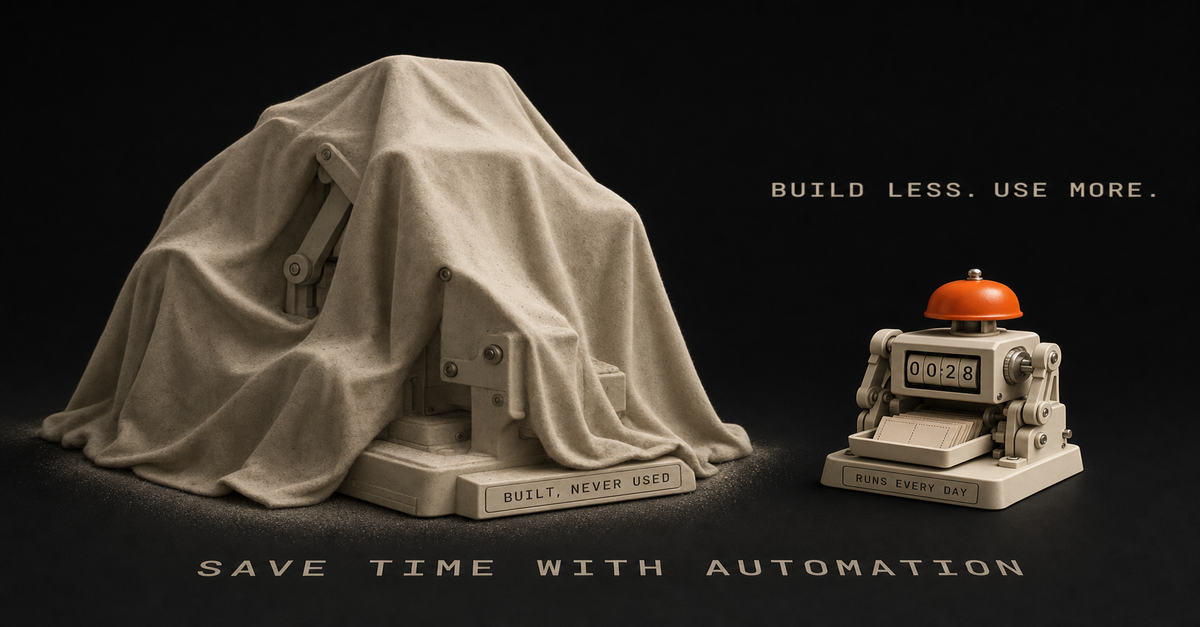
I spent 2 weeks building an automation I never used. Four agents. Late nights. Reddit scraping, 11Labs voiceovers, Creatomate video stitching - a full faceless YouTube pipeline. The workflow actually worked. Videos would generate automatically from trending relationship posts. And I never published a single one. Turns out, I wasn't passionate about relationship content. I was interested in the theory of faceless YouTube, not the content itself. So I built a beautiful machine that sat there collecting digital dust. Here's what I learned: Automation speeds up whatever you're doing. If you have a broken process, automation just makes it fail faster. The problem wasn't my n8n skills. The problem was I skipped the part where I figured out if I actually needed this thing. Sound familiar? Maybe you've spent a Saturday building a workflow that's supposed to save you hours. Then Monday comes, you're back at your desk, and that automation hasn't touched your real work. That's what this guide is about. Not another "automate everything" tutorial. A way to build automations you'll actually use, instead of weekend projects that just sit there. Here's the process I use now. I learned it the hard way. Why Most Automation Advice Fails (And Costs You Weekends) You've heard the standard automation advice: "If you do something more than twice, automate it." Sounds reasonable. Except it's not. Here's the problem. That advice assumes the thing you're doing twice is worth doing at all, and that your process is already good. Automation won't magically make a broken workflow work. Most people automate broken processes. Then they're confused when automation doesn't save time. I've been there. I used to admire workflows with 100 nodes. Complex branching logic. Dozens of API calls. "Look at that beautiful automation," I'd think. Now? I admire the simplest workflows that actually run. The 5-node system you use every week beats the 50-node masterpiece that never gets opened again. The problem with automation tutorials online is they teach you how to build, not whether to build. Nobody makes viral content about the workflow they decided NOT to create. So you end up in a loop. Watch tutorial. Get excited. Spend the weekend building. Realize it doesn't fit your actual work. Feel frustrated. Repeat. Another weekend gone. Nothing shipped. What you need is a way to decide what to automate in the first place. The Process-First Framework for Time-Saving Automation After wasting those 2 weeks on my faceless YouTube system, I changed my approach completely. Now I follow a 4-step process before I ever open n8n. Step 1: Justify the Use Case Before building anything, I answer one question: What's the ROI? Not vague "this would be nice" thinking. Actual numbers. Here's how I calculate it:How many hours does this task take per week? How many hours will the automation take to build? What's the payback period?If a task takes 2 hours weekly and the automation takes 10 hours to build, that's roughly a 5-week payback. Probably worth it. If a task takes 15 minutes weekly and the automation takes 20 hours to build? You're looking at an 80-week payback. Probably not. Most people skip this math. They build because building is fun. Then they wonder why their calendar is still full. Step 2: Document the Manual Process First This one sounds backwards, but do the thing manually before you automate it. Not forever. Just long enough to understand what you're actually doing. I track tasks in a Notion database for 1-2 weeks before automating. I note:What triggers the task? What are the actual steps? Where do I make decisions? What could go wrong?Writing it down shows you what's actually hiding in there. That "simple" task you wanted to automate? It probably has 5 edge cases you'd only discover mid-build. Finding those edges before building saves hours of debugging later. Step 3: Sketch It Before Building What helped most was sketching in Excalidraw before I opened n8n. I used to jump straight into building. Add a node. Add another. Get tangled in logic. Realize I needed to restructure. Waste 2 hours. Now I spend 10 minutes sketching first. Just rough boxes and arrows showing:What triggers the workflow What each step needs to do Where decisions happen What the final output looks likeSometimes Claude Code helps me brainstorm the flow. We'll talk through the logic together before I touch any automation tool. The best part? Sometimes the sketch shows me I don't need automation at all, and I skip the build. Step 4: Build the Minimum Viable Automation My first n8n workflow had 4 agents when it should have had 1. I was so excited about what was possible that I built everything. Reddit scraping AND script writing AND voice generation AND video editing AND publishing. All at once. That's how you end up with something that never works reliably. Now I build the smallest version first. One workflow that does one thing. Get it running. Use it for a week. Then add the next piece. For content repurposing, I didn't start with a 10-step pipeline. I started with: blog post goes in, Twitter thread comes out. One input, one output. Everything else came later. The 5 Automations That Actually Save Time for SolopreneursSome automations save a few minutes a week. Others give you back real chunks of your day. These are the five categories I keep coming back to: 1. Content Repurposing This is one of the automations that saves me the most time. One piece of content becomes several. A blog post or video turns into a thread, LinkedIn post, newsletter section, and short-form ideas. The ideas stay the same, just reformatted for each platform. Before automation: an hour per platform of manual rewriting. After automation: one trigger, multiple drafts, then a short edit pass. Want a version of this pipeline built for you? Record one long-form video a week, and the Content Flywheel handles drafts, scheduling, and the approval queue in your voice. See Content Flywheel DFY → Related: How to automate social media posting with AI 2. Social Media Scheduling Note: I'm not talking about automated engagement or auto-replies. That's a path to getting flagged and annoying people. I mean scheduling posts you've already drafted. Batch your content, queue it up, let the scheduler handle timing. Tools like Publer or Buffer make this dead simple. You don't need a custom n8n workflow for this. Sometimes the right tool beats the custom build. 3. Email Triage and Filtering I don't automate replies. Too risky, too impersonal. But I absolutely automate sorting. Newsletters go to one folder. Client emails get flagged. Junk gets deleted on arrival. By the time I open my inbox, it's already mostly triaged. Most email clients have this built in. Gmail filters, Apple Mail rules, whatever. The point is: automate the sorting, not the replying. 4. Meeting Scheduling The back-and-forth of finding meeting times is pure waste. Calendly or Cal.com handles this completely. Share a link, they pick a time, it's on the calendar. No "does Tuesday work? How about Thursday?" This is a solved problem. Don't build a custom solution. 5. Client Onboarding Sequences When someone becomes a client, there's a checklist: welcome email, project folder, CRM entry, intake form, kickoff call. Automate that list and every client gets the same onboarding, without you having to remember each step. Start with the welcome email. Add the rest piece by piece. Related: n8n workflow examples worth buildingThe 60-second version, from my Shorts: 65% of My AI Automations Were Fake (I Had No Idea).The "Should I Automate This?" FrameworkBefore building any automation, I run through these four questions: 1. Does this task repeat weekly (or more)? If you do something once a month, the automation probably won't pay off. For monthly tasks, the time you save rarely covers the build. Weekly or daily tasks? Those are automation gold. 2. Is the process already clear and working? If you're still figuring out how to do something, don't automate it. You'll bake confusion into the system. Do it manually until the process is solid. Then automate. 3. Will automation ACTUALLY save time, or just move complexity? Some "automation" just shifts where you spend time. Instead of doing the task, now you're maintaining the workflow, fixing errors, updating triggers. Be honest about total time spent, not just time on the original task. 4. Do I need human judgment in the loop? Some decisions shouldn't be automated. Client communications, creative direction, anything that needs judgment. Let automation handle the mechanical parts. Keep the judgment for yourself. If a task passes all four questions, it's a candidate for automation. If it fails any of them, think twice before building. How to Build Your First Automation (The Right Way) Ready to build? Here's the process I wish I'd followed from the start. Pick ONE High-Impact Task Don't automate five things at once. Pick the one task that:Happens most frequently Takes the most time Has the clearest processFor most solo operators, content repurposing or email sorting wins this test. If you're not sure where to start, here are 7 repetitive tasks worth automating first - plus the 30-minute brain dump that helps you find yours. Sketch the Workflow Open Excalidraw (it's free) and draw:The trigger (what starts the workflow?) Each step (what happens next?) The output (what does success look like?)Spend 10-15 minutes here. It saves hours later. Choose Your Tool For most automations, n8n is my go-to. Self-hosted, unlimited workflows, no per-execution fees. Related: n8n tutorial for beginners - your first workflow in 15 minutes But sometimes the right answer is a dedicated tool. Calendly for scheduling. Publer for social posting. Don't build what's already solved. Build the Minimum Version Start with the smallest version that provides value. If you're automating content repurposing:Version 1: Blog post → Twitter thread Version 2: Add LinkedIn Version 3: Add email Version 4: Add imagesEach version works independently. You don't need version 4 for version 1 to save time. Test with Real Data Don't test with fake examples. Run your actual content through the workflow. Real data reveals real problems. Edge cases you didn't consider. Formatting issues. API quirks. Refine Based on What Breaks Nobody talks about this, but debugging workflows is part of the game. I run a small set of workflows regularly, and I'm constantly tweaking them. Something breaks, I fix it. Output isn't quite right, I adjust. Automation isn't set-and-forget. Expect to keep maintaining it and tweaking it. The good news: each pass makes the system more reliable. After a few weeks of tweaking, you end up with something that mostly runs itself.Want workflows like these delivered weekly? I share the workflows I'm actually building and refining - what works, what breaks, what I'd do differently. No theory, just systems you can steal. Start here →Real Automation Workflows You Can Copy Here are three workflows from my actual system: Workflow 1: Notion Content Hub → Multi-Platform Publishing My content operation runs through one Notion database. The flow:Write draft in Notion Mark as "Ready to Publish" n8n detects the status change Claude reformats for each platform (Twitter, LinkedIn, email) Content queues in Publer I wake up to posts scheduledI still review everything before it goes out. Automation does the heavy lifting, but I approve the final output. Workflow 2: Blog Image Generation with Claude Code Header images used to be a slog: open the design tool, fight the prompt, drag it into the right folder. Now:Claude Code reads the blog post Generates image prompt based on content Calls a Gemini image API Saves to the right folderI run it, walk away, come back to a header. Most of the wall-clock time is the API. Workflow 3: YouTube Script → Multi-Format Content One long-form video becomes multiple assets:Script goes into the system Pull key points for Twitter thread Create LinkedIn article summary Generate newsletter section Draft TikTok hook ideasI walk through this on camera in The AI Automations That Almost Ruined My Business (11 min).Common Automation Mistakes (I've Made Them All) I've made every one of these, so you don't have to: Mistake 1: Automating Before Understanding the Process This was my faceless YouTube disaster. I automated a process I hadn't validated. Two weeks of work for zero output. Now I do things manually first. Understand the task. Document the steps. Then automate. Mistake 2: Building 4 Agents When You Need 1 My first n8n workflow was way overbuilt. Reddit scraping, script writing, voice generation, video creation - all in one system. Should have been one agent doing one thing well. (If you're building AI agents specifically, I wrote a complete guide to n8n's AI Agent node that shows how to build autonomous, tool-using workflows the right way.) Start simple. Add complexity only when the simple version works. Mistake 3: Set-and-Forget Mentality The myth of "passive" automation. Build once, never touch again. Doesn't work that way. APIs change, your needs change, and new edge cases show up. Expect to maintain your workflows, and budget time for it every week. Mistake 4: Automating Things You Actually Enjoy Not everything that CAN be automated SHOULD be. If you enjoy writing Twitter threads, don't fully automate them. Maybe automate the formatting, but keep the creative part. The point of automating is more time for the work you like. So keep that part for yourself. Mistake 5: Ignoring Human-in-the-Loop Full automation sounds great until you send a weird email to a client because an edge case slipped through. Keep humans in the loop for:Client communications Final approval before publishing Anything with real consequencesAutomation handles the grunt work. You handle the judgment calls. Tools I Actually Use (And Why) After trying dozens of tools, here's what stuck: n8n - I ran it self-hosted on a small Hostinger VPS for two years. Unlimited workflows, no per-execution fees. This is where most of my automation used to live. As of July 2026 that work has moved into Claude Code. But for trigger-based workflows, n8n is still the one I'd hand you. These days you could even run it free on a Mac mini at home. Heads up: some links in this post are affiliate links: a small kickback to me at no cost to you. I only recommend tools I've actually run. Claude Code - My most-used tool. Blog writing agents, image generation, workflow brainstorming. If I could only keep one AI tool, it's this one. Notion - Central hub for all content. Everything flows through Notion databases. n8n watches for changes and triggers workflows. Publer - Social scheduling. Could I build this in n8n? Probably. But Publer does it better than I could. Excalidraw - Free workflow planning. Every automation starts as a sketch here. The point is, use the right tool for the job. Sometimes that's a custom workflow. Sometimes it's a SaaS product. Don't build what's already solved. Your First Automation Is One Decision Away Most of what's on this site was built in the margins. Early mornings, late nights, weekends when I could swing it. You don't need to quit your job to build automation systems. You don't need 40 hours a week. You need a simple process and you need to be willing to start small. Here's the process again:Justify - Calculate the actual ROI Document - Do it manually first, understand the process Sketch - Map it in Excalidraw before building Build - Start with the minimum version Refine - Debug, iterate, improveThat's it. Nothing fancy, no expensive course. Just a simple way to build automations you'll actually use. Pick one task. The one that eats the most time. Run it through the steps above. Sketch it out. Then build version one. Not the perfect version. The minimum version that works. You'll save more time with one simple automation that runs reliably than with five complex workflows that never get finished. The goal is having systems that work while you sleep. You get there by shipping the first one. Build it this week.This post is part of the n8n AI agents hub: definitions, tutorials, workflow patterns, and the build-vs-run decision pages in one place.