-
 Chris Alarcon
 - 07 Aug, 2026
Claude Cowork on Your Phone: Which Tasks Actually Work With the Laptop Shut (2026)
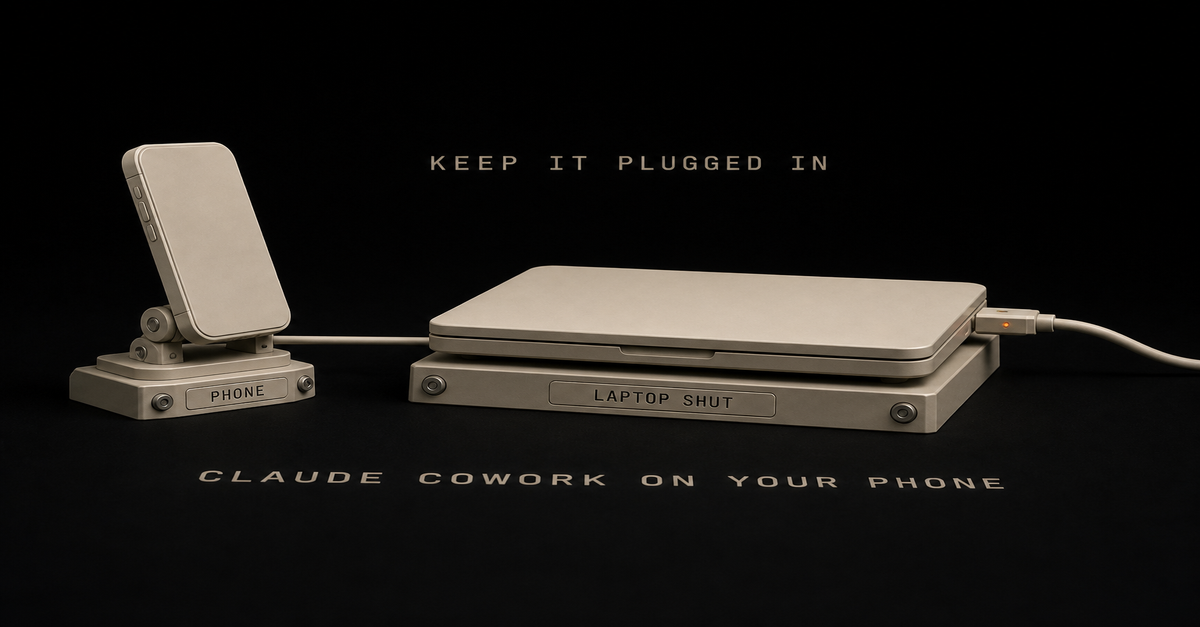
Quick answer: one question decides it. Does this task need a file that lives on your laptop's hard drive? If no, fire it off from your phone and shut the lid. If yes, your desktop app has to stay open, and the laptop has to stay plugged in. That second half is the part that bites. The task does not stop when your laptop sleeps or your battery dies, and it does not error out when it loses your files. It just quietly gets worse. If you searched "claude cowork on phone," "how to use claude cowork mobile," or "claude cowork dispatch vs cloud," this page settles the decision first, then untangles the two different things both called "Cowork on your phone." The one question that decides everything: does it touch a local file? Everything else on this page is a footnote to this rule. Anthropic's cross-device help article states it in one sentence: "A session in the cloud can read and write files in folders you've connected on your computer only while the desktop app is open on that computer. If the app is closed, the session keeps running but can't reach your local files." Read that twice. The session keeps running. It does not stop, and it does not tell you.What the task needs Laptop can be shut? WhyEmail, calendar, Slack, Drive (connectors) Yes Cloud session reaches them over the internetWeb research and summarizing Yes Nothing local involvedWriting, drafting, restructuring text you paste in Yes The context is in the promptA folder on your hard drive (Downloads, a local vault, project files) No Needs the desktop app open on that machineAnything editing a video, a design file, or a local export No The file only exists on your machineLive artifacts and browser/computer use No Desktop-only per the help centerThe shorthand I already use for scheduled tasks holds here too: cloud in, cloud out; local files, local machine. That is my rule, and the surface you start from does not change it. I unpacked the scheduling half of it in Claude Cowork scheduled tasks; this page is the same rule applied to which device you are holding.The 60-second version, from my Shorts: 5 Claude Cowork connectors that do your boring work for you.Keep the laptop plugged in, or the run dies mid-task This is my actual operational hack, and it is the one nobody writes down. When I take work on the go, it is light tasks. The heavy stuff, editing my shorts and long-form videos, takes a long time and I am on it, so I let that run and step away. But I still take it with me, because Claude hits judgment calls. It will stop and ask something like "Chris, you don't have the screenshot, do you want to use this," and then just sit there. Not running. Waiting. That is why I go mobile at all. Not to do the work from my phone, but so I am not the bottleneck when it needs a decision. Anthropic frames the same thing in the Cowork web and mobile launch post: "When Claude reaches a call only you can make, it asks, and the question reaches your phone." So here is the hack: have the computer on and plugged in. If it fades away, if it goes to sleep, you are done. If the battery dies, you are done. Power is not a nice-to-have, it is the whole thing. My failure mode has never been getting back a confidently wrong answer. It has been the session simply not being alive when I came back to it. And the mechanics back the hack up. Anthropic's Dispatch help article lists the requirements plainly: "Your computer must be awake and the app must be open for Claude to work on tasks." The setup flow even offers a toggle to keep your computer awake. If Anthropic ships a button for it, the problem is real. One more trick worth stealing, because it is the thing that surprised me most: ask it for the file path. When it finishes a video render, I ask for the link and it hands me the path from the laptop. Click it, and I can watch the output on my phone. You do not need the file to be in the cloud to check the work. The silent failure: your phone task looks finished and used none of your documents This is the part the ranking pages skip, and it is the expensive one. A normal software failure announces itself. This one does not. Your session keeps running, keeps its connectors, keeps its skills, and hands you a polished, confident, fully-formatted answer built on none of your actual files. u/Secure_Sorbet_8671 named it in a PSA thread on r/ClaudeCowork: "The big one is local files. You connect folders on the desktop and a session only reaches them while the desktop app is open, so if your context lives in a local vault like mine, anything you fire off from the phone with the laptop shut has your connectors and skills but none of your files." The interface does not save you either. u/Gh0stw0lf on the same subreddit put it bluntly: "They have projects on your computer that have local files be unable to do that and the UI doesn't clearly point that out." So the defensive habit is simple and it costs you nothing.Before you shut the lid, ask yourself which folder this task will open. If you can name one, leave the desktop app running. If you fire something off from the phone and the output feels generically correct, check whether it ever named one of your real files. For anything pointed at a local folder, treat "laptop plugged in and app open" as part of the prompt.The trap is not that it breaks. The trap is that it succeeds at the wrong job. Dispatch and cloud sessions are two different products, and only one survives the lid Half the pages ranking for this query describe a world that ended on July 7, 2026. Here is the current split.Dispatch Cowork cloud sessionWhere the work runs Your own desktop Anthropic's serversLaptop can be asleep? No, must be awake with the app open Yes, work continues in the backgroundPlans Pro or Max Max, Team, Enterprise; rolling out to ProThreads One continuous thread, no way to start or manage a second Normal sessions you start and resumeBest mental model Remote control of your machine A machine you do not ownDispatch is remote control. Per the Dispatch help article, it needs an awake computer, an open app, a Pro or Max plan, and an active internet connection on both devices. It also carries a limitation worth knowing before you build a habit on it: "There's no way to start a new thread or manage multiple threads." It is one long conversation you keep messaging. Cloud sessions are the opposite. The Cowork launch post says it directly: "Work continues in the background. Close your laptop and Claude keeps going." I had a hunch about this and asked to be fact-checked on it, so here is the honest scorecard: the hunch was right. With Dispatch you invoke a session on the machine and then walk away from it. Starting fresh from the phone gives you a new cloud session, which is genuinely a different thing, not a continuation of what is on your desk. That gap is exactly what bugs me about it, and it is why I have been leaning on Codex and GPT's remote work for on-the-go sessions lately. I do not have to invoke anything first. I can just say I want to start something new and start. That is my preference, not a benchmark. If your work is knowledge work sitting in connectors, Cowork cloud sessions handle it fine and you never touch Dispatch. Anthropic's own line for the split, from the Dispatch doc: "Development tasks run in Claude Code; knowledge work runs in Cowork." If you are still deciding which cockpit you belong in, Claude Cowork vs Claude Code is the upstream decision. If Cowork isn't on your phone, it's your plan, not you There is a real cohort of people doing nothing wrong and seeing nothing. u/tenaciousdweeb, on r/ClaudeCowork: "I have the Pro plan and I've tried everything and still no Cowork for me on mobile. I feel like I'm the only one who can't use it. I'm so frustrated." That is the rollout, not a settings problem. Anthropic's help center, as of August 7, 2026: "Claude Cowork is in beta on web and mobile for Max, Team, and Enterprise plans, and will be rolling out to Pro plans over the next several weeks." Three things to stop doing while you wait.Stop looking for a separate app. There isn't one. Cowork lives inside the regular Claude mobile app. Stop expecting desktop sessions to appear on your phone. u/jaylan101 hit this: "Also my desktop cowork sessions don't show up on mobile so I don't see how pass off works." Resume behavior across surfaces is improving but is not a guarantee today. Stop shopping for a second computer. The "buy a Mac Mini as your always-on host" advice still ranks and still gets repeated, and for cloud-eligible work it is now an expensive answer to a solved problem. You need an awake machine for local files. That is it.If you do have Dispatch on Pro but not mobile Cowork, that mismatch is documented, not a bug. Different features, different plan requirements. The doubled limits ended August 5, so a phone habit costs more than it did last week Worth knowing before you get comfortable firing tasks off all day. Anthropic's launch post extended doubled Cowork usage limits "through August 5." That window closed two days before this was published. Whatever consumption felt like in late July is not what it feels like now. This matters more on mobile than on desktop for a boring behavioral reason: phones make it trivially easy to fire off another task while waiting in line. Each one is agentic multi-step work, not a chat message. The practical adjustment is not to use it less. It is to stop re-firing. Ask for a status update on the session that is already running instead of starting a parallel one. If you want the full picture of what burns capacity and how the tiers actually behave, Claude usage limits explained covers it. What Anthropic's own page promises, and what it quietly requires Here is the pitch, straight from Anthropic's Cowork page, captured on July 9, 2026:"Steer from anywhere" is accurate. It is also doing a lot of work in that sentence. Steering from anywhere is real: you can watch progress, answer the judgment calls, and redirect from your phone. u/strraand described exactly this on r/ClaudeCowork: "I can close the lid, go for a walk with my dog and still be able to follow the progress and adjust from my phone." Working from anywhere is conditional. The condition is the local-file rule at the top of this page, and the small print for it lives in the help center, not on the marketing page. What I would actually send from my phone first Do not start with your most important task. Start with one where you would notice immediately if it went sideways.Best first phone task: something built entirely on connectors. Have it read your inbox and calendar and tell you what actually needs you today. Nothing local, so the lid can be shut the whole time. The one I run most: a heavy job I started at the desk, that I then babysit from my phone so I can unblock it the second it hits a judgment call. Laptop open, plugged in, sleep off. The trick worth copying: when it produces a file, ask for the path or link. You can open it on your phone and check the work without going back to the desk. What I would not send from the phone: anything pointed at a local folder that I am not physically near. Not because it fails loudly, but because it doesn't. Skip entirely for now: anything that depends on a live browser login or a desktop-only artifact. Those still want you at the machine.For the full menu of jobs worth handing over in the first place, 20 real Claude Cowork use cases has the list, and the connector-driven ones are your phone-safe candidates. How this was checked Product facts come from Anthropic's own pages, linked inline at each claim: the cross-device help article, the Dispatch help article, and the Cowork web and mobile launch post. User reports are public Reddit threads, linked where quoted. The plugged-in rule, the judgment-call babysitting pattern, and the file-path trick are my own working habits, labeled as mine. I have not personally been handed a wrong answer by the local-file trap, so that section is built from Anthropic's documented behavior and named community reports, not from a story of mine. My failure mode has been the session dying with the machine, which is why the power hack is the part I actually enforce. Things Anthropic does not document, so this page does not claim them: exact rollout dates by country or plan, what happens to an in-flight local-file task at the moment you close the app, and whether the doubled-limit promo affected anything beyond the Cowork limit. Published and last reviewed August 7, 2026. Product facts checked against Anthropic's support center and launch post on that date. Cowork on web and mobile is in beta for Max, Team, and Enterprise with Pro rolling out; doubled Cowork usage limits ended August 5, 2026. These products change often, and the linked official pages are the source of truth.This post is part of Claude at Work, the hub with every plan decision, task comparison, and setup guide for using Claude at your job without code.