Quick answer: ChatGPT Work is the mode that hands you a finished file instead of a reply. It is for longer, multi-step jobs that end in a document, spreadsheet, deck, report or Site.
It is still rolling out, and it draws on the same usage pool as Codex. Open it when the output is a deliverable. Stay in chat when the output is an answer.
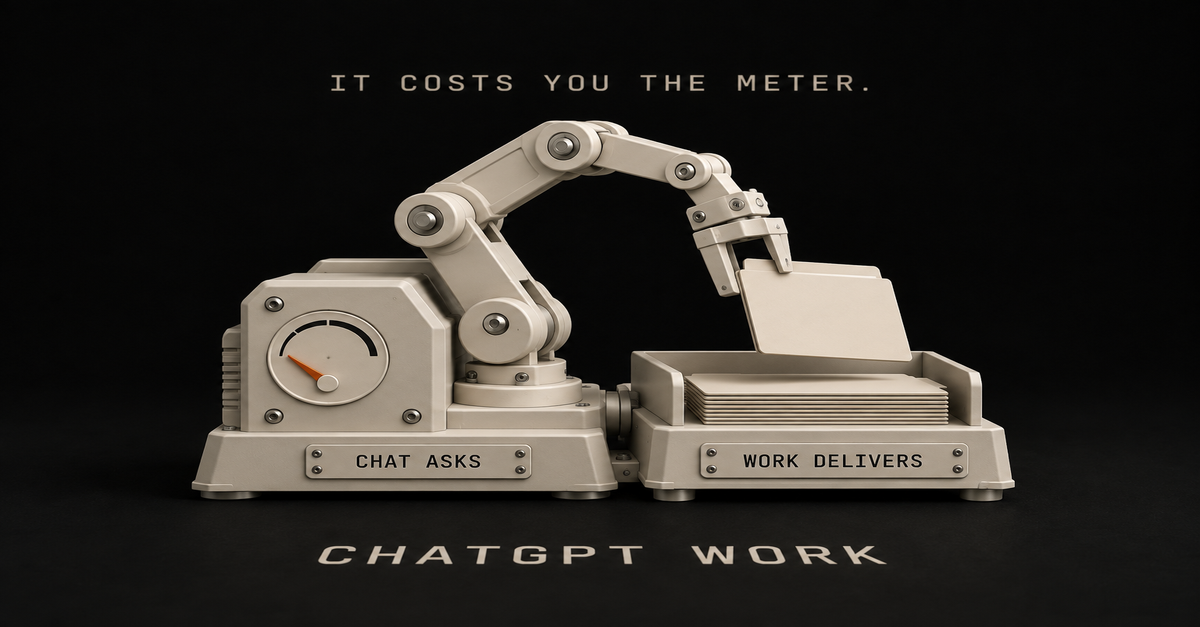
Chat asks, Work delivers. That's my read on Work, and the part nobody leads with is what the delivery costs you.
Chat asks, Work delivers, and Codex is a third thing
OpenAI splits the three by job, and their own wording is the cleanest definition on the internet right now.Experience
What OpenAI says it is for
What you get backChat
Ask questions, search, brainstorm, or get quick conversational help
An answerWork
Research a topic, analyze information, or create a document, spreadsheet, presentation, report, or Site
A finished fileCodex
Write or debug code, run tests and commands, review changes, or work with a repository
Changed codeVoice
Talk naturally with Work or Codex in the desktop app and ask it to start or coordinate tasks
A running taskThe plainest way I can put it: Work is a chat with hands. It can actually edit your files, open things, delete things. If you have used Claude's file-handling mode, it is the same shape of tool.
lifeandwork.blog, one of the small sites ranking on this exact framing, says it the same way: "In chat mode, it behaves like a conversational partner for ideas, questions, and quick explanations. In work mode, it becomes a structured assistant for drafting, planning, reviewing, and managing tasks."
OpenAI's own two pages disagree about whether Work is free
I went looking for a clean answer to "which plan has it" and did not find one. I found two OpenAI properties saying different things on the same day.
OpenAI's developer docs, read September 18, 2026, open with this: "ChatGPT Work and Codex are included in your ChatGPT Free, Go, Plus, Pro, Business, Edu, or Enterprise plan."OpenAI's help centre, read the same day, says Work is available on ChatGPT web and mobile for eligible paid plans, and in the desktop app when it is included for your plan and workspace.
Free is in one list and absent from the other. I'm not going to pick a winner and call it settled. I can't tell which page is stale, and every other article on this confidently picks one of the two.
What both agree on is the part that actually explains your experience: Work is still rolling out. The help centre says it is gradually rolling out to eligible accounts, and that if you do not see it yet, your account may not have access yet.
So if Work is missing from your ChatGPT, you have not done anything wrong and there is no setting to find. Check your own account, not a pricing table. That goes for this page too. Trust what's in front of you.
One practical note before you go upgrading: new sign-ups and upgrades to the ChatGPT Pro $200 plan are currently paused. Our AI plan tracker follows that sort of change.
Where Astra sits, and why your usage vanishes
Every capability tour skips this section. It's the most useful one on the page.One sentence from OpenAI's own page does most of the work: "Plus plans include GPT-6 Astra in ChatGPT Work and Codex."
If you're on Plus, that changes how you should look at Work. It's more than a different way to ask.
On the $20 plan, Work and Codex are the two surfaces where the heavy model reaches you, and ordinary Chat is not one of them. Which plan gets Astra where is Astra by ChatGPT plan, so I won't redo it here.
The line that matters for this page comes next: "Astra can use your allowance faster than GPT-5.6 Sol. How much usage you get depends on the task, input and output size, reasoning settings and Fast mode."
That is OpenAI saying, in their own words, that the model you pick moves the meter. They do not publish a multiplier, and neither will I. Any "Astra burns 5x faster" number you find online is someone's estimate. The detail lives on Astra usage limits.
What I can add is what it's like to use. Astra burns fast enough that I changed my habits. I use it every day, I have run out of usage more than once, and I will not put a firm percentage on it because it swings with the task.That is my own usage and billing pane from September 5, 2026. The meter is a real number, and it goes down while you watch.
Here is what I actually hand to Work
The rule I use is embarrassingly simple: if it is a question, it is chat. If it is a job, it is Work.
Quick question, one answer, done? Chat. "There's a deal on this TV, which one should I get?" That is a chat question and it would be a waste of an agent.
Building something, reviewing my own system, going through my analytics, pulling my YouTube live data apart? That is Work. In my case a lot of that runs through Codex specifically, because my work ends in files and scripts, but the shape is the same.
The test is the output. If what you want back is a file, open Work. If what you want back is a sentence, stay in chat.That is the Work composer on my own account on September 10, 2026, with the model chip showing what is loaded. It is the thing you will actually be looking at, and no competitor page shows it to you.
The first job I would hand it, on camera:The 60-second version, from my Shorts: What to hand ChatGPT Work first (OpenAI's own advice).The expensive lesson: I tried to build a Pokemon game
Here's the honest part, because a capability tour won't give you one.
I pointed Astra at building a Pokemon-style game. It got somewhere. It did not get close to finished. And it ate a serious chunk of my usage doing it.That screen is real and it is as far as it got.
Could I have done it better? Yes, and you can learn from my mistake. I was inefficient. I got too creative, I went all over the place, and I never gave it tight direction.
If I had said "clone the basic thing and keep it simple" I would have spent a fraction of the usage and got further.
This doesn't mean "Work is bad at games". It means Work spends real money-equivalent on vague instructions. Chat doesn't, because chat is not out there doing forty steps on your behalf while you watch.
Give Work a scoped job with a named output. Save the exploring for chat.
TechRadar ran the opposite experiment, handing Work a pile of life-admin chores, and their headline verdict was that it handled them like a pro. That matches what I've seen. Give it a boring job with clear limits and it does well.
When to stay in chat
Every page about Work lists what it can do. This is the other list.
Stay in chat when:You want an answer, not a file.
You are still figuring out what you want. Doing that thinking in Work gets expensive.
The task is one step. An agent that plans, checks and revises is extra work you pay for.
You are on Plus and the job does not need Astra-grade reasoning. OpenAI's own guidance is that Astra moves the meter faster.
You just want speed. OpenAI's framing for Chat is "fast, conversational assistance and everyday questions", and that is still the right tool for most of the day.And no, regular ChatGPT is not going away. OpenAI's FAQ answer is one line: "The fast, familiar Chat experience is still available." On desktop you switch with the toggle at the top of the page. On mobile it is the dropdown at the top of the screen.That is the chat-side picker on my account, and it is a different set of choices from the Work composer further up this page. It's the same subscription with two different menus.
Work vs Codex vs Claude's version, in one tableWhat it is for
Where it runs
Go deeperChatGPT Work
Documents, spreadsheets, decks, reports, Sites
Web, mobile, desktop; local files in the desktop app only
This pageCodex
Code, tests, commands, repositories
CLI, IDE, web, desktop, iOS
Codex vs Claude CodeClaude's file mode
The same shape of job on Anthropic's side
Desktop and web
Cowork vs ChatGPT WorkOne note on that last row: Anthropic has folded Cowork back into Claude itself, with their own docs now carrying the line "Claude Cowork is now just Claude." The feature is still there. Only the product name went away.
So should you open WorkIf you are on Plus and have never opened it: do, once, on a job with a clear deliverable. Work and Codex are also where Astra reaches you on that plan.
If you cannot find it: you are not missing a setting. It is still rolling out.
If you are on Free: check before you assume. OpenAI's docs list Work as included on Free and OpenAI's help centre does not, so your own account is the only reliable answer. Either way you have Codex, which is on every ChatGPT plan, covered on Codex vs Claude Code.
If your usage keeps vanishing: it is probably the model, not the mode. Read Astra usage limits and get deliberate about when you reach for the big one.
If you mostly ask questions: stay in chat and stop feeling behind. Work is for a different kind of job.The Claude Guides hub has the equivalent map on the Anthropic side if you run both like I do.
Common questions
What is ChatGPT Work mode?
Work is an agent mode inside ChatGPT for longer, multi-step tasks that end in a finished deliverable. OpenAI describes it as researching a topic, analyzing information, or creating a document, spreadsheet, presentation, report or Site. Chat, by contrast, is for quick conversational help.
Is ChatGPT Work free?
OpenAI's own two pages disagree, as of September 18, 2026. The developer docs list Work as included on Free, Go, Plus and up. The help centre says eligible paid plans. It is also still rolling out, so check your own account rather than either page.
Why can I not find Work in my ChatGPT?
Because it is still being rolled out. OpenAI's own wording is that Work is gradually rolling out to eligible accounts and that availability will continue to expand. If it is missing, your account may simply not have access yet.
Does Work use more usage than chat?
Work follows the same usage structure as Codex, so it draws on the same agentic allowance. The larger variable is the model: OpenAI says Astra can use your allowance faster than GPT-5.6 Sol, without publishing a rate.
Can Work open files on my computer?
Yes, in the desktop app, where you open a local folder or project and grant access only to the files a task needs. Work on web and mobile cannot directly access files on your computer.
Where this comes from: OpenAI's own ChatGPT Work and Codex help article, read and screenshotted September 18, 2026, two days after OpenAI updated it. I pay for ChatGPT and use Work and Codex daily. The Pokemon game and the usage screens are mine, taken September 10. No usage multiplier, because OpenAI publishes none. Last reviewed September 2026.
Quick answer: pick by billing model, not by features. Claude Cowork draws from the Claude plan you already pay for, $17/month annual or $20 monthly on Pro, with nothing extra to buy. ChatGPT Work bills as metered credits from a pool it shares with three other agents.
Feature-wise they do the same job. The differences that will actually bite you are the ones nobody on this search result page has written down yet.
My rule for the four surfaces: Chat answers. Cowork and ChatGPT Work do your office work. Claude Code and Codex build software.
That extends the split from Claude Cowork vs Claude Code, where the rule was "Chat answers. Cowork does your office work. Claude Code builds software." OpenAI has now shipped its own version of the same three-lane structure, which is why this comparison exists at all.
Four things people get wrong about these two, then my pick.
The comparison in one tableClaude Cowork
ChatGPT WorkWhat it is
Agent for non-coding knowledge work
"An agent designed for longer, multi-step work and finished deliverables"Announced
Early 2026, GA on paid plans
July 9, 2026, rolling out over "the coming days"Where it executes
Remotely, on Anthropic's servers
Cloud, same as CodexLocal file access
Through the Claude Desktop app only
Desktop app only. Web and mobile cannotHow you pay
Included in your plan allocation. No separate SKU
Metered credits from a shared agentic poolShares its budget with
Nothing. It is your plan
Codex, ChatGPT for Excel, Workspace AgentsEntry price
Pro $17/mo annual, $20 monthly. Max from $100/mo
Included with eligible paid accounts, per OpenAI's rollout note. Credits meteredSibling surfaces
Chat, Cowork, Claude Code
Chat, Work, CodexCompliance API coverage
Not captured, per Anthropic's docs
Follows standard ChatGPT workspace controlsTwo products, same job, four corrections needed before the table above means anything.
Correction 1: ChatGPT agent mode is retired, so most comparisons are describing a dead product
Search this topic today and you will get a stack of articles comparing Claude Cowork to "ChatGPT agent mode."
That product is gone.
OpenAI's help center says it in one line: "ChatGPT agent is no longer available. Use ChatGPT Work for longer, multi-step tasks and finished deliverables." The same page notes that Operator, the earlier browser-driving agent, was folded into agent mode before that, and "the Operator website is no longer accessible."
So the lineage runs Operator, then agent mode, then ChatGPT Work. Two renames in about a year.
The product you are actually comparing against Cowork is ChatGPT Work, announced July 9, 2026. ChatGPT now has three surfaces: Chat for conversation, Work for multi-step deliverables, Codex for software. If that structure sounds familiar, it is the same three-lane split Anthropic shipped with Chat, Cowork, and Claude Code.
One practical note before you go looking for it: OpenAI says ChatGPT Work "is gradually rolling out to eligible accounts over the coming days." If it is not in your account yet, that is why.
Correction 2: the local vs cloud story is backwards in both directions
You will see this claim everywhere, including in the AI summaries at the top of this search: Claude Cowork is the local-first one, ChatGPT is the cloud one.
It is backwards.
Anthropic's own getting-started documentation states that "Cowork runs your tasks remotely (in beta). Claude's work runs on Anthropic's servers, in an isolated environment."
The local part is a bridge, not the execution: "When a task needs something on your computer, like a local file or your browser, Claude reaches it through the Claude Desktop app on that computer."
Meanwhile OpenAI's documentation is equally blunt about its own limit: ChatGPT "Work on web and mobile cannot directly access files on your computer." Local file access requires the desktop app, and on the free and Go tiers it is listed as "Limited (desktop app)" on OpenAI's pricing page.
Read those two side by side and the real picture is boring: both products execute in the cloud and reach your local files through a desktop app. Neither one is running on your laptop.
A dated correction to my own earlier post
This is where I have to correct my own page, because the same mistake is on it.
Claude Cowork vs Claude Code, published July 9, 2026, closes with the line that Cowork's "home-field advantage is working directly on your local files and folders." That line needs an update as of July 2026.
Anthropic's current documentation describes remote execution on their servers with the desktop app acting as the bridge to local files. That's a very different setup from "works directly on your local files."
What that means in practice: tasks built on connectors run in the cloud without your machine, and tasks pointed at a local folder still need an awake desktop. Same for ChatGPT Work.
If a comparison tells you one of these is the "local" option, it has not read either company's docs this month.Correction 3: the billing models are structurally different, and that is the actual decision
Everything above is small stuff next to this. The two products charge you in really different ways.
Claude Cowork draws down the plan you already have. Anthropic's Cowork docs list it as "available for paid plans (Pro, Max, Team, Enterprise)" with no separate purchase.
There is no Cowork SKU. What there is, printed in the same docs: "Working on tasks with Cowork consumes more of your usage allocation than chatting with Claude," and specifically that "auto mode consumes more of your usage limit than the other modes."
That matches the verdict from Claude Cowork vs Claude Code: "Claude Cowork consumes limits faster than Chat," and Claude Pro caps you two ways, a 5-hour session limit plus a separate weekly cap. The plan-sizing conclusion there still holds.
The $20 tier is sized for chat-first use with some agent work on the side. If Cowork becomes your daily workhorse, that is what the Max tiers from $100/month are for, which is the same upgrade trigger covered in Claude Max vs ChatGPT Pro.
ChatGPT Work meters credits from a shared pool. OpenAI's Codex plan-usage article states that "usage from Codex, ChatGPT Work, ChatGPT for Excel, and Workspace Agents draws from the same agentic usage and credit pool when those features are available on your plan." Work follows the same usage structure as Codex.
Stop on that for a second, because it's the biggest practical difference on this page.
If you use Codex for a build, ChatGPT for Excel on a spreadsheet, and ChatGPT Work on a report, all three are eating the same budget. Heavy use of any one starves the other two. Cowork doesn't have that problem. The only thing it competes with is your own Claude chat usage.
So skip "which is cheaper." The question to ask: do you want one metered pool shared across four agents, or one plan allocation that agent work drains faster than chat?
Nobody has published a real usage number, including me
Somebody on r/ClaudeCowork asked the exact right question and got nothing back. u/Proper_Club8511:As per title, does anyone have any information on the effective difference in usage between these two? I would like to know which is more efficient in general tasks. i.e. given the same task, and the same tier of plan (Pro), which would use more/less and by how much.That thread produced no useful answer.
That's the question this page is here to answer, and the answer is that no public number exists. Neither company publishes numeric quotas. The metering units are not even comparable: Cowork burns a plan allocation, ChatGPT Work burns credits from a shared pool. There is no exchange rate.
Anyone handing you a "Cowork uses 2x more" figure invented it.
What the burn actually feels like on the Claude side
I cannot give you a Cowork-vs-Work efficiency number (nobody honestly can yet; the Reddit thread asking got zero useful answers).
What I can tell you from daily use: Cowork burns more than chat because it does more. It is interactive, it reads reference files, it reads my wiki before it acts. That's the work you are paying for.
I don't really feel Cowork chores. Where I feel a dent is heavy coding sessions in Claude Code, like editing my video-editing pipeline. If you are on a $20 plan, the efficiency rule that matters: plan with the big model, execute with the cheaper one (Opus to plan, Sonnet to execute).
I skip that dance because I am on the $200 Max plan and just run Opus. And watch the open-ended autonomous runs: telling an agent "here's a goal, go" on something vague is the fastest way to torch a week's allocation on any plan.
Where ChatGPT Work genuinely wins
This page leans Claude, so read this section as me arguing the other side. ChatGPT Work has real advantages, and two of them are structural.
One: the agent budget is portable across the whole stack. That shared pool is a downside when four agents fight over it and an upside when you want flexibility. A week where you do no coding means all of it goes to Work. Cowork cannot borrow budget from anywhere.
Two: it lands inside an account most workplaces already have. ChatGPT's enterprise footprint is bigger. If your company already pays for ChatGPT, ChatGPT Work arrives on your existing account with your existing admin controls and your existing Workspace Agents, no new vendor review. That matters a lot when procurement is what's actually slowing you down.
Three: three surfaces, one login. Chat, Work, and Codex live in one product with one billing relationship. Running Claude means Chat, Cowork, and Claude Code plus, if you also pay for ChatGPT, a second subscription.
There is also a real argument that Cowork's agent behavior is less predictable. u/jmillionair3 put it well on r/AI_Agents:Seems like GPT is going for more of a build and agent and deploy it places, and cowork deploys agents at its own discretion to carry out tasks but more or less similar in nature. What am I missing?They're not missing much, and that's a fair read.
ChatGPT's model leans toward agents you configure and place. Cowork's leans toward describing an outcome and letting Claude decide the steps. Neither one is better on paper. If you want to see exactly what the second style produces in practice, 20 real Claude Cowork use cases has the community receipts.The 60-second version, from my Shorts: What to hand ChatGPT Work first (OpenAI's own advice).Where Claude Cowork genuinely wins
No separate meter to think about. Cowork is in the plan. You are not watching a credit balance while deciding whether a task is worth running, and you are not rationing between four agents. For someone who just wants the Monday report to happen, not having to think about it matters more than it sounds.
A more mature scheduled-task story. Cowork's recurring tasks run remotely on their schedule, hourly through weekly, even with the laptop closed, with the local-files exception noted above.
It is generally available, not rolling out. Cowork is live on Pro, Max, Team, and Enterprise today. ChatGPT Work is still arriving on eligible accounts, with Cowork's own web and mobile beta rolling out starting with Max.
And a caution against over-committing to either: portability is worth something. u/backhand_snipe on r/ClaudeCowork, writing about switching to ChatGPT Work:Because my workflows and historical decisions lived in plaintext on my machine rather than locked deep inside Claude's proprietary backend, I was completely platform-agnosticThat's the lesson I'd take from this whole page: keep your prompts, context files, and standard operating procedures in plain text you own. Then switching costs you an afternoon instead of a year.
Their stated reason for leaving was not features either:The real catalyst for me jumping ship today was growing frustration with Anthropic. The constant teasing of Fable 5's availability, the moving target dates (July 9th, then the 12th, now the 19th), and the resetting limits just felt like being dragged along as a customer.Trusting the roadmap is a real reason to pick one. I'm calling it out because this page otherwise leans Claude.Cowork winning on the desk: I recorded the task once, and it drafted the repeatable version.
Correction 4: Cowork activity is not captured in the Compliance API
If you are evaluating this for a team rather than yourself, stop here first.
Anthropic's own Cowork documentation states it plainly: "Cowork activity is not captured in the Compliance API at this time."
For an individual professional, that is a footnote. For anyone in a regulated industry, or anyone whose security team requires an audit trail of what AI touched which documents, it could be a dealbreaker, and it is the first question a reviewer will ask.
It does not mean Cowork is unsafe. It means the audit surface your organization may require does not exist for it yet. Check before you roll it out to a team, not after.
None of the pages currently ranking for this comparison mention it. It matters more than anything else on this page.
How this comparison was built
Here's how I built it, because it changes how much you should trust the verdict.
No head-to-head first-party test was run, and I will not fake one. I live in Claude Cowork and Claude Code daily; I have not run ChatGPT Work on anything real.
So read it for what it is: a comparison built on the docs and real users, from someone with a lot of hours on one side only. ChatGPT Work also only started rolling out on July 9, 2026, and a real test needs both products in one account doing identical work.
What this page is built from:Primary documentation, linked inline at every claim that matters: Anthropic's Cowork help articles and pricing page, OpenAI's help center for ChatGPT Work, the retired agent mode notice, and the agentic billing article.
Real user threads, named and linked, from r/ClaudeCowork and r/AI_Agents.
My own published Cowork verdicts, linked to their source posts, including the correction to one of them above.What it is not: a benchmark. When a usage number gets published or I run both against the same task, this page gets updated and the date at the bottom changes.
Pick your lineYou already pay for Claude Pro or Max and mostly do document, email, and report work: Cowork. It is included, it is generally available, and the scheduled tasks are the feature that makes it stick.
Your company already runs on ChatGPT and procurement is your real bottleneck: ChatGPT Work. Same job, no new vendor review.
You code and do office work in roughly equal measure: ChatGPT's shared pool across Work and Codex is more flexible than paying for Claude twice over.
You are on a $20 plan and agent work is becoming daily: the plan is your constraint, not the product. Read Claude Max vs ChatGPT Pro before switching tools, because switching will not fix a sizing problem.
You are evaluating for a regulated team: start with the Compliance API gap above. Feature comparisons are premature until that clears.
You have never used either: start with whichever subscription you already have. They do the same job, and the cost of picking wrong is one afternoon, provided you keep your prompts and context in plain text.For what it is worth, here is how the split actually shakes out in my week, across the two ecosystems: ChatGPT is my well-rounded everyday generalist (general questions, quick lookups, and QA-ing Claude's output), and Claude is where the real work happens: creative work, scripts, content, building and refining the systems.
Cowork does the office work, Claude Code builds the software. Pick the ecosystem that matches the bulk of YOUR week and you will not be far wrong.
Common questions
Is ChatGPT Work the same as ChatGPT agent mode?
No. Agent mode is retired. OpenAI's help center states that ChatGPT agent is no longer available and points users to ChatGPT Work for longer, multi-step tasks. Operator was absorbed into agent mode before it was retired, so both older names now resolve to ChatGPT Work.
Does Claude Cowork run on my computer or in the cloud?
In the cloud. Anthropic states that Cowork runs tasks remotely on their servers in an isolated environment. When a task needs a local file or your browser, Claude reaches it through the Claude Desktop app on that machine, which makes the desktop a bridge rather than the place the work happens.
Do I have to pay extra for Claude Cowork or ChatGPT Work?
Neither has a separate subscription. Cowork is included on all paid Claude plans, starting at $17/month annual or $20 monthly for Pro, and draws from that plan's allocation. ChatGPT Work is included with eligible paid ChatGPT accounts but meters credits from an agentic pool shared with Codex, ChatGPT for Excel, and Workspace Agents.
Which uses fewer credits for the same task?
No public number exists. Neither company publishes numeric quotas, and the two products meter in non-comparable units, a plan allocation versus a shared credit pool. Anthropic does say that Cowork's auto mode consumes more of your limit than its other modes, which is the one concrete lever you control.
Should I switch from Claude Cowork to ChatGPT Work?
Only for a structural reason: your company already runs on ChatGPT, you want one agent budget shared with Codex, or you need an audit trail Cowork's Compliance API gap cannot provide. Feature parity is close enough that switching for features alone is not worth the setup cost.Published July 18, 2026. Checked against Claude pricing, OpenAI's Work help article, agent notice and billing article. No head-to-head test.This post is part of Claude Guides, the hub with every plan decision, task comparison, and setup guide for using Claude without code.
 Chris Alarcon