Quick answer: stop comparing chatbots. The real 2026 decision is which coding agent you live in: Claude Code or Codex, and both now come inside the normal subscriptions, starting at $20 a month each. I pay for both stacks. My serious builds happen in Claude Code. My research, sparring, and everything around the code happens in ChatGPT. If you can afford both, get both. If you can only pick one, the split below tells you which.
The Ship Lean split, in one line: Claude Code builds it, Codex challenges it, and the boring work goes to whichever one is not busy.
Searching this as "ChatGPT vs Claude for coding"? Same answer, both directions. And if you are comparing the $20 chat plans themselves, that is a different page: Claude Pro vs ChatGPT Plus.I walk through this on camera in Claude Design + Codex = The Real Website Rebuild Workflow (14 min).What "Coding" Means for You Decides the PickWhat "coding" means for you
PickSerious multi-step builds, agents, real systems
Claude CodeCreative output: web design, visuals, writing code that touches words
Claude CodeResearch before you build, competitor teardowns
ChatGPT (Codex)A second opinion on your plan before you execute
The one you did NOT build withEveryday questions, brainstorming, on-the-go voice
ChatGPTExtracting data from a web dashboard with no export button
Codex, it drives the browserYou can afford $40/month total
Both. Not a luxury, a setup.Both Agents Now Ship Inside the $20 Plans
This is the fact most comparison pages miss, because most of them were written when coding AI meant pasting snippets into a chat window.
Claude Code is included with Claude's paid plans from Pro at $20 a month, and I keep the live numbers on my AI plan tracker. Codex is included with paid ChatGPT plans, per OpenAI's tier page. No API keys, no per-token bills. The agent works inside your actual project folder, runs commands, and keeps working while you do something else.
So the question is not which model writes a cleaner function. It is which agent you trust in your repo, and my answer depends on the job.
This is also why the Cursor and GitHub Copilot comparison misses now: those are editors you code inside. Claude Code and Codex are agents you hand a job to and walk away from.
Where Claude Code Wins for Me: The Serious Builds
I have not built anything serious with Codex. Every system I actually rely on was built in Claude Code. That is just my honest scoreboard.
The clearest example is my video editor. It is a sophisticated agent pipeline that polishes my shorts: it does the cuts, but the part that sold me is the creative judgment.
When I run it, Claude (Opus, on high effort) chooses the visual aids, picks the screenshots, and even generates its own infographics. It has access to a Mac mini that acts as its hands, so it can screenshot any app, browse the web, and capture whatever the edit needs.
It handles maybe 90 percent of that capture work on its own.The output folder from a real run of my Claude Code video editor. One render takes 30 to 60 minutes; I am involved for maybe an hour and a half total, mostly approving plans.
It feels like I hired a senior editor.
Not a metaphor I use lightly. A render takes 30 to 60 minutes per video and I do not wait on it, I just run it. My involvement is sporadic, roughly an hour to an hour and a half across the whole batch, mostly approving the plan at a few checkpoints.
It is not 100 percent passive. It is still better than any editor I could hire right now.
The other place Claude wins is anywhere code touches words. It writes in my voice better than anything else I have used. My whole content system runs on Claude Code, one recording out, fourteen shorts plus a newsletter and LinkedIn back.
People online argue about whether AI-written text is detectable. I genuinely do not care, as long as my vision and my voice survive into the output. So far they do.
Where ChatGPT Genuinely Wins: Everything Around the Code
Here is the section the Claude fan pages skip, and it matters, because this is half my day.
Research. When I want to study competitors or go deep on a topic before building, ChatGPT is my default now. It takes longer, but the quality is there, and it presents the result like a mini masterclass: charts in the output, tables, a real interface instead of a wall of terminal text.
With Claude I invented workarounds for this, asking for a "buddy version" instead of twenty blocks of analysis, or an HTML page instead of terminal output. Codex gives me the readable version right out of the gate. It runs a bit verbose, which you can tune in its agent config, and I take that trade.
The sparring partner. This is my favorite pattern and nobody ranking for this query talks about it. Both agents have access to the same repo.
So when Claude Code produces a plan, I have Codex challenge it, and it is smart about it, routing to a heavier model when the review deserves one. One agent builds, the other pokes holes, and I only step in to break ties.
You can run it in either direction: plan with Claude, execute with Codex, or the reverse.
On-the-go voice. I take walks and review my analytics by talking to ChatGPT: why did this flop, what changed, what should I test. When we land on something, it writes the findings into a Markdown file, and I take that file straight to Claude Code to execute.
Hands down the best working loop I have found.
The voice mode has real bugs. Mine has timed out on me around the 10-minute mark more than once and made me log back in. But when it holds, a 30 to 60 minute working session on foot is a phenomenal experience.
Browser work and images. Codex driving a browser just works for the annoying manual stuff, like logging into a dashboard and pulling data that has no export API. And image generation on the ChatGPT side is, in my opinion, the best available, full stop.
I am not alone on the split. The top result for this exact query is a six-month-old r/ChatGPTCoding thread whose top take is that "Claude wants to make a more compact, more ergonomic code, ChatGPT/Codex tends to modularize sometimes to the extreme." And a 100-hour Claude Code vs Codex test on YouTube landed where I did on the creative half: "for front-end work, especially anything with real interactivity and design polish, Claude was the clear winner."The 60-second version, from my Shorts: Claude Code and Codex together: how I 10x my output.The Setup I Would Actually Run
If you are starting from zero and the $40 for both is fine:Put your project in a folder and give Claude Code the build work: the multi-step stuff, anything with creative judgment, anything that touches your writing.
Give ChatGPT the surrounding work: research before the build, data pulls, brainstorming, and voice sessions away from the desk.
Before any expensive or irreversible step, have the other agent review the plan. Same repo, fresh eyes, zero ego.
Route the output of thinking sessions into Markdown files so either agent can pick up where the other stopped.That last one is the quiet unlock. The two stacks do not talk to each other natively; a shared repo full of plain files is the bridge.
Both Stacks Cost $40 Together, and Both Break in Predictable Ways
I pay for the top of both ladders, but you do not have to.My actual Claude billing. The same Claude Code agent is included from the $20 Pro tier; Max just raises the ceiling.And the other side of the split: my ChatGPT subscription. Codex comes with the paid plans; the $100 tier is 5x the usage of Plus.
The failure points, honestly:Capacity, not capability, is what you buy up. Heavy agent work burns the allowance on either side; on Claude the fix is the tier, not a different model. Claude Pro vs Max covers when that jump is worth it.
Codex runs verbose by default, and its deep research mode is slow. I do not time it, but I never send it something deep when I need the answer in the next ten minutes.
ChatGPT voice sessions can drop. Mine has timed out around 10 minutes in and forced a re-login. Annoying, survivable.
Two subscriptions is real money. $40 a month minimum for the both-agents setup. If that is not obviously worth it for what you build, start with one.Who Should Pick Which
Pick Claude (from $20) if coding for you means building real things: agents, pipelines, a product, anything where taste and multi-step execution decide the outcome. My most serious builds live here, and I would start here again.
Pick ChatGPT (from $20) if coding is one of ten things you do. It builds impressive things too, websites are easy for it, and it is the better everyday companion: research, voice, browsing, images, quick answers. A good generalist is not an insult.
Pay for neither if you have not yet hit the wall where a chat window stops being enough. The free tiers will tell you when you are ready for an agent.
Pay for both if you build weekly. One writes, one reviews; one executes, one researches. If either is your bottleneck at work, the Claude at work hub covers the non-coding half of this decision, Claude Cowork included. If your real question is agents versus automation platforms, that is AI coding agent vs workflow automation, and if Gemini is in your bracket, start with Claude vs Gemini.
How I Tested This
This page is not a benchmark run. It is the split from paying for both stacks (Claude Max and ChatGPT Pro), running Claude Code and Codex on the same repos as a daily habit, and shipping real systems with them: a video-editing agent, a content pipeline, this website. Billing screenshots above are mine. Where I state a plan fact, it links to the official page, and the live numbers stay current on my AI plan tracker.
Published August 29, 2026. Last reviewed August 2026.
Quick answer: you connect them through Zapier MCP, and it is click-through, not code. Create a server at mcp.zapier.com, add only the app actions you want Codex to have, connect it once, and Codex can now act in your other apps: add sheet rows, create Notion pages, send a Slack ping. Ten minutes, one paste.
But know the direction before you start: Codex can reach into Zapier. Zapier cannot start Codex. That single fact sorts out most of the confusion around this search.
I use Codex a lot, including in my demos. This page is the setup written for a normal person, because the only real how-to out there was written for engineers shipping pull requests.
Codex Can Act In Your Apps; Zapier Cannot Start CodexYou want
Do thisCodex to act in your other apps (Sheets, Notion, Slack, Gmail)
Zapier MCP, steps belowThe fastest route inside Codex
The official Zapier plugin, two commandsA Zap to kick off a Codex run
Does not exist as of Aug 28, 2026; Zapier's app directory returns 404Automations that run on their own schedule without you
Different tool conversation: Codex vs n8nTo build with the Zapier SDK in code
You are not the reader this page is for, and that is fineFirst, the direction, because nobody says it
Every article assumes the connection is symmetrical. It is not.
Codex reaching into Zapier: works, and it is the whole point. Through MCP, Codex gets hands in 9,000+ apps during a session you are running.
Zapier starting Codex: not a thing. Checked August 28, 2026: Zapier's Codex app pages return 404, and that can change. There is no trigger called "run Codex."
The only workaround is hosting your own webhook receiver, which is real engineering. If your dream was "every morning at 8, Zapier wakes Codex up," that dream is currently a workflow-software job, not a Zapier one.
That is the Ship Lean rule for this pair: Codex reaches out, Zapier never reaches in.
The Whole Setup Is Five Clicks In The Zapier Dashboard
This is Zapier's own documented flow, translated from engineer to human:Go to mcp.zapier.com and sign in with your Zapier account (free to create).
Click "+New MCP Server" and choose Other as the client.
Click "+Add tool" and pick your first action: choose the app (say, Google Sheets), then the specific action (say, "create spreadsheet row"), then connect that account.
Repeat for each action you actually want. This is the safety step hiding in plain sight: Codex can only ever use the actions you added. If you never add "send email," it cannot send email. Scope tight; add more later.
Click "Connect" at the top of the dashboard and follow the instructions to add the server to your Codex account. On the desktop app this is a single paste.One nice mechanical fact from OpenAI's MCP docs: the ChatGPT desktop app, Codex CLI, and IDE extension share the same MCP configuration. Set it up once, it carries everywhere. ChatGPT on the web is the exception; there it rides plugins instead.
The shortcut, if a terminal does not scare you: Zapier ships an official Codex plugin. Two commands, codex plugin marketplace add zapier/marketplace then codex plugin add zapier@zapier, and you are done. If typing commands is a wall, skip it; the dashboard route above needs none.Zapier's MCP-for-Codex guide, captured August 14, 2026. Their examples are all GitHub and Jira; the steps work the same for Sheets and Notion.
What I would wire first, and it is not what Zapier suggests
Zapier's guide demos GitHub issues, Jira tickets, and deploy logs. Useful if you are an engineer; useless for most people. The pattern that would actually earn this setup, for work shaped like mine, is Codex-does-the-thinking, app-gets-the-result:Draft lands where you work: Codex writes or edits something in a session, then files it into Notion as a page instead of leaving it in the chat.
Numbers land in the sheet: you have Codex pull together your weekly stats, and the MCP action appends the row to the spreadsheet you already track.
The ping when it is done: long task finishes, one Slack or email action tells you.Notice the shape: the intelligence stays in Codex, and Zapier is just hands. The moment you catch yourself designing multi-step Zap logic around Codex, stop; you are rebuilding workflow software the hard way.
When you should skip Zapier entirely
Honest counter-position, because our house view has not changed: a capable agent usually needs fewer connectors than you think. Codex already reads and writes files, browses, and runs work in place.
If your "integration" is really "get the answer into a doc," ask Codex to produce the file and skip the plumbing. Add Zapier MCP when a result must land inside a specific app you live in, not as a reflex.
And if what you actually want is the always-on scheduled kind of automation, the decision tree for that lives in Codex vs Zapier and Codex vs n8n. This page is the how; those are the whether.
If you are: already living in Notion or Sheets and want Codex results to land there, do the MCP setup above. Comfortable in a terminal, use the plugin. Wanting something to run at 8am without you, skip this page and read Codex vs n8n.
How I know what is on this page
Setup steps: Zapier's own MCP guide, the official Zapier plugin repo, and OpenAI's MCP docs, all read August 28, 2026, quoted at the claim. The missing-connector fact: checked live the same day against Zapier's app directory, and it can change, so re-check if you are reading this months later. The judgment calls, what to wire and when to skip it, are mine as a regular Codex user, labeled as such. I have not wired this exact Zapier MCP setup myself; the setup steps come straight from the docs above. Where Zapier publishes no limits or pricing for MCP, this page says so instead of guessing.
Quick answer: ask one question before anything else. Does this need to run without you, or does it need to think?
If it truly has to fire on a trigger forever, with stored credentials and retries and a run history when it breaks, that is connector work. Everything else is agent work.
And here is my actual answer, which is not the one most comparison pages give: for most people asking this in 2026, I would point at Codex. Even if you are new. Even if you think you need something visual.
I moved about 47 automation steps out of a visual builder and into code. I kept exactly one workflow running. That experience is why I answer this the way I do, and why the one I kept matters as much as the 46 I did not.
The actual difference, in plain EnglishConnector tool (Zapier, Make, n8n)
Coding agent (Codex, Claude Code)What the work looks like
Trigger in app A to action in app B
"Build me the thing that does X"Runs when
On a schedule or trigger, without you
When you run itWhat you get
Runs, logs, retries, credential handling
Files, code, working output you ownWho handles failures
The platform surfaces the failed step
You doApp coverage
9,000+ apps out of the box
Whatever has an APIBest at
Repetitive plumbing, forever
One-off or complex logicThe clearest statement of this I've seen wasn't from either vendor. It was a Reddit comment that Google now features at the top of this exact search. u/ergod_dev on r/automation: "Connector tools (Zapier, Make, n8n) are best when the work is 'trigger in app A causes action in app B.' … Code-and-deploy tools (Replit Agent, Cursor, Claude Code) are best when the task is 'write me an actual script that does X' and you're okay running it yourself. What kills people is trying to do agent-shaped work in a connector tool or vice versa."
That last sentence is the whole failure mode.
Why I'd still say Codex, even to a beginner
This is where I part ways with most of the advice on this topic.
The standard answer is: beginners need something visual, so send them to the connector. I do not think that is true anymore.
If you are staring at this going "I don't know what to do, I need something I can see," I would still tell you Codex. It is not as intimidating as a full coding terminal. It looks almost like a chat window.
At that point it is honestly not even Codex versus Zapier. It is a smart assistant that knows how to code versus Zapier. You talk it out, and it gets things done a lot faster than clicking through a canvas.
Because here is the thing nobody selling connector tools mentions: the visual builder is only simple until the logic is not.
I was in an interview once where the Zapier workflow would not work. We were pulling the wrong record for the test. If you have built in these tools you know the dance: you need to pull a sample record that passes certain criteria so you can continue building the steps downstream. That is not simple. That is fighting the tool's model of the world instead of doing the work.
It is clunky. In my opinion it does not hold up for how I build now.
And if you genuinely want a visual workflow tool, I would not pick Zapier at all. I would use n8n. It is more fluid, and the same logic that takes twenty if-then conditions in Zapier is often about five nodes in n8n.
A little more daunting to look at. Easier once you are in it.
But if you are going to build, the coding agent wins hands down.
The honest caveat in Zapier's favor
I do not want to sell you a clean story, so here is the strongest point on the other side.
Zapier has far more app connectors out of the box. Zapier MCP advertises 30,000+ actions across 9,000+ apps. That is a genuinely large surface you do not have to build.
With a coding agent, when there is no connector, you connect via API instead. In practice that ends up being about the same thing, with more control and a bit more setup.
Where Zapier is properly ahead is the boring, unglamorous layer: managed credentials, retries, and a run history that tells you which step failed at 3am. That is real infrastructure and an agent does not give it to you for free.
Which is exactly why I kept one workflow instead of zero.
What I actually did: 47 steps out, one kept
Here is my migration, and it does not end the way these stories usually do.
I ran a serious setup in a visual builder. To be precise about what tool: it was n8n, not Zapier. For content it was genuinely good. It would write, it would post, it would call APIs.
The reason I left is the 47-node problem. A complex process might be 47 steps on a canvas. Step one is "scrape this," fine. But then it is do this, then do that, and now you are embedding complex prompts inside an agent node and wiring specific tools to it. It takes an hour to build something you could have tested and shipped in that same hour as a skill.
Those 47 nodes became one file, with far less to maintain.
But I kept one workflow running, and I still have it. It is a scheduled scraper experiment on a Mac mini: deterministic, on a timer, dirt cheap. Code would not make it better. It would just make it mine to maintain.
That survivor is the honest boundary of this whole argument. My work moved to code because it was agent-shaped, not because connectors are obsolete. My automation was mostly "think, then write, then decide," which is terrible connector work and great agent work.
If your automation is "when a form comes in, add a row and send a Slack message," you would be moving in the wrong direction by rebuilding that in code. That job is plumbing, and plumbing belongs in a connector.
I moved because of what my work was. Check what yours is before you copy me.
Should you wire a coding agent to a connector?
Usually, no. I would talk you out of it.
If the app has an API, connect to it directly from the agent. Adding a connector layer in between gives you a middleman for something the agent can already reach, and now you are maintaining two systems and a subscription instead of one.
That said, the pattern is real, documented, and mainstream. It is not a fringe hack, and if you are already deep in Zapier it is a reasonable way to get the agent talking to your existing stack.
So here is how to do it if you decide the middleman is worth it.
How to use Zapier with Codex, step by step
Per Zapier's own guide, the setup is three steps:Open the Zapier MCP dashboard and select + New MCP Server.
Choose "Other" as the client when asked what you are connecting.
Configure your first action, which is the specific app-and-verb pair the agent is allowed to call.That gives Codex what Zapier describes as "governed access to 9,000+ apps and 30,000+ actions."Zapier's own guide, captured August 14, 2026. Note who is describing whom: the connector vendor is the one documenting that the coding agent borrows its app layer.
Two things worth knowing before you build on it. Zapier draws its own line between the products: Zapier MCP "runs in chatbots like Claude and ChatGPT," while the SDK "runs in code files." And every worked example in Zapier's Codex guide is a developer example: filing a GitHub issue from a failed test run, turning a Jira ticket into a scoped plan, logging deployments to a spreadsheet.
The version for a solo operator who is not shipping to a Jira board now lives on its own page: how to use Zapier with Codex, with the full click-through steps, the scoping safety trick, and the one-direction catch (Codex can reach into Zapier; Zapier cannot start Codex).
Which one you need
Use a connector tool when:the work has to happen on a trigger or schedule, without you present
it moves data between apps you already pay for
it needs credentials, retries, and a run history when something breaks
the logic is simple but the reliability mattersUse a coding agent when:the task needs judgment across files and context
the logic is genuinely complicated, the kind that turns into a mess of branches in a visual builder
you want to own, version, and read the thing afterward
it's one-off or occasional, and you're fine running it yourself
you are learning, and you would rather talk the problem out than click it outIf you need both, that's normal. Build with the agent, run the repetitive part on the connector, and keep a human approving anything public.
The mistake: making one tool do both jobsMistake
What happensComplex reasoning stuffed into workflow nodes
Hard to version, review, and debug: the 47-node problemA coding agent used as a permanent scheduler
Weak run history and credential handling, fragile recurrenceAutomation publishing straight to the public
Fast mistakes with real consequencesAn agent step added to every workflow
Higher cost, slower runs, harder debuggingThe r/n8n version of this, from u/tesslate after testing the same workflow four ways: n8n is for "trigger → call → write somewhere" flows, while agent work needs "a real workspace." The tool "wants to be a flow, not an environment." The top reply put it plainly: "The mistake is trying to make one tool do both."
The decision rule
Ask one question: does this need to run without me, or does it need to think?
Runs without you, on a trigger → connector tool.
Needs to think, across context → coding agent.
Both? Build it with the agent, schedule the boring part on the connector, and approve anything public yourself.
Codex builds. The connector runs. A human approves. That is my split, and it is the one that survived my migration.
And if you are new and just want one thing done this week: pick the task you keep redoing by hand because it needs a judgment call each time, and build that with the agent. If instead your task is pure app-to-app plumbing, start with the connector. Either way you will know within days, which beats another month of comparing tools.
FAQ
Is Codex a replacement for Zapier?
Not structurally. Zapier's own docs describe Codex as focused on code and a small set of built-in integrations, reaching other apps through Zapier MCP. Codex does not remove the need for triggers, credentials, or run history. It does replace most of the logic people used to build on a canvas.
Can Codex do what Zapier does?
Mostly. Zapier has more connectors out of the box, and where one does not exist you connect via API from the agent instead, which works out about the same. What you give up is managed credentials and run history.
Do I need both?
Many people don't. If your automation is app-to-app plumbing, a connector alone is fine. Add a coding agent when you're building something with real logic in it.
Is AI automation dead now that Codex exists?
No. Coding agents changed who writes the logic. They didn't remove the need for scheduled, credentialed, retryable plumbing between apps.Next, compare the two concrete tools in more depth: Codex vs n8n. If you're picking your whole toolset, see the AI stack for solo founders.
Published July 24, 2026. Last reviewed and updated August 14, 2026: corrected the migration receipt to "kept one workflow" from the earlier "kept nothing" phrasing and made clear it was an n8n migration, rewrote the title and opening verdict, and added the step-by-step Zapier-with-Codex setup. Zapier MCP setup steps and app counts verified against Zapier's own documentation that day, linked inline. Zapier pricing was not verified for this update and is deliberately not quoted.
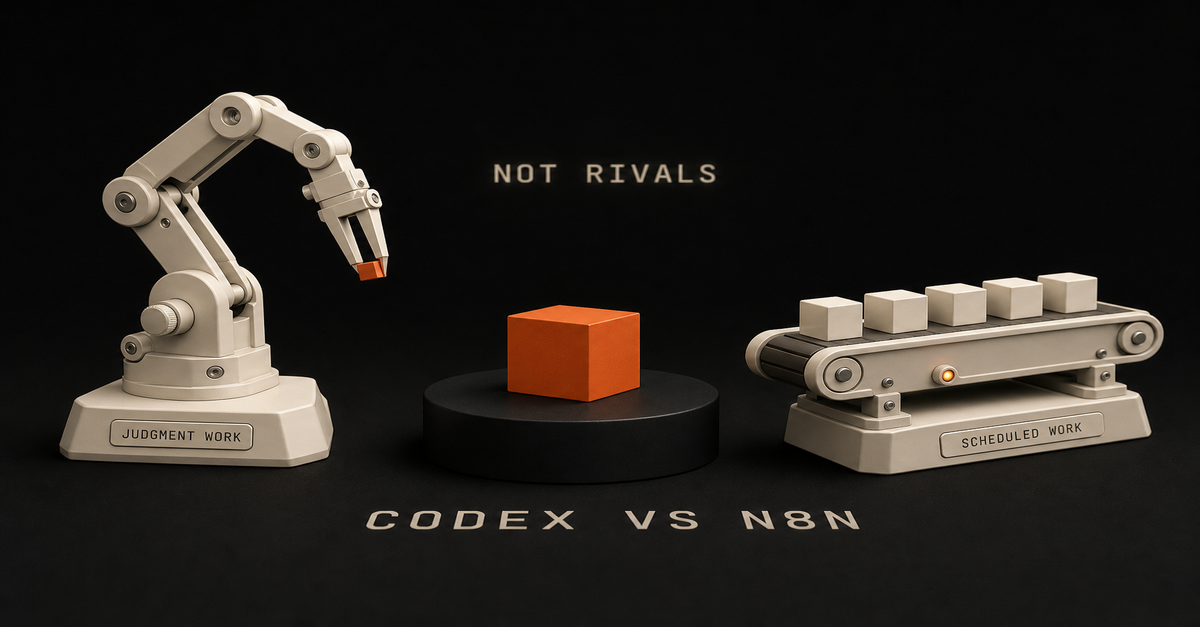
Quick answer: Use Codex when the work lives in a repo and needs judgment, editing, tests, or codebase context. Use n8n when the work needs a trigger, credentials, retries, run history, and repeatable automation. The Ship Lean rule is simple: Codex builds. n8n runs. Human approves.
Here is the receipt behind that rule: I moved about 47 n8n nodes into code, and I kept exactly one workflow running in n8n. Not zero. One. Which one survived, and why, is the most useful part of this page.
Heads up: some links in this post are affiliate links, a small kickback to me at no cost to you. I only recommend tools I've actually run.
Searching for "n8n codex" or "codex with n8n"? You usually do not pick one. You connect them: n8n owns the trigger and the routing, Codex does the build step that needs judgment, and a human approves before anything ships. Jump to the best pattern for the exact split.
Start with the n8n AI Agents hub if you want the whole system. If the workflow specifically needs an n8n agent, use the n8n AI Agent Workflow Builder before touching the canvas.
If you want the templates behind this split, use the public Claude Code Systems Kit. It covers repo-aware builder work, local agent runs, n8n approval gates, and workflow specs.I walk through this on camera in How I Use Claude Code + n8n to Automate What AI Can't (9 min).The Difference in One TableQuestion
Codex
n8nCan it read and edit repo files?
Best
WeakCan it run tests and inspect diffs?
Best
WeakCan it trigger from forms, webhooks, schedules, and apps?
Possible
BestCan it manage app credentials cleanly?
Not the job
BestCan it retry failed workflow steps?
Possible with scripts
BestCan it show run history?
Not the job
BestCan it draft, refactor, and QA content/code?
Best
Needs LLM nodesCan it route human approvals?
Possible
BestThis is why the comparison is not "which tool is smarter?" It is "which tool owns which layer?"The whole split on one card. The pattern that wins uses both.
What I Actually Moved, and the One Thing I Didn't
I ran a serious n8n setup. For content it was genuinely good: it would write, it would post, it would call APIs. I am not going to pretend it was bad. It was impressive when it worked.
Then I moved almost all of it into code.
The reason is the 47-node problem. A complex process might be 47 steps on a canvas. Step one is "scrape this," which is easy enough. But then it is do this, then do that, and now you are embedding complex prompts inside an agent node and wiring specific tools to it.
It takes an hour to build something you could have tested and shipped in that same hour as a skill. And those 47 nodes become one file with far less to maintain.
But I kept one workflow, and it is still running.
It is a scheduled scraper running on a Mac mini. That is exactly the kind of work n8n still does well: very deterministic, scheduled, and cheap enough that the cost never comes up. There was no reason to move it.
That one survivor is the honest boundary of this whole argument. My work moved to code because it was agent-shaped, not because connectors and runners are obsolete. My automation was mostly "think, then write, then decide," which is terrible canvas work and great agent work.
The scraper is the opposite: no judgment, fixed rules, runs on a timer. Code would not make it better. It would just make it mine to maintain.
Check what shape your work is before you copy me.
Is n8n Still Worth Learning in 2026?
This is the question the threads are actually asking, and most comparison pages dodge it. So here is a straight answer.
For most people: no. Do not spend your time there.
If you had asked me a year or two ago, that was the thing to learn. People who knew n8n had a real edge with AI. Today you do not get that edge from it. It is good to know the fundamentals of how automation is shaped, triggers, credentials, retries, approvals, but you can learn that concept in an afternoon without becoming an n8n specialist.
The doubt is widespread among people who invested heavily. One r/n8n post opens: "For the past ~6 months I went all in on n8n. Built a pretty comprehensive 12-hour course (from zero to building quite advanced AI agent workflows)..."
One real exception, and it matters. If you are a business currently running on Zapier, n8n probably still has the edge. It is a little more daunting visually, but it is easier and cheaper to build in once you are past the first hour. That migration is still worth doing.
What n8n does not have anymore is the edge for modern workflows. That is a different claim from "n8n is dead," and the scraper on my Mac mini is the proof of the difference.
Which Agent Should Build Your n8n Workflows?
People argue about this constantly and I use both tools daily, so let me settle it as far as I honestly can.
First, the honest disclosure: I do not build n8n workflows anymore. If I am building a workflow, I am building it in code with Claude or Codex.
But if I genuinely needed one, here is my method, and it is not the one most tutorials sell.
Having AI generate the n8n workflow JSON is a gamble. It comes out clunky, and some of it does not work. You end up debugging someone else's generated structure, which is slower than building it yourself.
So: build it yourself in the canvas, and use Claude to plan the nodes and QA the result. That is faster for me than debugging generated JSON, every time.
The community lands in the same place on model choice. From an r/n8n thread on which agent to use: "Claude is consistently better. Stick with Claude Code. Codex or Gemini will not be more effective."
One update worth knowing if you work outside the editor: there is a first-party n8n CLI. Per n8n's own docs it is "a lightweight command-line client that communicates with a running n8n instance through the n8n API," and it can list and inspect workflows, create a workflow from JSON, check recent executions, create a credential, and manage projects.
Worth knowing what it is not. It is an API client, not a full workflow-as-code system, and its export and import command is still marked preview. So it makes scripting and inspection genuinely practical, but it does not turn the canvas into a repo.n8n's CLI docs, captured August 14, 2026. Note the last item in the page nav: n8n now documents using the CLI as a skill with Claude Code.
Use Codex for Builder Work
Codex is the better choice when the work requires context from your project:refreshing a blog article against Search Console evidence
adding schema, metadata, internal links, or page sections
building a new calculator, tool, or workflow page
reading existing files before making a change
running a build and fixing failures
turning a messy idea into a concrete implementationThat is builder work. It benefits from repo context and judgment.
If you try to force that whole process into n8n, the canvas gets crowded fast. Prompts, examples, brand rules, page templates, and QA checks belong in files where a coding agent can inspect and update them.
Codex ships inside the ChatGPT Pro tiers, per OpenAI's Pro tiers page, so if you already pay for Pro you already have it.
Use n8n for Runner Work
n8n is the better choice when the work needs to happen repeatedly:every Monday, pull Search Console data
when a form is submitted, enrich the lead
when a video is uploaded, create repurposing tasks
when a page draft is ready, notify the human reviewer
when approval is granted, send the next step to GitHub, Slack, Notion, or emailn8n is strongest as the workflow layer because it handles boring operational details: triggers, credentials, retries, node-level debugging, and run history.
That boring part is the part that keeps systems alive. It is also why my one surviving workflow is still there.
The n8n template library listed 11,490 workflow templates as of August 2026, which is a decent shortcut if the runner work you need is a common one.
The Best Pattern: Codex Plus n8n
For organic traffic, the useful system looks like this:Step
Owner
Job1
n8n
Pull Search Console query/page data2
n8n
Filter for impressions, weak CTR, and low position3
Codex
Read the target page and refresh it4
Codex
Run build, SEO QA, and link checks5
Human
Approve the point of view6
n8n/GitHub/Vercel
Route deployment and notifyThat is the arbitrage: n8n finds and routes repeatable signals. Codex turns the signal into a useful asset.
How to use n8n with Codex, step by step
If you searched "n8n with codex" and want the wiring rather than the theory, this is it:Trigger in n8n. A Schedule, Webhook, or Form node starts the run and carries the input data.
Call Codex as a build step. Run it from a script or an Execute Command node so it reads the repo, makes the change, and returns a result. You are not embedding the agent in the canvas.
Capture the output back into the workflow as structured data.
Route it to a human. Slack, email, or a GitHub pull request. Nothing that touches production, customers, money, or the public site ships without approval.
Let n8n handle the boring half: retries, credentials, and run history for the whole thing.The connector-plus-agent pattern is now mainstream rather than a niche trick. Zapier publishes its own Codex integration guide for the same shape of setup, and my plain-English version of that setup is at how to use Zapier with Codex.
When Codex Alone Is Enough
Use Codex alone when the task is one-time or repo-bound:"refresh this tutorial"
"add a hub page"
"fix this favicon"
"build a comparison page"
"run the local build"No workflow runner needed. The value is in the edit.
As one r/codex user framed the division: "Where codex is great is if you want to take an n8n automation and make it a standalone app. Or writing an endpoint that can be triggered by your [workflow]."
When n8n Alone Is Enough
Use n8n alone when the rules are clear:copy a form submission into a CRM
send a Slack notification after a status change
save an RSS item to a database
send a weekly report
route approved data between apps
scrape the same source on a schedule, foreverNo coding agent needed. The value is in the repeatable run. That last line is my one surviving workflow, and it is why this section is not a courtesy.
When You Need Both
Use both when the workflow has a repeatable trigger but the output needs judgment.
Good examples:Search Console opportunity scoring
weekly content refresh queue
transcript-to-blog draft routing
lead triage with human approval
workflow JSON review before importThe model should not publish directly. It should prepare the work, show evidence, and ask for approval when the output touches the public site, customers, money, or production.
The scaling argument from r/codex matches what my own migration found: "For simple workflows, n8n + an LLM might be fine, but once things get serious, Codex handles straight code much better than going through a [canvas]."
My Default Rule
If the problem is "build the system," use Codex.
If the problem is "run the system every week," use n8n.
If the problem is "use real signals to ship useful assets repeatedly," use both.
And if you are sitting on a canvas full of nodes wondering whether to migrate: count how many of them are making a decision. If it is most of them, that is agent-shaped work and it belongs in code. If it is none of them, leave it alone. That is what I did with the one I kept.
Next, read AI coding agent vs workflow automation, then map the runner side with the n8n AI agent workflow example.
Published June 15, 2026. Last reviewed and updated August 14, 2026: corrected the migration receipt to "kept one workflow" from the earlier "kept nothing" phrasing, added the worth-learning verdict, the which-agent section, the n8n CLI, and a step-by-step n8n-with-Codex block. Codex tier inclusion and the n8n template count verified against vendor pages that day, linked inline.

 Chris Alarcon