Codex vs n8n: Codex Builds, n8n Runs. I Moved 47 Automations to Prove It

Use Codex when the work lives in a repo and needs judgment, editing, tests, or codebase context. Use n8n when the work needs a trigger, credentials, retries, run history, and repeatable automation. My rule is simple: Codex builds. n8n runs. Human approves.

Here is the receipt behind that rule: I moved about 47 n8n nodes into code, and I kept exactly one workflow running in n8n. Not zero. One. n8n is a tool that didn’t evolve. It was good in its time, it’s still useful. Which one survived, and why, is the most useful part of this page.
Heads up: some links in this post are affiliate links, a small kickback to me at no cost to you. I only recommend tools I’ve actually run.
Searching for “n8n codex” or “codex with n8n”? You usually do not pick one. You connect them: n8n owns the trigger and the routing, Codex does the build step that needs judgment, and a human approves before anything ships. Jump to the best pattern for the exact split.
Start with the n8n AI Agents hub if you want the whole system. If the workflow specifically needs an n8n agent, use the n8n AI Agent Workflow Builder before touching the canvas.
If you want the templates behind this split, use the public Claude Code Systems Kit. It covers repo-aware builder work, local agent runs, n8n approval gates, and workflow specs.

I walk through this on camera in How I Use Claude Code + n8n to Automate What AI Can't (9 min).
The Difference in One Table
| Question | Codex | n8n |
|---|---|---|
| Can it read and edit repo files? | Best | Weak |
| Can it run tests and inspect diffs? | Best | Weak |
| Can it trigger from forms, webhooks, schedules, and apps? | Possible | Best |
| Can it manage app credentials cleanly? | Not the job | Best |
| Can it retry failed workflow steps? | Possible with scripts | Best |
| Can it show run history? | Not the job | Best |
| Can it draft, refactor, and QA content/code? | Best | Needs LLM nodes |
| Can it route human approvals? | Possible | Best |
This is why the comparison is not “which tool is smarter?” It is “which tool owns which layer?”
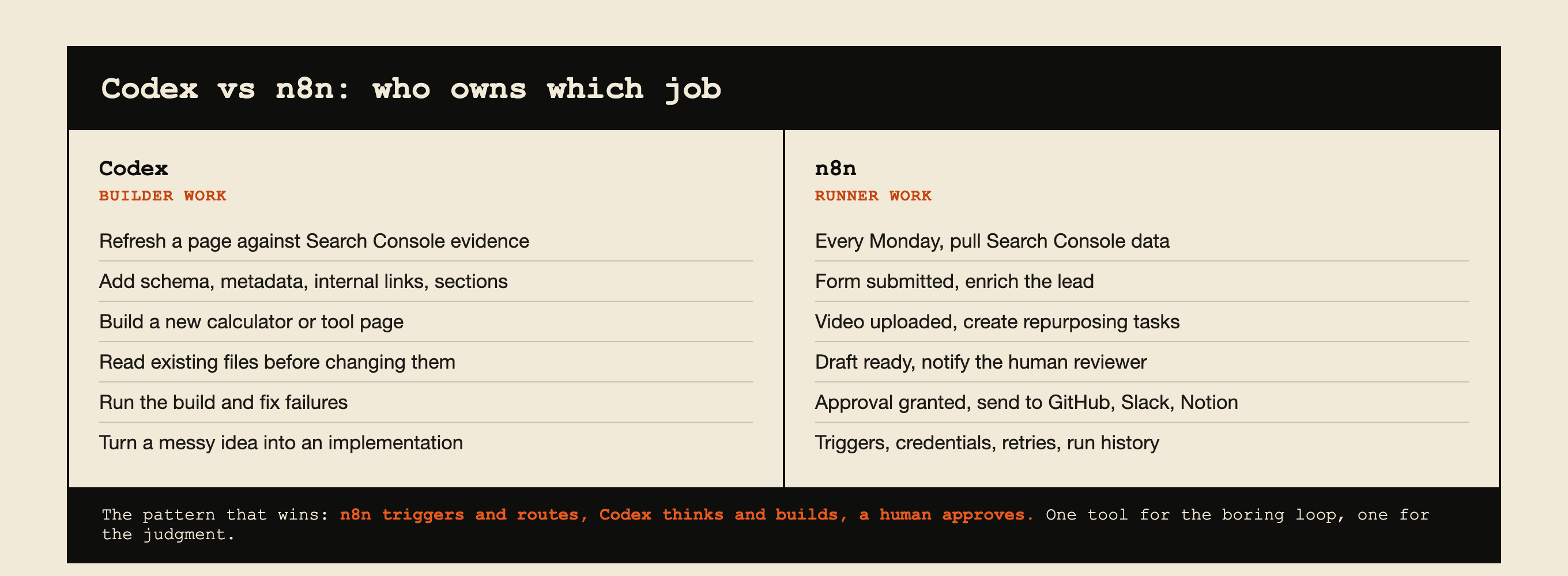 The whole split on one card. The pattern that wins uses both.
What I Actually Moved, and the One Thing I Didn’t
I ran a serious n8n setup. For content it was really good: it would write, it would post, it would call APIs. I am not going to pretend it was bad. It was impressive when it worked.
Then I moved almost all of it into code.
The reason is the 47-node problem. A complex process might be 47 steps on a canvas. Step one is “scrape this,” which is easy enough. But then it is do this, then do that, and now you are embedding complex prompts inside an agent node and wiring specific tools to it.
It takes an hour to build something you could have tested and shipped in that same hour as a skill. And those 47 nodes become one file with far less to maintain.
But I kept one workflow, and it is still running.
It is a scheduled scraper running on a Mac mini. That is exactly the kind of work n8n still does well: very deterministic, scheduled, and cheap enough that the cost never comes up. There was no reason to move it.
That one survivor is the honest boundary of this whole argument. My work moved to code because it was agent-shaped, not because connectors and runners are obsolete. My automation was mostly “think, then write, then decide,” which is terrible canvas work and great agent work.
The scraper is the opposite: no judgment, fixed rules, runs on a timer. Code would not make it better. It would just make it mine to maintain.
Check what shape your work is before you copy me.
Is n8n Still Worth Learning in 2026?
This is the question the threads are actually asking. So here is a straight answer.
For most people? I’d say no, don’t do it. You’re gonna waste your time, hands down.
If you’d asked me a year or two ago, that was the thing to learn. People who knew n8n had a real edge with AI. Today you do not get that edge from it.
It is good to know the fundamentals of how automation is shaped, triggers, credentials, retries, approvals, but you can learn that concept in an afternoon without becoming an n8n specialist.
The doubt is widespread among people who invested heavily. One r/n8n post opens: “For the past ~6 months I went all in on n8n. Built a pretty comprehensive 12-hour course (from zero to building quite advanced AI agent workflows)…”
One real exception, and it matters. If you are a business currently running on Zapier, n8n probably still has the edge. It is a little more daunting visually, but it is easier and cheaper to build in once you are past the first hour. That migration is still worth doing.
What n8n does not have anymore is the edge for modern workflows. That is a different claim from “n8n is dead,” and the scraper on my Mac mini is the proof of the difference.
Which Agent Should Build Your n8n Workflows?
People argue about this constantly and I use both tools daily, so let me settle it as far as I honestly can.
First, the honest disclosure: I don’t even call it an n8n workflow anymore. I don’t build them. If I am building a workflow, I am building it in code with Claude or Codex.
But if I really needed one, here is my method, and it is not the one most tutorials sell.
Having AI generate the n8n workflow JSON is a gamble. It comes out clunky, and some of it does not work. You end up debugging someone else’s generated structure, which is slower than building it yourself.
So: build it yourself in the canvas, and use Claude to plan the nodes and QA the result. That is faster for me than debugging generated JSON, every time.
The community lands in the same place on model choice. From an r/n8n thread on which agent to use: “Claude is consistently better. Stick with Claude Code. Codex or Gemini will not be more effective.”
One update if you work outside the editor: there is a first-party n8n CLI.
Per n8n’s own docs it is “a lightweight command-line client that communicates with a running n8n instance through the n8n API,” and it can list and inspect workflows, create a workflow from JSON, check recent executions, create a credential, and manage projects.
Worth knowing what it is not. It is an API client, not a full workflow-as-code system, and its export and import command is still marked preview. So it makes scripting and inspection genuinely practical, but it does not turn the canvas into a repo.
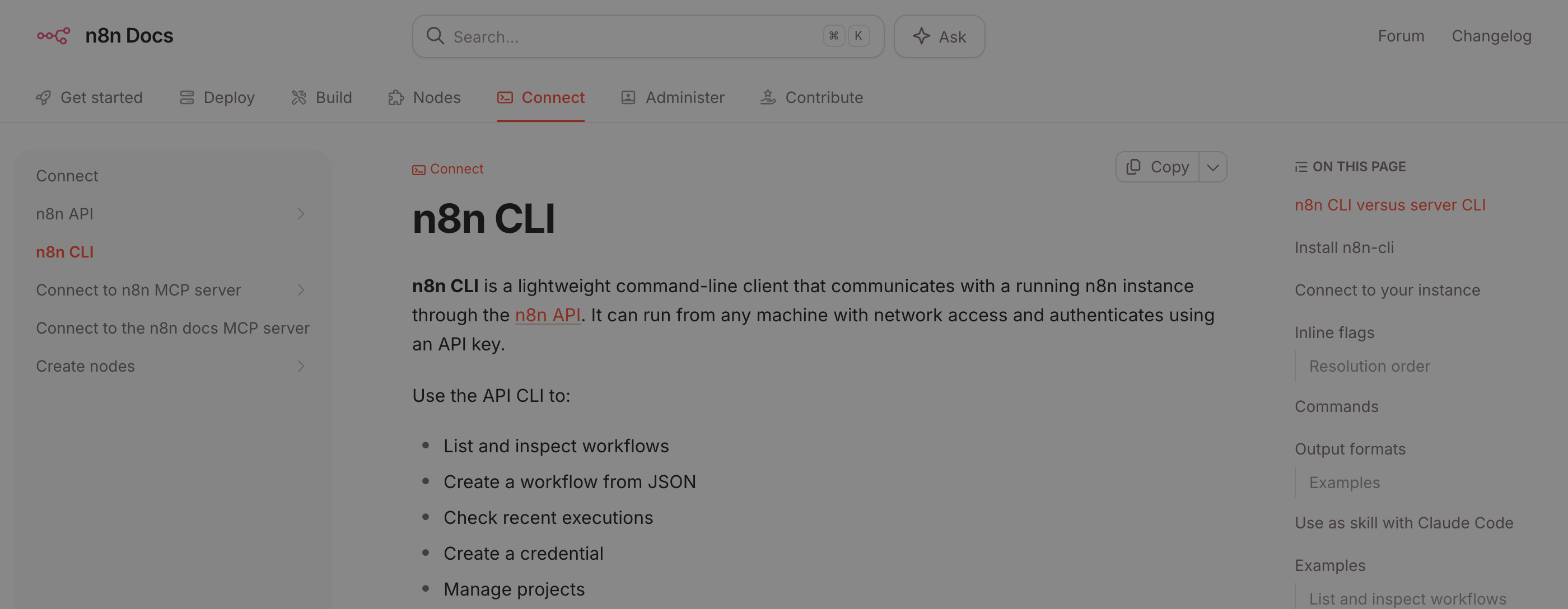 n8n’s CLI docs, August 14, 2026. Last item in the nav: using the CLI as a skill with Claude Code.
Use Codex for Builder Work
Codex is the better choice when the work requires context from your project:
- refreshing a blog article against Search Console evidence
- adding schema, metadata, internal links, or page sections
- building a new calculator, tool, or workflow page
- reading existing files before making a change
- running a build and fixing failures
- turning a messy idea into a concrete implementation
That is builder work. It benefits from repo context and judgment.
If you try to force that whole process into n8n, the canvas gets crowded fast. Prompts, examples, brand rules, page templates, and QA checks belong in files where a coding agent can inspect and update them.
Codex ships inside the ChatGPT Pro tiers, per OpenAI’s Pro tiers page, so if you already pay for Pro you already have it.
Use n8n for Runner Work
n8n is the better choice when the work needs to happen repeatedly:
- every Monday, pull Search Console data
- when a form is submitted, enrich the lead
- when a video is uploaded, create repurposing tasks
- when a page draft is ready, notify the human reviewer
- when approval is granted, send the next step to GitHub, Slack, Notion, or email
n8n is strongest as the workflow layer because it handles boring operational details: triggers, credentials, retries, node-level debugging, and run history.
That boring part is the part that keeps systems alive. It is also why my one surviving workflow is still there.
The n8n template library listed 11,490 workflow templates as of August 2026, which is a decent shortcut if the runner work you need is a common one.
The Best Pattern: Codex Plus n8n
For organic traffic, the useful system looks like this:
| Step | Owner | Job |
|---|---|---|
| 1 | n8n | Pull Search Console query/page data |
| 2 | n8n | Filter for impressions, weak CTR, and low position |
| 3 | Codex | Read the target page and refresh it |
| 4 | Codex | Run build, SEO QA, and link checks |
| 5 | Human | Approve the point of view |
| 6 | n8n/GitHub/Vercel | Route deployment and notify |
That is the arbitrage: n8n finds and routes repeatable signals. Codex turns the signal into a useful asset.
How to use n8n with Codex, step by step
If you want the wiring rather than the theory, this is it:
- Trigger in n8n. A Schedule, Webhook, or Form node starts the run and carries the input data.
- Call Codex as a build step. Run it from a script or an Execute Command node so it reads the repo, makes the change, and returns a result. You are not embedding the agent in the canvas.
- Capture the output back into the workflow as structured data.
- Route it to a human. Slack, email, or a GitHub pull request. Nothing that touches production, customers, money, or the public site ships without approval.
- Let n8n handle the boring half: retries, credentials, and run history for the whole thing.
The connector-plus-agent pattern is now mainstream rather than a niche trick. Zapier publishes its own Codex integration guide for the same shape of setup, and my plain-English version of that setup is at how to use Zapier with Codex.
When Codex Alone Is Enough
Use Codex alone when the task is one-time or repo-bound:
- “refresh this tutorial”
- “add a hub page”
- “fix this favicon”
- “build a comparison page”
- “run the local build”
No workflow runner needed. The value is in the edit.
As one r/codex user framed the division: “Where codex is great is if you want to take an n8n automation and make it a standalone app. Or writing an endpoint that can be triggered by your [workflow].”
When n8n Alone Is Enough
Use n8n alone when the rules are clear:
- copy a form submission into a CRM
- send a Slack notification after a status change
- save an RSS item to a database
- send a weekly report
- route approved data between apps
- scrape the same source on a schedule, forever
No coding agent needed. The value is in the repeatable run. That last line is my one surviving workflow, and it is why this section is not a courtesy.
When You Need Both
Use both when the workflow has a repeatable trigger but the output needs judgment.
Good examples:
- Search Console opportunity scoring
- weekly content refresh queue
- transcript-to-blog draft routing
- lead triage with human approval
- workflow JSON review before import
The model should not publish directly. It should prepare the work, show evidence, and ask for approval when the output touches the public site, customers, money, or production.
The scaling argument from r/codex matches what my own migration found: “For simple workflows, n8n + an LLM might be fine, but once things get serious, Codex handles straight code much better than going through a [canvas].”
My Default Rule
If the problem is “build the system,” use Codex.
If the problem is “run the system every week,” use n8n.
If the problem is “use real signals to ship useful assets repeatedly,” use both.
And if you are sitting on a canvas full of nodes wondering whether to migrate: count how many of them are making a decision.
If it is most of them, that is agent-shaped work and it belongs in code. If it is none of them, leave it alone. That is what I did with the one I kept.
Next, read AI coding agent vs workflow automation, then map the runner side with the n8n AI agent workflow example.
Published June 15, 2026. Updated August 14, 2026: the migration kept one workflow, plus the n8n CLI and the Codex setup. Checked against vendor pages, linked inline.

Written by
Chris AlarconChris Alarcon shows people who don’t code the boring Claude setup that actually works. He runs his one-person operation on these systems and shares every workflow, prompt, and tool combo in public. Start with the free 1-page setup.
Work with me
Setting this up for your team?
I do that. The right plan per seat, the boring setup that makes it stick, and the first three chores handed off. A 2-hour workshop or a done-with-you build, for teams of 2-50.
See how it works →Get the free 1-page setup
The boring 1-page setup. No code, no jargon. Get it now, then one short email from me each Tuesday.
