-
 Chris Alarcon
 - 02 Oct, 2026
How to Use Claude Projects So It Stops Forgetting You (3 Steps, 2026)
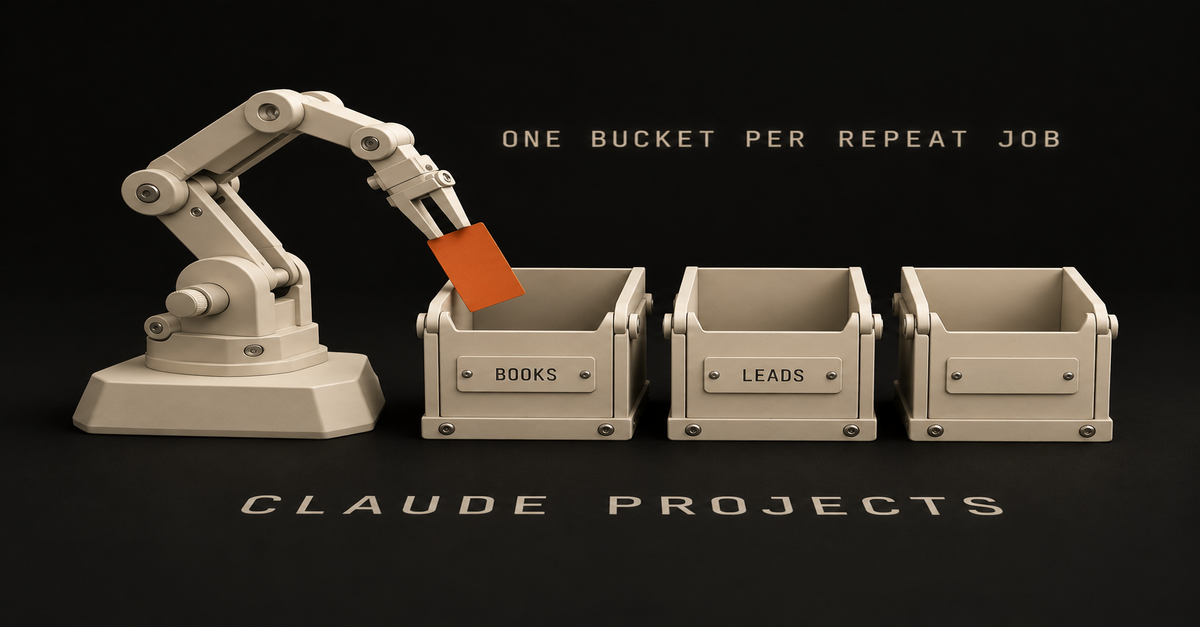
Open a project for something you do repeatedly and try to bucket them over time. That's my whole rule for Claude Projects. Because the problem is the morning ritual. Every chat starts from zero, so you explain your job, your tone and the format again, and tomorrow you do it again. A landlord on r/ClaudeCowork said it word for word: "What I keep hitting is that every session starts from zero." Where I stand, so you know who's talking: most of my Claude work runs in Claude Code on my Mac. Lately I'm leaning more towards the app. I'm a little bit hybrid. This is the Projects page on my account today:My Claude Projects page, Max plan, October 2, 2026. Each card is one bucket. Client onboarding holds what a new client needs. My role holds the job description and the goals. So here are three steps, about 15 minutes: pick the bucket, let Claude write the instructions, drop in the real stuff. What you need (as of October 2, 2026)Any Claude plan. Anthropic's What are projects page says free accounts get them too, up to five. The web app or the desktop app. Projects sit in the left sidebar, or at claude.ai/projects, per Anthropic's create and manage guide. 15 minutes and one job you explained to Claude more than once this week. A work laptop? What you upload sits in your Claude account, not on your laptop. Ask IT before a company file goes in. Skip for now: the new projects beta (select Pro and Max Claude Code users only, per the same page) and the Scheduled row. Neither is needed to stop re-explaining yourself.Anthropic's help center, read October 2, 2026. Five is plenty to start. What else the free plan gets is in Claude's free plan.The short version, from my Shorts: The free Claude folder that remembers you (3 setups beginners never turn on).Step 1: Make one project for one job you keep repeating Sidebar > Projects > New project (web) · Project or folder > New project, under the message box (desktop, new layout) Pick the thing you do every week. Not a one-off question, a job that comes back. Don't think about it too much, but definitely give it some thought. Here's how I'd split it. Creating a bucket for books that you read and summaries, maybe you want to have that separate. And then for leads, that's separate. If you find it's too similar, combine them. That's how I do it. Just optimize over time.The Project or folder menu in my Claude desktop app, October 2, 2026. That menu is where projects live since Cowork and chat merged on September 16. Anthropic's merge article says it plainly: "Projects work in every conversation." Pick one there before you type, and the chat starts inside that bucket. The new layout is rolling out to Pro and Max first. On Free, use the sidebar path. "Add folder" is the other door. A folder project works on files on your computer, and the steps for that are in how to use Claude Cowork. Applicable for: anyone with a weekly report, a client list, a reading pile, a job hunt or a side business. Step 2: Ask Claude to write the instructions from one concrete goal Your project > Instructions > Add (desktop) · Set project instructions > Save instructions (web) I think just keep it high level. Ask Claude a concrete goal that you want to achieve and ask it to write your instructions for you and then just paste that in there. Copy this into any chat and fill in the brackets: I'm setting up a Claude project for one job: [the job, e.g. "turn every book I finish into a one-page summary I can reread in 5 minutes"]. Write short project instructions for it. Keep it high level: who I am, what this project is for, and what a good answer looks like. Under 10 lines, plain English.Paste what comes back into the Instructions box and save. That's it. Ruben Hassid at How to AI lands in the same place: "Keep them short. 5-8 lines max."One of my projects, October 2, 2026. Instructions and Context still say Add. Look at that screen. My description up top is filled in, and the Instructions row still says Add. Anthropic's guide treats them as two separate steps: a name and description when you create the project, instructions after. Put the how-to-talk-to-me part in Instructions. Where it breaks: long instructions about your style. A line like "plain English, no jargon, no acronyms" sounds like it should fix the voice. On its own, it still gets you generic. A rule can't carry your voice. Real material can, which is step 3. Step 3: Drop in real material, not a description of you Your project > Context > Add (desktop) · the "+" button (web) Upload the stuff that job actually runs on. For the books bucket, your highlights and one summary you liked. For leads, your real offer and two emails that got a reply. Use your real sentences, not a paragraph about yourself. I checked my own Claude voice file against 11,000 words of me actually talking, and 45 of the 48 phrases in it were things I'd never said. A description of you is not you. Upload to the project, not into one chat, so every new chat in it starts with the files. Got a good chat sitting outside? Move it in with the dropdown next to the chat name > Add to project. The same option sits in the "+" menu under the message box.My Claude plus menu, September 18, 2026. Add to project is second. Files also cost you less over time. Anthropic's usage tips say project documents "are cached for future use," and cached parts "count less against your limits." The catch: "Caches expire after a period of inactivity." How the meters work is in Claude usage limits explained. Check it worked: open a new chat and don't explain anything Your project > new chat inside it > ask for the job in one line Type the shortest version of the job, like "summary of the book I just added." No background, no tone notes. It worked if:The answer comes back in your format without you asking for it. It uses names, numbers or phrases from your files. It sounds closer to you than a fresh chat outside the project does.Then click Memory > View. Per Anthropic's memory guide, "Each project has its own separate memory space and dedicated project summary." Memory is on for Free, Pro and Max. Searching your older chats is paid only, and inside a project it only searches that project. The full memory picture is in Claude memory. If two projects keep giving you the same answers, that's your sign to combine them. Use a skill or a folder when a project is the wrong toolSame steps, every time, in any chat? That's a skill, not a project. Start with how to use Claude skills. The job is files on your computer? Use Project or folder > Add folder instead. On ChatGPT, not Claude? The side-by-side is in Claude Projects vs Custom GPTs.Every Claude guide for office work, in order, lives on Claude guides. Start one bucket tonight and fix it as you go The goal was to stop re-explaining yourself every morning. One project for one repeat job does that. Your first buckets will be off. Don't be afraid to pivot and get it wrong. You're never gonna nail it 100%. So pick the job you explained to Claude most this week, and make that your first project tonight. FAQ What are Claude Projects? A Claude project is a saved workspace for one job, with its own chats, instructions and uploaded files, so every new chat inside it starts with that context. Anthropic's help center calls them self-contained workspaces with their own chat histories and knowledge bases. Are Claude Projects free? Yes. Anthropic's help center says Projects are available to all users, including free accounts, and free users can create a maximum of five projects. The help center lists no cap for paid plans, and paid plans also get RAG, which can expand what a project holds by up to 10x once it nears the context limit. Does a Claude project remember my other chats? Partly. Each project has its own separate memory space and a project summary, and every chat in the project starts with its instructions and files. Searching your older chats is paid only (Pro, Max, Team and Enterprise), and a search inside a project only looks at that project's chats. What should go in Claude project instructions? Keep them short and high level: who you are, what this project is for, and what a good answer looks like. The easy way is to give Claude one concrete goal, ask it to write the instructions, and paste the result in. Your real examples and documents go in the project's files, not the instructions box. Did the Cowork merge delete my Claude projects? No. Anthropic's merge article says your chats, tasks, projects and settings come with you when your account moves over, and projects now work in every conversation. In the new layout you pick one from the Project or folder menu under the message box. Where this comes from The click paths, the free limit, memory and caching come from Anthropic's help center, read October 2, 2026. The screenshots are my own Claude app on my Max plan. The bucket rule and the instructions trick are mine. I haven't shown you a project filled with files yet, and I haven't timed what one saves. Published October 2, 2026. Checked that day against Anthropic's help center, linked inline.