In this article
- 1 Before you build anything: the frequency test
- 2 Why n8n Over Other Automation Tools?
- 3 Workflow 1: Content Repurposing Engine
- 4 Killed: the Engagement-Aware Scheduler (replaced by Workflow 2)
- 5 Workflow 2: Deterministic Stats Pull
- 6 Workflow 3: Trending Topics Monitor
- 7 Workflow 4: Email Newsletter Automation
- 8 Workflow 5: Research and Clipping Pipeline
- 9 Killed: YouTube Thumbnail and Title Testing
- 10 Workflow 6: Your n8n Workflows as Tools for Claude (MCP Server Trigger, new in 2026)
- 11 Workflow 7: Content Performance Dashboard
- 12 Getting Started: The Practical Path
- 13 The Honest ROI Picture
- 14 Common Mistakes to Avoid
- 15 What’s Next
- 16 More n8n Tutorials
My first n8n workflow was clunky, overcomplicated, and had four agents where one would have done.
But it worked.
That ugly pipeline scraped Reddit, wrote scripts, generated voiceovers, and stitched everything together with Creatomate. A faceless YouTube setup, built by someone who’d never touched n8n before. I never published from it - the real value was learning the tool.
Content work has a catch: the actual creative part is maybe 20% of the time. The other 80% is formatting, scheduling, cross-posting, research. The repetitive tasks that pile up before you even start writing.
n8n is the layer I kept coming back to for that 80% across two years of running it. Self-hosted, unlimited workflows, no per-task fees. (My own automation has since moved into Claude Code, but for trigger-based content workflows like these, n8n is still what I’d point you to.)
Heads up: some links in this post are affiliate links: a small kickback to me at no cost to you. I only recommend tools I’ve actually run.
Quick caveat before the list: building the right automation matters more than building one well. I’ve burned plenty of weekends on systems I never used. Here’s the framework I use to decide what’s worth automating - run any workflow on this list through it before you commit.
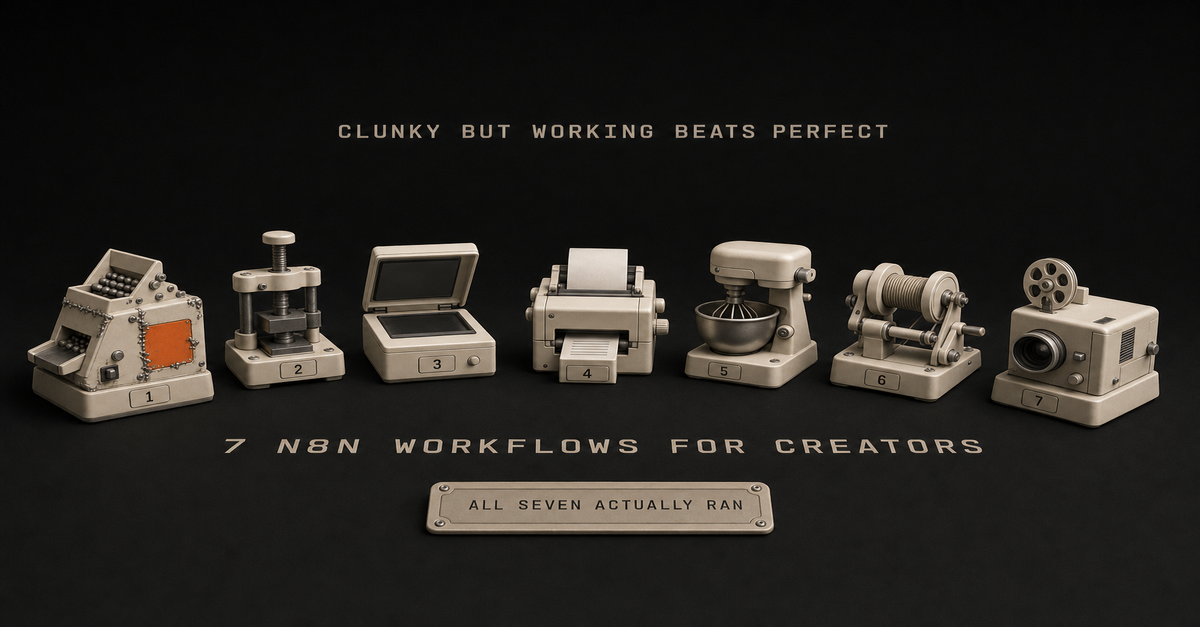
What follows are seven workflows worth building. I’ve run or built most of them myself. Where it’s a pattern I’d wire but haven’t shipped, I say so in that section.
Treat the time and engagement notes as my own ballparks, not promises - your numbers depend on your volume and audience.
Updated July 2026: n8n’s template gallery now lists over 10,000 workflows. That’s actually the problem. Nobody needs another list of what you can build. So this is seven worth building, plus two I killed and why - including one on this very list that I no longer think anyone should build.
If you’re deciding where n8n should sit next to a coding agent, read my Claude Code vs n8n decision rule first. n8n is best as the reliable trigger/routing layer, not the whole brain.
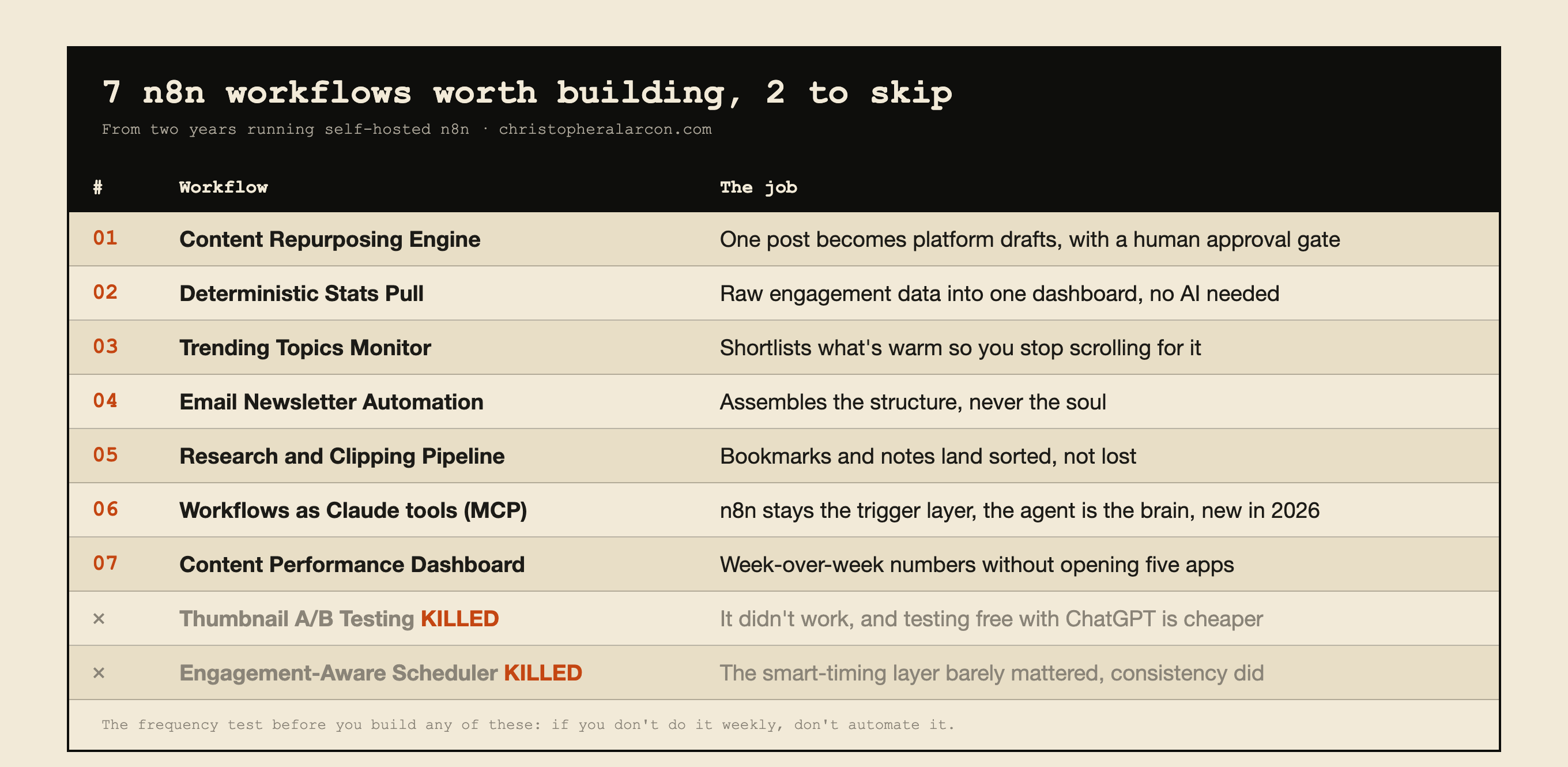 The whole page in one table, including the two workflows this post kills. The frequency test above everything: if you don’t do it weekly, don’t automate it.
Before you build anything: the frequency test
The most expensive n8n mistake is a well-built workflow you never use.
Plan first. Before you touch the canvas, brainstorm the use case with whatever LLM you already pay for - Claude, ChatGPT, Gemini, whatever. n8n costs you real time, and you do not want to spend hours or days or weeks building something you will barely touch. Build something you can maintain and understand.
The rules I would hold you to:
- The weekly threshold. If you are not doing the task at least weekly, do not automate it. One r/n8n comment puts the bar well: “if you’re doing the same copy-paste or lookup more than 3x a week, automate it. everything else is procrastination disguised as productivity.”
- The three-hour kill rule. If you are three hours into troubleshooting and still not close to working, that is your signal to stop, not to dig in.
- Platform limits are a stop sign, not a challenge. If the API does not support it, that is your answer.
- The one-week test. Build the simplest version of one use case. Use it for a week. If you did not touch it, you failed - and you learned that for a week instead of a month.
Land on one, two, or three concrete use cases. Then do one at a time and feel it out. Build the simplest version first and scale from there.
More nodes does not make you smarter. Complex workflows are hard to debug, hard to test, take too long to build, and then you do not use them.
That is why two workflows later on this page get killed rather than refreshed.
Why n8n Over Other Automation Tools?
So, the obvious question first: why n8n?
I’ve tried them all. Zapier’s pricing made me do math every time I wanted to automate something. Make (formerly Integromat) is solid, but the visual interface gave me headaches.
n8n hits different:
- Self-hosted option: Run it on a small VPS and skip per-workflow fees
- Unlimited executions: No task counters
- Visual workflow builder: See exactly what’s happening at each step
- Big integration library: Connect to most of the tools you already use
- Open source: Community nodes cover the edge cases
The learning curve is real - plan on a weekend to get comfortable. But once it clicks, the per-workflow cost goes near zero. (New to n8n? Start with my beginner’s tutorial that walks through the interface and your first workflow.)
Workflow 1: Content Repurposing Engine
What it’s for: Stop manually rewriting the same idea into five formats.
This is the workflow that started it all. I write one blog post, and n8n turns it into:
- 3 LinkedIn posts (hook, insight, story format)
- 5 Twitter/X threads
- 1 YouTube script outline
- 1 newsletter section
How it works:
- Webhook triggers when I publish a new post
- Claude API extracts key insights and quotable moments
- Separate branches format content for each platform
- Everything lands in my Notion content calendar
Want more powerful AI integration? If you want Claude to make decisions and use tools, not just write content, check out my AI Agent node guide.
The work is in the prompts. Generic “summarize this” prompts produce garbage. I keep iterating on prompts that match my voice and each platform’s shape - it’s never one-and-done. (Want to see the exact prompts I use? They’re in my social media automation tutorial.)
Setup time: About 2 hours for the full pipeline
Key nodes: Webhook Trigger → Claude AI → Multiple branches → Notion API
I walk through this on camera in How I Turn 1 Idea Into 7 Days of Posts (n8n Content System) (16 min).
Killed: the Engagement-Aware Scheduler (replaced by Workflow 2)
Status: do not build the smart-timing version.
This slot used to hold a scheduler that nudged posting times based on past engagement data. The clever layer is gone. Data-driven scheduling matters less than people think. The bigger win was always just being consistent, so the engagement layer is a lot of nodes for very little.
What survives is the boring half, and that part is worth building.
Workflow 2: Deterministic Stats Pull
What it’s for: Getting your real numbers into one place, on a schedule, without touching an API by hand.
The real use case here is pulling raw data into one dashboard.
That’s what n8n is best at. It won’t make judgment calls, but it will fetch the same data on a schedule, every time.
The pattern I’d wire:
- Cron trigger, daily or weekly
- Query the free YouTube Data API for video stats
- Pull LinkedIn numbers via Apify (realistically the only way to get them)
- Normalize and write into an n8n Data Table - native structured storage now, no spreadsheet middleman
- Read the week-over-week view whenever you want it
Why this one survives the frequency test: you want these numbers every single week, forever, and the task never needs a judgment call. That’s exactly the kind of task worth automating.
Honest disclosure: personally I would just do this with Claude, because for me it is easier. But if you want it running on a schedule without you in the loop, this is the version I would build in n8n. Pulling the same data on a schedule is a good use for it.
Setup time: 60-90 minutes, most of it in API credentials.
Workflow 3: Trending Topics Monitor
What it’s for: Stop endlessly scrolling for what’s blowing up. Let the workflow shortlist it.
How it works:
- Scheduled trigger every few hours
- Pulls from a few sources: subreddits I care about, X/Twitter trends, Google Trends
- Claude scores each item for relevance to my audience
- Filters by quality
- Sends a Slack message with the top few opportunities
The real value is catching topics while they’re still warm. Most won’t be worth covering. The point is to surface the few that are.
Setup time: A couple of hours
Note: Reddit API requires developer access. The X API got expensive. Perplexity, news APIs, or RSS-based sources are reasonable alternatives.
Want a content flywheel built around your videos? If you’d rather skip the wiring entirely - workflow, voice prompts, approval queue - take a look at Content Flywheel DFY.
Workflow 4: Email Newsletter Automation
What it’s for: Cut the “blank-page Thursday” panic before sending a weekly newsletter.
My newsletter workflow is embarrassingly simple, but it removed the biggest weekly headache.
How it works:
- Every Thursday at 9 AM, workflow triggers
- Pulls my top-performing content from the week (based on analytics)
- Grabs any bookmarked links from my research
- Claude drafts the newsletter with my structure
- Sends draft to my email for review
I still edit and personalize. But the 80% that’s just assembly? Automated.
Setup time: 1 hour
Key insight: Don’t try to fully automate newsletters. The personal touch matters. Let the workflow handle the structure.
Workflow 5: Research and Clipping Pipeline
What it’s for: Stop losing the ideas that pop up at random times.
Every content creator has the same problem: ideas pop up at the wrong moment and disappear before you can use them.
This workflow captures everything.
How it works:
- Multiple entry points: email forwarding, Slack command, browser extension webhook
- Everything funnels into a central processor
- Claude categorizes, tags, and summarizes
- Stores in Notion with full metadata
- Weekly digest of unused clips
My “content ideas” folder used to be a graveyard. With this in place, it’s at least searchable and tagged, so I can actually find an idea later.
Setup time: 2 hours
The thing that actually matters: The categorization step. Without it, you just create a different kind of mess.
Killed: YouTube Thumbnail and Title Testing
Status: do not build this. I killed mine.
This page used to recommend it. It generated title variations, made thumbnail text variants, ran YouTube’s built-in title test, and logged results to a spreadsheet for pattern analysis.
Two reasons it is gone:
- It didn’t work. The dataset never got big enough or clean enough to tell me anything I could act on.
- It costs more than the alternative. Every generated variant burns API credits. I can test the same ideas for free inside the ChatGPT subscription I already pay for.
If a workflow costs money and does worse than something you already pay for, it’s more of a hobby than an automation.
Keep the habit, though. Testing titles and thumbnails is still worth doing. Just do it in a chat window, for free, when you are about to upload.
Workflow 6: Your n8n Workflows as Tools for Claude (MCP Server Trigger, new in 2026)
What it’s for: Letting the AI you already talk to trigger the automations you already built.
This is the newest thing on this list and the one I would look at first if you are starting today. n8n can now act as an MCP server - meaning your workflows become tools that Claude or another assistant can call directly.
The pattern I’d wire:
- MCP Server Trigger node, which gives you a test URL and a production URL
- Bearer or header auth so it is not open to the world
- Behind it, the workflows you already trust - the stats pull, the clipping pipeline
- Connect it to Claude Desktop, then just ask in plain language
Why this matters: it fixes the problem this whole page keeps running into. n8n handles the reliable triggers and connections. The model does the thinking. You stop trying to make n8n think, and you stop running your automations by hand.
Setup time: 30 minutes if the workflow already exists.
Workflow 7: Content Performance Dashboard
What it’s for: Stop opening five analytics tabs to figure out what’s working.
This workflow doesn’t create content. It tells me what’s working.
How it works:
- Daily trigger at midnight
- Pulls analytics from: Google Analytics, YouTube, Twitter, LinkedIn
- Normalizes data and calculates week-over-week trends
- Generates a Slack report with insights
- Flags posts that need updating or promotion
It’s hard to say exactly what this one is worth. But having a single daily report instead of five tabs makes it more likely I’ll actually look at the numbers.
Setup time: 3 hours (most complex workflow on this list)
Note: Analytics APIs can be finicky. Expect some debugging.
The 60-second version, from my Shorts: Stop Building Complex n8n Workflows.
Getting Started: The Practical Path
Don’t try to build every workflow on this page in one weekend. You’ll burn out.
Here’s what I’d recommend:
Week 1: Pick ONE workflow that addresses your biggest pain point. Build the simplest version that works.
Week 2: Refine that workflow. Add error handling. Test edge cases. Make it bulletproof.
Week 3: Add a second workflow. Build on what you learned.
Each workflow you finish makes the next one easier - you reuse credentials, prompt patterns, and debugging instincts. That’s where it really adds up.
The Honest ROI Picture
Let me be straight about what to expect:
Upfront investment:
- n8n learning curve: a weekend, give or take
- Each workflow: a few hours to build, more to make reliable
- Refinement: ongoing
Returns:
- Less time on the boring 80% (formatting, scheduling, cross-posting)
- Faster turnaround on ideas
- Less burnout
- A system you can keep editing instead of rebuilding from scratch
What you don’t get: a magic ratio. Time savings depend on what you’re already doing manually. The real payoff shows up after a few months of running and tweaking, not week one.
Common Mistakes to Avoid
The mistakes I keep seeing (and have made):
-
Over-engineering from day one. Start simple. Add complexity later.
-
No error handling. Workflows break. Build in notifications so you know when they fail.
-
Generic AI prompts. The quality of your AI-powered workflows depends entirely on your prompts. Spend time here.
-
Forgetting the human element. Some things shouldn’t be automated. Editorial judgment, relationship building, creative direction - keep those human.
-
Not documenting. Future you will thank present you for leaving notes about what each workflow does and why.
What’s Next
These are the workflows I keep coming back to. They handle the boring parts so I can spend time on the parts that actually need a human. The two I killed are here because knowing what to skip saves you more time than another template.
The point is to spend the time you actually have on the work that needs you.
Pick one workflow. The one that’ll remove the chore you hate most. Build that this week.
Then come back and grab the next one.
More n8n Tutorials
Step-by-step guides with screenshots, prompts, and the patterns I use:
- Social Media Automation: How to automate social media posts with AI
- Agentic workflows: n8n AI Agent tutorial
- Stack split: Claude Code vs n8n
This post is part of the n8n AI agents hub: definitions, tutorials, workflow patterns, and the build-vs-run decision pages in one place.

Written by
Chris AlarconChris Alarcon shows people who don’t code the boring Claude setup that actually works. He runs his one-person operation on these systems and shares every workflow, prompt, and tool combo in public. Start with the 15 prompts he uses every day.
Work With Me
Setting this up for your team?
I do that. The right plan per seat, the boring setup that makes it stick, and the first three chores handed off. A 2-hour workshop or a done-with-you build, for teams of 2-50.
See how it works →Want this running without building it yourself?
I build these automations for clients. Drop your email and I'll send the 15 prompts now - and if you reply with what you want automated, I'll tell you straight whether it's worth hiring out or a 20-minute DIY.