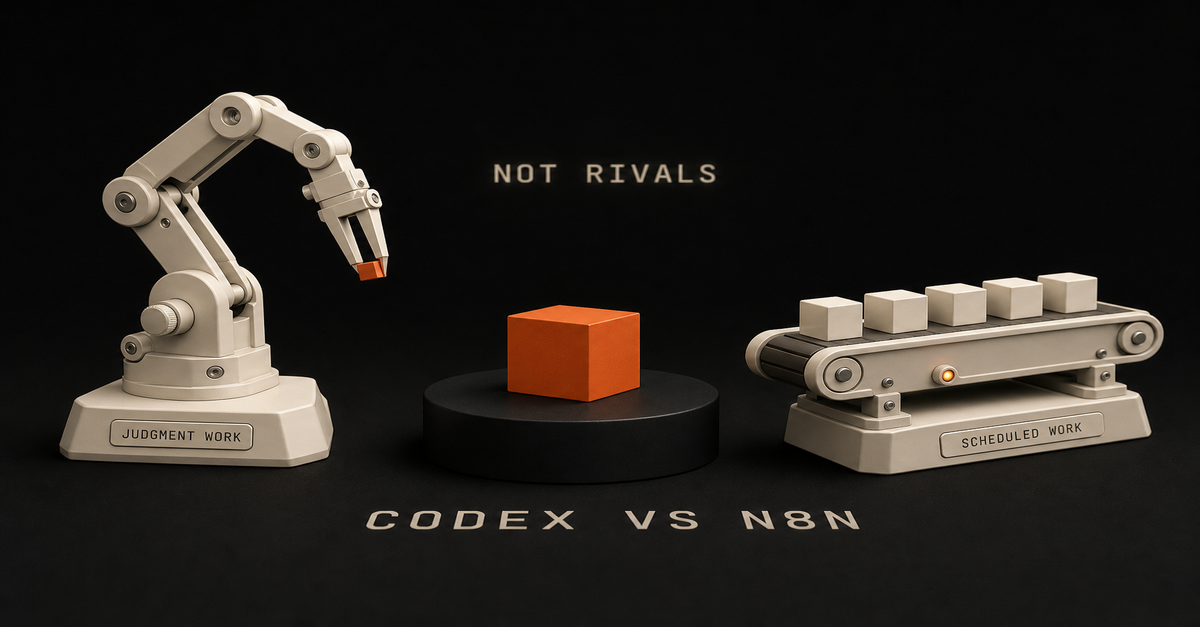
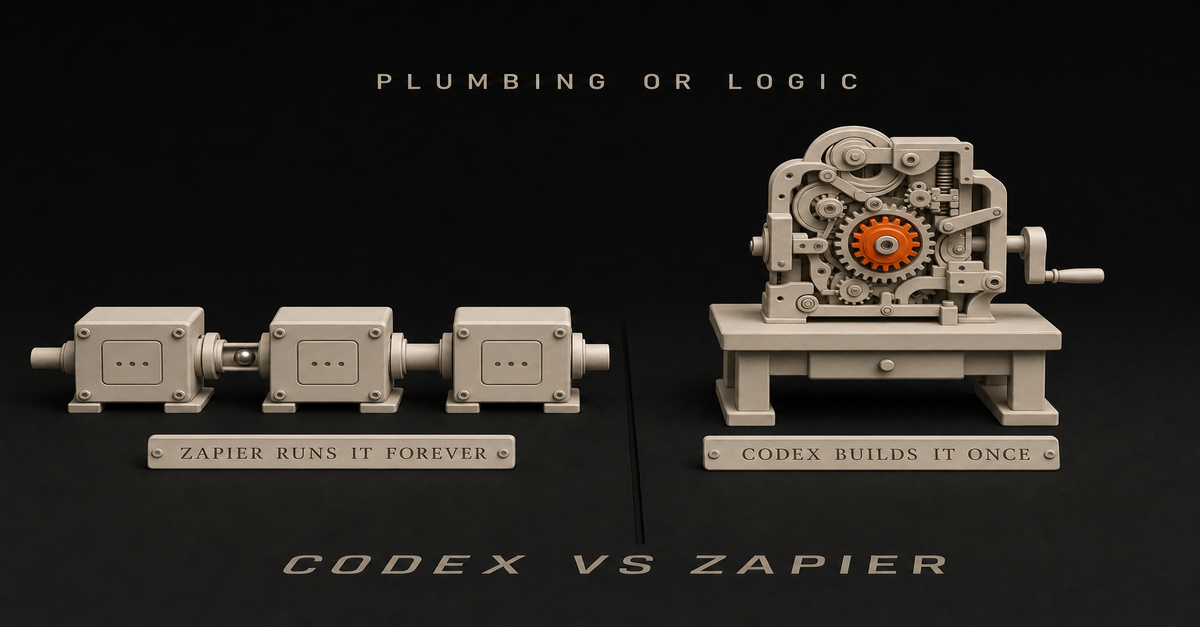
Quick answer: That's not even a debate, man. It depends who you are. So ask one question before anything else. Does this need to run without you, or does it need to think?
If it truly has to fire on a trigger forever, with stored credentials and retries and a run history when it breaks, that is connector work. Everything else is agent work.
And here is my actual answer, which is not the one most comparison pages give: for most people asking this in 2026, I would point at Codex. Even if you are new. Even if you think you need something visual.
I moved about 47 automation steps out of a visual builder and into code. I kept exactly one workflow running. That's why I answer this the way I do. And the one I kept matters as much as the 46 I didn't.
The actual difference, in plain EnglishConnector tool (Zapier, Make, n8n)
Coding agent (Codex, Claude Code)What the work looks like
Trigger in app A to action in app B
"Build me the thing that does X"Runs when
On a schedule or trigger, without you
When you run itWhat you get
Runs, logs, retries, credential handling
Files, code, working output you ownWho handles failures
The platform surfaces the failed step
You doApp coverage
9,000+ apps out of the box
Whatever has an APIBest at
Repetitive plumbing, forever
One-off or complex logicThe clearest statement of this I've seen wasn't from either vendor. It was a Reddit comment that Google now features at the top of this exact search.
u/ergod_dev on r/automation: "Connector tools (Zapier, Make, n8n) are best when the work is 'trigger in app A causes action in app B.' … Code-and-deploy tools (Replit Agent, Cursor, Claude Code) are best when the task is 'write me an actual script that does X' and you're okay running it yourself.
What kills people is trying to do agent-shaped work in a connector tool or vice versa."
That last sentence is where most people go wrong.
Why I'd still say Codex, even to a beginner
I disagree with most of the advice on this one.
The standard answer is: beginners need something visual, so send them to the connector. I do not think that is true anymore.
If you are staring at this going "I don't know what to do, I need something I can see," I would still tell you Codex. It's not as intimidating as Claude Code. It looks almost like a chat window.
At that point it is honestly not even Codex versus Zapier. You can just talk it out with a smart assistant that knows how to code, and it gets stuff done a lot faster than Zapier.
One catch: the visual builder is only simple until the logic is not.
I was in an interview once where the Zapier workflow would not work. We were pulling the wrong record for the test.
If you have built in these tools you know the dance: you need to pull a sample record that passes certain criteria so you can continue building the steps downstream. That is not simple. You end up fighting the tool instead of doing the work.
It's clunky. In my opinion it doesn't work anymore for how I build.
And if you genuinely want a visual workflow tool, I would not pick Zapier at all. I would use n8n. It is more fluid, and the same logic that takes twenty if-then conditions in Zapier is often about five nodes in n8n.
It's a little scarier to look at, but easier once you're in it.
But if you're gonna build, Codex hands down wins.
The honest caveat in Zapier's favor
I do not want to sell you a clean story, so here is the strongest point on the other side.
Zapier has far more app connectors out of the box. Zapier MCP advertises 30,000+ actions across 9,000+ apps. That's a lot you don't have to build yourself.
With a coding agent, when there is no connector, you connect via API instead. In practice that ends up being about the same thing, with more control and a bit more setup.
Where Zapier is really ahead is the boring stuff: managed credentials, retries, and a run history that tells you which step failed at 3am. That's real plumbing, and an agent doesn't give it to you for free.
Which is exactly why I kept one workflow instead of zero.
What I actually did: 47 steps out, one kept
So here's my migration. It doesn't end the way these stories usually do.
I ran a serious setup in a visual builder. And to be clear, it was n8n, not Zapier. For content it was really good. It would write, it would post, it would call APIs.
The reason I left is the 47-node problem. A complex process might be 47 steps on a canvas. Step one is "scrape this," fine.
But then it is do this, then do that, and now you are embedding complex prompts inside an agent node and wiring specific tools to it. It takes an hour to build something you could have tested and shipped in that same hour as a skill.
Those 47 nodes became one file, with far less to maintain.
But I kept one workflow running, and I still have it. It is a scheduled scraper experiment on a Mac mini: deterministic, on a timer, dirt cheap. Rebuilding it in code wouldn't make it better. It would just give me one more thing to maintain.
That one workflow is where my argument stops. My work moved to code because it was agent-shaped, not because connectors are dead. My automation was mostly "think, then write, then decide," which is terrible connector work and great agent work.
If your automation is "when a form comes in, add a row and send a Slack message," you would be moving in the wrong direction by rebuilding that in code. That job is plumbing, and plumbing belongs in a connector.
I moved because of what my work was. Check what yours is before you copy me.
Should you wire a coding agent to a connector?
Usually, no. I would talk you out of it.
If the app has an API, connect to it directly from the agent. A connector layer in between is a middleman for something the agent can already reach. Now you're maintaining two systems and a subscription instead of one.
That said, it's a real, documented setup, not a fringe hack. If you're already deep in Zapier, it's a fair way to get the agent talking to the tools you already use.
So here is how to do it if you decide the middleman is worth it.
How to use Zapier with Codex, step by step
Per Zapier's own guide, the setup is three steps:Open the Zapier MCP dashboard and select + New MCP Server.
Choose "Other" as the client when asked what you are connecting.
Configure your first action, which is the specific app-and-verb pair the agent is allowed to call.That gives Codex what Zapier describes as "governed access to 9,000+ apps and 30,000+ actions."Zapier's own guide, August 14, 2026: the connector company documenting how the coding agent borrows its app layer.
Two things to know before you build on it. Zapier draws its own line between the products: Zapier MCP "runs in chatbots like Claude and ChatGPT," while the SDK "runs in code files."
And every worked example in Zapier's Codex guide is a developer example: filing a GitHub issue from a failed test run, turning a Jira ticket into a scoped plan, logging deployments to a spreadsheet.
The version for a solo operator who is not shipping to a Jira board now lives on its own page: how to use Zapier with Codex, with the full click-through steps, the scoping safety trick, and the one-direction catch (Codex can reach into Zapier; Zapier cannot start Codex).
Which one you need
Use a connector tool when:the work has to happen on a trigger or schedule, without you present
it moves data between apps you already pay for
it needs credentials, retries, and a run history when something breaks
the logic is simple but the reliability mattersUse a coding agent when:the task needs judgment across files and context
the logic is really complicated, the kind that turns into a mess of branches in a visual builder
you want to own, version, and read the thing afterward
it's one-off or occasional, and you're fine running it yourself
you are learning, and you would rather talk the problem out than click it outIf you need both, that's normal. Build with the agent, run the repetitive part on the connector, and keep a human approving anything public.
The mistake: making one tool do both jobsMistake
What happensComplex reasoning stuffed into workflow nodes
Hard to version, review, and debug: the 47-node problemA coding agent used as a permanent scheduler
Weak run history and credential handling, fragile recurrenceAutomation publishing straight to the public
Fast mistakes with real consequencesAn agent step added to every workflow
Higher cost, slower runs, harder debuggingThe r/n8n version of this, from u/tesslate after testing the same workflow four ways: n8n is for "trigger → call → write somewhere" flows, while agent work needs "a real workspace."
The tool "wants to be a flow, not an environment." The top reply put it plainly: "The mistake is trying to make one tool do both."
The decision rule
Ask one question: does this need to run without me, or does it need to think?
Runs without you, on a trigger → connector tool.
Needs to think, across context → coding agent.
Both? Build it with the agent, schedule the boring part on the connector, and approve anything public yourself.
Codex builds. The connector runs. A human approves. That is my split, and it is the one that survived my migration.
And if you are new and just want one thing done this week: pick the task you keep redoing by hand because it needs a judgment call each time, and build that with the agent.
If instead your task is pure app-to-app plumbing, start with the connector. Either way you will know within days, which beats another month of comparing tools.
FAQ
Is Codex a replacement for Zapier?
Not structurally. Zapier's own docs describe Codex as focused on code and a small set of built-in integrations, reaching other apps through Zapier MCP. Codex does not remove the need for triggers, credentials, or run history. It does replace most of the logic people used to build on a canvas.
Can Codex do what Zapier does?
Mostly. Zapier has more connectors out of the box, and where one does not exist you connect via API from the agent instead, which works out about the same. What you give up is managed credentials and run history.
Do I need both?
Many people don't. If your automation is app-to-app plumbing, a connector alone is fine. Add a coding agent when you're building something with real logic in it.
Is AI automation dead now that Codex exists?
No. Coding agents changed who writes the logic. They didn't remove the need for scheduled, credentialed, retryable plumbing between apps.Next, compare the two concrete tools in more depth: Codex vs n8n. If you're picking your whole toolset, see the AI stack for solo founders.
Published July 24, 2026. Updated August 14, 2026: the migration kept one workflow, not zero, and the Zapier-with-Codex setup was added.
Quick answer: Use Codex when the work lives in a repo and needs judgment, editing, tests, or codebase context. Use n8n when the work needs a trigger, credentials, retries, run history, and repeatable automation. My rule is simple: Codex builds. n8n runs. Human approves.
Here is the receipt behind that rule: I moved about 47 n8n nodes into code, and I kept exactly one workflow running in n8n. Not zero. One. n8n is a tool that didn't evolve. It was good in its time, it's still useful. Which one survived, and why, is the most useful part of this page.
Heads up: some links in this post are affiliate links, a small kickback to me at no cost to you. I only recommend tools I've actually run.
Searching for "n8n codex" or "codex with n8n"? You usually do not pick one. You connect them: n8n owns the trigger and the routing, Codex does the build step that needs judgment, and a human approves before anything ships. Jump to the best pattern for the exact split.
Start with the n8n AI Agents hub if you want the whole system. If the workflow specifically needs an n8n agent, use the n8n AI Agent Workflow Builder before touching the canvas.
If you want the templates behind this split, use the public Claude Code Systems Kit. It covers repo-aware builder work, local agent runs, n8n approval gates, and workflow specs.I walk through this on camera in How I Use Claude Code + n8n to Automate What AI Can't (9 min).The Difference in One TableQuestion
Codex
n8nCan it read and edit repo files?
Best
WeakCan it run tests and inspect diffs?
Best
WeakCan it trigger from forms, webhooks, schedules, and apps?
Possible
BestCan it manage app credentials cleanly?
Not the job
BestCan it retry failed workflow steps?
Possible with scripts
BestCan it show run history?
Not the job
BestCan it draft, refactor, and QA content/code?
Best
Needs LLM nodesCan it route human approvals?
Possible
BestThis is why the comparison is not "which tool is smarter?" It is "which tool owns which layer?"The whole split on one card. The pattern that wins uses both.
What I Actually Moved, and the One Thing I Didn't
I ran a serious n8n setup. For content it was really good: it would write, it would post, it would call APIs. I am not going to pretend it was bad. It was impressive when it worked.
Then I moved almost all of it into code.
The reason is the 47-node problem. A complex process might be 47 steps on a canvas. Step one is "scrape this," which is easy enough. But then it is do this, then do that, and now you are embedding complex prompts inside an agent node and wiring specific tools to it.
It takes an hour to build something you could have tested and shipped in that same hour as a skill. And those 47 nodes become one file with far less to maintain.
But I kept one workflow, and it is still running.
It is a scheduled scraper running on a Mac mini. That is exactly the kind of work n8n still does well: very deterministic, scheduled, and cheap enough that the cost never comes up. There was no reason to move it.
That one survivor is the honest boundary of this whole argument. My work moved to code because it was agent-shaped, not because connectors and runners are obsolete. My automation was mostly "think, then write, then decide," which is terrible canvas work and great agent work.
The scraper is the opposite: no judgment, fixed rules, runs on a timer. Code would not make it better. It would just make it mine to maintain.
Check what shape your work is before you copy me.
Is n8n Still Worth Learning in 2026?
This is the question the threads are actually asking. So here is a straight answer.
For most people? I'd say no, don't do it. You're gonna waste your time, hands down.
If you'd asked me a year or two ago, that was the thing to learn. People who knew n8n had a real edge with AI. Today you do not get that edge from it.
It is good to know the fundamentals of how automation is shaped, triggers, credentials, retries, approvals, but you can learn that concept in an afternoon without becoming an n8n specialist.
The doubt is widespread among people who invested heavily. One r/n8n post opens: "For the past ~6 months I went all in on n8n. Built a pretty comprehensive 12-hour course (from zero to building quite advanced AI agent workflows)..."
One real exception, and it matters. If you are a business currently running on Zapier, n8n probably still has the edge. It is a little more daunting visually, but it is easier and cheaper to build in once you are past the first hour. That migration is still worth doing.
What n8n does not have anymore is the edge for modern workflows. That is a different claim from "n8n is dead," and the scraper on my Mac mini is the proof of the difference.
Which Agent Should Build Your n8n Workflows?
People argue about this constantly and I use both tools daily, so let me settle it as far as I honestly can.
First, the honest disclosure: I don't even call it an n8n workflow anymore. I don't build them. If I am building a workflow, I am building it in code with Claude or Codex.
But if I really needed one, here is my method, and it is not the one most tutorials sell.
Having AI generate the n8n workflow JSON is a gamble. It comes out clunky, and some of it does not work. You end up debugging someone else's generated structure, which is slower than building it yourself.
So: build it yourself in the canvas, and use Claude to plan the nodes and QA the result. That is faster for me than debugging generated JSON, every time.
The community lands in the same place on model choice. From an r/n8n thread on which agent to use: "Claude is consistently better. Stick with Claude Code. Codex or Gemini will not be more effective."
One update if you work outside the editor: there is a first-party n8n CLI.
Per n8n's own docs it is "a lightweight command-line client that communicates with a running n8n instance through the n8n API," and it can list and inspect workflows, create a workflow from JSON, check recent executions, create a credential, and manage projects.
Worth knowing what it is not. It is an API client, not a full workflow-as-code system, and its export and import command is still marked preview. So it makes scripting and inspection genuinely practical, but it does not turn the canvas into a repo.n8n's CLI docs, August 14, 2026. Last item in the nav: using the CLI as a skill with Claude Code.
Use Codex for Builder Work
Codex is the better choice when the work requires context from your project:refreshing a blog article against Search Console evidence
adding schema, metadata, internal links, or page sections
building a new calculator, tool, or workflow page
reading existing files before making a change
running a build and fixing failures
turning a messy idea into a concrete implementationThat is builder work. It benefits from repo context and judgment.
If you try to force that whole process into n8n, the canvas gets crowded fast. Prompts, examples, brand rules, page templates, and QA checks belong in files where a coding agent can inspect and update them.
Codex ships inside the ChatGPT Pro tiers, per OpenAI's Pro tiers page, so if you already pay for Pro you already have it.
Use n8n for Runner Work
n8n is the better choice when the work needs to happen repeatedly:every Monday, pull Search Console data
when a form is submitted, enrich the lead
when a video is uploaded, create repurposing tasks
when a page draft is ready, notify the human reviewer
when approval is granted, send the next step to GitHub, Slack, Notion, or emailn8n is strongest as the workflow layer because it handles boring operational details: triggers, credentials, retries, node-level debugging, and run history.
That boring part is the part that keeps systems alive. It is also why my one surviving workflow is still there.
The n8n template library listed 11,490 workflow templates as of August 2026, which is a decent shortcut if the runner work you need is a common one.
The Best Pattern: Codex Plus n8n
For organic traffic, the useful system looks like this:Step
Owner
Job1
n8n
Pull Search Console query/page data2
n8n
Filter for impressions, weak CTR, and low position3
Codex
Read the target page and refresh it4
Codex
Run build, SEO QA, and link checks5
Human
Approve the point of view6
n8n/GitHub/Vercel
Route deployment and notifyThat is the arbitrage: n8n finds and routes repeatable signals. Codex turns the signal into a useful asset.
How to use n8n with Codex, step by step
If you want the wiring rather than the theory, this is it:Trigger in n8n. A Schedule, Webhook, or Form node starts the run and carries the input data.
Call Codex as a build step. Run it from a script or an Execute Command node so it reads the repo, makes the change, and returns a result. You are not embedding the agent in the canvas.
Capture the output back into the workflow as structured data.
Route it to a human. Slack, email, or a GitHub pull request. Nothing that touches production, customers, money, or the public site ships without approval.
Let n8n handle the boring half: retries, credentials, and run history for the whole thing.The connector-plus-agent pattern is now mainstream rather than a niche trick. Zapier publishes its own Codex integration guide for the same shape of setup, and my plain-English version of that setup is at how to use Zapier with Codex.
When Codex Alone Is Enough
Use Codex alone when the task is one-time or repo-bound:"refresh this tutorial"
"add a hub page"
"fix this favicon"
"build a comparison page"
"run the local build"No workflow runner needed. The value is in the edit.
As one r/codex user framed the division: "Where codex is great is if you want to take an n8n automation and make it a standalone app. Or writing an endpoint that can be triggered by your [workflow]."
When n8n Alone Is Enough
Use n8n alone when the rules are clear:copy a form submission into a CRM
send a Slack notification after a status change
save an RSS item to a database
send a weekly report
route approved data between apps
scrape the same source on a schedule, foreverNo coding agent needed. The value is in the repeatable run. That last line is my one surviving workflow, and it is why this section is not a courtesy.
When You Need Both
Use both when the workflow has a repeatable trigger but the output needs judgment.
Good examples:Search Console opportunity scoring
weekly content refresh queue
transcript-to-blog draft routing
lead triage with human approval
workflow JSON review before importThe model should not publish directly. It should prepare the work, show evidence, and ask for approval when the output touches the public site, customers, money, or production.
The scaling argument from r/codex matches what my own migration found: "For simple workflows, n8n + an LLM might be fine, but once things get serious, Codex handles straight code much better than going through a [canvas]."
My Default Rule
If the problem is "build the system," use Codex.
If the problem is "run the system every week," use n8n.
If the problem is "use real signals to ship useful assets repeatedly," use both.
And if you are sitting on a canvas full of nodes wondering whether to migrate: count how many of them are making a decision.
If it is most of them, that is agent-shaped work and it belongs in code. If it is none of them, leave it alone. That is what I did with the one I kept.
Next, read AI coding agent vs workflow automation, then map the runner side with the n8n AI agent workflow example.
Published June 15, 2026. Updated August 14, 2026: the migration kept one workflow, plus the n8n CLI and the Codex setup. Checked against vendor pages, linked inline.
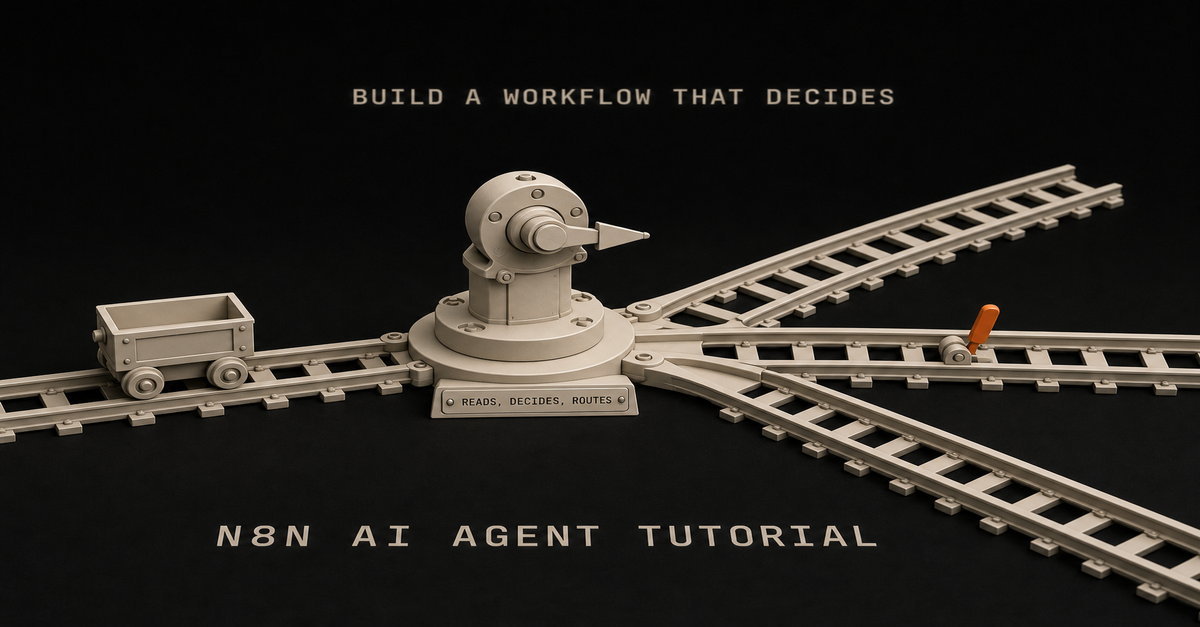
Quick answer: An n8n AI agent is a workflow built on the AI Agent node, connected to tools (HTTP, database, code, APIs, or MCP servers) so an LLM can read context, call those tools, and pick the next step on its own.
Without tools, it is just a chatbot in a workflow. My rule before any of it: always plan, plan, plan. So you can have something simple and then you can debug it much easier.
Build one scoped agent: pick a single decision, attach the AI Agent node, wire tight tools, force structured output, test on real data, and put a human on anything that ships.
As of mid-2026, n8n also adds the MCP Client Tool (use any MCP server's tools) and the AI Agent Tool node (one agent supervising others on a single canvas). The pattern I use stays the same: Claude/Codex builds, n8n runs, a human approves anything risky.
Published June 2026. Last reviewed 7 August 2026 against the current AI Agent node docs and the n8n changelog through the 2.34 release.
If you're trying to figure out whether you even need an agent, start with what an n8n AI agent is and n8n AI agent vs workflow automation. Short version: agents are for judgment calls, not every automation.
If you want the whole path in one place, start with the n8n AI Agents hub. It links the definition, workflow pattern, builder tool, and Claude Code handoff.
If your search is specifically for an n8n ai agent workflow or n8n agentic workflow, the canonical workflow page is n8n AI agent workflow for solo builders. Use this tutorial when you want the build sequence: node setup, tools, structured output, testing, and approval.This page owns the build tutorial. The related pages own the shorter definition and workflow-example intents:Query intent
Best owner
Direct answern8n ai agent tutorial
This tutorial
Build one scoped agent around the AI Agent node, tools, structured output, testing, and approval.n8n ai agent workflow
Workflow pattern
Trigger in n8n, let the model make one scoped decision, route the result, then approve risky output.n8n agentic workflow
Workflow pattern
The agentic part is tool use plus structured decisions, not just an LLM prompt.n8n ai agent node
This tutorial
The node is the reasoning step; n8n still owns triggers, credentials, routing, retries, and run history.what is n8n ai agent
Definition page
It is an LLM-powered workflow step that can use tools and return a decision inside automation.n8n ai agent documentation 2026
This tutorial + n8n docs
n8n's docs cover the node reference; this page covers the build sequence and the decisions the docs skip.I built my first "agent" in n8n and felt very smart for about ten minutes.
Then I realized I'd just made a fancy ChatGPT call. Input went in. Output came out. Nothing decided. Nothing checked. No tools.
That's the gap: dropping the AI Agent node into a workflow doesn't make it agentic. It makes it an LLM with a trigger.
This post is the version I wish I'd had when I started: what an n8n AI agent actually is, when to use one instead of a normal workflow, and the pattern I use now that keeps me out of multi-agent spaghetti.I walk through this on camera in n8n AI Agent: Build One That Actually Works (Not Theory) (12 min).Before the Node: Plan, Plan, Plan
After two years of running self-hosted n8n, the mistake I see people make most happens before any wiring. They start in n8n way too early.
Figure out what you want to build an agent for before you open the canvas. Use a chat model for this part. Brainstorm the use case with Claude, ChatGPT, Gemini, whatever you already pay for. n8n is a time commitment.
You do not want to spend hours, days, or weeks building something you will only use a little bit. You want to end up with something you can actually maintain and understand.
Once you land on one, two, or three concrete use cases: do one at a time. Build the simplest version first and then scale from there. If you don't use it in a week or two from now, you just failed. You wasted your time.
The other half of the mistake is overcomplicating the nodes. People hear "AI agent" and reach for the most complicated thing on the canvas.
Strip it back: an AI agent is an LLM call. What makes it interesting is giving it tools (access to your calendar, your database) so it can query and act instead of just answering.
But this is what will save you the most time: simpler is better. Most of the time I found that you don't even need to hook it up with tools. If a plain LLM step solves your problem, ship that.
Do not rush toward the agent architecture because it sounds more impressive. More nodes doesn't make you better or smarter.
One product detail changed: n8n's AI Agent node now requires at least one tool sub-node to be connected.
Also, as of v1.82.0 the old agent-type selector is gone. Every agent is a Tools Agent. So if your use case needs no tools, the node you want is the Basic LLM Chain, not the AI Agent.
Reach for tools when the job needs them, not because the node is called "agent."
What Changed for n8n AI Agents in 2026?
n8n is no longer just "Zapier, but flexible." It's turning into a place to run AI workflows that hold up: agent nodes, tools, memory, structured output, retries, credentials, and run history in one canvas.
That matters because the pattern that works isn't "let the model do everything." It looks like this:Layer
Best owner
WhyPrompt, schema, tool design
Claude Code or Codex
Repo context, writing, code, and judgmentTrigger, credentials, retries
n8n
Durable workflow operationsFuzzy decision
AI Agent node
Reads context and chooses a tool or answerPublic/customer action
Human approval
Keeps trust where it belongsAs of this refresh, n8n's AI Agent node is a versioned node with current support for tools and output parsers. n8n's own Tools Agent docs describe the agent as the piece that can choose external tools and return a standard output format.
For solo builders, that's what matters: repeatable decisions with runs you can see, not "AI magic."
Two mid-2026 additions actually matter for solo builders:MCP Client Tool. The AI Agent node can now use tools exposed by remote MCP servers directly. There's also a standalone MCP Client node, so any step in the workflow, not just an agent, can call an MCP server. In plain terms: instead of hand-wiring an HTTP node for every API, you can point the agent at an MCP server that already exposes a clean set of tools.
AI Agent Tool node (single-canvas multi-agent). You can connect multiple AI Agent Tool nodes to one primary AI Agent, letting it supervise and delegate across specialized agents in a single execution, on one canvas. This is the official way to do "multiple agents" without the multi-workflow spaghetti most tutorials walk you into.Three things shipped since the last review that change the build (all from n8n's changelog):Human-in-the-loop for AI tool calls (v2.6, January 2026). You can now require explicit human approval before an agent executes a specific tool. Wherever this guide tells you to route risky output through a Slack or Telegram approval step, check this native gate first. It's built into the tool call now, so you may not need to wire the approval hop yourself.
One-click MCP servers (v2.22, May 2026). Apify, Linear, monday.com, Notion, and PostHog can be connected by picking the server from a panel and signing in. Where the MCP notes above describe pointing an agent at a server, that setup is now closer to installing an app than hand-wiring a connection.
Native web search for agents (v2.25, June 2026). An Advanced-panel toggle, rather than bolting on a search API as a custom tool.New since the July review (2.29–2.34, from the changelog):The autonomous AI Assistant (2.29.9, July 2026) is NOT the AI Agent node. Don't confuse the two. The Assistant is n8n's build-time copilot: you describe a workflow in plain language and it plans, builds, test-runs, and fixes errors until the automation works. Cloud-only for now, self-hosted support promised. The AI Agent node is the runtime piece: the node inside your workflow that makes a decision on every execution. Plain rule: the Assistant helps you BUILD the workflow once; the Agent node RUNS inside it forever. Everything in this guide is about the second one, and the Assistant doesn't change a single step of it. It is a fast way to set up the boring parts around your agent, though.
MCP got sturdier (2.29–2.29.9): dynamic field resolution (live Slack channels, Sheets tabs, not stale lists), custom and community nodes usable in MCP workflow builds, and version history you can browse and restore. If the MCP Client Tool felt beta when you last tried it, it's grown up.
2.34 (August 2026) is plumbing, not AI: large webhook responses offload to binary storage. Only matters if your agent workflows return big payloads.The changelog on August 7, 2026: stable 2.33.6, beta 2.34.3. The AI Assistant and MCP updates matter for agents.
A note on n8n 2.0: it was a security/reliability/performance release (sandboxed Code-node execution by default, a Publish/Save workflow paradigm), not an AI-feature release. Worth upgrading because the platform is more solid. Just don't expect it to change how you build agents.
Use current language when you build:AI Agent node for the reasoning step
Tools for API/database/app actions, or an MCP Client Tool when a server already exposes them
AI Agent Tool node when one agent really needs to delegate to another (not before)
Structured Output Parser when downstream nodes need clean fields
Memory only when the task needs prior conversation or prior user state
Retries and run history for boring reliabilityIf you only remember one thing, remember this: n8n is the runner, not the whole brain. The AI Agent node should own one fuzzy decision. Everything before and after that should be boring workflow automation. MCP tools don't change that. They just make the tools faster to wire up.
What Is an n8n AI Agent, Exactly?
An n8n AI agent is a workflow built around the AI Agent node with tools attached: usually HTTP Request, a database, Airtable, code, or other n8n nodes. That lets the LLM do three things in a loop:Read the input and current context
Decide whether to call a tool (and which one)
Use the tool's output to pick the next action or final answerThe "agentic" part is the loop. The model isn't just generating text. It's choosing actions based on what it finds.n8n's docs, August 2026: the AI Agent node needs at least one tool. Every agent is a Tools Agent now.
Without tools, the AI Agent node is a fancy LLM call. With tools, it can look things up, write to a database, hit an API, and reason about the result before answering.
If you want it in one line, here's the clean definition:An n8n AI agent is a workflow where the AI Agent node can use tools, memory, and structured output to make a judgment step inside a larger automation.n8n AI Agent vs Regular Workflow Automation: When to Use Which
I default to plain workflow automation. Agents are the exception.Situation
Use a regular workflow
Use an AI agentInputs are predictable (form fields, structured webhook)
✅Logic fits a clean if-then tree
✅You need messy text classified or summarized✅You need it to look something up before deciding✅Output has to be structured every time, no surprises
✅Edge cases keep slipping through your filters✅Cost per run matters and volume is high
✅Rule of thumb I use:If I can write the rules in 10 minutes, it's a workflow. If I'd need 50 if-statements and still miss cases, it's an agent.A workflow that classifies email tone with keyword matching will miss "I've been waiting three weeks and this is getting ridiculous." An agent reads it and routes it correctly. That's the kind of decision worth paying tokens for.One of mine: a Reddit idea scraper I ran for months. Boring workflow around one agent that judges messy text.
If the decision is "did the Stripe webhook fire? then send the receipt," don't put an LLM in the path.
For a deeper split, read n8n AI agent vs workflow automation. If the question is whether Codex, Claude Code, or n8n should own the work, use AI coding agent vs workflow automation.
How Do You Structure an n8n AI Agent Workflow?
Here's the layout I use now. It's not clever. That's the point.1. n8n handles the trigger and routing.
Webhook, RSS, schedule, Airtable change: n8n is good at this. Don't make the LLM do it.
2. The LLM handles judgment.
This is the AI Agent node (or a Claude Code call via HTTP). It reads context, calls tools, returns a structured decision. One agent, one job.
3. Tools are scoped tight.
Read-only when possible. Pre-filtered queries, not "here's the whole database." Every tool is one more thing you have to trust.
4. A human approves anything that ships.
Sends an email to a customer, charges a card, posts to a public account, deploys code: that goes to a Slack/Telegram approval step before it executes. The agent drafts; you click yes.
5. Claude Code does the building, n8n does the running.
I draft prompts, tool definitions, and workflow logic in Claude Code or Codex. n8n runs the workflow on a schedule. GitHub holds the workflow JSON. Vercel hosts anything customer-facing. Each tool does what it's good at.
That's the whole stack. There's no swarm of sub-agents and no "AI orchestrator" picking other agents. Just one agent, scoped tools, and a human in the loop where it matters.
Still deciding which side of that build/run line your work belongs on? Read Claude Code vs n8n for solo builders: short version, Claude Code owns the judgment and the code, n8n owns the trigger and the repeat.
The 2026 Build Checklist
Before you touch the n8n canvas, write these five things down:Decision
Good answerAgent job
"Score this Search Console query as BUILD, REFRESH, or IGNORE."Input
Query, URL, impressions, clicks, position, current page summaryTools
Read page content, inspect sitemap, write row to task tableOutput
JSON with decision, reason, priority, next_actionApproval
Human approves new public pages and page refreshesIf you cannot fill in that table, the workflow is not ready. The scope is still fuzzy, so fix that first.
What Do You Need Before Building an n8n AI Agent?An n8n instance. When I ran n8n I self-hosted on Hostinger to skip per-execution fees. A Mac mini at home does the same job free.
An API key. I use Claude Sonnet for most agent work because the structured output behaves.
A clear, single decision you want automated
Airtable or a database if your agent needs memoryHeads up: some links in this post are affiliate links: a small kickback to me at no cost to you. I only recommend tools I've actually run.
If n8n is new to you, run through the n8n tutorial for beginners first.
Use a manual trigger while you're building. You'll run the thing 30+ times tweaking prompts, and you don't want an RSS feed or webhook firing each time.The 60-second version, from my Shorts: Build your first AI agent (no code, under an hour).Step 1: Pick One Decision
Every agent needs one job. Not three. One.
Bad: "Read my inbox, write replies, schedule meetings, and update the CRM."
Good: "For each new RSS post, decide if it's worth sharing with my list. Output SHARE or SKIP and a one-line reason."
The narrower the scope, the easier it is to prompt, test, and trust. If you can't describe the agent's job in one sentence, the agent isn't ready to be built.
Step 2: Trigger and Input
For the example, we'll keep using the content filter: an RSS feed pulls new posts, each post becomes input.
The trigger's job is to give the agent enough context to make the call: title, link, full text, source. If your input is thin, the agent's decisions will be thin too.
Step 3: Add the AI Agent Node
Drop in the AI Agent node. Connect the trigger.The node in a real build, my old LinkedIn lead scraper. The sockets underneath are where Step 4 plugs in.
Configure:Provider/model: Claude Sonnet is my default for judgment work
System prompt: define the job, the criteria, and the output format
Output parser: use structured output when another node needs reliable fields
Memory: add it only if the workflow needs prior conversation or prior user stateExample system prompt:
You are a content relevance filter for a newsletter aimed at solo AI builders
who use Claude Code, n8n, and ship products on the side.For each post, decide:
- Relevance: High / Medium / Low (does it help this audience build or ship?)
- Quality: High / Medium / Low (is it specific and actionable, or generic?)
- Decision: SHARE or SKIP
- Reason: one line, plain languageDefault to SKIP when uncertain. We'd rather miss a marginal post than share a weak one.This alone is not an agent yet. It's an LLM with a prompt. It reads, it answers, that's it.
The next step is what changes that.
Step 4: Attach Tools and Structured Output
Tools are how the agent does things instead of just saying things.
In n8n, common tool options:HTTP Request: call any API
Database / Airtable / Postgres: look up or write history
Code: custom logic when needed
Other n8n nodes: wrapped as toolsFor the content filter, attach an Airtable tool pointing at a "Shared Posts" table. Update the prompt:
Before deciding, use the Airtable tool to check the "Shared Posts" table for
posts shared in the last 30 days. If a similar topic was already covered,
lean toward SKIP unless this post is meaningfully better or newer.Now the agent isn't analyzing a post in a vacuum. It's checking history, comparing, and using that to decide. That's the loop.
You don't need n8n's sub-agent feature for this. I almost never reach for it. One agent + a few tools handles most things I've thrown at it.
When the next node expects clean data, do not make it parse paragraphs. Require structured output:
{
"decision": "SHARE",
"reason": "Specific walkthrough for solo AI builders.",
"confidence": 0.82,
"approval_required": true
}This is the difference between a demo and a workflow you can run every week.
Step 5: Wire the Decision to Action
The agent returns something like:
Decision: SHARE
Reason: Concrete walkthrough of building a Claude Code subagent. Fits the audience.Downstream, you don't need a 12-branch if-then. You need one router checking Decision === "SHARE". The complexity lives in the agent's reasoning, not in the canvas.
For anything that goes out the door, like a tweet, an email, or a published post, route it to a human approval step. A Slack message with Approve/Reject buttons works fine. The agent drafts, and you decide what ships.
If you are building this for SEO traffic work, the approval step matters even more. New pages, refreshed titles, comparison claims, and public recommendations should not publish automatically. The workflow should prepare the draft and evidence. A human should approve the point of view.
Step 6: Test on Real Data, Not Your Imagination
Your first version will be wrong. That's fine. Plan for it.
What I run into most:Vague prompts: agent makes inconsistent calls because the criteria are fuzzy
Tool not actually wired: agent "tries" the tool but the connection is broken
Output drifts: sometimes structured, sometimes prose
Real inputs are messier than your test inputsFix loop is always: tighten the prompt, add an example or two of correct output, narrow the tool's scope.
Step 7: Add the Boring Reliability
This is where n8n earns its keep.
For any workflow you plan to keep:Log every run somewhere boring: a Sheet, Airtable table, Postgres row, or Notion database.
Save the input, decision, model, cost estimate, and approval result.
Add retries where the failure is likely temporary.
Alert yourself when the workflow fails or the output parser breaks.
Keep credentials in n8n, not pasted into prompts.Everyone likes building the agent part. The run history is what keeps it working once real inputs show up.
What Does a Real Production n8n AI Agent Look Like?
When I checked my own n8n workspace, the pattern was obvious: lots of experiments, one production workflow doing a clear job.
The active workflow isn't some multi-agent swarm. It's a content scheduling runner:A Notion trigger starts the run.
n8n grabs the page, length, and assets.
A filter, code step, and switch route the item.
Blotato nodes send the asset to YouTube, Instagram, X, TikTok, and LinkedIn.
n8n updates the status back in Notion.The actual canvas: no AI Agent node anywhere. It ran my whole distribution as plain workflow automation.
The point is, the workflows that survive aren't always the flashy ones. They're the ones with a narrow trigger, clear routing, visible status, and boring handoffs.
Most of the other workflows in my account are paused experiments: idea engines, social research, lead routing, newsletter systems, job prep, payment reminders, and old tests. That is normal. n8n becomes more valuable when you label the experiments, retire the stale ones, and keep production workflows boring enough to trust.
For a public example, the lead qualification pattern teaches the idea better than the content scheduler.
The private version looks like this:A webhook receives a lead.
n8n enriches the lead data.
An AI step qualifies the lead.
A structured parser turns the model response into fields.
n8n routes the result into hot lead, nurture, Slack, and email paths.That is the useful proof: the model makes one judgment call, then n8n routes the outcome. For a public template, I would not publish the private workflow raw. I would publish the cleaned pattern instead, with fake sample data and no credentials.
You can download that starter pattern here: n8n human approval workflow JSON. I also published the proof asset on GitHub: n8n AI lead qualification workflow with human approval.
What I Got Wrong Early
My first n8n agent system was a faceless YouTube pipeline: Reddit scrape to script to 11Labs voiceover to Creatomate render. Took me a couple weeks. Had four agents where one would've done.
It worked. The output wasn't great, but it ran. The lesson wasn't "agents are powerful." It was: I built before I validated, and I overcomplicated every step.
The rewrite was always the same: collapse to one agent, scope its tools, put a human at the publish step.
That's the version I'd build today, and it's the version above.
What Are the Most Common n8n AI Agent Mistakes?
1. Using the AI Agent node with no tools.
You built a chatbot. Tools = autonomy. No tools = no decisions worth calling agentic.
2. Multi-agent setups before you need them.
Sub-agents and agent loops exist. Skip them until a single agent has clearly hit its ceiling. It usually hasn't.
3. Vague system prompts.
"Make good decisions" isn't a prompt. Spell out criteria, output format, and what to do when uncertain.
4. No human approval on outbound actions.
The first time an agent emails a customer something weird, you'll wish you had this. Add it before you need it.
5. Testing only on data you wrote.
Real inputs break things synthetic ones don't. Test on actual feeds, actual emails, actual rows.
6. Adding memory because it sounds advanced.
Memory is useful for ongoing conversations. It is usually unnecessary for one-shot scoring, routing, enrichment, and drafting workflows. Start stateless, then add memory only when the missing context is actually hurting results.
7. Treating structured output as optional.
If n8n needs to route the result, make the agent return fields. Prose is for humans. JSON is for the next node.
n8n AI Agent FAQ
What is the n8n AI Agent node?
The AI Agent node is the reasoning step in an n8n workflow. It connects a model to tools, memory, and an output parser so the workflow can make a decision instead of only moving data. n8n still owns the trigger, credentials, routing, retries, and run history around it.
What's the difference between the n8n AI Assistant and the AI Agent node?
The AI Assistant (July 2026, Cloud) builds workflows for you: describe what you want in plain language and it plans, wires, test-runs, and fixes the workflow until it works.
The AI Agent node runs inside a workflow and makes a decision on every execution. Use the Assistant to scaffold; use the Agent node when the workflow itself has to think. You can use both.
What makes an n8n workflow agentic instead of just an LLM call?
The workflow is agentic when the AI Agent node can choose a tool, inspect the result, and return a structured decision.
A plain prompt with no tools attached is a chatbot in a workflow, not an agent. The agentic part is the loop: read context, call a tool, use the output to pick the next action.
Can an n8n AI agent use MCP tools?
Yes. As of mid-2026 the AI Agent node supports the MCP Client Tool, so the agent can call tools exposed by a remote MCP server without hand-wiring an HTTP node for every API.
There is also a standalone MCP Client node so any step in the workflow, not just the agent, can hit an MCP server.
How do you run multiple agents in n8n?
Use the AI Agent Tool node. You connect one or more AI Agent Tool nodes to a primary AI Agent so it can supervise and delegate across specialized agents in a single execution on one canvas. Reach for this only after one well-scoped agent has clearly hit its ceiling, which is rare.
When should you use an n8n AI agent instead of a normal workflow?
Use a normal workflow when the logic is predictable and rule-based. Use an AI agent when the work needs judgment: messy text classification, summarization, or looking something up before deciding. If you can write the rules in ten minutes, it is a workflow, not an agent.
Does an n8n AI agent need memory?
Usually no. Add memory only when the workflow needs conversation history or prior user state. For stateless tasks like scoring a lead or classifying a query, structured input plus a tool is cleaner and cheaper. Start stateless, then add memory only when the missing context is actually hurting results.
Where to Go From Here
Pick one decision you make repeatedly that's annoying because it requires reading something: inbox triage, lead scoring, content filtering, support routing.
Build that. One agent, one tool, one decision. Run it manually for a week. Watch where it gets confused. Tighten the prompt.
Once that's working, the second one takes half the time. The third feels normal.
For more patterns, see 7 n8n workflow examples, what an n8n AI agent is, n8n AI agent vs workflow automation, and n8n vs Make for AI agent workflows. If you're still deciding which tool should own the work, Claude Code vs n8n for solo builders and Codex vs n8n draw the line clearly.
The AI Agent node is one piece of the build. Tools are what let it decide things. Keep the rest of the stack boring: n8n for plumbing, Claude Code for judgment, GitHub and Vercel for everything that ships. Then you can spend your time on the decisions, not the wiring.
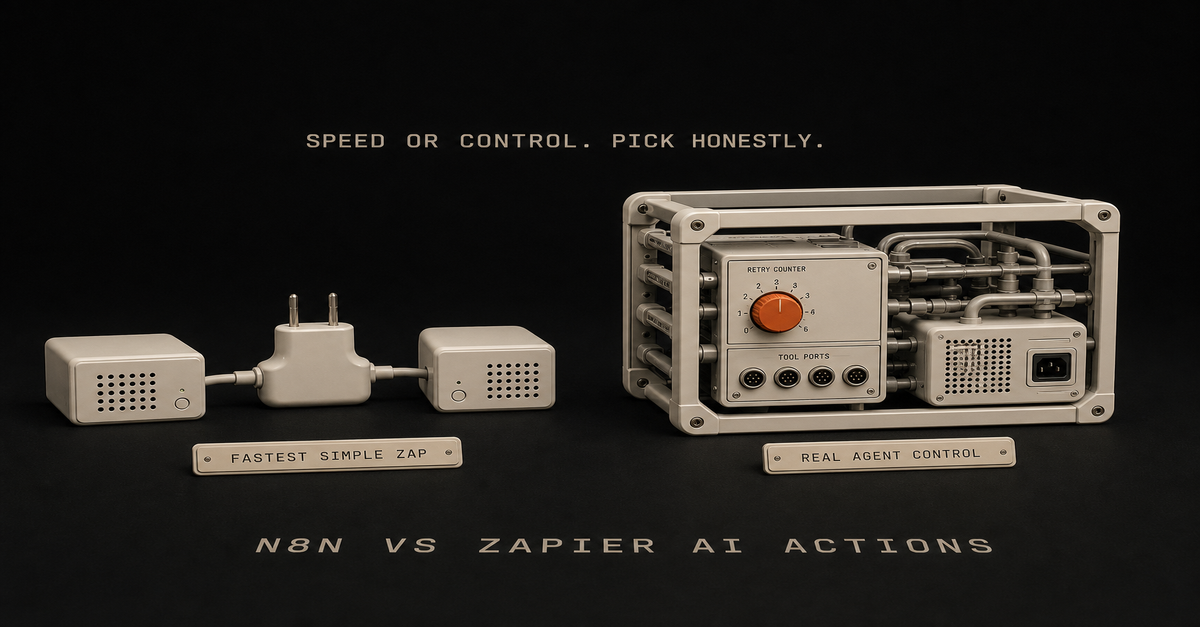
Quick answer: Use Zapier when you want the fastest simple automation between popular apps. Use n8n when you need a real AI agent workflow: tools, structured output, branching, retries, self-hosting, and deeper control. For systems like mine, Zapier is a shortcut and n8n is what actually runs the work.
Heads up: some links in this post are affiliate links: a small kickback to me at no cost to you. I only recommend tools I've actually run.
If you are new to the concept, start with what an n8n AI agent is. If you already know you want n8n, use the n8n AI Agent Workflow Builder.
Quick ComparisonQuestion
n8n AI Agent
Zapier AI ActionsBest for
Custom AI workflows with tools
Fast app-to-app AI actionsBuilder type
Technical solo builder, operator, team
Nontechnical operator, speed-first builderAgent depth
Stronger for tool-using workflows
Better for simple AI-assisted actionsHosting
Cloud or self-hosted
CloudWorkflow control
High
MediumDebugging
Node-level runs and logs
Simpler task historyBest first use
Agentic routing, enrichment, approval
Simple summaries, drafts, app updatesNeither one is better across the board. Pick based on what the workflow needs.
What n8n Does Better
n8n is stronger when the workflow has real logic:the agent needs to choose between tools
the output needs a structured schema
you need custom code in the middle
you want to self-host
the workflow needs approvals before publishing
the run history matters because this is becoming an operating systemThat makes n8n a better fit for AI workflows you plan to keep running.
For example, a Search Console workflow might:Pull query/page data.
Ask an AI Agent node to classify the opportunity.
Use a tool to inspect the current page.
Return structured fields: refresh, build, or ignore.
Create a draft task.
Ask for human approval before publishing.That is more than "summarize this row." It's a small system with a few moving parts.
What Zapier Does Better
Zapier is stronger when speed and app coverage matter more than control.
Good Zapier use cases:summarize a form submission
draft a Slack reply
move a lead into a CRM
create a simple email draft
connect two common SaaS tools quicklyIf the workflow is simple, Zapier may be the better first move, because you get something useful working fast.
The Hidden Question: Do You Need an Agent?
Most workflows do not need an agent.
Use simple automation when the rule is clear:Task
UseNew form submission goes to CRM
Simple automationNew meeting gets a Slack reminder
Simple automationSupport message needs urgency classification
AI stepSearch query needs refresh/build/ignore judgment
AI agentPublic content needs approval
AI agent plus human reviewIf the workflow is just moving data, don't turn it into an agent. If the workflow needs judgment, tools, and routing, n8n gets more interesting.
My Pick
For a solo builder trying to grow organic traffic, I would use:Codex or Claude Code to build and refresh pages
n8n to pull recurring signals, route tasks, and manage approvals
Zapier only when a simple SaaS handoff is faster than building a custom n8n workflowThat way you own the core system, and you still take the shortcut when it's actually faster.
When I Would Choose Each
Choose Zapier if:you need a working automation today
the workflow has two or three simple steps
you do not care about self-hosting
you do not need custom agent toolsChoose n8n if:you are building an AI agent workflow
you need structured output and branching
you want lower-level control
you want self-hosting or deeper data ownership
you want the workflow to become part of your operating systemFor deeper n8n patterns, read the n8n AI Agent Tutorial and n8n AI agent vs workflow automation.This post is part of the n8n AI agents hub: definitions, tutorials, workflow patterns, and the build-vs-run decision pages in one place.
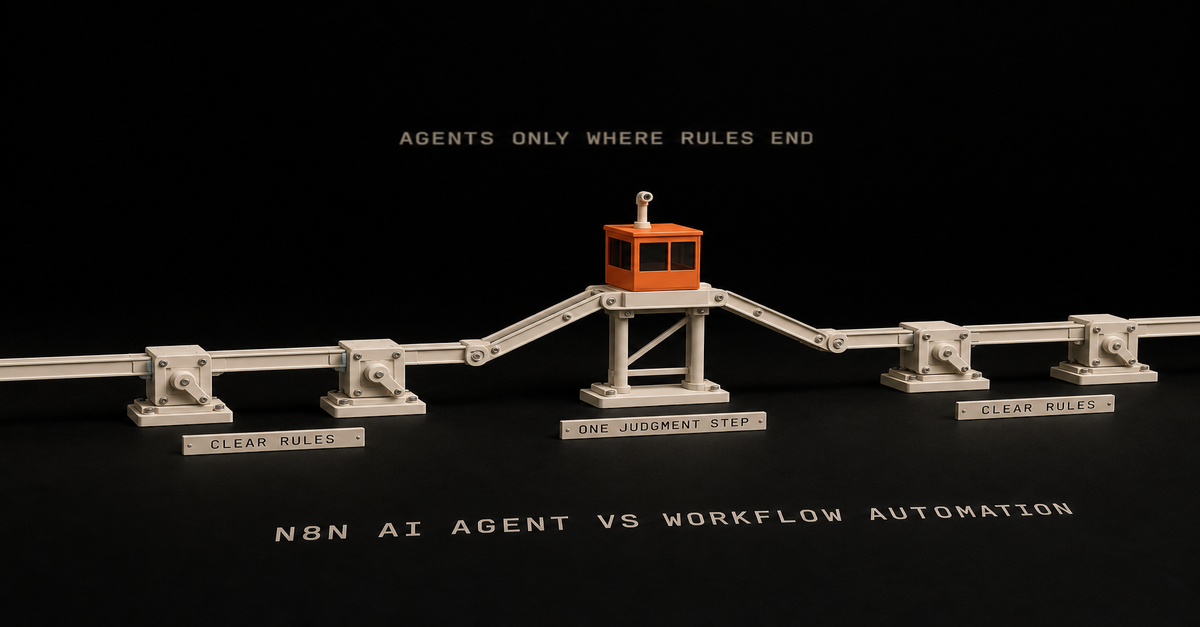
Use normal workflow automation when the rules are clear.
Use an n8n AI agent when one step needs judgment.
Heads up: some links in this post are affiliate links: a small kickback to me at no cost to you. I only recommend tools I've actually run.
That's the decision. If you already know you need the agent version, the full n8n AI agent workflow pattern shows the build: trigger, context, scoped tools, human approval, and logging.Situation
UseCopy data from form to CRM
Normal workflowSend Slack alert after status changes
Normal workflowClassify messy customer messages
AI agentScore Search Console queries for content ideas
AI agentDraft a newsletter from a build log
AI agent plus approvalPublish automatically to production
Probably notWorkflow automation is for known steps
Normal automation is best when you can describe the rule clearly:when this happens, do that
if status is approved, send email
every Monday, pull this report
when form submits, create taskYou do not need an AI agent for that.
Adding one usually makes the workflow slower, harder to debug, and more expensive.
AI agents are for fuzzy steps
Use an agent when the workflow needs to interpret something:Is this lead qualified?
Is this query worth a page?
Does this transcript contain a strong proof moment?
Is this support message urgent?
Should this draft be published, revised, or killed?A simple if/then branch can't answer those. You need judgment.
The clean hybrid pattern
The best setup is usually both:n8n triggers the workflow.
n8n gathers data.
The agent handles the fuzzy decision.
n8n routes the result.
A human approves high-risk output.That gives you automation without pretending the agent should own the whole process.
Use the Claude Code + n8n Workflow Planner to split the work before building. If you're choosing between a coding agent and a workflow runner, read AI coding agent vs workflow automation.
What solo builders should build first
Start with a workflow where bad output is annoying, not a disaster.
Good:content idea scoring
transcript repurposing
newsletter draft creation
lead triage draft
workflow planningBad:customer refunds
publishing without review
deleting production data
sending sales emails with no approvalThe point is to keep the agent useful and give it clear limits.
FAQ
What is the difference between an n8n AI agent and workflow automation?
Workflow automation follows known rules. An n8n AI agent handles the judgment step inside a workflow.
Should every n8n workflow use an AI agent?
No. Use normal automation when the steps are clear and rule-based. Add an agent only when the workflow needs reasoning.This post is part of the n8n AI agents hub: definitions, tutorials, workflow patterns, and the build-vs-run decision pages in one place.
An n8n AI agent is a workflow step that uses an LLM plus tools to make decisions inside an automation. The agent reads context, chooses or calls tools, returns a structured result, and lets n8n route the next step.
Heads up: some links in this post are affiliate links: a small kickback to me at no cost to you. I only recommend tools I've actually run.
The short version:Part
Jobn8n
Trigger, gather data, route output, retry failuresAI agent
Read context, decide, draft, classify, score, or planTools
Let the agent check data or take actionHuman approval
Protect anything public, expensive, or brand-sensitiveThe mistake is thinking the AI Agent node is magic by itself. It is not.
The node becomes useful when it has a clear job, enough context, and access to the right tools.
If you want the full build sequence, read the n8n AI agent tutorial. If you want the repeatable pattern, use the n8n AI agent workflow. This page is the short definition.
The plain-English version
Think of n8n as the operations desk.
It knows when something happened. A form came in. A video published. A Search Console export landed. A Notion status changed.
The AI agent is the person at the desk who can read the packet and make a call.
Should this lead go to sales? Should this query become a tool page? Should this transcript become a newsletter? Is this task worth automating?
That decision is the agent's job.
The routing, logging, retries, and notifications are n8n's job.
What makes it agentic?
An agentic workflow has more than a prompt.
It has:a trigger
context
a decision
tools or actions
memory or history when needed
a clear output
an approval gate when consequences existWithout tools or actions, the agent is usually just an LLM response inside a workflow.
That can still be useful. But it is not the same as an agent that checks, decides, and routes.
A simple n8n AI agent workflow
Here's the pattern I'd start with:n8n detects a new input.
n8n gathers the context.
The agent makes one specific decision.
n8n saves the decision.
A human approves if needed.
n8n routes the output.Use the n8n AI Agent Workflow Builder to map that before you build.
For the full path, use the n8n AI Agents hub. It connects this definition to the workflow pattern, builder tool, and Claude Code/n8n handoff.
So which page do you need?Search intent
Best next pagewhat is n8n ai agent
Stay here for the definition.n8n ai agent tutorial
Use the build tutorial.n8n ai agent workflow
Use the workflow pattern.Good first use cases
For solo builders, good use cases are boring:score Search Console queries
classify inbound leads
turn a build log into a newsletter draft
summarize support requests
route content ideas
check if a workflow is worth automatingBad first use case: "run my whole business."
Start with one judgment step.
n8n AI agent vs Claude Code
n8n AI agents are good inside recurring workflows.
Claude Code is better when the task needs repo context, file edits, code changes, or actually building the thing.
Use both when the workflow needs a trigger and something that can work in your code:n8n detects and gathers
Claude Code edits or drafts
human approves
n8n routesRead the full decision rule in Claude Code vs n8n.
FAQ
What is an n8n AI agent?
An n8n AI agent is an automation step that uses an LLM plus tools to reason over context and take actions inside a workflow.
Is the n8n AI Agent node agentic by itself?
Not really. It becomes agentic when it can use tools, check context, make decisions, and route work instead of only generating text.
When should solo builders use an n8n AI agent?
Use it when one repeatable workflow needs judgment, classification, drafting, scoring, or routing.
What is the difference between an n8n AI agent and an n8n AI agent workflow?
The agent is the judgment step. The workflow is the full system around it: trigger, context, tools, approval, routing, logging, and retries.
My first n8n workflow was clunky, overcomplicated, and had four agents where one would have done.
But it worked.
That ugly pipeline scraped Reddit, wrote scripts, generated voiceovers, and stitched everything together with Creatomate. A faceless YouTube setup, built by someone who'd never touched n8n before. I never published from it - the real value was learning the tool.
Content work has a catch: the actual creative part is maybe 20% of the time. The other 80% is formatting, scheduling, cross-posting, research. The repetitive tasks that pile up before you even start writing.
n8n is the layer I kept coming back to for that 80% across two years of running it. Self-hosted, unlimited workflows, no per-task fees. (My own automation has since moved into Claude Code, but for trigger-based content workflows like these, n8n is still what I'd point you to.)
Heads up: some links in this post are affiliate links: a small kickback to me at no cost to you. I only recommend tools I've actually run.
Quick caveat before the list: building the right automation matters more than building one well. I've burned plenty of weekends on systems I never used. Here's the framework I use to decide what's worth automating - run any workflow on this list through it before you commit.
What follows are seven workflows worth building. I've run or built most of them myself. Where it's a pattern I'd wire but haven't shipped, I say so in that section.
Treat the time and engagement notes as my own ballparks, not promises - your numbers depend on your volume and audience.
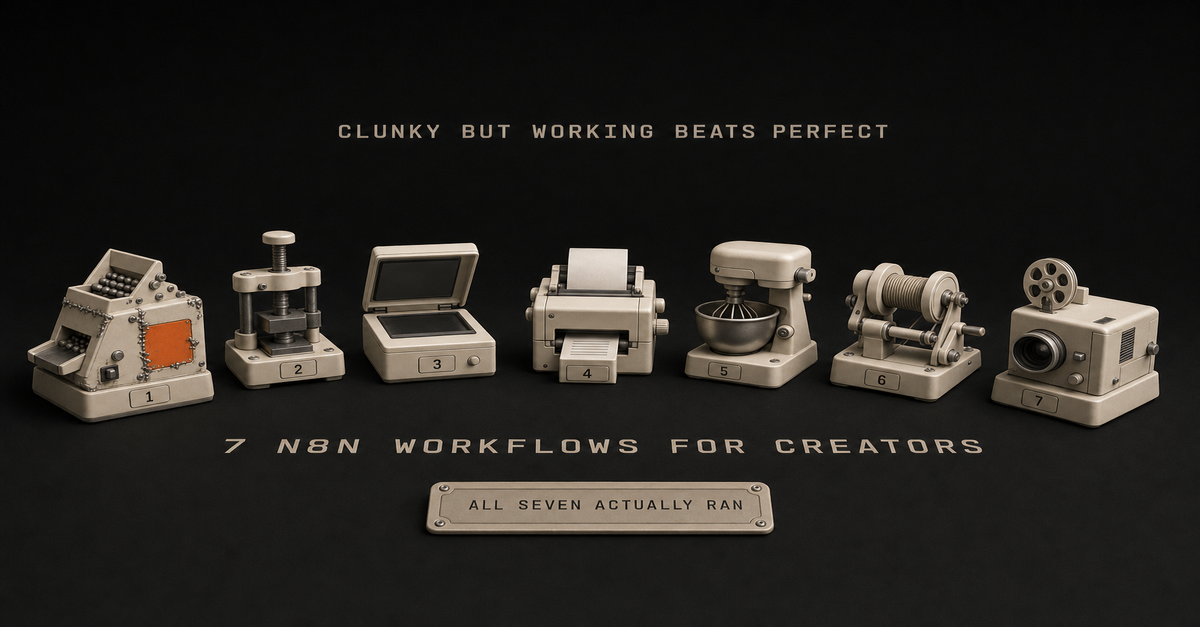
Updated July 2026: n8n's template gallery now lists over 10,000 workflows. That's actually the problem. Nobody needs another list of what you can build. So this is seven worth building, plus two I killed and why - including one on this very list that I no longer think anyone should build.
If you're deciding where n8n should sit next to a coding agent, read my Claude Code vs n8n decision rule first. n8n is best as the reliable trigger/routing layer, not the whole brain.The whole page in one table, including the two workflows this post kills. The frequency test above everything: if you don't do it weekly, don't automate it.
Before you build anything: the frequency test
The most expensive n8n mistake is a well-built workflow you never use.
Plan first. Before you touch the canvas, brainstorm the use case with whatever LLM you already pay for - Claude, ChatGPT, Gemini, whatever. n8n costs you real time, and you do not want to spend hours or days or weeks building something you will barely touch. Build something you can maintain and understand.
The rules I would hold you to:The weekly threshold. If you are not doing the task at least weekly, do not automate it. One r/n8n comment puts the bar well: "if you're doing the same copy-paste or lookup more than 3x a week, automate it. everything else is procrastination disguised as productivity."
The three-hour kill rule. If you are three hours into troubleshooting and still not close to working, that is your signal to stop, not to dig in.
Platform limits are a stop sign, not a challenge. If the API does not support it, that is your answer.
The one-week test. Build the simplest version of one use case. Use it for a week. If you did not touch it, you failed - and you learned that for a week instead of a month.Land on one, two, or three concrete use cases. Then do one at a time and feel it out. Build the simplest version first and scale from there.
More nodes does not make you smarter. Complex workflows are hard to debug, hard to test, take too long to build, and then you do not use them.
That is why two workflows later on this page get killed rather than refreshed.
Why n8n Over Other Automation Tools?
So, the obvious question first: why n8n?
I've tried them all. Zapier's pricing made me do math every time I wanted to automate something. Make (formerly Integromat) is solid, but the visual interface gave me headaches.
n8n hits different:Self-hosted option: Run it on a small VPS and skip per-workflow fees
Unlimited executions: No task counters
Visual workflow builder: See exactly what's happening at each step
Big integration library: Connect to most of the tools you already use
Open source: Community nodes cover the edge casesThe learning curve is real - plan on a weekend to get comfortable. But once it clicks, the per-workflow cost goes near zero. (New to n8n? Start with my beginner's tutorial that walks through the interface and your first workflow.)
Workflow 1: Content Repurposing Engine
What it's for: Stop manually rewriting the same idea into five formats.
This is the workflow that started it all. I write one blog post, and n8n turns it into:3 LinkedIn posts (hook, insight, story format)
5 Twitter/X threads
1 YouTube script outline
1 newsletter sectionHow it works:Webhook triggers when I publish a new post
Claude API extracts key insights and quotable moments
Separate branches format content for each platform
Everything lands in my Notion content calendarWant more powerful AI integration? If you want Claude to make decisions and use tools, not just write content, check out my AI Agent node guide.
The work is in the prompts. Generic "summarize this" prompts produce garbage. I keep iterating on prompts that match my voice and each platform's shape - it's never one-and-done. (Want to see the exact prompts I use? They're in my social media automation tutorial.)
Setup time: About 2 hours for the full pipeline
Key nodes: Webhook Trigger → Claude AI → Multiple branches → Notion APII walk through this on camera in How I Turn 1 Idea Into 7 Days of Posts (n8n Content System) (16 min).Killed: the Engagement-Aware Scheduler (replaced by Workflow 2)
Status: do not build the smart-timing version.
This slot used to hold a scheduler that nudged posting times based on past engagement data. The clever layer is gone. Data-driven scheduling matters less than people think. The bigger win was always just being consistent, so the engagement layer is a lot of nodes for very little.
What survives is the boring half, and that part is worth building.
Workflow 2: Deterministic Stats Pull
What it's for: Getting your real numbers into one place, on a schedule, without touching an API by hand.
The real use case here is pulling raw data into one dashboard.
That's what n8n is best at. It won't make judgment calls, but it will fetch the same data on a schedule, every time.
The pattern I'd wire:Cron trigger, daily or weekly
Query the free YouTube Data API for video stats
Pull LinkedIn numbers via Apify (realistically the only way to get them)
Normalize and write into an n8n Data Table - native structured storage now, no spreadsheet middleman
Read the week-over-week view whenever you want itWhy this one survives the frequency test: you want these numbers every single week, forever, and the task never needs a judgment call. That's exactly the kind of task worth automating.
Honest disclosure: personally I would just do this with Claude, because for me it is easier. But if you want it running on a schedule without you in the loop, this is the version I would build in n8n. Pulling the same data on a schedule is a good use for it.
Setup time: 60-90 minutes, most of it in API credentials.
Workflow 3: Trending Topics Monitor
What it's for: Stop endlessly scrolling for what's blowing up. Let the workflow shortlist it.
How it works:Scheduled trigger every few hours
Pulls from a few sources: subreddits I care about, X/Twitter trends, Google Trends
Claude scores each item for relevance to my audience
Filters by quality
Sends a Slack message with the top few opportunitiesThe real value is catching topics while they're still warm. Most won't be worth covering. The point is to surface the few that are.
Setup time: A couple of hours
Note: Reddit API requires developer access. The X API got expensive. Perplexity, news APIs, or RSS-based sources are reasonable alternatives.
Want a content flywheel built around your videos? If you'd rather skip the wiring entirely - workflow, voice prompts, approval queue - take a look at Content Flywheel DFY.
Workflow 4: Email Newsletter Automation
What it's for: Cut the "blank-page Thursday" panic before sending a weekly newsletter.
My newsletter workflow is embarrassingly simple, but it removed the biggest weekly headache.
How it works:Every Thursday at 9 AM, workflow triggers
Pulls my top-performing content from the week (based on analytics)
Grabs any bookmarked links from my research
Claude drafts the newsletter with my structure
Sends draft to my email for reviewI still edit and personalize. But the 80% that's just assembly? Automated.
Setup time: 1 hour
Key insight: Don't try to fully automate newsletters. The personal touch matters. Let the workflow handle the structure.
Workflow 5: Research and Clipping Pipeline
What it's for: Stop losing the ideas that pop up at random times.
Every content creator has the same problem: ideas pop up at the wrong moment and disappear before you can use them.
This workflow captures everything.
How it works:Multiple entry points: email forwarding, Slack command, browser extension webhook
Everything funnels into a central processor
Claude categorizes, tags, and summarizes
Stores in Notion with full metadata
Weekly digest of unused clipsMy "content ideas" folder used to be a graveyard. With this in place, it's at least searchable and tagged, so I can actually find an idea later.
Setup time: 2 hours
The thing that actually matters: The categorization step. Without it, you just create a different kind of mess.
Killed: YouTube Thumbnail and Title Testing
Status: do not build this. I killed mine.
This page used to recommend it. It generated title variations, made thumbnail text variants, ran YouTube's built-in title test, and logged results to a spreadsheet for pattern analysis.
Two reasons it is gone:It didn't work. The dataset never got big enough or clean enough to tell me anything I could act on.
It costs more than the alternative. Every generated variant burns API credits. I can test the same ideas for free inside the ChatGPT subscription I already pay for.If a workflow costs money and does worse than something you already pay for, it's more of a hobby than an automation.
Keep the habit, though. Testing titles and thumbnails is still worth doing. Just do it in a chat window, for free, when you are about to upload.
Workflow 6: Your n8n Workflows as Tools for Claude (MCP Server Trigger, new in 2026)
What it's for: Letting the AI you already talk to trigger the automations you already built.
This is the newest thing on this list and the one I would look at first if you are starting today. n8n can now act as an MCP server - meaning your workflows become tools that Claude or another assistant can call directly.
The pattern I'd wire:MCP Server Trigger node, which gives you a test URL and a production URL
Bearer or header auth so it is not open to the world
Behind it, the workflows you already trust - the stats pull, the clipping pipeline
Connect it to Claude Desktop, then just ask in plain languageWhy this matters: it fixes the problem this whole page keeps running into. n8n handles the reliable triggers and connections. The model does the thinking. You stop trying to make n8n think, and you stop running your automations by hand.
Setup time: 30 minutes if the workflow already exists.
Workflow 7: Content Performance Dashboard
What it's for: Stop opening five analytics tabs to figure out what's working.
This workflow doesn't create content. It tells me what's working.
How it works:Daily trigger at midnight
Pulls analytics from: Google Analytics, YouTube, Twitter, LinkedIn
Normalizes data and calculates week-over-week trends
Generates a Slack report with insights
Flags posts that need updating or promotionIt's hard to say exactly what this one is worth. But having a single daily report instead of five tabs makes it more likely I'll actually look at the numbers.
Setup time: 3 hours (most complex workflow on this list)
Note: Analytics APIs can be finicky. Expect some debugging.The 60-second version, from my Shorts: Stop Building Complex n8n Workflows.Getting Started: The Practical Path
Don't try to build every workflow on this page in one weekend. You'll burn out.
Here's what I'd recommend:
Week 1: Pick ONE workflow that addresses your biggest pain point. Build the simplest version that works.
Week 2: Refine that workflow. Add error handling. Test edge cases. Make it bulletproof.
Week 3: Add a second workflow. Build on what you learned.
Each workflow you finish makes the next one easier - you reuse credentials, prompt patterns, and debugging instincts. That's where it really adds up.
The Honest ROI Picture
Let me be straight about what to expect:
Upfront investment:n8n learning curve: a weekend, give or take
Each workflow: a few hours to build, more to make reliable
Refinement: ongoingReturns:Less time on the boring 80% (formatting, scheduling, cross-posting)
Faster turnaround on ideas
Less burnout
A system you can keep editing instead of rebuilding from scratchWhat you don't get: a magic ratio. Time savings depend on what you're already doing manually. The real payoff shows up after a few months of running and tweaking, not week one.
Common Mistakes to Avoid
The mistakes I keep seeing (and have made):Over-engineering from day one. Start simple. Add complexity later.No error handling. Workflows break. Build in notifications so you know when they fail.Generic AI prompts. The quality of your AI-powered workflows depends entirely on your prompts. Spend time here.Forgetting the human element. Some things shouldn't be automated. Editorial judgment, relationship building, creative direction - keep those human.Not documenting. Future you will thank present you for leaving notes about what each workflow does and why.What's Next
These are the workflows I keep coming back to. They handle the boring parts so I can spend time on the parts that actually need a human. The two I killed are here because knowing what to skip saves you more time than another template.
The point is to spend the time you actually have on the work that needs you.
Pick one workflow. The one that'll remove the chore you hate most. Build that this week.
Then come back and grab the next one.
More n8n Tutorials
Step-by-step guides with screenshots, prompts, and the patterns I use:Social Media Automation: How to automate social media posts with AI
Agentic workflows: n8n AI Agent tutorial
Stack split: Claude Code vs n8nGet the free prompt pack →This post is part of the n8n AI agents hub: definitions, tutorials, workflow patterns, and the build-vs-run decision pages in one place.
 Chris Alarcon