I used to believe that Claude Code was just for the top [engineers], but trust me it's not. I don't have a development background, and I've built three live websites with it. The one you're reading right now is built with it too.
If "just use Claude Code" makes you picture a black terminal window full of text you can't read, that picture is out of date. In the Claude desktop app, Claude Code is a tab. My take: all you gotta do is switch the tab and it looks almost the same.
You need a paid plan, one folder, and about 15 minutes.The site you're reading, built with Claude Code by a non-coder. Live on September 25, 2026.
One honest note before you start: I work in the terminal, because that's how I learned it. You don't have to, and the last section says why.
What you need (as of September 25, 2026)A paid plan. Claude Code is on Pro and up, not Free. Pro is $20 a month, or $17 a month billed annually, per Claude's pricing page.
The Claude desktop app on a Mac or Windows PC (Linux is in beta), per Anthropic's desktop quickstart. Nothing else to install.
One folder you don't mind it touching. A new empty one is perfect.
Work laptop? Ask IT before you point it at company folders. On Team and Enterprise plans, your admin controls what it can do.
Skip for now: the terminal, VS Code, and every "20 settings you need" list.Claude's pricing page, September 18, 2026.
If you're still on Free, what Claude's free plan actually includes shows what you'd be upgrading from.
Step 1: Click Code, one tab over from chat
Claude desktop app → sign in → Code (at the top of the window). If Code asks you to upgrade, you're on Free.Anthropic's desktop quickstart, captured September 25, 2026.
Cowork and chat merged on September 16, 2026, and people worried the tab went with it. It didn't. Anthropic's merge note says "The model picker and the 'Code' tab are where they were." If you don't see it, open the sidebar, and Code shows up in the top bar.
Step 2: Point it at one new folder, not your whole drive
Code tab → Local → Select folder. Make a new folder first (I'd call it claude-first-run) and pick that.
This is the one real difference from chat. In my words: the only thing is you can pick your repo or your folder and that's it. "Repo" is just the coder word for a project folder.Anthropic's desktop quickstart, captured September 25, 2026.
Why a new folder: Claude Code can create, edit and move files inside whatever you give it. Anthropic says its checkpoints are "not a replacement for version control." A fresh folder, or a copy of one, is your undo button.
Step 3: Leave it on Manual so you approve every change
Prompt box → the mode button next to Send → Manual. Manual is the default, so on a first run you usually just leave it alone.Anthropic's Claude Code desktop docs, captured September 25, 2026.
On Manual, Claude asks before it edits a file or runs a command, and shows you the change to accept or reject, per Anthropic's desktop docs. Ignore Accept edits, Auto and Bypass permissions on day one, and on a work laptop, ignore anyone who tells you to skip permissions.
Step 4: Give it your first job, which is you
The first thing I'd do is the thing I say all the time. Spend time riffing: I am a non-coder, I run a one-person operation, I manage a bot team. Tell it everything about you.
Then have it save that to a file, so every future session starts knowing who you are. Paste this and fill in the brackets (talk as long as you want):
I don't code. I work full time as [your job]. I [manage a team of 4 / work solo].
Outside work I [side project, goals, what eats my week].
Here's a normal week for me: [ramble for two minutes].Save what you learned about me into a file called about-me.md in this folder.
Then read it back and give me the 3 biggest opportunities where you could
save me time this month, smallest first.Time box: 15 minutes. Applicable for: anyone with a job and a to-do list (ops leads, HR, teachers, managers, people with a side business).
Step 5: Check the folder, not the chat, to know it worked
Chat can tell you it did something. Code actually does it, so the proof is a file.You saw a change to approve. On Manual, Claude shows you about-me.md before it writes it. Accept it.
The file is in your folder. Open the folder in Finder or File Explorer. If about-me.md isn't there, it only talked, and nothing happened.
The opportunities sound like your week, not a generic productivity list. If they're generic, tell it more and ask again.If something reads wrong, ask it why in plain English. That's the whole fix-it skill on day one.
Step 6: When it breaks, paste the error into a fresh chat
Something will break eventually, usually a long red error message. My fix is boring. Open a new chat window, paste it on another Claude Code chat window, ask it to fix it. That's the worst thing that can happen.
Then ask what went wrong in layman's terms. Most of the time the answer is "this thing was missing, I already fixed it."
The bigger risk is scope creep. Before you build something real, write down what "done" looks like, or you'll keep building forever.
I'm guilty of it right now. I've been editing an emulator game, a Pokemon game, for days, well past 24 hours of my own input, and I'm still adding customizations. Ironically, scope creep.
Step 7: Give it a to-do list so the ideas don't pile up
Once it knows you, the ideas start coming, and they get messy fast. I used to leave notes files scattered everywhere. Now I keep the ideas in a free Linear account, which is like a Trello board for your AI, and knock them down like a checklist.My Claude connectors menu, September 2026. Linear is already in there.
Claude has a Linear connector, and Anthropic's desktop docs list Linear among the tools the Code tab can connect to. Treat this as week two, not day one.
You don't have to be an expert to build real things
This is what Code gives you that chat doesn't: it builds actual stuff in a real folder. This site is built with Claude Code too, on Astro, Tailwind and Vercel. Those names sound scary, and it's a lot at first, but once you learn it, it becomes second nature.My three Claude Code sites, on camera (6 min). The "free" is the hosting; Claude Code still needs Pro.Before you build something big, know the basics of what you're making: what the app needs to do, at a high level. You don't need a course, just a plan on one page.
Other people coming from Cowork land in the same place. After moving projects over from Cowork, u/Jefferheffer wrote on r/ClaudeAI: "It's not that much harder than cowork and dang it did a much better job at finding missing pieces of context."
Nolen Jonker, a non-coder testing it for XDA, put it this way: "Turns out I didn't need to use or even understand half of the coverage on Claude Code to actually benefit from it."
Stay in chat if you're not building anything
Be honest with yourself first. Are you gonna build an app? Are you gonna build anything serious? If you can do your work in chat, Cowork tools included, you don't need Claude Code.
That's a change from what I used to say. In July I told people to start with Cowork because Claude Code was the big brother. My view now: you don't need it, but there's no reason not to try it, because it's a tab.
It's not all or nothing. You can toggle between the tabs.
If you're still deciding, Claude Cowork vs Claude Code draws the line between the two doors, and Claude guides maps the rest of what Claude does on a normal workday.
Should you learn the terminal? Not on day one
Would I tell a regular person to use the terminal? No.
That's gonna slow you down. It's gonna take you months. You're gonna have to learn the shortcuts, the tricks, the interface, and if you've never used a terminal, trust me, it's terrible.
I only use it because I started when Claude Code was terminal-only, and it took me weeks to get comfortable. I work in the terminal and VS Code because I like seeing the folders. That's just me being used to it.
You don't need to see them. Ask it to be your eyes: "Can you tell me the list of the folders in this directory? Let's do some spring cleaning." Most days, the app I actually open is Codex, not a terminal, because it looks simpler.
You lose nothing by starting in the app. Anthropic says the desktop app and the terminal run the "same underlying engine" and can work on the same project. A few power features (like agent teams) are terminal-only. If you want the Codex side, Codex vs Claude Code covers which one to open first.
My rule: you don't have to be an expert, you just gotta get over the fear.
Where this comes from
The plan, tab and permission facts come from Anthropic's pricing page, its Claude Code docs and the September 16 merge note, all checked September 25, 2026. The app and connector screenshots are mine.
What I haven't done: run this exact first job in the desktop Code tab, since I work in the terminal, or test it on Windows.
Published September 25, 2026. Last reviewed September 25, 2026 against Anthropic's docs and pricing page.
Most people set up Cowork backwards. They install skills, enable plugins, connect Gmail, and a week later the workspace is full of stuff they never use. I said it in my setup video, and the merge didn't change it.
And if you're hunting for the Cowork button a tutorial told you to click, stop. You didn't break anything. Since the September merge, Cowork is just Claude: you describe the job in any conversation, and Claude decides whether it's a quick answer or a task.
Here's what that one job looks like. I ran it on a demo folder of 24 made-up files, on Sonnet 5 with Manual on:A demo folder on my Mac mini, September 25, 2026. One brief, 24 files, 7 folders.
Here's my own Claude today, on my Max account. The only switch left under the box is Manual or Auto:My Claude desktop app, Max plan, September 25, 2026. No Cowork switch, just Manual or Auto.
Where I stand, so you know who's talking: I don't use it at all, but I've used it in tutorials. I've tinkered with it to know what it does and what it can't do.
What I use is Claude Code, and it's so similar to Cowork. It's just like the cousin.
When a job missed for me, on Substack Notes templates, one example fixed it. That's step 5.
So this page is five steps and one job. Forget about these tutorials of screenshots where these are the hundred commands that nobody uses. They're just using them to create content.
What you need before step one (as of September 25, 2026)A paid plan. Claude's pricing page lists "Hand off and schedule tasks" under Pro, which is $20 a month, or $17 a month billed annually. Free gets chat, web search, file creation and code, but no task handoff.
The layout check. Look at your message box. If it shows "Chat" and "Cowork", you're on the old layout: click Cowork and every step below still works. If it doesn't, you're on the new one. Just type.
15 minutes and one folder you don't mind Claude seeing.
A work laptop? Ask IT before you connect a work folder or your work email. Per Anthropic's setup guide, Claude "can only read and write files in folders you've connected".
Skip for now: skills, plugins and schedules. That's the backwards setup from the top of this page.Which app you need depends on what the job touches:The job touches
Web or phone is enough
Desktop app, left openResearch, a doc, a spreadsheet you upload
Yes
Not neededConnected apps like Gmail or Google Drive
Yes
Not neededA folder on your computer
No
YesYour browser or other apps on the computer
No
YesCloud tasks keep running with the laptop closed. Anything that touches local files, your browser or computer use needs the desktop app "open and connected," per the same guide.
My app was still on the old layout a week ago:My Claude settings on Max, September 18, 2026. Cowork was still its own section then.
The full story of the merge is in where your Cowork work went. This page is the steps.
Step 1: Pick the messy folder as your first use case, because you'll see it work
Of the four use cases I kept in my video, this is the one I'd hand it first.
I think the messy folder is probably the first one so you can see how it does it. You'll see the magic visually, the before and after. Like, oh shit, this is the difference.
In that video I pointed Claude at a messy folder and called it handing an intern a junk drawer. I asked it to sort it. I didn't say delete anything.I walk through that one on camera in The Only 4 Claude Cowork Use Cases Worth Keeping (I Deleted the Rest) (12 min). Recorded before the merge.Applicable for: anyone with a Downloads folder, a shared drive dump, or a desktop covered in screenshots. More first jobs, from real users, are in Claude Cowork use cases.
Step 2: Point it at one safe folder, not your whole drive
Claude desktop app > new conversation > Project or folder > Add folder (under the message box, new layout) · Add folder (old layout)
Pick your desktop or somewhere safe. A copy of the messy folder is even better for the first run. Anthropic says Claude asks before permanently deleting files, but a copy means you never have to find out.
Claude asks before it touches the folder. Read that box once, especially on a work laptop:Claude's folder prompt on my Mac mini, September 25, 2026.
The line that matters for work files: "Because this task runs in the cloud, files Claude uses leave your device and are processed on Anthropic's servers." That's the sentence to show IT.
If you used Cowork before, your old folders are already listed under Settings > Trusted folders, and saved work sits under Storage folder, per Anthropic's Cowork and Chat are one Claude article.
Step 3: Brief it like a coworker: outcome, format, inputs
Anthropic's own advice is to give it "Your desired outcome", "The format" and the "Inputs Claude will need". Copy this and swap in your folder:
Outcome: Sort everything in this folder into subfolders by type and month,
so I can find any file in 10 seconds.
Format: Move the files, then list what went where.
Inputs: Only the folder I connected. Don't delete or rename anything.
If you're not sure where a file goes, put it in a folder called "check".The "don't delete" line is the one that matters. It's the same move from my video: sort it, don't clean it out.
Step 4: Leave it on Manual for the first run
The Manual pill under the message box > Manual
Manual is the default. On my screen it reads "Claude asks before using new tools or opening new sites." Auto "runs on its own and pauses to ask if anything looks unsafe," and Anthropic says Auto "consumes more of your usage limit than the other modes."
First run, you want the questions. They show you how it's thinking about your files. Switch to Auto once the job stops surprising you.
Step 5: Read the plan, let it run, then check the before and after
Send the brief > read the plan it proposes > approve > open the folder
How to tell it did the job and didn't make a confident mess:Every file is in a subfolder you'd have picked yourself.
The "check" folder holds the weird ones instead of Claude guessing.
Nothing is missing. Compare the file count before and after.
Its list of what went where matches what you see in the folder.Claude's report on my test run, Sonnet 5, September 25, 2026.
Check number 3 is not a formality. On my test run, Claude said "All 23 files sorted." The folder held 24, and all 24 were in the right place. The sort was perfect and the count was still wrong, which is why you count.
When it misses, don't re-explain louder. I think there's always gonna be gaps no matter which AI you use at any given time. It's rare, but sometimes the output isn't what I expected.
My example: I wanted templates for Substack Notes, so I had it analyze some of the top notes. The research was good, and the templates were good.
The problem is they were too template. They were filling the blanks. So I had to go back and explain what I'm looking for, showed an example, and it got better.
The start of that job is on disk. I recorded myself scrolling Substack Notes, and Claude turned it into a skill proposal:My Cowork session, September 2026: a recorded Substack Notes demo turned into a skill proposal.
My rule: I feed it an example where I clarify the misunderstanding and then have it go again.
Once the job runs clean twice, then think about repeating it. Ask for a schedule or type /schedule. What runs with the laptop shut is in Claude Cowork scheduled tasks, and turning a job you've taught it into a skill is in how to use Claude skills.
What moved when Cowork joined Claude
If you used Cowork before, these are the things people go looking for, per Anthropic's merge article:Your instructions now live in "Instructions for Claude" under Settings > General.
You can't switch back to the old layout once your account moves.
Incognito chats still use the old mode.
Not there yet: adding from GitHub, branching a conversation, and searching older tasks.
Dispatch is closed to new users.The names confused people. u/seulgimonster on the same thread: "For a new user who hasn't used Claude since its launch suddenly having to learn the differences between Cowork, depatch, chat, code etc was not straightforward."
If you built things in Cowork and wonder whether to move to Claude Code, the split is in Claude Cowork vs Claude Code.
Keep it on Sonnet and Manual so it doesn't eat your plan
Tasks cost more than chat. Anthropic says longer agentic tasks "generally use more than a quick question," and users feel it.
u/iamthe0ther0ne on r/ClaudeAI: "The one downside is that Cowork burns a lot more usage than chat. This is going to hit Pro users hard."
If you're on the twenty-dollar plan, you're gonna live on Sonnet. You're gonna use Opus for planning.My model picker, September 22, 2026. Sonnet 5 is the everyday pick; Max effort warns 4x usage.
And now Opus is so much cheaper. That doesn't mean you should go crazy with it, but you're able to use a little more of it than you were a few weeks ago.
The numbers: Anthropic priced Opus 5.5 at $4 and $20 per million input and output tokens, 20% less than Opus 5, and its tests show 40% lower cost on typical workloads.
That's the API price, though. Anthropic hasn't published how much of your Pro limit one Opus message uses, so "a little more" is a feel, not a number.
Three habits that stretch the plan:Keep related work in one conversation, and start a new one for an unrelated job.
Say "just a quick answer" when that's all you want. u/OkBeautiful4392 put it well: "they need to clarify when exactly 'Claude figures out what it needs'."
Check Settings > Usage before and after a big job. Anthropic says usage "may be measured slightly differently" while the merge rolls out.My Max 20x meters, September 5, 2026, from general use. Yours sit under Settings > Usage.
How the two meters work is in Claude usage limits explained.
One messy folder first, the rest of the setup later
That's the whole setup done the right way round. You don't need the hundred commands, the plugins or the schedules. You need one folder, one job, Manual on, Sonnet on.
Connecting Gmail, Drive and the rest comes after your first job, not before. When you're there, start with the best Claude connectors, and the whole map of Claude for office work is on Claude guides.
So pick the messiest folder you own and give it that one job this week.
FAQ
What does Claude Cowork do?
Claude Cowork takes a job instead of a question: it plans the steps, works through your files, apps and connected tools, and hands back the finished result. Since the September 2026 merge it is no longer a separate mode. You describe the job in any Claude conversation and Claude decides whether it needs a quick answer or a task.
How do I access Claude Cowork now?
Open Claude on web, desktop or mobile and describe the job. If your message box still shows Chat and Cowork options, you are on the old layout and you click Cowork first. If it does not, you are on the new layout and every conversation can take a task.
Is Claude Cowork free?
No. Anthropic's pricing page lists handing off and scheduling tasks under Pro ($20 a month, or $17 a month billed annually) and the plans above it. The free plan gets chat, web search, file creation and code, not task handoff.
Do I need the desktop app to use Claude Cowork?
Only when the job touches files on your computer, your browser or other apps on it, and then the app has to stay open and connected. Research, documents and connected apps like Gmail work from the web or your phone.
Why don't I see the new Claude without the Cowork button?
The rollout is gradual. Anthropic is moving Pro and Max accounts first, over several weeks, with Team and Free following later. Until your account switches, the old Chat and Cowork options stay in the message box and the old steps still work.
Where this comes from
The steps, plans and prices come from Anthropic's help center, pricing page and merge announcement, read September 25, 2026. The screenshots are from my own Claude account.
I don't use Cowork day to day. The folder job and the Substack story are tinkering, and I haven't scheduled a job in the merged app yet.
Published September 25, 2026. Checked that day against Anthropic's help center and pricing page, both linked inline.
I had 60. That's the worst part. I would create them too granular.
Sixty Claude skills. My main skills folder is down to 26 as of September 25, 2026, and I probably gotta delete a few.
So if you went into Settings looking for a Skills button and it wasn't there, you're ahead of where I was. A commenter on one of my TikToks asked it word for word: "But where in settings". Or you found it, turned something on, and now you can't tell if it did anything.
Both are two switches and one test away from fixed. And you don't need to install a single skill to start, because four of them already ship with Claude.The Skills menu inside my Claude composer, September 18, 2026.
That menu is where you end up. Here is how to get there on your account.
What you need (as of September 25, 2026)Any Claude plan. Anthropic's Use skills in Claude page lists Free, Pro, Max, Team and Enterprise.
Code execution switched on. Skills hide without it. That's step one below.
Claude on the web or the desktop app. The switches are in the same place on both.
On a work account: skills can run code and reach other services. Before you upload one from outside, ask IT what's allowed. On Enterprise, an owner turns skills on for everyone.
Skip for now: skill packs, "500 free skills" downloads, and building your own. You'll get there.Anthropic's skills help page, captured September 25, 2026.
Turn on code execution first, because Skills stays hidden without it
Settings > Capabilities > Code execution and file creation, switch it on.
That one toggle is the gate. Anthropic's troubleshooting list puts it first for both "I can't see Skills" and "my skill is greyed out".
On a work plan, the path is different:Team: skills are on by default at the organization level, so you usually go straight to step two.
Enterprise: an owner has to enable both code execution and Skills in Organization settings > Plugins & skills, on the Policy tab. If it's off, that's IT's switch, not yours.Two things that look like bugs and aren't. Since the September 16 update folded Cowork into every chat, your old Cowork skills carried over. If your message box still shows "Chat" and "Cowork" as two options, your account just hasn't moved to the new layout yet.
And incognito chats can't create files or run code, so don't expect a file skill to fire there. That last part is my read of Anthropic's merge notes, not a line they wrote.
Find your skills in Customize > Skills, not in Settings
Left sidebar > Customize > Skills.
This is where people get stuck. Since February, Anthropic groups skills, plugins and connectors under Customize, and that's where the list and the on/off toggles live now.
You'll see your skills in sections: Personal, Shared with you, and Organization on a work plan. The four built-ins are already in there.
You can also reach them mid-chat: the + button in the message box has a Skills submenu. That's the menu in the screenshot at the top of this page.
Ask for a real file and let the 4 built-ins fire on their own
Anthropic's help page lists four built-in skills: Excel, Word, PowerPoint and PDF. With code execution on, you don't call them by name. Ask for the file, and Claude picks the skill.
Give it 15 minutes with something from your actual week. Paste your notes from the last meeting and send this:
Turn these meeting notes into a 5-slide PowerPoint deck for my team.
One slide per decision, a last slide with owners and due dates.
Keep every slide under 30 words.You should get a .pptx file back, not a wall of text in the chat. Swap the ask and the same thing happens with a spreadsheet ("turn this list into an Excel tracker with a status column"), a Word doc or a PDF.
If Claude answers in chat instead of handing you a file, name the skill once: "Use the PowerPoint skill for this." That's the override, not the normal way.Anthropic's enable steps and the four built-ins, September 25, 2026.
Applicable for: ops leads, HR, project managers, teachers, anyone who turns notes into decks and trackers.
Check it fired by asking Claude straight out
A skill that didn't load looks like a normal answer. That's the trap.
Here is how I tell. First, the output quality. You know what good looks like for your own work, and a skipped skill gives you the generic version.
In Claude Code it literally says it's using the skill when it gets invoked. In the Claude app, Anthropic's advice is to review Claude's thinking and look for the skill loading.
Second, I just ask.
If I see the output, I'm like damn it looks bad. Did you use the skill? And it'll tell you why it didn't.
Did you use my [skill name] skill for this? If not, why not,
and what should I change so you use it next time?Usually the fix it points to is the skill's description.
Carrie Loranger, who teaches creators this in her Claude Skills guide, puts it bluntly: "If you do not see a confirmation that the skill loaded, the skill is not running and you are getting a generic Claude response. This is the single most common mistake new users make."
When it doesn't fire, the fix is usually one of these:What you seeWhat's going onFixNo Skills section anywhereCode execution is off, or an Enterprise owner hasn't enabled skillsStep one above, or ask your admin
A shared skill is greyed outShares arrive switched offToggle it on in Customize > Skills after you read it
Skill is on, Claude ignores itThe description doesn't match how you askName it once in the prompt, then rewrite the description in your words
Upload failsZIP too big, folder name doesn't match the skill name, or no skill.md insideRename the folder to match, check skill.md is there, zip again
You can't edit a directory skillDirectory skills are view-onlyDownload a copy, edit it, upload it as your ownInstall one skill on purpose, and read it before you switch it on
Once the built-ins work, you can add more. There are three ways a skill reaches you:The directory. Customize > Skills > + > Browse skills, then Install. These arrive switched on and view-only.
A ZIP file. Customize > Skills > + > Create skill > Upload a skill. A skill is just a folder with a skill.md inside, zipped.
A teammate's share on Team or Enterprise. It shows up under Shared with you, greyed out until you enable it, and it updates when they update it.Anthropic's own line: only install skills from trusted sources, and review a colleague's skill before you enable it.
My take on the rest. As a beginner, you shouldn't be looking for skills. You're asking the wrong questions.
"What are the best skills to install?" means you don't know your own workflow yet. If it was that easy, you'd plug a chip into your AI and it would write your posts for you.
And no one's gonna give away a really high quality skill for free. They'll give you a starting point. A lot of people on GitHub have released decent ones.
We took a framework Andrej Karpathy shared (his LLM wiki pattern) and molded it to our own, instead of installing it whole, because some of it wasn't relevant to us.
I rarely download skills to be honest. The latest one that was actually worth it was Tesseract's video and motion skills, for motion graphics in my long-form and Shorts.
I'd already tried building my own skill for that job, and it was decent. We're keeping the brain of mine and replacing the motion tool it ran on.
Keep the list short, and build your own only after you've done it by hand
Here's where my 60 came from.
I'll create a skill for YouTube descriptions. I'll create a skill for YouTube headline. I'll create a skill for a thumbnail. Now I just have one skill for long form and it has all that embedded in it.
That's why understanding the architecture of a skill matters. A skill is a folder. The skill.md is like the table of contents: the main instructions, pointing to other files in that folder (scripts, reference notes).
That's how one skill handles a complex job instead of ten tiny ones fighting each other.
My rule is still the same one: do the thing by hand two or three times first. You're gonna have to do the process manually and test it and refine it once or twice and then you're gonna build the skill. Otherwise, you're gonna build something and you're at risk that you're never gonna use it again.
When you get there, don't write it from scratch. Anthropic has a skill builder, skill-creator, in the example skills. Use that and call it a day.
What made the architecture click for me was Anthropic's free Introduction to agent skills course. It's six modules taught in Claude Code, and the folder layout is the same one the app uses.
If you're on Pro, Max or Team and use Claude on a Mac, there's also Record a skill in the + menu: you do the task once on screen and Claude drafts the skill from the recording.A Record a skill proposal on my Mac, from a September 2026 test run.
Where to go from here depends on your plan. On Free, Pro or Max, stay on the built-ins until you've asked for a few real files. On Team or Enterprise, check your Skills list before you install anything, because owners can provision skills for everyone.
The full case for when a skill is worth building, and when it's the wrong tool, is in Claude Skills for non coders. For the rest of the Claude setup around it, start at Claude Guides.
Cleanup matters too, and I'm not preaching from a clean list: my Claude app still has an n8n skill switched on from January. Customize > Skills is where you switch one off or delete it.
When I clean up, I don't just delete. I fold the tiny ones together, because a single skill with the proper architecture can not only fit more and be more complex but be better quality.
That's how 60 became 26. You get to skip the 60. Ask Claude for one real file this week, watch a built-in fire, and build your first skill only after you've done that job by hand.
Common questions
Are Claude Skills free?
Yes. Anthropic lists Skills on Free, Pro, Max, Team and Enterprise as of September 2026, as long as code execution and file creation is on. Older pages, including a Short I made in July, say you need a paid plan, but the current help center says otherwise. For what else the $0 plan covers, see Claude's free plan.
Why can't I find Skills in my Claude settings?
Because it moved. Turn on Code execution and file creation in Settings > Capabilities, then open Customize in the left sidebar and click Skills. On Enterprise, an owner has to enable skills first under Organization settings > Plugins & skills.
Do I have to call a Claude skill by name?
No. The Excel, Word, PowerPoint and PDF skills fire on their own when your request needs a file. Naming a skill is the override for when Claude skipped it.
Where did my Cowork skills go after the September update?
They carried over into the merged Claude, per Anthropic's September 16, 2026 release notes. If you still see Chat and Cowork as separate options, your account hasn't moved yet. The full map of what moved is in Claude Cowork is now Claude, and the new workflow is in how to use Claude Cowork.
Do skills I turn on in the Claude app show up in Claude Code?
Yes, one way. Anthropic says app skills sync into Claude Code from version 2.1.273. If Claude Code is next for you, start with how to use Claude Code.
Where this comes from
The click paths, plans and built-ins come from Anthropic's help center and release notes, checked September 25, 2026.
The 60-to-26 story and the "did you use the skill?" check are mine. I haven't tested every skill in the directory, and most of mine run in Claude Code, not the app.
Published September 25, 2026. Last reviewed September 25, 2026 against Anthropic's help center.This post is part of Claude Guides, the hub with every plan decision, task comparison, and setup guide for using Claude without code.
You opened X, saw a Grok tab, then a friend said "use grok.com" and someone else mentioned Grok Bot. Now you can't tell if those are the same thing, or if you have to pay Elon before you type a word.
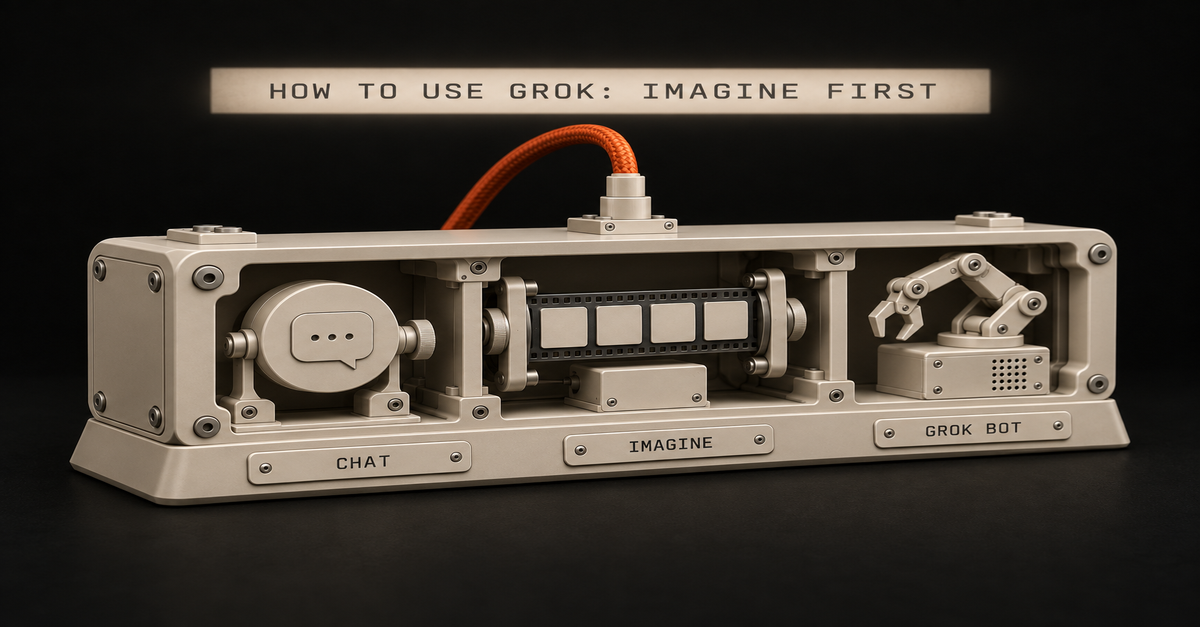
You don't. Grok is free to start at grok.com, and it's three things that live in three places.
I pay $100 a month for SuperGrok Plus, next to Claude and ChatGPT. Ironically I use Grok Bot more than I thought I would. Right now it's really serving as my hub to catch my analytics on the fly.
Here's the first thing I'd have you make, one prompt and four takes back:My Grok Imagine run, SuperGrok Plus, September 10, 2026.
Published September 25, 2026. Docs checked on xAI's and Cursor's pages that day.
What you need (as of September 25, 2026, on my account)A browser or the app. Use grok.com in Chrome, or the iOS or Android app. xAI's FAQ says the old grok.x.ai address can miss features like Projects.
A free account. xAI's overview says it plainly: "Grok is free to start."
The login you'd pay with later. Your subscription sticks to the account you bought it with (X, Apple or Google). Pick one and keep it.
For a work laptop: Grok's connectors reach Gmail, Drive, Outlook, Teams, SharePoint and Salesforce on every plan. Ask IT before you connect a work account.
Skip for now: Companions (iOS only), X Premium, and the $300 Heavy plan.The part that confuses people is where each piece lives:Where
What you do there
Cost to startgrok.com and the Grok app
Chat, Imagine, voice, file uploads, connectors, Build
FreeThe Grok tab inside X
Chat without leaving X. X runs it, and X's plans decide what you get
Your X account (I couldn't read X's help page today, so no limits quoted)Grok Bot (a separate app)
A bot with its own cloud computer that runs jobs for you
SuperGrok ($30 as of September 11) or above linked, X Premium+, or a paid Cursor planThis page teaches the first row, then the third. If money is the question, Grok free vs SuperGrok covers what each plan unlocks.
Step 1: Sign up at grok.com and leave the mode on Auto
grok.com → Sign up → pick your login. You'll land on one message box with a mode button next to it.grok.com's mode menu, signed out, September 22, 2026.
Fast answers quick questions. Auto decides for you, and it's where I'd leave a beginner. Expert thinks longer, and xAI's plan table dashed it for the free plan when I checked on September 10.
There's no model number in that menu, and xAI hasn't said which Grok version the app runs.
Step 2: Ask about something that happened this week
Live search is Grok's home turf. It reads X and the web while it answers, and you can watch it search.Grok chat on my account running four searches, August 28, 2026.
Your first real task, 10 minutes:
What changed this week in [your industry]? Give me 5 bullets, each with
a link. Mark which ones come from posts on X and which come from news sites.Applicable for: marketers, sales, ops leads, anyone who writes a Monday update.
To hand it a document, click the + next to the message box. xAI allows up to about 100 files on the web, 150 MB each. If you're weighing this against the chatbot you already pay for, Grok vs ChatGPT is my split.
Step 3: Open Imagine and pick from four instead of rewriting one prompt
grok.com → Imagine (in the sidebar, or top right when signed out). If a friend opened Grok for the first time, I'd tell them to try the Imagine feature because it generates four images at once. I tried it, I thought it was really cool.
That's the image at the top of this page. You steer by picking the closest take and asking for more of that, which feels closer to Midjourney than to ChatGPT or Claude.
A flat, friendly illustration for a slide called "Q4 onboarding plan".
Warm colors, a desk, a laptop, a checklist. No words in the image.Applicable for: anyone who makes slides, flyers, or social posts and has no designer.
Two limits to know. Every output carries a Grok watermark, and xAI's FAQ says "there is no setting to remove the watermark." And on September 10, xAI's plan table checked still images for free and dashed video, so video is a paid thing. Is Grok Imagine free? has that table.
Paid users are grumbling this week. u/hucresi, a SuperGrok subscriber, posted on r/grok that they "can not generate more than two quality images and can not generate videos more than 6 seconds." That's one user's report. u/pee_bottle gave the other side: "it still seems to be pretty good compared to the competition."
Step 4: Switch the mode to Build when you want a page, not an answer
Same mode button, one more option: mode menu → Build. You describe a site or a small tool, and it builds one with a live preview next to the chat. xAI put Build on every plan on August 19.Grok Build on my SuperGrok Plus account, September 10, 2026.
I just don't trust it if I'm gonna build something serious. I've tested it, and it's not terrible. A starter website, sure.
But to write a blog post or edit one, I won't hand it to Grok. That's still Claude's job for me. The walkthrough is in What is Grok Build?.
Step 5: Install Grok Bot only when you have a job that repeats
Grok Bot is not a chat mode. It's a separate app for macOS, Windows, Linux, iOS and Android, per xAI's Grok Bot FAQ. In my words, it's a bot with its own virtual machine and it's at your disposal. That's why it keeps working after you close the laptop.The errand it ran with my laptop shut: Grok Bot Explained: It Works With Your Laptop Closed (10 min).Download Grok Bot → sign in with a Cursor account → link your SuperGrok plan. That Cursor step surprises people, but it's how xAI's get-started guide sets it up.Cursor's Grok Bot plans page, September 25, 2026.
The $10 SuperGrok Lite plan doesn't include it, per Cursor's plans page. Mine runs on SuperGrok Plus:My Grok billing screen, captured August 28, 2026.
This is where you'll feel Grok the most. You chat with it on the fly: yo, buy me this, remind me this.
It's decently smart for health questions and reminders too. And for catching my analytics, it's really good where Codex flunks. Codex has automations for that, but Grok Bot is more consistent.My Grok Bot, Inbox Hawk's three daily routines, September 10, 2026.
xAI's guide builds a first task from five parts: outcome, sources, constraints, deliverable and a review point. Here's that shape for a 15-minute first job:
Outcome: every weekday at 9am, tell me which emails need a reply today.
Sources: my inbox.
Constraints: don't send, delete or archive anything.
Deliverable: a message to me with 5 lines max, one per email.
Review point: ask me before you touch anything.Applicable for: managers, freelancers, anyone whose morning starts buried in email. Use a personal inbox first, not a work one, until IT says yes.
My 12 real jobs, and the one I'd kill first, are in Grok Bot use cases.
How to tell it actually workedChat: you see the search steps ("Ran 4 searches") and links you can click. No links? Ask it to search and cite, then check one.
Imagine: four tiles come back from one prompt, each with the Grok watermark.
Grok Bot: the routine shows under Routines with its time, and a message lands at that time without you opening anything.One failure to know about: u/Moon_Frost, on the free tier, gets "thinking for x seconds/minutes, running x searches.. But never gives a response." That's one free-tier user's report this week, so if it hits you too, it's not your prompt. Paid plans also stop at a weekly pool, explained in Grok usage limits.
If you're buying just one AI, it's still not Grok
If you're gonna buy just one I still say ChatGPT, man, it gives you the most value. It has images, good voice you can talk to, and a really smart model. To me Claude has the smartest model right now, and it's where I do serious work, but ChatGPT is the best all-rounder for one subscription.
My rule: Grok free for live questions and images, Grok Bot when a job repeats, and ChatGPT if you only pay for one. ChatGPT Free vs Plus covers that decision, and Claude guides covers the serious-work side.
Where this comes from
The steps come from xAI's and Cursor's docs, checked September 25, 2026. Prices and free-plan rows are from xAI's plan page, September 10 and 11, because it wouldn't load today. The screenshots are my own SuperGrok Plus account, except Cursor's docs page and the signed-out menu.
I haven't tested the Grok tab inside X, and I haven't tried Companions.
Quick answer: Grok 4.7 came out on September 21, 2026, at exactly Grok 4.6's price: $2 per million input tokens, $6 per million output. It is a real but small step up. xAI's own coding scores rise 6 to 17 points, and Artificial Analysis moves its overall index just 2.
xAI launched it in Cursor, Grok Build and the API. The launch page never mentions the Grok app or SuperGrok.
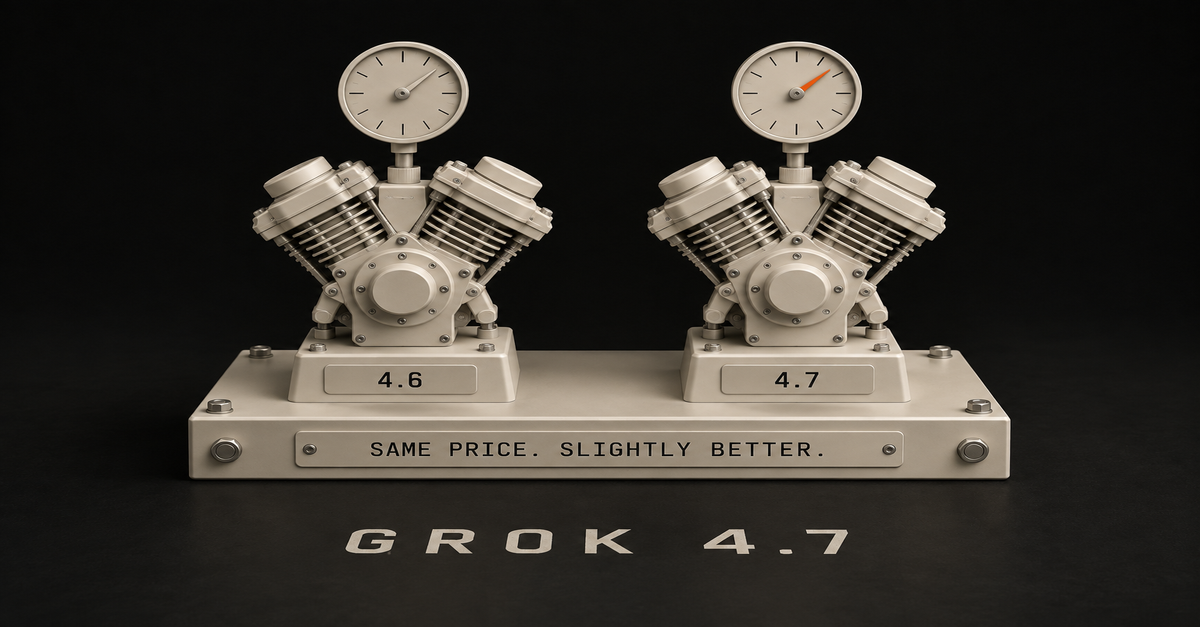
My verdict after running it in Grok Build: same price, slightly better. I'm like, cool. But these are minor updates. And the first job I gave it failed.
My read on Grok 4.7: cheap per token, hungry per job, third in agentic coding by its own founder's count.
Published September 22, 2026, the day after launch. Prices, benchmarks and availability were checked on xAI's, GitHub's and Artificial Analysis's own pages that day.
Grok 4.7 at a glance: same price, small step upQuestion
AnswerRelease date
September 21, 2026 (xAI's launch post)Price
$2 in / $6 out per 1M tokens, same as 4.6Context window
500,000 tokens (xAI's docs)Real step up from 4.6?
Small. Coding scores up 6 to 17 points; overall index up 2Where xAI launched it
Cursor, Grok Build, the Grok API, coding tools, model routers, clouds; GitHub Copilot rolling outIn the Grok app / SuperGrok?
Not on xAI's launch list. Signed out, grok.com's picker shows modes, not model numbersGrok 4.7 Fast
Same model, twice the speed, twice the price; Cursor and Grok Build onlyMy verdict
"Same price, slightly better." A minor updatexAI's launch page, September 22, 2026. Last line: "Served at the same price and speed as Grok 4.6."
Grok 4.7 shipped to Build, Cursor and the API first
Here is where xAI says Grok 4.7 runs, word for word from the launch post: "Grok 4.7 is available today in Cursor and Grok Build. It is also available through the Grok API, third-party coding harnesses, and model routers and cloud platforms."
Read that list again. There is no Grok app in it, no grok.com, no SuperGrok, no Heavy.Surface
Has Grok 4.7?
SourceGrok Build (coding agent)
Yes, the default model per xAI's docs; chat-window Build mode showed 4.7 on my account
xAI's launch post and docsCursor
Yes, on all Cursor plans
xAI's docsGrok API
Yes, model id grok-4.7
xAI's docsOpenRouter, Vercel, Cloudflare
Yes
xAI's docsGitHub Copilot
Rolling out gradually, paid plans only
GitHub's changelogGrok app chat (grok.com, SuperGrok, Heavy)
Not listed. The signed-out picker shows no model numbers
xAI's launch post; screenshot belowGrok Bot
Unknown. It will not say which model it runs
Grok Bot itself, see belowgrok.com signed out, September 22, 2026. The picker shows modes, not models. Nothing says 4.6 or 4.7.
GitHub's wording is "Rollout will be gradual," for Copilot Pro, Pro+, Max, Business and Enterprise. So if your Copilot picker does not show it yet, that is expected.
Grok 4.7 Fast is the one to watch on your plan. Per xAI's docs it is "the same model served on faster infrastructure, billed at twice the standard token rates," it lives only in Cursor and Grok Build, and "it is not included in Grok Build's free tier."
My first job for Grok 4.7 in Build failed
I have been running Grok 4.7 in Grok Build. We confirmed the 4.7 label in Build, so that is the one surface where I know which model I am on.
The first thing I tried was having Grok Build make an app, or a script, to help me find good business ideas. Just to test it. It failed.
For what it is worth, this is something Codex flunked too, earlier. So 4.7 did not clear a bar that Codex had already missed.
That is honestly all I have tested it on so far. We have been building, or at least failed to build, and that is the whole field test. There is no log of that run on my machines, so I am not going to describe the error or pretend I timed it.
If Build mode itself is new to you, start with what Grok Build actually is. If you are choosing between it and Claude's version, that is Grok Build vs Claude Code.
Grok 4.7 vs 4.6: coding up 6 to 17 points, overall up 2
My honest reaction to the upgrade: "Same price, slightly better. I'm like cool. But it's just like these are minor updates, you know what I mean?"
The numbers say the same thing, with one surprise in the coding rows.Measure
Grok 4.6
Grok 4.7
ChangePrice per 1M tokens (in / out)
$2 / $6
$2 / $6
NoneCursorBench 4.0 (xAI)
40.4%
46.3%
+5.9 pointsTerminal-Bench 4.0 (xAI)
20.3%
37.6%
+17.3 pointsDeepSWE v1.1 (xAI)
65.2%
71.0%
+5.8 pointsGDPval, office-work Elo (xAI)
1605
1695
+90Artificial Analysis Intelligence Index
44
46
+2Artificial Analysis Coding Agent Index (with Grok Build)
47
56
+9Output tokens per index task (Artificial Analysis)
~36k (high)
~81k (xhigh)
More than doublexAI's numbers are xAI's own runs. The Artificial Analysis write-up is the independent check, and it agrees on the shape: a big jump on coding agents, a nudge on everything else.
Compare that to the same week at Anthropic. Claude Opus 5.5 landed one day later, and Anthropic says it "performs at the level of Claude Fable 5.1 on most work" at $4 / $20 per million tokens. That is the bigger update. My full take is in Opus 5.5 vs Fable.
Grok 4.7 is cheap per token, not cheap per job
When I first talked this through, I called 4.7 "way more token efficient." That is half right, and the half that is wrong matters for your bill.
Per token, it is cheap: $6 per million output tokens, against $20 for Claude Opus 5.5 and $50 for Claude Fable 5.1. Per job, it is hungry. Artificial Analysis measured about 81,000 output tokens per task at xhigh effort, against 36,000 for Grok 4.6 and 27,000 for GPT-6 Astra at max.
So the efficiency play is real. It is just the price tag doing the work, not a model that says less.
A Hacker News user, mchusma, noticed the same thing on day one: "It feels kind of like they really had it burn tokens to claw up the benchmarks."
To be fair to xAI, its own CursorBench chart plots Grok 4.7's average cost per task at roughly half of Fable 5.1's or Opus 5's, which is where the launch tagline "half the price of comparable models" comes from. Cheap tokens can still beat expensive ones even when you burn more of them.
Third place, by Musk's own count
What I heard going in was that 4.7 would be at Opus 5 level, and it turned out worse on some things. That is close to what Elon Musk actually posted a week before launch.Musk's pre-launch post, September 14, 2026: 4.7 "roughly on par with Opus 5.0, not 5.1."
After launch he was blunter. His September 21 post, via the Musk post archive: "Grok 4.7 places @SpaceXAI as third, after Anthropic & OpenAI, for agentic coding. When factoring in that Grok is significantly faster & lower cost, it's a great choice for your everyday workhorse."
Artificial Analysis puts it one spot lower. Grok 4.7 with Grok Build ranks fourth on its Coding Agent Index, behind Claude Fable 5.1, GPT-6 Astra and Claude Opus 5.
One correction to my own memory. I thought Elon said Grok 5 would be at Fable level. His September 14 post actually says "Grok 4.9 is probably Astra/Fable class" and "Grok 5 maybe better than anything." Either way, I am waiting on Grok 5.
Because here is the part I actually care about: if you can get Fable-like intelligence at Grok prices, that becomes very intriguing.
Where Grok genuinely wins: price, speed, and a free Build door
I do not think xAI's models are impressive right now. I also think Grok is not to be messed with at this point. They are playing the efficiency game well. 4.6 was pretty good, and 4.7 is solid, for what it is worth.
Here is what Grok 4.7 has going for it:Price per token. $2 / $6 per million, against $4 / $20 for Claude Opus 5.5 and $10 / $50 for Claude Fable 5.1. The output rate is under a third of Opus 5.5's.
More model, same bill. moojacob on Hacker News: "Apparently Grok 4.7 has 40% more weights than Grok 4.6, but the price ($6 output token, $2 input) is the same." xAI has not published a parameter count, so treat the 40% as reporting, not spec.
Speed. xAI serves it at 4.6's speed, and Grok 4.7 Fast gives you 2x the output speed at 2x the price. Musk's own pitch is "significantly faster & lower cost."
A free door. Grok Build has been on every plan, including Free, since August 19, 2026.Grok Bot will not tell you if it runs 4.7
Grok Bot ironically can't confirm if it's using 4.7, so I can't even tell you.
My guess is that a day after launch, it is. But nobody knows what the Bot uses under the hood; it just does whatever it does. So I am not going to vouch for 4.7 there. Build is the only place I have confirmed it.
If you are weighing the Bot against ChatGPT's agent, that comparison lives in GPT-6 Astra vs Grok Bot.
What to do about Grok 4.7 this week
Nobody should change plans over this release. Here is the move by who you are:If you use free Grok, open Build and try it. Grok Build is on the free plan, and xAI's docs say the Fast variant is held back from Build's free tier.
If you pay for SuperGrok, you already have 4.7 where xAI put it, in Grok Build. In regular chat, xAI has not said, and I have not captured my signed-in picker yet. Build and chat draw from one weekly pool, so read how Grok's usage limits work before you point long Build jobs at it.
If you pay for Claude or ChatGPT, this is not the week to switch. The same week brought Claude Opus 5.5, the bigger update in my book, and GPT-6 Sol. For everyday work, my setup is on Claude guides.
If you code in Cursor, this is where 4.7 makes the most sense: it is on every Cursor plan, cheap per token, and fourth on Artificial Analysis's coding-agent ranking. Try it on a job where speed matters more than the last few points of quality.FAQ
Is Grok 4.7 free?
Partly. Grok Build has been on every Grok plan including Free since August 19, 2026, and xAI's docs say the faster Grok 4.7 Fast variant is not included in Grok Build's free tier. xAI's docs describe the Grok Build coding agent; they do not say which model the chat window's Build mode (the hammer icon) runs on a free account.
Through the API you pay per token: $2 per million input tokens and $6 per million output tokens.
Is Grok 4.7 in SuperGrok?
In Grok Build, yes: xAI launched it there, Build is on every plan, and Build showed 4.7 on my SuperGrok Plus account. For regular Grok chat, xAI has not said. Its launch post never mentions the Grok app, SuperGrok or Heavy, and the signed-out grok.com picker shows modes, not model numbers.
What is the difference between Grok 4.7 and Grok 4.6?
Same price ($2 in, $6 out per million tokens), better coding scores. On xAI's own table CursorBench 4.0 goes from 40.4% to 46.3% and Terminal-Bench 4.0 from 20.3% to 37.6%.
Artificial Analysis moves it only 2 points on its overall Intelligence Index (44 to 46) but 9 points on its Coding Agent Index (47 to 56).
What is Grok 4.7 Fast?
The same Grok 4.7 model served on faster infrastructure, at twice the token price. xAI's docs say it is available only in Cursor and Grok Build, is not included in Grok Build's free tier, and is not on the public xAI API.
Is Grok 4.8 next?
Probably, but nothing is published. On September 14, 2026, Elon Musk posted that Grok 4.8 will be a noticeable improvement and that Grok 4.9 is probably Astra/Fable class. There is no release date, model card, or price for either.
Where this comes from
The facts come from xAI, GitHub, Artificial Analysis and Musk's own posts, all read September 22, 2026. What's mine is my SuperGrok Plus account and one failed Grok Build run on 4.7.
I haven't run my own benchmark, and I don't have a screenshot of my signed-in Grok app yet. Last reviewed September 2026.
Quick answer: GPT-6 Sol and Luna are OpenAI's two cheaper GPT-6 models, released September 22, 2026, sitting under GPT-6 Astra.
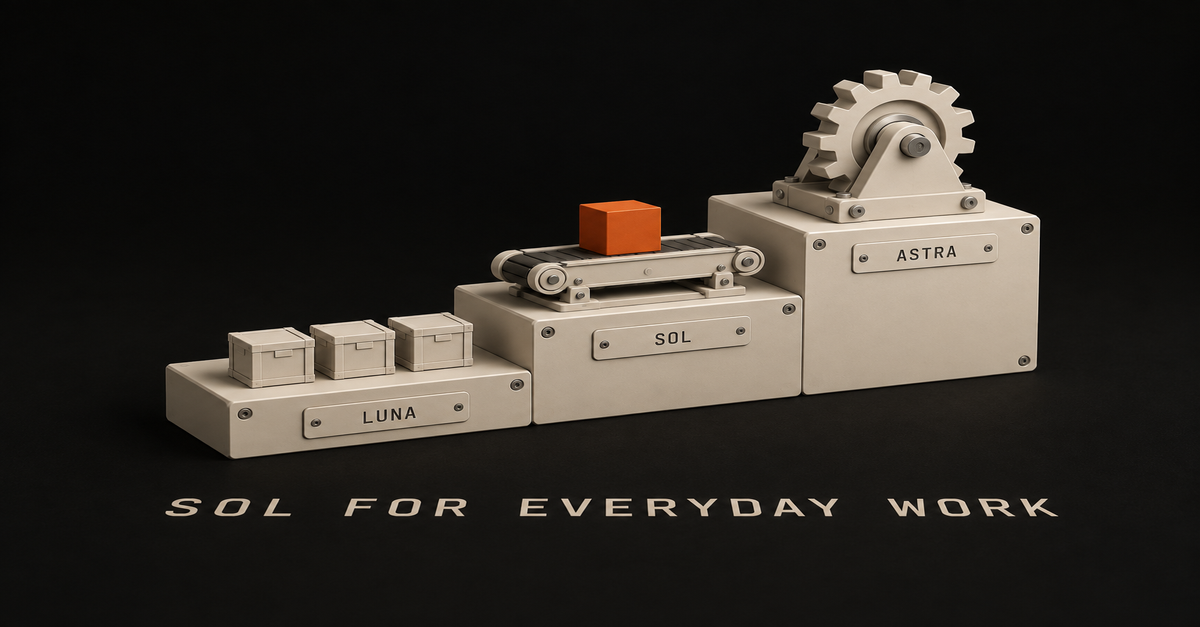
Three names, one ladder, one rule: Astra for the hard jobs, Sol for everyday work, Luna for high-volume grunt work.
My honest first read on Sol: "It's nowhere near Fable. Nowhere near Opus 5.5, so a little disappointing." The benchmark table below is why. They roll out in ChatGPT Work and Codex on paid plans. Neither one is in the Chat tab.
And on my own $100 Pro account, the afternoon they launched, they were not in Work yet either. My desktop app had an update downloaded but not installed, so that list came from the older build. I will show you.
Astra is the top rung, Sol is the middle, Luna is the bottom
Here is the whole family on one table, using OpenAI's own words for each model and its API prices.Rung
OpenAI's own line
API price per 1M tokens (in / out)
Leave it on forGPT-6 Astra
"Our most capable model, built for the hardest end-to-end work"
$10 / $50
Hard jobs: long documents, messy research, a real sparring partnerGPT-6 Sol
"Built to power complex coding and agentic workflows"
$2 / $10
Everyday workGPT-6 Luna
"high-volume tasks with a clear goal, like summarizing documents, extracting information, or answering quick questions"
$0.10 / $0.50
Grunt work you repeat a lotPrices and the first two lines are from OpenAI's model docs, read September 22. Luna's line is OpenAI's wording as quoted in TechCrunch's launch report.
Read the price column as a ladder too. Astra costs 5 times what Sol costs per token. Sol costs 20 times what Luna costs.
That's the ladder I'd use: Astra for the hard jobs, Sol for the everyday work, Luna for the grunt work.
If the names still feel like a riddle, you are in good company. On Hacker News the day it launched, dyauspitr asked:"Wtf is GPT-6 Sol, I though GPT-6 is Astra?"Readerium answered with the best two-line explanation I have seen:"Number is generationName is the size (Luna smallest to Astra largest)"That is the system. The thread is worth a scroll if you want to see how many people are confused.
One more thing that trips people up: there is no GPT-6 Terra. The GPT-5.6 family was Sol, Terra and Luna. GPT-6 swapped Terra out and put Astra on top.
Sol and Luna live in Work and Codex, not in the Chat tab
OpenAI's announcement, reposted in its community forum, says it plainly: "GPT-6 Sol and Luna roll out today in ChatGPT Work and Codex for Plus, Pro, Business, Enterprise, and Edu users. Both are also available in the API." Launch coverage from 9to5Mac adds that Free and Go users get Luna in the desktop app.
So the Chat tab is not where you will find them. If Work is new to you, what ChatGPT Work is covers it in plain English.
For which plan gets what on which surface, I keep one table on which ChatGPT plans get Astra, and I am not going to duplicate it here.
Now the part the announcement cannot tell you. This is the Work model list on my Pro account on September 22, the afternoon of the launch:My ChatGPT Pro Work tab, September 22, 2026, pre-update: Astra, but no GPT-6 Sol or Luna yet.
And here is the same list twelve days earlier, for comparison:Same account, same tab, September 10, 2026. No Astra, and the names did not even carry the "GPT-" prefix yet.
Two things to take from that. "Rolls out today" and "is in your list today" are different days. And when GPT-6 Sol does land, it is going to sit right next to GPT-5.6 Sol, so check the number, not the name.
If yours is missing too, update the desktop app before you conclude anything about your plan. Mine had an update downloaded but not yet installed when I took that screenshot, so a newer build may already show them. That is the same step OpenAI documented when GPT-6 Astra went missing for people.
Leave Plus on Sol for everyday work and save Astra for the hard jobs
Would I tell a Plus user to leave Work on Sol for the everyday stuff and save Astra for the hard jobs?
Yeah, I would.
Here is the honest part. I got used to using Astra, not gonna lie. But I run it on low, because it burns usage fast.
That is literally a complaint, and it's legit. It's not efficient right now. It burns tokens.
The numbers back me up. OpenAI's own allowance table from September 10 puts Astra at 5 to 45 messages per five hours on Plus, against 10 to 100 for GPT-5.6 Sol. That is roughly double the usage for the same conversation, and I walk through every tier in Astra's usage limits.
That table is for the old Sol. OpenAI has not published ChatGPT limits for GPT-6 Sol or Luna yet.
The same OpenAI help article is also why running Astra on low is not crazy. It says Astra at Low effort can outperform Sol at High effort. That was written about GPT-5.6 Sol, so treat it as a hint, not a rule for the new one.
So my advice is simple: Sol stays selected for the everyday stuff. Astra comes out for the hard job, on low effort first.
Sol's real wins are price and a reliability claim
Sol deserves a fair hearing, and it has two genuine wins.
The first is price. At $2 in and $10 out per million tokens, Sol is one fifth of Astra's API price. An OpenAI spokesperson told VentureBeat these "are permanent prices, not promotional or introductory pricing."
The second is reliability. OpenAI says, per TechCrunch, that "GPT-6 Sol makes about half as many mistakes as its predecessor, reaching Astra-level reliability at much lower cost." That is OpenAI's own internal test, not an independent one.
OpenAI's Tibo (Thibault Sottiaux) went further, in a post the community thread reposts: "GPT-6 Sol and Luna are out. Not only are they a very significant improvement across the board, but also in writing and general 'you know when you try it' quality."
My read, before I have run it: Sol should be good for a lot of the stuff. I expect it to be better than GPT-5.6 Sol, and more efficient. OpenAI's claim points the same way.
OpenAI compared Sol to Opus 5 at medium effort, and Opus 5.5 shipped the same day
Here is where I am a little disappointed.
My opinion, going by the benchmarks and not my own runs: OpenAI basically dropped a cheaper, lower-tier model. It's barely at Opus 5 level.
That read holds up on OpenAI's own chart, with one caveat you should know about:Model
Effort setting
OSWorld 2.0 (computer use)
Cost per taskGPT-6 Sol
xhigh
60.5%
About 80% lowerClaude Opus 5
medium
60.3%
BaselineThese are OpenAI's numbers, as reported by VentureBeat on September 22.
Look at the effort column. Sol's effort dial runs none, low, medium, high, xhigh, max, so xhigh is its second-highest setting. Opus 5 was at medium.
Sol had to run near its top setting to tie Opus 5 at medium, and by OpenAI's math it still did that for about a fifth of the cost.
Then Anthropic released Claude Opus 5.5 hours before OpenAI's announcement. Anthropic says Opus 5.5 performs at the level of Fable 5.1 on most work, at $4 in and $20 out per million tokens. OpenAI's material has no Opus 5.5 comparison.
In fairness to Sol, it is still half of Opus 5.5's price per token. I compare Opus 5.5 with Fable properly in Opus 5.5 vs Fable.
The way I see it, 5.5 is a huge leap. You literally got a better model and it's cheaper.
Sol is a sidekick for grunt work, not my main model
Does Sol feel like a real option to me? To be honest, no.
I think it's gonna be a good sidekick for research and the grunt work I just want to burn usage on. If I want to tinker around and brainstorm, I'm still gonna use Astra.
So I have to find a use case for it. That is the honest status on day one: I have not run GPT-6 Sol or Luna on a real job yet, and it was not even in my list when I wrote this, on an app build one update behind.
I also have a complaint about the model count, and then I have to take half of it back.
I think this whole game of having five different models makes it seem like you have more options, when really you've got one or two good things. That's what I like Anthropic for right now, because it's not complicated. You've got Haiku, Sonnet, Opus and Fable.
So they do have a lot of models too, actually. Never mind.
But I rarely use Haiku. I rarely use Sonnet. I'm just using Opus and Fable. If that is where you are too, how I run Claude is the setup I actually use.
What nobody knows yet
A few things were not public when I wrote this, and I would rather say so than guess:ChatGPT limits for GPT-6 Sol and Luna. OpenAI has published no message numbers for either one.
When the Chat tab gets them. The announcement only names Work and Codex.
How much Luna a Free account gets. Launch coverage says Free and Go users get Luna in the desktop app, with no number.
Whether GPT-6 Sol still loses to Astra on Low. OpenAI's effort advice was written for GPT-5.6 Sol.I log plan and limit changes with dates on the AI plan tracker, and the box at the bottom of this page emails you when one moves.
Which one to pick depends on what you pay forIf you are on Plus: leave Work on Sol for everyday tasks once it shows up. Pull out Astra for the hard job, on low effort first, because it cost roughly double the usage of the old Sol.
If you are on Pro: you have room for Astra, and I still run it on low. Send Sol the bulk research you would rather not spend Astra on.
If you are on Free or Go: Luna in the desktop app is your only GPT-6 door. Use it for summaries, pulling details out of a document, and quick questions, which is exactly what OpenAI built it for.
If you also pay for Claude: Opus 5.5 is the one to beat now, and OpenAI did not even compare Sol to it. Treat Sol as a cheap sidekick, not a switch.Frequently asked questions
What is GPT-6 Sol?
GPT-6 Sol is OpenAI's middle GPT-6 model, released September 22, 2026. It sits under GPT-6 Astra and above GPT-6 Luna.
OpenAI's developer docs describe it as built to power complex coding and agentic workflows, and it costs $2 per million input tokens and $10 per million output tokens in the API, one fifth of Astra's price.
What is the difference between GPT-6 Sol and Luna?
Sol is the everyday model for real work. Luna is the small, cheap one for high-volume tasks with a clear goal, which OpenAI lists as summarizing documents, extracting information, or answering quick questions.
In the API, Sol costs $2 in and $10 out per million tokens, and Luna costs $0.10 in and $0.50 out, so Sol is 20 times the price of Luna.
Is GPT-6 Sol better than GPT-6 Astra?
No. Astra is the top of the GPT-6 ladder and Sol is the middle rung.
OpenAI says Sol reaches Astra-level reliability on its internal factuality test at much lower cost, but Astra is still the model OpenAI builds for the hardest end-to-end work. Use Sol for everyday tasks and save Astra for the hard jobs.
Where can I use GPT-6 Sol and Luna in ChatGPT?
OpenAI says both roll out in ChatGPT Work and Codex for Plus, Pro, Business, Enterprise, and Edu users, and not in the Chat tab. Launch coverage (9to5Mac, VentureBeat) adds that Free and Go users get GPT-6 Luna in the ChatGPT desktop app.
On launch day afternoon, my own Pro account's Work list still showed GPT-5.6 Sol and Luna, on a desktop app with an update downloaded but not yet installed, so update the app first if yours is missing them.
Is GPT-6 Luna free?
Partly. Launch coverage from 9to5Mac and VentureBeat says Free and Go users get GPT-6 Luna in the ChatGPT desktop app, and OpenAI's help center had not caught up on launch day. Sol is for paid plans only. OpenAI has not published how many Luna messages a free account gets.
What happened to GPT-6 Terra?
There is no GPT-6 Terra. The GPT-5.6 family had three sizes, Sol, Terra, and Luna. The GPT-6 family announced so far has three different names: Astra on top, Sol in the middle, and Luna at the bottom.
Where this comes from
The facts come from OpenAI's docs and announcement, plus TechCrunch and VentureBeat, read September 22, 2026. The screenshots are my own Pro account, and the opinions are mine.
I have not run GPT-6 Sol or Luna yet. My list still showed the 5.6 versions, with an app update downloaded but not installed.
Published September 22, 2026. Last reviewed September 22, 2026.
Quick answer: use Opus 5.5 by default and treat Fable 5.1 as the exception.
Anthropic says Opus 5.5 "performs at the level of Claude Fable 5.1 on most work," and it costs 60% less per token. I switched my own default from Fable to Opus 5.5 today, and the logs are below.
Then I tested it on something my wife and I actually want. One of the biggest things we hate: when we play on the Switch, we're playing by ourselves. It kind of sucks.
So I asked Opus 5.5 for a Pokémon game we could play together. It didn't build one. It found one on GitHub, and that turned out to be the smarter move.
My rule now: Opus 5.5 by default, Fable only when Opus 5.5 at max effort still falls short.Free
Pro ($20/mo)
Max (from $100/mo)Opus (now Opus 5.5)
No
Yes, inside plan limits
Yes, inside plan limitsFable 5.1
No
Usage credits only
Up to 50% of weekly limitsSonnet and Haiku
Yes
Yes
YesPlan rows from Claude's pricing page and the Fable plan article, read September 22, 2026.
I switched my default to Opus 5.5 today, and the log shows the minute
I pay for Claude Max 20x. In Claude Code, every model change prints one line, and those lines stay in the session logs. Here are mine.My Claude Code /model log, September 17 and 22, 2026. Exact text, new frame.
Fable 5.1 at medium had been my saved default since September 17. This morning I dropped Fable to low, then tried Opus 5 at max effort. At 18:08 UTC, Opus 5.5 became the default for new sessions, at high effort.
That effort choice is on purpose. With Fable, I'll use medium. I always got good results. I use high, but very rarely.
Opus 5.5 is a step up from Fable 5.1 on paper, and the results people are claiming are actually cool, so I'm running it at high. I'm testing it myself. So far it's easier to talk to: when I showed it a hype post, it just called it hype.
The desktop app looks like this on my account today.My Claude desktop app, Max 20x, September 22, 2026.
Two things in that picture matter. Fable 5.1 is still the first name on the list, labelled "For your toughest challenges," and Opus 5.5 is "For complex tasks." And the app's own effort warning says Max effort means "4× or more usage," so the effort dial matters as much as the model name.
Opus 5 did not disappear either. Anthropic's deprecation page lists it as active until at least July 24, 2027, and the pricing page lists it under legacy models.
If you do not see Opus 5.5, update. In Claude Code, run claude update: Anthropic's model docs say Opus 5.5 needs version 2.1.280 or later. In the desktop app, update the app. On the web version of Claude, it does it for you.
Anthropic's Claude Code docs now list Opus 5.5 as the default model on Pro, Max, Team and Enterprise.
The game test: Opus 5.5 found a game instead of building one
Launch day comes with launch-day claims. Within an hour of the release, an X post said Opus 5.5 had one-shot a Mario Kart game.
I wanted to know how real that was, because I've wanted a game for me and my wife to play. So right after the switch, I handed Opus 5.5 the post and asked.My Claude Code session, September 22, 2026, model claude-opus-5-5. Short excerpts; [...] marks cuts.
It read the replies and called it straight. People asked for the prompt, the time and the tech stack, and got no answer, so treat "one shot" as marketing.
Then I asked for what I actually want, a Pokémon Yellow where you can catch everything. Instead of starting from zero, it found a fan remake that already does most of it, Pokémon Yellow Legacy on GitHub. It built it on my Mac and played the opening itself.
Did I build a game? No, we don't have to lie. It found one already on GitHub and gave me a suggestion to modify it. I have the logs to prove it.
It also checked the rest of my wishlist against what exists:Kanto and Johto in one game: Yellow cannot hold a second region, so that needs a Crystal base (it pointed at Polished Crystal).
Playing together online: a different game entirely, PokeMMO.
Phones: yes, through the Delta app on iPhone.
Switch: skip it.That list is how we landed on the game we're building right now. The Kanto-and-Johto wish pointed at a fan project on GitHub that rebuilds Kanto on Pokémon Crystal's engine, and we're building on top of it: a version my wife and I can play together.Pikachu following me in Viridian City, September 22, 2026.
Today Opus 5.5 added the first piece. There's a "who's playing" screen, a separate save for each of us, controller support, and the server that will put us in the same game at the same time. That last part is still being built.The picker Opus 5.5 added today, and Pallet Town. The Kanto-on-Crystal base is a fan project; two-player is ours.
That is the honest version of the one-shot claim. The move that worked on day one was find what already exists, then change it.
The other job was less fun and more useful. My Substack Notes run had been failing, and Opus 5.5 took it over today; the session log shows "10 notes are live in Notion." That's one run, so it's too early to call.
Pro just got Fable-level work inside the $20 plan
On Pro, Fable was never really inside your plan. Anthropic's support article says Fable on Pro and standard Team seats is not included in the plan's usage limits and runs on usage credits, which you pay for on top.
Opus is included on Pro. So the moment Opus 5.5 landed at Fable 5.1's level on most work, a $20 subscriber got that level of output without touching a credit balance.Claude's pricing page, September 22, 2026. Each cell says "Opus", not "Opus 5.5".
On Max, nothing about Fable changed today. It is still capped at up to 50% of your weekly limits and it draws from the same pool as everything else. Opus 5.5 carries no separate ceiling.
If you are still deciding which plan to be on, Claude Pro vs Max runs the same logic on the plan itself.
Price: 20% cheaper per token, 40% cheaper in Anthropic's tests
There are two different numbers here. Both come from Anthropic's launch page.Model
Input per 1M tokens
Output per 1M tokens
Opus 5.5 comparedOpus 5.5
$4
$20Opus 5
$5
$25
20% cheaper per tokenFable 5.1
$10
$50
60% cheaper per tokenThe 20% is the list price cut against Opus 5. The 40% is different: "Our tests show that at default settings it will cost 40% less than Opus 5 on typical workloads."
Against Fable 5.1 the gap is bigger. Fable costs 2.5 times what Opus 5.5 costs per token. Anthropic also says Opus 5.5 writes output more than 30% faster than Opus 5.
One warning for subscribers. Those are API prices. Anthropic has not published how much of your Pro or Max limit an Opus 5.5 message uses compared with a Fable message, so nobody can honestly tell you it stretches your week by a set amount.
Benchmarks: Opus 5.5 beats Fable 5.1, and Astra still wins two rows
On Anthropic's own benchmark table, Opus 5.5 beats Fable 5.1 on every row. A few that map to real work:Terminal-Bench 4.0 (agentic coding): 66.4% vs 55.8%.
GDPval-AA (knowledge work): 1846 vs 1735.
OSWorld 2.0 (using a computer): 81.8% vs 80.7%, basically level.It does not beat everything. OpenAI's GPT-6 Astra wins AutomationBench, 41.4% to 40.0%, and Terminal-Bench-Science, 64.6% to 58.7%. If Astra is the name you keep hearing, what GPT-6 Astra is covers it.
Anthropic even undercuts its own table: "In our own use, the gap between Opus 5.5 and Claude Fable 5.1 is narrower than these scores suggest."
On Hacker News, sailingparrot did the math in the launch thread: "Fable 5.1 came out just 21 days ago. Only 3 weeks! And this is 20% relative improvement on terminal bench vs Fable 5.1 at less than half the price, and more human sounding output."
The writing point is the one I care about, because I use this for content. Anthropic says Opus 5.5 "communicates more naturally than prior models."
mcintyre1994 put the frustration plainly in the same thread: "I mostly moved to Astra because I just can't work all day with the Claude Opus 5/Fable writing style... Definitely keen to try Opus 5.5 and see if this claim is real."
Fable still wins one kind of job, and it is rarer now
Here is where Fable keeps its seat. Anthropic's model guide for developers says "Most workloads start with Claude Opus 5.5." Then it gives one exit: move to Fable 5.1 if your results "at xhigh or max effort still fall short on demanding reasoning or long-horizon agentic work."
In plain English, Fable is for the long job that runs for hours and has to hold a lot together. Anthropic's examples are agent sessions that run for hours and multistep deep research.
Before today, that was my rule too. Fable plans it, Opus makes it is how I ran things last week.
Today my answer changed. I wondered out loud whether I should keep using my Fable usage because it was separate. It is not separate. On Max it comes out of the same weekly limits.
So why keep paying more? Do you want to pay more money for something less? Doesn't make sense, right? If Opus 5.5 is better all around, it makes literally no sense to use Fable as of now.
I don't think that lasts. When Anthropic ships a Fable 5.5, I expect it to be even more powerful, and the math flips back.
Your five-hour limit went up, and nobody has a number
Anthropic's launch page says it is "increasing five-hour usage limits on Pro, Max, Team, and seat-based Enterprise plans." It published no figure, so any percentage you see online is a guess.
There is also a new rate limit reset for subscribers, "which you can now save and use whenever you choose." Think of it as a spare refill you get to time yourself.
How the five-hour and weekly windows actually work is on Claude usage limits explained.
Which one to pick, by planIf you are on Free: neither. Free is Sonnet and Haiku, and Opus 5.5 is not on it.
If you are on Pro at $20: Opus 5.5 for everything. Fable would cost you credits for work Anthropic says is level on most jobs.
If you are on Max: Opus 5.5 by default. Save Fable for the rare job that runs for hours, and only after Opus 5.5 at max effort fell short.
If you write or create for a living: Opus 5.5. Anthropic says it communicates more naturally than prior models, and it is the model I moved my content work to today.
If you were running Opus 5 at max effort to squeeze out quality: try Opus 5.5 at high first. That is the swap my own log shows.
If the plan question is still open: Claude Pro vs Max is the next read, and the Claude Guides hub maps the rest.Common questions
Is Claude Opus 5.5 better than Fable 5.1?
On most work, Anthropic says they are level, and Opus 5.5 beats Fable 5.1 on every row of Anthropic's benchmark table, for example Terminal-Bench 4.0 at 66.4% vs 55.8%.
Anthropic still tells developers to move to Fable 5.1 when Opus 5.5 at xhigh or max effort falls short on demanding reasoning or long-horizon agentic work.
Does Claude Pro get Opus 5.5?
Yes. Claude's pricing page marks Opus as included on Pro, Max 5x and Max 20x, and not on Free. Fable on Pro is marked Usage credits, billed on top of the plan, so Opus 5.5 is the strongest model inside Pro's limits.
Is Opus 5.5 cheaper than Fable 5.1?
Per token, yes. Opus 5.5 is $4 input and $20 output per million tokens and Fable 5.1 is $10 and $50, so Opus 5.5 is 60% cheaper per token. Anthropic has not published how much of a subscription limit either model uses per message.
Is Fable usage separate from my Opus usage on Claude Max?
No. On Max, Fable draws from the same weekly usage limits as every other model and is capped at up to 50% of them. On Pro and standard Team seats, Fable is outside the plan's limits and runs on paid usage credits.
Why can't I see Opus 5.5?
Update. In Claude Code, Opus 5.5 needs version 2.1.280 or later, so run claude update. In the desktop app, update the app; the web version updates by itself. Opus 5.5 is not on the Free plan.
Did Anthropic retire Opus 5?
No. Anthropic's deprecation page lists Opus 5 as active until at least July 24, 2027, and the pricing page lists it under legacy models. Picking it is still possible, it is just no longer the top Opus.
Where this comes from
The facts come from Anthropic's own pages, read on launch day, September 22, 2026. The logs, the picker and the Pokémon session are mine, from my Max 20x account that same day.
I have not run my own benchmark or measured my limits since the raise. It's day one, so I'll update this as I go.
Published September 22, 2026, launch day. Last reviewed September 22, 2026.
Quick answer: export the transcript, paste it in raw, and stop asking for a summary. Instead, name the sections you want back: overview, decisions with who made each, action items as a table with owner and due date, and open questions nobody answered.
Run it on Sonnet, which means it runs on the $0 plan. Then write the one paragraph at the top yourself.
My rule on meeting notes: name the output, do not ask for a summary.
Claude will not join your call and no bot appears in Zoom, Meet or Teams, which I cover properly on Claude vs ChatGPT for meeting notes. Everything below assumes the transcript already exists and the write-up is the chore.
Get the transcript out, and there are three places it lives
You probably do not need a new tool for this. Each of the big three can produce a transcript, but all three lock it behind something.
You usually need an eligible paid account, the feature turned on, and on a work account, an admin who hasn't switched it off for you. Check before you buy a recorder.Tool
Where the transcript comes from
Vendor's own instructionsZoom
Cloud recording with audio transcript enabled; download the .vtt or .txt afterwards
Zoom's transcript articleGoogle Meet
Turn on transcripts during the call; a Doc lands in Drive when it ends
Google's Meet transcript helpMicrosoft Teams
Start transcription in the meeting; it saves to the meeting chat and recap
Microsoft's Teams transcription helpMy own version is simpler than any of these, and you can steal it if your meetings are phone calls. I transcribe on my phone, then drop the transcription straight into Claude. I keep the Cowork tab open (that's Anthropic's file-handling tool, now built right into Claude). That's the whole capture step.
I'm not recommending a meeting recorder here, on purpose. Most of the pages ranking for this question are basically ads for one, which is why they spend the first third on capture and the last third on a signup button.
Do not clean the transcript first
This step is what kills the habit, and almost nobody tells you to skip it.
Your instinct is to tidy up before pasting. Strip the speaker tags, delete the ums, fix the false starts.
Do not. Raw is fine, and I think raw is better.
My reasoning, so you can judge it yourself: the filler tells you something. "Yeah I guess we could" and "let's do it, book it" look similar once a transcript has been tidied, and read very differently when it has not.
That hedging is the best clue you have to who was agreeing and who was thinking out loud.
CLSkills Hub, one of the few pages ranking here that is not selling a recorder, makes the same point from the other direction in its prompt guidance: "Distinguish between someone suggesting something and the group agreeing to it."
You are also just doing unpaid work. If tidying takes eight minutes and you do it after every call, you have rebuilt the chore you were trying to delete.
Paste it ugly.
One thing to sort out before you paste anything real
A meeting transcript is not a blog draft. It has your colleagues, your clients and whatever somebody said before they realised they were being recorded.
So, before this becomes a habit: check whether your employer has a policy about putting work material into an AI tool, and check whether the people on the call know they were recorded.
On consumer Claude plans, Anthropic's own privacy documentation explains when conversations may be used to improve their models and where the setting lives. Turn it off, or use an account that is covered by your company's agreement.
None of that means you skip this. Just spend five minutes on it once, so you don't find out the hard way.
Name the output instead of asking for a summary
So this is the actual technique, and it's the whole page.
"Summarize this meeting" gets you a paragraph. Nobody needs a paragraph. You need to know what was decided, who owes what, and what got dodged.
So name the sections. This is the four-section prompt I built for this page and ran on September 18, 2026, and you can paste it as-is:
Here is the raw transcript from our weekly sync. Do not give me a summary.
Write it up with these exact sections:1. Overview - one paragraph
2. Decisions - each one with who made it
3. Action items - a table with owner, task, and due date
4. Open questions - anything raised that nobody answeredDo not clean up the transcript first. Work from it as it is.--- TRANSCRIPT ---
[paste here]Four named sections and one instruction not to tidy. I ran it against an invented transcript for an invented company, in Claude's desktop app, on Sonnet at medium effort. This is what came back.Look at what naming the sections got me.
The action items came back as a real table with an owner and a due date on every row, pulled out of conversational mush like "I can have that Thursday" and "Yeah I'll send the invite today". Nobody in that transcript said the words "due date".
And the open questions section caught the thing that matters most in real meetings: "Does legal need to review the training materials? Raised by Marta Silva, parked by Priya Raman with no answer given."
That is the kind of line a summary throws away. Somebody asked something, it got parked, and three weeks later it is a problem.
I asked for that section by name and it came back. I haven't run the side-by-side, where I ask the same model for a plain summary and compare. So treat that as one run, not a study.
Two rules sit under the technique:Ask for structure, not compression. A summary throws out the parts that never got settled. Those are the ones that cost you later.
Attribute everything. "Decisions with who made each one" is three extra words that turn a document nobody trusts into one people act on.If what you actually owe someone is meeting minutes rather than notes, it is the same job with a stricter section list: attendees, decisions with who made each, action items with owner and due date, and matters carried forward. Minutes fail because nothing has an owner, not because the prose was weak.
Use Sonnet, which means this works on the $0 plan
Every post about this pushes you toward the biggest model. Anthropic's model guide says the opposite, and it shows how much of your usage each model eats, which is what matters on a subscription.Model
Rate limit use
Anthropic's "best for"
On the $0 Free planHaiku
Lightest
Quick answers, summaries, simple extraction
YesSonnet
Moderate
Coding, writing, analysis, multi-step workflows
YesOpus
Heavy
Deep research and complex reasoning
NoFable
Heaviest
Largest, most critical, long-running projects
NoSonnet is moderate. Opus is heavy. Fable is heaviest. For a write-up you could have done yourself with more coffee, moderate is plenty.
A meeting write-up is mostly sorting what was said into the right boxes. You already know what happened, you were there.
And the line directly above that table is the useful one: "Free includes Haiku and Sonnet; Pro and Max add Opus, Fable, and more headroom." Anthropic's pricing comparison table says the same thing in its Models row.
So the entire workflow on this page runs on a $0 Claude account.What you need
Free ($0)
Pro ($20) / Max ($100)Sonnet
Yes
YesPasting a long transcript
Yes
YesProjects, for recurring meetings
Yes, up to 5
YesOpus or Fable
No
Yes, and this job needs neitherIf you want the model question in full, Fable vs Opus covers what the heavier models actually cost you, and is Claude Pro worth it covers the upgrade.
For a meeting that repeats, save it as a Project
Everyone writes the one-off version of this. The real saving is in the meeting you have every week.
Make a Claude Project per recurring meeting. In the project instructions, put the things you would otherwise retype every time:who is usually on the call and what each person does
the account, client or workstream it belongs to
your role, so it knows whose actions to surface first
the four-section list from the prompt aboveThen your weekly ritual is: paste transcript, send. No prompt at all.
Anthropic's pricing comparison table shows Projects on the Free plan capped at 5, and uncapped on Pro and Max. Five covers most people's recurring meetings, so spend them on the ones that actually repeat, not the ones that felt important once. Claude Projects vs custom GPTs goes through how the two compare.
The part you will still write yourself
Here's the honest part, and it's probably not the limit you'd expect. It's voice.
I don't write, I talk. And even with a good system behind me, I read the output back and think, this doesn't sound like me. It's not wrong and it's not missing anything. It's just not mine.
That gap gets smaller, but it doesn't close. My own setup got noticeably better once I added a file just for my takes and point of view, on top of the simple brand guidelines I had before.
I put that together after watching how Greg Isenberg and Dan Koe run their content systems. Better, but still not a hundred percent.
Nailing your voice a hundred percent and your thoughts is never going to be a hundred percent. This is why you still have to give your effort.
It is never going to just write things for you, ever. You still have to invest energy giving your POV, your direction, your taste, and then overseeing the final output. That does not go away.
For a meeting write-up, that means two things stay yours.Claude does this well
You still do thisPulling decisions, owners and dates out of mush
The one-line "here is what this actually means" at the topCatching the questions that got parked
Deciding which parked question is a real problemStructure, tables, attribution, consistency
Tone, judgment, and what to leave outThe top line is the bit people actually read. Write that yourself and let the machine do the structure.
The two-minute version of this whole page, from my Shorts:The 60-second version, from my Shorts: Never Write Up a Meeting Again: The 2-Minute AI Workflow After Every Call.So where should you startIf you have a transcript sitting there right now: paste it raw into Claude on Sonnet with the four-section prompt. That is a five-minute test and it costs nothing.
If you are on the $0 plan: everything on this page works. Do not upgrade for this.
If you have the same meeting every week: make it a Project once, and never write the prompt again.
If you owe formal minutes: same technique, stricter section list, and put the action items in a table.
If you do not have transcripts yet: turn them on in Zoom, Meet or Teams before you buy anything. You probably already have the feature.
If your write-ups get ignored: it is almost never the summary quality. It is that nothing had an owner and a date. Name those sections.
If it does not sound like you: it will not. Write the top paragraph yourself and stop fighting the rest.For the wider map of this kind of work, the Claude Guides hub is the place to start, and Claude use cases has twenty more chores in this shape.
Common questions
How do I use Claude for meeting notes?
Export the transcript from your meeting tool, paste it in exactly as it comes out, and name the sections you want instead of asking for a summary: overview, decisions with who made each, action items as a table with owner and due date, and open questions.
Do I have to clean up the transcript first?
No. Speaker tags, filler and false starts are fine and actually help, because they are how the model tells a suggestion apart from an agreement. Tidying first is unpaid work.
Which Claude model is best for meeting notes?
Sonnet. Anthropic rates its rate limit use as moderate, against heavy for Opus and heaviest for Fable, and calls it the versatile default for writing and analysis. The heavier models spend more of your week on reasoning this job does not obviously need. Start on Sonnet and move up only if it visibly falls short.
Does this work on the free Claude plan?
Yes. Sonnet is on the $0 plan, and so are Projects, capped at 5. Opus and Fable are not, and this job needs neither.
How do I get meeting minutes instead of notes?
Same technique with a stricter section list: attendees, decisions with who made each, action items with owner and due date, and matters carried forward. Ask for the action items as a table.
Where this comes from: the four-section prompt was written for this page and run in Claude on September 18, 2026, on an invented transcript. The screenshot is that real result on Sonnet. Model and plan facts are Anthropic's model guide and pricing table, read the same day. I claim no time saving, because I have not measured one. Last reviewed September 2026.
Quick answer: if you pressed the hammer icon in Grok's chat window, the comparison you found on Google is about a different product. Build mode is free on every plan, needs nothing installed, and publishes to a live link.
Claude Code is a terminal agent that starts at $20 and works on your real files. Prototype in Build. Move it into Claude Code when it gets serious.
That last line is my whole split on these two: prototype in Build, move it when it gets serious.Update, September 22, 2026: both sides got a new model this week. xAI released Grok 4.7 on September 21 and its launch post lists Grok Build among the places it runs. Anthropic released Opus 5.5 the next day, Claude Code's docs now make it the default on Pro, Max, Team and Enterprise, and Anthropic says "Fast mode for Opus 5.5 is also available in Claude Code."
My split does not change. 5.5 is for serious work. 4.7 is just free work.
Build comes with my SuperGrok Plus plan, and with every other plan too, Free included. So to me it is a free canvas. There's definitely a use case for it, I just haven't found it yet. The full reasoning is further down.You are probably looking at the wrong Grok Build
There are two products with this name, and Google's page one is almost entirely about the one you did not mean.
Build mode, inside the Grok chat window. It lives behind the hammer icon in the composer, alongside the other modes. xAI announced it on July 28, 2026, and their pitch was that there is nothing to install and nothing to configure, and you never have to touch the code unless you want to.
The Grok Build CLI. A terminal coding agent aimed at professional engineering, announced back in May 2026.
Same name. Completely different audiences.
When I pulled the results for "grok build vs claude code" on September 18, 2026, every one that was genuinely about Build was about the CLI. Same on September 22, with three new ones added.
One was about Grok Bot, a third product again. Composio's is the honest one, because it puts CLI in the URL and tells you which thing it reviewed.
So if you came here because of a button you pressed in a chat window, that's a different product. What Grok Build is walks through both products and the mode menu; this page is only about choosing.
The two-products problem got worse with Grok 4.7. When xAI says the new model is "available today in Cursor and Grok Build," its docs mean the coding agent, where 4.7 is now the default model. That is also the Build the outside tests run.
The hammer icon is less clear. xAI's launch post does not say which model Build mode in the chat window runs, and it does not list the Grok app at all.
When I tried Build on my own account, I confirmed it was on 4.7. That is my report from one session, with no screenshot, not something xAI states. My first test there, an app or a script to help me find good business ideas, failed.
The money answer: Build is free, Claude Code starts at $20Grok Build (chat mode)
Claude CodeFree plan
Yes, every plan
NoEntry price
$0
$20/mo (Pro), $17/mo annualInstall anything?
No
Yes, terminal or an IDEWhere it works
Your browser, iOS, Android
The real files and folders on your laptop, plus the saved history of earlier versionsOutput
A live page at a grok.me link
Changes to a real project on your machinePublished limits
None for Build specifically
Plan usage limitsxAI changed the gate and most guides never caught up.The announcement is dated August 19, 2026, and the line that matters is one sentence: "Grok Build is now available on every plan, on the web and on mobile."
The paragraph under it explains why so much of the internet is still wrong: "When we introduced it in July, building in Grok was an Early Beta limited to SuperGrok Heavy."
Three weeks of truth, and then a year of guides repeating it. My own account is the cheapest disproof I can offer: I subscribe at the $100 SuperGrok Plus tier, Heavy mode is not on it, and Build is right there in my composer.
On the other side, Claude's pricing page lists Claude Code under Pro. The Free tier does not have it.
What actually comes out of each one
This is where the two products stop being comparable in a useful way.
Build mode gives you a page with a Publish button. In xAI's words, "Every app you publish gets its own address on grok.me, and you decide who can open it: just you, anyone with the link, or the whole internet." You can point a domain you already own at it instead.
That publish step is the entire reason a non-coder would care, and no benchmark table on page one mentions it.Claude Code gives you changes to something that already exists. It runs in your terminal, on the real files and folders on your laptop, including the saved history of every previous version of your work.
There is no Publish button because publishing is not the job. Modifying a project you already have is the job.
One makes a thing. The other changes your things.
I built a landscaping site in Build mode
On September 10, 2026 I gave Build mode a one-pager for an invented landscaping business and let it run.That is the real preview, with the Publish button sitting in the toolbar. It was a test, not a client job, and nothing got shipped to a real business.
What finished: the page. Hero, sections, copy, all of it live in the conversation, no install, no configuration, nothing to deploy.
It also produced a contact form, which is where a page like this usually falls apart.A form that renders is not a form that delivers mail to a business owner, and that gap is the honest edge of what this tool does for you.
The same build, in sixty seconds:The 60-second version, from my Shorts: Grok builds the app from one sentence and hands you the link.For prototyping, I think it is great. You can generate images in Imagine, generate mockup sites, and get to something you can look at fast.
I do not think "less capable" automatically means bad. Grok is finding a level that is respectable, and the stack you get with the subscription is enticing enough to try.
The moment I move it into Claude Code
Here is the line, and the word that decides it is serious.
Prototype, mockup, something you are building to find out whether it is worth building? Stay in Build. That is what it is good at and it costs nothing.
New, complex, or something other people are going to depend on? That is Claude Code, with Opus 5.5 behind it by default and Fable as the fallback, which is the choice I unpack on Fable vs Opus.
The reason is not loyalty, it is model position, and xAI's own founder is the clearest source on it. He has now said it twice.Before launch, on September 14, 2026, Elon Musk posted: "Grok 4.7 should be roughly on par with Opus 5.0, not 5.1. Better in some ways, worse in others. We need to fix multimodal performance."
Grok 4.7 shipped on September 21. That day he posted again: "Grok 4.7 places @SpaceXAI as third, after Anthropic & OpenAI, for agentic coding. When factoring in that Grok is significantly faster & lower cost, it's a great choice for your everyday workhorse."
xAI's own launch table says the same thing in numbers. On CursorBench 4.0, xAI lists Grok 4.7 at 46.3% and Claude Fable 5.1 at 51.8%.
Then on September 22, Anthropic shipped Opus 5.5 and said it "performs at the level of Claude Fable 5.1 on most work." It is already in my own Claude app.My Claude Code log shows the same switch: at 18:08 UTC that day I saved Opus 5.5 as my default for new sessions, at high effort.
Read what that actually says. Grok's own creator ranks it third and sells it on speed and price.
By Anthropic's account, the model Claude Code now gives you by default sits at the level of the model xAI's own table puts ahead of Grok 4.7. For something that matters, that is not a hard call.
I want to be fair about this, because it would be easy to be snide. I am not saying Grok is bad. I have access to it, I think I should lean on it more for certain builds, and I think it is worth using.
So did the two new models change my split? No. 5.5 is for serious work. 4.7 is just free work.
Grok gets serious for me once it reaches Fable level. I'm hoping that's Grok 5, probably before the end of the year if we're lucky. At that point you're talking about more serious tasks, and you can build really serious stuff.
That timing is my guess, not an xAI promise. Musk's own September 14 post pegs Grok 4.9 as "probably Astra/Fable class."
Right now the cheap, efficient side pays off if you're a developer with an app you just want to maintain. For the everyday user, you're better off using ChatGPT or Claude. This is not where you want to get nerdy. I'm not saying it's a terrible model to talk to, it's actually pretty smart.
For everyday use I still go with ChatGPT and Claude, because right now you're getting way more bang for the buck.
Omid Saffari, one of the few solo operators who has compared all three, lands in the same place, in a review written before Grok 4.7 shipped:For a throwaway side project or to kick the tires, fine. For the refactor your paying customers depend on this week, not yet.Worth noting he is reviewing the Grok Build CLI there, not the chat mode, so take it as a verdict on xAI's coding stack rather than on the hammer icon.
The line is not size. It is consequence.
Would I put it in front of a client
For a prototype, yes, and this is where the two Grok products earn their keep together.
Imagine is where I generate images, thumbnails, and visual mockups of a redesign. Build is where I make the actual working page you can click. For showing a client a direction before anyone has committed a budget, that combination is fast and it is cheap.
What I would not do is hand over a Build-mode page as the finished product for a business that depends on it. Prototype, decision, then build it properly. The prototype is not the deliverable, it is the argument for the deliverable.
One warning before you plan around any of this: xAI publishes no Grok Build usage limit, so every specific number you will find quoted for one was invented by the person quoting it, and Grok usage limits explained tracks what is actually published.
The one published gate so far is about speed. Grok 4.7 Fast, the quicker version billed at twice the token rate, "is not included in Grok Build's free tier," per xAI's docs.
So which one should you openIf you clicked the hammer icon and want to know if it is a toy: it is not, for prototypes. It is free, it publishes, and it is worth an afternoon.
If you have no subscription to either: Build mode is free on every Grok plan and Claude Code is not free at all. Start where it costs nothing.
If you are prototyping for a client: Build for the page, Imagine for the visuals, and do not confuse either with the finished job.
If the thing is new, complex, or something other people will depend on: Claude Code, at $20 minimum, and use the terminal.
If you are choosing a terminal coding agent and you write software for a living: you want the CLI comparison, which is what page one is already giving you. This page is not that.
If you are actually weighing Grok's chatbot against Claude Code: that is a different pairing, covered on Grok Bot vs Claude Code.For the non-Grok side of the same decision, Codex vs Claude Code is the version of this argument where one of the tools is free on every ChatGPT plan. The Claude Guides hub has the rest of the map.
Common questions
Is Grok Build the same as Claude Code?
No. Claude Code and the Grok Build CLI are both terminal coding agents. Build mode in the Grok chat window is a different product that installs nothing and publishes to a link. Most comparisons you will find are about the CLI.
Is Grok Build free?
Build mode is on every plan, per xAI's announcement of August 19, 2026. It was Heavy-only for about three weeks after its July launch, so anything written in July says Heavy only.
Which Grok Build does a "Claude Code vs Grok Build" comparison mean?
Almost always the CLI, the terminal product. If you are comparing Claude Code against the hammer icon in your chat window, most of page one is reviewing something else. The same confusion drives searches for grok build vs codex and grok bot vs grok build, which are three separate xAI products.
When should I move from Grok Build to Claude Code?
When the project becomes something other people depend on. Prototypes and mockups are fine in Build. New, complex work that other people will depend on belongs in Claude Code.
Does Grok Build use Grok 4.7?
The coding agent does. Since the September 21 launch, xAI's docs list Grok 4.7 as its default model, and Grok 4.7 Fast is not on Build's free tier. xAI does not say which model the hammer icon in the chat window runs. The model itself is covered on Grok 4.7 explained.
Which model does Claude Code use now?
Opus 5.5, by default, on Pro, Max, Team and Enterprise. Anthropic says it performs at the level of Fable 5.1 on most work. Neither Opus 5.5 nor Claude Code is on the Free plan.
Correction LogSeptember 18, 2026. Published, three days before Grok 4.7 shipped.
September 22, 2026. Grok 4.7 shipped on September 21 and Opus 5.5 on September 22. Replaced the pre-launch Grok 4.7 answers, added Musk's September 21 post and xAI's own CursorBench numbers, added Opus 5.5 as Claude Code's default, the Grok 4.7 Fast free-tier gate, and a note on which Grok Build xAI means. Noted that Omid Saffari's review predates 4.7. The split itself did not change.Where this comes from
The facts come from xAI's and Anthropic's own posts and docs, read September 22. I pay for SuperGrok Plus and Claude Max, and the app screenshots are mine.
The landscaping build was my own test on September 10. I have not tried the Grok Build CLI, and xAI publishes no Build usage numbers.
Published September 18, 2026. Updated September 22, 2026 for Grok 4.7 and Opus 5.5.
 Chris Alarcon