
Tag

No code

What Is Grok Build? The Non-Coder's Version (There Are Two of Them)

What Is Grok Build? The Non-Coder's Version (There Are Two of Them)

Quick answer: Grok Build is a mode in Grok's chat window. You click the hammer icon under the message box, pick Build, describe what you want, and it builds a working website or app live in the conversation with a Publish button waiting at the end. There is nothing to install. There is also a completely separate developer product called Grok Build that runs in a terminal, and that is the one Google shows you first. The Ship Lean rule on Grok Build: prototype in whatever you already pay for, and never let one vendor own all of it. Published September 10, 2026. Plan availability verified on xAI's pricing page the same day. Quick decisionWhat you are trying to do Where to goGet a one-page site or a small app without touching code Build mode, in the Grok chat windowDay-job software engineering The Grok Build CLI, or Claude CodeFind out whether your plan includes it It does. Every plan, including freeWork out what it costs you It draws on the shared weekly poolDecide whether to pay xAI at all My $100 SuperGrok Plus verdictYou searched Grok Build and Google handed you a terminal There are two products named Grok Build, and they are not versions of each other. The one most search results describe is the CLI, announced May 25, 2026 as "a powerful new coding agent for professional software engineering and complex coding work." You install it with a curl command. It runs in a terminal, plans before it edits, and works across a codebase. People who have put real hours into it rate it seriously, and it is genuinely not for you if you do not write software. The one you found in your chat menu is Build mode, announced two months later on July 28, 2026. xAI's own sentence for it: "There's nothing to install and nothing to configure, and you never have to touch the code unless you want to." Same name. One needs a terminal, one needs a sentence. If you are reading this because you clicked something in Grok and a preview pane opened, you want the second one, and the rest of this page is about that. Your chat menu has five modes, not four Every mode guide ranking on Google right now lists four: Auto, Fast, Expert, Heavy. Count the menu.My own session on September 10, 2026. Five modes, Build checked, on a SuperGrok Plus account. The prompt is sitting right there: "build a website for a local landscaping website." Here is what each one is actually for:Mode What it does Gated?Auto Picks between Fast and Expert for you NoFast Answers quickly, thinks less NoExpert Thinks longer before answering Yes. xAI's table shows a dash under FreeBuild Makes websites, apps, games and dashboards No. Checked on all seven plan columnsHeavy Runs a larger group of agents on one problem Yes, and the most restricted of the fiveHeavy is the confusing one, because Heavy is both a mode in this menu and a plan tier. I am on SuperGrok Plus at $100 and I do not have Heavy mode. I do have Build. That is the distinction the guides are collapsing when they tell you Build is an advanced feature you have to buy. xAI does not publish a price for the Heavy tier, so I am not going to print one. My own account is the evidence I have: at $100 a month, Heavy mode is not in reach and Build is. One more thing the menu quietly buried: xAI's own FAQ now says "Grok Studio is no longer supported. Use Grok Build instead." If you are searching for Studio, this is where it went. Build stopped being a top-tier feature on August 19 At launch, Build mode was an Early Beta limited to SuperGrok Heavy subscribers. That is a real fact, it was true for three weeks, and it is why half the internet still says you need the top plan. It stopped being true on August 19, 2026, when xAI published a follow-up post whose load-bearing sentence is: "Grok Build is now available on every plan, on the web and on mobile." An announcement is not the product, so here is the pricing page on the same day.xAI's pricing page, captured September 10, 2026. Read the Grok Build row across all seven columns, then read the Grok Bot and Expert rows for contrast. You can watch that gate close in real time in the reaction to the launch. @FFBuncho posted at Build Mode's announcement that you could publish an app to an xAI domain instantly with no domain contract, and added a note of disappointment that it looked to be SuperGrok Heavy only for now. That reservation was correct when it was written and stopped being true three weeks later, which is the whole problem with searching this question. The same August 19 update also added remixing other people's published apps, custom domains and GitHub export. Small sites like Basenor still carry the Heavy-only headline in their URL, which is a decent illustration of how fast this fact went stale rather than a knock on them. What one prompt actually produced in my first hour I typed one sentence: build a website for a local landscaping website. That is the whole prompt, redundant wording and all. It read the workspace instructions, connected to a machine, loaded design and scaffold skills, and started building while I watched a preview pane fill in. Then I closed the browser by accident, came back, and it had finished anyway.The finished page. Note the Publish button top-left. The business, the address and the phone number are all invented by the model. It named the business Rowan Hill, dated it to 1994, placed it in Dutchess County, wrote the headline "Ground that feels as if it has always belonged," and built a working nav that scrolls you down the page. It also built a real form, not a picture of one, though nothing is wired up to receive what someone types into it.Name, phone, email, a service dropdown and a free-text field, from one sentence of instruction. My honest reaction in the moment was "holy shit," and I want to be precise about why: not because the output is remarkable in isolation, but because the input was one careless sentence and the thing finished on its own. I would not hand that landscaping page to a real business yet No. It needs tweaking, and the tweaking is my fault, not the model's. A one-sentence prompt gets you a one-sentence site. Steal the prompt I should have written instead:The brand: the exact colors, the logo file, real project photos. The place: the town and the service area, named. The benchmark: one or two competitors ranking first in Google Maps for that keyword in that town, and what those sites actually have. The brief: what the client wants that the competitors do not do. Then let it iterate, because the second pass is where it gets good.It is also one page. You scroll, you click the menu bar, it scrolls for you. That is genuinely fine for a demo and it is not a business's website. So the honest verdict: as a demo, yes. As something you invoice for, not off one prompt. What it changes is the cost of showing someone a mockup, and that is not nothing when you are pitching local businesses. If that is the business you are in, the longer version of that pitch is selling AI builds to local businesses. The other Grok Build is a terminal app for engineers Briefly, because you may have landed here from a developer comparison. The CLI is available to SuperGrok and X Premium Plus subscribers, runs interactively or headless, and runs multiple agents in parallel. Composio put 50-plus hours into comparing it against Claude Code, and Analytics Vidhya ran the same comparison under the headline "I Tested Both So You Don't Have To." I have not run that head-to-head myself, so I am pointing you at people who did rather than manufacturing a test. I would ignore the SWE-bench numbers floating around this comparison. They are vendor-reported, they get copied between blogs without attribution, and they will not tell you anything about whether a landing page comes out right. The model behind the CLI is grok-4.6. If you see a page claiming Grok 4.7, that page is guessing. Grok Build usage limits: the same weekly pool as everything else There is no separate Build allowance and no published Grok Build weekly limit. Per xAI's FAQ, Build sits on the one shared weekly usage pool alongside API, Chat, Imagine and Voice, and different products drain it at different rates. xAI publishes no per-tier number for any of them, so anyone quoting you a Build limit is inventing it. The free tier works differently: it keeps its own Chat and Voice limits that reset on their own schedule, separate from the weekly pool. I wrote the full mechanics up separately, because it is the single most misreported thing about this product: how Grok's usage limits actually work. When to open Build instead of Claude Code My actual rule, in the words I used out loud: choosing between these is like choosing between Macy's and JCPenney. They are more or less the same thing and it depends what is on sale. What is on sale, for most people, is the ecosystem they already pay for.If you already pay for X Premium and a SuperGrok plan, Build is a no-brainer. You are not going to go buy a $200 Claude Code plan to do the thing you already have. If you already pay for Claude Code or Codex, Build is your backup. When I run out of usage credit on Codex or Claude Code, I have Build sitting there for a dummy test or a throwaway prototype. If you are picking one for serious work, I still think Claude Code and Codex are the two serious players. Lean on Claude Code when the copy has to be right; lean on Codex when the work is research-shaped. If you are optimizing purely on budget, the interesting case is the top Grok plan. Instead of a $200 Claude Code plan plus a $200 Codex plan, one Grok subscription gets you Build, plus Grok Bot with its own separate usage pool, plus Cursor, which xAI's own Grok Bot launch post names alongside your Grok plan. That is a real proposition, not a gimmick.And here is the part I care about more than the feature comparison: you would be living entirely in their ecosystem. That is too risky for me. Do not put all of it on one vendor, however good the bundle looks this month. The delta between these tools is small enough that people invent personalities for them. The delta that matters is which company owns all your work if they change the terms. Where this fits If you are working out the plan question rather than the tool question, start with what free Grok actually gets you, then whether the paid tier is worth it. If you came here from the image side of Grok, that is Grok Imagine, which shares this same weekly pool and has a very different answer on what free gets you. Everything I run day to day lives on my Claude at work hub. How I checked this: I used Build mode on my own SuperGrok Plus account on September 10, 2026 and screenshotted the session. Plan availability, mode gating and the announcement dates come from x.ai's own pages, read the same day. I have not tested the Grok Build CLI, and I say so where it comes up. Last reviewed September 2026.

ChatGPT vs n8n: Do You Actually Need Automation Software?

ChatGPT vs n8n: Do You Actually Need Automation Software?

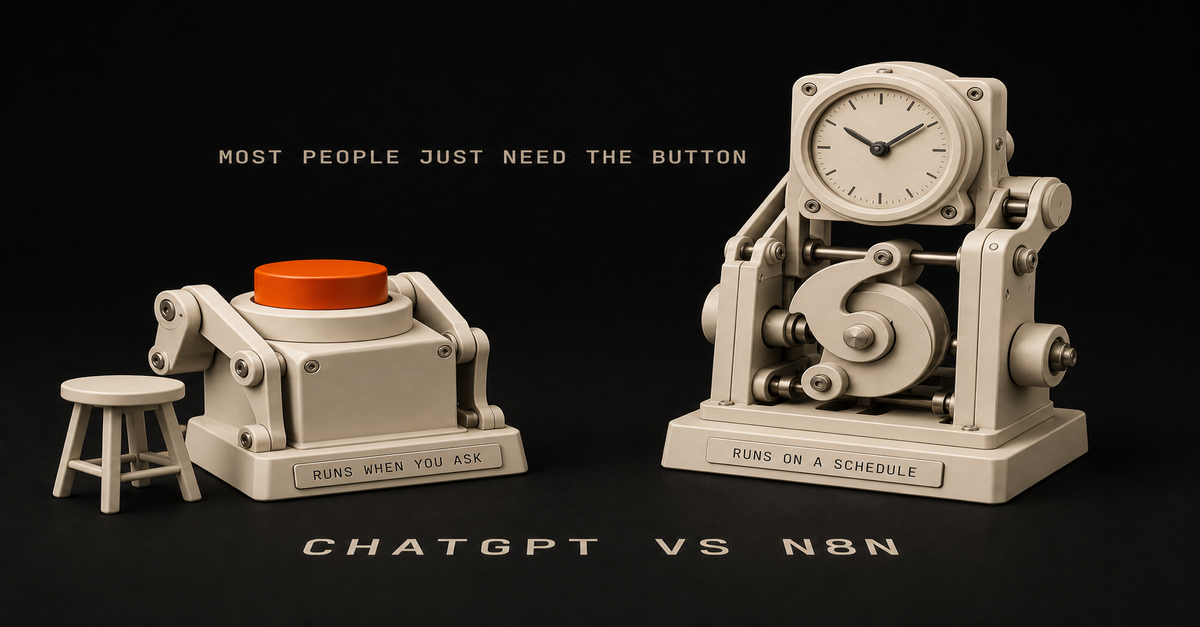
Most people asking this question do not need n8n. Here is the test. If a task happens when you ask for it, and you are sitting there while it happens, a good reusable prompt covers it. n8n earns its place in exactly one situation: the same task has to run on a schedule or a trigger, without you, across two or more apps. That describes far fewer tasks than YouTube makes it sound. I use both tools every week, so this is not tool loyalty. It is more like "do not buy a forklift to carry groceries." What is the actual difference between ChatGPT and n8n? They are not competitors. They do completely different jobs. ChatGPT (or Claude) is a thinking tool. You give it something, it gives you something back. Summarize these meeting notes. Draft this awkward email. Turn 40 survey responses into the five complaints that actually matter. You are present for every exchange, and that is fine, because the task only exists when you ask for it. n8n is plumbing. It moves data between apps when something happens. A form gets submitted, so a row lands in a spreadsheet and a Slack message goes out. Nobody is sitting there. That is the entire point of it. The confusion comes from demo videos where n8n has an AI step in the middle, so it looks like "ChatGPT, but automated." True as far as it goes. But that AI step does the same job ChatGPT does in your browser tab. The real question is never which tool is smarter. The question is whether the task needs to happen without you. How do you know if you need n8n? Ask 3 questions Run any task you are thinking about through these:Does it repeat on a schedule or a predictable trigger? Every Monday morning. Every time a form comes in. Every new invoice. Does it cross two or more apps? Form to spreadsheet to email. Inbox to tracker to Slack. Does it need to run when you are not watching? Overnight, during meetings, while you are on leave.Three yeses: automation software is worth a look. Two or fewer: a saved prompt almost certainly covers it, and it covers it today, for free, with nothing to maintain. Real examples:"Summarize my meeting notes into action items." You are present, one app, on demand. Prompt. "Help me draft replies to difficult parent emails." On demand, you review every word anyway. Prompt. "Every Friday at 4pm, pull this week's form responses, summarize the complaints, and email me the digest." Scheduled, three apps, runs alone. That is a real n8n job. "When a new applicant submits the intake form, score them against the role requirements and add the score to my tracking sheet." Triggered, multiple apps, unattended. Also a real n8n job.Notice the pattern. The prompt tasks are about judgment and wording. The automation tasks are about moving the same data the same way, over and over, with nobody watching. ChatGPT vs n8n: quick comparisonThe task UseSummarize notes, docs, or transcripts on demand ChatGPT promptDraft or rewrite emails in your voice ChatGPT promptTurn messy feedback into clear themes ChatGPT promptPrep for a meeting from an agenda and past notes ChatGPT promptMove form responses into a sheet automatically n8nSend a weekly report without touching it n8nWatch an inbox and route requests to the right person n8nScore or sort new entries the same way every time n8n with an AI stepAnything you do once or twice, ever Neither. Just do it.If your whole list lands in the top half of that table, you have your answer. Save your prompts and skip the software. What does n8n really cost if you cannot code? This is the part the tutorials skip, so let me be the honest friend here. Money. n8n Cloud starts around $25 a month. The "free" self-hosted version needs a server, usually $5 to $10 a month, plus you become responsible for installing it, updating it, and backing it up. If words like Docker mean nothing to you, self-hosting is not free. It is a part-time hobby. Heads up: some links in this post are affiliate links — a small kickback to me at no cost to you. I only recommend tools I've actually run. Setup time. Your first real workflow takes an afternoon, not the 8 minutes the video showed. Most of that time is not building. It is connecting accounts: API keys, permission screens, and figuring out why Google says no. Plan 3 to 4 hours for workflow number one. Debugging. Workflows break silently. A password-like credential expires. An app changes how it sends data. The workflow you built in March fails quietly in June, and you find out because the Friday report never showed up. Then you are staring at a red error node and a message written for engineers. Maintenance. Every workflow you build is a small machine you now own. A few simple ones might need an hour a month. But it never goes to zero, and you are the repair person. None of this means avoid n8n. It means n8n has to earn that overhead. A saved prompt has zero of these costs, which is why it should always be your first move. When is a reusable prompt all you need? If you are present when the task happens, the prompt is the automation. The trick is writing it once, properly, and saving it, instead of improvising a new mediocre prompt every time. A reusable prompt spells out four things: who the AI should act as, what input you will paste in, the exact format you want back, and one example of a good output. That takes 15 minutes to write and pays you back every week after. Then keep your prompts somewhere you can grab them: a doc, a notes app, whatever you will actually open. If you want a starting set, I keep 15 reusable work prompts here, built for exactly this kind of on-demand work. The honest comparison: a prompt like this saves you 20 minutes every time you use it, costs nothing, and cannot break while you sleep. That is a high bar for automation software to clear. When does n8n actually make sense? Volume and absence. Those are the two things that flip the answer. If 30 form submissions arrive every week and each one needs the same three steps, you are not doing judgment work anymore. You are being a conveyor belt. Same if the task has to fire at 6am or while you are on vacation. No prompt fixes "I was not there." If a task passes the 3-question test, the pattern that holds up is boring: a trigger, a step that gathers the data, an AI step for any judgment call, a human approval for anything customer-facing, then route the result. I wrote up that exact pattern in the n8n AI agent workflow if you get to that point. Also, an option nobody mentions: you do not have to build it yourself. If the task clearly qualifies but the setup sounds miserable, ask IT, or pay a freelancer for a day. A capable n8n freelancer can build a clean first workflow in a day. The building is the cheap part. The maintaining is what you are really signing up for, so decide who owns that before anything gets built. One more fork in the road: if you or a technical coworker work in code all day, the comparison changes shape. That version of the decision is in Claude Code vs n8n.The 60-second version, from my Shorts: More Automations = Better Results. Or Does It?.What I would do first Skip the software question for one week and do this instead:List every task you repeat weekly. Most people find 8 to 12. Run each one through the 3 questions: schedule or trigger, 2+ apps, runs without you. For everything that fails the test, write and save the prompt today. That is 15 minutes per task. For the one or two that pass, score them with the automation priority audit before you sign up for anything. It forces the time-saved versus time-spent math that the excitement skips.When I run this with people, the usual result is nine prompt tasks and one genuine automation candidate. That ratio is normal. It is also good news: you can fix most of your repetitive work this afternoon, without buying, hosting, or maintaining anything. The boring answer wins here. Prompts first. n8n only when a task proves it deserves a machine. FAQ Is n8n better than ChatGPT? Neither is better. They do different jobs. ChatGPT answers when you ask it something. n8n moves work between apps on a schedule or trigger, without you present. Most people only need the first one. Can ChatGPT replace n8n? For on-demand tasks where you are present, yes. A saved prompt covers summarizing, drafting, and rewriting. ChatGPT cannot replace n8n for tasks that must run unattended across multiple apps. Do I need to know how to code to use n8n? You can build simple workflows without code, but it gets technical fast: API credentials, error logs, and data formats. Budget real time for setup and debugging, or pay someone to build it. Is n8n free? The software can be self-hosted free, but you pay for a server, plus your time for setup, updates, and fixing broken workflows. n8n Cloud starts around $25 a month and removes the server work.This post is part of the n8n AI agents hub: definitions, tutorials, workflow patterns, and the build-vs-run decision pages in one place.