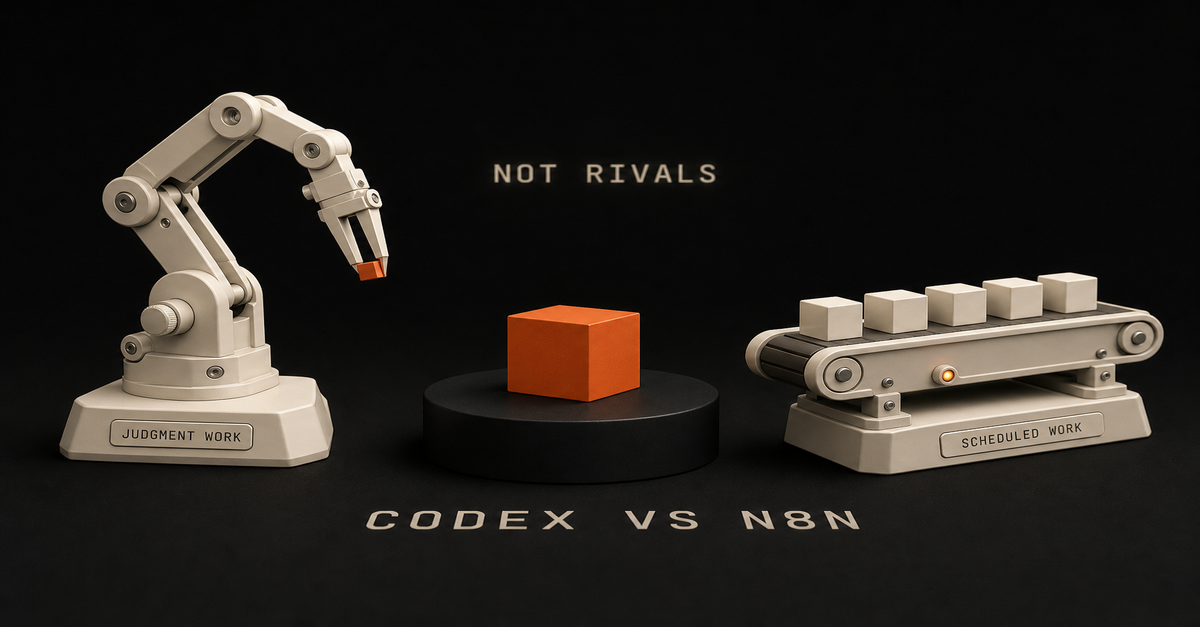
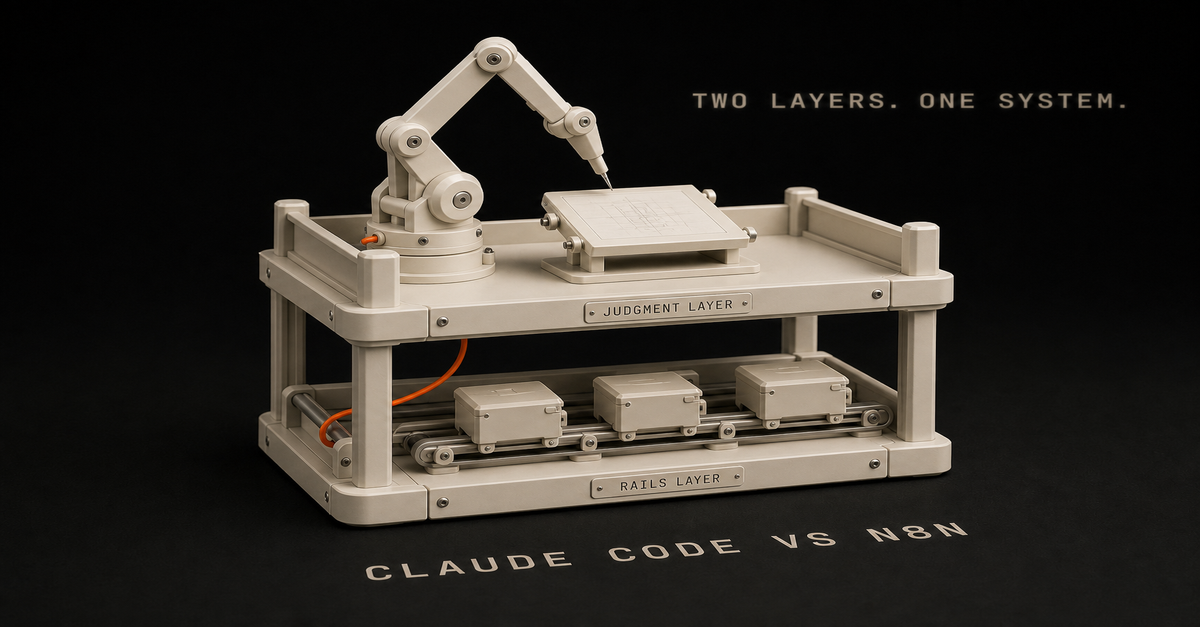
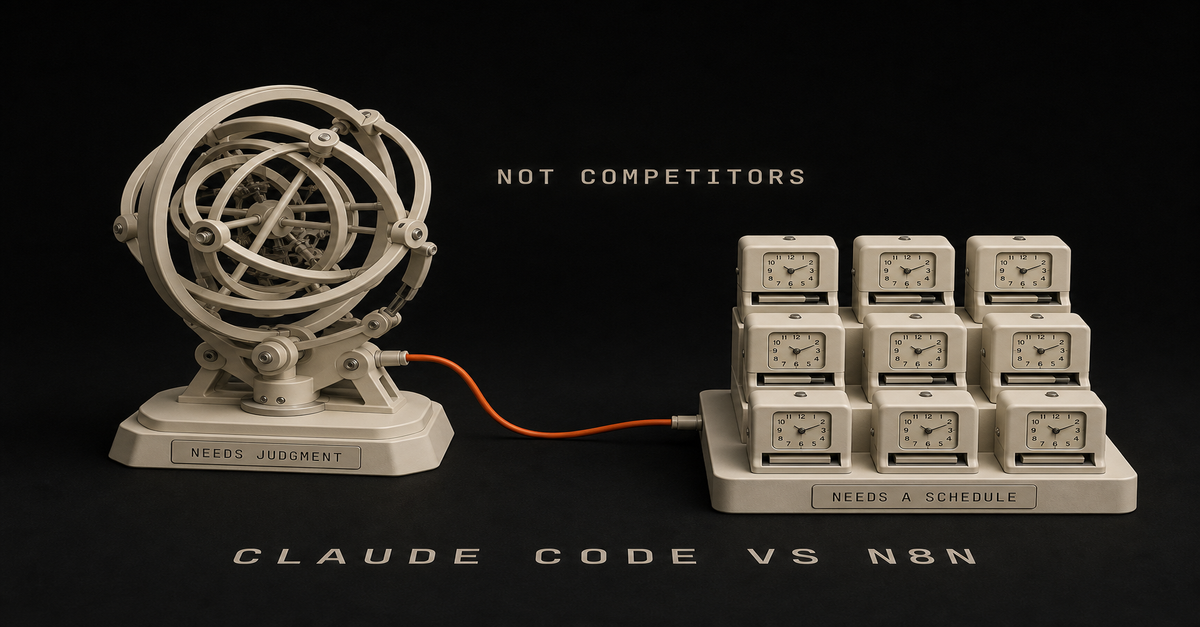
Whether you search it as "Claude Code vs n8n" or "n8n vs Claude Code," the answer is the same: they are not competitors. They are different parts of the same operating system.
Use Claude Code when the task needs judgment, file edits, writing, reasoning, or codebase awareness.
Use n8n when the task needs triggers, data movement, scheduled runs, retries, and integrations.
Heads up: some links in this post are affiliate links — a small kickback to me at no cost to you. I only recommend tools I've actually run.
The boring answer is the useful answer: Claude Code builds and thinks. n8n runs and routes.
Quick comparisonUse case
Claude Code
n8nEdit website files
Best
WeakBuild an internal script
Best
PossibleTrigger when a form is submitted
Possible
BestMove data between tools
Possible
BestWrite content in your voice
Best
Needs LLM nodeSchedule a daily workflow
Possible
BestInspect a repo and make changes
Best
WeakRoute content through approvals
Possible
BestThe 10-second decision rule
Ask this:
Does the task need context and judgment, or does it need a reliable trigger?
If it needs context and judgment, use Claude Code.
If it needs a reliable trigger, use n8n.
If it needs both, use both.
That sounds too simple, but it prevents the common mistake: trying to make n8n think like an operator or trying to make Claude Code behave like a durable scheduler.Save this one. It settles the argument in ten seconds.
When to use Claude Code: messy work with context
Use Claude Code for work where the prompt is the product.
Examples:writing a blog draft from a real build log
refactoring a site page
creating a new Astro page
reviewing a workflow
generating a script
turning a messy idea into an implementation planClaude Code is strongest when it can read the surrounding context and make decisions.
Claude Code is especially strong for solo builders because your business context often lives in files:site copy
product docs
workflow notes
analytics exports
newsletter drafts
messy markdown docs
code and configThat is not a clean API problem. That is an "understand the room before touching things" problem.I walk through this on camera in How I Actually Use Claude Code in 2026 (Not Just Apps) (18 min).When to use n8n: repeatable work with triggers
Use n8n for the plumbing.
Examples:when a YouTube video is uploaded, create content tasks
when a Notion status changes, trigger a writing workflow
when an RSS item matches a topic, save it for review
every Friday, prepare the newsletter draft queue
when a form is submitted, add the person to MailerLiten8n is strongest when the workflow has a clear trigger and repeatable steps.
It also gives you visibility. When a workflow fails, you can inspect the run, find the bad node, fix the credential, retry the step, and keep moving.
That matters once the workflow touches real business operations.
The best pattern: Claude Code plus n8n plus human approval
The clean pattern is:n8n detects the event.
n8n gathers the inputs.
Claude handles the judgment-heavy step.
n8n saves the output.
A human approves.
n8n publishes or routes the result.That is the Ship Lean pattern: automation for the boring parts, human review for the parts with consequences.
Here is what that looks like for content:Step
Owner
Job1
n8n
Detect new video, build log, or GSC CSV2
n8n
Gather transcript, URL, notes, metadata3
Claude Code
Create brief, draft, edit, and file diff4
Human
Approve quality and positioning5
n8n/GitHub
Route PR, deploy, notifyThat is the version I trust. Not "AI posts directly to production while you sleep." That sounds good until it publishes something stale, generic, or wrong.
What should solo builders choose first?
If your problem is "I need to build or improve the system," start with Claude Code.
If your problem is "I keep copying data between apps," start with n8n.
If your problem is "I shipped a thing and nobody knows it exists," use both. Claude Code turns the proof into assets. n8n routes and schedules them.
Common mistake: using n8n as the whole brain
n8n can call LLMs. That does not mean the whole system should live inside n8n.
Once prompts, examples, brand rules, page templates, and content logic get serious, they become easier to maintain in a repo. That is where Claude Code shines.
Use n8n to collect inputs and trigger the run. Use the repo for durable instructions. Use Claude Code to operate on the repo. Use n8n again to notify and route the result.
Common mistake: using Claude Code for recurring ops
Claude Code can write a script. It can run a command. It can help you publish.
But recurring business operations need:schedules
retries
run history
credential handling
webhook triggers
alerts
handoff to other appsThat is n8n territory.
The Ship Lean setup I would run
For a solo builder trying to grow traffic:Claude Code owns the content system in the repo.
n8n watches for inputs: Search Console exports, YouTube videos, build logs, and newsletter notes.
Claude Code creates the page/tool/workflow draft.
The editor skill checks for thinness, reader fit, and whether the page actually helps.
Visual skill generates a diagram or comparison asset.
Human approves.
GitHub/Vercel ships.Want to estimate whether an automation is worth building? Run the automation priority audit. Want the stack cost? Use the AI stack cost calculator.
If your specific question is whether n8n should run an agent workflow, read what an n8n AI agent is and then map it with the n8n AI Agent Workflow Builder.
If you use Codex instead of Claude Code, the decision rule is almost the same. Read Codex vs n8n for the repo-agent version, or AI coding agent vs workflow automation for the broader split.
And if you have never opened a terminal at all, start one door earlier: Claude Cowork vs Claude Code - the same engine without the command line.
FAQ
Can n8n replace Claude Code?
No. n8n can call an LLM, but it does not replace a code-aware agent working inside your repo.
Can Claude Code replace n8n?
Sometimes for small scripts. But for recurring workflows with integrations, triggers, and retries, n8n is cleaner.
What is the best first workflow?
A content repurposing workflow is usually a strong first build because it turns work you already did into distribution.
Should I learn n8n if I already use Claude Code?
Yes, if you want recurring workflows that touch multiple apps. Claude Code helps you build and maintain the system. n8n helps the system run on schedule.
Last reviewed: July 2026.This post is part of the n8n AI agents hub: definitions, tutorials, workflow patterns, and the build-vs-run decision pages in one place.
Quick answer: Use Codex when the work lives in a repo and needs judgment, editing, tests, or codebase context. Use n8n when the work needs a trigger, credentials, retries, run history, and repeatable automation. The Ship Lean rule is simple: Codex builds. n8n runs. Human approves.
Here is the receipt behind that rule: I moved about 47 n8n nodes into code, and I kept exactly one workflow running in n8n. Not zero. One. Which one survived, and why, is the most useful part of this page.
Heads up: some links in this post are affiliate links, a small kickback to me at no cost to you. I only recommend tools I've actually run.
Searching for "n8n codex" or "codex with n8n"? You usually do not pick one. You connect them: n8n owns the trigger and the routing, Codex does the build step that needs judgment, and a human approves before anything ships. Jump to the best pattern for the exact split.
Start with the n8n AI Agents hub if you want the whole system. If the workflow specifically needs an n8n agent, use the n8n AI Agent Workflow Builder before touching the canvas.
If you want the templates behind this split, use the public Claude Code Systems Kit. It covers repo-aware builder work, local agent runs, n8n approval gates, and workflow specs.I walk through this on camera in How I Use Claude Code + n8n to Automate What AI Can't (9 min).The Difference in One TableQuestion
Codex
n8nCan it read and edit repo files?
Best
WeakCan it run tests and inspect diffs?
Best
WeakCan it trigger from forms, webhooks, schedules, and apps?
Possible
BestCan it manage app credentials cleanly?
Not the job
BestCan it retry failed workflow steps?
Possible with scripts
BestCan it show run history?
Not the job
BestCan it draft, refactor, and QA content/code?
Best
Needs LLM nodesCan it route human approvals?
Possible
BestThis is why the comparison is not "which tool is smarter?" It is "which tool owns which layer?"The whole split on one card. The pattern that wins uses both.
What I Actually Moved, and the One Thing I Didn't
I ran a serious n8n setup. For content it was genuinely good: it would write, it would post, it would call APIs. I am not going to pretend it was bad. It was impressive when it worked.
Then I moved almost all of it into code.
The reason is the 47-node problem. A complex process might be 47 steps on a canvas. Step one is "scrape this," which is easy enough. But then it is do this, then do that, and now you are embedding complex prompts inside an agent node and wiring specific tools to it.
It takes an hour to build something you could have tested and shipped in that same hour as a skill. And those 47 nodes become one file with far less to maintain.
But I kept one workflow, and it is still running.
It is a scheduled scraper running on a Mac mini. That is exactly the kind of work n8n still does well: very deterministic, scheduled, and cheap enough that the cost never comes up. There was no reason to move it.
That one survivor is the honest boundary of this whole argument. My work moved to code because it was agent-shaped, not because connectors and runners are obsolete. My automation was mostly "think, then write, then decide," which is terrible canvas work and great agent work.
The scraper is the opposite: no judgment, fixed rules, runs on a timer. Code would not make it better. It would just make it mine to maintain.
Check what shape your work is before you copy me.
Is n8n Still Worth Learning in 2026?
This is the question the threads are actually asking, and most comparison pages dodge it. So here is a straight answer.
For most people: no. Do not spend your time there.
If you had asked me a year or two ago, that was the thing to learn. People who knew n8n had a real edge with AI. Today you do not get that edge from it. It is good to know the fundamentals of how automation is shaped, triggers, credentials, retries, approvals, but you can learn that concept in an afternoon without becoming an n8n specialist.
The doubt is widespread among people who invested heavily. One r/n8n post opens: "For the past ~6 months I went all in on n8n. Built a pretty comprehensive 12-hour course (from zero to building quite advanced AI agent workflows)..."
One real exception, and it matters. If you are a business currently running on Zapier, n8n probably still has the edge. It is a little more daunting visually, but it is easier and cheaper to build in once you are past the first hour. That migration is still worth doing.
What n8n does not have anymore is the edge for modern workflows. That is a different claim from "n8n is dead," and the scraper on my Mac mini is the proof of the difference.
Which Agent Should Build Your n8n Workflows?
People argue about this constantly and I use both tools daily, so let me settle it as far as I honestly can.
First, the honest disclosure: I do not build n8n workflows anymore. If I am building a workflow, I am building it in code with Claude or Codex.
But if I genuinely needed one, here is my method, and it is not the one most tutorials sell.
Having AI generate the n8n workflow JSON is a gamble. It comes out clunky, and some of it does not work. You end up debugging someone else's generated structure, which is slower than building it yourself.
So: build it yourself in the canvas, and use Claude to plan the nodes and QA the result. That is faster for me than debugging generated JSON, every time.
The community lands in the same place on model choice. From an r/n8n thread on which agent to use: "Claude is consistently better. Stick with Claude Code. Codex or Gemini will not be more effective."
One update worth knowing if you work outside the editor: there is a first-party n8n CLI. Per n8n's own docs it is "a lightweight command-line client that communicates with a running n8n instance through the n8n API," and it can list and inspect workflows, create a workflow from JSON, check recent executions, create a credential, and manage projects.
Worth knowing what it is not. It is an API client, not a full workflow-as-code system, and its export and import command is still marked preview. So it makes scripting and inspection genuinely practical, but it does not turn the canvas into a repo.n8n's CLI docs, captured August 14, 2026. Note the last item in the page nav: n8n now documents using the CLI as a skill with Claude Code.
Use Codex for Builder Work
Codex is the better choice when the work requires context from your project:refreshing a blog article against Search Console evidence
adding schema, metadata, internal links, or page sections
building a new calculator, tool, or workflow page
reading existing files before making a change
running a build and fixing failures
turning a messy idea into a concrete implementationThat is builder work. It benefits from repo context and judgment.
If you try to force that whole process into n8n, the canvas gets crowded fast. Prompts, examples, brand rules, page templates, and QA checks belong in files where a coding agent can inspect and update them.
Codex ships inside the ChatGPT Pro tiers, per OpenAI's Pro tiers page, so if you already pay for Pro you already have it.
Use n8n for Runner Work
n8n is the better choice when the work needs to happen repeatedly:every Monday, pull Search Console data
when a form is submitted, enrich the lead
when a video is uploaded, create repurposing tasks
when a page draft is ready, notify the human reviewer
when approval is granted, send the next step to GitHub, Slack, Notion, or emailn8n is strongest as the workflow layer because it handles boring operational details: triggers, credentials, retries, node-level debugging, and run history.
That boring part is the part that keeps systems alive. It is also why my one surviving workflow is still there.
The n8n template library listed 11,490 workflow templates as of August 2026, which is a decent shortcut if the runner work you need is a common one.
The Best Pattern: Codex Plus n8n
For organic traffic, the useful system looks like this:Step
Owner
Job1
n8n
Pull Search Console query/page data2
n8n
Filter for impressions, weak CTR, and low position3
Codex
Read the target page and refresh it4
Codex
Run build, SEO QA, and link checks5
Human
Approve the point of view6
n8n/GitHub/Vercel
Route deployment and notifyThat is the arbitrage: n8n finds and routes repeatable signals. Codex turns the signal into a useful asset.
How to use n8n with Codex, step by step
If you searched "n8n with codex" and want the wiring rather than the theory, this is it:Trigger in n8n. A Schedule, Webhook, or Form node starts the run and carries the input data.
Call Codex as a build step. Run it from a script or an Execute Command node so it reads the repo, makes the change, and returns a result. You are not embedding the agent in the canvas.
Capture the output back into the workflow as structured data.
Route it to a human. Slack, email, or a GitHub pull request. Nothing that touches production, customers, money, or the public site ships without approval.
Let n8n handle the boring half: retries, credentials, and run history for the whole thing.The connector-plus-agent pattern is now mainstream rather than a niche trick. Zapier publishes its own Codex integration guide for the same shape of setup, and my plain-English version of that setup is at how to use Zapier with Codex.
When Codex Alone Is Enough
Use Codex alone when the task is one-time or repo-bound:"refresh this tutorial"
"add a hub page"
"fix this favicon"
"build a comparison page"
"run the local build"No workflow runner needed. The value is in the edit.
As one r/codex user framed the division: "Where codex is great is if you want to take an n8n automation and make it a standalone app. Or writing an endpoint that can be triggered by your [workflow]."
When n8n Alone Is Enough
Use n8n alone when the rules are clear:copy a form submission into a CRM
send a Slack notification after a status change
save an RSS item to a database
send a weekly report
route approved data between apps
scrape the same source on a schedule, foreverNo coding agent needed. The value is in the repeatable run. That last line is my one surviving workflow, and it is why this section is not a courtesy.
When You Need Both
Use both when the workflow has a repeatable trigger but the output needs judgment.
Good examples:Search Console opportunity scoring
weekly content refresh queue
transcript-to-blog draft routing
lead triage with human approval
workflow JSON review before importThe model should not publish directly. It should prepare the work, show evidence, and ask for approval when the output touches the public site, customers, money, or production.
The scaling argument from r/codex matches what my own migration found: "For simple workflows, n8n + an LLM might be fine, but once things get serious, Codex handles straight code much better than going through a [canvas]."
My Default Rule
If the problem is "build the system," use Codex.
If the problem is "run the system every week," use n8n.
If the problem is "use real signals to ship useful assets repeatedly," use both.
And if you are sitting on a canvas full of nodes wondering whether to migrate: count how many of them are making a decision. If it is most of them, that is agent-shaped work and it belongs in code. If it is none of them, leave it alone. That is what I did with the one I kept.
Next, read AI coding agent vs workflow automation, then map the runner side with the n8n AI agent workflow example.
Published June 15, 2026. Last reviewed and updated August 14, 2026: corrected the migration receipt to "kept one workflow" from the earlier "kept nothing" phrasing, added the worth-learning verdict, the which-agent section, the n8n CLI, and a step-by-step n8n-with-Codex block. Codex tier inclusion and the n8n template count verified against vendor pages that day, linked inline.
Direct Answer
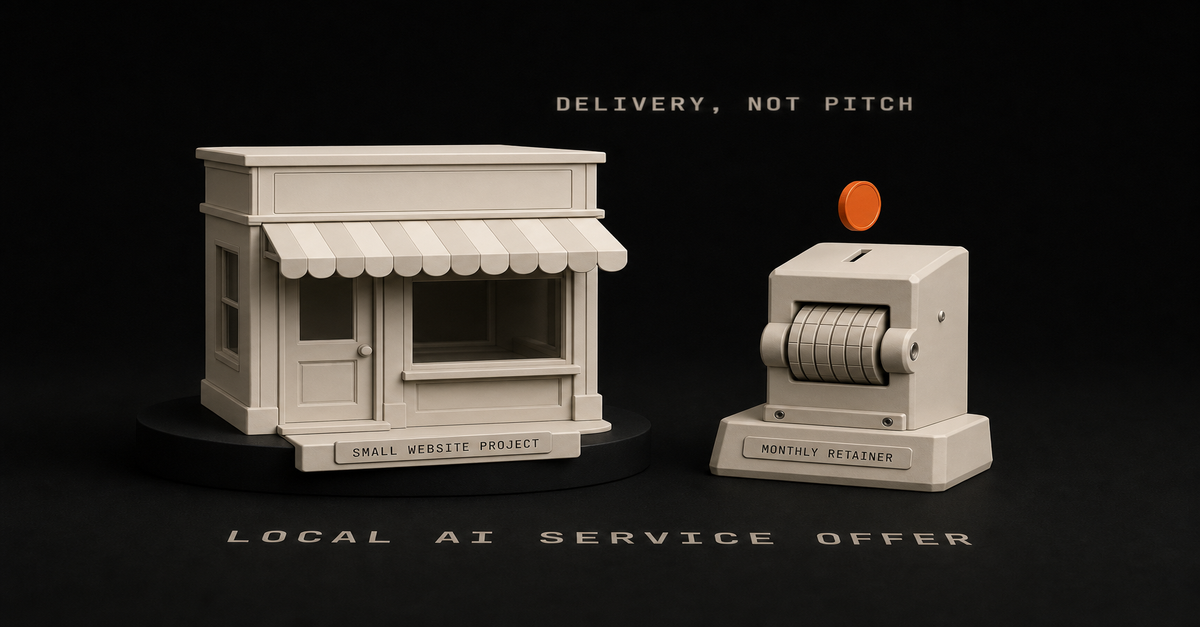
Package the offer as a small website project plus a monthly retainer that owns one automation. The AI coding part is delivery, not pitch.
Local owners do not buy AI. They buy more booked jobs, faster lead responses, fewer no-shows, and a site that does not embarrass them. You sell that. You deliver it with Claude Code drafting the site and n8n owning the workflow that produces the result. The offer reads: a flat-fee site, then a monthly fee for one workflow you own end to end. One scope, one outcome, one invoice.
Heads up: some links in this post are affiliate links — a small kickback to me at no cost to you. I only recommend tools I've actually run.
Use This When And When To Skip ItUse this
Skip thisYou can ship a small site and one working n8n workflow in a weekend
You have never deployed either and want to learn on a paying clientYou will answer the phone, drive to a meeting, and fix a broken Zap on a Saturday
You want a fully remote, faceless buyerYou want predictable monthly revenue from 3 to 8 clients
You want one $100k contract and no support loadYou like scoping in plain English and writing one-page proposals
You need a brand, a deck, and a sales team to feel readyTradeoff: this is a feet-on-the-ground offer. The reward is fast cash and a real reference. The cost is showing up.
The System
Trigger -> referral, local search, in-person ask, or a clear pain ("we miss calls")
Inputs -> one decision-maker, current website, current lead flow, one number they want to move
Decision -> site project + which single workflow gets the retainer
Claude step -> drafts site, intake form, and n8n workflow JSON inside your repo
Artifact -> deployed site, one live workflow, a 1-page operating doc the owner can read
Approval -> owner reviews the workflow output for one week before it runs unattended
Output -> monthly retainer invoice, monthly result note (what ran, what failed, what changed)
Feedback -> the one number they wanted to move, checked monthlyThe model writes the code. The workflow owns the result. You own the relationship and the gate.
Steal This Workflow
Here is the offer, broken into pieces you can copy.
1. Pick one outcome per client. Not "we will do your marketing." Pick one of: faster reply to inbound leads, automated review requests after a job closes, appointment reminders that cut no-shows, or a seasonal offer that fires on a weather trigger. One outcome means one workflow.
2. Scope the entry project. A 5 to 7 page site, a contact form that posts to a webhook, and one CRM or sheet as the source of truth. Fixed price. Two-week delivery. Written scope, written exclusions.
3. Draft with Claude Code in a real repo. Open Claude Code inside the client repo, hand it the brief, and let it write the Astro or Next pages, the form handler, and the n8n workflow JSON. Read the diff. Reject the parts that drift. Do not paste from a chat tab into production.
4. Run the workflow JSON through a real audit. Community templates and AI-generated JSON both ship credentials, webhooks, and code nodes you did not write. Pass anything before it goes live through the n8n workflow JSON auditor.
5. Build and QA before you hand it over.
npm run build
npm run qa:searchThe site is the proof. A broken sitemap or missing title tag tells the owner the work is sloppy.
6. Sign the retainer on one workflow. Monthly fee. One workflow owned. The contract names the workflow, the trigger, the input source, the output, and what counts as a failure. If they want a second workflow, that is a second retainer.
7. Send a one-page monthly note. Three lines: what ran, what failed, what you changed. The note is the renewal mechanism. Most local owners never get this from a vendor.
8. Use a planner to keep scope honest. When the owner asks for a second workflow inside the same fee, open the Claude Code n8n workflow planner and show them the node map. A picture turns "one more thing" into "that is a second project."
What This Looked Like For This Page
This page started as a Reddit source signal in the weekly AEO run, not as an idea I had in the shower.
The run pulled 936 raw Reddit RSS entries, scored 314 candidates, generated 25 AEO briefs, and marked 9 of those as publish_now. This topic passed because:Gate
Why it passedSource language
The thread used "first real AI coding income" and "local service business" instead of abstract "AI consulting" languageArtifact
The answer maps cleanly to one project plus one workflow plus one monthly note, which a reader can copyCluster fit
It links into Claude Code, n8n, the workflow planner, and the AI stack post without forcingThe page is research-inspired by the thread, not a claim that I ran these specific clients.
What Most People Get Wrong
The mistake is leading with "AI" in the sales conversation.
The owner is trying to decide if their phone will ring more next month. They do not care about Claude versus GPT. They care if the new system breaks their existing scheduling. The pitch should sound like "you are losing 4 leads a week because nobody replies in under an hour, here is what I will do about it for a fixed fee" and not like a feature list.
Three more breakages that show up in the threads:Scope creep eats the retainer. Owners ask for "just one more thing" until the monthly fee becomes a part-time job. Name the workflow in the contract. Anything else is a new project.No approval week. The workflow goes live on day one, fires on the wrong record, and the owner cancels. Give it a one-week review window where every output gets manually read before it sends.The retainer has no artifact the owner can read. They cannot see what they are paying for. The monthly one-page note is the artifact.How I Would Build This In Ship Lean
The Ship Lean version uses Claude Code for the build, n8n for the running workflow, and the repo for the audit trail.
Claude Code in the client repo. Each client gets a small Astro or Next repo with the voice and brand notes as files Claude Code reads on every run. The model never re-negotiates tone, link structure, or schema.
n8n owns the running workflow. The n8n AI agent workflow pattern handles trigger, decision, and approval. The lead intake or review request runs through the same shape as the n8n AI agent tutorial. One human gate before anything customer-facing fires.
Audit anything you did not write. Community JSON and AI-generated JSON both need a pass through the n8n workflow JSON auditor before activation.
The stack stays small. Repo, Claude Code, n8n, one CRM or sheet, one site host. The longer AI stack for solo founders writeup goes deeper on what to keep and what to cut.
The SEO layer for your own offer. Use the same workflow you use for clients on yourself. The Claude SEO workflow post explains how to wire Claude as a workflow step instead of a chat tab so your own service page is not the weakest part of the funnel.
Next Step
If you are sitting on AI coding skills and no offer, do one thing this week. Pick a local business you already know, write the one-page proposal as a fixed-fee site plus a one-workflow retainer, and send it.
If you want to map the workflow before the conversation, the Claude Code n8n workflow planner sketches the trigger, intake, decision, approval, and result so you walk in with a node map instead of a vibe.
Source Signal
Research-inspired by a Reddit thread describing a builder's first real AI coding income from a local service business: a website project, a monthly growth retainer, and a larger internal automation. Treat the thread as one operator's note, not as Chris's results. Original: the r/SaaS thread, "My first real AI/coding income case."
Related AEO PagesClaude SEO workflow
Weather-triggered HVAC booking workflow
Learning AI workflows from scratch
Pre-launch social media automationFAQ
Why pitch local service businesses instead of SaaS customers?
Local owners pay for outcomes they can see this month. They are the right buyer for an operator who is still learning the sales motion.
What is the actual offer shape?
A fixed-fee site project as the entry, then a monthly retainer that owns one workflow end to end.
Where does Claude Code fit?
Claude Code drafts the site and the workflow JSON inside your repo. You read the diff and approve the deploy.
How do I price it without guessing?
Flat fee for the site, flat monthly fee for one workflow. Skip hourly until you know how long the work takes.
When should I skip this offer entirely?
Skip it if you will not answer the phone, drive to one meeting, or maintain a workflow you shipped six months ago.
Direct Answer
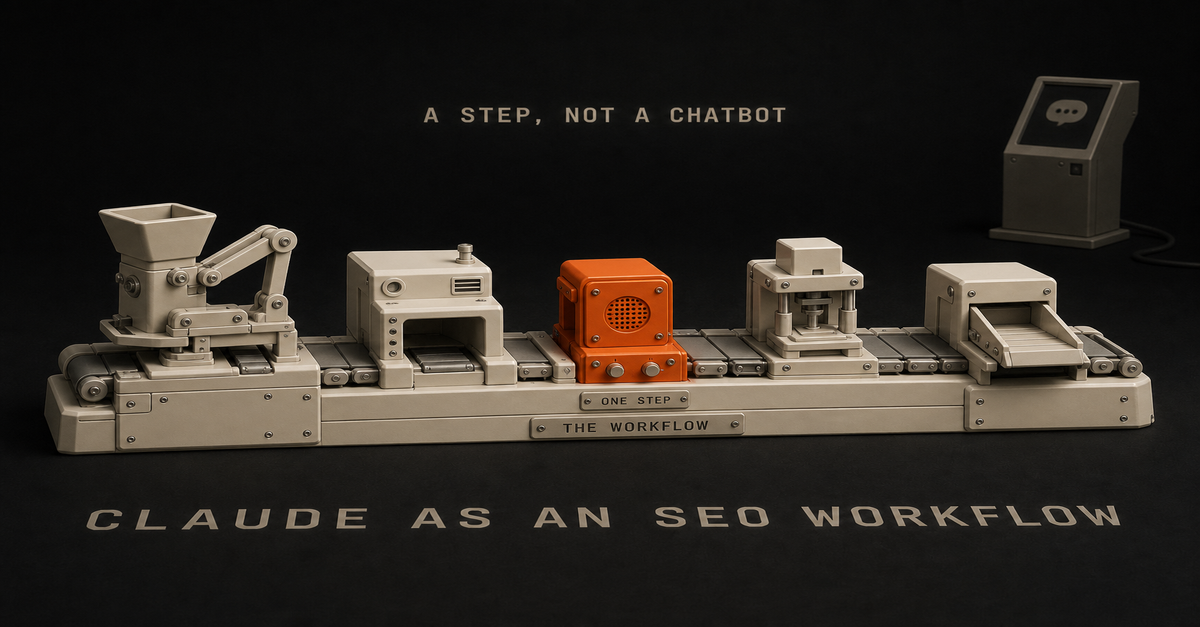
Use Claude as one step inside a defined workflow, not as a chatbot you re-prompt every week.
A chatbot has no memory of your site, no schema rules, no internal-link map, and no approval gate. A workflow has a trigger, inputs, a decision rule, an artifact, and a review step. Claude only sees the inputs you load. The output is the same shape every time. The system improves because you fix the workflow, not the prompt.
The smallest version: pull Search Console data on a schedule, score the query, brief the page in a file in your repo, draft in Claude Code with the repo as context, edit against a checklist, build, QA, publish. Same path every run.
Use This When And When To Skip ItUse this
Skip thisYou publish 2+ pages a month and they keep drifting in voice
You are writing one-off pages with no clusterYou have a repo with existing posts, voice notes, schema, and an internal-link map
You have fewer than five existing postsGSC is connected and showing impressions you are not converting
You have no GSC data yet. Fix that firstYou want the same shape every week without re-explaining tone
You enjoy the chat-window flow and only ship monthlyTradeoff: a workflow takes one weekend to wire. A chat window takes zero. The workflow pays back the second week.
The System
Trigger -> weekly cron or new GSC opportunity
Inputs -> GSC query, target page, internal-link map, schema rules, voice profile
Decision -> answer page, comparison, workflow, tool, or refresh?
Claude step -> draft against the brief with the repo as context
Artifact -> markdown file, frontmatter, internal links, FAQ schema
Approval -> human read for voice, claims, and receipts
Output -> commit, build, deploy, ping IndexNow
Feedback -> GSC impressions, CTR, position at 14/30/50 daysClaude owns: writing the draft, expanding the brief, drafting the FAQ, proposing internal links.
Claude does not own: deciding what to publish, approving claims, hitting publish, measuring results.
That split is the whole point. The model is one node. The workflow is the system.
Steal This Workflow
This is the actual shape that runs on this site. Copy the file paths, swap your repo.
1. Pull the data weekly.
npm run gsc:refresh
npm run reddit:aeo-scout
npm run aeo:weeklyOutput: a ranked list of real questions and queries with enough signal to become an answer page.
2. Pick the page type by query shape.Query shape
Asset"what is X"
Answer page + FAQ schema"X vs Y"
Comparison page"how to X"
Tutorial or workflow page"X calculator / template / planner"
Free tool"best X for Y"
List or stack page3. Write the brief as a file in the repo, not a chat message.
outputs/aeo-page-briefs/<run>/briefs.mdThe brief must contain the source query, the exact source language, the direct-answer angle, the artifact the page will ship, and the internal links it should hit.
4. Hand the brief to Claude with the repo as context.
claude --model opus -p "Read the brief at outputs/aeo-page-briefs/<run>/briefs.md. Read the voice profile. Read existing posts in src/content/posts/ so you do not duplicate angles. Draft the page per the AEO standard. Return markdown only."Claude reads voice, existing posts, schema rules, and the internal-link map from the repo. It does not re-negotiate tone.
5. Run the deterministic QA gate before you touch the build.
python3 /Users/chrisalarcon/Documents/Productivity/.claude/skills/ship-lean-aeo-page-factory/scripts/score_aeo_page.py path/to/draft.mdIf it returns below 8.5, revise. If any category scores 0, the page fails even at a high total.
6. Build, QA, deploy.
npm run build
npm run qa:searchCheck: title and meta unique, sitemap includes the URL, canonical correct, schema present, no broken internal links.
7. Ship and inspect.
After deploy, submit the URL to IndexNow and inspect it in GSC:
node scripts/gsc-inspect.mjs https://yourdomain.com/blog/<slug>8. Measure at 14, 30, and 50 days. Refresh the pages with impressions but weak CTR before writing new ones.
Every step has an owner, an input, an output, and a gate. The Claude step is one row in that table.The 60-second version, from my Shorts: My Dead Blog Hit 22-Click Days and Hosting Costs $0.What This Looked Like For This Page
This page did not start with "write me an SEO post about Claude."
It started as a recent Reddit source signal, then moved through the same page-factory path:
npm run reddit:aeo-scout -- --run-name 2026-05-14-weekly-aeo
npm run aeo:weekly -- --run 2026-05-14-weekly-aeo --run-name 2026-05-14-weekly-aeoThat run pulled 936 raw Reddit RSS entries, scored 314 candidates, generated 25 AEO briefs, and marked 9 as publish_now.
This topic won because it had the three things a real AEO page needs:Gate
Why it passedSource language
The question was not abstract. People were talking about using Claude for SEO work, not "AI content strategy" as a vague categoryArtifact
The answer could become a workflow map with commands, repo paths, QA gates, and a skip ruleCluster fit
It naturally links into Claude Code, n8n, GSC, AEO pages, and Ship Lean's content systemThe draft then went through an Opus pass, a Codex QA pass, and this local gate:
python3 /Users/chrisalarcon/Documents/Productivity/.claude/skills/ship-lean-aeo-page-factory/scripts/score_aeo_page.py src/content/posts/how-to-use-claude-as-an-seo-workflow/index.mdThat is the part most "AI SEO" content skips. The model can write the page, but the workflow decides whether the page deserved to exist.
What Most People Get Wrong
The mistake is treating Claude like a search assistant.
Open a fresh chat. Paste a keyword. Ask for an outline. Ask for a draft. Ask it to rewrite the intro. Next week, do it again with a different keyword. The output is fine. Nothing compounds.
Three specific things break.No memory of your site. Claude does not know what you already published, what you internally link, or what your schema looks like. You end up with thin pages that compete with each other for the same query.No decision rule. Every chat is a fresh negotiation about angle, length, and tone. You re-explain your voice on Monday and again on Friday.No approval gate. A chat window encourages "looks good, ship it." A workflow forces a checklist read: direct answer up top, no invented metrics, internal links present, schema correct.The fix is not a better prompt. The fix is a workflow that uses the prompt as one step.
How I Would Build This In Ship Lean
The Ship Lean version uses Claude Code for judgment steps and n8n for routing.
Inputs live in the repo, not in chat.Voice profile and brand rules as files Claude Code reads on every run.
A list of existing posts and their primary queries so the model does not propose duplicate angles.
A schema reference for BlogPosting and FAQPage so the FAQ block is always valid.
An internal-link map of tool, workflow, and pillar pages.Claude Code as the draft step. Use the Claude Code n8n workflow planner to sketch where Claude sits in the pipeline. The model reads the brief and the repo. It writes one draft. It does not pick the topic.
n8n as the router. Use the n8n AI agent workflow pattern for triggers and routing. n8n pulls GSC data on a schedule, queues briefs, posts drafts to a review channel, pings IndexNow after deploy. The same approval pattern from the n8n AI agent tutorial keeps a human in the loop before anything goes live.
Heads up: some links in this post are affiliate links — a small kickback to me at no cost to you. I only recommend tools I've actually run.
Importing community workflow JSON safely. If you grab community n8n workflows for SEO tasks, run them through the n8n Workflow JSON Auditor before activating. Unknown JSON can include credentials, webhooks, and code nodes you did not write.
The stack stays small. Claude Code, n8n, GSC, the repo. That is enough. The full AI stack for solo founders post goes deeper on what to keep and what to cut.
Next Step
If you are still pasting prompts into a Claude chat for SEO work, do one thing this week. Pick the next page you plan to write. Build the brief in a file in your repo. Open Claude Code in that repo. Run the draft step there instead of in a chat tab.
If you want the same routing layer Ship Lean uses, the Claude Code n8n workflow planner maps the trigger, brief, draft, approval, and publish nodes for you. The model did not change. The workflow did.
Source Signal
Research-inspired by a Reddit thread where an operator described moving SEO work out of Claude chat and into a defined workflow. Treat the thread as one builder's note, not as proof of Chris's results. Original: the r/ClaudeCode thread, "Guys, I stopped using Claude as a chatbot for SEO work."
The pattern matches the broader Ship Lean rule: the model is one step, the workflow is the system, and the approval gate is non-negotiable.
Related AEO PagesAI coding local service offer
Weather-triggered HVAC booking workflow
Learning AI workflows from scratch
Pre-launch social media automation
Self-hosted n8n Zapier gotchasFAQ
What does it mean to use Claude as an SEO workflow?
Treat Claude as one step in a defined pipeline: GSC query in, brief in, repo context in, one draft out, human approval before publish.
Do I need Claude Code or will Claude.ai work?
Claude.ai is fine for one-off drafts. Claude Code is stronger because it reads your repo, voice profile, and internal-link map on every run.
Where does n8n fit?
n8n owns triggers and routing: pull GSC on a schedule, queue briefs, post drafts to review, ping IndexNow after deploy. Claude owns the judgment steps.
Can I automate the whole thing end to end?
No. Keep a human approval gate. Automate the boring steps. Approve the taste calls.
When should I skip this entirely?
Skip it if you publish under one page a month, have no existing cluster, or have no GSC data yet. Wire the data first.This post is part of Claude at Work, the hub with every plan decision, task comparison, and setup guide for using Claude at your job without code.
Claude Code and n8n are not replacements for each other.
They are two layers of a solo-builder operating system.Layer
Tool
JobBuild and judgment
Claude Code
Read context, edit files, draft, review, implementTrigger and routing
n8n
Detect events, gather inputs, retry, notify, routeApproval
Human
Protect quality, voice, brand, money, productionIf your workflow needs repo context, use Claude Code.
If your workflow needs a recurring trigger, use n8n.
Heads up: some links in this post are affiliate links — a small kickback to me at no cost to you. I only recommend tools I've actually run.
If your workflow needs both, use both.
Why solo builders confuse them
Both can touch AI.
Claude Code can run commands and make changes. n8n can call an LLM. So it is tempting to ask, "Which one should run the business?"
Wrong question.
The better question is:
Which part of the workflow needs judgment, and which part needs reliability?
Claude Code is for judgment.
n8n is for reliability.
A practical example
Say you want to turn a Search Console export into a new search asset.
n8n should:detect the export
save the file
notify the system
route the final outputClaude Code should:read the repo
score opportunities
create or update the page
add internal links
run the buildYou should:approve before publishingThat is the Ship Lean pattern.
Start with the planner
Before building, use the Claude Code + n8n Workflow Planner.
If the workflow is agent-heavy, use the n8n AI Agent Workflow Builder.
If you are building the full workflow stack, start with the n8n AI Agents hub. The rule is simple: Claude Code builds, n8n runs, a human approves.
I also keep a public starter repo for this split: Claude Code Systems Kit. It has the decision matrix, Claude routines, OpenClaw runner pattern, n8n approval notes, and workflow spec templates.
FAQ
Should solo builders use Claude Code or n8n?
Use Claude Code for codebase work, repo context, writing, and judgment. Use n8n for triggers, routing, integrations, retries, and schedules.
Can Claude Code and n8n work together?
Yes. n8n can detect the event and gather inputs; Claude Code can create the draft, plan, script, or diff; then n8n can route it for approval.
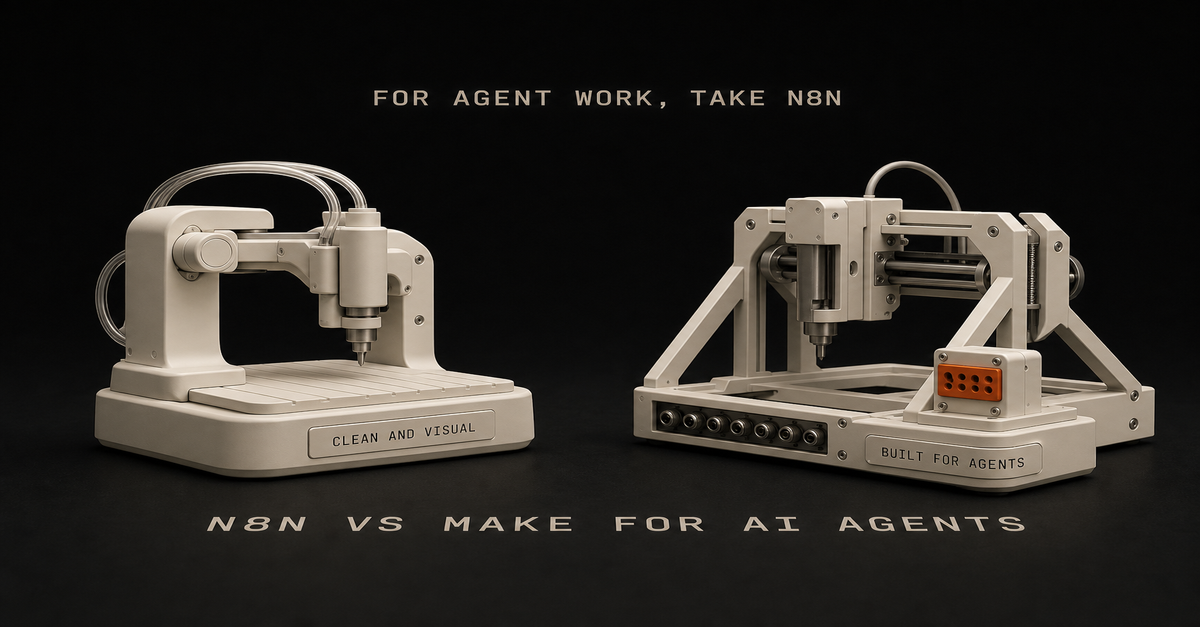
For AI agent workflows, I would usually pick n8n over Make.
Heads up: some links in this post are affiliate links — a small kickback to me at no cost to you. I only recommend tools I've actually run.
Not because Make is bad. Make is clean, visual, and easier for a lot of app-to-app automations.
But for the technical or technical-adjacent solo builder, n8n has the better shape:Need
PickEasiest visual app automation
MakeSelf-hosting and control
n8nCode nodes and custom logic
n8nAI agent workflows with tools
n8nSimple marketing ops workflows
Make or n8nLower marginal cost at scale
n8n self-hostedWhere Make wins
Make is good when the workflow is visual and app-heavy.
Use it when:you want the easiest builder
you are connecting common SaaS apps
the workflow is not deeply technical
you do not care about self-hosting
you want a polished visual interfaceIf the goal is "move this from app A to app B with some formatting," Make is fine.
Where n8n wins
n8n is stronger when you want control.
Use it when:the workflow needs code
you want self-hosting
you care about cost at scale
you need custom API calls
you want agent tools and more flexible logic
you are comfortable debuggingThat last point matters. n8n is not always easier. It is more flexible.
The AI agent workflow angle
AI agent workflows tend to need:context gathering
tool access
memory/history
conditionals
retries
logging
approval steps
custom actionsn8n fits that shape well.
Make can do plenty, but n8n feels more natural when the workflow starts drifting from "connect apps" into "build an operating system."
My recommendation
If you are a solo builder using Claude Code, GitHub, Vercel, APIs, and custom workflows, start with n8n.
If you are a non-technical operator who wants polished app automation fast, start with Make.
If you already have Make working, do not migrate for sport. Move only when you hit control, cost, or flexibility limits.
Build your first n8n agent map with the n8n AI Agent Workflow Builder.
FAQ
Is n8n or Make better for AI agent workflows?
n8n is usually better for technical solo builders who want control, code nodes, self-hosting, and agent-style workflows. Make is easier for visual app automation.
Should solo builders start with n8n or Make?
Start with Make if you want the easiest visual builder. Start with n8n if you want more control and expect to build AI agent workflows.This post is part of the n8n AI agents hub: definitions, tutorials, workflow patterns, and the build-vs-run decision pages in one place.
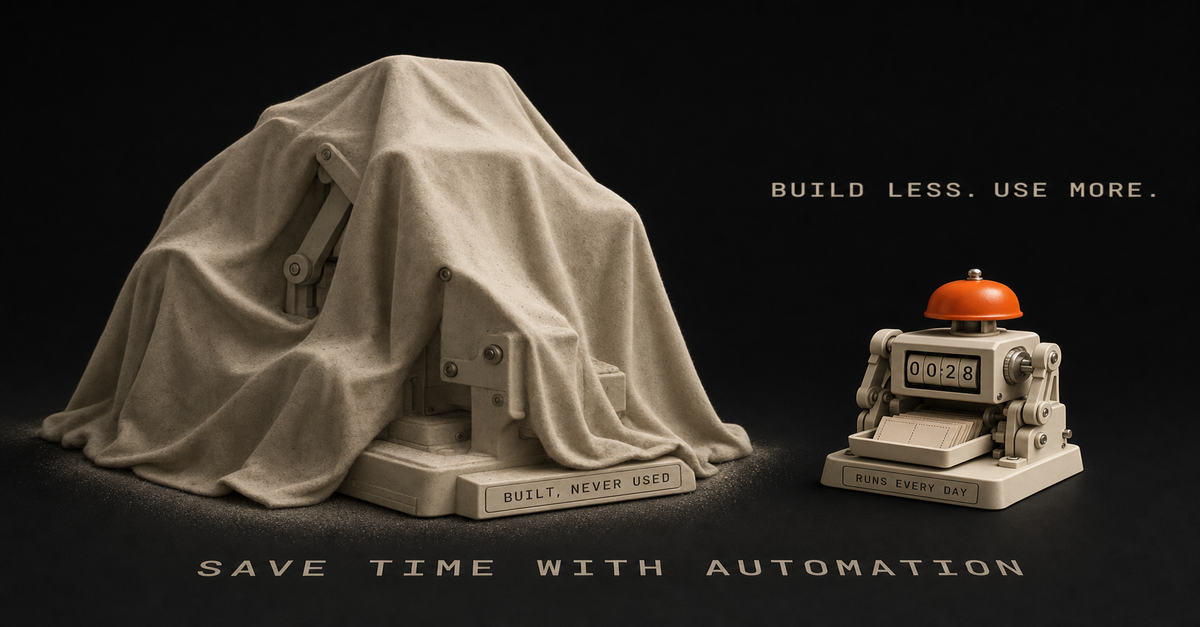
I spent 2 weeks building an automation I never used.
Four agents. Late nights after my day job. Reddit scraping, 11Labs voiceovers, Creatomate video stitching - a full faceless YouTube pipeline. The workflow actually worked. Videos would generate automatically from trending relationship posts.
And I never published a single one.
Turns out, I wasn't passionate about relationship content. I was interested in the theory of faceless YouTube, not the content itself. So I built a beautiful machine that sat there collecting digital dust.
Here's what I learned: Automation speeds up whatever you're doing. If you have a broken process, automation just makes it fail faster.
The problem wasn't my n8n skills. The problem was I skipped the part where I figured out if I actually needed this thing.
Sound familiar? Maybe you've spent a Saturday building a workflow that's supposed to save you hours. Then Monday comes, you're back at your desk, and that automation hasn't touched your real work.
That's what this guide is about. Not another "automate everything" tutorial. A framework for building automations you'll actually use, instead of weekend projects that quietly rot.
Here's the process-first approach I use now, after learning the hard way.
Why Most Automation Advice Fails (And Costs You Weekends)
You've heard the standard automation advice: "If you do something more than twice, automate it."
Sounds reasonable. Except it's not.
Here's the problem - that advice assumes the thing you're doing twice is worth doing at all. It assumes your process is already good. It assumes automation will magically make a broken workflow work.
The truth is, most people automate broken processes. Then they're confused when automation doesn't save time.
I've been there. I used to admire workflows with 100 nodes. Complex branching logic. Dozens of API calls. "Look at that beautiful automation," I'd think.
Now? I admire the simplest workflows that actually run. The 5-node system you use every week beats the 50-node masterpiece that never gets opened again.
But here's the thing about automation tutorials online: they teach you how to build, not whether to build. Nobody makes viral content about the workflow they decided NOT to create.
So you end up in a loop. Watch tutorial. Get excited. Spend the weekend building. Realize it doesn't fit your actual work. Feel frustrated. Repeat.
Another weekend gone. Nothing shipped.
The solution isn't more automation skills. It's a framework for deciding what to automate in the first place.
The Process-First Framework for Time-Saving Automation
After wasting those 2 weeks on my faceless YouTube system, I changed my approach completely. Now I follow a 4-step process before I ever open n8n.
Step 1: Justify the Use Case
Before building anything, I answer one question: What's the ROI?
Not vague "this would be nice" thinking. Actual numbers.
Here's how I calculate it:How many hours does this task take per week?
How many hours will the automation take to build?
What's the payback period?If a task takes 2 hours weekly and the automation takes 10 hours to build, that's roughly a 5-week payback. Probably worth it.
If a task takes 15 minutes weekly and the automation takes 20 hours to build? You're looking at an 80-week payback. Probably not.
Most people skip this math. They build because building is fun. Then they wonder why their calendar is still full.
Step 2: Document the Manual Process First
Here's a counterintuitive truth: you should do the thing manually before automating it.
Not forever. Just long enough to understand what you're actually doing.
I track tasks in a Notion database for 1-2 weeks before automating. I note:What triggers the task?
What are the actual steps?
Where do I make decisions?
What could go wrong?This documentation reveals the hidden complexity. That "simple" task you wanted to automate? It probably has 5 edge cases you'd only discover mid-build.
Finding those edges before building saves hours of debugging later.
Step 3: Sketch It Before Building
The breakthrough came when I started using Excalidraw before opening n8n.
I used to jump straight into building. Add a node. Add another. Get tangled in logic. Realize I needed to restructure. Waste 2 hours.
Now I spend 10 minutes sketching first. Just rough boxes and arrows showing:What triggers the workflow
What each step needs to do
Where decisions happen
What the final output looks likeSometimes Claude Code helps me brainstorm the flow. We'll talk through the logic together before I touch any automation tool.
The best part? Sometimes the sketch reveals that I don't need automation at all. The best automation is the one you don't build because you realized you didn't need it.
Step 4: Build the Minimum Viable Automation
My first n8n workflow had 4 agents when it should have had 1.
I was so excited about what was possible that I built everything. Reddit scraping AND script writing AND voice generation AND video editing AND publishing. All at once.
That's a recipe for something that never works reliably.
Now I build the smallest version first. One workflow that does one thing. Get it running. Use it for a week. Then add the next piece.
For content repurposing, I didn't start with a 10-step pipeline. I started with: blog post goes in, Twitter thread comes out. One input, one output. Everything else came later.
The 5 Automations That Actually Save Time for SolopreneursNot all automations are created equal. Some save a few minutes a week. Others claw back real chunks of your day.
These are the five categories I keep coming back to:
1. Content Repurposing
This is one of the highest-leverage automations I've built.
One piece of content becomes several. A blog post or video turns into a thread, LinkedIn post, newsletter section, and short-form ideas. Core ideas stay the same - just reformatted per surface.
Before automation: an hour per platform of manual rewriting.
After automation: one trigger, multiple drafts, then a short edit pass.
Want a version of this pipeline built for you? Record one long-form video a week, and the Content Flywheel handles drafts, scheduling, and the approval queue in your voice. See Content Flywheel DFY →
Related: How to automate social media posting with AI
2. Social Media Scheduling
Note: I'm not talking about automated engagement or auto-replies. That's a path to getting flagged and annoying people.
I mean scheduling posts you've already drafted. Batch your content, queue it up, let the scheduler handle timing.
Tools like Publer or Buffer make this dead simple. No custom n8n workflow needed - sometimes the right tool beats the custom build.
3. Email Triage and Filtering
I don't automate replies. Too risky, too impersonal.
But I absolutely automate sorting. Newsletters go to one folder. Client emails get flagged. Junk gets deleted on arrival. By the time I open my inbox, it's already mostly triaged.
Most email clients have this built in. Gmail filters, Apple Mail rules, whatever. The point is: automate the sorting, not the replying.
4. Meeting Scheduling
The back-and-forth of finding meeting times is pure waste.
Calendly or Cal.com handles this completely. Share a link, they pick a time, it's on the calendar. No "does Tuesday work? How about Thursday?"
This is a solved problem. Don't build a custom solution.
5. Client Onboarding Sequences
When someone becomes a client, there's a checklist: welcome email, project folder, CRM entry, intake form, kickoff call.
Automating that sequence means consistent, professional onboarding without you remembering each step.
Start with the welcome email. Add the rest piece by piece.
Related: n8n workflow examples worth buildingThe 60-second version, from my Shorts: 65% of My AI Automations Were Fake (I Had No Idea).The "Should I Automate This?" FrameworkBefore building any automation, I run through these four questions:
1. Does this task repeat weekly (or more)?
If you do something once a month, the automation probably won't pay off. The build time rarely justifies the savings for monthly tasks.
Weekly or daily tasks? Those are automation gold.
2. Is the process already clear and working?
If you're still figuring out how to do something, don't automate it. You'll bake confusion into the system.
Do it manually until the process is solid. Then automate.
3. Will automation ACTUALLY save time, or just move complexity?
Some "automation" just shifts where you spend time. Instead of doing the task, now you're maintaining the workflow, fixing errors, updating triggers.
Be honest about total time spent, not just time on the original task.
4. Do I need human judgment in the loop?
Some decisions shouldn't be automated. Client communications, creative direction, anything that needs judgment.
Automation should handle the mechanical parts, not replace your judgment entirely.
If a task passes all four questions, it's a candidate for automation. If it fails any of them, think twice before building.
How to Build Your First Automation (The Right Way)
Ready to build? Here's the process I wish I'd followed from the start.
Pick ONE High-Impact Task
Don't automate five things at once. Pick the one task that:Happens most frequently
Takes the most time
Has the clearest processFor most solo operators, content repurposing or email sorting wins this test. If you're not sure where to start, here are 7 repetitive tasks worth automating first - plus the 30-minute brain dump that helps you find yours.
Sketch the Workflow
Open Excalidraw (it's free) and draw:The trigger (what starts the workflow?)
Each step (what happens next?)
The output (what does success look like?)Spend 10-15 minutes here. It saves hours later.
Choose Your Tool
For most automations, n8n is my go-to. Self-hosted, unlimited workflows, no per-execution fees.
Related: n8n tutorial for beginners - your first workflow in 15 minutes
But sometimes the right answer is a dedicated tool. Calendly for scheduling. Publer for social posting. Don't build what's already solved.
Build the Minimum Version
Start with the smallest version that provides value.
If you're automating content repurposing:Version 1: Blog post → Twitter thread
Version 2: Add LinkedIn
Version 3: Add email
Version 4: Add imagesEach version works independently. You don't need version 4 for version 1 to save time.
Test with Real Data
Don't test with fake examples. Run your actual content through the workflow.
Real data reveals real problems. Edge cases you didn't consider. Formatting issues. API quirks.
Refine Based on What Breaks
Here's the part nobody talks about: debugging workflows is part of the game.
I run a small set of workflows regularly, and I'm constantly tweaking them. Something breaks, I fix it. Output isn't quite right, I adjust.
Automation isn't set-and-forget. It's a living system you maintain. Expect to iterate.
The good news: each pass makes the system more reliable. After a few weeks of tweaking, you end up with something that mostly runs itself.Want workflows like these delivered weekly?
I share the workflows I'm actually building and refining - what works, what breaks, what I'd do differently. No theory, just systems you can steal.
Start here →Real Automation Workflows You Can Copy
Here are three workflows from my actual system:
Workflow 1: Notion Content Hub → Multi-Platform Publishing
My content operation runs through one Notion database.
The flow:Write draft in Notion
Mark as "Ready to Publish"
n8n detects the status change
Claude reformats for each platform (Twitter, LinkedIn, email)
Content queues in Publer
I wake up to posts scheduledThe key: I still review before publishing. Automation does the heavy lifting, but I approve the final output.
Workflow 2: Blog Image Generation with Claude Code
Header images used to be a slog: open the design tool, fight the prompt, drag it into the right folder. Now:Claude Code reads the blog post
Generates image prompt based on content
Calls a Gemini image API
Saves to the right folderI run it, walk away, come back to a header. Most of the wall-clock time is the API.
Workflow 3: YouTube Script → Multi-Format Content
One long-form video becomes multiple assets:Script goes into the system
Pull key points for Twitter thread
Create LinkedIn article summary
Generate newsletter section
Draft TikTok hook ideasI walk through this on camera in The AI Automations That Almost Ruined My Business (11 min).Common Automation Mistakes (I've Made Them All)
Learning from my failures so you don't have to:
Mistake 1: Automating Before Understanding the Process
This was my faceless YouTube disaster. I automated a process I hadn't validated. Two weeks of work for zero output.
Now I do things manually first. Understand the task. Document the steps. Then automate.
Mistake 2: Building 4 Agents When You Need 1
My first n8n workflow was comically overengineered. Reddit scraping, script writing, voice generation, video creation - all in one system.
Should have been one agent doing one thing well. (If you're building AI agents specifically, I wrote a complete guide to n8n's AI Agent node that shows how to build autonomous, tool-using workflows the right way.)
Start simple. Add complexity only when the simple version works.
Mistake 3: Set-and-Forget Mentality
The myth of "passive" automation. Build once, never touch again.
Doesn't work that way.
APIs change. Your needs evolve. Edge cases appear. Expect to maintain your workflows. Budget time for it weekly.
Mistake 4: Automating Things You Actually Enjoy
Not everything that CAN be automated SHOULD be.
If you enjoy writing Twitter threads, don't fully automate them. Maybe automate the formatting, but keep the creative part.
Automation should free you for work you enjoy, not eliminate the enjoyable parts.
Mistake 5: Ignoring Human-in-the-Loop
Full automation sounds great until you send a weird email to a client because an edge case slipped through.
Keep humans in the loop for:Client communications
Final approval before publishing
Anything with real consequencesAutomation handles the grunt work. You handle the judgment calls.
Tools I Actually Use (And Why)
After trying dozens of tools, here's what stuck:
n8n - I ran it self-hosted on a small Hostinger VPS for two years. Unlimited workflows, no per-execution fees. This is where most of my automation used to live — as of July 2026 that work has moved into Claude Code, but for trigger-based workflows n8n is still the one I'd hand you, and these days you could even run it free on a Mac mini at home.
Heads up: some links in this post are affiliate links — a small kickback to me at no cost to you. I only recommend tools I've actually run.
Claude Code - My most-used tool. Blog writing agents, image generation, workflow brainstorming. If I could only keep one AI tool, it's this one.
Notion - Central hub for all content. Everything flows through Notion databases. n8n watches for changes and triggers workflows.
Publer - Social scheduling. Could I build this in n8n? Probably. But Publer does it better than I could.
Excalidraw - Free workflow planning. Every automation starts as a sketch here.
The theme: use the right tool for the job. Sometimes that's a custom workflow. Sometimes it's a SaaS product. Don't build what's already solved.
Your First Automation Is One Decision Away
Most of what's on this site was built around a day job. Early mornings, late nights, weekends when I could swing it.
You don't need to quit your job to build automation systems. You don't need 40 hours a week. You need the right framework and the willingness to start small.
Here's the process again:Justify - Calculate the actual ROI
Document - Do it manually first, understand the process
Sketch - Map it in Excalidraw before building
Build - Start with the minimum version
Refine - Debug, iterate, improveThat's it. No complex methodology. No expensive courses. Just a system for building automations you'll actually use.
Pick one task. The one that eats the most time. Run it through the framework. Sketch it out.
Then build version one. Not the perfect version. The minimum version that works.
You'll save more time with one simple automation that runs reliably than with five complex workflows that never get finished.
Your future self is already running systems that work while you sleep. The only question is when you'll ship the first workflow that gets you there.
Build it this week.This post is part of the n8n AI agents hub: definitions, tutorials, workflow patterns, and the build-vs-run decision pages in one place.
 Chris Alarcon