In this article
- 1 The Split in One Table (July 2026)
- 2 Claude Does Not Accept Audio Files, Full Stop
- 3 ChatGPT Is the Only One of the Two That Can Capture a Meeting
- 4 Every Ranking Page Is Answering the Second Question First
- 5 The Pain Is in the Write-Up, Not the Recording
- 6 The Handoff Between Tools Is Where the Time Actually Goes
- 7 What I actually do after a call
- 8 The Cohort Nobody Writes For: You Are Not Allowed to Record
- 9 Route It With the Chat, Cowork, Code Rule
- 10 The Third Answer: Do Not Make These Two Your Only Options
- 11 How This Comparison Was Built
- 12 Frequently Asked Questions
- 13 Pick By Whether You Can Record
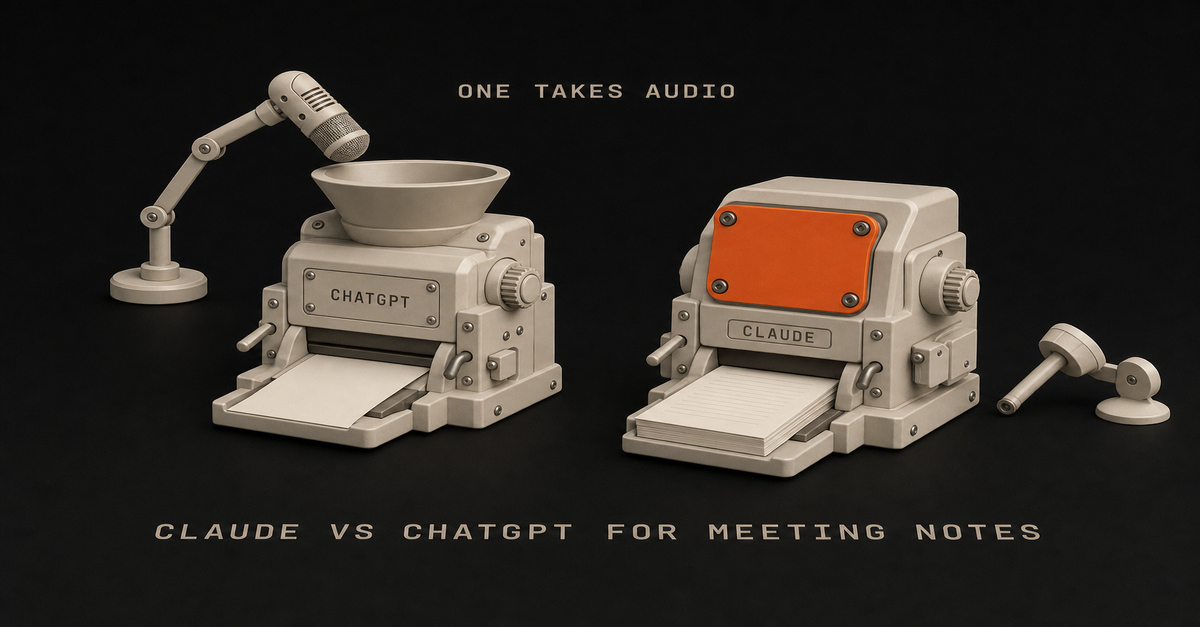
Claude will not take your recording. Not “handles it worse.” It does not accept audio or video files at all. ChatGPT will, through record mode, but only on the macOS desktop app, capped at 4 hours, auto-joining Google Meet and nothing else.
So the real question is not which one writes prettier summaries. It is whether you can record at all.
Chris Alarcon’s rule for this one: capture is a hardware problem, minutes are a writing problem, and only one of these two tools can do the first.
Whether you searched “claude vs chatgpt for meeting notes,” “chatgpt vs claude for note taking,” or “can claude take meeting notes,” that is the answer the entire first page of Google forgot to tell you. Here is the evidence, the official limits, and a verdict split by whether a recorder is allowed in your room.
The Split in One Table (July 2026)
| Claude | ChatGPT | |
|---|---|---|
| Accepts an audio file | No. 10 supported file types, none audio | Yes, via record mode |
| Native transcription | None | Yes, with speaker labels |
| Where recording works | Nowhere | macOS desktop app only |
| Recording length cap | n/a | 4 hours per recording |
| Auto-joins your calls | No | Google Meet only, not Zoom/Teams/Webex |
| Which plans | n/a | Plus, Pro, Business, Enterprise, Edu (not Free or Go) |
| Turning messy notes into minutes | Stronger | Competent |
| Scheduled, recurring processing | Claude Cowork | Scheduled tasks |
| Entry price | Pro $17/mo annual, $20 monthly | See OpenAI’s pricing page |
Read that top row again, because it is the row nobody writes down.
Claude Does Not Accept Audio Files, Full Stop
Anthropic publishes the supported upload list, and it is short: PDF, DOCX, CSV, TXT, HTML, ODT, RTF, EPUB, JSON, XLSX, plus images. Ten document types and pictures.
No mp3. No m4a. No wav. No mp4.
There is no asterisk, no “coming soon,” no premium tier that unlocks it. If you drag a recording of your Tuesday standup into Claude, there is nowhere for it to go.
The near-miss that confuses people is voice mode. Claude has one, and it is genuinely useful, but it is conversational input and output: you talk to Claude, Claude talks back. It is not a recorder pointed at a conference table.
To be fair to both apps: talking TO them on mobile is in good shape now. Claude’s mobile voice input was a little buggy a few weeks back, and in my use it has caught up; both transcribe what you say to them just fine. That is dictation. It is a different capability from handing the app a recording of a meeting, and the upload list above is still the wall for that.
This is the wall. Somebody pays $17 a month for Claude Pro after reading a listicle that called it “more structured for meeting summaries,” opens the app with an hour of audio, and discovers the product will not take the file.
ChatGPT Is the Only One of the Two That Can Capture a Meeting
Credit where it is due, and this is the section where ChatGPT wins outright.
OpenAI’s own documentation says it plainly: “ChatGPT can transcribe and summarize audio recordings like meetings.” Record mode transcribes, labels who said what, and hands you a summary. On the capture question, Claude is not in second place. It is not on the field.
Now the limits, because every ranking page skipped these too.
- macOS desktop app only. Not the web app, not Windows, not iOS or Android.
- 4-hour cap per recording. Your all-day offsite does not fit in one file.
- Google Meet auto-join only. Zoom, Microsoft Teams, and Webex are not supported for auto-join.
- Plus, Pro, Business, Enterprise, and Edu. Not on Free, not on Go.
- Off by default on Enterprise and Edu, so your admin has to turn it on before you can use it.
- Audio is deleted after transcription, and it works best in English.
Read that list as a filter, not a feature spec. A Windows-based project manager running Teams calls gets nothing from record mode, and no comparison post on this query says so.
Every Ranking Page Is Answering the Second Question First
Search this topic and you get summary-quality opinions. Claude is more structured. ChatGPT is more conversational. Pick your favorite prose style.
That is the second question.
The first question is whether the tool will accept your input, and one of these two answers no. Writing quality only becomes the deciding factor after capture is solved, which is exactly why so many people buy the wrong subscription for this job.
I have written the writing-quality comparison, and the verdict there holds: in Claude vs ChatGPT for writing the pattern from months of real user reports is that Claude holds voice and follows constraints like “one sentence only” more reliably by default, while ChatGPT wins on volume, versatility, and tasks that mix files and data. That is a real advantage for turning a transcript into minutes.
It is just not the advantage you should shop on first.
The Pain Is in the Write-Up, Not the Recording
The people asking this question are not confused about what a summary is. They are drowning in the after-part.
A project manager, u/folkarlow93 on r/projectmanagement, laid out the math: “a 1 hour meeting can take me anywhere from 2-4 hours (sometimes more) to type up minutes for… my manager seem to be able to take minutes and get them sent out 30 minutes after the meeting which I find is insane, almost like I’m doing something wrong.”
Four hours of write-up for one hour of meeting, against a manager who ships in 30 minutes. That gap is the whole product category.
An executive assistant, u/AmMF808 on r/ExecutiveAssistants, named the other half of it: “I can take notes during the meeting, but then I feel like I’m only half listening… Some meetings are online, but a lot are in person meetings or quick follow ups where setting up a full meeting bot feels weird.”
Two different problems hiding under one search query. One is transcription. The other is attention, etiquette, and what happens to the scribbles afterward.
The Handoff Between Tools Is Where the Time Actually Goes
Even people who solved capture are still doing manual labor, and they know it.
From r/ObsidianMD, u/Interesting-Post4178 put it better than any vendor page: “The issue is not really capturing the meeting anymore. There are already good tools for transcription and summaries. The part that still feels manual is what happens after… Right now this still feels like a lot of copy/paste between a meeting tool, Claude/ChatGPT, notes, and email.”
That is the honest 2026 state of things.
Transcription is a commodity. Otter, Fireflies, Tactiq, and Granola all do it well, and several will sit in a Zoom or Teams call that ChatGPT record mode will not auto-join. The unsolved part is the chain from transcript to decisions to owners to the email that actually goes out.
What I actually do after a call
My path is deliberately boring, and it sidesteps the whole wall: I record and transcribe on the phone itself, with Voice Memos or Apple Notes transcription on the iPhone, and then paste the TEXT into the AI. Easiest thing you can do. Text uploads work everywhere, the transcript is on-device in one step, and I never have to care which chatbot accepts which file type.
I also do not lean on in-app recording for any of these tools. The recording windows are short in my experience (ChatGPT’s felt like roughly a ten-minute window when I tried it) and the apps can freeze mid-capture, which is exactly the failure you cannot afford in a meeting. Capture on the device, process in the AI.
For the processing itself, my split: everyday summarize-and-draft work goes to ChatGPT, which is my well-rounded daily generalist, and anything that has to become real content (a script, a post, a doc with my voice in it) goes to Claude. When a summary really matters, I paste one tool’s output into the other and ask it to QA it.
The Cohort Nobody Writes For: You Are Not Allowed to Record
Every article on this query assumes a bot is in the room. For a lot of professional life, it cannot be.
In-person meetings. Board meetings where recording is prohibited by policy. Legal, healthcare, and security-restricted workplaces. Two-party consent states. And the case u/AmMF808 named, where spinning up a meeting bot for a five-minute hallway follow-up just feels weird.
If that is you, the Claude no-audio limitation is completely irrelevant.
You are never uploading audio anyway. You have a page of hurried notes, a few half-sentences, three names, and a decision you are pretty sure was made. Your problem is processing, not capture, and processing is exactly where Claude is strongest.
Here is the workflow, and it takes about five minutes.
- Take rough notes during the meeting. Bullets, fragments, initials for people. Do not try to write minutes live. That is the trap that makes you half-listen.
- Paste the mess into Claude within the hour, while you can still fill gaps from memory.
- Ask for four things in one prompt: a structured summary by topic, decisions made, action items with an owner and a due date, and open questions that were not resolved.
- Make it flag its own gaps. Add “list anything ambiguous or missing that I should confirm” so you get a checklist instead of confident invented detail.
- Ask for the follow-up email in a second message, addressed to the attendees, short, decisions and owners only.
Step 4 is the one people skip, and it is the one that keeps the output honest.
For meetings you have every week, do not run this by hand forever. That processing step is Cowork’s job.
Route It With the Chat, Cowork, Code Rule
The rule I give everyone, from Claude Cowork vs Claude Code: Chat answers. Cowork does your office work. Claude Code builds software.
Pasting one set of notes into a chat window is a Chat task. Fine, do it, it works.
Turning every Monday’s notes into a brief without you asking is a Cowork task. Anthropic’s own getting-started documentation names this exact use: Cowork can “extract themes, key points, and action items from meeting notes, interviews, or lecture recordings.”
This is not theoretical. In 20 real Claude Cowork use cases, use case 9 is people dumping Teams chats, meeting notes, emails, and scattered docs into Cowork on a schedule and getting one readable brief back. Use case 15 is podcast host Aakash Gupta running Cowork across years of his own transcripts to find where guests contradicted each other, then building the ten most quotable insights into a deck.
That is the after-capture lane, already documented, already working.
Two caveats before you go build it. Cowork is on paid plans only (Pro, Max, Team, Enterprise) with no separate SKU, and it burns your usage allowance faster than chat does. Claude also has a Google Calendar connector that can view and create events, which is how you get “schedule the follow-up we agreed to” without leaving the app.
The Third Answer: Do Not Make These Two Your Only Options
The framing of this comparison is a little rigged, so let me break it.
A dedicated transcription tool plus Claude is a legitimate, often better answer than either chatbot alone. Otter, Fireflies, Tactiq, and Granola exist because capture is a real product problem with real requirements: joining Zoom, Teams, and Webex, running on Windows, handling recurring calendar invites, storing transcripts you can search a year later.
None of that is what a chatbot is for.
Let the recorder record. Then hand the transcript to the tool that writes better, and store the output wherever your work lives, whether that is Notion, Obsidian, or a Claude Project you keep for a given client. That chain beats a purist “one AI does everything” setup almost every time.
How This Comparison Was Built
Straight up: I did not run a head-to-head first-party test for this page. No side-by-side of the two tools summarizing the same meeting, and no screenshots of my own runs.
Fabricating those would be the actual failure, so here is what this page is built on instead.
- Official vendor documentation, linked inline at every capability claim: Anthropic’s file upload list, voice mode page, Cowork getting-started page, and Google Workspace connector page; OpenAI’s record mode help article.
- Real user threads, named and linked: r/projectmanagement, r/ExecutiveAssistants, and r/ObsidianMD, quoted verbatim above.
- My own published verdicts on adjacent questions, linked at each claim so you can check the reasoning.
One honest gap: exact dollar figures for ChatGPT’s Plus and Pro tiers could not be verified against OpenAI’s pricing page at publish time, so this page names tiers instead of prices and links the pricing page for the current numbers. Claude’s are on claude.com/pricing: Pro at $17/month billed annually or $20 monthly, Max from $100.
Both companies ship changes constantly. Their pages win over this one.
Frequently Asked Questions
Can Claude take meeting notes?
Claude cannot record or transcribe a meeting. Its official upload list covers 10 file types plus images, with no audio or video format anywhere on it. Claude can turn notes or a transcript you already have into clean minutes and action items, but something else has to capture the meeting first.
Is there a Claude AI note taker?
Not in the sense most people mean when they search that. There is no Anthropic-built bot that joins your call and takes notes for you. Claude is the processing layer that runs after capture, either in chat or on a schedule through Claude Cowork.
Which is better for note taking, Claude or ChatGPT?
For turning raw notes into structured minutes that follow your format rules, Claude. For getting the raw material in the first place, ChatGPT, because record mode is the only native capture path between the two. Many people end up using ChatGPT or a dedicated recorder for capture and Claude for the write-up.
Can ChatGPT join my Zoom or Teams meeting automatically?
No. Record mode auto-joins Google Meet only. For Zoom, Microsoft Teams, or Webex you either record locally with the macOS desktop app in the room, or use a dedicated meeting tool like Otter, Fireflies, or Granola that supports those platforms.
Does record mode work on Windows?
No. ChatGPT record mode is macOS desktop app only as of July 2026. Windows users have no native capture path in either Claude or ChatGPT and should pair a dedicated transcription tool with whichever chatbot they prefer for the write-up.
Pick By Whether You Can Record
There is no universal winner here, only a fork based on your room.
- You are on macOS, meetings are on Google Meet, recording is allowed: ChatGPT. Record mode is the only native path between the two, and it is included on your Plus or Business plan already.
- You are on Windows, or your calls are Zoom, Teams, or Webex: neither chatbot captures for you. Pair Otter, Fireflies, Tactiq, or Granola with Claude for the write-up.
- You cannot record at all (in person, board, regulated, or it just feels weird): Claude. Capture stays manual, and the five-step notes-to-minutes workflow above is the whole win.
- You have the same meeting every week: Claude Cowork on a schedule. Stop doing the processing step by hand.
- Your write-up has to match a strict template or house format: Claude, per the instruction-following pattern in Claude vs ChatGPT for writing.
- You are only paying for one and this is a real part of your job: decide capture first, then read the $20 tier breakdown before you enter a card, because the plan you pick changes how much of this work you can actually get done.
Solve capture. Then argue about prose.
Published and last reviewed July 18, 2026. Product capabilities and limits checked that day against Anthropic’s official support documentation and OpenAI’s record mode help article, all linked inline. User quotes are drawn from public Reddit threads, linked at each quote. No first-party head-to-head test was run for this page. These products change often; the official pages are the source of truth.
This post is part of Claude at Work, the hub with every plan decision, task comparison, and setup guide for using Claude at your job without code.

Written by
Chris AlarconChris Alarcon builds Ship Lean: the boring Claude and AI setups that actually work, handed to people who don’t code. He runs his own one-person operation on these systems and shares the exact Claude, n8n, content, and workflow setups he uses in public.
Work With Me
Run a business or a team?
I build these systems for clients: I turn your calls, demos, and expertise into a steady stream of buyer-facing content. If that's you, the offer is one click away.
See the offer →Want more workflows like this?
Every Tuesday I send one boring, working AI setup you can steal. Real fixes for real work, no code, no theory.