Quick answer: these two models now cost exactly the same and are good at different things. GPT-6 Astra wins computer use, math, cybersecurity and long context. Claude Fable 5.1 wins the two broadest "how smart is it" boards, including one published by OpenAI itself.
Both are $10 per million input tokens and $50 per million output. So price isn't what decides it anymore.
Every headline yesterday said Astra swept. OpenAI's own launch table does not say that.
The rows nobody quoted
OpenAI published a comparison table on the Astra launch page with Claude Fable 5.1 in a column. Two lines in that table go to Claude.
Every number below is transcribed from that page, checked September 4, 2026. When OpenAI's footnotes put a caveat on a Claude score, I flag it in the next section.Benchmark (OpenAI's own table)
GPT-6 Astra
Claude Fable 5.1Artificial Analysis Intelligence Index v4.1.1
61.2
65.7Humanity's Last Exam (with tools)
57.2%
65.0%Terminal-Bench 4.0
57.9%
55.8%Terminal-Bench Science 0.1
64.6%
52.6%FrontierMath Tier 4 (v2)
97.6%
87.8%GPQA Diamond
96.0%
93.7%AutomationBench
41.4%
31.4%DeepSWE v1.1
74.1%
67.4%FrontierCode 1.1 Main
53.3%
50.9%ARC-AGI-2
95.0%
90.0%Computer use safety, internal (lower is better)
2.4%
9.5%The Artificial Analysis Intelligence Index is about as close as you get to one number for how smart a model is overall. OpenAI put it in its own launch table, and it hands Claude a 4.5 point lead.
Artificial Analysis, quoted independently:Sits beside GPT-5.6 Sol in Intelligence: GPT-6 Astra scores equal to GPT-5.6 Sol in the Index at 61. This is 5 points lower than Claude Fable 5.1 (max with fallback).So on the broadest board, OpenAI's newest model tied its last one.
Read the footnotes before you read the table
OpenAI ran these numbers. That does not make them wrong, but the footnotes change how you should read four rows.BenchCAD: OpenAI's footnote 5 says Claude's scores reflect three modifications to the eval.
ScreenSpot-Pro and ExploitGym: footnote 17 says the Fable scores reported are actually from Mythos, described as "Fable with fewer safeguards." That is a different model.
HealthBench Professional: footnote 11 says OpenAI independently evaluated the Claude models itself, using GPT-5.4 as grader, with Opus 5 substituted when Fable 5.1 refused.
Three science evals: footnote 12 says Claude Fable 5 and 5.1 are excluded from LifeSciBench, GeneBench Pro and MedChemBench because they refuse the majority of questions.None of that is shady. Every vendor benchmarks its own launch. But "state of the art across the board" is how the press summed it up, and the table doesn't say that.
The 99.9% asterisk
The number that traveled furthest was Astra saturating ARC-AGI-3 at 99.9%. It should count the least of anything in the launch.Two problems, both disclosed by the people who ran it:Harness. Per the ARC Prize blog, the 99.9% came from OpenAI's custom "Provider Adapter harness" at about $19K. The default ARC-AGI harness scored 62.7% at about $26K. OpenAI's own footnote 1 confirms it ran a modified responses API harness. That is a 37 point spread depending on plumbing.
No opponent. Claude Fable has no published ARC-AGI-3 result. So the biggest number of the launch has nothing to compare against.The Provider Adapter, in ARC Prize's words, "preserves opaque reasoning state between requests and uses compaction for longer conversations, allowing the model to reuse prior work." That's interesting engineering. But it doesn't tell you how smart the raw model is.
Simon Willison, writing the day it shipped, summed up the launch in one sentence: Astra "appears to score higher than Fable on most of OpenAI's self-reported benchmarks."
The key word there is self-reported.
Where Astra genuinely pulls ahead
Strip out the noise and Astra's wins are real. They just bunch up in a few areas.
Computer use. This is the big new thing in the launch. Astra scores 59.3% on Agents' Last Exam against 55.5% for Claude Opus 5, and OpenAI reports it hitting 72.6% on OSWorld 2.0 in roughly 47% less time per task than GPT-5.6 Sol.
Math and science. FrontierMath Tier 4 at 97.6% against 87.8%. Terminal-Bench Science at 64.6% against 52.6%. These are not close.
Cybersecurity. 100% on ExploitBench, 88.0% single-attempt on SRE-Bench binary reverse engineering. OpenAI says this crosses the Critical threshold in its own Preparedness Framework, so it put limits on the model at launch.
Long context. 100% on OpenAI's eight-needle test at 256K to 512K tokens, and 96.3% at 512K to 1M.
Token efficiency. This one matters more than the scores. On Agents' Last Exam, OpenAI reports Astra using about 65% fewer output tokens than Opus 5 at the highest-scoring settings.
Where Claude Fable 5.1 holds
The broad boards. Intelligence Index and Humanity's Last Exam, both from OpenAI's own table.
Coding, closer than the headline. Astra edges Fable 5.1 on FrontierCode 1.1 Main, 53.3% to 50.9%. But look one column over in OpenAI's table: Fable 5 scores 53.5%, ahead of Astra. On the Artificial Analysis Coding Agent Index, Astra posts 67.0 against 67.2 for Fable 5 and 68.1 for Opus 5. Coding is a wash.
Cost per task at equal quality. Artificial Analysis again: "Per task, the model is less than half the cost of Claude Fable 5, for the same score." That's where Astra's efficiency actually pays off. And it matters more than the trophy rows.
What I actually threw at it on day one
I pay for both stacks, and Astra is one day old as I write this.I didn't run a benchmark. I just ran my actual work, because that's the only test I trust.
The one that changed my mind about Astra was a prospecting task. I asked it to find companies in a specific niche worth reaching out to, and it went and searched forums and threads on its own without me telling it where to look.
What came back was about a month old. That kind of search usually pulls up threads from many months back.
For me that's the real upgrade: it did the digging on its own.Another Astra run from the same week, on my Pro account. I asked it to plan two weeks of paid-work experiments around my real numbers; it pulled live listings on its own and priced the options. The top of the answer has my personal figures in it, so it is trimmed. The chip in the composer is the part worth noticing: on this surface it is labeled GPT-6 Astra Ultra, not GPT-6 Pro.
Then I did the thing I would actually recommend: I ran the output back through Claude Fable to QA it, Fable rewrote the prompt, and I sent it back at Astra. The second pass looked good enough that it's now how I'd run this by default.
Now the other side. I've used Fable more, and for building it still feels more familiar and more dependable to me. But Fable 5.1 has also done some dumb things this week, mostly losing track of tools it definitely had access to. It's minor, but it's real.
My read on the scoreboard: I assumed it said Astra beat Fable outright. It doesn't, and that actually matches what I saw hands-on. Fable still feels better at the deep work. Astra feels newer at getting things done by itself.
The decision rule I would give someone today
Don't switch providers over this. Send each job to the one that's better at it.The job
OpenDeep building, writing in your voice, long careful work
Claude Fable 5.1Anything the AI should do on its own across apps and the web
GPT-6 AstraResearch and volume where you need lots of runs
GPT-6 AstraReviewing and QAing another model's output
Claude Fable 5.1Math, science, anything with a checkable right answer
GPT-6 AstraYou can only pay for one, and you are a generalist
ChatGPT (usage and resets decide it, not the score)I keep coming back to this: smartest isn't the flex anymore. A model that burns tokens to win a board is worth less to me than a leaner one that finishes the task. Both companies are getting pushed that way, and this launch is the clearest sign of it so far.
Verdict
Same price, split by job, and that split is the useful part. Astra is the better agent. Fable is still the better thinker on the broadest boards OpenAI itself published, and it's my daily driver for building.
If you were about to cancel Claude because of a headline, read the table first.
Working out which subscription this actually affects? Which ChatGPT plans get Astra, Claude Max vs ChatGPT Pro, and Claude vs ChatGPT for the everyday call. More of how I run both at Claude Guides.
Published September 4, 2026, one day after GPT-6 Astra shipped. Every benchmark figure was transcribed that day from OpenAI's launch page, and the ARC-AGI-3 harness figures from Simon Willison's write-up citing the ARC Prize blog, both linked above. These are vendor-run numbers on a vendor page and OpenAI's footnotes qualify several Claude scores; read the footnotes section before quoting any row. Benchmarks and prices move fast and this page will need re-checking.
Quick answer: stop comparing chatbots. The real 2026 decision is which coding agent you live in: Claude Code or Codex, and both now come inside the normal subscriptions, starting at $20 a month each. I pay for both stacks.
My serious builds happen in Claude Code. My research, sparring, and everything around the code happens in ChatGPT. If you can afford both, get both. If you can only pick one, the split below tells you which.
My split, in one line: Claude Code builds it, Codex challenges it, and the boring work goes to whichever one is not busy.
Searching this as "ChatGPT vs Claude for coding"? Same answer, both directions. And if you are comparing the $20 chat plans themselves, that is a different page: Claude Pro vs ChatGPT Plus.I walk through this on camera in Claude Design + Codex = The Real Website Rebuild Workflow (14 min).What "Coding" Means for You Decides the PickWhat "coding" means for you
PickSerious multi-step builds, agents, real systems
Claude CodeCreative output: web design, visuals, writing code that touches words
Claude CodeResearch before you build, competitor teardowns
ChatGPT (Codex)A second opinion on your plan before you execute
The one you did NOT build withEveryday questions, brainstorming, on-the-go voice
ChatGPTExtracting data from a web dashboard with no export button
Codex, it drives the browserYou can afford $40/month total
Both. Not a luxury, a setup.Both Agents Now Ship Inside the $20 Plans
Most comparison pages miss this, because most of them were written when coding AI meant pasting snippets into a chat window.
Claude Code is included with Claude's paid plans from Pro at $20 a month, and I keep the live numbers on my AI plan tracker.
Codex is included with paid ChatGPT plans, per OpenAI's tier page. No API keys, no per-token bills. The agent works inside your actual project folder, runs commands, and keeps working while you do something else.
So the question is which agent you trust in your repo. My answer depends on the job.
This is also why the Cursor and GitHub Copilot comparison misses now: those are editors you code inside. Claude Code and Codex are agents you hand a job to and walk away from.
Where Claude Code Wins for Me: The Serious Builds
I have not built anything serious with Codex. Every system I actually rely on was built in Claude Code. That is just my scoreboard.
The clearest example is my video editor. It is an agent pipeline that polishes my shorts. It does the cuts, but what sold me is the creative judgment.
When I run it, Claude (Opus, on high effort) chooses the visual aids, picks the screenshots, and even generates its own infographics. It has access to a Mac mini that acts as its hands, so it can screenshot any app, browse the web, and capture whatever the edit needs.
It handles maybe 90 percent of that capture work on its own.The output folder from a real run of my Claude Code video editor. One render takes 30 to 60 minutes; I am involved for maybe an hour and a half total, mostly approving plans.
It feels like I hired a senior editor.
I do not say that lightly. A render takes 30 to 60 minutes per video and I do not wait on it, I just run it. I check in here and there, roughly an hour to an hour and a half across the whole batch, mostly approving the plan at a few checkpoints.
It is not 100 percent passive. It is still better than any editor I could hire right now.
The other place Claude wins is anywhere code touches words. It writes in my voice better than anything else I have used. My whole content system runs on Claude Code, one recording out, fourteen shorts plus a newsletter and LinkedIn back.
People online argue about whether AI-written text is detectable. I do not really care, as long as my vision and my voice survive into the output. So far they do.
Where ChatGPT Genuinely Wins: Everything Around the Code
The Claude fan pages skip this part, and it matters, because this is half my day.
Research. When I want to study competitors or go deep on a topic before building, ChatGPT is my default now. It takes longer, but the quality is there, and it presents the result like a mini masterclass: charts in the output, tables, a real interface instead of a wall of terminal text.
With Claude I invented workarounds for this, asking for a "buddy version" instead of twenty blocks of analysis, or an HTML page instead of terminal output. Codex gives me the readable version right out of the gate. It runs a bit verbose, which you can tune in its agent config, and I take that trade.
The sparring partner. This is my favorite pattern and nobody ranking for this query talks about it. Both agents have access to the same repo.
So when Claude Code produces a plan, I have Codex challenge it, and it is smart about it, routing to a heavier model when the review deserves one. One agent builds, the other pokes holes, and I only step in to break ties.
You can run it in either direction: plan with Claude, execute with Codex, or the reverse.
On-the-go voice. I take walks and review my analytics by talking to ChatGPT: why did this flop, what changed, what should I test. When we land on something, it writes the findings into a Markdown file, and I take that file straight to Claude Code to execute.
Hands down the best working loop I have found.
The voice mode has real bugs. Mine has timed out on me around the 10-minute mark more than once and made me log back in. But when it holds, a 30 to 60 minute working session on foot is a phenomenal experience.
Browser work and images. Codex driving a browser just works for the annoying manual stuff, like logging into a dashboard and pulling data that has no export API. And image generation on the ChatGPT side is, in my opinion, the best available, full stop.
I am not alone on the split. The top result for this exact query is a six-month-old r/ChatGPTCoding thread whose top take is that "Claude wants to make a more compact, more ergonomic code, ChatGPT/Codex tends to modularize sometimes to the extreme."
And a 100-hour Claude Code vs Codex test on YouTube landed where I did on the creative half: "for front-end work, especially anything with real interactivity and design polish, Claude was the clear winner."The 60-second version, from my Shorts: Claude Code and Codex together: how I 10x my output.The Setup I Would Actually Run
If you are starting from zero and the $40 for both is fine:Put your project in a folder and give Claude Code the build work: the multi-step stuff, anything with creative judgment, anything that touches your writing.
Give ChatGPT the surrounding work: research before the build, data pulls, brainstorming, and voice sessions away from the desk.
Before any expensive or irreversible step, have the other agent review the plan. Same repo, a fresh set of eyes.
Route the output of thinking sessions into Markdown files so either agent can pick up where the other stopped.That last one matters more than it looks. The two stacks do not talk to each other on their own, so a shared repo full of plain files is what connects them.
Both Stacks Cost $40 Together, and Both Break in Predictable Ways
I pay for the top of both ladders, but you do not have to.My actual Claude billing. The same Claude Code agent is included from the $20 Pro tier; Max just raises the ceiling.And the other side of the split: my ChatGPT subscription. Codex comes with the paid plans; the $100 tier is 5x the usage of Plus.
The failure points, honestly:What you pay more for is capacity. Heavy agent work burns the allowance on either side. On Claude, the fix is a bigger tier, not a different model. Claude Pro vs Max covers when that jump is worth it.
Codex runs verbose by default, and its deep research mode is slow. I do not time it, but I never send it something deep when I need the answer in the next ten minutes.
ChatGPT voice sessions can drop. Mine has timed out around 10 minutes in and forced a re-login. Annoying, but you live with it.
Two subscriptions is real money. $40 a month minimum for the both-agents setup. If that is not obviously worth it for what you build, start with one.Who Should Pick Which
Pick Claude (from $20) if coding for you means building real things: agents, pipelines, a product, anything where taste and multi-step execution decide the outcome. My most serious builds live here, and I would start here again.
Pick ChatGPT (from $20) if coding is one of ten things you do. It builds impressive things too, websites are easy for it, and it is the better everyday companion: research, voice, browsing, images, quick answers.
Pay for neither if you have not yet hit the wall where a chat window stops being enough. The free tiers will tell you when you are ready for an agent.
Pay for both if you build weekly. One builds while the other reviews or researches. If either is your bottleneck at work, the Claude guides hub covers the non-coding half of this decision, Claude Cowork included.
If your real question is agents versus automation platforms, that is AI coding agent vs workflow automation, and if Gemini is in your bracket, start with Claude vs Gemini.
How I Tested This
I did not run a benchmark for this page. The split comes from paying for both stacks (Claude Max and ChatGPT Pro), running Claude Code and Codex on the same repos as a daily habit, and shipping real systems with them: a video-editing agent, a content pipeline, this website.
Billing screenshots above are mine. Where I state a plan fact, it links to the official page, and the live numbers stay current on my AI plan tracker.
Published August 29, 2026. Last reviewed August 2026.
Quick answer: I never thought I would write this sentence, but here it is: for research, ChatGPT wins - even against Fable 5, which I consider the strongest model available. ChatGPT's Sol Ultra tier is phenomenal at digging into a question. Claude wins the moment research has to become something real.
My split: ChatGPT wins the research. Claude wins the build. The handoff is the skill.
I pay $200/month for each, and both tools earn it at different points of the same project.
Quick decisionResearch job
PickOpen-ended digging on a hard question
ChatGPT (Sol Ultra tier)Talking a problem through until it makes sense
ChatGPT, voiceReading your own live dashboards and analytics
ChatGPT's agent, in the browserTurning findings into a document or system
ClaudeResearch inside your own files and projects
ClaudeCited quick answers on current events
Honestly, free PerplexityA real session, start to finish
The easiest way to show you the split is a session I actually ran.
I needed to figure out why my YouTube shorts were slipping and what to change. Here is how it went:OpenAI's plan documentation, captured August 21, 2026. Sol Ultra, the reasoning tier I keep praising, sits at the top.
Phase 1 - research, in ChatGPT, by voice. I opened voice and said, roughly, "look at my analytics." Its agent works in a real browser, so it logged into my YouTube dashboard - no API, no exports - and read the backend with me. That's huge, and most people have no idea it exists.
We walked the numbers together and saw where shorts were dropping. Then we brainstormed. That part felt new to me. It was like brainstorming with a partner. What about this? What about that? For 30 to 60 minutes we went hard at it, until I actually had clarity.
Phase 2 - the plan. Once it clicked, I had it write up the plan. It looked at my existing setup and came back with a plan I understood and believed in.
That last part matters. I didn't want some plan handed to me. I wanted the one we had just worked out together, written up.
Phase 3 - the build, in Claude. We started building in ChatGPT's coding side, and honestly, for this job it was not the right fit.
So I took the finished plan to Claude and built it there. Building is where Claude is strongest right now. It has the model for it and the place to do the work. I gave it the plan and got a working system back.
Research and clarity in one tool, the build in the other. Every time I run it that way, it beats either tool alone.
ChatGPT wins the research phase on voice, browser, and Sol UltraSol Ultra is phenomenal. OpenAI's top reasoning tier - the one that ships with the Pro plans - digs deeper on open questions than anything else I have used, my own beloved Fable included. It pains me a little, but it's true.
Voice makes research a conversation. Thinking out loud is how most of us work through a problem. ChatGPT is the only tool where that's good enough to use every day: on walks, in the car, on the go.
The browser agent reads your real data. Logging into your own analytics and interrogating live numbers, no exports, no API keys, is a whole different kind of research.
Better interface for the messy middle of research: branching, revisiting, riffing. It feels like a workspace, and OpenAI keeps putting money into exactly this. The business side of ChatGPT is growing fast.Claude wins the moment research becomes a buildExecution. When findings must become a document, a system, or code that runs, Fable 5 is the strongest builder I have used. The research gives you a plan. Claude builds it.
Your own material. Research over your files, past work, and ongoing projects fits right into Claude's Projects and Cowork.
Instruction-holding on long outputs. The finished piece sticks to what you asked for (structure, voice, constraints) and drifts less. When research has to turn into a deliverable, that's the difference between one pass and four.The 60-second version, from my Shorts: Stop Claude and ChatGPT Contradicting Each Other on Your Work.Concessions, both directions
ChatGPT's research win is not total: for cited quick lookups, free Perplexity is often the faster tool, and for source-grounded work over a fixed pile of documents, Google's NotebookLM is a sleeper pick.
And Claude's build win is not total either: plenty of light execution - emails, summaries, quick drafts - is fine in ChatGPT, and switching tools for it is just extra work.
No one model wins everything. I'm not hedging here. That's just what I've found paying top dollar for both, month after month.
How I compared these
Both tools: daily paid use at the $200 tiers, across real research-to-build projects like the session above. Plan and pricing facts on this page and the tracker are read from official pages, dated August 21, 2026. Verdicts are mine and labeled as experience, not benchmarks.
Three setups, three movesOne subscription, research-heavy work: ChatGPT - my full worth-it verdict. Add free Perplexity for citations.
One subscription, build-heavy work: Claude - sized via Pro vs Max.
Both, or planning to get both: steal the workflow above as is: voice-research in ChatGPT until clarity, plan on paper, build in Claude. The general comparison lives at Claude vs ChatGPT, and the top-tier money question at Claude Max vs ChatGPT Pro.Last reviewed August 2026.
Quick answer: I pay for both. Not $20 each anymore - $100/mo for ChatGPT Pro and $200/mo for Claude Max, and I got there the same way most people will: I hit the caps, got tired of waiting, and upgraded.
The comparison articles skip this part. Everyone argues about which model writes better. Almost nobody tells you that the decision you will actually make is not "which one is smarter" but "which one stops me mid-task, and how often." Quality gets you interested. Caps are what make you move your money.
So this is the comparison from someone who pays real money on both sides, plus the starter advice that costs me nothing to give: if you have $20 and you are just beginning, get ChatGPT.
What changed since I wrote this (updated August 7, 2026)
Both sides moved in two weeks. None of it breaks the thesis above, but it changes what you get for your money.July 24: Claude Opus 5 shipped. It is now the default model on Claude Max and the strongest model on Claude Pro, per Anthropic's announcement. Whether I actually felt it is further down, and it is not what you expect.
July 30: OpenAI shipped GPT-5.6 and renamed the family: Sol (frontier), Terra (balanced), Luna (fast and cheap). Source.
August 6: ChatGPT's free tier stopped being a demo. OpenAI is making GPT-5.6 Luna the free default and, verbatim, "expanding access with unlimited text chats," plus a new Think button for harder questions. Source.Two things to hold onto before you get excited about that last one.
It is a staged rollout. OpenAI's own wording: Luna becomes the default for Free and Go "this week," and "starting next week, they'll also have unlimited text chats and access to a new Think button."
So do not assume it is live in your account today. Mine was still the old behavior when I checked on August 7.
And the caveat that keeps this whole page true, also verbatim: "Limits will still apply for file uploads, images and other tools." Unlimited text chat is not unlimited work. The moment you start dropping in PDFs and spreadsheets, you are back in cap country.
OpenAI also published an accuracy number, and I would take it with a grain of salt. In its own internal evaluation of financial, medical, and legal prompts, "responses containing at least one factual error were about 62% less common with GPT-5.6 Luna and 68% less common with GPT-5.6 Sol than with GPT-5.5 Instant."
That is a vendor testing its own product. It is not an independent benchmark, so treat it as a direction.
One more thing, because people misread this release: the version of GPT-5.6 Sol that powers Work and Codex is not changing in this update.
The short answer, by who you areYou are
Get this
WhyStarting out, one subscription, $20
ChatGPT
More general, more use cases, easier first winWriting, designing, or building things you ship
Claude
Better creative work, better instruction-followingUsing AI seriously every day
Both at $20
Two separate allowances beat one bigger oneConstantly locked out mid-task
Upgrade the one you live in
The cap is the signal, not the benchmarkA developer or heavy agent user
Claude, and expect to outgrow $20
Claude Code shares your chat allowanceWhat each one actually is right now
Both ladders look almost identical, which is why price alone tells you nothing.Claude
ChatGPTFree
$0
$0Cheap tier
-
Go, $8/moStandard
Pro, $17/mo annual ($200 up front) or $20 monthly
Plus, $20/moPower tier
Max, from $100/mo (5x or 20x Pro usage)
Pro, from $100/moModels
Opus, Sonnet, Haiku on every tier. Fable 5 and Fable 5.1: no on Free, credits-only on Pro, included on Max
GPT-5.5 Instant, GPT-5.6 Sol / Terra / Luna, GPT-5 Thinking MiniContext window
200K default; Fable 5.1, Opus 5.5, Opus 5, Sonnet 5.5, and Sonnet 5 support 1M on paid plans
54K instant / 256K reasoning on PlusCoding agent
Claude Code, included in paid plans
Codex, included on PlusCorrection, and it matters more than anything else in this table. When this page first published on July 27, that models row said "Fable, Opus, Sonnet, Haiku" for Claude with no tier split. That was wrong, and it had already been wrong for a week.
Here is the actual state per Anthropic's Fable 5 plan page: the promotion that included Fable 5 in Pro's weekly limits ended July 19, 2026 at 11:59:59 PM PT.
Free gets no Fable 5 or Fable 5.1. On Pro, “Fable 5 and Fable 5.1 aren’t included in your plan's usage limits” - you use them with usage credits, which is real money on top of your $20.
On Max both are included as standard, up to 50% of your weekly limits at no extra cost.
So the newest model is now a $100-tier feature in practice.
Sources: claude.com/pricing, Anthropic's Fable 5 plan page, and chatgpt.com/pricing, rechecked 31 July 2026. These change often - open them before you buy.
Note on my own plan: the table shows Max starting at $100, which is the 5x tier. I am on the 20x tier at $200, which is why Fable 5 and Fable 5.1 are included for me; I use Fable 5 in-plan.
Does that change the verdict at the top of this page? It sharpens it.
The whole argument here is that caps decide this, not quality. Now the newest model itself sits behind a cap on the $20 tier.
If you want the most frontier model, compare the benchmarks - and if ChatGPT's Sol at extra-hard effort beats Opus 5, that is a real difference: you get a better model for the same price, and ChatGPT is straight up more generous about resetting limits.
I did not experience that until I was paying for both. Now I can attest to it.
That is not a knock on Claude. It is the same point I opened with, just with a bigger price tag. What moves your money is what you get stopped from doing.
One difference matters more than the whole table: ChatGPT has an $8 tier and Claude does not. If your budget is under $20, that is not a tie, it is a one-horse race. I break down what that $8 does and does not buy in ChatGPT Go vs Plus.Claude's real pricing page, captured July 27, 2026. The ladder the whole decision runs on.
Which model is your plan actually giving you
Nobody answers this one, and it decides whether you feel ripped off.
Both companies sell you a plan, not a model. The plan then decides which brain you get by default, which ones you can switch to, and which ones cost extra. This is the ladder for each, weakest to strongest.
Claude: Haiku, then Sonnet, then Opus, then Fable, then Mythos.Your plan
Default you get
Can you reach the top?Free
Sonnet
No Fable 5 or Fable 5.1 at allPro ($20)
Opus 5 is the strongest included model
Fable 5 and Fable 5.1 are not in your plan limits. They bill as separate usage credits, real money on top of your $20Max (from $100)
Opus 5 is the default
Fable 5 and Fable 5.1 are included, drawing from your regular weekly pool at up to 50% of limits, and they burn that pool faster than other modelsUpdate, September 22, 2026: Opus 5.5 now sits where Opus 5 sits in this table. claude.com/pricing lists it on Pro and Max, and Anthropic says it "performs at the level of Claude Fable 5.1 on most work."
The trap on Max: you do not get 50% extra capacity for Fable. It comes out of the same pool, just quicker. Anthropic's own Fable 5 plan page is explicit about it.
ChatGPT: Luna, then Terra, then Sol, then Sol Pro.Your plan
Default you get
Can you reach the top?Free
GPT-5.6 Luna, plus a Think button for harder questions
No SolGo ($8)
Same models as Free, more uploads, voice, and memory
No SolPlus ($20)
Sol, Terra, and Luna, with a new effort slider
Sol, yes. Sol Pro, noPro ($100+)
Everything above
Adds GPT-5.6 Sol ProThe thing to notice: the model a free ChatGPT user talks to and the model a Plus subscriber talks to are not the same model. Luna is the cheap fast one. Sol is the flagship.
When someone tells you "ChatGPT got dumber" or "ChatGPT is amazing at research," ask which one they were on, because they are probably not describing the same product you are paying for.
Same on the Claude side. A person raving about Fable and a person on Pro who has never touched it are having two different experiences of one $20 subscription.
Steal this rule: before you judge either tool, open the model picker and read what it actually says. Most "this AI is bad" complaints are really "my plan put me on the cheap tier and did not tell me."
The real difference nobody leads with: caps, not quality
This is how it works, and it explains almost every angry post you will read about either tool.
Claude runs a rolling five-hour session limit plus a weekly cap on paid plans. And everything shares one pool: your chats, Claude Code, and Cowork all draw from the same allowance. Spend an afternoon on an agent task and you have also spent your chat capacity. When you hit the wall, you stop.
ChatGPT leans on rolling limits and, when you exhaust the good model, tends to move you down a tier rather than shutting the door.
That difference in style is the whole ballgame. A hard stop mid-workday feels completely different from getting moved to a smaller model. It is why you see posts like this one from r/ClaudeAI, where a paying customer put it better than any reviewer:"I cannot pay for a product, use it normally for two hours, and then be locked out. I especially cannot accept a weekly lockout." ... "The jump from Pro to Max is $80/month. That's not a tier, that's a cliff."u/mcburgs, r/ClaudeAII am not going to pretend that is wrong, because I am the guy who climbed that cliff. I started on both at $20.
I hit the caps regularly, I did not want to wait hours, and the math worked, so I upgraded. That is not a defense of the pricing. It is just what happens once you depend on the tool.
Does the August 6 free-tier change soften this? For chatting, yes. For work, no. Unlimited text chat does not cover file uploads, images, or tools, and Claude's shared pool did not change at all.
If you want the actual numbers before you pick a side, I broke the whole system down in Claude usage limits explained, and is Claude Max worth it is the honest math on the $100 jump.The 60-second version, from my Shorts: Claude or ChatGPT? Wrong question. Here's when to use each..How I actually run it
I pay $200/mo for Claude Max and $100/mo for ChatGPT Pro. What I get for it, concretely: Claude does video editing work, visual aids for videos and shorts, script ideas for long-form, and turns my YouTube long-form into a newsletter.
Claude also writes my Substack newsletter and LinkedIn posts; my ChatGPT subscription generates the visuals that go with them.
The starting point of that ladder is still two $20 subscriptions, and that is what I would tell almost anyone reading this. It is also what people land on in the threads. One reply in that same r/ClaudeAI discussion just said: *"Get 2 $20 subscriptions!
That's in the middle!"* Two separate $20 allowances beat one $40-equivalent allowance on a single account, because the caps do not pool.
Upgrade when the pain shows up - not before. If you are not hitting limits, a bigger plan buys you nothing.
Did Opus 5 change anything for me? Not really.
Opus 5 has been the default on my Max plan since July 24. I use Claude for hours most days.
I have not noticed a difference.
That is not a criticism, and I am not saying it is not better on paper. I am just telling you what a new model feels like in the daily work: mostly like nothing.
If you were waiting for a new model to fix your workflow, the problem was probably the workflow.
What I did notice was Claude acting strange starting around August 5, which is a different thing from a model being worse. I looked it up rather than trust my own vibes, and there was a real incident.
Anthropic's status page logged "Degraded performance for Claude Opus 5" on August 5, 2026 from 13:51 to 14:34 UTC, on top of a longer "Degraded performance of multiple models" window that morning, 07:05 to 14:14 UTC, hitting Mythos 5, Fable 5, Opus 5, and Sonnet 5.
Useful habit: when a tool suddenly feels dumber, check the vendor's status page before you rewrite your prompts or cancel your plan. Sometimes it really is them.
About the affiliate question, straight
There is a fair suspicion going around that people recommend Claude because the affiliate money is better.
So, flatly: I have no affiliate relationship with Anthropic. I do not earn anything when you subscribe to Claude. I pay $200/mo for Max and $100/mo for ChatGPT Pro out of my own pocket, which is the opposite of a business model.
And here is the part that cuts against the thing I supposedly shill: GPT-5.6 Sol at the top effort setting is phenomenal for research and for hard questions.
It is not a consolation prize. If your work is mostly "help me think through something complicated," that is a great place to be.
I still think Fable is a little bit better. That is my preference from daily use, not a benchmark result, and I would not argue hard with someone who lands the other way.
If I had to pick one for a year
Claude. Easily.
Content, design, creative writing, website building - all of it is just better, and the code is top tier. I want to be fair about the other side though: Codex comes very close, and in some cases it is better - better research, and good as a sparring partner. They are both good.
But that choice costs me something: I would lose image generation, so I would pay for OpenAI image gen through the API instead, probably $10-30/mo. At which point I might as well have just kept the $20 ChatGPT subscription. Or I would use Nano Banana and sacrifice a little quality.
That is the real shape of "just pick one." It rarely stays one.
The starter advice that surprises people
If you have $20 and you need to start: just get ChatGPT.
I know how that reads coming from someone who pays $200/mo for Claude. But it depends on your goal, and for a general "I have twenty bucks and I want to begin," ChatGPT is the better first purchase.
You can get past the writing quality - train it on your voice and it will get you 80% there. That is not a deal breaker for most people.
Does the August 6 free tier kill this advice? It makes it stronger.
My actual rule has always been: use the free tier, and let the pain force you to subscribe. Let that be the guide. The problem before was that the free tiers were too thin to give you real pain.
You would hit a wall in ten minutes, learn nothing about whether the tool fits your work, and either quit or pay blind.
Now there is a real floor to stand on. Unlimited text chat on ChatGPT Free means you can actually run your work through it for a week before spending a dollar.
So: start free. Use it for real tasks, not test questions. When you get stopped by something that matters - a file you cannot upload, an image you cannot make, a tool you cannot reach - that is the signal. Pay then, and you will know exactly what you are paying for.
Pick based on your goal, not on which brand a YouTuber likes.
Which one wins each job
Which one wins depends on the task. These are the breakdowns:Claude vs ChatGPT for writing
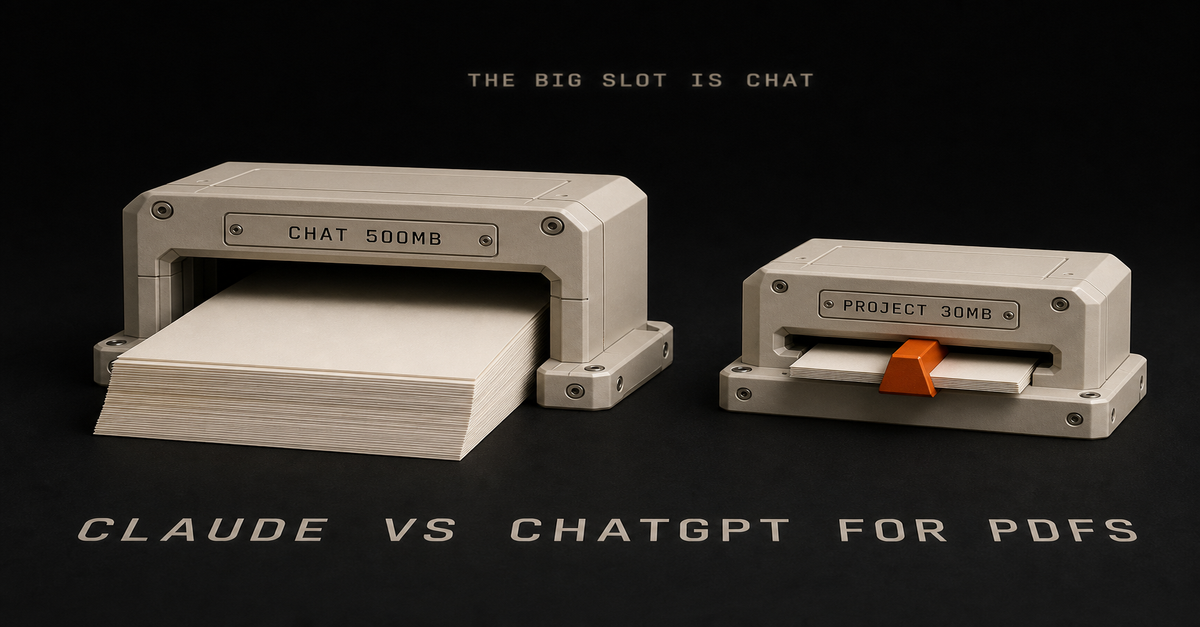
Claude vs ChatGPT for PDFs
Claude vs ChatGPT for Excel
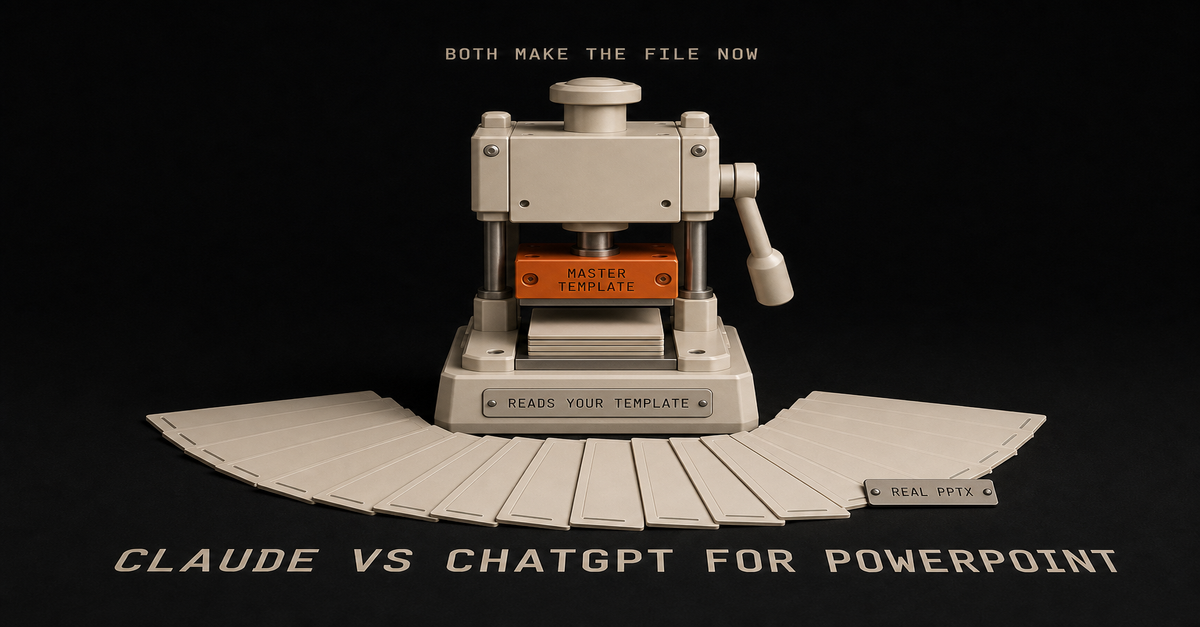
Claude vs ChatGPT for PowerPoint
Claude vs ChatGPT for email - only one can actually hit send
Claude vs ChatGPT for meeting notesAnd the two tier-level decisions:Claude Pro vs ChatGPT Plus - the $20 question
Claude Max vs ChatGPT Pro - who actually needs $100+
Claude Pro vs Claude Max - the within-Claude fork, and where the Fable 5 change actually lands
Is Claude Pro worth it? - if you are still deciding whether to pay at allAnd if Claude wins your head-to-head, the next fork is which agent door to open: Claude Cowork vs Claude Code - the no-terminal answer.
If your work is inside a company that hands you Microsoft tools, the comparison you actually want is Copilot vs ChatGPT - or, against Claude directly, Claude vs Copilot, written from using Copilot at my day job.
The rest of the field, judged the same way: Claude vs Gemini for the Google-natives, Grok vs Claude and Grok vs ChatGPT for the fast-moving newcomer, Perplexity vs ChatGPT for the search-first crowd, and Claude vs ChatGPT for research for the job where my verdict flips.
Every plan price on all of these, verified and dated: the AI plan tracker.
The one-paragraph version
Claude is the better tool for work I ship. ChatGPT is the better first subscription and the better generalist. The caps, not the benchmarks, are what will eventually move your money - and when they do, the middle step is two $20 plans before either $100 tier. Start with the goal, not the hype.
Building automation instead of just chatting? Start at Claude Guides.
Published July 27, 2026. Last reviewed August 7, 2026. What was rechecked and added today: OpenAI's August 6 ChatGPT update, confirmed against openai.com and quoted verbatim, including the staged rollout wording and the "limits will still apply for file uploads, images and other tools" caveat; the GPT-5.6 rename and Claude Opus 5 release dates; the Claude Fable 5 plan mechanics, re-confirmed against Anthropic's Fable 5 plan page, which still show credits-only on Pro and included-to-50%-of-limits on Max with no extra capacity; and the August 5 Opus 5 degradation incident on Anthropic's status page. A new plain-English model ladder for both vendors was added. Dollar prices in the pricing table were not re-verified this pass, because chatgpt.com/pricing renders its amounts client-side and I could not confirm them from the source, so those rows still date to the July 31 check. Open both pricing pages before you buy.
Quick answer: pick by billing model, not by features. Claude Cowork draws from the Claude plan you already pay for, $17/month annual or $20 monthly on Pro, with nothing extra to buy. ChatGPT Work bills as metered credits from a pool it shares with three other agents.
Feature-wise they do the same job. The differences that will actually bite you are the ones nobody on this search result page has written down yet.
My rule for the four surfaces: Chat answers. Cowork and ChatGPT Work do your office work. Claude Code and Codex build software.
That extends the split from Claude Cowork vs Claude Code, where the rule was "Chat answers. Cowork does your office work. Claude Code builds software." OpenAI has now shipped its own version of the same three-lane structure, which is why this comparison exists at all.
Four things people get wrong about these two, then my pick.
The comparison in one tableClaude Cowork
ChatGPT WorkWhat it is
Agent for non-coding knowledge work
"An agent designed for longer, multi-step work and finished deliverables"Announced
Early 2026, GA on paid plans
July 9, 2026, rolling out over "the coming days"Where it executes
Remotely, on Anthropic's servers
Cloud, same as CodexLocal file access
Through the Claude Desktop app only
Desktop app only. Web and mobile cannotHow you pay
Included in your plan allocation. No separate SKU
Metered credits from a shared agentic poolShares its budget with
Nothing. It is your plan
Codex, ChatGPT for Excel, Workspace AgentsEntry price
Pro $17/mo annual, $20 monthly. Max from $100/mo
Included with eligible paid accounts, per OpenAI's rollout note. Credits meteredSibling surfaces
Chat, Cowork, Claude Code
Chat, Work, CodexCompliance API coverage
Not captured, per Anthropic's docs
Follows standard ChatGPT workspace controlsTwo products, same job, four corrections needed before the table above means anything.
Correction 1: ChatGPT agent mode is retired, so most comparisons are describing a dead product
Search this topic today and you will get a stack of articles comparing Claude Cowork to "ChatGPT agent mode."
That product is gone.
OpenAI's help center says it in one line: "ChatGPT agent is no longer available. Use ChatGPT Work for longer, multi-step tasks and finished deliverables." The same page notes that Operator, the earlier browser-driving agent, was folded into agent mode before that, and "the Operator website is no longer accessible."
So the lineage runs Operator, then agent mode, then ChatGPT Work. Two renames in about a year.
The product you are actually comparing against Cowork is ChatGPT Work, announced July 9, 2026. ChatGPT now has three surfaces: Chat for conversation, Work for multi-step deliverables, Codex for software. If that structure sounds familiar, it is the same three-lane split Anthropic shipped with Chat, Cowork, and Claude Code.
One practical note before you go looking for it: OpenAI says ChatGPT Work "is gradually rolling out to eligible accounts over the coming days." If it is not in your account yet, that is why.
Correction 2: the local vs cloud story is backwards in both directions
You will see this claim everywhere, including in the AI summaries at the top of this search: Claude Cowork is the local-first one, ChatGPT is the cloud one.
It is backwards.
Anthropic's own getting-started documentation states that "Cowork runs your tasks remotely (in beta). Claude's work runs on Anthropic's servers, in an isolated environment."
The local part is a bridge, not the execution: "When a task needs something on your computer, like a local file or your browser, Claude reaches it through the Claude Desktop app on that computer."
Meanwhile OpenAI's documentation is equally blunt about its own limit: ChatGPT "Work on web and mobile cannot directly access files on your computer." Local file access requires the desktop app, and on the free and Go tiers it is listed as "Limited (desktop app)" on OpenAI's pricing page.
Read those two side by side and the real picture is boring: both products execute in the cloud and reach your local files through a desktop app. Neither one is running on your laptop.
A dated correction to my own earlier post
This is where I have to correct my own page, because the same mistake is on it.
Claude Cowork vs Claude Code, published July 9, 2026, closes with the line that Cowork's "home-field advantage is working directly on your local files and folders." That line needs an update as of July 2026.
Anthropic's current documentation describes remote execution on their servers with the desktop app acting as the bridge to local files. That's a very different setup from "works directly on your local files."
What that means in practice: tasks built on connectors run in the cloud without your machine, and tasks pointed at a local folder still need an awake desktop. Same for ChatGPT Work.
If a comparison tells you one of these is the "local" option, it has not read either company's docs this month.Correction 3: the billing models are structurally different, and that is the actual decision
Everything above is small stuff next to this. The two products charge you in really different ways.
Claude Cowork draws down the plan you already have. Anthropic's Cowork docs list it as "available for paid plans (Pro, Max, Team, Enterprise)" with no separate purchase.
There is no Cowork SKU. What there is, printed in the same docs: "Working on tasks with Cowork consumes more of your usage allocation than chatting with Claude," and specifically that "auto mode consumes more of your usage limit than the other modes."
That matches the verdict from Claude Cowork vs Claude Code: "Claude Cowork consumes limits faster than Chat," and Claude Pro caps you two ways, a 5-hour session limit plus a separate weekly cap. The plan-sizing conclusion there still holds.
The $20 tier is sized for chat-first use with some agent work on the side. If Cowork becomes your daily workhorse, that is what the Max tiers from $100/month are for, which is the same upgrade trigger covered in Claude Max vs ChatGPT Pro.
ChatGPT Work meters credits from a shared pool. OpenAI's Codex plan-usage article states that "usage from Codex, ChatGPT Work, ChatGPT for Excel, and Workspace Agents draws from the same agentic usage and credit pool when those features are available on your plan." Work follows the same usage structure as Codex.
Stop on that for a second, because it's the biggest practical difference on this page.
If you use Codex for a build, ChatGPT for Excel on a spreadsheet, and ChatGPT Work on a report, all three are eating the same budget. Heavy use of any one starves the other two. Cowork doesn't have that problem. The only thing it competes with is your own Claude chat usage.
So skip "which is cheaper." The question to ask: do you want one metered pool shared across four agents, or one plan allocation that agent work drains faster than chat?
Nobody has published a real usage number, including me
Somebody on r/ClaudeCowork asked the exact right question and got nothing back. u/Proper_Club8511:As per title, does anyone have any information on the effective difference in usage between these two? I would like to know which is more efficient in general tasks. i.e. given the same task, and the same tier of plan (Pro), which would use more/less and by how much.That thread produced no useful answer.
That's the question this page is here to answer, and the answer is that no public number exists. Neither company publishes numeric quotas. The metering units are not even comparable: Cowork burns a plan allocation, ChatGPT Work burns credits from a shared pool. There is no exchange rate.
Anyone handing you a "Cowork uses 2x more" figure invented it.
What the burn actually feels like on the Claude side
I cannot give you a Cowork-vs-Work efficiency number (nobody honestly can yet; the Reddit thread asking got zero useful answers).
What I can tell you from daily use: Cowork burns more than chat because it does more. It is interactive, it reads reference files, it reads my wiki before it acts. That's the work you are paying for.
I don't really feel Cowork chores. Where I feel a dent is heavy coding sessions in Claude Code, like editing my video-editing pipeline. If you are on a $20 plan, the efficiency rule that matters: plan with the big model, execute with the cheaper one (Opus to plan, Sonnet to execute).
I skip that dance because I am on the $200 Max plan and just run Opus. And watch the open-ended autonomous runs: telling an agent "here's a goal, go" on something vague is the fastest way to torch a week's allocation on any plan.
Where ChatGPT Work genuinely wins
This page leans Claude, so read this section as me arguing the other side. ChatGPT Work has real advantages, and two of them are structural.
One: the agent budget is portable across the whole stack. That shared pool is a downside when four agents fight over it and an upside when you want flexibility. A week where you do no coding means all of it goes to Work. Cowork cannot borrow budget from anywhere.
Two: it lands inside an account most workplaces already have. ChatGPT's enterprise footprint is bigger. If your company already pays for ChatGPT, ChatGPT Work arrives on your existing account with your existing admin controls and your existing Workspace Agents, no new vendor review. That matters a lot when procurement is what's actually slowing you down.
Three: three surfaces, one login. Chat, Work, and Codex live in one product with one billing relationship. Running Claude means Chat, Cowork, and Claude Code plus, if you also pay for ChatGPT, a second subscription.
There is also a real argument that Cowork's agent behavior is less predictable. u/jmillionair3 put it well on r/AI_Agents:Seems like GPT is going for more of a build and agent and deploy it places, and cowork deploys agents at its own discretion to carry out tasks but more or less similar in nature. What am I missing?They're not missing much, and that's a fair read.
ChatGPT's model leans toward agents you configure and place. Cowork's leans toward describing an outcome and letting Claude decide the steps. Neither one is better on paper. If you want to see exactly what the second style produces in practice, 20 real Claude Cowork use cases has the community receipts.The 60-second version, from my Shorts: What to hand ChatGPT Work first (OpenAI's own advice).Where Claude Cowork genuinely wins
No separate meter to think about. Cowork is in the plan. You are not watching a credit balance while deciding whether a task is worth running, and you are not rationing between four agents. For someone who just wants the Monday report to happen, not having to think about it matters more than it sounds.
A more mature scheduled-task story. Cowork's recurring tasks run remotely on their schedule, hourly through weekly, even with the laptop closed, with the local-files exception noted above.
It is generally available, not rolling out. Cowork is live on Pro, Max, Team, and Enterprise today. ChatGPT Work is still arriving on eligible accounts, with Cowork's own web and mobile beta rolling out starting with Max.
And a caution against over-committing to either: portability is worth something. u/backhand_snipe on r/ClaudeCowork, writing about switching to ChatGPT Work:Because my workflows and historical decisions lived in plaintext on my machine rather than locked deep inside Claude's proprietary backend, I was completely platform-agnosticThat's the lesson I'd take from this whole page: keep your prompts, context files, and standard operating procedures in plain text you own. Then switching costs you an afternoon instead of a year.
Their stated reason for leaving was not features either:The real catalyst for me jumping ship today was growing frustration with Anthropic. The constant teasing of Fable 5's availability, the moving target dates (July 9th, then the 12th, now the 19th), and the resetting limits just felt like being dragged along as a customer.Trusting the roadmap is a real reason to pick one. I'm calling it out because this page otherwise leans Claude.Cowork winning on the desk: I recorded the task once, and it drafted the repeatable version.
Correction 4: Cowork activity is not captured in the Compliance API
If you are evaluating this for a team rather than yourself, stop here first.
Anthropic's own Cowork documentation states it plainly: "Cowork activity is not captured in the Compliance API at this time."
For an individual professional, that is a footnote. For anyone in a regulated industry, or anyone whose security team requires an audit trail of what AI touched which documents, it could be a dealbreaker, and it is the first question a reviewer will ask.
It does not mean Cowork is unsafe. It means the audit surface your organization may require does not exist for it yet. Check before you roll it out to a team, not after.
None of the pages currently ranking for this comparison mention it. It matters more than anything else on this page.
How this comparison was built
Here's how I built it, because it changes how much you should trust the verdict.
No head-to-head first-party test was run, and I will not fake one. I live in Claude Cowork and Claude Code daily; I have not run ChatGPT Work on anything real.
So read it for what it is: a comparison built on the docs and real users, from someone with a lot of hours on one side only. ChatGPT Work also only started rolling out on July 9, 2026, and a real test needs both products in one account doing identical work.
What this page is built from:Primary documentation, linked inline at every claim that matters: Anthropic's Cowork help articles and pricing page, OpenAI's help center for ChatGPT Work, the retired agent mode notice, and the agentic billing article.
Real user threads, named and linked, from r/ClaudeCowork and r/AI_Agents.
My own published Cowork verdicts, linked to their source posts, including the correction to one of them above.What it is not: a benchmark. When a usage number gets published or I run both against the same task, this page gets updated and the date at the bottom changes.
Pick your lineYou already pay for Claude Pro or Max and mostly do document, email, and report work: Cowork. It is included, it is generally available, and the scheduled tasks are the feature that makes it stick.
Your company already runs on ChatGPT and procurement is your real bottleneck: ChatGPT Work. Same job, no new vendor review.
You code and do office work in roughly equal measure: ChatGPT's shared pool across Work and Codex is more flexible than paying for Claude twice over.
You are on a $20 plan and agent work is becoming daily: the plan is your constraint, not the product. Read Claude Max vs ChatGPT Pro before switching tools, because switching will not fix a sizing problem.
You are evaluating for a regulated team: start with the Compliance API gap above. Feature comparisons are premature until that clears.
You have never used either: start with whichever subscription you already have. They do the same job, and the cost of picking wrong is one afternoon, provided you keep your prompts and context in plain text.For what it is worth, here is how the split actually shakes out in my week, across the two ecosystems: ChatGPT is my well-rounded everyday generalist (general questions, quick lookups, and QA-ing Claude's output), and Claude is where the real work happens: creative work, scripts, content, building and refining the systems.
Cowork does the office work, Claude Code builds the software. Pick the ecosystem that matches the bulk of YOUR week and you will not be far wrong.
Common questions
Is ChatGPT Work the same as ChatGPT agent mode?
No. Agent mode is retired. OpenAI's help center states that ChatGPT agent is no longer available and points users to ChatGPT Work for longer, multi-step tasks. Operator was absorbed into agent mode before it was retired, so both older names now resolve to ChatGPT Work.
Does Claude Cowork run on my computer or in the cloud?
In the cloud. Anthropic states that Cowork runs tasks remotely on their servers in an isolated environment. When a task needs a local file or your browser, Claude reaches it through the Claude Desktop app on that machine, which makes the desktop a bridge rather than the place the work happens.
Do I have to pay extra for Claude Cowork or ChatGPT Work?
Neither has a separate subscription. Cowork is included on all paid Claude plans, starting at $17/month annual or $20 monthly for Pro, and draws from that plan's allocation. ChatGPT Work is included with eligible paid ChatGPT accounts but meters credits from an agentic pool shared with Codex, ChatGPT for Excel, and Workspace Agents.
Which uses fewer credits for the same task?
No public number exists. Neither company publishes numeric quotas, and the two products meter in non-comparable units, a plan allocation versus a shared credit pool. Anthropic does say that Cowork's auto mode consumes more of your limit than its other modes, which is the one concrete lever you control.
Should I switch from Claude Cowork to ChatGPT Work?
Only for a structural reason: your company already runs on ChatGPT, you want one agent budget shared with Codex, or you need an audit trail Cowork's Compliance API gap cannot provide. Feature parity is close enough that switching for features alone is not worth the setup cost.Published July 18, 2026. Checked against Claude pricing, OpenAI's Work help article, agent notice and billing article. No head-to-head test.This post is part of Claude Guides, the hub with every plan decision, task comparison, and setup guide for using Claude without code.
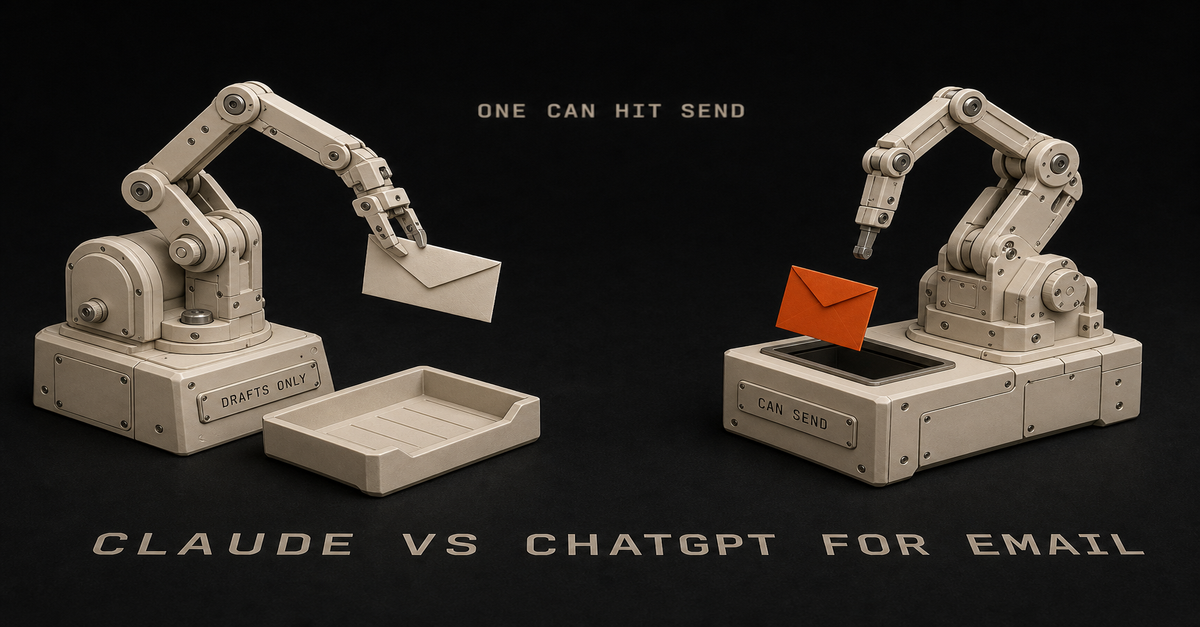
Until late August 2026 this page opened with "Claude cannot send your email." That is no longer true. Anthropic's Gmail connector now sends, replies and forwards, and asks for your approval before each one by default.
ChatGPT has worked that way for a while. So both can hit send and both ask first.
Every page ranking for this query is arguing about tone. That is the wrong argument.
My rule for this one: tone is the cheapest thing to fix and the loudest thing in search results. What matters is which tool can touch your inbox, and how it treats the words you put in it.
Whether you searched "claude vs chatgpt for email," "chatgpt vs claude for gmail," or "can claude send emails," the answer starts with what each tool can do and what happens to your data. Tone comes after. Below is the split, with the official docs behind each line.
The Split in One Table (updated September 2026)Claude
ChatGPTReads your inbox
Yes, via Google Workspace connector
Yes, via connectorsCreates a draft
Yes, in Gmail
YesSends the email
Yes, since August 2026. Asks for approval first by default
Yes, gated as an "important action"Reads attachments
Metadata only, not content
See OpenAI's connector docs per appTrains on connector-retrieved email
No, stated explicitly
Not by default on Business, Enterprise, EduTrains on email you paste in
Possible on Free, Pro, Max if chat training is on
Possible on Free, Plus, Go, Pro if the setting is onAvailable on the free tier
Yes, connectors are on all tiers
Connector behavior varies by tierIn-browser help
Claude in Chrome, beta, paid plans, labeled risky
Not covered hereSaved email voice
Projects with project instructions
Projects and custom GPTsThe third row is the one most pages still get wrong.
Claude Can Send Now (It Could Not Until August 2026)
Until late August 2026 the Google Workspace connectors documentation said "Claude creates drafts in your Gmail account, but cannot send emails on your behalf," with an FAQ line that read "Can Claude send emails on my behalf?
No." That is the version most comparison pages still quote. It changed in late August 2026. The same FAQ line now reads:Yes. Claude can send, reply to, and forward emails from Gmail, and asks for your approval by default before each of these actions.The approval step is the important part. Ask Claude to reply to a thread and it drafts the reply, shows it to you, and waits. On Team and Enterprise plans an owner decides whether members can let those actions run without asking each time. I covered the switch the week it landed:The 60-second version, from my Shorts: Claude just got a send button for your Gmail.The setup screen makes more sense now too. Google's OAuth screen mentions email sending permissions, and Claude actually uses them. The setting to leave on is the approval prompt.My own connector list in Cowork. Gmail is on, which is all the setup the send path needs; the approval prompt does the rest.
One more limit before you build a habit on this. Claude can't open attachments through Gmail. It only sees the metadata. So "read the contract Sarah sent and reply" does not work end to end. You get the filename, not the file.
Connectors are available on all Claude tiers including free. On Team and Enterprise, an Owner has to enable them for the organization first.
ChatGPT Can Send, But It Has to Ask First
ChatGPT has sent email for a while, and its gate works the same way Claude's does now. Sending isn't silent. The useful detail is what OpenAI calls it. From the connectors documentation:An important action is an app action that could have a meaningful effect outside ChatGPT... Examples may include: Sending or editing an email, message, comment, post...The default behavior is spelled out on the same page: ChatGPT "uses Important actions, which allows reading from apps automatically but asks before actions that may have a meaningful effect outside ChatGPT."
So it runs at two speeds. Reading your inbox is automatic. Sending stops and waits for you.
One catch the other pages on this skip. OpenAI's Outlook email and calendar app documentation lists mail sending scopes while describing retrieval as read-only. So OpenAI's own doc contradicts itself. On Outlook, test it on a low-stakes message before you trust it with a client thread.
The Privacy Question Is Not "Which Tool," It Is "How Did the Email Get There"
This should change what you do tomorrow morning. On both platforms, copy-pasting an email into the chat is the worst option for your data.
Anthropic's connector page states the protection clearly: "We do not train our models on your Gmail, Drive, or Calendar connector data." Then it draws the line that matters.If you are using our consumer products (e.g. Claude Free, Pro, and Max)... and you have chosen to allow us to use your chats... then any content you copy/paste from your Gmail, Drive, Calendar... may be used to improve our models.Anthropic's model training policy page says the same thing. Email Claude pulls through the connector is never trained on. The same email, pasted into a chat box on a consumer plan with training allowed, can be.
OpenAI draws its line by plan instead of by how the email got there. From the connectors doc: for ChatGPT Free, Plus, Go, and Pro users, OpenAI may use information accessed from apps to train models if your "Improve the model for everyone" setting is on.
For Business, Enterprise, and Edu customers, OpenAI does not use information accessed from connectors to train models by default.
So here's the rule for both:Connector, on a work plan: the safest setup on either platform.
Connector, on a consumer plan: protected on Claude for retrieved data; on ChatGPT, check your training setting.
Copy-paste into a chat window on a consumer plan with training on: the riskiest setup, and it's the one most people are using right now.If your inbox contains client names, salary figures, legal threads, or anything under an NDA, that last bullet is why this section exists. Turn the setting off, or connect the account instead of pasting.
The Verdict Spine: Email Is Generalist Work, Not Creative Work
This is where you actually decide. It's the same question the Claude Guides pillar is there to answer: which tool owns which job in your week.
My split across my own week, published in Claude Cowork vs ChatGPT Work, runs like this. ChatGPT is the well-rounded everyday generalist, and it doubles as the QA layer for Claude's output. Claude is where the real work happens: creative work, scripts, content, building and refining.
Email is correspondence. Most of it is generalist work.
One more thing from my own week. Almost every comparison out there assumes "AI for email" means writing emails. My biggest AI email win isn't drafting at all.
It's management: my inbox system organizes, archives the junk, unsubscribes, and pings me on the stuff that matters, like a person reaching out or a bill that needs to be paid.
Drafting responses is the smaller half. If your inbox is cluttered, the most useful email automation you can build has nothing to do with writing (the full setup is in Cowork scheduled tasks).
Confirming a meeting, chasing an invoice, answering a vendor, summarizing a thread for your manager: that is ChatGPT's lane by that split, and either tool can now carry it through to send.
The exception is real, though. Some email is writing. The resignation note, the pitch to a decision maker, the apology to a client who is already annoyed, the message where the wrong word costs you something.
Those are Claude tasks by the same split. And the approval prompt helps you there. Nothing you can't take back goes out until you've read it.
Run the Cross-Check Before Anything Important Leaves Your Outbox
The rule I landed on in the Excel breakdown works here too: run the output past the other model before it goes out. If you are using ChatGPT, paste it into Claude and ask it to QA it.
For email, the trigger is easy to state.
Anything going to a client, your boss, or anyone who can fire you gets a second-model read before send.
It takes about thirty seconds, and it catches where AI email really goes wrong. That's usually not grammar. It's a confident tone that drifts, or a draft that agrees to a deadline you never agreed to.
Ask the second model one question: does this commit me to anything I did not intend to, and does the tone match a message to this person.
One catch. Pasting the draft into the second tool is exactly the copy-paste path from the privacy section, so on a consumer plan check your training setting first, or run the cross-check on a work account.
Save Your Email Voice Once Instead of Re-Explaining It Every Week
Both tools have the same fix for "it does not sound like me," and it is a container you set up once.
Claude has Projects, where you can define project instructions for each project, including instructing Claude to use a more formal tone. The free tier is capped at 5 projects, so an "Email" project is a reasonable use of one of them.
ChatGPT has Projects too, with one rule to know, per OpenAI's Projects doc: project instructions only apply inside the respective project and will override your global custom instructions. Your email project can be more formal than your default without you editing your global settings back and forth.
Custom GPTs go one step further, and OpenAI's guide to creating a GPT spells out the split better than most people use it.Use knowledge for reference material, not rules or behavior. Put rules, tone, and workflow guidance in instructions.So here's what you build. Your voice rules go in instructions: sentence length, greeting and sign-off, whether you use exclamation points, what you never say. Then 5 to 10 of your actual sent emails go in knowledge as reference material.
Building GPTs is paid-only and web-only, so plan around that.
If you want the longer comparison of those two containers, it is in Claude Projects vs custom GPTs.
One timing warning before you spend an evening on this. My manual-reps rule, also from the Excel breakdown, says don't lock in a workflow before you have run it manually enough times to stop changing your mind.
So do not write your email voice instructions on day one. Draft emails the slow way for two or three weeks, keep the corrections you make by hand, and then turn those corrections into the instruction block.
Where Claude Genuinely Wins on Email
Now that both tools send and both ask first, the capability table is close to a tie. So the difference comes down to the writing.
Claude reads a hard email better. It holds your tone across a long reply, it doesn't slide into the hedge-everything tone that gives AI email away, and when you tell it "shorter, and drop the apology" it actually does that instead of rephrasing the apology.
Leave the approval prompt on. That is your pause: nothing leaves your account until you have read it, no confirmation dialog you clicked past at 4:50 on a Friday. For anyone whose email carries legal, financial, or relationship weight, that prompt is worth more than the two seconds it costs.
Add the editing and refining edge from my split above, and it's pretty clear: if your hard emails are the ones that matter, Claude is the better email tool for you.
How This Comparison Was Built
I didn't run a side-by-side test for this page, and there are no screenshots of private inboxes on it.
What it is built on instead:Official vendor documentation, linked at every capability claim: Anthropic's Google Workspace connectors page, model training policy page, Projects page, and Claude in Chrome page; OpenAI's connectors page, Outlook app page, Projects page, and GPT creation guide.
Verbatim quotes rather than paraphrase wherever the exact wording is the point, especially on sending and on training data.
My published verdicts on adjacent questions, linked at each claim: the daily-driver split from the Cowork vs Work comparison, the cross-check rule and the manual-reps rule from the Excel breakdown.One flagged inconsistency: OpenAI's Outlook app documentation lists mail sending scopes while describing retrieval as read-only. Outlook users should verify behavior on a test message. Both companies change things often, so if their pages disagree with this one, trust theirs.
Updated September 5, 2026: Anthropic's connector page flipped its FAQ from "Can Claude send emails on my behalf? No." to "Yes," with approval required by default. The title, table, and the two sections on sending were rewritten to match. I covered the change in a Short on August 25.
Frequently Asked Questions
Can Claude send emails from Gmail?
Yes, since late August 2026. Anthropic's Google Workspace connector documentation now answers it directly: "Yes. Claude can send, reply to, and forward emails from Gmail, and asks for your approval by default before each of these actions." Before that it was draft-only, and most pages on this topic still say so.
Can ChatGPT send an email without asking me?
Not by default. OpenAI classes sending an email as an "important action," which it defines as an app action that could have a meaningful effect outside ChatGPT. The default configuration reads from connected apps automatically but asks before actions like sending, so the message is shown to you first.
Is it safer to paste an email or connect my account?
Connecting is safer on both platforms. Anthropic states it does not train on Gmail, Drive, or Calendar connector data, but says pasted content from those sources on Free, Pro, or Max may be used to improve models if you allowed chat training.
OpenAI may use information accessed from apps for training on Free, Plus, Go, and Pro when "Improve the model for everyone" is on, and does not by default on Business, Enterprise, and Edu.
Can Claude read my email attachments?
No. Anthropic's connector documentation states that attachment content is not directly accessible through Gmail, metadata only. Claude can see that a file was attached and what it is called, but it cannot open the contents, so "read the attached contract and draft a reply" does not work end to end.
Do I need a paid plan to connect Claude to Gmail?
No. Google Workspace connectors are available on all Claude tiers including free. On Team and Enterprise plans, an Owner has to enable connectors for the organization before individual users can set them up.
Why does the Google consent screen mention email sending permissions?
Because Claude now uses them. Anthropic's documentation says the OAuth screen mentions sending permissions and that Claude can send, reply to, and forward emails, but only with your explicit approval by default. On Team and Enterprise plans, owners decide whether members can let those actions run without asking each time.
Can Claude write directly inside my Gmail compose window?
Claude in Chrome, in beta on paid plans (Pro, Max, Team, and Enterprise), has built-in knowledge of how to navigate Gmail and other popular platforms, and Anthropic still labels it risky even with safety classifiers enabled.
Treat in-browser assistance as an experiment rather than the reliable path. The dependable Claude email surface is the Google Workspace connector, which drafts, and with your approval, sends.
Pick By What You Need the Tool to Actually Do
There's no one winner here. It depends on your inbox.You want the whole loop handled, drafting through to send: either one now. Both send, both ask first by default, so pick by the rest of this list.
Most of your email is routine correspondence: ChatGPT, per the generalist half of the daily-driver split.
Your hard emails are the ones that matter: Claude. Better at voice and refining, and the approval prompt is your pause before anything irreversible.
You handle confidential threads: connect the account instead of pasting, and check your training setting.
You are on a free plan: Claude connectors work on free tiers, which is the cheapest real path into an AI-assisted inbox.
You want it to sound like you every time: a project with instructions on either tool, built after two or three weeks of manual reps, per the Excel breakdown.So decide how the email gets into the tool and who reads it before it goes out. Tone comes after that.
Published July 18, 2026. Updated September 5, 2026, when Anthropic's Gmail connector gained send, reply and forward with approval required by default. Capabilities, permissions, and training-data policies checked against Anthropic's and OpenAI's official support documentation, all linked inline. No first-party head-to-head test was run for this page. These products change often; the official pages are the source of truth.
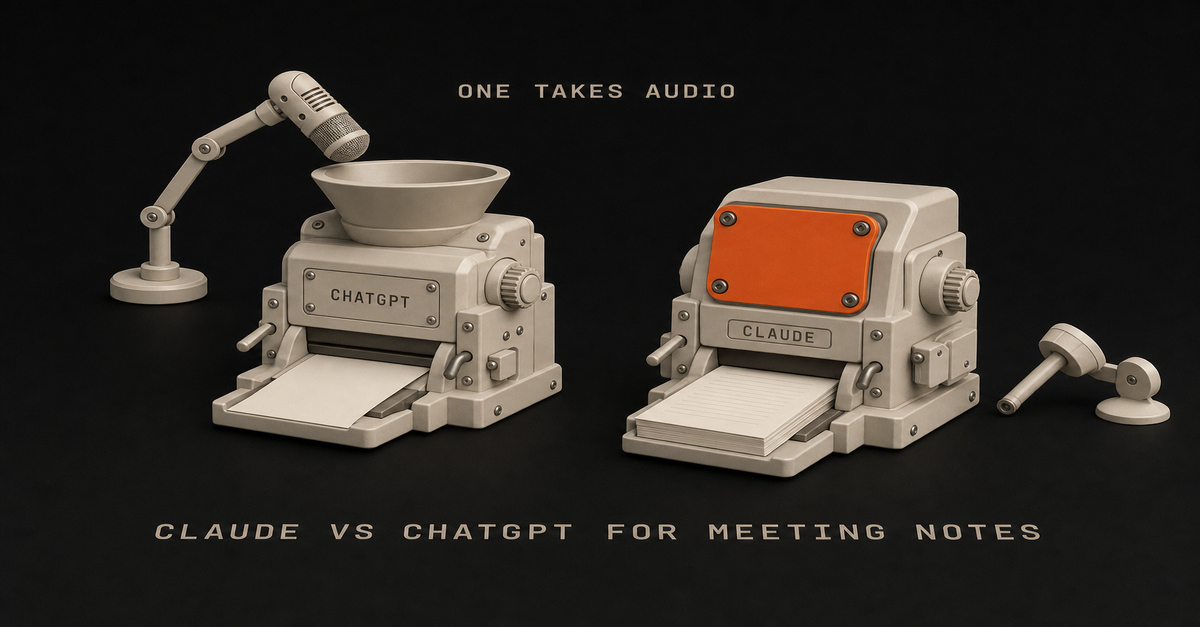
Claude will not take your recording. Not "handles it worse." It does not accept audio or video files at all. ChatGPT will, through record mode, but only on the macOS desktop app, capped at 4 hours, auto-joining Google Meet and nothing else.
So the real question is not which one writes prettier summaries. It is whether you can record at all.
My rule for this one: capture is a hardware problem, minutes are a writing problem, and only one of these two tools can do the first.
That is the answer. Here is the evidence, the official limits, and a verdict split by whether a recorder is allowed in your room.
The Split in One Table (July 2026)Claude
ChatGPTAccepts an audio file
No. 10 supported file types, none audio
Yes, via record modeNative transcription
None
Yes, with speaker labelsWhere recording works
Nowhere
macOS desktop app onlyRecording length cap
n/a
4 hours per recordingAuto-joins your calls
No
Google Meet only, not Zoom/Teams/WebexWhich plans
n/a
Plus, Pro, Business, Enterprise, Edu (not Free or Go)Turning messy notes into minutes
Stronger
CompetentScheduled, recurring processing
Claude Cowork
Scheduled tasksEntry price
Pro $17/mo annual, $20 monthly
See OpenAI's pricing pageRead that top row again, because it is the row nobody writes down.
Claude Does Not Accept Audio Files, Full Stop
Anthropic publishes the supported upload list, and it is short: PDF, DOCX, CSV, TXT, HTML, ODT, RTF, EPUB, JSON, XLSX, plus images. Ten document types and pictures.
No mp3. No m4a. No wav. No mp4.
There is no asterisk, no "coming soon," no premium tier that unlocks it. If you drag a recording of your Tuesday standup into Claude, there is nowhere for it to go.
The near-miss that confuses people is voice mode. Claude has one, and it is genuinely useful, but it is conversational input and output: you talk to Claude, Claude talks back. It is not a recorder pointed at a conference table.
To be fair to both apps: talking TO them on mobile is in good shape now. Claude's mobile voice input was a little buggy a few weeks back, and in my use it has caught up; both transcribe what you say to them just fine.
That is dictation. It is a different capability from handing the app a recording of a meeting, and the upload list above is still the wall for that.
This is the wall. Somebody pays $17 a month for Claude Pro after reading a listicle that called it "more structured for meeting summaries," opens the app with an hour of audio, and discovers the product will not take the file.
ChatGPT Is the Only One of the Two That Can Capture a Meeting
Credit where it is due, and this is the section where ChatGPT wins outright.
OpenAI's own Record mode doc says it plainly: "ChatGPT can transcribe and summarize audio recordings like meetings." Record mode transcribes, labels who said what, and hands you a summary. On the capture question, Claude is not in second place. It is not on the field.
Now the limits, because every ranking page skipped these too.macOS desktop app only. Not the web app, not Windows, not iOS or Android.
4-hour cap per recording. Your all-day offsite does not fit in one file.
Google Meet auto-join only. Zoom, Microsoft Teams, and Webex are not supported for auto-join.
Plus, Pro, Business, Enterprise, and Edu. Not on Free, not on Go.
Off by default on Enterprise and Edu, so your admin has to turn it on before you can use it.
Audio is deleted after transcription, and it works best in English.Read that list as a filter, not a feature spec. A Windows-based project manager running Teams calls gets nothing from record mode, and no comparison post on this query says so.
Every Ranking Page Is Answering the Second Question First
Search this topic and you get summary-quality opinions. Claude is more structured. ChatGPT is more conversational. Pick your favorite prose style.
That is the second question.
The first question is whether the tool will accept your input, and one of these two answers no. Writing quality only becomes the deciding factor after capture is solved, which is exactly why so many people buy the wrong subscription for this job.
I have written the writing-quality comparison, and the verdict there holds.
In Claude vs ChatGPT for writing the pattern from months of real user reports is that Claude holds voice and follows constraints like "one sentence only" more reliably by default, while ChatGPT wins on volume, versatility, and tasks that mix files and data. That is a real advantage for turning a transcript into minutes.
It is just not the advantage you should shop on first.
The Pain Is in the Write-Up, Not the Recording
The people asking this question are not confused about what a summary is. They are drowning in the after-part.
A project manager, u/folkarlow93 on r/projectmanagement, laid out the math: "a 1 hour meeting can take me anywhere from 2-4 hours (sometimes more) to type up minutes for... my manager seem to be able to take minutes and get them sent out 30 minutes after the meeting which I find is insane, almost like I'm doing something wrong."
Four hours of write-up for one hour of meeting, against a manager who ships in 30 minutes. That gap is the whole product category.
An executive assistant, u/AmMF808 on r/ExecutiveAssistants, named the other half of it: "I can take notes during the meeting, but then I feel like I'm only half listening... Some meetings are online, but a lot are in person meetings or quick follow ups where setting up a full meeting bot feels weird."
Two different problems hiding under one search query. One is transcription. The other is attention, etiquette, and what happens to the scribbles afterward.The 60-second version, from my Shorts: Never Write Up a Meeting Again: The 2-Minute AI Workflow After Every Call.The Handoff Between Tools Is Where the Time Actually Goes
Even people who solved capture are still doing manual labor, and they know it.
From r/ObsidianMD, u/Interesting-Post4178 put it better than any vendor page: "The issue is not really capturing the meeting anymore.
There are already good tools for transcription and summaries. The part that still feels manual is what happens after... Right now this still feels like a lot of copy/paste between a meeting tool, Claude/ChatGPT, notes, and email."
That is the honest 2026 state of things.
Heads up: the Fireflies links below are affiliate links: a small kickback to me at no cost to you. I only recommend tools I've actually run.
Transcription is a commodity. Otter, Fireflies, Tactiq, and Granola all do it well, and several will sit in a Zoom or Teams call that ChatGPT record mode will not auto-join. The unsolved part is the chain from transcript to decisions to owners to the email that actually goes out.
What I actually do after a call
My path is deliberately boring, and it sidesteps the whole wall: I record and transcribe on the phone itself, with Voice Memos or Apple Notes transcription on the iPhone, and then paste the TEXT into the AI.
Easiest thing you can do. Text uploads work everywhere, the transcript is on-device in one step, and I never have to care which chatbot accepts which file type.
I also do not lean on in-app recording for any of these tools.
The recording windows are short in my experience (ChatGPT's felt like roughly a ten-minute window when I tried it) and the apps can freeze mid-capture, which is exactly the failure you cannot afford in a meeting. Capture on the device, process in the AI.
For the processing itself, my split: everyday summarize-and-draft work goes to ChatGPT, which is my well-rounded daily generalist, and anything that has to become real content (a script, a post, a doc with my voice in it) goes to Claude.
When a summary really matters, I paste one tool's output into the other and ask it to QA it.
The Cohort Nobody Writes For: You Are Not Allowed to Record
Every article on this query assumes a bot is in the room. For a lot of professional life, it cannot be.
In-person meetings. Board meetings where recording is prohibited by policy. Legal, healthcare, and security-restricted workplaces. Two-party consent states. And the case u/AmMF808 named, where spinning up a meeting bot for a five-minute hallway follow-up just feels weird.
If that is you, the Claude no-audio limitation is completely irrelevant.
You are never uploading audio anyway. You have a page of hurried notes, a few half-sentences, three names, and a decision you are pretty sure was made. Your problem is processing, not capture, and processing is exactly where Claude is strongest.
Here is the workflow, and it takes about five minutes.Take rough notes during the meeting. Bullets, fragments, initials for people. Do not try to write minutes live. That is the trap that makes you half-listen.
Paste the mess into Claude within the hour, while you can still fill gaps from memory.
Ask for four things in one prompt: a structured summary by topic, decisions made, action items with an owner and a due date, and open questions that were not resolved.
Make it flag its own gaps. Add "list anything ambiguous or missing that I should confirm" so you get a checklist instead of confident invented detail.
Ask for the follow-up email in a second message, addressed to the attendees, short, decisions and owners only.Step 4 is the one people skip, and it is the one that keeps the output honest.
For meetings you have every week, do not run this by hand forever. That processing step is Cowork's job.
Route It With the Chat, Cowork, Code Rule
The rule I give everyone, from Claude Cowork vs Claude Code: Chat answers. Cowork does your office work. Claude Code builds software.
Pasting one set of notes into a chat window is a Chat task. Fine, do it, it works.
Turning every Monday's notes into a brief without you asking is a Cowork task. Anthropic's own getting-started documentation names this exact use: Cowork can "extract themes, key points, and action items from meeting notes, interviews, or lecture recordings."
This is not theoretical. In 20 real Claude Cowork use cases, use case 9 is people dumping Teams chats, meeting notes, emails, and scattered docs into Cowork on a schedule and getting one readable brief back.
Use case 15 is podcast host Aakash Gupta running Cowork across years of his own transcripts to find where guests contradicted each other, then building the ten most quotable insights into a deck.
That is the after-capture lane, already documented, already working.
Two caveats before you go build it. Cowork is on paid plans only (Pro, Max, Team, Enterprise) with no separate SKU, and it burns your usage allowance faster than chat does.
Claude also has a Google Calendar connector that can view and create events, which is how you get "schedule the follow-up we agreed to" without leaving the app.
The Third Answer: Do Not Make These Two Your Only Options
The way this comparison is set up is a little rigged, so let me break it.
A dedicated transcription tool plus Claude is a legitimate, often better answer than either chatbot alone. Otter, Fireflies, Tactiq, and Granola exist because capture is a real product problem with real requirements: joining Zoom, Teams, and Webex, running on Windows, handling recurring calendar invites, storing transcripts you can search a year later.
None of that is what a chatbot is for.
Let the recorder record. Then hand the transcript to the tool that writes better, and store the output wherever your work lives, whether that is Notion, Obsidian, or a Claude Project you keep for a given client. That chain beats a purist "one AI does everything" setup almost every time.
How This Comparison Was Built
Straight up: I did not run a head-to-head first-party test for this page. No side-by-side of the two tools summarizing the same meeting, and no screenshots of my own runs.
Fabricating those would be the actual failure, so here is what this page is built on instead.Official vendor documentation, linked inline at every capability claim: Anthropic's file upload list, voice mode page, Cowork getting-started page, and Google Workspace connector page; OpenAI's record mode help article.
Real user threads, named and linked: r/projectmanagement, r/ExecutiveAssistants, and r/ObsidianMD, quoted verbatim above.
My own published verdicts on adjacent questions, linked at each claim so you can check the reasoning.One honest gap: exact dollar figures for ChatGPT's Plus and Pro tiers could not be verified against OpenAI's pricing page at publish time, so this page names tiers instead of prices and links the pricing page for the current numbers. Claude's are on claude.com/pricing: Pro at $17/month billed annually or $20 monthly, Max from $100.
Both companies ship changes constantly. Their pages win over this one.
Frequently Asked Questions
Can Claude take meeting notes?
Claude cannot record or transcribe a meeting. Its official upload list covers 10 file types plus images, with no audio or video format anywhere on it. Claude can turn notes or a transcript you already have into clean minutes and action items, but something else has to capture the meeting first.
Is there a Claude AI note taker?
Not in the sense most people mean when they search that. There is no Anthropic-built bot that joins your call and takes notes for you. Claude is the processing layer that runs after capture, either in chat or on a schedule through Claude Cowork.
Which is better for note taking, Claude or ChatGPT?
For turning raw notes into structured minutes that follow your format rules, Claude. For getting the raw material in the first place, ChatGPT, because record mode is the only native capture path between the two. Many people end up using ChatGPT or a dedicated recorder for capture and Claude for the write-up.
Can ChatGPT join my Zoom or Teams meeting automatically?
No. Record mode auto-joins Google Meet only. For Zoom, Microsoft Teams, or Webex you either record locally with the macOS desktop app in the room, or use a dedicated meeting tool like Otter, Fireflies, or Granola that supports those platforms.
Does record mode work on Windows?
No. ChatGPT record mode is macOS desktop app only as of July 2026. Windows users have no native capture path in either Claude or ChatGPT and should pair a dedicated transcription tool with whichever chatbot they prefer for the write-up.
Pick By Whether You Can Record
There is no universal winner here, only a fork based on your room.You are on macOS, meetings are on Google Meet, recording is allowed: ChatGPT. Record mode is the only native path between the two, and it is included on your Plus or Business plan already.
You are on Windows, or your calls are Zoom, Teams, or Webex: neither chatbot captures for you. Pair Otter, Fireflies, Tactiq, or Granola with Claude for the write-up.
You cannot record at all (in person, board, regulated, or it just feels weird): Claude. Capture stays manual, and the five-step notes-to-minutes workflow above is the whole win.
You have the same meeting every week: Claude Cowork on a schedule. Stop doing the processing step by hand.
Your write-up has to match a strict template or house format: Claude, per the instruction-following pattern in Claude vs ChatGPT for writing.
You are only paying for one and this is a real part of your job: decide capture first, then read the $20 tier breakdown before you enter a card, because the plan you pick changes how much of this work you can actually get done.Solve capture. Then argue about prose.
Published and last reviewed July 18, 2026 against Anthropic's and OpenAI's help pages, linked inline. Quotes from public Reddit threads. No head-to-head test.This post is part of Claude Guides, the hub with every plan decision, task comparison, and setup guide for using Claude without code.
You have a 90-page contract, report, or policy PDF and one question you actually need answered. Every ranking page on this query hands you a context-window spec sheet and calls it a decision.
That doesn't help you with the actual job.
Three things decide this, and none of them is the size of the context window: where you put the file, whether the PDF is a scan, and whether you are summarizing or judging.
My rule for this one: the bigger window does not read your document, and when being wrong is expensive, run both models against each other before you trust either one.
One note on the window itself, since every other page leads with it. Anthropic's context window doc states that Claude Sonnet 5 supports a 1M token context window on all paid plans.
Opus 4.8, Opus 4.7, Opus 4.6, and Sonnet 4.6 support 500K. Outside of these models the window is 200K, and there's no free-tier number published anywhere.
OpenAI does not clearly publish context window sizes for its consumer tiers at all.
So the "bigger window" argument compares a published number to an unpublished one. That just means one vendor is more open than the other. Useful to know, but it's not what those pages think they're proving.
What will actually break your afternoon is file size caps, image handling, and retrieval behavior. All three are documented. None of them show up in those search results.
Where You Put the File Changes the Rules More Than Which Brand You Picked
So the table that actually helps here compares chat to project knowledge, on both platforms.Claude chat
Claude project files
ChatGPT chat
ChatGPT project knowledgeFile size cap
500MB per file
30MB per file
512MB per file, 2M tokens
512MB per file, 2M tokensFile count
Up to 20 per chat
Unlimited, must fit context window
80 files per 3 hours (Free: 3/day)
10 uploaded at a timeWhat gets read from a PDF
Text and visuals under 100 pages
Text extraction only, except multimodal PDFs
Text and visuals (Enterprise: visual retrieval)
Text only, images discardedWhen it flips to search
Automatically at context limit (RAG)
Automatically at context limit (RAG)
Not documented for consumer tiers
Not documented for consumer tiersStorage
Not published per-user
Not published per-user
25GB per user, 100GB per org
25GB per user, 100GB per orgSources: Anthropic's upload documentation, OpenAI's file uploads FAQ, and OpenAI's Projects documentation.
Look at the first row. That's the one this whole post is about.
The Popular Advice About Big Files Is Backwards on File Size
The standard advice, including the top-voted Reddit answers on this, is that large files belong in the knowledge base rather than in chat. If you mean lots of files, that's right. For one big file, Anthropic's own numbers say it's backwards.
Anthropic's upload doc puts chat uploads at 500MB per file, up to 20 files per chat. The same page documents project files at 30MB per file.
That is a 16x gap running the opposite direction from the advice.One enormous PDF, used once: drop it straight into a chat. The project will reject it long before the chat does.
Forty documents you will query for months: project knowledge. Unlimited file count there, and the chat's 20-file ceiling is what would stop you."Knowledge base for big stuff" sounds obviously right. It only holds up when you have lots of files, not one huge one.
There's a second catch too. Anthropic specifies project files as "Text extraction only (except for multimodal PDFs)." File your chart-heavy quarterly report in the project, the spot you'd assume is more thorough, and it can lose its charts.
The Scanned PDF Trap Is the Most Expensive Surprise in This Comparison
If your PDF is a scan or a photo of a document, this section decides your answer by itself.
OpenAI's file uploads FAQ states it directly: "ChatGPT Enterprise supports Visual Retrieval for PDF files... All other plans and document files only support text-based retrieval. This means that ChatGPT will extract digital text from the file and discard any images."
Their dedicated visual retrieval page repeats it: "This capability is available only to ChatGPT Enterprise customers. It is not supported for ChatGPT Free, Pro, Team, or Edu accounts."
A scanned document has no digital text. So if ChatGPT pulls the text and throws out the images, there's nothing left.
Claude's documented behavior on the same input: "Claude models can analyze both text and visual elements (like images, charts, and graphics) in PDFs that are under 100 pages." And that applies on every tier.
Neither vendor uses the word OCR in their consumer docs, so I'm not going to guess whether either one does it. What they do document is what gets read and what gets thrown out. That's enough to make the call.
But there's a gap in Claude's docs. PDFs over 1000 pages get text only, and for anything between 100 and 1000 pages the docs say nothing.
That range covers most real contracts, annual reports, and policy manuals. In other words, the exact document that brought you here. Any page that tells you what happens in that range is making it up.
So test your own file: ask Claude to describe a specific chart or signature block on a specific page. If it can, visuals are being read. If it can't, you're only getting the text, so plan around that.
The nested version of this trap that will genuinely catch you
Same PDF, same ChatGPT account, two different behaviors depending on how it got there.
OpenAI documents it: "PDFs uploaded as GPT Knowledge or Project Files are processed using text-only retrieval. PDFs uploaded by users during interactions with a published GPT or within a Project conversation are processed using visual retrieval."
So filing a PDF into your project's knowledge strips its images. Dragging the identical file into that project's chat window does not. The tidy habit is the one that costs you the images. Know that before you build a workflow around it. Same argument as Claude Projects vs Custom GPTs.
Claude has the same problem, in the project-files line quoted above. On both platforms, the knowledge base is the worse place for anything visual.
Why Claude "Forgot" Something That Was Definitely in Your Project File
This is the most common complaint with long documents, and there's a documented reason for it.
Anthropic explains that when retrieval augmented generation is enabled, "Claude uses a project knowledge search tool to retrieve relevant information... Instead of loading all project content into memory at once, Claude intelligently searches and retrieves only the most relevant information needed to answer your questions."
The trigger is the part that matters:RAG automatically activates when your project approaches or exceeds the context window limits. You'll see a visual indicator.It reverses if the project drops back below the threshold, and Anthropic says it can expand capacity by up to 10x.
In practice: below the threshold, everything you filed gets loaded. Above it, Claude searches instead of reading, and it only finds what its search thinks matches how you worded the question.
So it's the same project with two behaviors, and it switches on its own.
That's why the clause you know is in there comes back as "I don't see that in the documents." Claude isn't making things up there. Its search just missed the clause. Ask again using the exact wording from the document, not your paraphrase.
One caveat. Anthropic's RAG page says "RAG for projects is available for all Claude plans (free, Pro, Max, Team, and Enterprise)," while their Projects article describes enhanced project knowledge with RAG as paid-plans-only.
So two Anthropic pages from the same period say opposite things. Check your own account for the indicator rather than trusting either page.
Summarize This and Find the Clause Are Two Different Jobs With Two Different Risk Levels
Every page on this query treats "work with a PDF" as one task. It is two, and only one can hurt you.
Summarize and orient is low stakes. What is this report about, what are the main findings, what do I need before the meeting. If the model flattens a detail, you find out in the meeting and correct it. Both tools are fine here.
Find the clause and judge it is not. What is the termination notice period, does this indemnity cap cover third-party claims, does this policy apply to me. Being wrong has a dollar figure attached.
That second job is where my trust-but-verify rule from the Claude vs ChatGPT for Excel breakdown applies without exception: the fully autonomous agent does not exist yet. Run the AI in parallel with your manual process until its answers match yours, and keep QA-ing after they do.
My cross-check is what I'd do with documents: if you are using ChatGPT, paste the output into Claude and ask it to QA it. Then reverse it. AI is already smarter than us at plenty of things and it can still be wrong.
For a contract, that means a concrete loop:Ask model A for the clause, requiring it to quote the exact passage and give the page number.
Open the PDF and read that page yourself. Everyone skips this and it takes ninety seconds.
Paste model A's answer into model B and ask it to QA the interpretation against the same document.
Where the two disagree, that is your list for a human who is paid to be right.Step one does most of the work. A model forced to quote and cite cannot hand you a smooth paraphrase of a clause that is not there.
Two setup habits from that same breakdown make either job go better:One job per session. Do not dump 20 files covering 20 topics and fire off 10 questions. The exception that works is grouping files that belong together. Four contracts from one vendor relationship is one job. Four unrelated policies from four departments is four jobs, and merging them is how you get answers that mix up documents without telling you.
Decide the output format before you upload. That choice is the real skill. It's the difference between "summarize this contract," which gives you prose you have to re-read, and "give me a table with clause, page number, plain-English meaning, and risk to me."Capture and processing are separate problems here, same as they are in meeting notes. Whether this work belongs in a chat, a project, or something scheduled is the routing question covered in the Claude Guides pillar.
Where Each One Genuinely Wins
Neither is the universal answer, and pages that pick a winner outright are not being straight with you.
ChatGPT wins on volume and throughput. 80 files every 3 hours is a generous documented allowance, and the 2M token per-file cap does not apply to spreadsheets at all.
If you work with CSVs alongside your PDFs, that matters. Storage is published too, at 25GB per user and 100GB per org, which is more than Anthropic tells you.
ChatGPT's free tier is honest about being a trial. 3 file uploads per day tells you immediately whether it fits your week.
Claude wins on scanned and image-heavy documents on any tier. Anthropic documents visual analysis of PDFs under 100 pages with no tier condition, while OpenAI restricts visual retrieval to Enterprise. That's the biggest documented difference between the two for this job.
Claude wins on published transparency. Context windows by model and plan, page thresholds, per-destination file caps. You can plan against numbers instead of guessing.
Both share one weak spot: non-PDF documents. Anthropic states that for DOCX, TXT, and the rest, "Claude extracts text only from these files. If they contain embedded images, Claude won't be able to read or interpret them."
Same for Google Drive: "Claude extracts text content only from Google Drive files. Images embedded in documents are not processed." A Word doc full of screenshots is a bad input on either platform.
Frequently Asked Questions
Is Claude or ChatGPT better for PDFs in 2026?
For one large PDF, especially a scanned or image-heavy one, Claude. Anthropic documents that Claude analyzes both text and visual elements in PDFs under 100 pages on any tier, while OpenAI documents that visual retrieval for PDFs is Enterprise-only and all other plans extract digital text and discard images.
For a large library of documents you query repeatedly, both handle it, and the deciding factor is where you put the files rather than which brand you picked.
What is the maximum PDF size Claude can handle?
Anthropic documents 500MB per file for chat uploads, up to 20 files per chat. Project files are capped much lower at 30MB per file, with unlimited file count as long as total content fits the context window.
Separately, Claude analyzes text and visuals in PDFs under 100 pages and processes text only for PDFs over 1000 pages.
Can ChatGPT read a scanned PDF?
Not on consumer plans. OpenAI documents that visual retrieval for PDFs is available only to ChatGPT Enterprise customers and is not supported for Free, Pro, Team, or Edu accounts.
On those plans ChatGPT extracts digital text from the file and discards any images, so a scanned or photographed document has no extractable text and yields nothing usable.
Why did Claude miss something that was in my project file?
Anthropic documents that retrieval augmented generation activates automatically when a project approaches or exceeds context window limits. Below that threshold everything is loaded at once.
Above it, Claude switches to searching and retrieving only what it judges relevant, which means the same project can behave two different ways depending on how full it is. A visual indicator appears when the switch happens.
How many PDFs can I upload to ChatGPT?
OpenAI documents up to 80 files every 3 hours, with free users limited to 3 file uploads per day. Individual files are capped at 512MB and 2M tokens, spreadsheets at roughly 50MB.
Inside Projects, only 10 files can be uploaded at the same time, and the project count per plan runs from 5 on Free to 40 on Edu, Pro, Business, and Enterprise.
The Verdict, By What Is Actually on Your Desk
There's no single winner. It depends on the document, not the brand.One huge PDF you need answers from today: either tool, dropped into a chat window, not filed into a project. Chat takes 500MB on Claude and 512MB on ChatGPT. The project route caps at 30MB on Claude and strips images on both.
A scan, a photo, or anything image-heavy: Claude, unless you are on ChatGPT Enterprise. Consumer ChatGPT discards the images, and images are the entire document.
A library you will query for months: project knowledge on either platform, with the images caveat understood, and know that Claude switches to search once the project outgrows the window.
A contract you are going to sign: neither one alone. Make the model quote and cite the page, read that page yourself, then cross-check with the other model per the Excel breakdown's verify rule.
You are only paying for one: ask whether your documents are born digital or scanned. That question decides it faster than any context window number.Put the file in the right place and check whether the visuals are being read. After that, sure, argue about which one writes prettier summaries.
Published and last reviewed July 18, 2026. Limits verified that day against vendor documentation linked inline: Anthropic's upload page (itself dated April 22, 2026), Anthropic's context window and RAG for projects pages, OpenAI's file uploads FAQ, visual retrieval FAQ, and Projects documentation. No first-party head-to-head test was run for this page. These numbers drift, and both vendors ship changes constantly, so check the official pages before relying on any figure here.
Both make real, editable .pptx files. The first page of Google gets that wrong.
Several of the slide-tool vendor pages ranking for this query still say the chatbots do not produce slides at all. A MindStudio page dated May 4, 2026 puts it plainly: Claude "is in the same boat as ChatGPT for visual design. It doesn't produce slides."
That was roughly true when it was written. It is not true now, and Anthropic's and OpenAI's own documentation is where you can check.
This happens a lot. The products change fast and the comparison pages don't. MindStudio itself published a newer piece on June 3, 2026 comparing ChatGPT PowerPoint, Claude, and Gamma that references the PowerPoint add-in and editable decks. The claim got updated. The older page is the one still ranking.
So before you trust any AI comparison, including this one, check the date on it.
Once you know both make files, the real decision is the tier gates, and they flip.
So here's my split for slides: the tool makes the file, you make the argument.
The premise of the question is out of date. My take: don't use PowerPoint. It's silly. It's like you have an assistant who does it better than you and faster.
Below is what each one actually makes, which plan gets you which one, and what to do when you have a deck due Thursday and a company template you have to match.
Both Tools Generate Editable .pptx Files as of July 2026
This changes the whole comparison, so here are the vendors' own pages.
Anthropic's file-creation doc: "Claude can create Excel spreadsheets (.xlsx), PowerPoint presentations (.pptx), Word documents (.docx), and PDF files." It does this by executing code to create files directly in your conversations, inside an isolated, sandboxed container.
OpenAI describes ChatGPT for PowerPoint as "a PowerPoint-native AI experience that lives in a sidebar inside Microsoft PowerPoint. It can help you create, edit, understand, and polish presentations directly, while preserving editable slide structure."
Editable slide structure. Not an image of a slide, not a wall of HTML. A file you open, click into, and fix.
Both of those pages are dated. Hold this one to the same standard.
There Are Four Mechanisms Here, Not Two Tools
The mistake is comparing "Claude" to "ChatGPT" as if each has one slide feature. Claude now has three separate ones with different plan requirements, and that third one is two days old.
Claude Slides, new on September 16, 2026. Anthropic launched it alongside the Cowork merge.
It drafts a presentation inside a normal conversation, you edit the slides directly, and you present from Claude or download PowerPoint or PDF. It is in beta, and per Claude's pricing page it is available on Pro and Max and not on Free.
This is the one that breaks every other comparison on this search, including the last version of this page. Keep reading for the corrected gate table.Anthropic's pricing page, September 18, 2026: Slides sits in the Pro column. Max adds usage, not Slides.
Claude, in-chat file creation. Claude writes code in a sandbox and hands you a .pptx. Anthropic states that "code execution and file creation is available to all Claude users (Free, Pro, Max, Team, and Enterprise)" on web, desktop, and mobile. Files can save to Google Drive. The cap is 30MB per file.
Claude for PowerPoint, the add-in. An add-in that integrates Claude into your PowerPoint workflow, running in PowerPoint on web, Windows, and Mac. Anthropic states it "is available to Pro, Max, Team, and Enterprise plans." Free is excluded.
ChatGPT for PowerPoint, the add-in. The sidebar described above. OpenAI states it "is available globally to Free, Go, Plus, Pro, Business, Enterprise, ChatGPT Edu, and K-12 users. Free and Go include limited usage access."
Put those four tier lists side by side and you can see them flip.
The Tier Gates Invert, and That Is the Actual Decision
A free Claude user can get a .pptx file but cannot get the sidebar. A free ChatGPT user can get the sidebar but is metered.Claude, in chat
Claude Slides
Claude for PowerPoint
ChatGPT for PowerPointFree plan included
Yes, all users
No. Pro and up
No. Pro, Max, Team, Enterprise
Yes, limited usageWhere it runs
Web, desktop, mobile chat
Inside a Claude conversation
PowerPoint on web, Windows, Mac
Sidebar inside PowerPointOutput
A .pptx file you download
Editable slides, export .pptx or PDF
Slides in your open deck
Slides in your open deckEdits an existing deck
Not documented
Not documented
Yes, pinpoint slide edits
Yes, add or revise slidesReads your slide master
Not documented
Not documented
Yes, stated explicitly
Hedged, "may not always match"Metered by credits
No
No, but spends normal usage
No
Yes, roughly 20 to 110 per taskStatus
Stable
Beta
Stable
StableOther file types
.xlsx, .docx, .pdf too
Slides only
Slides only
Slides onlyOne caution on that credit row. OpenAI conditions its credit figures on flexible pricing being effective, which makes it rollout-dependent. Check the current help page before you plan a week of deck work around a number from a blog post, including this one.
Only the Add-Ins Have a Verified Claim to Edit an Existing Deck
If your Thursday deck already exists and needs revisions, this is the row that decides it.
Claude for PowerPoint is documented to "make pinpoint edits to specific slides without regenerating entire decks." You select a slide and tell Claude what to change. ChatGPT for PowerPoint is documented to "add or revise slides in an existing deck."
Claude's in-chat file creation is documented for creating files. There is no equivalent published claim that it will take your uploaded .pptx and edit it in place.
That matters more than it sounds. Making a fresh deck and fixing slide 7 of an approved deck are different jobs. Only one of them is what most people are actually doing at 4pm on a Wednesday.
If you need the second one, you need an add-in, which means a paid Claude plan or a metered ChatGPT session.
Every Vendor Says the Same Thing About Company Templates: Start From the File
Anthropic, OpenAI, and Microsoft all agree on this one. It's also the move that actually works.
Microsoft's Copilot documentation is the bluntest: "Start with your organization's template. If your organization uses a standard presentation template, start with this file before creating a presentation with Copilot. Starting with a template will let Copilot know that you'd like to retain the presentation's theme and design."
OpenAI's Work documentation says to ask ChatGPT to match an existing file, master deck, or reusable template, and draws a useful line: a reference file applies to one request, a template can be used again.
One catch, though: OpenAI's Work documents article says PowerPoint is not included in that Work desktop flow at launch.
So whichever tool you pay for, do this:Open the approved company template file first. Do not start from a blank prompt and hope.
Work inside that file with the add-in, so the tool can see the master, layouts, and theme colors already in it.
Give it the argument, not the design. It has the design.
Check the first two generated slides against a known-good deck before you let it produce twenty.Nobody is going to praise your gradient. They will notice immediately if the logo is in the wrong corner.
Claude Makes the Confident Template Claim, ChatGPT Makes the Honest One
Each tool wins something different here.
Anthropic's is the strongest sentence either company publishes on this topic, from the add-in doc: "Claude reads the slide master, layouts, fonts, and color scheme in your deck and uses them when generating or editing slides." That's a clear, specific claim about the exact stuff a company template is made of.
One more nice detail: skills you have enabled in your Claude settings are available inside the PowerPoint add-in too, so any house style rules you have already written travel with you.
OpenAI hedges, in writing, on the same question: "Template adherence: The product is designed to work within existing presentation templates where possible, but generated or edited slides may not always match a preferred style perfectly."
It goes further and flags that "some advanced PowerPoint editing, chart, shape, formatting, and slide-management capabilities may be limited or still in development."
That hedge actually helps you.
A vendor telling you up front that formatting might drift beats a confident claim that turns out to be loose at 11pm. Plan a formatting check either way. ChatGPT just told you to.
ChatGPT's real win is reach. It is in the sidebar on Free, in a product your employer already licenses, on a plan you may already have. Claude's sidebar requires Pro or above.
What Neither One Knows Is What Your Audience Needs to Believe
This decides whether the deck lands, and no docs page covers it.
In Claude vs ChatGPT for Excel, my argument is that being technical stopped mattering. Nice-looking output and reading the data are cheap now. What matters is taste, plus the way you already know things should be done.
Slides are the clearest case of that. Both tools will produce a clean, on-brand, well-spaced deck. Neither knows that your VP kills any recommendation that appears before the cost slide, or that the number on slide 4 is the one the whole room came to argue about.
I handle this the same way on the content side. In my write-up of Claude Cowork scheduled tasks, I describe trying to fully automate long-form content and watching it fail: you sound robotic reading it, you lose track of what you're talking about.
What works instead is that the system generates the outline and I supply the substance.
Same shape for a deck.
Let the tool build the structure and the file. You own the argument, the order, and the cut. It fails the same way in both cases. You get something that reads smooth but says nothing you would defend in a room.
One more rule worth stealing from that Excel piece: one job per session. Do not dump twenty files on twenty topics and ask ten questions at once. One deck, one audience, one decision you want made.
If you are still deciding how much of your work belongs in these tools at all, the Claude Guides pillar lays out the lanes.
Deck Due Tomorrow, You Pay for Both? Research in ChatGPT, Design in Claude
If you pay for both and you have a deck due, do not agonize. Here's the split I would run. It's two steps.
Step one: ChatGPT, for the thinking. Get the raw ideas, the text, and the research hashed out first. ChatGPT is phenomenal at this part.
Use Astra if your plan has it, or a mid reasoning level on the $20 tier if that is still what you are offered, which is plenty for this. One warning: Astra burns your usage fast, so do the research pass and get out. Come away with an outline and the actual words.
Step two: Claude, for the deck. Then open Claude and tell it you are designing a presentation. Give it three things first:Your audience. Who is in the room and what they need to believe.
Your colors. Say them explicitly.
A reference deck you like, and ask it to reverse engineer why it works. The composition, the font choices, the psychology of how the thing is laid out. Most people can't explain why a deck looks good. This step lets you borrow that judgment instead of guessing.Then let it come back with topics, colors, and layout options.
For PowerPoint, I say open Claude. That's it. ChatGPT thinks, Claude builds the slides. That's my split on this one.The 60-second version, from my Shorts: Claude or ChatGPT? Wrong question. Here's when to use each..And do not use PowerPoint by itself. I know that sounds a little much, but I mean it. You have an assistant that does this faster and better than you will by hand. Using the bare app is picking the slow path on purpose.
In my opinion, the bolted-on Copilot experience is a downgrade from just going to Claude or ChatGPT directly and bringing the file back.
Is the beta label on Claude Slides a reason to wait?
Beta doesn't mean anything, bro. Use the feature and just try it out. It might be buggy, but it is not useless. Anthropic shipped it because it is usable. Try it, find out where it breaks on your work, and keep the old route in your pocket for the deck that actually matters.
How to Actually Build the Thursday Deck
No feature list here, just the order to do it in.Write the argument first, in plain text. Five to eight bullets, in the order you want the room to accept them. You can't hand this part off.
Open the approved template file. Not a blank deck, not a theme you picked. The file your company sends around.
Open the add-in you have access to. Claude for PowerPoint if you are on Pro or above, ChatGPT for PowerPoint otherwise.
Ask for structure from your bullets, one section at a time, not the whole deck in one shot.
Check slides one and two against a known-good deck before generating the rest. Fonts, logo placement, color, title case.
Revise slide by slide. Both add-ins support targeted edits. Use them instead of regenerating.
Read it out loud as an argument. If you cannot say why each slide exists, cut it.Step 1 is the one people skip, and it is the one the tools cannot do.
If you want the free-tier path instead: ask Claude in chat for a .pptx built from your bullets, download it, then paste your content into the company template manually. Slower, but it costs nothing and you keep the template intact.
Frequently Asked Questions
Can Claude make PowerPoint presentations?
Yes. Anthropic's documentation states Claude can create PowerPoint presentations (.pptx), along with Excel, Word, and PDF files, by executing code in a sandboxed container inside the conversation. This file creation is available to all Claude users including Free, on web, desktop, and mobile, with a 30MB per-file limit.
Does ChatGPT work inside PowerPoint?
Yes. ChatGPT for PowerPoint is a sidebar that lives inside Microsoft PowerPoint and can create, edit, understand, and polish presentations while preserving editable slide structure. It is available globally to Free, Go, Plus, Pro, Business, Enterprise, Edu, and K-12 users, with Free and Go getting limited usage access.
Which one matches my company template better?
Claude makes the stronger documented claim. Anthropic says Claude for PowerPoint reads the slide master, layouts, fonts, and color scheme in your deck and uses them when generating or editing slides.
OpenAI hedges, stating that generated or edited slides may not always match a preferred style perfectly. Either way, start from the template file rather than a blank prompt.
Can AI edit an existing PowerPoint deck?
Yes, through the in-PowerPoint add-ins. Claude for PowerPoint can make pinpoint edits to specific slides without regenerating entire decks. ChatGPT for PowerPoint can add or revise slides in an existing deck. Claude's in-chat file creation is documented for creating files, not for editing an uploaded .pptx, so use the add-in when you need to edit.
Do I need a paid plan for AI slides?
It depends which mechanism you want, and the gates invert. Claude's in-chat .pptx creation includes Free users, but Claude for PowerPoint requires Pro, Max, Team, or Enterprise. ChatGPT for PowerPoint includes Free and Go with limited usage, but it is credit-metered, with a typical task consuming roughly 20 to 110 credits.
Where this comes from
I do not make decks, and nothing on this page pretends I do. Every capability claim links to Anthropic, OpenAI or Microsoft's own pages, checked July 18 and again September 18.
The MindStudio quote is word for word from a page dated May 4, 2026. I didn't run a head-to-head test. Prices and credit numbers move, so the linked pages win over this one.
Pick By Which Mechanism You Need
There's no one winner here. It depends on your plan and your deck.You are on a free plan and just need a deck to exist: Claude, in chat. It is the only free path to an actual .pptx file, and it also does .xlsx, .docx, and .pdf.
You are on a free plan and need to work inside PowerPoint: ChatGPT for PowerPoint. It is the only sidebar that includes Free, though usage is limited and metered.
You already pay for Claude Pro or above: Claude for PowerPoint. The slide master claim is the most specific one either vendor publishes, and your enabled skills come with you.
You must match a strict corporate template: open the template file first, then use an add-in inside it. That advice comes from Anthropic, OpenAI, and Microsoft alike.
You need to revise an existing approved deck: an add-in, not in-chat generation. Only the add-ins have a documented edit-existing-deck capability.
You want the new Claude Slides specifically: it needs Pro or above, it is in beta, and I wrote up what it is and what it cannot do at Claude Slides.
You are deciding which subscription to hold for work generally: read Claude vs ChatGPT for writing and Claude vs ChatGPT for Excel before you pick, because slides are rarely the only thing on the list.Making the file is the easy part now. The argument is still your job.
Correction Log
This page's whole point is "check the date on it," so here are this page's own dates.July 18, 2026. Published with two Claude mechanisms and one ChatGPT mechanism, and the tier-inversion argument.
September 4, 2026. Reviewed, no mechanism changes.
September 18, 2026. Wrong, in the same way I accused everyone else of being wrong. Claude Slides launched on September 16 and the previous version of this page did not know it existed. Added it as a third Claude mechanism, rebuilt the gate table around it, added the beta row, and added the two-step workflow. The tier-inversion thesis survives: Free still gets in-chat .pptx from Claude and still cannot get Claude Slides.This stuff just moves that fast.
Published July 18, 2026. Updated September 18, 2026 for Claude Slides. The correction log above has the dates.
Quick answer: Both work inside Excel now through official add-ins. ChatGPT for Excel is open from Free up, with limited use on Free and Go. Claude for Excel starts at Claude Pro ($20 a month, $17 billed yearly).
The habit that decides whether you can trust either one is the same for both: one does the work, the other checks it.
Straight up: I've never used either add-in inside Excel. I don't even use it as Excel. I just download stuff from exports pretty much, like from LinkedIn and X.
Even then, if we can pull it from the API, we don't even pull CSVs. So this page tells you what each add-in does from the vendors' own docs, and how I split my spreadsheet work between the two chat apps I pay for.
My model verdict, from paying for both: before Sol 6.1, I will tell you Opus 5.5 wins flat out. 6.1 is pretty good. It's like 90% there, and then with Opus you get like a 95%.
That's my gut, not a benchmark. GPT-6.1 Sol is the model OpenAI announced at DevDay on September 29.My Claude model picker on Opus 5.5, September 22, 2026.
Published July 17, 2026. Updated October 2, 2026 against Anthropic's and OpenAI's add-in docs, linked inline.
Quick decision: pick by the spreadsheet job in front of youYour job
PickTry AI inside Excel for $0
ChatGPT for Excel (Free, limited)You already pay for Claude Pro and want it in the sheet
Claude for ExcelTurn an export (LinkedIn, X, a bank CSV) into a chart
Claude in the chat app, no add-in neededResearch on top of that analysis: competitors, gaps, ideas
ChatGPTMacros or VBA
Neither add-in. Draft it in chat, then test it yourselfA number someone will act on
Both: one builds it, the other checks itMy split in one line: Claude draws it, ChatGPT digs into it, and neither one grades its own homework.
The add-ins do the same job, and the price gate is the real difference
The old line was "Claude makes files, ChatGPT works in Excel." That's dead. Both sit in a sidebar inside your workbook now, and both can also build a real .xlsx from a chat.Claude for Excel
ChatGPT for ExcelPlans
Pro, Max, Team, Enterprise
Free, Go, Plus, Pro, Business, Enterprise, Edu, K-12Cheapest way in
Claude Pro, $20 a month ($17 billed yearly)
$0, limited usage on Free and GoWhere it runs
Excel on the web, Windows (Microsoft 365), Mac 16.46+. Not iPad, Android, Excel 2016 or 2019
Excel desktop or web, plus a Google Sheets versionUsage
Same usage limits as your Claude account
Plus and Pro: your plan's agentic usage limitShows its work
Answers with cell-level citations
Tells you to review formulas, citations and changed cellsMacros and VBA
Unsupported
"May not be fully supported"A real .xlsx from chat, no add-in
Yes, every plan including Free
YesSources for every row: Anthropic's Claude for Excel docs and pricing page, and OpenAI's ChatGPT for Excel help article and ChatGPT Work files article, all checked October 2, 2026.Anthropic's Claude for Excel docs, captured October 2, 2026.
The ChatGPT side is wider. OpenAI's article lists Free first, and says Free and Go "include limited usage access."OpenAI's ChatGPT for Excel help article, captured October 2, 2026.
The gates flip the same way for slides. If you also make decks, Claude vs ChatGPT for PowerPoint has that map.
If you're deciding which subscription to hold at all, the Claude Max vs ChatGPT Pro breakdown covers what each plan's limits feel like when you pay for both.
Copilot is a third tool, and it can even run Claude
Excel Copilot is Microsoft's assistant, not ChatGPT. It lives in Microsoft 365 and bills through Microsoft.
It gets weirder. Microsoft's Copilot in Excel support page shows a model picker in the upper right of the Copilot pane that can switch to Claude, and on work accounts an admin has to allow Anthropic first.
So keep three names straight: Claude for Excel, ChatGPT for Excel, and Copilot. If your company already pays for Copilot, read Claude vs Copilot before you add a second bill.
Claude wins the chart and the build
Here's the job I hand Claude, in my words:
"Claude, give me something visual. Look at my analytics from LinkedIn. I want to see how I'm performing week over week or month over month."
That's an export plus a picture, and Claude in the chat app handles it with no add-in. Anthropic's file creation article says Claude can create Excel files with working formulas on every plan, Free included, up to 30MB per file.The 60-second version, from my Shorts: Claude Hands You a Real Spreadsheet, Not a Chat Answer.Other people doing heavier number work land in the same place. An accountant, u/MrNariyoshiMiyagi on r/ClaudeAI, uploaded real tax work to both chat apps: "Claude was phenomenal. The calculations were clean, the new Act was applied correctly, and the MS Excel formatting was genuinely brilliant."
That was chat uploads, not the add-ins. One person, one job, but it matches my take on Opus.
ChatGPT wins the free start and the research
ChatGPT is the one you can open inside Excel tonight for $0. For a lot of people that settles it.
It's also where my analysis goes next. Once Claude makes the chart, I hand it over: "Take this analysis Claude did. Research our top three competitors and see what they're doing that I'm not."
That's my play. ChatGPT is phenomenal for the research.
If you're on ChatGPT Pro, you can take it a step further and do it on the fly with a dot. That's what I would do.
A dot is OpenAI's always-on agent that keeps working between chats. Per OpenAI's dots page it comes with Pro (not in the EEA, UK or Switzerland), Business Premium and Enterprise.
A construction estimator, u/Medium-Resort-8048 on r/ClaudeAI, made the other half of the case from his upload work: "I upload the full plans and ask too many questions. Claude would run out of tokens by lunch. As of right now Chat is the way to go."
Both apps have usage walls today, so read that as one heavy user's experience, not a rule.
Neither one is safe alone, so make the other one check it
Even the vendors say don't trust the output blind. Anthropic says Claude for Excel isn't recommended for "audit-critical calculations without verification." OpenAI's article says outputs "may be incomplete or incorrect."
The tools also show their work differently. Ethan Mollick of Wharton posted on X about giving both add-ins a workbook with more than a hundred tabs.
ChatGPT built formulas in the sheet like a person would; Claude often ran Python and pasted the results, which made them harder to trace. His read: ChatGPT is easier to audit.Ethan Mollick✓@emollick · Mar 7, 2026𝕏
I gave ChatGPT for Excel and Claude for Excel a try on a very hard Excel file: macro-economic data from 1,000 years of English history across over a hundred tabs.…ChatGPT tended to stick within the Excel app, building formulas and manipulating the data in the way a person would. On the other hand, Claude used Python and often pasted material into Excel for display purposes only, making it harder to trace or edit.
View the post on X →144K viewsClaude has its critics on the add-in side too. Data writer Olga Berezovsky wrote in April: "It is still too willing to overcomplicate formulas, too inconsistent on multi-step requests, and too capable of making mistakes."
So here's the one habit. When a number matters, paste the output into the other app: if ChatGPT did the analysis, ask Claude to QA it, and the other way around. AI is already smarter than us at plenty of things, and it can still be wrong.
Steal this ask for whichever one builds the sheet:
Use live Excel formulas, not pasted values. When you're done,
list every cell you changed and the formula behind each total.Then paste that list into the other app with: "Check these totals and tell me what doesn't match."
The limits you'll hit first are plan, device and downloaded filesNo iPad. Claude for Excel doesn't run on iPad or Android. It needs Excel on the web, Windows or a recent Mac build.
Big files. Anthropic's performance page says one Claude read covers 2,000 cells with data, and it works best under 1 million used cells.
Downloaded templates. Anthropic warns: "Only use Claude for Excel with trusted spreadsheets." Files from outside can hide instructions. If you grabbed a budget template off the internet, check it before you hand it to the add-in.
No memory in the sidebar. OpenAI says spreadsheet chats don't sync with your main ChatGPT history and don't use ChatGPT memory. Claude's add-in keeps chat history in your browser, not synced across devices.My working rules for spreadsheets and AI, either app
Know your format first. LinkedIn hands you a CSV, X hands you an XLSX or CSV. Decide how you want it back before you ask: a chart, three short insights, one combined file.
One job per session. Don't dump twenty spreadsheets about twenty different things and ask ten questions across ten topics. It gets confusing fast, for you and for the model. Same-domain consolidation is the exception, like every platform's analytics into one file.
Do the manual reps before you build the skill. I can't tell you how many times I tried to build the automation before I'd even tested the workflow. You're going to change your mind. Ask for the thing until it comes back the way you want, for a few weeks, then make it repeatable.
Being technical doesn't matter anymore. Charts and data interpretation are the commodity now. Your taste and your procedure are the part AI can't copy.
Let one build it and the other check it
I've never opened either add-in, and my play still runs through two AIs. One export, one chart from Claude, one research pass from ChatGPT.
My rule: one AI does the work, the other one checks it. That's how either one earns your trust.
Start with one export you already download, LinkedIn, X or your bank. Ask Claude for the chart, hand it to ChatGPT, and see what it finds.
Where this comes from
The plan, device and limit facts come from Anthropic's and OpenAI's own docs, captured October 2, 2026. The model verdict and the chart-then-research split are mine, from my riff that day.
I have not used either add-in inside Excel, and I haven't published my LinkedIn chart yet. The Reddit, Mollick and Berezovsky lines are theirs, linked where quoted.This post is part of Claude Guides, the hub with every plan decision, task comparison, and setup guide for using Claude without code.
For writing, Claude is the better pick when the words have to sound like a specific person and follow your instructions exactly.
Pick ChatGPT when you need volume, versatility, or writing bundled with research and data in one tool. Most people who write seriously and can justify it end up keeping both and routing by task.
Whether you typed "claude vs chatgpt for writing" or "chatgpt vs claude for writing," that is the short answer.
The rest of this page is the evidence: what real users say after months on each, the current model names and prices as of July 2026, a decision table, and a verdict by the kind of writer you are.
The Quick Answer, by What You Write
Skip ahead if you already know both tools. This is where most people who used both end up.What you are writing
Better pick
WhyIn your own voice or brand voice
Claude
Holds tone with less prompting; reads warmer by defaultLong documents and reports
Claude
Keeps the thread and follows document-wide instructionsStrict-format or constrained writing
Claude
Obeys "one sentence only" and similar rules more reliablyResearch-heavy or data-driven pieces
ChatGPT
Stronger at pulling, calculating, and citing inside the draftHigh volume, fast iteration
ChatGPT
More generous practical limits, more general-purposeWriting plus files, PDFs, and math
ChatGPT
Better all-in-one for mixed tasksBoth tools are good now. The difference is in the defaults, and that matters when you write every day.
The Models You Are Actually Comparing (July 2026)
Comparisons go stale fast because the model names change. Here is what each side ships right now.Claude
ChatGPTWriting flagship
Opus (warmest voice), with Sonnet, Haiku, and Fable
GPT-5.5 (Instant and Thinking)$20 tier
Claude Pro, per claude.com/pricing
ChatGPT Plus, per OpenAI's tiers pageDefault writing feel
Natural, holds voice, follows constraints
Competent, versatile, more generic before tuningVoice control feature
Styles
Custom instructionsAnthropic's own pricing page lists "Write, edit, and create content" as a core Claude capability, and the Pro tier runs $17 per month billed annually or $20 monthly:If either name is new to you, start with the plain-English money comparison first: Claude Pro vs ChatGPT Plus breaks down the $20 tiers, and Claude Max vs ChatGPT Pro covers the $100 ones. This page is only about the writing.
Claude Writes More Like a Person Out of the Box
People who paid for both and wrote with both keep saying the same thing: Claude sounds less like AI by default.
In a four-month "paid for both" comparison on r/ClaudeAI, one user put the writing call plainly: for long-form writing, analysis, and structured documents, "claude wins... its not close".
The same post named the reason writers care most about, which is obedience: "tell it 'respond in 1 sentence' and it actually does. gpt-5 negotiates." That line explains a lot of the frustration writers have with ChatGPT drafts that just ignore a length or format instruction.
A reply from u/Ashtonator28 in that thread became a clean way to remember the split: "anthropic accidentally built a brilliant coworker. openai accidentally built a very competent butler," per the r/ClaudeAI thread.
Voice is what matters here. Claude's Opus model reads a little warmer. It tends to hold the same tone across a long piece instead of drifting into that flat, hedge-everything style that gives AI writing away.The 60-second version, from my Shorts: Claude vs ChatGPT for Writing (Use Both Like This).Where ChatGPT Genuinely Wins for Writers
This isn't a Claude infomercial. ChatGPT wins some real writing jobs, and I'm not going to pretend it doesn't.
The other side comes from a real-estate and tax professional, u/Free-Writer-1123 on r/claude, who pushed back on the Claude hype after using both on actual client work: "ChatGPT has been the most-versatile with higher correct rate of answer.
Better at reviewing text from PDF... I keep reading how awesome Claude is, but I have much different user experience than most."
That's the pattern. Sometimes the writing is wrapped around other work: reading a PDF, running the numbers, pulling research, then dropping it into a draft. There, ChatGPT often wins the whole task because it does it all in one place, even if Claude would win the prose alone.
ChatGPT also wins on sheer volume. Its practical limits run more generous, so if your job is to produce a lot of drafts fast and iterate, you will hit fewer walls. For a marketer pushing out ten variations of ad copy before lunch, that matters more than a slightly warmer sentence.
And the gap in voice narrows with effort. A saved custom instruction or a strong reusable style prompt pulls ChatGPT much closer to a personal voice. The difference is mostly at the default setting. With no tuning, Claude starts ahead.
Instruction-Following Is the Real Divide
Forget the vibes. The difference writers can actually measure is simple: Claude does what you told it, and ChatGPT negotiates.
Writers feel this constantly. You ask for three sentences and get five. You say "no bullet points" and the next draft is a bulleted list. You set a tone and it slips back to corporate-neutral by paragraph four.
The reports lean one way. An accountant, u/MrNariyoshiMiyagi, ran both on real client work and found Claude cleaner on a strict task: "Claude was phenomenal.
The calculations were clean... ChatGPT, on the same prompt, made a complete mess." That's numbers, not prose, but it's the same thing: Claude sticks to the rule you set.
For writing, the constraint is usually voice, length, or format. If your drafts live or die on those, the tool that obeys them saves you the most editing time.
What Neither Tool Does For You
People talk about both of these like they replace a writer. They don't.
Claude reads warmer, but it still produces confident filler when it has nothing real to say. ChatGPT is versatile, but it will happily invent a citation or a statistic in a research-heavy draft. Neither one fact-checks itself.
The teacher u/FATJIZZUSONABIKE, in the same r/claude discussion, praised Claude's output in that thread as "so detailed and inspired that I've barely had to adapt anything," but the words that matter are "barely" and "adapt." Even the best case is a strong first draft you still own and edit.
So the AI writes the draft, and you decide what stays. Whichever tool you pick, the last pass is yours.
How This Was Compared
This verdict is built from public, linked sources, not a private benchmark. The picks come from multiple "paid for both" threads on r/ClaudeAI, r/claude, and r/ChatGPTPro where users wrote real work with each tool over weeks or months, plus the official product pages for current model names and pricing.
Model names and prices were checked on July 12, 2026 against claude.com/pricing and OpenAI's official tiers page. Both companies change these often, so their pages are the source of truth if a number here has aged.
No coding benchmarks were used, on purpose. SWE-bench and Elo scores say nothing about whether a paragraph sounds like you.
Pick By The Writer You Are
There's no winner for everyone. It depends on what you write.You write in a distinct voice (brand, personal, fiction): Claude. It holds tone with the least prompting and reads warmer out of the box.
You write long, structured documents: Claude. It keeps the thread and follows document-wide rules.
Your drafts must obey strict format or length rules: Claude. It stops negotiating with your instructions.
Your writing is wrapped in research, data, or PDFs: ChatGPT. Having it all in one tool wins the whole task.
You produce high volume and iterate fast: ChatGPT. More generous practical limits, fewer walls.
You write seriously every day and can justify it: both, and route by task. Claude for the voice-critical drafts, ChatGPT for the research-heavy and high-volume ones. Many writers who tried to pick one ended up keeping both for exactly this reason.If you can only run one and your work is mostly writing where tone and instruction-following matter, start with Claude. If your writing is one part of a mixed workload full of files, data, and research, start with ChatGPT.
Then read the $20 tier breakdown before you pay, because the plan you choose changes how much writing you can actually get done.
Published and last reviewed July 12, 2026. Model names and pricing checked that day against claude.com/pricing and OpenAI's official tiers page. User quotes are drawn from public Reddit threads, linked inline. These products change often; the official pages are the source of truth.This post is part of Claude Guides, the hub with every plan decision, task comparison, and setup guide for using Claude without code.
Quick answer: the $100+ tiers are for people whose AI builds things while they do something else.
If your AI use is chat, even heavy chat, keep your $20 plan. If you run agents (coding sessions, automated workflows, research swarms), you will meet the caps, and the upgrade question answers itself.
I pay for both stacks, $200 each. Claude Max sits at the 20x step.
ChatGPT Pro dropped to $100 for a while so I could pay for Grok Bot. Then OpenAI launched dots, its new always-on agents, at DevDay on September 29.
I pay $200 for OpenAI now because of the dots release. I'm gonna switch over from Grok Bot. Grok Bot was good, and I like the multi-agent. I just feel like dots are gonna be cleaner, just because it's in the ecosystem.
The one-liner I stand behind: Claude Max is for building. ChatGPT Pro is for research and volume. The upgrade trigger is agents, not chat.
Searching "claude max vs chatgpt pro" or "chatgpt pro vs claude max"? Here is the comparison from someone actually paying for both, with the numbers as of October 2, 2026.
Comparing Claude's own two tiers instead? That is a different question, and it has its own page: Claude Pro vs Claude Max.
Not sure which one you are? Book 15 minutes with me, tell me what your week looks like, and I'll tell you which plan to pay for and which chores to hand it first. I pay for both, so it's a straight answer. If it's for a team, that's this page.
The fact most comparisons get wrong: the ladders match on price, not on access
These two ladders were the same shape when this page went up in July. They still share two price points, $100 and $200. What you get at each one stopped matching in September, and on September 29 OpenAI added a third rung at $500 and shrank the $200 one.Claude Max
ChatGPT Pro$100/month
5x Pro's usage per 5-hour session
5x the usage of Plus ($20)$200/month
20x Pro's usage per 5-hour session
10x Plus since DevDay, per OpenAI's Codex lead (was 20x; existing subscribers keep 20x through Oct 29)$500/month
No Claude tier
25x Plus, plus Astra Ultrafast in Codex and ChatGPT WorkWhat's included
Everything in Pro: Claude Code, Claude Design, Slides and Docs, Research, projects, plus higher output limits
Pro models, Codex, ChatGPT Work, deep research, image creation, memory, file uploads; dots rolling out to Pro"Unlimited"?
No. Session + weekly caps
No. Metered at every tierPublished exact quotas?
No numeric quotas on the official page
Only for the Pro models, per weekNewest model, $100 tier
Fable up to 50% of weekly limits
50 GPT-6 Pro messages/week, shared with Sol ProNewest model, $200 tier
Fable up to 50% of weekly limits (same)
200 GPT-6 Pro messages/week before DevDay; reported to drop to 100Annual billing?
No. Monthly only
No. Monthly only, all three tiersAds?
None
None. Ads are Free and Go onlyAt $200 the two plans no longer match even on paper: 20x against 10x. They were never the same unit anyway. Claude counts against one Pro session of five hours; ChatGPT counts against the Plus allowance.
OpenAI's ladder is now a straight line. $100 buys 5x, $200 buys 10x, $500 buys 25x, so every Plus-sized chunk costs $20 at every tier. The old $200 at 20x was the one bulk discount on that ladder, and it's the part that got cut.
Claude Max 20x still sells 20 Pro-sized sessions for 10 times Pro's price. The weekly cap means you won't see all of it, which the section on the "20x" argument below covers.
ChatGPT Pro was famously "the $200 unlimited plan." That era is over: OpenAI's help center sells every Pro tier as more usage than Plus, and Claude Max does the same against Pro. Articles still selling "unlimited GPT" are describing last year's product.
Neither company lets you pay annually at the top tier. OpenAI states it plainly: "Currently, we do not support annual billing or the option to pay for multiple months in advance for ChatGPT Go, Plus, or Pro subscriptions." Anthropic's Max help page says: "The Max plan is currently available as a monthly subscription only."
So it is $100 or $200 every month on Claude, and $100, $200 or $500 on ChatGPT, with no discount for committing. Claude Pro has an annual option at $17 a month.
The top tiers do not.
And support will not top you up. OpenAI's help page: "OpenAI Support does not reset ChatGPT or Codex usage limits."
Two real feature gates exist. On Claude, Fable 5 and Fable 5.1 are included on Max up to 50% of your weekly limits on both steps, cost separate usage credits on Pro, and are unavailable on Free. On ChatGPT, Ultrafast is $500 only. Everywhere else in this comparison, money buys capacity, not capability.
What changed on September 29: a $500 tier and a smaller $200
OpenAI announced it at DevDay on Tuesday, September 29, 2026. Three things moved on the ChatGPT side, and nothing moved on Claude's.Pro $500 is new. OpenAI's DevDay recap says it "offers our highest usage allowance at 25 times the ChatGPT Plus allowance and includes access to Ultrafast." Ultrafast is a faster mode for GPT-6 Astra, and per OpenAI's DevDay notes it runs in Codex and ChatGPT Work. This is the plan people were calling "ChatGPT Pro Max."
Pro $200 got smaller. Tibo Sottiaux, who runs Codex at OpenAI, put it at "Pro 200 = 10X" Plus, down from 20x, as relayed on OpenAI's community forum. Engadget reports GPT-6 Pro in chat drops from 200 to 100 messages a week. OpenAI's help page says existing $200 subscribers keep their old allowance through October 29, same price.
Pro $100 did not change. Still 5x Plus.Tibo✓@thsottiaux · Sep 29, 2026𝕏
As we increase the floor, we are changing the relative difference between plans to bePlus = 1X
Pro 100 = 5X
Pro 200 = 10X…If you have an existing plan you will keep the 20X multiplier for a bit and also receive a lot of additional credits…
View the post on X →2.5M viewsWould I pay $500? I cannot afford it. That's where I cap. I'm not making that much money yet, so I wish I could do the $500.
My read: it's for people already making real money from AI who live in Codex all day. I worked through all three tiers in ChatGPT Pro $100 vs $200.
The $200 cut is the part people are mad about. In my week, I don't really feel it. It feels like it could run forever. I moved my OpenAI tasks to GPT-6.1 Sol, which OpenAI shipped at DevDay with "near-Astra performance at a lower cost" in Codex, ChatGPT Work and the API.
It does run out. On October 2 I was down to about 2% of my ChatGPT allowance. I don't buy credits. A reset is coming, so I wait.
What changed on September 3: GPT-6 Astra and a 4x split inside ChatGPT Pro
OpenAI shipped GPT-6 Astra on September 3, 2026. In the ChatGPT picker it is branded GPT-6 Pro, and OpenAI's help center published a weekly allowance: 50 messages on Pro $100, in one pool shared with GPT-5.6 Sol Pro, and 200 on Pro $200.
That 4x gap between the two tiers was this section's whole story for a month. DevDay on September 29 narrowed it, and the new gate is Ultrafast on the $500 tier. The plan-by-surface question is in which ChatGPT plans get GPT-6 Astra.
Claude Max has no equivalent. Fable sits at 50% of weekly limits on both Max steps, so Anthropic's tiers still differ only in how much.
A month ago I said ask me again in a month whether Astra moved my split. It held, and here is what it looks like now.
When I want my LinkedIn numbers turned into something I can read, I go to Claude: "Claude, give me something visual, give me this chart. Look at my analytics from LinkedIn and make it more visual. I want to see how I'm performing week over week or month over month."
Then ChatGPT gets the result: "Take this analysis that Claude did, the chart, and research our top three competitors and see what they're doing that I'm not." That's my play. Claude builds the picture, ChatGPT does the research.
The "20x" argument you should know about before you pay $200
I'd want someone to tell me this before spending $200 on the Claude side, and it is currently the loudest complaint in the Claude community.
Anthropic's multipliers are per session, not per week. Its own pricing page says so:You get everything in Pro, plus more usage: choose from 5x or 20x the usage of Pro per 5-hour session.Paid plans then have weekly caps layered on top, and those weekly caps do not scale by the same factor.
So the practical weekly throughput a Max 20x subscriber gets is not 20 times a Pro subscriber's. There is now litigation over it.
Kahn v. Anthropic, filed June 14, 2026 in the US District Court for the Northern District of California, alleges the weekly figure lands closer to six to eight times for Max 20x and nearer three and a half for Max 5x.
Those numbers are an unproven allegation in an active case, not a finding, and I am not going to pretend to know the real multiplier.
But the mechanism is not in dispute, because Anthropic publishes it.
I am not telling you to skip Max. I pay for the 20x tier and it earns its place in my week. Lately I hit my limit, but I burned it to the ground. For the first time it lasted longer. I'm running more tasks.
I am telling you that "20x" describes a five-hour window, and if you budget your week around it you will be disappointed. In September I said OpenAI was truer to its 20x. DevDay ended that argument.
The real upgrade trigger: agents burn tokens, chat does not
Here is the pattern across every "why am I hitting limits" thread, and my own bill.
Chat barely moves the meter. Agents devour it. One user on the $200 Max tier, u/jayplay90, reported: "I barely did anything and it ate 24% of me weekly usage on Claude max 20x." Other users report burning half a weekly allowance in a single day without writing any code.
That is not malfunction. That is what agentic work is: one instruction fans out into hundreds of model calls.
My own upgrade moment was exactly this. It started when I realized Claude Code does far more than code: it edits my YouTube videos. I was spending 20 to 60 minutes per video cutting repeated takes by hand.
Now an agent transcribes the raw footage, reads the transcript, decides which takes are keepers, plans the cuts, executes them with FFmpeg, and drops the finished video in a folder.
I say "edit" and step away. Out of my last 14 videos, maybe 3 needed tweaks. Here is this week's actual output folder:Building that system is what pushed me up the ladder. Refining a workflow means testing, rebuilding, and re-running it over and over. Add competitor research with three or four sub-agents running simultaneously, and you burn through a $100 allowance fast.
I kept hitting the cap, got tired of waiting for resets mid-build, and moved to the $200 tier. Straight from my phone:My Claude billing screen, July 2026.
One discipline that stretches any tier further: which model you run matters more than which tier you buy. A $100 Max user who rarely hits limits, u/xAdakis, put it plainly.
Heavy users burning out their caps "are more than likely using Opus, which is more token heavy... I rarely hit my limits using Sonnet all the time for heavy coding and agentic workflows." Run the efficient model as your daily driver and save the heavyweight for the work that deserves it.
The dial I had been ignoring: Opus 5 and effort settings
This page went up on July 12. Opus 5 shipped on July 24, described in Anthropic's announcement as a step change for the Opus tier powering long-running agents.
Since then both sides moved again: GPT-6 Astra shipped September 3, Opus 5.5 became the current Opus on September 22, and GPT-6.1 Sol arrived at DevDay on September 29.
So does that change the "Claude builds, GPT reviews" split? Not the split. Something else.
Opus 5 is amazing, and I'm only realizing the power after a week or two of using it. The thing I had wrong was the effort setting. I was running it on medium. Medium to high is a big difference.
A real example. My YouTube descriptions were coming out slightly off. In the past I would have reached for Fable, the top model, for any skill tweaking. This was minor, so I went back and forth with Opus on high instead, and it caught the problem and fixed the skill.
Another time I had Opus generate a plan and handed it to Fable for QA. Fable agreed with it.
Run high, and Opus is arguably matching the top model on some of this work. What actually changed in my week is that I moved my content builds, video scripts and LinkedIn posts, from Opus medium to Opus high.
What changed is the effort dial, and it is the knob most people have not touched. Same model, same subscription, noticeably different output.
Where each one earns its $100+
Claude Max: the builder and the writer. For work that needs judgment and instruction-following, the receipts keep coming from non-developers. One accountant, u/MrNariyoshiMiyagi, ran both $100 tiers side by side on real client work.
"Claude was phenomenal. The calculations were clean... ChatGPT, on the same prompt, made a complete mess of the numbers."
And for content, my own verdict is simple: if you are creating in your own voice, Claude just writes better. Both models feel human to talk to now; Opus runs a little warmer.
ChatGPT Pro: the researcher and the volume machine. At $100 the practical limits still run generous, which is why users paying $200 on both sides report leaning on GPT for sheer volume. Those reports predate DevDay.
That trade shows up cleanly in one pre-DevDay summary on r/Anthropic, comparing the two $100 tiers: "Usage on chatGPT is much more generous with the latest price cuts. But claude is definitely less hands on for me, i find GPT requires a lot of [steering]."
More volume, more steering. That is the honest shape of it.
In my stack, ChatGPT's side (Codex, OpenAI's agent app) is also the better scheduler of boring, repetitive automations: my inbox triage and LinkedIn engagement queues run there because they execute consistently. And it is a phenomenal coder in its own right. I pay its bill too, back at $200 after a stretch on $100. This screen is older, from July:My ChatGPT subscription, July 2026. It shows Pro, not which tier.
They work best as a team. My setup runs a custom MCP connection (plain English: a bridge I built so the two AIs can talk to each other), and quote me on this: when Claude builds something, it sends the work across for QA automatically, like a sparring partner.
It beats using a sub-agent of the same model, because the second opinion comes from a genuinely different brain.
u/cc_apt107, who pays for both ChatGPT Pro and Claude Max, landed on the same division back in 2025 and it still holds: "Claude is MUCH more 'coachable' and context aware... I find myself using ChatGPT 5 more than Codex. It is really, really good at enhancing Claude's plans... But I rarely let GPT touch code."
Claude executes. GPT reviews and researches. Every serious both-payer I have found converges on some version of that split.
The cheaper play most people should try first
Before either $100 tier: $20 on both. Separate allowances, two toolsets, $40 total. It is one of r/claude's most-upvoted plan questions for a reason, and I wrote the full breakdown of the $20 tiers in Claude Pro vs ChatGPT Plus.
A month later, with people actively shopping these $100 tiers, I still stand behind it. Unless you have a serious workflow and the budget, just try the $20. When you hit the limit you'll feel it, and then you just upgrade. It's really easy.
Let the wall make the decision, not the comparison table.
The same conclusion shows up in the community. In an r/ClaudeAI thread on how people handle the gap between the $20 plan and Max, the most popular serious answer was a multi-model strategy: keep the $20 Claude Pro plan for the heavy lifting and supplement it with a second cheap plan rather than jumping a tier.
The honest counterpoint from that same $20-on-both thread, because it is real: one user found that "switching between models mid-workflow just to save $60 sounds good on paper but the context switching kills productivity more than the token limit does."
If your work lives in ONE deep tool all day, one big tier beats two small ones.
Two practical receipts before you buy:Do not subscribe through the Apple App Store. Community threads consistently warn the in-app price runs ~$125 for the $100 tier because of Apple's cut. Subscribe on the web.
The one-month sprint is legit. Upgrading for a single month to build something specific, then dropping back down, is a strategy real users run. These are monthly toggles, not marriages.Your habits matter more than the price tag
Since there is no annual discount on either side, the only lever left is how efficiently you spend what you buy. This turned out to be worth more than the tier difference for me.
Two things did most of the work.
I run a context meter in my status line so I can eyeball how loaded a session is.
And I have a hook that fires around 500k of context: it writes a next-steps markdown file in the project folder, I close the window, open a fresh one, say "read the next-steps file," and resume with zero context but the same knowledge.
Before I built those habits I was burning 20-30% of my top-model usage in a single day. I am not sitting at 500k of context paying for it on every message anymore.
The subscription price matters less than your habits. I measured this properly across nine weeks of my own logs, and the numbers are in my real Claude Code usage.
Verdict: pick by what your week looks likeYou chat, plan, draft, think: stay on $20. Truly. The caps you would pay to remove are not the ones limiting you.
You are starting to run agents (Claude Code, tasks you hand off to Claude, scheduled automations): $100 Claude Max, and run the efficient model as your default driver.
You build daily and hate waiting for resets: $200 Max. That was my trigger: serious building means testing fast, and waiting for a weekly reset mid-build is the most expensive thing on this page.
Your volume is research, review, and everyday everything: ChatGPT Pro at $100 still carries a lot. At $200 you now buy twice that, not four times.
AI already pays you and you live in Codex: that is who Pro $500 is for. Not me, not yet.
AI runs your whole operation: both, split the labor: Claude builds and writes, GPT reviews, researches, and runs the boring reliable stuff. That is my actual setup, $200 on each side.Two adjacent paths worth naming before you commit: Google's Gemini tiers compete hard on price for chat-first users, and if your usage is truly spiky, both companies' pay-as-you-go APIs can beat a subscription. For teams, Claude Team and ChatGPT Business are the per-seat versions of this same decision.
Choosing between the two Claude Max steps rather than across vendors? That split is Claude Max 5x vs 20x. What do agents actually do all day for a non-developer? That list exists: 20 real Claude Cowork use cases. And the 15 workday AI prompts at /start run fine on the $20 tiers.
So who wins at $200 now? I think it's hard. I think you get more out of Opus 5.5 now, so it's really hard. OpenAI shrank its $200 and I still went back to it, for dots and for GPT-6.1 Sol.
My rule hasn't moved: the upgrade trigger is agents, not chat. Start at $20, let the wall tell you when, and move up on the side you keep hitting.
Where this comes from
I checked Anthropic's pricing and Max pages, OpenAI's DevDay notes and Engadget on October 2, 2026. The 10x is from OpenAI's Codex lead on its forum, the 100 a week from Engadget; neither is on OpenAI's help page.
The billing screens are mine, from July. The 2% and my limits are my own read, and I haven't used Pro $500.
Published July 12, 2026. Updated October 2, 2026, after DevDay added Pro $500 and cut Pro $200; live prices are on the plan tracker.
This post is part of Claude Guides, the hub with every plan decision, task comparison, and setup guide for using Claude without code.
Quick answer: I pay for both, every month, and use both every day.
If you can only justify one $20 subscription for work, take ChatGPT Plus: it is more general, you will use it for more things, and its limits bend instead of break. Take Claude Pro instead when your work is depth: long documents, serious writing, analysis where the AI must do exactly what you said.
The honest one-liner: Claude wins quality per message. ChatGPT wins messages. Real workloads want both. And if the $20 ChatGPT model beats the $20 Claude one on your work, you get a better model for the same price, hands down, easy, and you get more resets.
Here is the comparison I wish existed when I started paying for these: current numbers from the official pages (September 2026), what real users say after months on each, and a verdict by the kind of person you are, not a fake universal winner.
The two plans in one table (September 2026, official pages)Claude Pro
ChatGPT PlusPrice
$17/mo billed annually ($200 up front), or $20 monthly
$20/mo, no annual optionUsage limit style
5-hour session limit + a separate weekly cap
Reasoning allowances per model, not published as a single numberWhen you hit the limit
Hard stop until reset, or turn on usage credits
Continues with another available reasoning modelWhat shares the allowance
One bucket: chat + Claude Code + Cowork
Chat; Work and Codex have separate usage and credit rulesModels
Opus, Sonnet, Haiku. Fable 5 and Fable 5.1 are NOT included - Pro pays usage credits for them
GPT-5.6 Sol at Instant, Medium and High. No Extra High, no ProNewest model included?
No. Fable runs on usage credits
No. GPT-6 Astra is in Work and Codex, not the chat pickerIncluded agent tools
Claude Code, Cowork, Design, Research, unlimited projects
Agent mode, custom GPTs, scheduled automations, ChatGPT WorkUpgrade path
Max: $100 (5x) or $200 (20x), and Max is where Fable 5 and Fable 5.1 become included
Pro tiers: $100 and $200, and Pro is where GPT-6 Pro appears in chatOn the missing numbers. That Plus row used to carry a message count.
OpenAI no longer publishes one: its current help page describes reasoning allowances per model without a figure, and the only hard number it publishes anywhere in the ChatGPT ladder is for the Pro tiers (50 GPT-6 Pro messages a week at $100, 200 at $200).
Anthropic does not publish a numeric quota either. Anyone quoting you an exact message cap for a $20 plan in 2026 is quoting a number the vendor stopped standing behind.
Correction (July 31, 2026). This table used to list Fable as a Claude Pro model. That is no longer true, and it is the single most important change on the Claude side this year.
Per Anthropic's Fable 5 plan page, the promotion that included Fable 5 in Pro's weekly usage limits ended July 19, 2026 at 11:59:59 PM PT.
On Pro today, “Fable 5 and Fable 5.1 aren’t included in your plan's usage limits” - you pay usage credits on top of the $20. On Max both are included as standard, up to 50% of your weekly limits.
That reshapes the $20-vs-$20 question this whole page is about, so it gets its own section below.
Two structural details still matter more than any benchmark. First, the limit style: Claude stops you; ChatGPT demotes you. A hard stop mid-workday feels very different from quietly getting a smaller model. Second, the bucket: on Claude, every product drains one allowance, so a heavy agent session eats your chat capacity too.
The two ceilings, in plain language
People searching for "claude pro vs chatgpt plus limits" are usually trying to work out why they got stopped, so here is the mechanism.
Claude Pro runs two separate ceilings at once. There is a rolling five-hour session cap, and on top of that a weekly cap that applies across all models. You can be nowhere near your weekly limit and still get stopped by the session one.
That is why being cut off feels random. It usually is not - you hit whichever ceiling came first.
One more thing worth knowing before you buy: Cowork burns your allowance faster than chatting because multi-step tasks are compute-intensive. The feature most likely to sell you on Claude is also the one most likely to run you into a wall.
The complaint you will actually feel: Claude's weekly cap
The single loudest pain in the Claude community right now is the $20 tier's weekly limit.
In a heavily upvoted r/ClaudeAI thread with close to 300 comments, "Claude Pro feels amazing, but the limits are a joke," u/iameastblood says it plainly: "Even though I use it quite sparingly, my weekly limit is already mostly drained by mid-week (currently sitting at 74% used)... it feels like I'm paying for a premium service I can barely use."
The consensus across those roughly 300 comments is uncomfortable but consistent: for heavy users, the $20 Pro plan works like a trial tier, and serious daily use points to Max at $100 and up.
Here is the de-blame part, because the complaints usually read like user error and they are not: the $20 tiers are designed differently on purpose. Claude Pro sells you a smaller amount of a very deep tool.
ChatGPT Plus sells you a large amount of a very general tool. Neither is a scam. They are different bets, and you should pick the bet that matches your work.
Where each one actually wins (from people doing real work)
The pattern across every long-term comparison I have read, and my own daily use, is consistent:
Claude wins on depth and obedience. The best summary I have seen comes from a four-month "paid for both" comparison on r/ClaudeAI: for long-form writing, analysis, and structured documents, "claude wins... its not close."
The same post nails instruction-following: "tell it 'respond in 1 sentence' and it actually does. gpt-5 negotiates." And a reply from u/Ashtonator28 became my favorite one-line review of both companies: "anthropic accidentally built a brilliant coworker. openai accidentally built a very competent butler."
ChatGPT wins on versatility and volume. A real-estate and tax professional, u/Free-Writer-1123 on r/claude, pushed back on the Claude hype after using both on actual client work: "ChatGPT has been the most-versatile with higher correct rate of answer.
Better at reviewing text from PDF. Better at calculating for loans... I keep reading how awesome Claude is, but I have much different user experience than most." In the same thread, a teacher (u/FATJIZZUSONABIKE) countered that Claude's lesson plans were "so detailed and inspired that I've barely had to adapt anything."
Both are right. That is the whole point: depth versus breadth.
My own week looks like this. ChatGPT earns its subscription on the general layer: quick scripts, research, everyday questions, and its scheduled automations, which are genuinely excellent and feel like Cowork on steroids.
I also keep its Codex coding agent wired in as a sparring partner that reviews and stress-tests work my main tools produce. Claude earns its subscription on the deep layer: the writing, the systems, the long careful work where instruction-following is everything.
Full disclosure, since this post is about the $20 tiers: these days I pay well above them, Claude Max at the 20x step and ChatGPT Pro at $100, because AI runs my entire operation.
The split logic in this post is exactly how I route work between them; the bigger tiers just give the same split bigger buckets. Straight from my phone:The move nobody prices out: $40 across both beats $100 on one
Here is the configuration question that keeps showing up in the forums: one $100 plan, or two $20 plans?
For most working professionals, two $20 plans win, and not just on price. The reason is the limits math. The two allowances are completely separate, so splitting your workload means you almost never hit a wall on either side.
I stopped hitting limits entirely once I split my work this way: the general, high-volume load goes to ChatGPT, the deep work goes to Claude, and each subscription only carries half my day.
You also get insurance. When one tool has a bad day, and they all have bad days, the other is right there.
The $100+ tiers make sense at the point where ONE of the tools has become your primary workhorse and its half of the split is still hitting caps.
That is a great problem to have, and you will know when you have it. If that fork is where you are, the within-Claude version of this decision is Claude Pro vs Claude Max.
Neither $20 plan includes its newest model now
This section used to be about Claude only. As of September 2026 it is about both, and the symmetry is the most useful thing on this page.
Claude Pro gates Fable behind credits. The promotion that included Fable 5 in Pro's weekly limits ended July 19, 2026. Re-checked on claude.com/pricing September 4, 2026, the Fable row still reads "Usage credits" for Pro:ChatGPT Plus gates Astra out of chat. OpenAI shipped GPT-6 Astra on September 3, 2026. Its help center says two things: in chat the model is branded GPT-6 Pro and is listed for Pro $100, Pro $200, Business and Enterprise, and separately that Plus does not get the picker's Pro reasoning option at all:Two different mechanics, one outcome. At $20 a month, neither company hands you its newest model the way you would assume.
Where Plus does get Astra
The launch coverage got this part wrong, so here it is exactly.
ChatGPT Plus is not excluded from GPT-6 Astra. OpenAI's help center says "Plus plans include GPT-6 Astra in ChatGPT Work and Codex as it rolls out." It is only the chat model picker that is gated.
OpenAI's own announcement reads differently, which is why everyone got confused:GPT-6 Astra is rolling out today to a limited set of organizations and over the coming days will become available to all ChatGPT Plus, Pro, Business, and Enterprise users.Both statements are true, one is about the model and one is about the surface. The full breakdown is in which ChatGPT plans get GPT-6 Astra.
Plus also keeps GPT-5.6 Sol at Medium and High reasoning in chat, which is a strong model. It just does not get Extra High or Pro.
So what does this change?
Less than the headlines suggest, and that is the honest answer.
If you were choosing a $20 plan based on which one gives you the shiniest model, stop. At this price neither does, and the difference between "usage credits" and "wrong surface" is not worth agonizing over.
Choose on the tools and the failure mode instead. That is what actually shapes your week.
There is a second thing I did not appreciate until I was paying for both. ChatGPT, just straight up, is more generous at resetting limits.
Don't be surprised if once or twice during the month, Tibo resets the limits. I didn't experience that until I got on the bandwagon. So I can attest to that. That is my experience across both accounts, not a published policy, so do not budget around it.
None of that makes Claude the wrong pick. Everything in the "where each one wins" section above still holds - depth, instruction-following, and design are still why I keep it.
The honest 2026 read: at $20 versus $20, ChatGPT gives you more room and more forgiveness; Claude gives you a better deep-work tool with a harder ceiling. Neither gives you its newest model.The 60-second version, from my Shorts: ChatGPT and Claude both cost $20. Here's how to pick ONE..Verdict: pick by the person you areFirst AI subscription, general work (email, documents, planning, everyday questions): ChatGPT Plus. It is the better all-rounder and the friendlier on-ramp, and you will use it for personal life too: meal plans, budgets, all of it.
Your work is writing, analysis, or anything where the output must follow instructions exactly: Claude Pro, and accept that the weekly cap is the price of depth at $20.
AI does real work for you every single day: both, $40 total. Split the load, double the limits, route each task to its specialist.
You are already slamming into caps on a split setup: that is the upgrade signal for a $100+ tier on whichever side does your heavy lifting.The number to remember is not a message count, it is a failure mode: Claude stops you, ChatGPT demotes you. One shared weekly bucket that runs dry, against per-model allowances that fall back to a smaller model and keep going. Match that to your actual day and the choice makes itself.
If your $20 decision turns into a $100 decision, that fork is ChatGPT Pro $100 vs $200 on the OpenAI side and Claude Max vs ChatGPT Pro across both.
Whichever plan you pick, put it to work the same day: the 15 workday AI prompts at /start run on either tool and cover the exact tasks these subscriptions are for.
If the next question is what to do with these subscriptions once you have them, start with Claude Cowork vs Claude Code for the Claude side, and my breakdown of when you need automation at all for the bigger picture.
Published July 3, 2026. Updated September 4, 2026 for GPT-6 Astra, current message limits and Plus reasoning levels, against both companies' own pages.This post is part of Claude Guides, the hub with every plan decision, task comparison, and setup guide for using Claude without code.
 Chris Alarcon