In this article
- 1 The rule on this page expired on September 16
- 2 But it has not actually reached most accounts yet
- 3 The earlier correction: the terminal fork is dead
- 4 The difference in one table
- 5 Same engine, different job
- 6 What Cowork gave you, and where it went
- 7 Where Claude Code still wins
- 8 How I actually split them, and why I am the wrong model
- 9 The usage gotcha nobody warns beginners about
- 10 When does a job leave the chat window at all?
- 11 Which one should you open?
- 12 Where this comes from
- 13 Correction log: what this page has said, and when
- 14 Published July 9, 2026. Updated September 18, 2026 for the merge. The correction log above has the dates.
Quick answer: you cannot pick Cowork anymore. On September 16, 2026, Anthropic merged Cowork into Claude. There are two doors left: Claude, which you talk to, and Claude Code, which you point at a folder.
If you do not write code, the answer is Claude, and you no longer have to choose a tab to get agentic work done.
Searching for “cowork vs code”, “Claude Code vs Cowork”, or “when to use Claude Cowork vs Claude Code”? You are in the right place. Half the comparison stopped existing two days ago.
The rule on this page expired on September 16
This page used to teach a three-way fork, and I am going to retire it in public instead of just editing it away.
The old rule was: Chat answers. Cowork does your office work. Claude Code builds software.
Cowork is no longer a place you go, so that rule is dead. Here is the replacement.
Claude does the work. Claude Code builds the thing that does the work. That’s my two-door rule, and it is the whole page now.
The one question that picks between them: does this job need to edit real files in a real folder on my machine? If no, stay in Claude. If yes, that is Claude Code.
Everything Cowork used to do, Claude now routes to itself. Anthropic says it decides whether your request needs a quick reply, connected tools, extended execution, or document creation, without you picking a container. Per TechCrunch’s report, customers “often struggled to choose the right tab for the right task,” so Anthropic removed the choice.
And nothing was deleted. Anthropic’s wording: “everything is where you left it: your chats, projects, artifacts, connectors, and skills.”
If you landed here because your Cowork tab vanished and you want the full story of where it went, that is Claude Cowork is now Claude. This page is about the fork that survived.
But it has not actually reached most accounts yet
Heads up before you go looking for a changed app.
The rollout is staged: Pro and Max first, on web, desktop, and mobile, “over the coming weeks,” with Team and Free following.
I pay $200 a month for Max 20x, which puts me in the first wave. Here is my settings window on September 18, two days after the announcement:
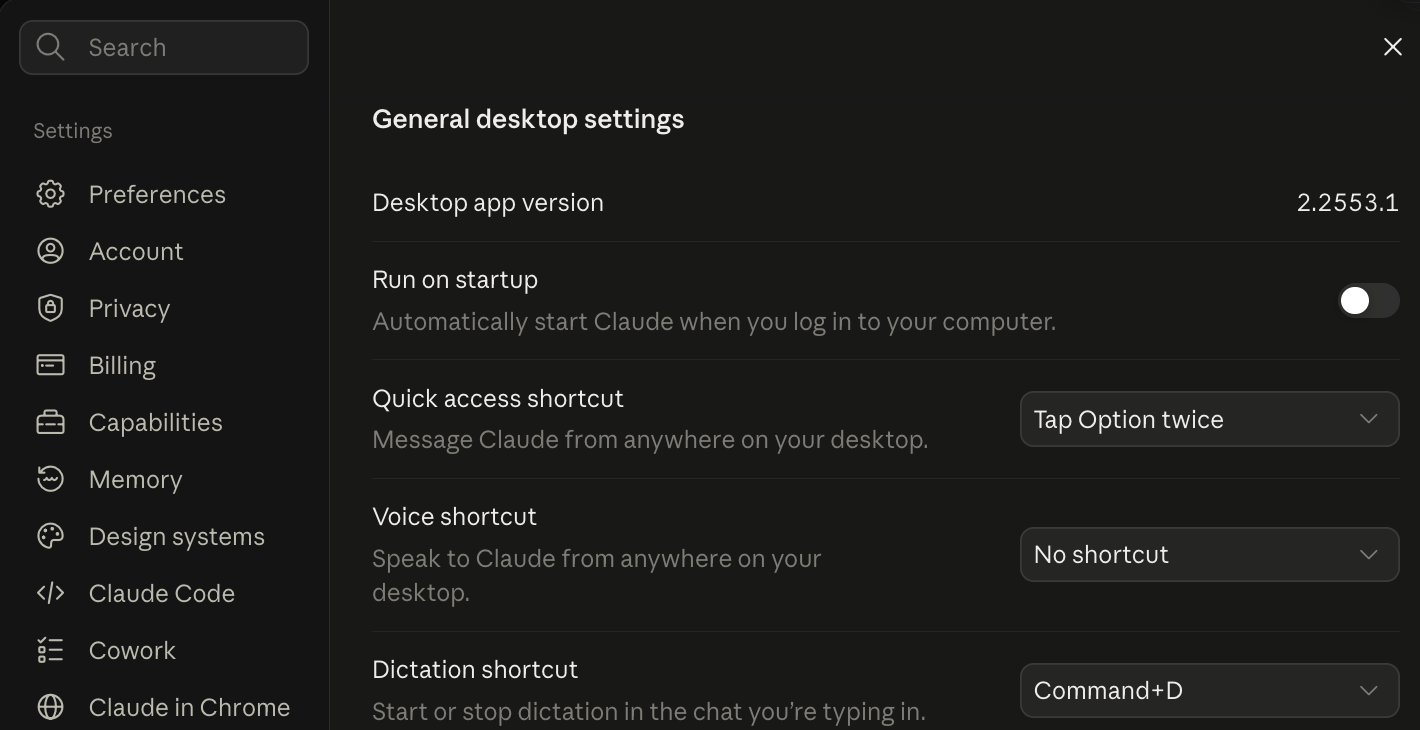 My Claude desktop app, September 18, 2026, version 2.2553.1. Two days after the merge was announced, Claude Code and Cowork are both still sitting there as separate sections.
So what Anthropic announced and what my app shows are not the same thing this week. The merge is announced. My paid account still shows the old shape. Both screenshots on this page are real and dated, because that is the only honest way to cover a staged rollout.
Plan for the two-door world. Do not panic when your app still shows three.
The earlier correction: the terminal fork is dead
The earlier version of this page told you the answer came down to one question: do you want to click, or do you want to type commands.
That was the whole thesis and it is no longer true.
Claude Code ships in the desktop app. From Anthropic’s own Cowork FAQ: Claude Code “is available in the terminal, in the desktop…” So it has two front doors: the terminal and the desktop app.
Here is what that looks like on my own machine.
 My Claude desktop app, September 5, 2026, before the merge was announced. Claude Code and Cowork are sibling tabs in the same settings window. There is no terminal in this picture.
So if you have been avoiding Claude Code because you do not want to live in a command line, that reason has expired. You may still not want it. Just not for that reason.
The difference in one table
| Claude (Cowork merged in) | Claude Code | |
|---|---|---|
| What you hand it | A job to finish | Something to build |
| Where it lives | Web, desktop app, mobile | Terminal and desktop app |
| Where tasks run | Anthropic’s servers; the desktop app bridges your local files | Same |
| Built for | Files, docs, email, reports, browser work, documents and decks | Software: code, plugins, custom systems |
| Setup required | None. It is the app | None on desktop; a terminal install if you want the CLI |
| Best at | Delegated and recurring work, scheduled tasks | Complex builds, custom scripts, full step-by-step visibility |
| Included on | Every plan, including Free. The merged experience reaches Pro and Max first | Pro and Max. Not Free |
| Same AI engine? | Yes | Yes |
Both come with your paid plan, so you are not buying anything. You are just picking which door to open.
Same engine, different job
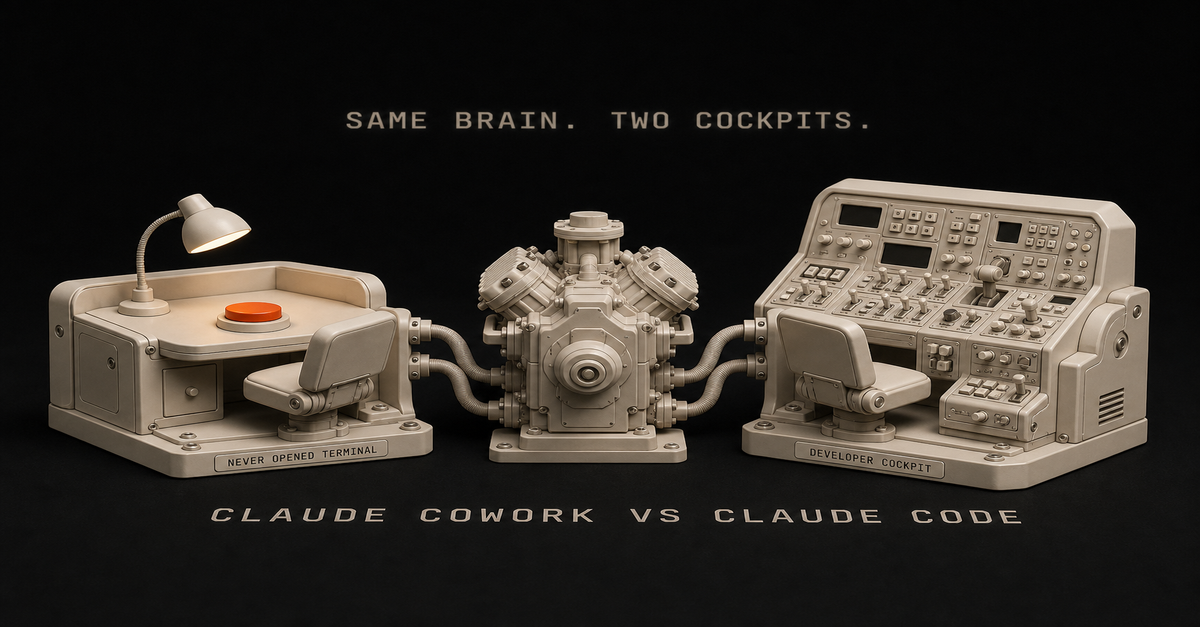
People treat Chat, Cowork, and Claude Code like a power ladder: Chat is the starter tier, Code is the pro tier, Cowork sits in the middle. That model is wrong, and it is the biggest thing I see people get confused about.
Anthropic could not be more direct about it:
“Cowork and Code run on the same engine. Both are Claude Code underneath.”
And the replacement fork, in Anthropic’s own words: “Cowork is for delegating to Claude. Code is for building software with Claude. Most knowledge workers will live in Chat and Cowork.”
This gets debated constantly. u/SilverConsistent9222 on r/Anthropic put the trap well: “They’re often discussed as if one is an upgrade over the other. That’s not really accurate. They operate in different environments.”
The loudest version of the confusion is a thread titled “What’s the point of Cowork when you have Claude Code?”, which pulled 316 upvotes and 149 comments on r/ClaudeAI. People keep asking because the click-versus-terminal answer never really answered it.
The cleanest rule of thumb I have seen came out of u/Talley-Ho’s thread on the same question: codebase goes to Code, everything else file-based goes to Cowork.

What Cowork gave you, and where it went
This list should have been on this page all along, and almost no other page that ranks for this shows it. Per Anthropic’s Cowork documentation before the merge:
- Access local folders with no upload step
- Navigate your logged-in browser through Claude in Chrome
- Reach desktop apps via computer use
- Delegate parallel work, several jobs at once
- Run tasks on a schedule
All of that is now just Claude. Anthropic says your connectors and skills came across untouched, and the routing that used to require picking the Cowork tab happens on its own.
So the merge was not a feature cut. Everything on that list survived. Only the Cowork tab went away.
One caveat that still holds: several of these were never only a Cowork thing anyway. Claude Code can do most of them too. The difference is that Cowork had them ready out of the box, and in Claude Code you set them up yourself.
One more bit of history: since August 26, 2026, Cowork had its own browser built into the desktop app. Three weeks later it stopped being its own thing.
The computer-use item is the one I would think about most, because it has nothing to do with avoiding a terminal.
Quick note on my own setup: I have a shorts pipeline that logs into my Mac mini, takes screenshots, clicks around and opens real apps to run experiments.
That one runs in Claude Code, not Cowork. I bring it up because it is the kind of work Cowork’s computer use opened up to people who never open a terminal. Cowork did not run it.
Scheduled tasks are the least-hyped item on that list and probably the most useful. You set the schedule once and it just runs.
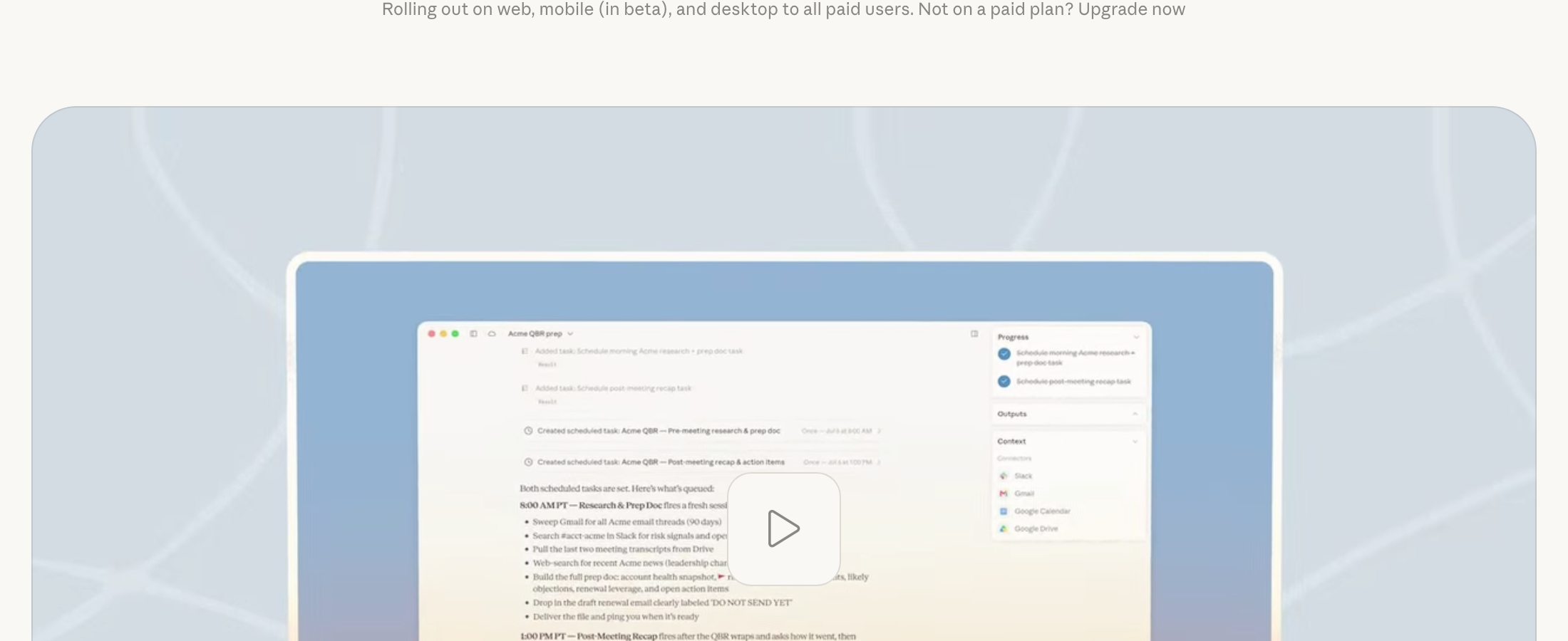
People use this for boring, useful things. A product manager, u/RusticGroundSloth on r/ClaudeCowork, described his setup:
“there’s a ‘director’ cowork project that pulls all of my Teams and Email from the last 24 hours every morning at 6:00 a.m… Claude Cowork has essentially become my project/program manager and is saving me HUGE amounts of time… I realize a bunch of this could probably be done in Claude Code but it was extremely easy to set up in Cowork and I haven’t had to think about it since.”
That last part is the point. It could have been done in Code. It just was not worth doing in Code.
The 60-second version, from my Shorts: You don't need Claude Code. Cowork does 90% of it.
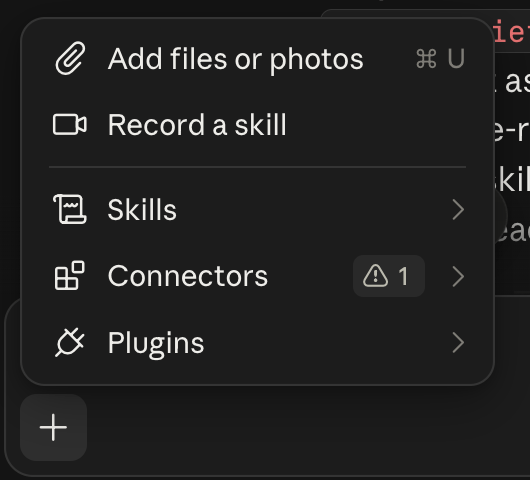
Everything Cowork hands a non-coder lives behind this one plus button: files, a screen recording that becomes a skill, your skills, your connectors, plugins. None of it is a terminal.
Where Claude Code still wins
Code is for building things. That line still holds.
If you live in Claude every day, you are going to do most things. You will get your job done, you will build skills, you will run some pretty powerful workflows. That covers most knowledge work.
But if you want to code, hence the name, that is where Claude Code starts. Build a game. Build an app.
And “an app” is broader than it sounds. I have a skill that edits my videos. That is not an app in the App Store sense, but it is a real piece of software with many moving parts, and that is Claude Code work.
The other thing Code gives you is visibility into every step the agent takes. That is why developers will not give it up, and it is a fair reason for a non-developer to move over too, eventually.
What I still open it for, now that Claude handles the long jobs
Now that the merged Claude routes multi-step work by itself, this is what is still left on my side.
Coding. Complex workflows. Brainstorming that turns into something I have to build.
Stuff like an app, a plugin, a custom skill, or refining the system that edits my videos. Those are Claude Code jobs because they need something that can edit my folder, not something that can make me a document.
The biggest one right now is not a piece of software at all. I am building a second brain that is actually a second brain, and feeding it daily. Where I learn something, what I read, what I pull out of a YouTube video.
That never used to get written down. It would be an inspiration-spur moment, I would go update the system, and then it could get reversed later and the reasoning was just gone.
Unreferenceable.
Now there is a system that grows with me, and when I go to make something I have somewhere to make it from. That is a lot of work to get where I want it. It is also the thing I would not try to run out of a chat window.
The common thread in all of those: I need to see the folders. If I cannot see the file tree, I feel like I am going to end up with a lot of trash in there.
Which is why you should ignore a whole category of online takes. Developers keep posting some version of what u/gatsbtc1 wrote: “Everything cowork can do, so can code. And code is so much more robust.”
That is true, but it does not matter for you. Everything a car does, a manual transmission race car also does. You still do not need to learn to heel-toe shift to get groceries.
How I actually split them, and why I am the wrong model
Here’s the honest part, including the bit that does not flatter me.
I do not switch between them mid-job. I want to be straight about that, because “tell me about a job that moved from one to the other” is a great question and I do not have a story for it. I use both. I do not toggle.
For me, it is Claude Code, because it does everything I need and I am already fluent in it. Going from Claude Code back to Cowork would feel like a downgrade from what I am used to.
But that is a fact about my history, not about the products.
The reason I got good at Claude Code is that I decided to, so I could make YouTube videos about it. And getting there was rough. I would see the hype, watch technical people using it, and think: I am pretty technical, why can I not get into this?
I did not even know what Claude Code was. I knew it was in the terminal. Did I have to install something? I did not know what a CLI meant.
This was over a year ago, maybe six months after it first came out, when I was mostly living in n8n.
When it finally clicked, it clicked hard. It just made sense to me. But I am comfortable staring at a terminal window, and I do not recommend that path for everybody.
What I want you to take from this: if I were starting today, and Cowork existed, I would probably have started there. The transition I made was painful and it was only worth it because I had a specific reason.
You probably do not need to repeat it.
I think the reason for having both is pretty clear: if Claude is your main driver, Claude Code is there for when something gets serious. It is the same shape as ChatGPT Work and Codex on the other side of the market. Nobody thinks that pairing is strange.
The usage gotcha nobody warns beginners about
Anthropic printed this in plain sight on its Cowork documentation and almost no comparison article mentioned it: agentic work consumes your limits faster than plain chat does.
The merge did not change that. It removed the tab. The usage math is the same. One task that sorts a folder of 30 files is not one message; it is dozens of steps, each drawing on your allowance. Now that Claude routes those jobs itself, it is easier to start one without noticing.
Documents and decks almost certainly count too, since they are the same kind of multi-step work, but I could not find Anthropic publishing a specific rule for them, so I am not going to make one up. Check your own meters after a long deck session rather than trusting anyone’s number, including mine.
Claude Pro caps you two ways: a rolling five-hour session limit plus a separate weekly cap. On the $20 plan, heavy agentic use will hit that, and it will feel like the product is broken.
It is not. The $20 tier is sized for chat-first use with some agent work on the side.
On the narrower question people keep asking, whether Cowork and Claude Code burn your plan at different rates, there is a 27-upvote thread asking exactly that.
I am not going to give you a ratio, because Anthropic publishes no multiplier and every number going around is somebody’s estimate from their own usage. What is documented is that both draw from the same pool as your chat.
If either one becomes your daily workhorse, that is what Claude Pro vs Max is about.
When does a job leave the chat window at all?
A lot of people who land here are actually asking the earlier question: when does a job leave the chat window at all?
I walk through that one on camera in the Chat vs Cowork video (11 min).
The line Anthropic drew before the merge still helps, even though you no longer pick between them: a conversation is something you steer turn by turn, and a delegation is something you hand over.
A conversation gives you text you will read. A delegation gives you a finished file or an action taken.
The difference now is that you do not choose. You describe the outcome and Claude decides which one it is.
Which one should you open?
- You do not write code: Claude. Just describe the outcome. You do not pick a mode anymore.
- Your work is documents, email, spreadsheets and reports: Claude. That is what the merge was for, and Docs and Slides now live in the same conversation.
- You want a chore to just happen every morning: Claude. Scheduled tasks came along with everything else.
- You want Claude to click around real apps or your browser: Claude. Claude Code can be driven to do this too, but you no longer need a separate surface for it.
- You are building software, a plugin, an app, or a complex reusable skill: Claude Code.
- The job has to edit real files in a real folder on your machine: Claude Code. This is the whole test.
- You want every step the agent takes to be visible: Claude Code, terminal or desktop, your choice.
- You avoided Claude Code because of the terminal: that reason is gone. Try the desktop tab before you decide.
- You cannot find Cowork and thought you broke something: you did not. Here is where it went.
So does a non-coder ever actually need Claude Code?
Honestly? Mostly no, and less so after the merge than before it.
The reason a non-coder used to eye Claude Code was that they wanted the long agentic jobs. Claude does those now, by itself, without you learning anything. That was the main reason, and now it is gone, which is a good thing.
What is left on the other side is real builder work. If your sentence is “I want to build a thing,” that is Claude Code. If your sentence is “I want this done,” that is Claude.
I am the wrong person to make the terminal sound scary, and also the wrong person to make it sound necessary. I have used it for over a year, so it is just where I am comfortable now.
I have tried living in the app and I bounce off it, which is the opposite of most people’s problem. Do not copy my setup. Copy the test: files in a folder, or not.
Where this comes from
The engine and capability facts are Anthropic’s pre-merge Cowork docs, read September 5, cited as history now. Merge facts are Anthropic’s September 16 announcement and TechCrunch. Plan rows are claude.com/pricing, read September 18. The screenshots are my own machine on those dates.
I run both daily, so the preference is mine. I have not measured usage between the two, and I left that number out on purpose.
If you want somewhere concrete to start today, grab the 15 workday AI prompts at /start: they are built for exactly the kind of tasks you would now hand straight to Claude.
For adjacent decisions: Claude Cowork vs ChatGPT Work for the cross-vendor version, Claude Cowork use cases for what to actually run first, and Claude Cowork scheduled tasks for the recurring-work setup.
Correction log: what this page has said, and when
This page has now had its central rule replaced twice. Both times in public, with the date.
- July 9, 2026. The thesis was that the fork is clicking versus typing commands. Wrong.
- September 5, 2026. Replaced it after Anthropic made Claude Code available in the desktop app, with a screenshot of my own settings window as proof. The new thesis was a three-way rule: Chat answers, Cowork does your office work, Claude Code builds software.
- September 18, 2026. Anthropic merged Cowork into Claude on September 16, so the three-way rule lasted eleven days. Replaced with the two-door rule: Claude does the work, Claude Code builds the thing that does the work. Added a dated screenshot showing the merge had not yet reached my paid Max account, updated the comparison table and plan rows, corrected the FAQ wording that treated Cowork as a separate plan inclusion, and pointed the “where did Cowork go” intent at its own page.
Not many pages show you their own rule expiring. This one has dated proof on both sides, twice.
Published July 9, 2026. Updated September 18, 2026 for the merge. The correction log above has the dates.
This post is part of Claude Guides, the hub with every plan decision, task comparison, and setup guide for using Claude without code.

Written by
Chris AlarconChris Alarcon shows people who don’t code the boring Claude setup that actually works. He runs his one-person operation on these systems and shares every workflow, prompt, and tool combo in public. Start with the 15 prompts he uses every day.
The boring setup
It still won't know you tomorrow.
The Setup is one folder. Drop it into a Project, answer three questions, and Claude or ChatGPT writes your memory file and your voice file itself. It stops forgetting you, stops sounding like AI, and runs three real jobs by name. Twenty minutes tonight. No code. $39, 30-day refund.
See The Setup →Made your pick? Start with the 15 workday prompts.
15 workday AI prompts built for exactly the tasks you would hand to Claude, plus one short email from me each Tuesday.