Quick answer: Grok Bot is for standing jobs, not questions. If a task happens on a schedule, produces something you check later, and does not need files on your laptop, it belongs to a bot. If you would rather just ask and read the answer, use the chat.
Most lists for this are 35 or 50 hypothetical use cases from launch-week hype. I've run mine for a month. Is it perfect? No, of course not. We're working through the bugs. Here is my actual roster, what each job produces, the one that flopped, and the one I would cancel first.
First, the price thing, because it is wrong everywhere
The most repeated claim about Grok Bot is that it requires a $300 SuperGrok Heavy subscription. Whatever was true at launch, it is not true today, and I can show you the page.xAI's pricing page, captured September 10, 2026. "Grok Bot access" is a listed feature of the $30 SuperGrok tier.
And the feature matrix on the same page has a row worth reading closely:Same page, same day. Read the Grok Bot row across all seven columns.
Two things fall out of that row:Grok Bot starts at $30, on SuperGrok. Not $300.
Grok Bot is not listed on Business or Enterprise. The two plans a company would actually buy are the two that do not get the agent product. Grok Build, the coding tool, is on every tier including Free. Grok Bot is not.If you are evaluating this for a team, that is the fact to check before anything else on this page.
I pay for SuperGrok Plus at $100 myself, for the headroom rather than for access.
The one-line test for whether a job belongs to a bot
Before the list, the filter I use. A job goes to a bot when all three are true:It repeats on a schedule you could write down.
It does not need files on my laptop. The bot lives on its own cloud machine.
I can check the output later instead of watching it happen.Fail any one of those and it is not a bot job. That third one is the one people skip, and it is why half the use-case lists on the internet describe things nobody could actually verify.
The three folders
I group everything into growth, publishing, and intelligence. Not because the product asks for folders, but because those are the three things I need to happen without me.Inbox Hawk, September 10, 2026: three passes a day, pings me only when needed. My real inbox, blurred.Chief of Staff, same day: the other bots report to it, and I ask it one question.
One mechanic worth knowing before you build a roster: every bot on your account shares one cloud virtual machine, along with its logins and its files. You authenticate once and the whole team inherits it. Durable work belongs under /workspace, because files elsewhere can disappear during recovery.
That is convenient and it is also the security story. My read of that architecture, and it is a read rather than something xAI documents: your bots are not meaningfully isolated from each other. Whatever one of them can log into, you have effectively granted to the roster. Scope what you connect accordingly.
Folder 1: Growth (the ledger)
These exist so I stop posting blind. They scrape my own analytics roughly three times a day and write to a ledger.Bot
What it doesShorts Hawk
Watches short-form performanceSubstack Hawk
Watches newsletter performancePlan Watch
Tracks changes to AI plans and pricingBank Pull
Pulls financial numbers on a scheduleComments
Tracks comments across platforms and tells me when someone is talking to meLinkedIn Hawk
Watches LinkedIn performanceAll six scrape on a schedule, roughly three to four times a day, and write what they find into a ledger.
The point of this folder is not the dashboards. It is that the wins and the losses get logged rather than felt. Before this, I was guessing about what worked from memory, which is the worst analytics system ever built.
Folder 2: PublishingBot
What it doesYouTube long-form uploader
Takes a finished video and gets it publishedSubstack Notes publisher
Posts notes without me opening the appThis is the folder that does something I could not do before. Not "did it faster." Could not do at all, because it happened at a time when I was doing something else.
Folder 3: IntelligenceBot
What it doesChief of Staff
Oversees the other bots, surfaces what mattersInbox Hawk
Checks and manages my inbox, starting at 9am, about three times a dayNews Scout
Scrapes X for anything that drops in my spaceDistribution Scout
Watches videos I follow and summarizes them my wayNews Scout is the one that changed how I work. Yesterday it told me OpenAI had shipped a new image generation model, which I agreed was a big deal, and we are now looking at integrating it into our YouTube thumbnails. That is a bot changing what I did with my afternoon.
Distribution Scout is the newest one and it has earned its keep fastest. It watches long videos for me and gives me summaries in the format I want, which is not the format any summarizer app gives you.
What is actually good about this, versus a normal automation
I have built the same kinds of jobs before with conventional workflow automation, and the difference is not capability. It is persistence.
A normal automation is a cron job wearing a costume. When it breaks, it tends to break silently, and you find out three weeks later that a thing stopped.
It's like this agent has a good persistence, not a dumb cron that just fails silently. When it trips, it can pick itself up or escalate.
The way I keep describing it: with a normal workflow, you have to move the thing yourself, and the moment you stop moving it, it dies.
It will occasionally get up and do a boring chore, and sometimes it falls over. Grok Bot plays on its own, and when it falls it can get up, or call one of the others for help.
That is a feel, not a benchmark. But it is the reason I stopped rebuilding these as workflows.
The tradeoff is control. A hand-built workflow is customizable to its exact purpose, which is a real advantage, and also its problem: it becomes a machine assembled from scraps, some good, some generic, none of it fluid. Grok Bot is one system with one heart. More unified, less yours.
The honest part: what is not working
Here is what is not working, from someone who pays for it.
One flopped outright. In week one I built a lead scout and it produced nothing. The product moved a boundary. It did not become magic.
Shorts Hawk is buggy. It is in the roster and it is not reliable yet.
News Scout is a little rough. Not broken, just inconsistent enough that I read its output with suspicion.
If I had to kill one, maybe LinkedIn Hawk. If xAI doubled the price tomorrow, that is the one that goes. It is fun to watch and I could not honestly tell you what it is doing for me.
Writing this page was a decent audit trigger, which is its own lesson: building the plumbing is the easy part, and then you let it run and stop asking whether it earns anything.
Chief of Staff and Inbox Hawk are the ones that stay. Inbox Hawk is not impressive and it has held up. I think Chief of Staff is gonna stay. It is managing everything, which is the job I actually needed.
And the billing risk is real. Each eligible plan includes a weekly Grok Bot allowance, and extra usage is reported to be billed from model and token cost, with no Grok Bot specific spend cap yet, per eesel's pricing writeup.
A scheduled agent with no ceiling is a category of risk that a fixed subscription does not have. Watch it closely for the first month.What I actually pay xAI. SuperGrok Plus, for the headroom.
What everyone else runs
The community inventories are genuinely useful for ideas, and I would rather point you at them than pretend I invented the category:Matt Van Horn's 30-day sweep of what people across X, Reddit and YouTube actually use it for.
Sid Saladi's 50-use-case inventory, the most-cited list out there.The categories that recur across the community lists generally, beyond what I run: inbox triage and cleanup, meeting prep, supplier and vendor outreach, dispatch and logistics coordination, and permit or paperwork chasing for trades businesses.
I am deliberately not retelling the individual operator stories that circulate with those lists. Several are compelling and I could not trace them to an original post I could link, so they stay off this page. If you find them, judge them yourself.
How to steal this
If you want one bot by Friday, do this:Pick the job you do at the same time every day and resent. Inbox triage, most likely.
Write the job in three sentences. If you cannot, the bot will not do it well.
Give it a schedule, not a trigger. Standing jobs beat clever ones.
Make it write somewhere you will see. A ledger, a doc, a message. Output you never read is a bot that does not exist.
Audit it in 30 days. Ask what it produced. Kill it if the answer is thin. Mine would not all survive that question, which is the point.The mistake is not building the wrong bot. It is building twelve and never asking any of them what they did.
Deciding whether the product is for you at all? What is Grok Bot is the week-one field test, Grok Bot vs Claude Cowork is the assistant comparison, Grok Bot vs Claude Code is the one for people who already run an agent, and Grok usage limits explained covers the meters. The equivalent collection on the other side is Claude Cowork use cases. More at Claude Guides.
Published September 10, 2026. Plan tiers from xAI's pricing page that day; the roster and verdicts are from my own paid account.
Quick answer: you connect them through Zapier MCP, and it is click-through, not code. Create a server at mcp.zapier.com, add only the app actions you want Codex to have, connect it once, and Codex can now act in your other apps: add sheet rows, create Notion pages, send a Slack ping. Ten minutes, one paste.
But know the direction before you start: Codex can reach into Zapier. Zapier cannot start Codex. That single fact sorts out most of the confusion around this search.
I use Codex a lot, which is very similar. It's almost like Cowork, and I use it in my demos. ChatGPT Work is another good one that we haven't tapped into. This page is the setup written for a normal person, because the only real how-to out there was written for engineers shipping pull requests.
Codex Can Act In Your Apps; Zapier Cannot Start CodexYou want
Do thisCodex to act in your other apps (Sheets, Notion, Slack, Gmail)
Zapier MCP, steps belowThe fastest route inside Codex
The official Zapier plugin, two commandsA Zap to kick off a Codex run
Does not exist as of Aug 28, 2026; Zapier's app directory returns 404Automations that run on their own schedule without you
Different tool conversation: Codex vs n8nTo build with the Zapier SDK in code
You are not the reader this page is for, and that is fineFirst, the direction, because nobody says it
Every article assumes the connection works both ways. It doesn't.
Codex reaching into Zapier: works, and it is the whole point. Through MCP, Codex gets hands in 9,000+ apps during a session you are running.
Zapier starting Codex: not a thing. Checked August 28, 2026: Zapier's Codex app pages return 404, and that can change. There is no trigger called "run Codex."
The only workaround is hosting your own webhook receiver, which is real engineering. If your dream was "every morning at 8, Zapier wakes Codex up," that dream is currently a workflow-software job, not a Zapier one.
So remember it this way: Codex can reach out through Zapier, but Zapier can't reach in and start Codex.
The Whole Setup Is Five Clicks In The Zapier Dashboard
This is Zapier's own documented flow, translated from engineer to human:Go to mcp.zapier.com and sign in with your Zapier account (free to create).
Click "+New MCP Server" and choose Other as the client.
Click "+Add tool" and pick your first action: choose the app (say, Google Sheets), then the specific action (say, "create spreadsheet row"), then connect that account.
Repeat for each action you actually want. This is the safety step: Codex can only ever use the actions you added. If you never add "send email," it cannot send email. Start small and add more later.
Click "Connect" at the top of the dashboard and follow the instructions to add the server to your Codex account. On the desktop app this is a single paste.One nice thing from OpenAI's MCP docs: the ChatGPT desktop app, Codex CLI, and IDE extension share the same MCP configuration. Set it up once, it carries everywhere. ChatGPT on the web is the exception. It uses plugins instead.
The shortcut, if a terminal does not scare you: Zapier ships an official Codex plugin. Two commands, codex plugin marketplace add zapier/marketplace then codex plugin add zapier@zapier, and you are done. If typing commands isn't your thing, skip it. The dashboard route above doesn't need any.Zapier's MCP-for-Codex guide, August 14, 2026. The examples are GitHub and Jira; the steps work the same for Sheets.
What I would wire first, and it is not what Zapier suggests
Zapier's guide demos GitHub issues, Jira tickets, and deploy logs. That's useful if you're an engineer. Most people don't need it. For work like mine, this setup would pay off when Codex does the thinking and the app just gets the result:Draft lands where you work: Codex writes or edits something in a session, then files it into Notion as a page instead of leaving it in the chat.
Numbers land in the sheet: you have Codex pull together your weekly stats, and the MCP action appends the row to the spreadsheet you already track.
The ping when it is done: long task finishes, one Slack or email action tells you.So the thinking stays in Codex, and Zapier is just the hands. If you catch yourself building multi-step Zap logic around Codex, stop. You're rebuilding workflow software the hard way.
When you should skip Zapier entirely
Honestly, a good agent usually needs fewer connectors than you think. Codex already reads and writes files, browses, and runs work in place.
If your "integration" is really "get the answer into a doc," ask Codex to make the file and skip the plumbing. Add Zapier MCP when a result has to land inside an app you live in, not just because you can.
And if what you actually want is the always-on scheduled kind of automation, the decision tree for that lives in Codex vs Zapier and Codex vs n8n. This page covers how. Those two cover whether you should.
If you are: already living in Notion or Sheets and want Codex results to land there, do the MCP setup above. Comfortable in a terminal, use the plugin. Wanting something to run at 8am without you, skip this page and read Codex vs n8n.
How I know what is on this page
Setup steps: Zapier's own MCP guide, the official Zapier plugin repo, and OpenAI's MCP docs, all read August 28, 2026, quoted at the claim. The missing-connector fact: checked live the same day against Zapier's app directory, and it can change, so re-check if you are reading this months later.
The calls on what to wire and when to skip it are mine, as a regular Codex user. I have not wired this exact Zapier MCP setup myself; the setup steps come straight from the docs above. Where Zapier publishes no limits or pricing for MCP, this page says so instead of guessing.
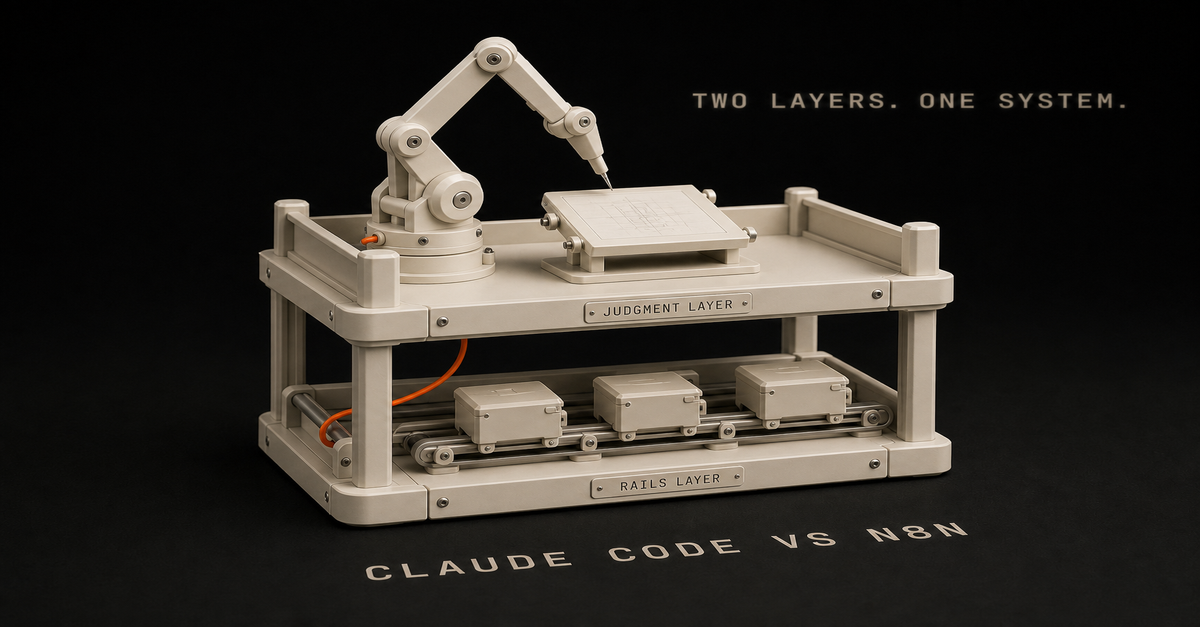
Whether you search it as "Claude Code vs n8n" or "n8n vs Claude Code," the answer is the same: you don't pick one. They do different jobs in the same system.
Use Claude Code when the task needs judgment, file edits, writing, reasoning, or codebase awareness.
Use n8n when the task needs triggers, data movement, scheduled runs, retries, and integrations.
Heads up: some links in this post are affiliate links: a small kickback to me at no cost to you. I only recommend tools I've actually run.
So the short version: Claude Code builds and thinks. n8n runs and routes.
Quick comparisonUse case
Claude Code
n8nEdit website files
Best
WeakBuild an internal script
Best
PossibleTrigger when a form is submitted
Possible
BestMove data between tools
Possible
BestWrite content in your voice
Best
Needs LLM nodeSchedule a daily workflow
Possible
BestInspect a repo and make changes
Best
WeakRoute content through approvals
Possible
BestThe 10-second decision rule
Ask this:
Does the task need context and judgment, or does it need a reliable trigger?
If it needs context and judgment, use Claude Code.
If it needs a reliable trigger, use n8n.
If it needs both, use both.
I know that sounds too simple. But it stops the common mistake, which is asking n8n to do the thinking or asking Claude Code to be your scheduler.Save this one. It settles the argument in ten seconds.
When to use Claude Code: messy work with context
Use Claude Code for work where the prompt is the product.
Examples:writing a blog draft from a real build log
refactoring a site page
creating a new Astro page
reviewing a workflow
generating a script
turning a messy idea into an implementation planClaude Code does its best work when it can read what's around the task and make calls.
That's a big deal for solo builders, because a lot of your business lives in files:site copy
product docs
workflow notes
analytics exports
newsletter drafts
messy markdown docs
code and configAn API call won't fix that. It's an "understand the room before touching things" problem.I walk through this on camera in How I Actually Use Claude Code in 2026 (Not Just Apps) (18 min).When to use n8n: repeatable work with triggers
Use n8n for the plumbing.
Examples:when a YouTube video is uploaded, create content tasks
when a Notion status changes, trigger a writing workflow
when an RSS item matches a topic, save it for review
every Friday, prepare the newsletter draft queue
when a form is submitted, add the person to MailerLiten8n is strongest when the workflow has a clear trigger and repeatable steps.
It also lets you see what happened. When a workflow fails, you can inspect the run, find the bad node, fix the credential, retry the step, and keep moving.
That matters once the workflow is running a real part of your business.
The best pattern: Claude Code plus n8n plus human approval
The clean pattern is:n8n detects the event.
n8n gathers the inputs.
Claude handles the judgment-heavy step.
n8n saves the output.
A human approves.
n8n publishes or routes the result.That's the pattern I use: automation for the boring parts, human review for the parts with consequences.
For content, it looks like this:Step
Owner
Job1
n8n
Detect new video, build log, or GSC CSV2
n8n
Gather transcript, URL, notes, metadata3
Claude Code
Create brief, draft, edit, and file diff4
Human
Approve quality and positioning5
n8n/GitHub
Route PR, deploy, notifyThat is the version I trust. Not "AI posts directly to production while you sleep." That sounds good until it publishes something stale, generic, or wrong.
What should solo builders choose first?
If your problem is "I need to build or improve the system," start with Claude Code.
If your problem is "I keep copying data between apps," start with n8n.
If your problem is "I shipped a thing and nobody knows it exists," use both. Claude Code turns the proof into assets. n8n routes and schedules them.
Common mistake: using n8n as the whole brain
n8n can call LLMs. That does not mean the whole system should live inside n8n.
Once prompts, examples, brand rules, page templates, and content logic get serious, they become easier to maintain in a repo. That is where Claude Code shines.
Use n8n to collect inputs and trigger the run. Use the repo for durable instructions. Use Claude Code to operate on the repo. Use n8n again to notify and route the result.
Common mistake: using Claude Code for recurring ops
Claude Code can write a script, run a command, and help you publish.
But work that runs over and over needs:schedules
retries
run history
credential handling
webhook triggers
alerts
handoff to other appsThat's n8n's job.
The setup I would run
For a solo builder trying to grow traffic:Claude Code owns the content system in the repo.
n8n watches for inputs: Search Console exports, YouTube videos, build logs, and newsletter notes.
Claude Code creates the page/tool/workflow draft.
The editor skill checks for thinness, reader fit, and whether the page actually helps.
Visual skill generates a diagram or comparison asset.
Human approves.
GitHub/Vercel ships.Want to estimate whether an automation is worth building? Run the automation priority audit. Want the stack cost? Use the AI stack cost calculator.
If your specific question is whether n8n should run an agent workflow, read what an n8n AI agent is and then map it with the n8n AI Agent Workflow Builder.
If you use Codex instead of Claude Code, the decision rule is almost the same. Read Codex vs n8n for the repo-agent version, or AI coding agent vs workflow automation for the broader split.
And if you have never opened a terminal at all, start one door earlier: Claude Cowork vs Claude Code - the same engine without the command line.
FAQ
Can n8n replace Claude Code?
No. n8n can call an LLM, but it does not replace a code-aware agent working inside your repo.
Can Claude Code replace n8n?
Sometimes for small scripts. But for recurring workflows with integrations, triggers, and retries, n8n is cleaner.
What is the best first workflow?
A content repurposing workflow is usually a strong first build because it turns work you already did into distribution.
Should I learn n8n if I already use Claude Code?
Yes, if you want recurring workflows that touch multiple apps. Claude Code helps you build and maintain the system. n8n helps the system run on schedule.
Last reviewed: July 2026.This post is part of the n8n AI agents hub: definitions, tutorials, workflow patterns, and the build-vs-run decision pages in one place.
Quick answer: An n8n AI agent is a workflow built on the AI Agent node, connected to tools (HTTP, database, code, APIs, or MCP servers) so an LLM can read context, call those tools, and pick the next step on its own.
Without tools, it is just a chatbot in a workflow. My rule before any of it: always plan, plan, plan. So you can have something simple and then you can debug it much easier.
Build one scoped agent: pick a single decision, attach the AI Agent node, wire tight tools, force structured output, test on real data, and put a human on anything that ships.
As of mid-2026, n8n also adds the MCP Client Tool (use any MCP server's tools) and the AI Agent Tool node (one agent supervising others on a single canvas). The pattern I use stays the same: Claude/Codex builds, n8n runs, a human approves anything risky.
Published June 2026. Last reviewed 7 August 2026 against the current AI Agent node docs and the n8n changelog through the 2.34 release.
If you're trying to figure out whether you even need an agent, start with what an n8n AI agent is and n8n AI agent vs workflow automation. Short version: agents are for judgment calls, not every automation.
If you want the whole path in one place, start with the n8n AI Agents hub. It links the definition, workflow pattern, builder tool, and Claude Code handoff.
If your search is specifically for an n8n ai agent workflow or n8n agentic workflow, the canonical workflow page is n8n AI agent workflow for solo builders. Use this tutorial when you want the build sequence: node setup, tools, structured output, testing, and approval.This page owns the build tutorial. The related pages own the shorter definition and workflow-example intents:Query intent
Best owner
Direct answern8n ai agent tutorial
This tutorial
Build one scoped agent around the AI Agent node, tools, structured output, testing, and approval.n8n ai agent workflow
Workflow pattern
Trigger in n8n, let the model make one scoped decision, route the result, then approve risky output.n8n agentic workflow
Workflow pattern
The agentic part is tool use plus structured decisions, not just an LLM prompt.n8n ai agent node
This tutorial
The node is the reasoning step; n8n still owns triggers, credentials, routing, retries, and run history.what is n8n ai agent
Definition page
It is an LLM-powered workflow step that can use tools and return a decision inside automation.n8n ai agent documentation 2026
This tutorial + n8n docs
n8n's docs cover the node reference; this page covers the build sequence and the decisions the docs skip.I built my first "agent" in n8n and felt very smart for about ten minutes.
Then I realized I'd just made a fancy ChatGPT call. Input went in. Output came out. Nothing decided. Nothing checked. No tools.
That's the gap: dropping the AI Agent node into a workflow doesn't make it agentic. It makes it an LLM with a trigger.
This post is the version I wish I'd had when I started: what an n8n AI agent actually is, when to use one instead of a normal workflow, and the pattern I use now that keeps me out of multi-agent spaghetti.I walk through this on camera in n8n AI Agent: Build One That Actually Works (Not Theory) (12 min).Before the Node: Plan, Plan, Plan
After two years of running self-hosted n8n, the mistake I see people make most happens before any wiring. They start in n8n way too early.
Figure out what you want to build an agent for before you open the canvas. Use a chat model for this part. Brainstorm the use case with Claude, ChatGPT, Gemini, whatever you already pay for. n8n is a time commitment.
You do not want to spend hours, days, or weeks building something you will only use a little bit. You want to end up with something you can actually maintain and understand.
Once you land on one, two, or three concrete use cases: do one at a time. Build the simplest version first and then scale from there. If you don't use it in a week or two from now, you just failed. You wasted your time.
The other half of the mistake is overcomplicating the nodes. People hear "AI agent" and reach for the most complicated thing on the canvas.
Strip it back: an AI agent is an LLM call. What makes it interesting is giving it tools (access to your calendar, your database) so it can query and act instead of just answering.
But this is what will save you the most time: simpler is better. Most of the time I found that you don't even need to hook it up with tools. If a plain LLM step solves your problem, ship that.
Do not rush toward the agent architecture because it sounds more impressive. More nodes doesn't make you better or smarter.
One product detail changed: n8n's AI Agent node now requires at least one tool sub-node to be connected.
Also, as of v1.82.0 the old agent-type selector is gone. Every agent is a Tools Agent. So if your use case needs no tools, the node you want is the Basic LLM Chain, not the AI Agent.
Reach for tools when the job needs them, not because the node is called "agent."
What Changed for n8n AI Agents in 2026?
n8n is no longer just "Zapier, but flexible." It's turning into a place to run AI workflows that hold up: agent nodes, tools, memory, structured output, retries, credentials, and run history in one canvas.
That matters because the pattern that works isn't "let the model do everything." It looks like this:Layer
Best owner
WhyPrompt, schema, tool design
Claude Code or Codex
Repo context, writing, code, and judgmentTrigger, credentials, retries
n8n
Durable workflow operationsFuzzy decision
AI Agent node
Reads context and chooses a tool or answerPublic/customer action
Human approval
Keeps trust where it belongsAs of this refresh, n8n's AI Agent node is a versioned node with current support for tools and output parsers. n8n's own Tools Agent docs describe the agent as the piece that can choose external tools and return a standard output format.
For solo builders, that's what matters: repeatable decisions with runs you can see, not "AI magic."
Two mid-2026 additions actually matter for solo builders:MCP Client Tool. The AI Agent node can now use tools exposed by remote MCP servers directly. There's also a standalone MCP Client node, so any step in the workflow, not just an agent, can call an MCP server. In plain terms: instead of hand-wiring an HTTP node for every API, you can point the agent at an MCP server that already exposes a clean set of tools.
AI Agent Tool node (single-canvas multi-agent). You can connect multiple AI Agent Tool nodes to one primary AI Agent, letting it supervise and delegate across specialized agents in a single execution, on one canvas. This is the official way to do "multiple agents" without the multi-workflow spaghetti most tutorials walk you into.Three things shipped since the last review that change the build (all from n8n's changelog):Human-in-the-loop for AI tool calls (v2.6, January 2026). You can now require explicit human approval before an agent executes a specific tool. Wherever this guide tells you to route risky output through a Slack or Telegram approval step, check this native gate first. It's built into the tool call now, so you may not need to wire the approval hop yourself.
One-click MCP servers (v2.22, May 2026). Apify, Linear, monday.com, Notion, and PostHog can be connected by picking the server from a panel and signing in. Where the MCP notes above describe pointing an agent at a server, that setup is now closer to installing an app than hand-wiring a connection.
Native web search for agents (v2.25, June 2026). An Advanced-panel toggle, rather than bolting on a search API as a custom tool.New since the July review (2.29–2.34, from the changelog):The autonomous AI Assistant (2.29.9, July 2026) is NOT the AI Agent node. Don't confuse the two. The Assistant is n8n's build-time copilot: you describe a workflow in plain language and it plans, builds, test-runs, and fixes errors until the automation works. Cloud-only for now, self-hosted support promised. The AI Agent node is the runtime piece: the node inside your workflow that makes a decision on every execution. Plain rule: the Assistant helps you BUILD the workflow once; the Agent node RUNS inside it forever. Everything in this guide is about the second one, and the Assistant doesn't change a single step of it. It is a fast way to set up the boring parts around your agent, though.
MCP got sturdier (2.29–2.29.9): dynamic field resolution (live Slack channels, Sheets tabs, not stale lists), custom and community nodes usable in MCP workflow builds, and version history you can browse and restore. If the MCP Client Tool felt beta when you last tried it, it's grown up.
2.34 (August 2026) is plumbing, not AI: large webhook responses offload to binary storage. Only matters if your agent workflows return big payloads.The changelog on August 7, 2026: stable 2.33.6, beta 2.34.3. The AI Assistant and MCP updates matter for agents.
A note on n8n 2.0: it was a security/reliability/performance release (sandboxed Code-node execution by default, a Publish/Save workflow paradigm), not an AI-feature release. Worth upgrading because the platform is more solid. Just don't expect it to change how you build agents.
Use current language when you build:AI Agent node for the reasoning step
Tools for API/database/app actions, or an MCP Client Tool when a server already exposes them
AI Agent Tool node when one agent really needs to delegate to another (not before)
Structured Output Parser when downstream nodes need clean fields
Memory only when the task needs prior conversation or prior user state
Retries and run history for boring reliabilityIf you only remember one thing, remember this: n8n is the runner, not the whole brain. The AI Agent node should own one fuzzy decision. Everything before and after that should be boring workflow automation. MCP tools don't change that. They just make the tools faster to wire up.
What Is an n8n AI Agent, Exactly?
An n8n AI agent is a workflow built around the AI Agent node with tools attached: usually HTTP Request, a database, Airtable, code, or other n8n nodes. That lets the LLM do three things in a loop:Read the input and current context
Decide whether to call a tool (and which one)
Use the tool's output to pick the next action or final answerThe "agentic" part is the loop. The model isn't just generating text. It's choosing actions based on what it finds.n8n's docs, August 2026: the AI Agent node needs at least one tool. Every agent is a Tools Agent now.
Without tools, the AI Agent node is a fancy LLM call. With tools, it can look things up, write to a database, hit an API, and reason about the result before answering.
If you want it in one line, here's the clean definition:An n8n AI agent is a workflow where the AI Agent node can use tools, memory, and structured output to make a judgment step inside a larger automation.n8n AI Agent vs Regular Workflow Automation: When to Use Which
I default to plain workflow automation. Agents are the exception.Situation
Use a regular workflow
Use an AI agentInputs are predictable (form fields, structured webhook)
✅Logic fits a clean if-then tree
✅You need messy text classified or summarized✅You need it to look something up before deciding✅Output has to be structured every time, no surprises
✅Edge cases keep slipping through your filters✅Cost per run matters and volume is high
✅Rule of thumb I use:If I can write the rules in 10 minutes, it's a workflow. If I'd need 50 if-statements and still miss cases, it's an agent.A workflow that classifies email tone with keyword matching will miss "I've been waiting three weeks and this is getting ridiculous." An agent reads it and routes it correctly. That's the kind of decision worth paying tokens for.One of mine: a Reddit idea scraper I ran for months. Boring workflow around one agent that judges messy text.
If the decision is "did the Stripe webhook fire? then send the receipt," don't put an LLM in the path.
For a deeper split, read n8n AI agent vs workflow automation. If the question is whether Codex, Claude Code, or n8n should own the work, use AI coding agent vs workflow automation.
How Do You Structure an n8n AI Agent Workflow?
Here's the layout I use now. It's not clever. That's the point.1. n8n handles the trigger and routing.
Webhook, RSS, schedule, Airtable change: n8n is good at this. Don't make the LLM do it.
2. The LLM handles judgment.
This is the AI Agent node (or a Claude Code call via HTTP). It reads context, calls tools, returns a structured decision. One agent, one job.
3. Tools are scoped tight.
Read-only when possible. Pre-filtered queries, not "here's the whole database." Every tool is one more thing you have to trust.
4. A human approves anything that ships.
Sends an email to a customer, charges a card, posts to a public account, deploys code: that goes to a Slack/Telegram approval step before it executes. The agent drafts; you click yes.
5. Claude Code does the building, n8n does the running.
I draft prompts, tool definitions, and workflow logic in Claude Code or Codex. n8n runs the workflow on a schedule. GitHub holds the workflow JSON. Vercel hosts anything customer-facing. Each tool does what it's good at.
That's the whole stack. There's no swarm of sub-agents and no "AI orchestrator" picking other agents. Just one agent, scoped tools, and a human in the loop where it matters.
Still deciding which side of that build/run line your work belongs on? Read Claude Code vs n8n for solo builders: short version, Claude Code owns the judgment and the code, n8n owns the trigger and the repeat.
The 2026 Build Checklist
Before you touch the n8n canvas, write these five things down:Decision
Good answerAgent job
"Score this Search Console query as BUILD, REFRESH, or IGNORE."Input
Query, URL, impressions, clicks, position, current page summaryTools
Read page content, inspect sitemap, write row to task tableOutput
JSON with decision, reason, priority, next_actionApproval
Human approves new public pages and page refreshesIf you cannot fill in that table, the workflow is not ready. The scope is still fuzzy, so fix that first.
What Do You Need Before Building an n8n AI Agent?An n8n instance. When I ran n8n I self-hosted on Hostinger to skip per-execution fees. A Mac mini at home does the same job free.
An API key. I use Claude Sonnet for most agent work because the structured output behaves.
A clear, single decision you want automated
Airtable or a database if your agent needs memoryHeads up: some links in this post are affiliate links: a small kickback to me at no cost to you. I only recommend tools I've actually run.
If n8n is new to you, run through the n8n tutorial for beginners first.
Use a manual trigger while you're building. You'll run the thing 30+ times tweaking prompts, and you don't want an RSS feed or webhook firing each time.The 60-second version, from my Shorts: Build your first AI agent (no code, under an hour).Step 1: Pick One Decision
Every agent needs one job. Not three. One.
Bad: "Read my inbox, write replies, schedule meetings, and update the CRM."
Good: "For each new RSS post, decide if it's worth sharing with my list. Output SHARE or SKIP and a one-line reason."
The narrower the scope, the easier it is to prompt, test, and trust. If you can't describe the agent's job in one sentence, the agent isn't ready to be built.
Step 2: Trigger and Input
For the example, we'll keep using the content filter: an RSS feed pulls new posts, each post becomes input.
The trigger's job is to give the agent enough context to make the call: title, link, full text, source. If your input is thin, the agent's decisions will be thin too.
Step 3: Add the AI Agent Node
Drop in the AI Agent node. Connect the trigger.The node in a real build, my old LinkedIn lead scraper. The sockets underneath are where Step 4 plugs in.
Configure:Provider/model: Claude Sonnet is my default for judgment work
System prompt: define the job, the criteria, and the output format
Output parser: use structured output when another node needs reliable fields
Memory: add it only if the workflow needs prior conversation or prior user stateExample system prompt:
You are a content relevance filter for a newsletter aimed at solo AI builders
who use Claude Code, n8n, and ship products on the side.For each post, decide:
- Relevance: High / Medium / Low (does it help this audience build or ship?)
- Quality: High / Medium / Low (is it specific and actionable, or generic?)
- Decision: SHARE or SKIP
- Reason: one line, plain languageDefault to SKIP when uncertain. We'd rather miss a marginal post than share a weak one.This alone is not an agent yet. It's an LLM with a prompt. It reads, it answers, that's it.
The next step is what changes that.
Step 4: Attach Tools and Structured Output
Tools are how the agent does things instead of just saying things.
In n8n, common tool options:HTTP Request: call any API
Database / Airtable / Postgres: look up or write history
Code: custom logic when needed
Other n8n nodes: wrapped as toolsFor the content filter, attach an Airtable tool pointing at a "Shared Posts" table. Update the prompt:
Before deciding, use the Airtable tool to check the "Shared Posts" table for
posts shared in the last 30 days. If a similar topic was already covered,
lean toward SKIP unless this post is meaningfully better or newer.Now the agent isn't analyzing a post in a vacuum. It's checking history, comparing, and using that to decide. That's the loop.
You don't need n8n's sub-agent feature for this. I almost never reach for it. One agent + a few tools handles most things I've thrown at it.
When the next node expects clean data, do not make it parse paragraphs. Require structured output:
{
"decision": "SHARE",
"reason": "Specific walkthrough for solo AI builders.",
"confidence": 0.82,
"approval_required": true
}This is the difference between a demo and a workflow you can run every week.
Step 5: Wire the Decision to Action
The agent returns something like:
Decision: SHARE
Reason: Concrete walkthrough of building a Claude Code subagent. Fits the audience.Downstream, you don't need a 12-branch if-then. You need one router checking Decision === "SHARE". The complexity lives in the agent's reasoning, not in the canvas.
For anything that goes out the door, like a tweet, an email, or a published post, route it to a human approval step. A Slack message with Approve/Reject buttons works fine. The agent drafts, and you decide what ships.
If you are building this for SEO traffic work, the approval step matters even more. New pages, refreshed titles, comparison claims, and public recommendations should not publish automatically. The workflow should prepare the draft and evidence. A human should approve the point of view.
Step 6: Test on Real Data, Not Your Imagination
Your first version will be wrong. That's fine. Plan for it.
What I run into most:Vague prompts: agent makes inconsistent calls because the criteria are fuzzy
Tool not actually wired: agent "tries" the tool but the connection is broken
Output drifts: sometimes structured, sometimes prose
Real inputs are messier than your test inputsFix loop is always: tighten the prompt, add an example or two of correct output, narrow the tool's scope.
Step 7: Add the Boring Reliability
This is where n8n earns its keep.
For any workflow you plan to keep:Log every run somewhere boring: a Sheet, Airtable table, Postgres row, or Notion database.
Save the input, decision, model, cost estimate, and approval result.
Add retries where the failure is likely temporary.
Alert yourself when the workflow fails or the output parser breaks.
Keep credentials in n8n, not pasted into prompts.Everyone likes building the agent part. The run history is what keeps it working once real inputs show up.
What Does a Real Production n8n AI Agent Look Like?
When I checked my own n8n workspace, the pattern was obvious: lots of experiments, one production workflow doing a clear job.
The active workflow isn't some multi-agent swarm. It's a content scheduling runner:A Notion trigger starts the run.
n8n grabs the page, length, and assets.
A filter, code step, and switch route the item.
Blotato nodes send the asset to YouTube, Instagram, X, TikTok, and LinkedIn.
n8n updates the status back in Notion.The actual canvas: no AI Agent node anywhere. It ran my whole distribution as plain workflow automation.
The point is, the workflows that survive aren't always the flashy ones. They're the ones with a narrow trigger, clear routing, visible status, and boring handoffs.
Most of the other workflows in my account are paused experiments: idea engines, social research, lead routing, newsletter systems, job prep, payment reminders, and old tests. That is normal. n8n becomes more valuable when you label the experiments, retire the stale ones, and keep production workflows boring enough to trust.
For a public example, the lead qualification pattern teaches the idea better than the content scheduler.
The private version looks like this:A webhook receives a lead.
n8n enriches the lead data.
An AI step qualifies the lead.
A structured parser turns the model response into fields.
n8n routes the result into hot lead, nurture, Slack, and email paths.That is the useful proof: the model makes one judgment call, then n8n routes the outcome. For a public template, I would not publish the private workflow raw. I would publish the cleaned pattern instead, with fake sample data and no credentials.
You can download that starter pattern here: n8n human approval workflow JSON. I also published the proof asset on GitHub: n8n AI lead qualification workflow with human approval.
What I Got Wrong Early
My first n8n agent system was a faceless YouTube pipeline: Reddit scrape to script to 11Labs voiceover to Creatomate render. Took me a couple weeks. Had four agents where one would've done.
It worked. The output wasn't great, but it ran. The lesson wasn't "agents are powerful." It was: I built before I validated, and I overcomplicated every step.
The rewrite was always the same: collapse to one agent, scope its tools, put a human at the publish step.
That's the version I'd build today, and it's the version above.
What Are the Most Common n8n AI Agent Mistakes?
1. Using the AI Agent node with no tools.
You built a chatbot. Tools = autonomy. No tools = no decisions worth calling agentic.
2. Multi-agent setups before you need them.
Sub-agents and agent loops exist. Skip them until a single agent has clearly hit its ceiling. It usually hasn't.
3. Vague system prompts.
"Make good decisions" isn't a prompt. Spell out criteria, output format, and what to do when uncertain.
4. No human approval on outbound actions.
The first time an agent emails a customer something weird, you'll wish you had this. Add it before you need it.
5. Testing only on data you wrote.
Real inputs break things synthetic ones don't. Test on actual feeds, actual emails, actual rows.
6. Adding memory because it sounds advanced.
Memory is useful for ongoing conversations. It is usually unnecessary for one-shot scoring, routing, enrichment, and drafting workflows. Start stateless, then add memory only when the missing context is actually hurting results.
7. Treating structured output as optional.
If n8n needs to route the result, make the agent return fields. Prose is for humans. JSON is for the next node.
n8n AI Agent FAQ
What is the n8n AI Agent node?
The AI Agent node is the reasoning step in an n8n workflow. It connects a model to tools, memory, and an output parser so the workflow can make a decision instead of only moving data. n8n still owns the trigger, credentials, routing, retries, and run history around it.
What's the difference between the n8n AI Assistant and the AI Agent node?
The AI Assistant (July 2026, Cloud) builds workflows for you: describe what you want in plain language and it plans, wires, test-runs, and fixes the workflow until it works.
The AI Agent node runs inside a workflow and makes a decision on every execution. Use the Assistant to scaffold; use the Agent node when the workflow itself has to think. You can use both.
What makes an n8n workflow agentic instead of just an LLM call?
The workflow is agentic when the AI Agent node can choose a tool, inspect the result, and return a structured decision.
A plain prompt with no tools attached is a chatbot in a workflow, not an agent. The agentic part is the loop: read context, call a tool, use the output to pick the next action.
Can an n8n AI agent use MCP tools?
Yes. As of mid-2026 the AI Agent node supports the MCP Client Tool, so the agent can call tools exposed by a remote MCP server without hand-wiring an HTTP node for every API.
There is also a standalone MCP Client node so any step in the workflow, not just the agent, can hit an MCP server.
How do you run multiple agents in n8n?
Use the AI Agent Tool node. You connect one or more AI Agent Tool nodes to a primary AI Agent so it can supervise and delegate across specialized agents in a single execution on one canvas. Reach for this only after one well-scoped agent has clearly hit its ceiling, which is rare.
When should you use an n8n AI agent instead of a normal workflow?
Use a normal workflow when the logic is predictable and rule-based. Use an AI agent when the work needs judgment: messy text classification, summarization, or looking something up before deciding. If you can write the rules in ten minutes, it is a workflow, not an agent.
Does an n8n AI agent need memory?
Usually no. Add memory only when the workflow needs conversation history or prior user state. For stateless tasks like scoring a lead or classifying a query, structured input plus a tool is cleaner and cheaper. Start stateless, then add memory only when the missing context is actually hurting results.
Where to Go From Here
Pick one decision you make repeatedly that's annoying because it requires reading something: inbox triage, lead scoring, content filtering, support routing.
Build that. One agent, one tool, one decision. Run it manually for a week. Watch where it gets confused. Tighten the prompt.
Once that's working, the second one takes half the time. The third feels normal.
For more patterns, see 7 n8n workflow examples, what an n8n AI agent is, n8n AI agent vs workflow automation, and n8n vs Make for AI agent workflows. If you're still deciding which tool should own the work, Claude Code vs n8n for solo builders and Codex vs n8n draw the line clearly.
The AI Agent node is one piece of the build. Tools are what let it decide things. Keep the rest of the stack boring: n8n for plumbing, Claude Code for judgment, GitHub and Vercel for everything that ships. Then you can spend your time on the decisions, not the wiring.
Most people asking this question do not need n8n.
Here is the test. If a task happens when you ask for it, and you are sitting there while it happens, a good reusable prompt covers it. n8n earns its place in exactly one situation: the same task has to run on a schedule or a trigger, without you, across two or more apps. That describes far fewer tasks than YouTube makes it sound.
I use both tools every week, so this is not tool loyalty. It is more like "do not buy a forklift to carry groceries."
What is the actual difference between ChatGPT and n8n?
They are not competitors. They do completely different jobs.
ChatGPT (or Claude) is a thinking tool. You give it something, it gives you something back. Summarize these meeting notes. Draft this awkward email. Turn 40 survey responses into the five complaints that actually matter. You are present for every exchange, and that is fine, because the task only exists when you ask for it.
n8n is plumbing. It moves data between apps when something happens. A form gets submitted, so a row lands in a spreadsheet and a Slack message goes out. Nobody is sitting there. That is the entire point of it.
The confusion comes from demo videos where n8n has an AI step in the middle, so it looks like "ChatGPT, but automated." True as far as it goes.
But that AI step does the same job ChatGPT does in your browser tab. The real question is never which tool is smarter. The question is whether the task needs to happen without you.
How do you know if you need n8n? Ask 3 questions
Run any task you are thinking about through these:Does it repeat on a schedule or a predictable trigger? Every Monday morning. Every time a form comes in. Every new invoice.
Does it cross two or more apps? Form to spreadsheet to email. Inbox to tracker to Slack.
Does it need to run when you are not watching? Overnight, during meetings, while you are on leave.Three yeses: automation software is worth a look. Two or fewer: a saved prompt almost certainly covers it, and it covers it today, for free, with nothing to maintain.
Real examples:"Summarize my meeting notes into action items." You are present, one app, on demand. Prompt.
"Help me draft replies to difficult parent emails." On demand, you review every word anyway. Prompt.
"Every Friday at 4pm, pull this week's form responses, summarize the complaints, and email me the digest." Scheduled, three apps, runs alone. That is a real n8n job.
"When a new applicant submits the intake form, score them against the role requirements and add the score to my tracking sheet." Triggered, multiple apps, unattended. Also a real n8n job.Notice the pattern. The prompt tasks are about judgment and wording. The automation tasks are about moving the same data the same way, over and over, with nobody watching.
ChatGPT vs n8n: quick comparisonThe task
UseSummarize notes, docs, or transcripts on demand
ChatGPT promptDraft or rewrite emails in your voice
ChatGPT promptTurn messy feedback into clear themes
ChatGPT promptPrep for a meeting from an agenda and past notes
ChatGPT promptMove form responses into a sheet automatically
n8nSend a weekly report without touching it
n8nWatch an inbox and route requests to the right person
n8nScore or sort new entries the same way every time
n8n with an AI stepAnything you do once or twice, ever
Neither. Just do it.If your whole list lands in the top half of that table, you have your answer. Save your prompts and skip the software.
What does n8n really cost if you cannot code?
The tutorials skip this part, so I'll be the honest friend here.
Money. n8n Cloud starts around $25 a month. The "free" self-hosted version needs a server, usually $5 to $10 a month, plus you become responsible for installing it, updating it, and backing it up. If words like Docker mean nothing to you, self-hosting is not free. It is a part-time hobby.
Heads up: some links in this post are affiliate links: a small kickback to me at no cost to you. I only recommend tools I've actually run.
Setup time. Your first real workflow takes an afternoon, not the 8 minutes the video showed. Most of that time is not building. It is connecting accounts: API keys, permission screens, and figuring out why Google says no. Plan 3 to 4 hours for workflow number one.
Debugging. Workflows break silently. A password-like credential expires. An app changes how it sends data. The workflow you built in March fails quietly in June, and you find out because the Friday report never showed up. Then you are staring at a red error node and a message written for engineers.
Maintenance. Every workflow you build is a small machine you now own. A few simple ones might need an hour a month. But it never goes to zero, and you are the repair person.
None of this means avoid n8n. It means n8n has to earn that overhead. A saved prompt has zero of these costs, which is why it should always be your first move.
When is a reusable prompt all you need?
If you are present when the task happens, the prompt is the automation.
The trick is writing it once, properly, and saving it, instead of improvising a new mediocre prompt every time.
A reusable prompt spells out four things: who the AI should act as, what input you will paste in, the exact format you want back, and one example of a good output. That takes 15 minutes to write and pays you back every week after.
Then keep your prompts somewhere you can grab them: a doc, a notes app, whatever you will actually open. If you want a starting set, I keep 15 reusable work prompts here, built for exactly this kind of on-demand work.
The honest comparison: a prompt like this saves you 20 minutes every time you use it, costs nothing, and cannot break while you sleep. That is a high bar for automation software to clear.
When does n8n actually make sense?
Volume and absence. Those are the two things that flip the answer.
If 30 form submissions arrive every week and each one needs the same three steps, you are not doing judgment work anymore. You are being a conveyor belt. Same if the task has to fire at 6am or while you are on vacation. No prompt fixes "I was not there."
If a task passes the 3-question test, the pattern that holds up is boring: a trigger, a step that gathers the data, an AI step for any judgment call, a human approval for anything customer-facing, then route the result.
I wrote up that exact pattern in the n8n AI agent workflow if you get to that point.
Also, an option nobody mentions: you do not have to build it yourself. If the task clearly qualifies but the setup sounds miserable, ask IT, or pay a freelancer for a day.
A capable n8n freelancer can build a clean first workflow in a day. The building is the cheap part. The maintaining is what you are really signing up for, so decide who owns that before anything gets built.
One more fork in the road: if you or a technical coworker work in code all day, the comparison changes shape. That version of the decision is in Claude Code vs n8n.The 60-second version, from my Shorts: More Automations = Better Results. Or Does It?.What I would do first
Skip the software question for one week and do this instead:List every task you repeat weekly. Most people find 8 to 12.
Run each one through the 3 questions: schedule or trigger, 2+ apps, runs without you.
For everything that fails the test, write and save the prompt today. That is 15 minutes per task.
For the one or two that pass, score them with the automation priority audit before you sign up for anything. It forces the time-saved versus time-spent math that the excitement skips.When I run this with people, the usual result is nine prompt tasks and one genuine automation candidate. That ratio is normal. It is also good news: you can fix most of your repetitive work this afternoon, without buying, hosting, or maintaining anything.
The boring answer wins here. Prompts first. n8n only when a task proves it deserves a machine.
FAQ
Is n8n better than ChatGPT?
Neither is better. They do different jobs. ChatGPT answers when you ask it something. n8n moves work between apps on a schedule or trigger, without you present. Most people only need the first one.
Can ChatGPT replace n8n?
For on-demand tasks where you are present, yes. A saved prompt covers summarizing, drafting, and rewriting. ChatGPT cannot replace n8n for tasks that must run unattended across multiple apps.
Do I need to know how to code to use n8n?
You can build simple workflows without code, but it gets technical fast: API credentials, error logs, and data formats. Budget real time for setup and debugging, or pay someone to build it.
Is n8n free?
The software can be self-hosted free, but you pay for a server, plus your time for setup, updates, and fixing broken workflows. n8n Cloud starts around $25 a month and removes the server work.This post is part of the n8n AI agents hub: definitions, tutorials, workflow patterns, and the build-vs-run decision pages in one place.
Claude Code and n8n are not replacements for each other.
They're two different layers of how a solo builder runs things.Layer
Tool
JobBuild and judgment
Claude Code
Read context, edit files, draft, review, implementTrigger and routing
n8n
Detect events, gather inputs, retry, notify, routeApproval
Human
Protect quality, voice, brand, money, productionIf your workflow needs repo context, use Claude Code.
If your workflow needs a recurring trigger, use n8n.
Heads up: some links in this post are affiliate links: a small kickback to me at no cost to you. I only recommend tools I've actually run.
If your workflow needs both, use both.
Why solo builders confuse them
Both can touch AI.
Claude Code can run commands and make changes. n8n can call an LLM. So it is tempting to ask, "Which one should run the business?"
That's the wrong question. The better one is:
Which part of the workflow needs judgment, and which part needs reliability?
Claude Code is for judgment.
n8n is for reliability.
A practical example
Say you want to turn a Search Console export into a new page.
n8n should:detect the export
save the file
notify the system
route the final outputClaude Code should:read the repo
score opportunities
create or update the page
add internal links
run the buildYou should:approve before publishingThat's the pattern I use.
Start with the planner
Before building, use the Claude Code + n8n Workflow Planner.
If the workflow is agent-heavy, use the n8n AI Agent Workflow Builder.
If you are building the full workflow stack, start with the n8n AI Agents hub. The point is simple: Claude Code builds, n8n runs, and a human approves.
I also keep a public starter repo for this split: Claude Code Systems Kit. It has the decision matrix, Claude routines, OpenClaw runner pattern, n8n approval notes, and workflow spec templates.
FAQ
Should solo builders use Claude Code or n8n?
Use Claude Code for codebase work, repo context, writing, and judgment. Use n8n for triggers, routing, integrations, retries, and schedules.
Can Claude Code and n8n work together?
Yes. n8n can detect the event and gather inputs; Claude Code can create the draft, plan, script, or diff; then n8n can route it for approval.
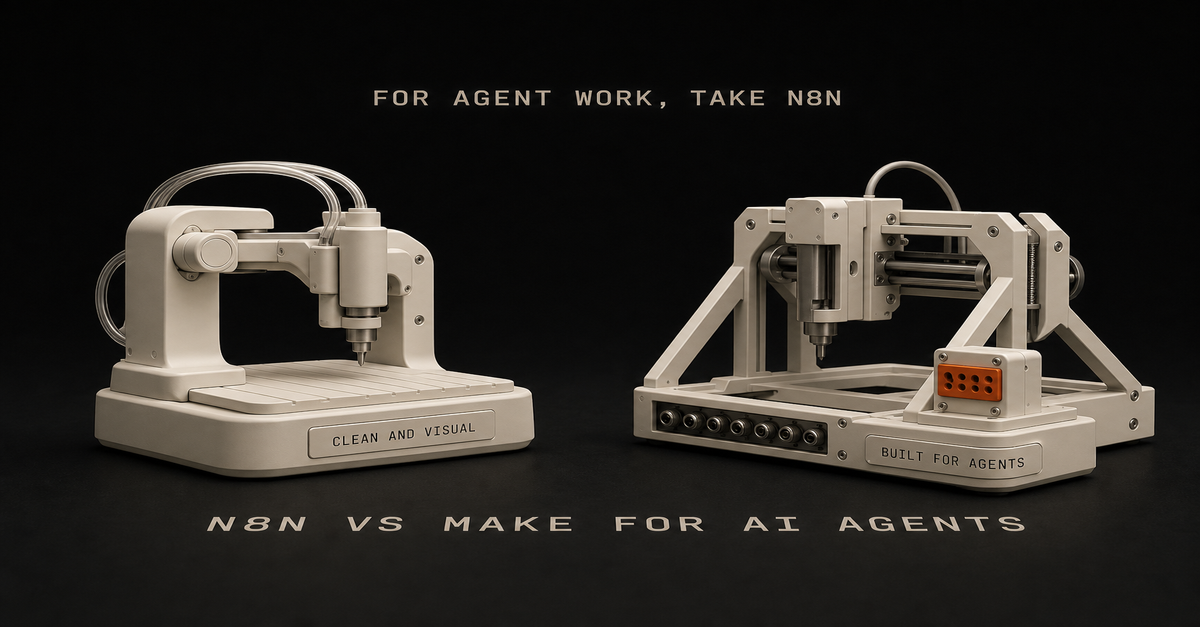
For AI agent workflows, I would usually pick n8n over Make.
Heads up: some links in this post are affiliate links: a small kickback to me at no cost to you. I only recommend tools I've actually run.
Not because Make is bad. Make is clean, visual, and easier for a lot of app-to-app automations.
But for the technical or technical-adjacent solo builder, n8n has the better shape:Need
PickEasiest visual app automation
MakeSelf-hosting and control
n8nCode nodes and custom logic
n8nAI agent workflows with tools
n8nSimple marketing ops workflows
Make or n8nLower marginal cost at scale
n8n self-hostedWhere Make wins
Make is good when the workflow is visual and app-heavy.
Use it when:you want the easiest builder
you are connecting common SaaS apps
the workflow is not deeply technical
you do not care about self-hosting
you want a polished visual interfaceIf the goal is "move this from app A to app B with some formatting," Make is fine.
Where n8n wins
n8n is stronger when you want control.
Use it when:the workflow needs code
you want self-hosting
you care about cost at scale
you need custom API calls
you want agent tools and more flexible logic
you are comfortable debuggingThat last one matters. n8n gives you more flexibility, but it's not always easier.
The AI agent workflow angle
AI agent workflows tend to need:context gathering
tool access
memory/history
conditionals
retries
logging
approval steps
custom actionsn8n fits that shape well.
Make can do plenty, but n8n feels more natural when the workflow starts drifting from "connect apps" into "build an operating system."
My recommendation
If you are a solo builder using Claude Code, GitHub, Vercel, APIs, and custom workflows, start with n8n.
If you are a non-technical operator who wants polished app automation fast, start with Make.
If you already have Make working, do not migrate for sport. Move only when you hit control, cost, or flexibility limits.
Build your first n8n agent map with the n8n AI Agent Workflow Builder.
FAQ
Is n8n or Make better for AI agent workflows?
n8n is usually better for technical solo builders who want control, code nodes, self-hosting, and agent-style workflows. Make is easier for visual app automation.
Should solo builders start with n8n or Make?
Start with Make if you want the easiest visual builder. Start with n8n if you want more control and expect to build AI agent workflows.This post is part of the n8n AI agents hub: definitions, tutorials, workflow patterns, and the build-vs-run decision pages in one place.
You're paying for Zapier. ChatGPT Plus. Maybe a CRM you barely open.
And you're still copy-pasting the same data into the same spreadsheet every Monday morning.
You've got plenty of tools. Nobody showed you how to map what you're actually doing before throwing software at it.
So you keep stacking automation subscriptions that don't talk to each other.
And every Sunday night, you're staring at the week ahead knowing a chunk of it will disappear into the same repetitive tasks you did last week. And the week before.
I know because that was me. Most of what's on this site got built on borrowed time. The workflows, the agents, the content systems - all of it in the margins. Early mornings and late nights.
And the process that actually worked didn't start with a tool. It started with a 30-minute brain dump.
Here's the process I use to figure out what to automate, how to map it, and which tools to pick. No hype. No $500 courses.
Just the system I keep coming back to. It turned a pile of manual work into a content setup that runs while I focus on building. I break it down in my save-time-automation guide.
Let's build yours.
If you already know the workflow is worth automating, the next question is tool fit. Use the Automation Priority Audit to score it, then use Claude Code vs n8n to decide what should handle judgment versus triggers.
Why Most "Automate Everything" Advice Falls Flat
Every automation tutorial starts the same way: pick a tool, connect two apps, watch the magic happen.
But that's like buying a gym membership and expecting muscles to show up.
The advice skips the hardest part: figuring out what you're actually doing all day. Most solo builders can feel the drag, but they can't always name the workflow.
They know they're busy. They know tasks repeat. But if you asked them to write down every step of their content process - from idea to published post - they'd stare at a blank page.
You can't automate what you haven't defined.
I tried. I jumped straight into n8n, started wiring up nodes, and ended up with a tangled mess that took longer to maintain than the manual process it replaced. The tool wasn't the problem. I was building before I understood what I was building.
Turns out, the boring part - documenting your processes - is the part that makes everything else work. Skip it and you'll waste weeks building automations you'll never use.
So start with a notebook, not a tool.
The 30-Minute Brain Dump That Changes Everything
Block 30 minutes. That's it. Grab a notebook, open Notion, use your phone's notes app - doesn't matter. Just start listing every task you do in your business.
Not the high-level stuff like "marketing" or "sales." The actual tasks. The substeps. The clicks.
How to Do ItList every task by category. Content creation. Email. Social media. Admin. Customer service. Sales. Whatever applies to you.
Break each task into substeps. Don't write "create blog post." Write: research topic, outline, write draft, edit, find images, format in CMS, write meta description, schedule, share on social.
Note how long each takes. Even rough estimates help. "45 minutes" is better than "a while."
Mark what repeats. Weekly? Daily? Every time you publish?Pro tip: talking is faster than typing. I use a voice recorder app and walk through my business process out loud. Twenty minutes of rambling surfaces tasks I'd never sit down and type out. Dump the transcript into a doc and clean it up later.
Don't worry about making it perfect. Just get everything out of your head so you can see the full picture.
Most people are shocked by how much they're actually doing. That's the point. You can't fix what you can't see.How to See Your Workflows Before You Build Them
Once you've got your task list, pick the top 3 most time-consuming categories. That's where automation will save you the most.
Now draw them out. Seriously.
Use Excalidraw (free), Miro, or literal pen and paper. For each process, map the flow:Start (what triggers this task?)
Steps (every action in order)
Decision points (if X happens, then Y)
End (what's the output?)I used to jump straight into n8n. Open the canvas, start dragging nodes, figure it out as I go. It worked... until it didn't.
Then I started sketching in Excalidraw first. Sometimes with Claude Code helping me brainstorm. I'd lay out the entire workflow visually before touching a single automation tool.
Here's what I learned: 10 minutes sketching saves 4 hours rebuilding.
You catch the overcomplicated parts on paper. You spot redundant steps. You realize some tasks don't need automation at all. You can just stop doing them.
Spend 10 minutes per workflow. Sketch it rough. It doesn't need to be pretty. It just needs to show what you actually do.
Let AI Find the Patterns You're Too Busy to Notice
Take your brain dump - all those tasks, substeps, time estimates - and feed them into NotebookLM (powered by Gemini). It's a free Google tool that's ridiculously good at spotting patterns.
Upload your notes, your workflow sketches, whatever you've got. Then prompt it:Identify the top 10 most repetitive processes in my business. Rank them by estimated time spent per week.NotebookLM will create visual workflows, raw SOPs, even infographic-style breakdowns of your processes. It sees patterns you're too deep in the weeds to notice.
You can also use Claude Opus or ChatGPT for this. The key is having an AI look at your actual processes with fresh eyes. Not generic "automation ideas" - YOUR specific tasks, analyzed for repetition.
What you'll typically find: a small handful of processes eating most of your repetitive time. Those are your targets.
Once you know what to automate, you need to pick how. This is where most people mess up. They pick tools based on hype instead of what they need. You can also build AI agents to handle more complex tasks once you've got the basics down - see my AI Agent node tutorial.
Pick the Right Tool (Not the Hyped One)
I binge-watched "my tool stack" videos for weeks. Felt like everyone had figured it out except me. Every creator had a different setup, a different "must-have" tool, a different take on what's essential.
Your workflow is yours to build. Here's how I'd choose based on what you actually need, not what's trending.Tool
Best For
Cost
Learning CurveZapier
Simple app-to-app connections
$69+/mo (grows fast)
LowMake
Visual multi-step workflows
$16+/mo
Mediumn8n
Complex workflows, self-hosted
Cost of a small VPS
MediumClaude Code
Content creation, building apps, orchestrating agents
Anthropic plan + API
Medium-HighNotebookLM
Research, SOPs, pattern recognition
Free
LowMy recommendation for solo operators: Start with n8n. Self-hosted on a $5.99/month Hostinger VPS, you get unlimited workflows with no per-execution fees. Compare that to Zapier at $69+/month where costs scale with every automation you add.
Heads up: some links in this post are affiliate links: a small kickback to me at no cost to you. I only recommend tools I've actually run.
n8n is underrated. It handles scraping, data processing, API calls, and repetitive task automation like a champ. For content creation and building websites or apps, Claude Code is where I spend most of my time. Together, they cover about 90% of what a lean one-person business needs.
OpenCanvas is phenomenal for really complex workflows. But it's also complicated and still buggy. I'd wait unless you're comfortable debugging.
Check out these 7 workflow examples to see what n8n actually looks like in practice before you commit.
The 7 Tasks Worth Automating First
Some automations pay off way more than others. Here's my rough order, biggest payoff first - your numbers will depend on volume:Email sequences and follow-ups - Welcome sequences, follow-up drips, re-engagement. Usually the one that pays off fastest for a small business.Content repurposing - One blog post or video becomes a LinkedIn post, a thread, a newsletter snippet, and short-form ideas. Build once, run forever.Social media scheduling - Stop manual posting. Build an AI-powered social media workflow that drafts and schedules across platforms.CRM data entry - Every form submission, email reply, or meeting booking auto-populates your CRM. No more copy-pasting contact details.Meeting scheduling - Calendly or TidyCal connected to your CRM and email. Zero back-and-forth.Invoice and payment reminders - Awkward to send manually and easy to forget. Let the system handle it.Data backup and reporting - Weekly dashboards, metrics roundups, and backup routines that run without you thinking about them.Pick one from this list. Just one. Build that first. Then move to the next.The 60-second version, from my Shorts: Stop Hiring VAs. Build These Workflows Instead..What Automation Actually Costs and Saves
Let's set expectations honestly.
The shape, not the magic number:
The savings depend entirely on what you're already doing manually. Two people can both "automate content repurposing" and one saves five minutes a week while the other claws back half a day. Volume and current process drive everything.
What I can tell you from running this stack:Stack cost for a solo operator stays low when you self-host n8n and use APIs you only pay for when they run. Most of the heavy SaaS cost gets replaced by per-token API costs that scale with usage.
Setup is the front-load. Month one is mostly building. Month two is when the saved time starts showing up. By month three, each new workflow is faster because you've learned the patterns.
It doesn't stay saved without maintenance. APIs change. Things break. Set aside a little time each week to fix what broke.If you want to run your own numbers before building, the Automation Priority Audit and the AI Stack Cost Calculator are the tools I'd reach for.I walk through this on camera in 5 AI Automations Running My Business 24/7 (11 min).My Actual Setup: n8n + Claude Code + a Human in the Loop
Most of what's on this site got built in the margins. That matters, because the stack was built for someone with zero spare hours.
Here's how the pieces fit together:The hub: Notion database. Content ideas, task status, publishing schedule all live here.
The automation layer: n8n (self-hosted on Hostinger). Triggers, routing, retries, scheduled checks.
The judgment layer: Claude Code. Where prompts, brand rules, content logic, and code edits live.
The human: me, plus an operations assistant for the parts that still need a person. Anything that ships gets approved.Honestly, it's not set-and-forget. I'm constantly refining the workflows I rely on. They're never "done." If something breaks or slows me down, I fix it the same week.
That's the part of automation nobody talks about. You don't build it once and walk away.
The Mistakes That Cost Me Weeks (So They Don't Cost You)
I've made every mistake on this list. Learn from mine so you don't make your own.
1. Building Before Validating
My first big project was a faceless YouTube channel. Relationship content. Reddit scraping. Auto-generated voiceovers. Took me 2 weeks to build.
I never used it.
I was interested in faceless YouTube as a concept, not passionate about the content. The automation worked perfectly. I just didn't need it. Now I check every idea before I build: "Will I actually use this? Does it solve a real problem in my actual workflow?"
2. Overengineering Everything
That same YouTube automation had 4 agents when it should have had 1. I made it complicated because it felt impressive. It didn't need to be. Your first automation should be simple. One trigger, a few steps, one output. Ship it. Refine later.
3. Skipping Visual Mapping
Every time I've jumped straight into n8n without sketching first, I've regretted it. 10 minutes in Excalidraw saves 4 hours rebuilding. Every time.
4. Not Testing in Small Batches
Don't build a 20-step workflow and hit "execute" for the first time. Build 3 steps. Test. Add 3 more. Test. That way you catch errors before they pile up.
5. Choosing Tools Based on Hype
I watched every "ultimate tool stack" video on YouTube. Felt like I was falling behind because I wasn't using the same 15 tools as everyone else. Turns out most of those creators switch tools every 6 months. Find what works for your workflow and ignore the noise.
Your Monday Morning Is About to Change
You don't need to automate everything this week. Just one thing.
Here's your action plan:Tonight (15 minutes): Pick the one task that eats the most of your time
Tomorrow (30 minutes): Do the brain dump. List every substep.
This week: Feed it into NotebookLM. Let AI find the patterns.
Next week: Build one workflow in n8n. One.That's it. By Week 2, you'll have one automation running and a real read on what it's actually saving you. The number matters less than seeing that your process was the problem all along, not the tools.
You've been working harder than you need to, because nobody showed you this part first. Now you've got it.
Start with the brain dump. The rest gets easier from there.
If you need a place to begin with n8n, start with this beginner tutorial or grab ideas from these 7 workflow examples.
What's the one task you're going to automate first?This post is part of the n8n AI agents hub: definitions, tutorials, workflow patterns, and the build-vs-run decision pages in one place.
I spent 2 weeks building an automation I never used.
Four agents. Late nights. Reddit scraping, 11Labs voiceovers, Creatomate video stitching - a full faceless YouTube pipeline. The workflow actually worked. Videos would generate automatically from trending relationship posts.
And I never published a single one.
Turns out, I wasn't passionate about relationship content. I was interested in the theory of faceless YouTube, not the content itself. So I built a beautiful machine that sat there collecting digital dust.
Here's what I learned: Automation speeds up whatever you're doing. If you have a broken process, automation just makes it fail faster.
The problem wasn't my n8n skills. The problem was I skipped the part where I figured out if I actually needed this thing.
Sound familiar? Maybe you've spent a Saturday building a workflow that's supposed to save you hours. Then Monday comes, you're back at your desk, and that automation hasn't touched your real work.
That's what this guide is about. Not another "automate everything" tutorial. A way to build automations you'll actually use, instead of weekend projects that just sit there.
Here's the process I use now. I learned it the hard way.
Why Most Automation Advice Fails (And Costs You Weekends)
You've heard the standard automation advice: "If you do something more than twice, automate it."
Sounds reasonable. Except it's not.
Here's the problem. That advice assumes the thing you're doing twice is worth doing at all, and that your process is already good. Automation won't magically make a broken workflow work.
Most people automate broken processes. Then they're confused when automation doesn't save time.
I've been there. I used to admire workflows with 100 nodes. Complex branching logic. Dozens of API calls. "Look at that beautiful automation," I'd think.
Now? I admire the simplest workflows that actually run. The 5-node system you use every week beats the 50-node masterpiece that never gets opened again.
The problem with automation tutorials online is they teach you how to build, not whether to build. Nobody makes viral content about the workflow they decided NOT to create.
So you end up in a loop. Watch tutorial. Get excited. Spend the weekend building. Realize it doesn't fit your actual work. Feel frustrated. Repeat.
Another weekend gone. Nothing shipped.
What you need is a way to decide what to automate in the first place.
The Process-First Framework for Time-Saving Automation
After wasting those 2 weeks on my faceless YouTube system, I changed my approach completely. Now I follow a 4-step process before I ever open n8n.
Step 1: Justify the Use Case
Before building anything, I answer one question: What's the ROI?
Not vague "this would be nice" thinking. Actual numbers.
Here's how I calculate it:How many hours does this task take per week?
How many hours will the automation take to build?
What's the payback period?If a task takes 2 hours weekly and the automation takes 10 hours to build, that's roughly a 5-week payback. Probably worth it.
If a task takes 15 minutes weekly and the automation takes 20 hours to build? You're looking at an 80-week payback. Probably not.
Most people skip this math. They build because building is fun. Then they wonder why their calendar is still full.
Step 2: Document the Manual Process First
This one sounds backwards, but do the thing manually before you automate it.
Not forever. Just long enough to understand what you're actually doing.
I track tasks in a Notion database for 1-2 weeks before automating. I note:What triggers the task?
What are the actual steps?
Where do I make decisions?
What could go wrong?Writing it down shows you what's actually hiding in there. That "simple" task you wanted to automate? It probably has 5 edge cases you'd only discover mid-build.
Finding those edges before building saves hours of debugging later.
Step 3: Sketch It Before Building
What helped most was sketching in Excalidraw before I opened n8n.
I used to jump straight into building. Add a node. Add another. Get tangled in logic. Realize I needed to restructure. Waste 2 hours.
Now I spend 10 minutes sketching first. Just rough boxes and arrows showing:What triggers the workflow
What each step needs to do
Where decisions happen
What the final output looks likeSometimes Claude Code helps me brainstorm the flow. We'll talk through the logic together before I touch any automation tool.
The best part? Sometimes the sketch shows me I don't need automation at all, and I skip the build.
Step 4: Build the Minimum Viable Automation
My first n8n workflow had 4 agents when it should have had 1.
I was so excited about what was possible that I built everything. Reddit scraping AND script writing AND voice generation AND video editing AND publishing. All at once.
That's how you end up with something that never works reliably.
Now I build the smallest version first. One workflow that does one thing. Get it running. Use it for a week. Then add the next piece.
For content repurposing, I didn't start with a 10-step pipeline. I started with: blog post goes in, Twitter thread comes out. One input, one output. Everything else came later.
The 5 Automations That Actually Save Time for SolopreneursSome automations save a few minutes a week. Others give you back real chunks of your day.
These are the five categories I keep coming back to:
1. Content Repurposing
This is one of the automations that saves me the most time.
One piece of content becomes several. A blog post or video turns into a thread, LinkedIn post, newsletter section, and short-form ideas. The ideas stay the same, just reformatted for each platform.
Before automation: an hour per platform of manual rewriting.
After automation: one trigger, multiple drafts, then a short edit pass.
Want a version of this pipeline built for you? Record one long-form video a week, and the Content Flywheel handles drafts, scheduling, and the approval queue in your voice. See Content Flywheel DFY →
Related: How to automate social media posting with AI
2. Social Media Scheduling
Note: I'm not talking about automated engagement or auto-replies. That's a path to getting flagged and annoying people.
I mean scheduling posts you've already drafted. Batch your content, queue it up, let the scheduler handle timing.
Tools like Publer or Buffer make this dead simple. You don't need a custom n8n workflow for this. Sometimes the right tool beats the custom build.
3. Email Triage and Filtering
I don't automate replies. Too risky, too impersonal.
But I absolutely automate sorting. Newsletters go to one folder. Client emails get flagged. Junk gets deleted on arrival. By the time I open my inbox, it's already mostly triaged.
Most email clients have this built in. Gmail filters, Apple Mail rules, whatever. The point is: automate the sorting, not the replying.
4. Meeting Scheduling
The back-and-forth of finding meeting times is pure waste.
Calendly or Cal.com handles this completely. Share a link, they pick a time, it's on the calendar. No "does Tuesday work? How about Thursday?"
This is a solved problem. Don't build a custom solution.
5. Client Onboarding Sequences
When someone becomes a client, there's a checklist: welcome email, project folder, CRM entry, intake form, kickoff call.
Automate that list and every client gets the same onboarding, without you having to remember each step.
Start with the welcome email. Add the rest piece by piece.
Related: n8n workflow examples worth buildingThe 60-second version, from my Shorts: 65% of My AI Automations Were Fake (I Had No Idea).The "Should I Automate This?" FrameworkBefore building any automation, I run through these four questions:
1. Does this task repeat weekly (or more)?
If you do something once a month, the automation probably won't pay off. For monthly tasks, the time you save rarely covers the build.
Weekly or daily tasks? Those are automation gold.
2. Is the process already clear and working?
If you're still figuring out how to do something, don't automate it. You'll bake confusion into the system.
Do it manually until the process is solid. Then automate.
3. Will automation ACTUALLY save time, or just move complexity?
Some "automation" just shifts where you spend time. Instead of doing the task, now you're maintaining the workflow, fixing errors, updating triggers.
Be honest about total time spent, not just time on the original task.
4. Do I need human judgment in the loop?
Some decisions shouldn't be automated. Client communications, creative direction, anything that needs judgment.
Let automation handle the mechanical parts. Keep the judgment for yourself.
If a task passes all four questions, it's a candidate for automation. If it fails any of them, think twice before building.
How to Build Your First Automation (The Right Way)
Ready to build? Here's the process I wish I'd followed from the start.
Pick ONE High-Impact Task
Don't automate five things at once. Pick the one task that:Happens most frequently
Takes the most time
Has the clearest processFor most solo operators, content repurposing or email sorting wins this test. If you're not sure where to start, here are 7 repetitive tasks worth automating first - plus the 30-minute brain dump that helps you find yours.
Sketch the Workflow
Open Excalidraw (it's free) and draw:The trigger (what starts the workflow?)
Each step (what happens next?)
The output (what does success look like?)Spend 10-15 minutes here. It saves hours later.
Choose Your Tool
For most automations, n8n is my go-to. Self-hosted, unlimited workflows, no per-execution fees.
Related: n8n tutorial for beginners - your first workflow in 15 minutes
But sometimes the right answer is a dedicated tool. Calendly for scheduling. Publer for social posting. Don't build what's already solved.
Build the Minimum Version
Start with the smallest version that provides value.
If you're automating content repurposing:Version 1: Blog post → Twitter thread
Version 2: Add LinkedIn
Version 3: Add email
Version 4: Add imagesEach version works independently. You don't need version 4 for version 1 to save time.
Test with Real Data
Don't test with fake examples. Run your actual content through the workflow.
Real data reveals real problems. Edge cases you didn't consider. Formatting issues. API quirks.
Refine Based on What Breaks
Nobody talks about this, but debugging workflows is part of the game.
I run a small set of workflows regularly, and I'm constantly tweaking them. Something breaks, I fix it. Output isn't quite right, I adjust.
Automation isn't set-and-forget. Expect to keep maintaining it and tweaking it.
The good news: each pass makes the system more reliable. After a few weeks of tweaking, you end up with something that mostly runs itself.Want workflows like these delivered weekly?
I share the workflows I'm actually building and refining - what works, what breaks, what I'd do differently. No theory, just systems you can steal.
Start here →Real Automation Workflows You Can Copy
Here are three workflows from my actual system:
Workflow 1: Notion Content Hub → Multi-Platform Publishing
My content operation runs through one Notion database.
The flow:Write draft in Notion
Mark as "Ready to Publish"
n8n detects the status change
Claude reformats for each platform (Twitter, LinkedIn, email)
Content queues in Publer
I wake up to posts scheduledI still review everything before it goes out. Automation does the heavy lifting, but I approve the final output.
Workflow 2: Blog Image Generation with Claude Code
Header images used to be a slog: open the design tool, fight the prompt, drag it into the right folder. Now:Claude Code reads the blog post
Generates image prompt based on content
Calls a Gemini image API
Saves to the right folderI run it, walk away, come back to a header. Most of the wall-clock time is the API.
Workflow 3: YouTube Script → Multi-Format Content
One long-form video becomes multiple assets:Script goes into the system
Pull key points for Twitter thread
Create LinkedIn article summary
Generate newsletter section
Draft TikTok hook ideasI walk through this on camera in The AI Automations That Almost Ruined My Business (11 min).Common Automation Mistakes (I've Made Them All)
I've made every one of these, so you don't have to:
Mistake 1: Automating Before Understanding the Process
This was my faceless YouTube disaster. I automated a process I hadn't validated. Two weeks of work for zero output.
Now I do things manually first. Understand the task. Document the steps. Then automate.
Mistake 2: Building 4 Agents When You Need 1
My first n8n workflow was way overbuilt. Reddit scraping, script writing, voice generation, video creation - all in one system.
Should have been one agent doing one thing well. (If you're building AI agents specifically, I wrote a complete guide to n8n's AI Agent node that shows how to build autonomous, tool-using workflows the right way.)
Start simple. Add complexity only when the simple version works.
Mistake 3: Set-and-Forget Mentality
The myth of "passive" automation. Build once, never touch again.
Doesn't work that way.
APIs change, your needs change, and new edge cases show up. Expect to maintain your workflows, and budget time for it every week.
Mistake 4: Automating Things You Actually Enjoy
Not everything that CAN be automated SHOULD be.
If you enjoy writing Twitter threads, don't fully automate them. Maybe automate the formatting, but keep the creative part.
The point of automating is more time for the work you like. So keep that part for yourself.
Mistake 5: Ignoring Human-in-the-Loop
Full automation sounds great until you send a weird email to a client because an edge case slipped through.
Keep humans in the loop for:Client communications
Final approval before publishing
Anything with real consequencesAutomation handles the grunt work. You handle the judgment calls.
Tools I Actually Use (And Why)
After trying dozens of tools, here's what stuck:
n8n - I ran it self-hosted on a small Hostinger VPS for two years. Unlimited workflows, no per-execution fees. This is where most of my automation used to live.
As of July 2026 that work has moved into Claude Code. But for trigger-based workflows, n8n is still the one I'd hand you. These days you could even run it free on a Mac mini at home.
Heads up: some links in this post are affiliate links: a small kickback to me at no cost to you. I only recommend tools I've actually run.
Claude Code - My most-used tool. Blog writing agents, image generation, workflow brainstorming. If I could only keep one AI tool, it's this one.
Notion - Central hub for all content. Everything flows through Notion databases. n8n watches for changes and triggers workflows.
Publer - Social scheduling. Could I build this in n8n? Probably. But Publer does it better than I could.
Excalidraw - Free workflow planning. Every automation starts as a sketch here.
The point is, use the right tool for the job. Sometimes that's a custom workflow. Sometimes it's a SaaS product. Don't build what's already solved.
Your First Automation Is One Decision Away
Most of what's on this site was built in the margins. Early mornings, late nights, weekends when I could swing it.
You don't need to quit your job to build automation systems. You don't need 40 hours a week. You need a simple process and you need to be willing to start small.
Here's the process again:Justify - Calculate the actual ROI
Document - Do it manually first, understand the process
Sketch - Map it in Excalidraw before building
Build - Start with the minimum version
Refine - Debug, iterate, improveThat's it. Nothing fancy, no expensive course. Just a simple way to build automations you'll actually use.
Pick one task. The one that eats the most time. Run it through the steps above. Sketch it out.
Then build version one. Not the perfect version. The minimum version that works.
You'll save more time with one simple automation that runs reliably than with five complex workflows that never get finished.
The goal is having systems that work while you sleep. You get there by shipping the first one.
Build it this week.This post is part of the n8n AI agents hub: definitions, tutorials, workflow patterns, and the build-vs-run decision pages in one place.
I tried n8n a handful of times before it clicked.
Heads up: some links in this post are affiliate links: a small kickback to me at no cost to you. I only recommend tools I've actually run.
Each time I quit because it felt too complex, too overwhelming, too... much. Authentication errors. Weird node configurations. Tutorials that assumed I already knew what I was doing. Everyone said n8n was "easy" and "just like Zapier but free" but I kept bouncing off it.
Then I picked one project I actually wanted to ship and committed to finishing it in n8n. The result was clunky. I built four agents where one would have done. But it worked, and that was enough for it to finally click.
This is the tutorial I wish I'd had on attempt one: a setup walkthrough, three workflows you can build in a sitting, and the debugging tricks that turn "this is too hard" into "okay, I get it now."I walk through this on camera in n8n Tutorial for Beginners: Build Automations You Will Actually Use (2026) (19 min).What Is n8n? (And Why It's Worth Learning Even Though Zapier Is Easier)
n8n is a free, open-source automation tool that connects apps and services together. Think Zapier or Make.com, but you own it.
Here's the rough shape (always check current pricing - SaaS plans move):Feature
n8n
Zapier
MakeCost
Free self-hosted or paid cloud
Tiered, per-task
Tiered, per-operationWorkflows
Unlimited
Limited by plan
Limited by planLearning curve
Steeper
Easiest
MediumCustomization
Full code access
Limited
MediumExecution limits
None (self-hosted)
Plan-based
Plan-basedWhy people choose n8n:No per-execution fees (huge if you run workflows at scale)
Self-hosting means you control everything
Code nodes let you customize anything
Open-source community constantly adds integrationsWhy it's harder:
Zapier holds your hand. n8n expects you to figure some things out. Authentication setup is more manual. Error messages are less friendly. The first hour is rougher.
Once you get past the setup pain, though, n8n becomes your most powerful tool. You're not locked into pricing tiers. You're not limited by "tasks per month." You just build what you need.
Worth it? For me, absolutely.
One update: if you're using AI coding agents now, n8n isn't the whole stack. It's the part that runs your automations. I broke down the split in Claude Code vs n8n and the lean stack in AI stack for solo founders.Related Reading:n8n workflow examples worth building
How to Automate Social Media with AIHow to Set Up n8n (2 Options: Cloud vs Self-Hosted)
You have two paths. Pick based on your comfort level and budget.
Option 1: n8n Cloud (Fastest)
If you just want to start building:Go to n8n.io
Click "Start for free"
Sign up with email
You're in. Start building immediately.Pros: Zero setup. Free trial. Good for testing.
Cons: Recurring fee. You're on their infrastructure.
Option 2: Self-Hosted on a small VPS (What I Use)
This is what I run. One-time setup, then you own the box.
What you'll need:A VPS like Hostinger (their entry-level plan is fine)
Basic command line comfort (I'll walk you through)Steps:Spin up a small VPS
SSH into your server
Install Docker: curl -fsSL https://get.docker.com -o get-docker.sh && sh get-docker.sh
Run n8n container: docker run -it --rm --name n8n -p 5678:5678 -v ~/.n8n:/home/node/.n8n n8nio/n8n
Access at http://your-server-ip:5678Some hosts now have one-click n8n installers, which makes this even faster. The manual Docker route is still short.
Why self-hosted: Unlimited workflows, no per-execution fees, full control. The trade-off is you own the maintenance.
First Login: What You'll See
You'll land in a blank canvas with a "+" button. This is your workflow editor. Don't panic - it's simpler than it looks.
Click the "+" and you'll see the node library. Over 400 integrations. Ignore most of them for now.
The 7 n8n Nodes That Actually Matter (Ignore the Other 400+)
n8n has 400+ nodes. I use the same 7 for 90% of my workflows.
Here's what I learned: You don't need to learn all the nodes. You need to master the ones you'll actually use.1. Schedule Trigger
Runs workflows on a schedule (daily at 9am, every Monday, etc.). Perfect for recurring automations.
2. Webhook Trigger
Lets external services trigger your workflow via URL. Foundation for Zapier-style integrations.
3. Code Node
Write custom JavaScript. This is where n8n can do pretty much anything. I use this constantly.
4. Switch Node
Routes data based on conditions (if status = "paid", do X; if status = "pending", do Y). Essential for complex logic.
5. IF Node
Simple true/false logic. Cleaner than Switch when you only need 2 paths.
6. Set Node
Formats data. Renames fields, extracts values, cleans up messy API responses.
7. Wait Node
Pauses workflow execution (wait 5 minutes, wait until specific date). Handy when timing matters.
Bonus: AI Agent Node
Connects Claude, ChatGPT, and other LLMs directly into workflows. This is where workflows stop being "if-this-then-that" and start handling judgment calls. If you want to build agentic workflows that make decisions and use tools, check out my AI Agent node guide.
Start with these. Once you're comfortable, explore the other 393 nodes. But you can build 90% of useful automations with just this core set.
Workflow #1: Gmail to Slack Notification (The "Hello World" of n8n)
Let's build your first workflow. It's simple and it teaches you the basics.
What it does: When you get an important email, it sends a Slack notification instantly.Step-by-step:Add Gmail TriggerClick "+" → Search "Gmail Trigger"
Select "On Message Received"
Click "Connect my account"
Authorize Google (this is the authentication step everyone struggles with - just follow the OAuth flow)Add IF NodeClick "+" → Search "IF"
Set condition: {{ $json["subject"] }} contains "urgent"
This filters only urgent emailsAdd Slack NodeClick "+" → Search "Slack"
Connect your Slack workspace
Choose channel (e.g., #alerts)
Message: New urgent email from {{ $json["from"]["name"] }}: {{ $json["subject"] }}Test ItClick "Execute Workflow"
Send yourself a test email with "urgent" in subject
Check SlackWhat you just learned:Authentication (connecting Gmail + Slack)
Triggers (Gmail watching for new emails)
Data mapping (those {{ $json["field"] }} expressions)
Testing workflows before activating themCommon error: "Authentication failed" → Go back to the node, click "Reconnect", re-authorize. n8n's OAuth sometimes needs a second try.
Workflow #2: Daily Twitter/X Post Automation (Schedule Trigger + AI)
Now let's build something that runs on autopilot.
What it does: Every day at 9am, Claude generates an automation tip and posts it to Twitter/X.
Step-by-step:Add Schedule TriggerClick "+" → "Schedule Trigger"
Set to "Every Day" at 9:00amAdd AI Agent NodeClick "+" → Search "AI Agent"
Connect Claude API (you'll need an Anthropic API key)
Prompt: Write a 1-sentence automation tip for solo builders running lean AI businesses. Make it actionable and specific. No hashtags.Add Twitter NodeClick "+" → Search "Twitter"
Connect your Twitter account
Tweet text: {{ $json["output"] }}Activate ItClick the toggle in top-right: "Inactive" → "Active"
Your workflow is now live. It'll run every morning at 9am automatically.Key difference from Workflow #1: This one RUNS without you. Once activated, n8n executes it on schedule. You're not clicking "Execute" - it just happens.
What you just learned:Schedule triggers (time-based automation)
AI integration (Claude generating content)
Activating vs testing (live workflows vs manual execution)This is where automation starts to feel worth it. You build it once, then it runs unattended (until something upstream changes - which it will).
Workflow #3: Webhook to Google Sheets (Capture Data from Anywhere)
Last one. This is the base for a lot of bigger automations.
What it does: Create a custom webhook URL that receives data and saves it to Google Sheets. Use this for form submissions, Zapier alternatives, custom integrations - anything.
Step-by-step:Add Webhook TriggerClick "+" → "Webhook"
Method: POST
Copy the webhook URL (looks like https://your-n8n.com/webhook/abc123)Add Set Node (optional but recommended)Formats incoming data
Map fields: name = {{ $json["body"]["name"] }}, email = {{ $json["body"]["email"] }}Add Google Sheets NodeClick "+" → "Google Sheets"
Connect your Google account
Choose spreadsheet and sheet
Map columns to data fieldsTest ItUse Postman or curl to send test POST request:curl -X POST https://your-n8n.com/webhook/abc123 \
-H "Content-Type: application/json" \
-d '{"name":"Chris","email":"test@example.com"}'Check Google Sheets - data should appearWhat you just learned:Webhooks (HTTP endpoints you control)
Data transformation (Set node cleaning up messy inputs)
Google Sheets integration (foundational for so many workflows)This pattern matters. Most SaaS tools, form builders, and APIs can send webhook data. Once you understand this one workflow, you can connect a lot more.Want more n8n workflows?
I send practical automation systems from my own build - real workflows I'm testing, not recycled theory. No spam, unsubscribe anytime.
Get the free prompt pack →The 60-second version, from my Shorts: The Fastest Way to Waste Hours in n8n (Avoid These 5 Mistakes).What Just Broke? The n8n Debugging Guide That Actually Works
You'll hit errors. Everyone does. Here's how to fix the most common ones.Error #1: "Authentication Failed"
What it means: The app connection dropped or expired.
Fix:Click on the node with the error
Click "Reconnect" or "Select Credential"
Re-authorize the app (OAuth flow)
Test againError #2: "Cannot Read Property of Undefined"
What it means: You're trying to access data that doesn't exist.
Fix:Click the node BEFORE the error
Look at the output data (bottom panel)
Check your expression: {{ $json["field"] }} must match actual field names
Use the "Expression Editor" (click the = icon) to see available fieldsError #3: "Expression Could Not Be Resolved"
What it means: Syntax error in your data mapping.
Fix:Common mistakes:
Missing brackets: {{ $json["name"] }} not {{ $json[name] }}
Wrong node reference: {{ $node["Node Name"].json["field"] }}
Typo in field nameUse the Expression Editor to validate syntaxMy 5-Step Debug Process:Execute one node at a time - Click "Execute Node" instead of "Execute Workflow"
Check the output panel - Bottom of screen shows exactly what data the node produced
Use the Code node to log data - Add console.log(items) to see what's actually there
Test with static data first - Use "Set" node with hardcoded values to isolate issues
Check the n8n community forum - Someone's hit your exact error beforeDebugging is half the skill. Get good at reading error messages and checking data output, and you'll fix issues in 2 minutes instead of 2 hours.
How to Learn from 1,000+ Pre-Built Workflows (Without Copy-Pasting)
You don't have to build everything from scratch.
Where to find templates:
n8n.io/workflows - 1,000+ pre-built workflows
How to use them:Browse templates (filter by category: Marketing, Sales, Productivity, etc.)
Click "Use Workflow"
It opens in your n8n editor
Reconnect credentials (templates don't include your API keys)
Modify to fit your use caseBest templates for beginners:"Send Slack notification for new Gmail" - Teaches triggers + messaging
"Save form submissions to Google Sheets" - Teaches webhooks + data storage
"Daily weather report to email" - Teaches schedule triggers + external APIs
"Summarize web articles with AI" - Teaches AI integration + HTTP requestsDon't just copy-paste. Look at how they built it and how they laid out the nodes. Then use the same pattern in your own workflows.
You'll learn a lot about how workflows are built just from the template library, so use it.
Lessons From Actually Using n8n
Here's what I wish I'd known on day one:
1. Plan First, Build Second
I used to jump straight into n8n, and that was a mistake. Now I sketch workflows in Excalidraw first. 10 minutes of planning saves hours of rebuilding.
2. Only a Few Nodes Matter
You don't need to learn 400 nodes. Master the core 7-10. I still barely touch 90% of the library.
3. Find the Nodes You Enjoy
Some people love the Code node. Others prefer visual logic (IF, Switch). Figure out which style fits your brain and lean into it.
4. Give Yourself Permission to Fail
Not every workflow needs to be perfect. Some are stepping stones. My first automation (that faceless YouTube workflow) was clunky - 4 agents when it should've been 1 - but it taught me how the tool actually behaves.
5. Start with Templates, Then Customize
Templates teach you patterns. Once you understand the pattern, you can apply it anywhere.
6. Debugging Is Part of the Process
I used to think errors meant I was doing it wrong. Now I just treat them as feedback. Read them, fix them, move on.
7. Self-Hosting Earns Its Keep Quickly
If you're going to run more than a couple of workflows, self-hosting n8n on a small VPS like Hostinger usually wins on cost vs per-task SaaS pricing. Unlimited workflows, no execution limits, full control. The trade-off is you own the box.
My first n8n project was a mess. But it worked, and that was enough to keep going. So ship something clunky and clean it up later.
Your Next Steps: From Beginner to Builder
You've built 3 workflows. You know the core nodes. You can debug basic errors. Now what?
Immediate (Next 24 Hours):Build one of the 3 workflows above (pick the one you'd actually use)
Test it until it works
Activate it and let it runThis Week:Explore the template library - find 3 workflows you'd use
Customize one template to fit your exact use case
Break something, then fix it (seriously, debugging practice is how you learn)This Month:Build one automation that removes a recurring chore from your week
Examples:
Daily digest of top Hacker News posts → email
New blog post → drafted social posts, queued for review
Form submissions → auto-add to CRM + send confirmation emailOnce that's boring:Self-host n8n on your own server
Build multi-step workflows with more logic (Switch, Loop, Merge nodes)
Add an LLM step where judgment matters (see the n8n AI Agent tutorial)
Connect n8n to the rest of your stackRelated Reading:n8n workflow examples worth building
How to Automate Social Media with AIYou're Not Behind - You're Right on Time
I tried n8n a handful of times before it worked. You might need two tries. You might get it on the first one. Doesn't really matter.
What matters: you now know how to set up n8n, build three working workflows, and debug the most common errors. That puts you ahead of most people who hear "n8n" and think "too complicated."
You've got the workflows and the debugging checklist.
The only thing left is to actually build something. Pick one workflow from this guide, build it, break it and fix it. Then build another.
Before you go full speed, read how to save time with automation. It'll help you pick the right workflows first - the ones that actually pay off instead of sitting there untouched. And if you're not sure which repetitive tasks to tackle, here's my workflow mapping process.
If you'd rather skip the building and have a content workflow set up around your videos, Content Flywheel DFY is the done-for-you version.
Otherwise, start here and I'll send you the free prompt pack plus the next useful system I package.This post is part of the n8n AI agents hub: definitions, tutorials, workflow patterns, and the build-vs-run decision pages in one place.

 Chris Alarcon