You opened X, saw a Grok tab, then a friend said "use grok.com" and someone else mentioned Grok Bot. Now you can't tell if those are the same thing, or if you have to pay Elon before you type a word.
You don't. Grok is free to start at grok.com, and it's three things that live in three places.
I pay $100 a month for SuperGrok Plus, next to Claude and ChatGPT. Ironically I use Grok Bot more than I thought I would. Right now it's really serving as my hub to catch my analytics on the fly.
Here's the first thing I'd have you make, one prompt and four takes back:My Grok Imagine run, SuperGrok Plus, September 10, 2026.
Published September 25, 2026. Docs checked on xAI's and Cursor's pages that day.
What you need (as of September 25, 2026, on my account)A browser or the app. Use grok.com in Chrome, or the iOS or Android app. xAI's FAQ says the old grok.x.ai address can miss features like Projects.
A free account. xAI's overview says it plainly: "Grok is free to start."
The login you'd pay with later. Your subscription sticks to the account you bought it with (X, Apple or Google). Pick one and keep it.
For a work laptop: Grok's connectors reach Gmail, Drive, Outlook, Teams, SharePoint and Salesforce on every plan. Ask IT before you connect a work account.
Skip for now: Companions (iOS only), X Premium, and the $300 Heavy plan.The part that confuses people is where each piece lives:Where
What you do there
Cost to startgrok.com and the Grok app
Chat, Imagine, voice, file uploads, connectors, Build
FreeThe Grok tab inside X
Chat without leaving X. X runs it, and X's plans decide what you get
Your X account (I couldn't read X's help page today, so no limits quoted)Grok Bot (a separate app)
A bot with its own cloud computer that runs jobs for you
SuperGrok ($30 as of September 11) or above linked, X Premium+, or a paid Cursor planThis page teaches the first row, then the third. If money is the question, Grok free vs SuperGrok covers what each plan unlocks.
Step 1: Sign up at grok.com and leave the mode on Auto
grok.com → Sign up → pick your login. You'll land on one message box with a mode button next to it.grok.com's mode menu, signed out, September 22, 2026.
Fast answers quick questions. Auto decides for you, and it's where I'd leave a beginner. Expert thinks longer, and xAI's plan table dashed it for the free plan when I checked on September 10.
There's no model number in that menu, and xAI hasn't said which Grok version the app runs.
Step 2: Ask about something that happened this week
Live search is Grok's home turf. It reads X and the web while it answers, and you can watch it search.Grok chat on my account running four searches, August 28, 2026.
Your first real task, 10 minutes:
What changed this week in [your industry]? Give me 5 bullets, each with
a link. Mark which ones come from posts on X and which come from news sites.Applicable for: marketers, sales, ops leads, anyone who writes a Monday update.
To hand it a document, click the + next to the message box. xAI allows up to about 100 files on the web, 150 MB each. If you're weighing this against the chatbot you already pay for, Grok vs ChatGPT is my split.
Step 3: Open Imagine and pick from four instead of rewriting one prompt
grok.com → Imagine (in the sidebar, or top right when signed out). If a friend opened Grok for the first time, I'd tell them to try the Imagine feature because it generates four images at once. I tried it, I thought it was really cool.
That's the image at the top of this page. You steer by picking the closest take and asking for more of that, which feels closer to Midjourney than to ChatGPT or Claude.
A flat, friendly illustration for a slide called "Q4 onboarding plan".
Warm colors, a desk, a laptop, a checklist. No words in the image.Applicable for: anyone who makes slides, flyers, or social posts and has no designer.
Two limits to know. Every output carries a Grok watermark, and xAI's FAQ says "there is no setting to remove the watermark." And on September 10, xAI's plan table checked still images for free and dashed video, so video is a paid thing. Is Grok Imagine free? has that table.
Paid users are grumbling this week. u/hucresi, a SuperGrok subscriber, posted on r/grok that they "can not generate more than two quality images and can not generate videos more than 6 seconds." That's one user's report. u/pee_bottle gave the other side: "it still seems to be pretty good compared to the competition."
Step 4: Switch the mode to Build when you want a page, not an answer
Same mode button, one more option: mode menu → Build. You describe a site or a small tool, and it builds one with a live preview next to the chat. xAI put Build on every plan on August 19.Grok Build on my SuperGrok Plus account, September 10, 2026.
I just don't trust it if I'm gonna build something serious. I've tested it, and it's not terrible. A starter website, sure.
But to write a blog post or edit one, I won't hand it to Grok. That's still Claude's job for me. The walkthrough is in What is Grok Build?.
Step 5: Install Grok Bot only when you have a job that repeats
Grok Bot is not a chat mode. It's a separate app for macOS, Windows, Linux, iOS and Android, per xAI's Grok Bot FAQ. In my words, it's a bot with its own virtual machine and it's at your disposal. That's why it keeps working after you close the laptop.The errand it ran with my laptop shut: Grok Bot Explained: It Works With Your Laptop Closed (10 min).Download Grok Bot → sign in with a Cursor account → link your SuperGrok plan. That Cursor step surprises people, but it's how xAI's get-started guide sets it up.Cursor's Grok Bot plans page, September 25, 2026.
The $10 SuperGrok Lite plan doesn't include it, per Cursor's plans page. Mine runs on SuperGrok Plus:My Grok billing screen, captured August 28, 2026.
This is where you'll feel Grok the most. You chat with it on the fly: yo, buy me this, remind me this.
It's decently smart for health questions and reminders too. And for catching my analytics, it's really good where Codex flunks. Codex has automations for that, but Grok Bot is more consistent.My Grok Bot, Inbox Hawk's three daily routines, September 10, 2026.
xAI's guide builds a first task from five parts: outcome, sources, constraints, deliverable and a review point. Here's that shape for a 15-minute first job:
Outcome: every weekday at 9am, tell me which emails need a reply today.
Sources: my inbox.
Constraints: don't send, delete or archive anything.
Deliverable: a message to me with 5 lines max, one per email.
Review point: ask me before you touch anything.Applicable for: managers, freelancers, anyone whose morning starts buried in email. Use a personal inbox first, not a work one, until IT says yes.
My 12 real jobs, and the one I'd kill first, are in Grok Bot use cases.
How to tell it actually workedChat: you see the search steps ("Ran 4 searches") and links you can click. No links? Ask it to search and cite, then check one.
Imagine: four tiles come back from one prompt, each with the Grok watermark.
Grok Bot: the routine shows under Routines with its time, and a message lands at that time without you opening anything.One failure to know about: u/Moon_Frost, on the free tier, gets "thinking for x seconds/minutes, running x searches.. But never gives a response." That's one free-tier user's report this week, so if it hits you too, it's not your prompt. Paid plans also stop at a weekly pool, explained in Grok usage limits.
If you're buying just one AI, it's still not Grok
If you're gonna buy just one I still say ChatGPT, man, it gives you the most value. It has images, good voice you can talk to, and a really smart model. To me Claude has the smartest model right now, and it's where I do serious work, but ChatGPT is the best all-rounder for one subscription.
My rule: Grok free for live questions and images, Grok Bot when a job repeats, and ChatGPT if you only pay for one. ChatGPT Free vs Plus covers that decision, and Claude guides covers the serious-work side.
Where this comes from
The steps come from xAI's and Cursor's docs, checked September 25, 2026. Prices and free-plan rows are from xAI's plan page, September 10 and 11, because it wouldn't load today. The screenshots are my own SuperGrok Plus account, except Cursor's docs page and the signed-out menu.
I haven't tested the Grok tab inside X, and I haven't tried Companions.
Quick answer: Claude Code waits for you. Grok Bot works without you. I use Claude for most of my content, Grok Bot for the analytics. That one line decides almost every routing question between them, and it is why I run both daily and have never had them compete for the same task.
Before anything else, the correction that half this SERP needs.
Grok Bot is not Grok Build
These are two different xAI products, and they get mixed up constantly.Grok Build is xAI's coding tool. That is the product that lines up against Claude Code as a coding tool.
Grok Bot is xAI's agent product. Named persistent bots, each with standing instructions, running on a cloud virtual machine.You do not have to take my word for the split, because xAI's own pricing page lists them as separate rows on different plans:xAI's pricing page, September 10, 2026: Grok Build on every tier, Grok Bot only on the individual SuperGrok tiers.
Different rows, different availability, different products. If a page tells you "Grok Bot is a terminal coding agent," it has not opened either one.
For the record: I have access to Grok Build and have not used it, so it gets no verdict on this page.
Claude Code waits for you. Grok Bot works without you
The obvious hypothesis is "does the job need my files." In my setup, that line is wrong.
Grok Bot has access to my repo. It knows how to pull it, and if my computer is off, it knows how to SSH into my Mac mini.
It is even routing its browsing through that machine, so the bots do not look like bots and get slowed down by captchas. Nothing shady, just not being treated as a scraper while reading public pages.
So "whose files" does not separate them. Both can reach mine.
The real line is what kind of work it is:
Claude takes the content. All of it. Writing, building, the things where judgment about quality matters and I want to be in the loop while it happens.
Grok Bot is like the sidekick. It's running analytics, looking at my long form, looking at my shorts. How is LinkedIn doing, how is the newsletter doing.
It logs the wins and the losses. When something pops, it tells me. When someone comments on a thing, it logs it and tells me.
Consistent grunt work, on a schedule, that produces a record.Claude Code
Grok BotShape
Task-shaped, resets around each job
Employee-shaped, persistsWhere it runs
Your machine, your terminal
Its own cloud VM, one per accountWhose logins
Yours
Its own, authenticated onceWhen it works
While you are there
On a schedule, without youWhat I give it
Content and building
Analytics, inbox, monitoringWhat happens at 3am
Nothing
The job runsCost
Included on every paid Claude tier
From $30 on SuperGrokFailure mode
Stops
Can keep spendingWhy not just build the grunt work as workflows?
Fair question, and I did, for a long time.
The difference is not capability. It is that a conventional workflow can break silently.
You find out three weeks later that a thing stopped, and by then the ledger has a hole in it. It is also less interactive: you cannot really talk to it.
With Hermes you kind of Frankenstein stuff with different models. That was my setup before this. A hand-built workflow stack is more customizable, and that is a genuine advantage. It is also its problem. It becomes a machine assembled from scraps. Some good parts, some bad parts, some generic parts, all bolted together and none of it fluid.
Grok Bot is one system, same parent, same heart. Everything flows the way it should because it was built as one thing. More unified, less yours.
That tradeoff is the whole choice, and which side you want depends on whether you enjoy owning the plumbing.My Grok Bot roster, August 28, 2026: named bots with standing instructions on one shared cloud machine.By September 10: a Chief of Staff bot the others report to. I ask it one question a day.
Has Grok Bot taken a job away from Claude Code for good?
No.
That is the honest answer and I think it is the most useful sentence on this page, because it is not what a launch-week comparison would tell you.
Grok Bot did not take work off Claude Code. It picked up work that was not happening at all.
The analytics ledger did not exist before. The inbox got triaged by me, badly, or not at all.
Nothing migrated. Something new started.
The thing that makes me think that could change: Codex has genuinely surprised me lately, to the point of generating a tweet.
Which makes me suspect the next Grok model might eventually take on work I currently keep on Claude. That model is not out and I am not going to pretend to know what it does.
For now: no job has moved, and I do not switch between them mid-task. I use both.
Where Claude Code actually lives
The mirror image of the roster above is that Claude Code is not a roster. It is a session in a terminal on my machine, plus Cowork as its non-terminal sibling in the desktop app.Claude Code and Cowork in the desktop app. Same brain, two cockpits, both on my own machine and files.
And the honest caveat about the terminal: when I finally got into Claude Code it clicked immediately, but I am used to looking at a terminal window. I do not recommend that for everybody.
If the terminal is the blocker rather than the capability, the fork you want is Cowork vs Claude Code, not this page.
Cost and risk, which are not symmetrical
Claude Code is included on every paid Claude tier. Pro at $20, Max 5x at $100, Max 20x at $200, per Anthropic's Max plan page and claude.com/pricing. You are not buying Claude Code, you are buying capacity for it. When you run out, it stops.
Grok Bot is included from $30 on SuperGrok, per xAI's pricing page as of September 10, 2026. Each eligible plan carries a weekly Grok Bot allowance, and overage is reported to bill from model and token cost with no Grok Bot specific spend cap yet.
That asymmetry deserves a sentence of its own. One of these fails by stopping. The other can fail by spending, unattended, at 3am. I have not been surprised by a bill, and I would still watch it closely for a first month.
There is a second risk that is structural rather than financial. All your bots share one cloud machine, along with its logins and its files.
That is convenient, and my read of it is that the bots are not meaningfully isolated from each other. Whatever one bot can log into, you have effectively handed to the whole roster. Scope what you connect accordingly.
Claude Code's risk profile is the opposite and more familiar: it is on your machine, in your files, and the blast radius is local.
Which one to start withYou want an agent doing something useful by Friday and you do not code. Grok Bot. Pick one job you do at the same time every day and hate. Not nine.
You want to build or write things and be in the loop. Claude Code, on any paid Claude plan you already have. And if the terminal is the problem, Cowork.
You are comparing coding tools specifically. Then you want Grok Build against Claude Code, not this pairing.
AI does real work in your week. Both. I do.The reason for "both" is not greed. I think there's no AI that does it all. If you're a business, you should be having multiple AIs.
They get cancelled, they get rate limited, they go down, they get changed underneath you. Two vendors means one bad day is not your bad day.
If I were being properly serious about it, the most important jobs would run locally on hardware I own, with the paid frontier models sitting on top for the heavy thinking.
Then a subscription change is an inconvenience rather than an outage. I am not there yet. I am running on paid models and I know that is a risk I am choosing.
The neighboring comparisons: Grok Bot vs Claude Cowork if you are choosing between the two agent products, what is Grok Bot for the week-one field test, Grok Bot use cases for the full roster and what each bot produces, and Grok vs Claude if you actually meant the models. More at Claude Guides.
Published and last reviewed September 10, 2026. Plan rows from xAI's pricing page that day, Claude's as in Claude Max 5x vs 20x; the routing rule and setup are mine.
Quick answer: these two do not compete; they sit on different layers. GPT-6 Astra is a model you hand hard work to.
Grok Bot is a set of agents with their own computer that run standing jobs while you are asleep. I pay for both and they have never once contended for the same task.
If you came for the model question: Grok 4.7 shipped September 21, and the independent Artificial Analysis index still has Astra ahead, 53 to 46.
Does 4.7 close the gap? No. It does not compete with it.
You can put the benchmarks up and laugh. This is not even close.
Every other result ranking for this pairing is framed around benchmarks or API prices: tokens per second, dollars per million, intelligence index. Useful if you are building software. Useless if you have two subscriptions and one Tuesday.
So here is the version for someone with two subscriptions and one Tuesday. The model table first, because that is what changed this week.
Grok 4.7 vs Astra, the model question in one tableGPT-6 Astra
Grok 4.7
SourceIntelligence Index v4.3.2
53 (max effort)
46 (xhigh effort)
Artificial Analysis, read Sep 22GDPval
1542
1695
xAI's own launch chartTerminal-Bench 4.0, xAI's number
Not shown
37.6%
xAI's launch tableTerminal-Bench 4.0, The Decoder's number
60%
26%
The Decoder, Sep 21API price per 1M tokens (in / out)
$10 / $50
$2 / $6
Artificial Analysis; Grok's matches xAI's launch pageCost to run one index task
$0.82 (low) to $3.26 (max)
$2.73 (high) to $3.74 (xhigh)
Artificial Analysis; effort settings differContext window
1M tokens
500K tokens
Artificial AnalysisWhere you can use it
ChatGPT Work and Codex on paid plans
Cursor, Grok Build, Grok API, third-party tools
OpenAI plan pages; xAI's launch pageRead the GDPval row carefully. It is the one chart where Grok 4.7 beats Astra, and it is the chart xAI chose to print. xAI's own Terminal-Bench table leaves Astra out entirely.
Grok is cheaper per token: five times on input, about eight times on output. It is not clearly cheaper per job. On Artificial Analysis's cost to run a task, Grok 4.7 at high effort lands at $2.73 and Astra at low effort at $0.82, because Grok burns far more tokens to finish.
Those are different effort settings, so read it as a caution, not a verdict.
Even Elon Musk does not call it the leader. His launch-day post, via the Musk post archive: "Grok 4.7 places @SpaceXAI as third, after Anthropic & OpenAI, for agentic coding."
And here is the bigger point for me. Astra doesn't even compete with Fable 5.1, let alone the new Opus 5.5. That should tell you where we're at, right?
That last part is my take, not a scoreboard. On Anthropic's own Opus 5.5 table, Opus 5.5 actually trails Astra on two rows: AutomationBench (40.0 vs 41.4) and Terminal-Bench-Science (58.7 vs 64.6). And The Decoder reports Fable 5.1 and GPT-6 tied at 53 on the same Artificial Analysis index.
None of it should move you much, for one reason: you are on a plan, not an invoice. Price per million tokens describes a bill you will never receive.
Where you can actually use Grok 4.7 today
xAI's launch page says it plainly: "Grok 4.7 is available today in Cursor and Grok Build. It is also available through the Grok API, third-party coding harnesses, and model routers and cloud platforms."
xAI's launch page does not list the Grok app in that availability line. So if you pay for SuperGrok and open the chat app, do not assume the new model is the one answering.
Grok Build is the door every Grok subscriber has, because it has been on every plan, free included, since August 19. I've been running it in Grok Build, the one place I've confirmed I'm on 4.7.
The first thing I handed it there, a script to help me find good business ideas, failed. That is all I have really tested it on.
Grok Bot is a separate question. xAI's launch page does not say which model Grok Bot runs, and Grok Bot itself can't confirm it, so I am not assuming the upgrade reached it.
For the full launch breakdown, here is what Grok 4.7 actually is. For what your plan actually buys you, see how Grok's usage pool works.
And if your real question is Grok Bot vs Astra, you are not choosing between two models anyway. You are choosing between a model and an employee. A better model does not change that split.
The category error that decides everythingGPT-6 Astra
Grok BotWhat it is
A model
Named persistent agentsWhere it runs
Your ChatGPT session, in Work or Codex
Its own cloud virtual machineWhose logins
Yours, in your browser
Its own, authenticated onceWhose files
Whatever you give the session
Its machine, under /workspaceWhen it works
While you are there
On a schedule, without youWhat happens at 3am
Nothing
The job runsHow it is billed
Inside your plan allowance
Weekly allowance, then reported overageRead the last two rows again. That is the entire decision.
Astra is the better thinker in this pairing. But it has never once told me something while I was doing something else.
What Astra actually ran for me
Astra shipped September 3, 2026. OpenAI describes it as state-of-the-art on computer use, browsing, software engineering, cybersecurity, science and professional work, with a context window over a million tokens.
In my week it does two things.
Research, and challenging Claude. It is genuinely good at pushing back on Fable when I want a second opinion on something I already believe. That is a real job and it is worth paying for. Smart enough that the disagreement is worth reading rather than annoying.
And this week, a game. The demos of people building games with Astra are real and I wanted in, so I spent a weekend on a Pokemon-style game. The graphics it generated stunned me. The game did not get built.
Between that and my first week of running maximum effort on everything, I burned through two full allowances and produced something ugly.
That is not a knock on the model. I did not ask it the right way and the learning curve is real. But I want it next to the demo reels, because the demo reels are all successes.Astra in ChatGPT Work on my $100 Pro account. On Plus, Astra shows up only in Work and Codex.
The honest cost note: at $100 I feel the ceiling for the first time. With GPT-5.6 Sol (the older Sol, not the GPT-6 Sol that shipped September 22) I felt it a little, but it was manageable. This is not.
If you want to build something serious with Astra, my read is you want the $200 plan. At $100 you miss out.
One catch: OpenAI paused new sign-ups and upgrades to the $200 plan on September 10, and its help center still said so on September 22. Existing $200 subscribers keep renewing.
What Grok Bot actually ran for me
Grok Bot launched August 11, 2026. Named agents, each with standing instructions, sharing one cloud machine per account along with its logins and files.
I use it for orchestration. Analytics, publishing, intelligence, all happening in the background.
Every day, my inbox. Starting at 9am, about three times a day, a bot checks and manages it. I do not open it to triage. I open it to read what is left.
Every day, my numbers. A folder of bots scrapes my own analytics roughly three times a day and writes to a ledger. Shorts, newsletter, LinkedIn, comments. Wins and losses get logged rather than remembered.
I am no longer posting blind, which sounds small and changed how I work more than any model upgrade this year.
Anything that drops in my space. A news scout watches X. Yesterday it told me OpenAI had shipped a new image generation model, and it was right that it mattered.
We are now looking at integrating it into our YouTube thumbnails. That is a bot changing what I did with my afternoon.
And the sniper job. When I see a tweet I want a take on, I dump it into Grok Bot. It reads it instantly because it lives where the tweets are.
Pasting that into a Claude chat is a headache. I do not want to open a terminal just for that.
This is the fastest path from "interesting" to "what do you think."Inbox Hawk: three passes a day, pings me only when a human is needed. Astra has no slot for that.
The billing asymmetry nobody prints
This is the most practical difference on this page and I have not seen it anywhere else.
ChatGPT stops you. When your allowance runs out, you wait, use a banked reset, or buy credits deliberately. The worst case is frustration.My ChatGPT meter, September 10, 2026: a ceiling, a reset date, $0 balance, auto-reload off. Work just stops.
Grok Bot bills you. Each eligible plan includes a weekly Grok Bot allowance, and extra usage is reported to be billed from model and token cost with no bot-specific spend cap yet. A scheduled agent running unattended with no ceiling is a different category of risk from a subscription that simply stops.
One of these fails by stopping. The other can fail by spending. Watch the second one for a month before you trust it with a schedule.
On price itself, the record needs correcting. Grok Bot is included from SuperGrok at $30, per xAI's pricing page as of September 10, 2026.
Secondary coverage still ties it to SuperGrok Heavy bundling at around $300, and Reworked reported exactly that at launch. Whatever was true then, the page today says otherwise. It is also, notably, not listed as included on Business or Enterprise.xAI's pricing page, September 10, 2026: Grok Bot is on the three individual tiers, not the business ones.
If you can only pay for one
I asked myself the real version of this: if I had to cancel one tomorrow, which goes?
Astra goes. And I want to be clear that this is not a verdict on quality, because Astra is great and I would miss it and I would have to work out what to do about that.
Which sounds like it contradicts my own buying order above, and it does not. If you have neither, buy the model first, because a model is useful on day one and an agent is useful once you have taught it a job. I have already done that teaching. That is the whole difference.
Grok Bot is serving a more important purpose right now. Tracking the analytics, keeping things updated, doing the things I would otherwise not do. Losing Astra costs me a very good research partner and a sparring opponent. I would feel that.
Losing Grok Bot means a category of work simply stops happening in my business.
The way I keep describing the difference: a conventional automation is like a teddy bear you have to move yourself. The moment you stop moving it, it dies. Occasionally it gets up on its own to do a boring chore, and sometimes it trips and falls and stays down.
Grok Bot plays on its own, walks more smoothly, and when it falls it can get up or call one of the other bots for help.
That is a feel, not a benchmark. It is also why I would cancel the smarter one first.
So which do you buy?You mostly ask questions and want better answers. Neither of these. You want a good chat plan, and that is ChatGPT Plus or Claude Pro.
You have hard, long, multi-step work. Astra, on ChatGPT. And if you intend to build something serious with it, budget the $200 tier, because $100 has a ceiling you will meet. New $200 sign-ups have been paused since September 10, so check before you plan around it.
You have recurring jobs you do at the same time every day and resent. Grok Bot, from $30. Start with one bot, not nine.
AI does real work in your week. Both, in that order. And honestly, for a reason beyond capability: running two vendors means one closed meter does not end your day.There is no AI that does it all. If you are running a business on this, do not rely on one. If I were making real money from it, I would be on the top tier of all of them and consider it a no-brainer, because it makes the money back.
The neighboring decisions: what GPT-6 Astra actually is, which ChatGPT plans get Astra, what is Grok Bot for the week-one field test, and Grok Bot use cases for the full roster. If your comparison is really against Claude's assistant, that is Grok Bot vs Claude Cowork. More at Claude Guides.
Questions people ask
Is Grok 4.7 better than GPT-6 Astra?
Not on the independent numbers. Artificial Analysis's Intelligence Index v4.3.2 has GPT-6 Astra at 53 (max effort) and Grok 4.7 at 46 (xhigh), read September 22, 2026. Grok 4.7 wins on price per token ($2/$6 per million vs $10/$50) and on xAI's own GDPval chart, but it is not clearly cheaper per job.
My take: it is not even close.
Is Grok Bot better than ChatGPT?
They are not the same kind of thing, so the question does not resolve. GPT-6 Astra is a model you send work to inside a session.
Grok Bot is a set of named agents with their own cloud machine and their own logins that run standing jobs whether or not you are there. Comparing them on benchmarks compares the wrong layer.
Can GPT-6 Astra do what Grok Bot does?
Partly, inside a session you started. What it does not do is wake up at 9am on its own, log into your accounts, produce something, and write it somewhere for you to read later. That unattended, scheduled, persistent shape is the thing you are actually buying with Grok Bot.
Do I need both?
If AI does real work in your week, probably yes, and in that order: the model first, the agent second. They never contend for the same job in my week. The model handles thinking and hard multi-step work. The agent handles standing jobs I would otherwise do at the same time every day.
Which one should I cancel?
For me, today, Astra goes first. Not because it is worse, but because Grok Bot is now doing something structural: tracking my analytics and keeping things updated without me. Losing Astra costs me a very good research and sparring partner. Losing Grok Bot means a set of jobs simply stops happening.
How much does each cost?
Astra rides on your ChatGPT subscription, so Plus at $20 or Pro at $100 or $200, with usage inside your plan allowance. OpenAI paused new sign-ups and upgrades to the $200 plan on September 10, 2026, and its help center still said so on September 22.
Grok Bot is included from SuperGrok at $30 per xAI's pricing page. The difference that matters is that a ChatGPT plan simply stops you at the ceiling, while Grok Bot overage is reported to bill from model and token cost with no bot-specific spend cap yet.
Is Grok Bot just Grok chat?
No. Grok chat is a chat window. Grok Bot is a separate product launched August 11, 2026, where named persistent agents run on a cloud virtual machine, one per account, shared across your bots, with their own logins and files.
Where this comes from
The Grok 4.7 numbers come from xAI, Artificial Analysis and The Decoder, read September 22. Grok Bot pricing is xAI's page from September 10, and the screenshots are my own paid accounts.
My only 4.7 run was one failed job in Grok Build, so the verdict up top is my read, not a test.
Correction logSeptember 10, 2026. Published. Grok 4.7 was unreleased, so I kept it off the page on purpose.
September 22, 2026. Grok 4.7 shipped September 21, so I added the model table and where you can use it. Replaced the old line that had Astra and Grok 4.6 tied at 61 with faster Grok: that was Artificial Analysis's older index, and today's v4.3.2 has Astra 53, Grok 4.7 46, and Astra faster (61 vs 47 tokens a second). Added the $200 Pro sign-up pause, labeled the GPT-5.6 Sol line as the older model, and put the FAQ on the page. Re-checked xAI's launch page, Artificial Analysis, The Decoder and OpenAI's help center that day.Published September 10, 2026. Updated September 22, 2026 after Grok 4.7 shipped, with the details in the correction log above.
Quick answer: Grok Bot is for standing jobs, not questions. If a task happens on a schedule, produces something you check later, and does not need files on your laptop, it belongs to a bot. If you would rather just ask and read the answer, use the chat.
Most lists for this are 35 or 50 hypothetical use cases from launch-week hype. I've run mine for a month. Is it perfect? No, of course not. We're working through the bugs. Here is my actual roster, what each job produces, the one that flopped, and the one I would cancel first.
First, the price thing, because it is wrong everywhere
The most repeated claim about Grok Bot is that it requires a $300 SuperGrok Heavy subscription. Whatever was true at launch, it is not true today, and I can show you the page.xAI's pricing page, captured September 10, 2026. "Grok Bot access" is a listed feature of the $30 SuperGrok tier.
And the feature matrix on the same page has a row worth reading closely:Same page, same day. Read the Grok Bot row across all seven columns.
Two things fall out of that row:Grok Bot starts at $30, on SuperGrok. Not $300.
Grok Bot is not listed on Business or Enterprise. The two plans a company would actually buy are the two that do not get the agent product. Grok Build, the coding tool, is on every tier including Free. Grok Bot is not.If you are evaluating this for a team, that is the fact to check before anything else on this page.
I pay for SuperGrok Plus at $100 myself, for the headroom rather than for access.
The one-line test for whether a job belongs to a bot
Before the list, the filter I use. A job goes to a bot when all three are true:It repeats on a schedule you could write down.
It does not need files on my laptop. The bot lives on its own cloud machine.
I can check the output later instead of watching it happen.Fail any one of those and it is not a bot job. That third one is the one people skip, and it is why half the use-case lists on the internet describe things nobody could actually verify.
The three folders
I group everything into growth, publishing, and intelligence. Not because the product asks for folders, but because those are the three things I need to happen without me.Inbox Hawk, September 10, 2026: three passes a day, pings me only when needed. My real inbox, blurred.Chief of Staff, same day: the other bots report to it, and I ask it one question.
One mechanic worth knowing before you build a roster: every bot on your account shares one cloud virtual machine, along with its logins and its files. You authenticate once and the whole team inherits it. Durable work belongs under /workspace, because files elsewhere can disappear during recovery.
That is convenient and it is also the security story. My read of that architecture, and it is a read rather than something xAI documents: your bots are not meaningfully isolated from each other. Whatever one of them can log into, you have effectively granted to the roster. Scope what you connect accordingly.
Folder 1: Growth (the ledger)
These exist so I stop posting blind. They scrape my own analytics roughly three times a day and write to a ledger.Bot
What it doesShorts Hawk
Watches short-form performanceSubstack Hawk
Watches newsletter performancePlan Watch
Tracks changes to AI plans and pricingBank Pull
Pulls financial numbers on a scheduleComments
Tracks comments across platforms and tells me when someone is talking to meLinkedIn Hawk
Watches LinkedIn performanceAll six scrape on a schedule, roughly three to four times a day, and write what they find into a ledger.
The point of this folder is not the dashboards. It is that the wins and the losses get logged rather than felt. Before this, I was guessing about what worked from memory, which is the worst analytics system ever built.
Folder 2: PublishingBot
What it doesYouTube long-form uploader
Takes a finished video and gets it publishedSubstack Notes publisher
Posts notes without me opening the appThis is the folder that does something I could not do before. Not "did it faster." Could not do at all, because it happened at a time when I was doing something else.
Folder 3: IntelligenceBot
What it doesChief of Staff
Oversees the other bots, surfaces what mattersInbox Hawk
Checks and manages my inbox, starting at 9am, about three times a dayNews Scout
Scrapes X for anything that drops in my spaceDistribution Scout
Watches videos I follow and summarizes them my wayNews Scout is the one that changed how I work. Yesterday it told me OpenAI had shipped a new image generation model, which I agreed was a big deal, and we are now looking at integrating it into our YouTube thumbnails. That is a bot changing what I did with my afternoon.
Distribution Scout is the newest one and it has earned its keep fastest. It watches long videos for me and gives me summaries in the format I want, which is not the format any summarizer app gives you.
What is actually good about this, versus a normal automation
I have built the same kinds of jobs before with conventional workflow automation, and the difference is not capability. It is persistence.
A normal automation is a cron job wearing a costume. When it breaks, it tends to break silently, and you find out three weeks later that a thing stopped.
It's like this agent has a good persistence, not a dumb cron that just fails silently. When it trips, it can pick itself up or escalate.
The way I keep describing it: with a normal workflow, you have to move the thing yourself, and the moment you stop moving it, it dies.
It will occasionally get up and do a boring chore, and sometimes it falls over. Grok Bot plays on its own, and when it falls it can get up, or call one of the others for help.
That is a feel, not a benchmark. But it is the reason I stopped rebuilding these as workflows.
The tradeoff is control. A hand-built workflow is customizable to its exact purpose, which is a real advantage, and also its problem: it becomes a machine assembled from scraps, some good, some generic, none of it fluid. Grok Bot is one system with one heart. More unified, less yours.
The honest part: what is not working
Here is what is not working, from someone who pays for it.
One flopped outright. In week one I built a lead scout and it produced nothing. The product moved a boundary. It did not become magic.
Shorts Hawk is buggy. It is in the roster and it is not reliable yet.
News Scout is a little rough. Not broken, just inconsistent enough that I read its output with suspicion.
If I had to kill one, maybe LinkedIn Hawk. If xAI doubled the price tomorrow, that is the one that goes. It is fun to watch and I could not honestly tell you what it is doing for me.
Writing this page was a decent audit trigger, which is its own lesson: building the plumbing is the easy part, and then you let it run and stop asking whether it earns anything.
Chief of Staff and Inbox Hawk are the ones that stay. Inbox Hawk is not impressive and it has held up. I think Chief of Staff is gonna stay. It is managing everything, which is the job I actually needed.
And the billing risk is real. Each eligible plan includes a weekly Grok Bot allowance, and extra usage is reported to be billed from model and token cost, with no Grok Bot specific spend cap yet, per eesel's pricing writeup.
A scheduled agent with no ceiling is a category of risk that a fixed subscription does not have. Watch it closely for the first month.What I actually pay xAI. SuperGrok Plus, for the headroom.
What everyone else runs
The community inventories are genuinely useful for ideas, and I would rather point you at them than pretend I invented the category:Matt Van Horn's 30-day sweep of what people across X, Reddit and YouTube actually use it for.
Sid Saladi's 50-use-case inventory, the most-cited list out there.The categories that recur across the community lists generally, beyond what I run: inbox triage and cleanup, meeting prep, supplier and vendor outreach, dispatch and logistics coordination, and permit or paperwork chasing for trades businesses.
I am deliberately not retelling the individual operator stories that circulate with those lists. Several are compelling and I could not trace them to an original post I could link, so they stay off this page. If you find them, judge them yourself.
How to steal this
If you want one bot by Friday, do this:Pick the job you do at the same time every day and resent. Inbox triage, most likely.
Write the job in three sentences. If you cannot, the bot will not do it well.
Give it a schedule, not a trigger. Standing jobs beat clever ones.
Make it write somewhere you will see. A ledger, a doc, a message. Output you never read is a bot that does not exist.
Audit it in 30 days. Ask what it produced. Kill it if the answer is thin. Mine would not all survive that question, which is the point.The mistake is not building the wrong bot. It is building twelve and never asking any of them what they did.
Deciding whether the product is for you at all? What is Grok Bot is the week-one field test, Grok Bot vs Claude Cowork is the assistant comparison, Grok Bot vs Claude Code is the one for people who already run an agent, and Grok usage limits explained covers the meters. The equivalent collection on the other side is Claude Cowork use cases. More at Claude Guides.
Published September 10, 2026. Plan tiers from xAI's pricing page that day; the roster and verdicts are from my own paid account.
Quick answer: These are not rivals, they are two different purchases. Gemini is a bundle you probably already own through a Google account, Workspace or a phone plan.
Grok is a $30 agent you deliberately buy, and what you are buying is Grok Bot running jobs while you are not there. So the real question is not "which is better." It is "do I need to add Grok."
Full disclosure before you read another line: I pay for Grok and I do not use Gemini. I don't use Gemini like that. My wife uses it. I think there's just too many options, man. That's the reality. I just don't have the bandwidth to do all of it.
I am not going to pretend that is neutral. What I will do is judge Gemini on its published facts and on the one real session I ran, show you both receipts, and tell you exactly what would make me switch.
The short answer, by who you areYou are
Pick
WhyAlready inside Google all day, Gmail and Docs
Gemini, and check what you already have
You may be paying for it and not knowWant better answers to questions you ask
Either, honestly
Both are good at this now. Not worth $30Want research reports without babysitting
Gemini free tier first
Deep Research is on the free planWant jobs that run on a schedule without you
Grok, $30 SuperGrok
This is the actual product differenceChasing the top of the benchmarks
Neither, on principle
It changes every six weeks. Pick on workflowThe two ladders, side by side
Both price lists in one place, read September 5, 2026.Grok (xAI)
Gemini (Google)Free
$0, web and X search, voice
$0, Gemini 3.6 Flash, Deep Research, Canvas, LiveEntry paid
SuperGrok Lite $10; SuperGrok $30 unlocks Grok Bot
AI Plus $4.99, Gemini in Gmail and VidsMid
SuperGrok Plus $100
AI Pro $19.99, Docs, Flow, 5 TBTop
SuperGrok Heavy $300
AI Ultra $99.99 (5x) / $199.99 (20x)The thing you are really buying
Agents that run jobs on a cloud computer of their own
A model already wired into your documentsAlready included with
nothing
Google One, Workspace, some carrier plansThe point is right there in that table. Google's ladder starts lower and is often already paid for. Grok's starts at $30 because the $30 is the agent.
The fork nobody writes about: bundle versus deliberate buy
A benchmark table is the wrong thing to compare here.
Gemini arrives. It is in your Gmail, in Docs, in your Google account, and it is bundled into Workspace plans and some carrier deals.
I have it in a browser tab right now because it comes with my Verizon subscription. I did not choose it. It showed up.
Grok does not arrive. You go to x.ai and you pay $30.
That one difference decides more than any benchmark. One of these you are already carrying, and the other has to justify a new line on your card every month.
What $30 of Grok actually gets you
From x.ai's pricing page, read September 5, 2026.Plan
Price
What it addsFree
$0
Real-time web and X search, voice mode, connectorsSuperGrok
$30/mo
Grok 4.6, Grok Bot access, connectors, higher rate limits, Expert, image and video generationSuperGrok Plus
$100/mo
Everything above, plus 1080p video, significantly higher usage across Chat, Imagine, Voice and Build, priority accessSuperGrok Lite
$10/mo
Entry paid rung: single-prompt apps, Expert mode, image and video, higher limits at regular speedSuperGrok Heavy
$300/mo
Everything in Plus, plus highest usage at the fastest speed, X Premium+ included, dedicated supportTwo things to flag.
The ladder is five rungs, not three. SuperGrok Lite at $10 and SuperGrok Heavy at $300 sit either side of the two everyone quotes. You will not find those numbers on x.ai/pricing. It lists both tiers with no price.
They only print on the signed-in subscription screen, which is why nearly every comparison you read quotes $30 and $100 and stops. I pay for Plus, so I can see the whole ladder. The full breakdown with the screenshot is here.
Grok Bot runs on a cloud computer of its own, not your laptop, and its usage is listed as its own included allowance. xAI's Grok Bot page lists "Grok Bot's own computer" and "Weekly Grok Bot usage included" as line items, and says Bots keep working "24/7, even when your laptop is closed."
Note the singular. According to xAI's docs, all of your Bots share that one computer rather than getting one each. I have seen the separate-pool claim repeated a lot. What xAI actually publishes is the line above, so that is what I will stand behind.
Two smaller things that confuse people searching "Gemini vs Grok" in either order.
The $8 X Premium thing is not this. X Premium raises your Grok usage limits inside X. It is not a SuperGrok plan and it does not include Grok Bot. The direct plans are the $30 and $100 ones above.
Grok Build is separate from Grok Bot. Build is xAI's app-building surface; Bot is the agent that runs jobs. My SuperGrok covers both, and Build is the one I have not properly played with yet.
One more thing: x.ai now trades as SpaceXAI LLC. Same Grok, same pricing page.
What Grok actually does in my week
I can speak to this first-hand, and it is why the $30 stays on my card.
I do not use Grok as a chat window. Just having another chat AI is not useful to me anymore. It is fine on the go, but for that I use ChatGPT, and sometimes Claude. For actual workflows I use Grok Bot, and that is a different product wearing the same brand.
I run three folders: growth, publishing, and intelligence.
Growth holds the scrapers. There are agents I named Shorts Hawk, Substack Hawk and Plan Watch, and their whole job is to scrape my own analytics three to four times a day.
Shortly after a post goes out, then again through the day. They watch whether anything is popping, whether something is over-indexing, and they track it across the week.
Then they drop it in a ledger.
That ledger is the actual point. It is not "here are your numbers," it is "Chris, this is working, do more of this next week." I stopped posting into the wind and started running experiments I can read back.
Publishing does something I could never automate before: it uploads my long-form YouTube videos for me. Same for my Substack notes.
Intelligence runs a news scout that scrapes X, plus an agent that watches YouTube videos from people I follow and summarizes what is worth applying.
I authenticated once and they have been running since. I had assumed each sub-agent got its own machine. According to xAI's Grok Bot docs, that is not how it works.
"All of your Bots use the same persistent cloud computer. They share files, browser sessions, and app logins," and the computer is scoped to your account rather than to a single Bot.
That is why authenticating once was enough. So do not assume the Bots are walled off from each other, because they are not.
It feels like a little mini swarm. A small team doing its thing.
I would not hand that to Gemini, because Gemini does not do it. Nothing against the model. It is just a different kind of product.
For what it is worth, people who have tested both land roughly here too. VKTR's editorial team ran all three of ChatGPT, Gemini and Grok head to head. They framed the choice the same way I do: which one fits the work rather than which scores highest.
What Gemini gets you, at every price
From Google's subscription page, verified September 5, 2026.Plan
Price
What you getFree
$0
Gemini 3.6 Flash, varying access to 3.1 Pro, image generation, Deep Research, Gemini Live, CanvasGoogle AI Plus
$4.99/mo
200 Flow credits, Gemini in Gmail and Vids, custom tool creation, 400 GB storageGoogle AI Pro
$19.99/mo
Gemini in Gmail, Docs and Vids, Flow with 1,000 credits, 5 TB, YouTube Premium LiteGoogle AI Ultra
$99.99/mo
5x higher limits than Pro, first access to Deep Think and Gemini Spark, Project GenieGoogle AI Ultra 20x
$199.99/mo
20x higher limits than ProThe correction that saves people money: Deep Research is on the free tier. Google lists it right there in the free plan's feature set. If research reports are what you wanted Gemini for, you may not need to pay anything at all.
The correction that costs people money: Deep Think and Gemini Spark are Ultra features. They are listed under the $99.99 plan as "first access," not under the $19.99 one. A lot of people upgrade to AI Pro expecting Deep Think and do not get it.
I ran one real session, and it was not bad
I do not use Gemini, so I am not going to review it. But I did sit down and actually use it for a few minutes rather than write about it from a spec sheet.
I gave it a setup prompt: structure the visual hierarchy and site architecture for a cookie showcase website, outline the pages, navigation flow and content blocks needed for launch.My actual prompt and the answer that came back, running on Flash. It answered fast.
Honestly? A little verbose. It gave me a page map table when I would have taken three lines.
Then I asked it to draw it.Same session, one follow-up. It generated an actual site mockup with the page flow drawn between screens.
That is pretty impressive. And it was fast.
So no, it is not a bad model. I want to be clear about that, because "I do not use it" and "it is not good" are different statements and the internet keeps confusing them.
I do not use it because I do not have a specific use case for it. I already have Codex, Claude and Grok.
That is already too many options for one person to run well. Add a fourth without a job for it and you end up paying for four things and getting good at none.
What would actually make me switch
I want to answer this properly instead of leaving it as a shrug, because it is the only real verdict I can give you.
I'd switch if it becomes more powerful than Fable, or just as powerful for cheaper. That is the only condition.
And I would not bet against it. I've seen Grok come from this thing I don't use and it's laughable to becoming one of my main drivers. Google could come back the same way, and the benchmarks are trending in the right direction.
I also really like some of their other products. Notebook LM is good. I just do not reach for it often.
So am I opposed to Gemini? No. I just have too many options right now, and that says nothing about the model.
Where Gemini genuinely wins
Now let me make the case for the one I do not use.
It is already paid for. If your employer has Workspace, or you have Google One, or it came with your phone plan the way it came with mine, using Gemini today costs you nothing extra. Nothing on this page beats free.
It is where your documents already are. Grok is not in your Gmail and it is not in your Docs. For a lot of office work, being one click from the file beats being a slightly different model.
Deep Research is on the free tier. Grok has nothing at $0 that competes with that.
Notebook LM is a really good product and it has no real equivalent on the Grok side.
If you already have Gemini and your work is documents, email and research, the correct answer to "should I add Grok" is probably no.
How I checked this
Grok prices, tiers and the Grok Bot inclusion come from x.ai's pricing page, read September 5, 2026. Gemini prices and the tier placement of Deep Research, Deep Think and Gemini Spark come from Google's subscriptions page, read the same day.
The Grok Bot workflow is my own setup, running since late August 2026. The two Gemini screenshots are one session I ran on September 5, 2026, with the picker set to Flash. The account comes bundled with my Verizon plan, so I have not checked which tier it resolves to.
That session is the only Gemini use behind this page. I have not tested Gemini's paid tiers, I have not benchmarked either product, and I have not compared answer quality across them at any scale. Where I have an opinion, it is labeled as mine.The 60-second version, from my Shorts: Grok builds the app from one sentence and hands you the link.So which one should you buy?You already have Gemini through Google or a carrier: use it, and do not add anything until it fails you at a specific job.
You want research reports for free: Gemini's free tier. Deep Research is included.
You were about to buy AI Pro for Deep Think: stop. That is a $99.99 feature.
You want jobs that run without you: Grok, $30. That is what Grok Bot is and nothing on Google's ladder is the same shape.
You have three AI subscriptions already: do not add a fourth until one of them stops doing a job you need.If Grok is the side you are leaning toward, what is Grok Bot covers the agent properly and is Grok Pro worth it covers the money. For the cross-vendor version of this decision, try Grok vs Claude or Claude vs Gemini.
Every plan and price I track sits on the AI plan tracker.
This post is part of Claude Guides, the hub for using AI without code.
Published September 5, 2026. Prices checked that day on x.ai and Google's own pages, linked inline. They change often, so check before you buy.
Quick answer: nobody on the internet is comparing the two actual $100 plans, so here it is from someone paying for both. ChatGPT Pro at $100 buys depth: 5x the usage of Plus on the best research stack, one pool.
SuperGrok Plus at $100 buys breadth: high chat and media usage, plus Grok Bot, an agent with its own cloud computer whose work does not touch your chat meter. Here is my split: deep thinking money goes to OpenAI, always-on assistant money goes to xAI.
And a naming correction that half the searches get wrong: there is no "Grok Pro." The $100 tier is SuperGrok Plus. Meanwhile most articles think ChatGPT Pro only exists at $200; Zapier's ranking comparison still prints that price. Both halves of this matchup are invisible to the pages ranking for it.
Published August 28, 2026. Last reviewed August 28, 2026.
Grok vs ChatGPT Pro at $100: pick in one lineYour situation
PickResearch, writing, hard multi-step thinking is your work
ChatGPT Pro, $100You want an assistant working while you sleep, plus a strong chatbot
SuperGrok Plus, $100You hit Plus limits occasionally but not weekly
Stay on ChatGPT Plus at $20You want the agent feeling for the least money
SuperGrok at $30; Bot is included there tooCareful work inside real files and projects
That is a Claude Max conversationWhat ChatGPT's $100 officially buys
From OpenAI's Pro tiers page: "Pro $100 unlocks 5x higher usage than Plus, while Pro $200 unlocks 20x usage than Plus." Both Pro tiers carry the same capabilities: the Pro-class models, Codex, deep research, image creation, memory. The tier is purely a usage ladder.
Notice what the page does not promise: no exclusive model, no agent feature gated at $100. And one line to know before you buy: "OpenAI Support does not reset ChatGPT or Codex usage limits." You're buying the ceiling. When you hit it, you wait.
What xAI's $100 officially buys
From xAI's pricing page, read August 28: SuperGrok Plus is everything in the $30 SuperGrok, plus "significantly higher usage across Chat, Imagine, Voice & Build," 1080p video, "lightning-fast replies," and priority at peak times.
The line that changes the comparison came two days earlier. In the August 26 expansion, xAI put Grok Bot in every SuperGrok and Cursor tier, and said this: "Grok Bot comes with its own usage, separate from your Grok and Cursor plans, so anything you hand off to a Bot won't count against your existing usage."
At $100, OpenAI sells you one bigger bucket. xAI sells you a bucket plus a second, non-competing bucket attached to an agent with its own computer. That setup is the real difference between these two hundreds. The models matter less.
Why I downgraded ChatGPT from $200 to fund this
I was on ChatGPT's $200 tier, and because I paid for it, I justified it: I routed everything hard at OpenAI's top reasoning lane. Honest result?
Quality was high and my process got slow and bloated. Certain checks took half an hour, and my overall workflow ran about a quarter longer because I made my top model bless everything.
The model was fine. That's just what happens when you buy a ceiling and then feel like you have to live at it.
Dropping to the $100 Pro forced the cleanup I should have done anyway: tighter instructions, fewer reflex escalations, the strongest lane saved for the really hard questions. My work did not get worse. My hundred dollars of savings went to SuperGrok Plus, and my whole Grok Bot analytics team now runs on the freed money.What the reallocated hundred bought: my actual bot roster, captured August 28.
The bigger before-and-after of my paid stack is on the AI plan tracker, receipts dated.
One pool versus two: the usage feel is not comparable
The two companies do not even publish comparable numbers: OpenAI gives you a multiplier, xAI gives you adjectives. So here's how it feels in my own use.
ChatGPT Pro: I have not hit the wall since downgrading, but the wall is firm when you find it, and support will not move it. One pool, spend it wisely.
SuperGrok Plus: I hit my limit this week, and then it reset early; my billing screen carries a "Reset Available" badge. On top of that, all my bot work runs outside the chat pool entirely.
It feels like two subscriptions for one price. The mechanics, with the official quotes and my meters: Grok usage limits explained.The receipt: SuperGrok Plus, $100 paid August 21, with the Reset Available badge, captured August 28.
Other early testers are seeing the same thing. HN user h14h on Grok Bot: "it's a pretty slick experience. I fully expect this paradigm to catch on quickly."
And HN user mike_hearn shows how invisible the middle tier is: "Cost: just uses my regular ChatGPT Plus subscription, $20/month... perhaps if I did I'd need the $200/month sub." The $100 tier doesn't even come up.
Where each one honestly loses
ChatGPT Pro loses on structure. No second pool, no always-on agent with its own machine at this tier, and the $100 tier is so under-marketed that comparison sites do not know it exists.
SuperGrok Plus loses on depth. When I need the hardest research and reasoning, I still reach for my OpenAI subscription. And my most careful build work doesn't go to either of these. It goes to Claude.
Grok Bot is also early beta and acts like it some days: my lead-scout experiment produced nothing in its first week. And the hype about a stronger Grok landing in September is just rumor until xAI ships it.
My verdict by personResearcher, writer, analyst: ChatGPT Pro at $100. The 5x ceiling on that stack is the product.
Operator who wants work done while away from the desk: SuperGrok Plus. The separate Bot pool is the sleeper feature nobody prices in.
Curious but budget-capped: neither. SuperGrok at $30 gets you Bot access, and ChatGPT Plus at $20 is still the default first subscription. Still working out where AI fits your job at all? Start at Claude guides.
Me: both, on purpose, after downgrading the $200. Depth from OpenAI, breadth from xAI, and the deep project work in Claude.How I tested this, and what is lived versus published
Tier facts: OpenAI's Pro tiers help page and xAI's pricing page plus the August 26 announcement, all read August 28, 2026, dated on the tracker. The lived half: I pay for both plans right now; the downgrade story, the limit hit, and the reset are my own account this month.
Community voices: named Hacker News users, quoted verbatim at their links. Where numbers are not published, this page says "lived experience" instead of inventing a spec.
Quick answer: Grok stopped counting messages in June 2026. Paid plans now share one weekly compute pool across Chat, Imagine, Voice, Build, and API, shown as a percentage in Settings, and xAI publishes zero per-tier numbers.
The two things that actually matter: Grok Bot usage is separate. They're metered separately from that pool, and if you use 10% of your Grok Bot usage, that's not affecting your Grok chat, at least in the $100 plan. So that surprised me.
The other thing: and the weekly reset is looser than the angry threads suggest, though a reset is not a promise. I am on the $100 SuperGrok Plus plan, I hit my limit this week, and this page is what actually happened.
There is no "Grok gives you X messages per day" number to know. xAI doesn't publish one.
Grok limits in one table: one weekly compute pool, no message countsQuestion
AnswerHow limits work
One shared weekly compute pool per account, since June 2026Where to see yours
Settings, then Usage: a % bar, per-product breakdown, and your reset datePublished per-tier numbers
None. Verified by absence across pricing, plans, and the FAQWhat drains it fast
Video and image generation; chat barely touches itGrok Bot
Its own separate usage, per the launch postHitting 100%
Paid features pause; free Chat and Voice keep working; credits from $5My rule for Grok: chat is cheap, pixels are expensive, and the Bot is a different wallet.
The June change: compute, not messages
From xAI's own FAQ: "You get one shared weekly usage pool that you can spend however you like across any Grok product," and different products cost different amounts, where "a chat message uses little compute; generating a high-quality video or running a long coding task uses far more."
That second sentence is the trap. Reddit user u/Belzepoop found it the hard way: "I just generated 12 pictures with quality mode and it took me 6% from a weekly limit, from 9% to 15%! This is crazy!"
Twelve images, six points of a week. A chatter and a video-maker on the same tier live in different universes, which is exactly why xAI cannot print one message number, and why the SEO farms printing "SuperGrok: ~100/day" are inventing it.
What I actually hit on the $100 plan, and what happened next
I run Grok hard: my Grok Bot team works daily. This week I hit my limit on SuperGrok Plus. Braced for a seven-day wall, I got a reset instead: xAI has reset users more than once in a week, publicly and unannounced. My billing screen still shows a "Reset Available" badge sitting next to Usage:My SuperGrok Plus billing screen, August 28, 2026. The "Reset Available" badge next to Usage isn't documented.
I am not a one-off. u/Fast-Leek-4689 posted: "just opened Grok to consume left over limit, WOW My weekly Limit is at 0% consumed and renewal date and time remains Jul 9", a day early.
In the same thread u/quietcorner_ went from 30% used to 3% overnight. And xAI's own @bot account announced a global reset when Bot access expanded: "We're also resetting weekly usage limits for all users. Enjoy!"
One honest counterweight on Grok resets: at least one user reported a reset that came with a smaller pool than the week before. Resets are real and frequent; they are not a contract.
The separate Grok Bot pool, carefully
Grok Bot metering is the part xAI half-answers, so here it is at exactly the confidence it deserves.
What is official: the launch post says "Grok Bot comes with its own usage, separate from your Grok and Cursor plans, so anything you hand off to a Bot won't count against your existing usage."
And in the docs' usage breakdown, the products listed on your meter are API, Build, Chat, Imagine, and Voice. Grok Bot is not on that list.
What I observe: my bots work every day, and my Grok Chat usage reads zero. Don't just take my word for it; check your own Settings. Part of that is that I genuinely have not chatted much; I live in Claude and Codex, so treat my zero as consistent evidence, not proof.
What nobody publishes: the Bot FAQ adds a wrinkle, saying that with both a Cursor and a SuperGrok subscription, "Grok Bot uses whichever has more usage."
So the Bot has its own included weekly usage AND can lean on a subscription. How those interact tier by tier is written nowhere. This page will say "we don't know" instead of pretending.
One more messy detail, mostly resolved: the Bot docs still name SuperGrok Plus, Heavy, and Cursor plans as the eligible tiers, but xAI's August 26 expansion post and the pricing page both now put Grok Bot on the $30 SuperGrok tier too.
The docs are the stale ones. Still, if the $30 path is your plan, confirm it on checkout day; this product has changed twice in a month.
I keep Grok Chat empty on purpose
My split, which is also why I rarely feel the wall: heavy careful work lives in Claude and Codex, always-on monitoring and routines live on the Bot's own pool, and Grok Chat stays a spare brain I reach for on the go.
If you are a one-subscription person, the same principle applies smaller: give the compute-expensive stuff (video, images) a budget day instead of sprinkling it, because the pool is weekly and mixed.
If you mostly chat, you will never see the wall. If you generate video or images, budget one day a week for them. If you are running always-on work, put it on Grok Bot, because that meter is not your Chat meter.
And if you are deciding which tier survives your usage, that is the worth-it breakdown, plus the ladder receipts on my AI plan tracker. Still working out which AI subscription earns a slot at all? Start with Claude guides.
What this page is based on: xAI docs read August 28, plus my own account
Official mechanics: xAI's Grok FAQ, Grok Bot FAQ, launch post, and pricing page, all read August 28, 2026. Where xAI publishes nothing, the page says so; every "no number exists" claim was checked against pricing, plans, and docs the same day.
The lived half: my own SuperGrok Plus account, my own limit hit and reset, my own meters, screenshot above. Community corroboration: named Reddit users and xAI's own posts, quoted verbatim, linked. This system changed materially in June and July 2026; if you are reading this months later, check the dates on the tracker first.
Quick answer: stop asking which one wins. They sit in different rooms of your life. Grok Bot is a teammate with its own computer in xAI's cloud that you text from your phone: monitoring, scraping, routines, the always-on stuff.
Claude Cowork is the worker at your actual desk, inside your real files and projects, where careful work happens. I pay for both, $100 SuperGrok Plus and a paid Claude plan, and I use both daily. Here's how I actually split them.
My split, if you want it in one line: Grok Bot carries your pocket. Cowork carries your desk.
Published August 28, 2026. Last reviewed August 2026 against xAI's and Anthropic's live pages.
Quick decisionYour situation
PickYou want an assistant you text from your phone that works while you sleep
Grok BotYour work lives in documents, folders, and real projects on your machine
Claude CoworkYou bounced off agent tools because setup was too technical
Grok BotYou already pay for Claude Pro or Max
Cowork first; it is already included$30 is your whole experiment budget
Grok Bot on SuperGrokYou are actually choosing between the chatbots
Different page: Grok vs ClaudeGrok Bot is a cloud teammate with its own computer and its own usage pool
Launched August 11, 2026, early beta. Per the launch post: "your team of always-on agents. They have their own computer, work inside tools and apps like you do, and keep working 24/7."
The computer is a real machine in xAI's cloud, so jobs do not stall when you step away. You teach a bot by doing a workflow once while it watches; it saves it as a routine and reruns it on its own.
Two facts every comparison page misses, both official:Entry is $30, not $200. xAI's pricing page lists "Grok Bot access" on the SuperGrok tier as of August 28. The enterprise-paywall story ranking around the web is stale.
Its usage is separate. The launch post states bot work "won't count against your existing usage." That matched my week: bots running, chat usage untouched. Details: Grok usage limits explained.Access rides SuperGrok or Cursor plans; the closest OpenAI equivalent is ChatGPT Work, covered in Cowork vs ChatGPT Work.
Claude Cowork is the worker inside your own files, and it now has its own browser
Per Claude's Cowork page: give it a goal and "it works across your files and tools," then delivers work for review. It ships on every paid Claude plan from $20 Pro up, on macOS and Windows desktop, web, and iOS and Android.
And the objection everyone still repeats is dead: Cowork now has a browser built into it, separate from your own logins and tabs, and scheduled tasks run unattended with your laptop closed.
If what you know about Cowork is six months old, it's out of date. Where it sits next to Claude's coding tool is its own question: Claude Cowork vs Claude Code.
Where Grok Bot wins: the pocket and the clock
My real setup after week one: a bot called Partner manages a small team, with each bot on its own computer with its own skills. They read my channel analytics and come back with specific calls.
Another bot scrapes AI news for me three times a day. I built all of it in plain English, and I check on it from my phone. (Full week-one story with the roster screenshot: What is Grok Bot.)
This is the OpenClaw dream with the pain removed. OpenClaw was the first "AI on the go" moment and I loved it, but it was buggy and too scary for most people.
Grok Bot is that idea with an actual dedicated computer, a stronger model, a really good mobile app that syncs with desktop, and a dedicated usage pool. For the people who could not survive OpenClaw setup, this is the answer, hands down.The pocket side of the split: my real bot team in the Grok Bot macOS app, captured August 28.
Where Cowork wins: the desk
This is a real Cowork session from my week:Cowork watched a 48-second screen recording of a workflow I do by hand, then drafted a reusable version of it and put it up for my approval. It also caught a conflict between two of my own saved preferences and told me which one it followed.
Look at what's happening in that screenshot, because no feature grid shows you this. Cowork watched me work for 48 seconds and figured out what I was trying to get done from the clicks.
Then it proposed a permanent automation and caught two of my own preferences fighting each other. That's Cowork making real calls inside my actual system, with my actual files.
That's where Grok Bot lost to Claude in my week. When the task was deep, multi-step, and touched things I care about, I did not even consider handing it to a bot in someone else's cloud.
Claude is stingier with usage, and I feel that. But one 48-second recording turned into a reusable skill, and no phone bot did anything like that for me all week.
New to running Claude as a work tool? Start here: Claude guides.
The honest costs on both sides
Grok Bot's honest costs: it is early beta and acts like it. My lead-scout experiment produced nothing in week one and I may kill it. And the way it works, your logins live on a cloud computer that acts as you. Think before you hand it accounts that matter.
Cowork's honest costs: Claude usage. Anthropic is the stingy one of the two, and even the current 50% usage boost is an extension, not a promise.
Meanwhile my Grok limits have reset weekly, sometimes more than once, and bot work does not touch the chat pool. If your bet is "who gives me more machine per dollar," xAI is playing that game harder. If it is "who does the most careful work," that is Claude.The receipt for the usage claim: my SuperGrok Plus billing screen, August 28, "Reset Available" badge showing.
The comparison creators are circling the same fight: Simon Scrapes titled his review "Did Grok Bot Just Overtake Claude?" and Riley Brown ran a three-way super-app test. Watch both. You'll notice the fight always comes down to which room of your life the tool sits in.
Claude Cowork vs Grok Bot: which one to start withYou already pay for Claude: open Cowork today; it is in your plan. Start with one folder and one recurring task.
You do not pay for anything yet and want the assistant feeling: SuperGrok at $30. It is the cheapest real agent on the market right now.
You are me, running a one-person operation around a full job: both, split by room. Pocket work to Grok Bot, desk work to Cowork.How I know what is on this page
Product facts: xAI's launch post and pricing page, and Claude's official Cowork pages, all read August 28, 2026, dated on my AI plan tracker.
The verdicts: my own two paid accounts and my own week, including the Cowork session screenshot above and the bot team on the Grok side. Where a claim is mine and not official, like how my own bots behave day to day, I have said so.
Quick answer: there is no plan called Grok Pro, and the fact that you searched it is the most normal thing in the world. The real ladder: Free at $0, SuperGrok Lite at $10, SuperGrok at $30, SuperGrok Plus at $100, and SuperGrok Heavy at $300.
I pay for SuperGrok Plus. My verdict: since August 11, the $30 tier is one of the best deals in AI because it includes Grok Bot, and the $100 tier is for people who will actually work the machine hard. I am one of them.
My read on Grok: the $30 tier buys an employee, the $100 tier buys headroom, and the free tier buys the news.
Published August 28, 2026. Prices last verified on xAI's pricing page August 28; plan rows rechecked September 10, 2026.
Every review ranking for this question was written before August 11, 2026. That date matters because it's the day the product changed.
Quick decisionYour situation
PickOccasional questions, want current info from X and the web
Free tierWant an AI assistant with its own computer for the price of a gym membership
SuperGrok, $30You will run bots daily and generate media without babysitting a meter
SuperGrok Plus, $100You want the top rung, highest usage at the fastest speed
SuperGrok Heavy, $300One $20-25 budget for your first AI subscription
Different fight: Claude Pro vs ChatGPT PlusxAI publishes five consumer prices
Verified September 11, 2026 against xAI's pricing page and my own signed-in subscription screen, and tracked with a dated changelog on my AI plan tracker. The logged-out page prints three prices; the signed-in screen prints all four:My subscription screen, September 11, 2026. Plus is marked "Current Plan" because it is my tier.Free, $0: real-time web and X search (limited), voice mode, connectors. No Grok Bot. The card undersells it: xAI's comparison table also checks Grok 4.6, still images and Grok Build for Free. Full breakdown in Grok free vs SuperGrok.
SuperGrok Lite, $10: the entry paid rung. Apps from a single prompt, Expert mode in chat, AI image and video creation, longer conversations than free, and increased limits at regular speed.
SuperGrok, $30: Grok 4.6, image and video generation via Imagine, voice mode, higher rate limits, and "Grok Bot access." That last line is the big one, and it's why "is SuperGrok worth it" has a different answer than it did in July.
SuperGrok Plus, $100: everything in SuperGrok, plus "significantly higher usage across Chat, Imagine, Voice & Build," 1080p video, priority at peak times, early access. If your question is "is SuperGrok Plus worth it," that's really a usage question.
SuperGrok Heavy, $300: everything in Plus, plus the highest usage at the fastest speed, the most powerful intelligence for extremely hard problems, X Premium+ included at no extra cost, and dedicated support. I got these two numbers from the signed-in subscription screen above. x.ai/pricing lists Lite and Heavy with no price at all, which is why almost every roundup quotes $30 and $100 and stops. I am a paying subscriber, so I can see the rest.One more thing the reviews have not caught up to: the pricing page footer now reads SpaceXAI LLC, and Grok Bot itself installs through Cursor's infrastructure. Small print, but it tells you where the attention is going.
What I actually pay, with the receiptMy actual billing screen, captured August 28. SuperGrok Plus, $100 paid on August 21, renewing September 21. The "Reset Available" badge next to Usage is xAI's undocumented mercy: limits refill, sometimes early.
I did not add Grok on top of everything. I budgeted for it: I downgraded off the $200 ChatGPT plan I was paying for and gave the difference to xAI.
That downgrade forced me to clean up a bloated workflow, which ended up helping me. The full story of running both $100 subscriptions is its own page: ChatGPT Pro vs SuperGrok Plus.
What the $100 got me over free, in practice: Grok Bot, where I built a small analytics team and a news scraper in week one (here is what Grok Bot actually is), plus enough usage headroom that I work without watching a meter. Mostly.
The weekly pool is the real complaint, and the resets are the real surprise
The angry threads have a point. Since June 2026, xAI's own FAQ says all Grok products share one weekly usage pool, shown as a percentage, with no published per-tier numbers anywhere.
Reddit user u/Loogaroo45031 said it straight: "What really bothers me about the paywall is the total lack of transparency regarding the number of image or video generations included in each plan."
Two things I learned by paying for Grok instead of reading about it:
The resets are looser than advertised. I hit my limit on the $100 plan this week. Then it reset. xAI resets weekly, but in my account it has reset more than once in a week. That "Reset Available" badge in my billing screenshot is what that looks like.
I was braced for a ChatGPT-style wall and got a refill instead. I wouldn't plan around it, though, since nothing says it'll keep happening.
Grok Bot does not drain your chat pool. Per the launch post, bot work is metered separately from your Grok plan usage.
The UI doesn't show me two meters side by side, so I'm taking xAI's word on how it works. What I can see is my chat usage sitting at zero all week while my bots ran daily.
It feels like getting two subscriptions for one price. The full mechanics, hedges included: Grok usage limits explained.
Free Grok is genuinely enough if you only chat
I'll give it this: if you ask an AI a few questions a day and care about current events, free Grok is strong. The real-time X search is the thing no other free tier has.
Reddit user u/Ooze3d summed up how people soured on the paid tiers before Grok Bot: "Around Christmas 2025 / Jan 2026, it was absolutely worth it. Now it's just a weekly countdown without any clear rules." If chat is all you want, that complaint is still fair, and staying free is a fine answer.
That only changes when you want the assistant. The free tier does not include Grok Bot. The $30 tier does.
My verdict by personYou are AI-curious with $0: free Grok plus free ChatGPT. That's fine, and if you are working out what AI is even for at your job, start with Claude guides. Also watch out for these: X Premium is a different subscription billed by X, not xAI, and Extra Usage Credits (from $5) plus Auto Top Up are priced worse than plan usage.
You have $30 and want to feel what the agent era is like: SuperGrok. An assistant with its own computer for the cost of two takeout orders, and you're spending it on purpose instead of on autopilot.
You will put bots to work daily: SuperGrok Plus at $100. That is my tier, my invoice is above, and it renews on September 21. If my bots keep earning their keep, I will consider Heavy next. That's $300 a month, so it has to earn its spot the way the $100 plan already does.
You mostly want the best chat model for deep work: that is still a Claude vs ChatGPT decision, not a Grok one.How I know what is on this page
Prices and tier contents: read off xAI's pricing page and docs FAQ on August 28, 2026, with the plan comparison rows and the full five-rung consumer ladder rechecked there on September 11, 2026, dated on the tracker.
The paying-user half: my own billing screen, screenshotted above, and my own week of hitting and un-hitting the limit. Community sentiment: named Reddit users quoted verbatim with links. Where xAI publishes no number, this page says so instead of inventing one.
Quick answer: Grok Bot is xAI's AI teammate product, launched August 11, 2026, still labeled early beta. Each bot gets its own computer in the cloud, signs into your tools, and keeps working after you close your laptop.
It starts at $30/month, and its work does not count against your Grok chat usage. I pay for it, I built a small team on it in week one, and it is the first agent product I would hand to a non-technical person, beta caveats included.
One of my bots flopped: first week was a dud. But we'll see how it works out, man.
My read: Grok Bot rents your assistant a computer, and Claude works in your files. The $30 tier is the part that matters.
One naming correction before anything else, because it burns people in search: this is not the @grok bot that replies to tweets. Same company, different product. This one you hire.
Grok Bot Is an Assistant With Its Own Cloud Computer, From $30Question
AnswerWhat is it
AI teammates with their own cloud computers, from xAILaunched
August 11, 2026, early beta, per the launch postCheapest way in
SuperGrok at $30/month lists "Grok Bot access" on xAI's pricing page, checked August 28Where it runs
Desktop app (macOS .dmg) plus iOS; it syncs between themUsage
Separate pool; bot work does not drain your Grok chatWho it is for
People who want an assistant that works while they sleep, without setup pain"Its own computer" is the whole product
Here is what that phrase actually means.
Your bot lives on a machine in xAI's cloud. It stays awake when you step away, signs into websites and apps there, and works "including platforms with no clean API or MCP" in xAI's own words.
You teach it by doing a workflow once while it follows along. It saves the routine and runs it on its own next time.
Bots can even message each other and coordinate.
The part I'd flag: your logins end up on a cloud computer that acts as you. HN user wiradikusuma asked the exact right question: "How does it work with login-walled sites like LinkedIn then?
And what does 'own computer' mean?" It works because the computer is real. So think before you hand it accounts you care about.
I Built Three Bots in Week One, and One Flopped
I am on the $100 SuperGrok Plus plan, and I spent the week attacking my own gaps. Three builds:My Grok Bot roster, August 28. They all share one cloud computer, so one login covers every bot.
A mini marketing team that watches my analytics. My gap is that I make content constantly but only review the numbers for one channel.
So I built Partner. Partner is kind of like my co-founder, and it manages a small team: Friday, Tweet, Steal, and Coach. They read my actual channel data and come back with specific calls: this dropped, steal this video, this flopped because of that.
It's almost like you have a mini team hawking your analytics, telling you how to improve every week.
A news scraper. Three times a day it collects the latest AI drops for me. It already cleaned up some of my lists. It's simple and boring, and that's exactly what an assistant should do.
A lead scout, which flopped. I pointed a bot at my services page and told it to find my ideal clients and start conversations. First week was a dud.
I might drop it. I'm telling you because it's still an experiment. A page that only shows you the wins is selling something.
The thing that actually surprised me: the usage math
I hit my usage limit on the $100 plan this week. Then it reset. In my experience the resets land weekly, sometimes more than once, though xAI does not publish that schedule anywhere. Meanwhile the launch post says Grok Bot "comes with its own usage, separate from your Grok and Cursor plans."
So that's two pools for one price. The careful version of that claim, with the official quotes and where the docs go quiet, is in Grok usage limits explained.Grok chat running a live search on my desktop, August 28. Chat and Bot are separate products, separate meters.
This is the OpenClaw idea, shipped properly
If you remember OpenClaw, that was the first "AI on the go" moment: amazing when it worked, buggy and a pain to set up.
Grok Bot is that idea as version 2.0: an actual computer instead of your session, a stronger model (Grok 4.6), a real mobile app that syncs with the desktop, and a dedicated subscription instead of duct tape.
I am not alone in that read. HN user thenbrent put it as: "Right now Grok Bot looks a lot easier to get started and maintain with a simpler UI (arguably better), but OpenClaw and Hermes give you more configurability and choice." That's the trade: it's easier and more polished, but you get less control.
It Starts at $30, Not the $200 Reddit Says
The launch had real pricing confusion, and stale answers are still ranking. Reddit threads claim it needs $120 per seat or a $200 to $300 plan. As of August 28, xAI's pricing page lists "Grok Bot access" on the $30 SuperGrok tier, with SuperGrok Plus at $100 for much higher usage.
During the beta, the Bot docs and the pricing page have not always agreed on tiers, and HN user gexla called that out directly: "This is super confusing."
So the practical rule: read the pricing page the day you buy, not a blog post from launch week, mine included. I keep the receipts dated on my AI plan tracker, and my own billing screen is on the worth-it breakdown:My billing screen, August 28: SuperGrok Plus, $100, paid August 21. Bot Lite and Bot Heavy have no published price.
Who should get it, who should not
Get it if you want a personal assistant, not a coding partner. The pitch for normal people is simple: for $30 budgeted on purpose, you get an assistant with its own computer, on your phone.
Tailored news pulls, monitoring, reminders, the boring recurring stuff. For the people who weren't able to use OpenClaw because it was too technical, this is the answer, hands down.
Skip it if your work lives in your files. My deep work still happens in Claude, where the agent works inside my actual projects on my actual machine. That comparison gets its own page: Grok Bot vs Claude Cowork.
If you are deciding between the model chatbots themselves, that is Grok vs Claude and Grok vs ChatGPT. And for where any of this fits into your week, start at Claude guides.
Wait if beta bugs scare you. It is labeled early beta, and it earns the label sometimes. My lead scout produced nothing in week one. It moved things forward, but it's not magic.
How I know what is on this page
Product and pricing facts: xAI's launch post, bot page, and pricing page, all read August 28, 2026, dated on the tracker.
The builds and the usage story: my own paid account, with the bot roster screenshot above from my actual desktop app. The skepticism: Hacker News users quoted verbatim with links, because with a two-week-old product, the confusion is part of the story.
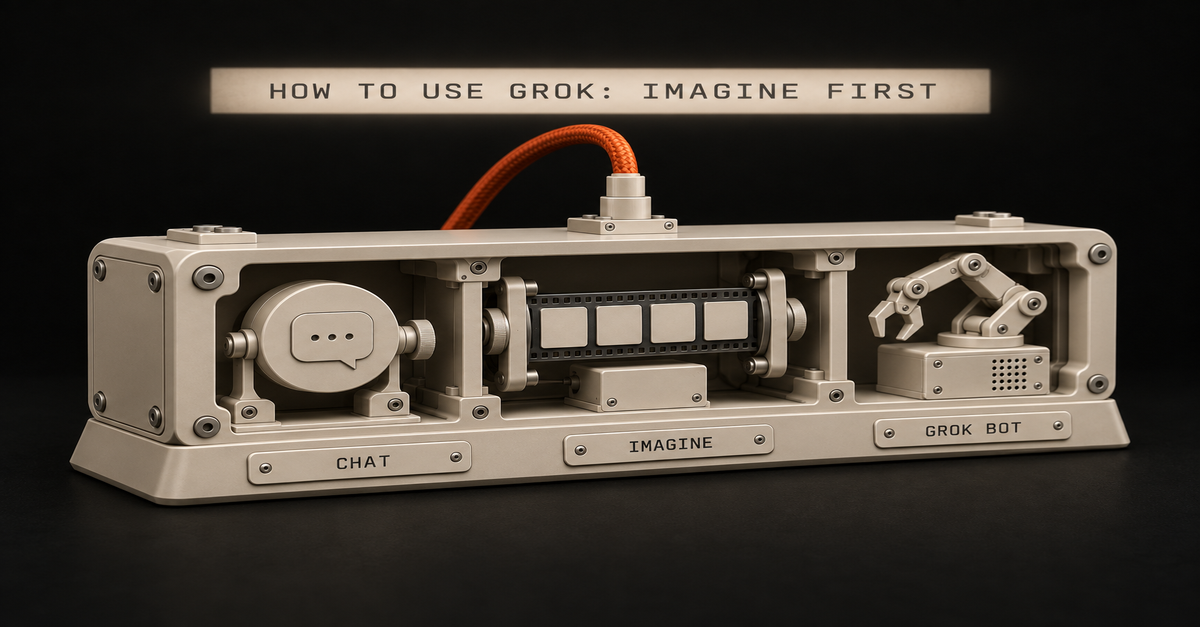
 Chris Alarcon