In this article
- 1 Quick decision
- 2 Grok Bot is a cloud teammate with its own computer and its own usage pool
- 3 Claude Cowork is the worker inside your own files, and it now has its own browser
- 4 Where Grok Bot wins: the pocket and the clock
- 5 Where Cowork wins: the desk
- 6 The honest costs on both sides
- 7 Claude Cowork vs Grok Bot: which one to start with
- 8 How I know what is on this page
Quick answer: stop asking which one wins. They sit in different rooms of your life. Grok Bot is a teammate with its own computer in xAI’s cloud that you text from your phone: monitoring, scraping, routines, the always-on stuff.
Claude Cowork is the worker at your actual desk, inside your real files and projects, where careful work happens. I pay for both, $100 SuperGrok Plus and a paid Claude plan, and I use both daily. Here’s how I actually split them.
My split, if you want it in one line: Grok Bot carries your pocket. Cowork carries your desk.
Published August 28, 2026. Last reviewed August 2026 against xAI’s and Anthropic’s live pages.
Quick decision
| Your situation | Pick |
|---|---|
| You want an assistant you text from your phone that works while you sleep | Grok Bot |
| Your work lives in documents, folders, and real projects on your machine | Claude Cowork |
| You bounced off agent tools because setup was too technical | Grok Bot |
| You already pay for Claude Pro or Max | Cowork first; it is already included |
| $30 is your whole experiment budget | Grok Bot on SuperGrok |
| You are actually choosing between the chatbots | Different page: Grok vs Claude |
Grok Bot is a cloud teammate with its own computer and its own usage pool
Launched August 11, 2026, early beta. Per the launch post: “your team of always-on agents. They have their own computer, work inside tools and apps like you do, and keep working 24/7.”
The computer is a real machine in xAI’s cloud, so jobs do not stall when you step away. You teach a bot by doing a workflow once while it watches; it saves it as a routine and reruns it on its own.
Two facts every comparison page misses, both official:
- Entry is $30, not $200. xAI’s pricing page lists “Grok Bot access” on the SuperGrok tier as of August 28. The enterprise-paywall story ranking around the web is stale.
- Its usage is separate. The launch post states bot work “won’t count against your existing usage.” That matched my week: bots running, chat usage untouched. Details: Grok usage limits explained.
Access rides SuperGrok or Cursor plans; the closest OpenAI equivalent is ChatGPT Work, covered in Cowork vs ChatGPT Work.
Claude Cowork is the worker inside your own files, and it now has its own browser
Per Claude’s Cowork page: give it a goal and “it works across your files and tools,” then delivers work for review. It ships on every paid Claude plan from $20 Pro up, on macOS and Windows desktop, web, and iOS and Android.
And the objection everyone still repeats is dead: Cowork now has a browser built into it, separate from your own logins and tabs, and scheduled tasks run unattended with your laptop closed.
If what you know about Cowork is six months old, it’s out of date. Where it sits next to Claude’s coding tool is its own question: Claude Cowork vs Claude Code.
Where Grok Bot wins: the pocket and the clock
My real setup after week one: a bot called Partner manages a small team, with each bot on its own computer with its own skills. They read my channel analytics and come back with specific calls.
Another bot scrapes AI news for me three times a day. I built all of it in plain English, and I check on it from my phone. (Full week-one story with the roster screenshot: What is Grok Bot.)
This is the OpenClaw dream with the pain removed. OpenClaw was the first “AI on the go” moment and I loved it, but it was buggy and too scary for most people.
Grok Bot is that idea with an actual dedicated computer, a stronger model, a really good mobile app that syncs with desktop, and a dedicated usage pool. For the people who could not survive OpenClaw setup, this is the answer, hands down.
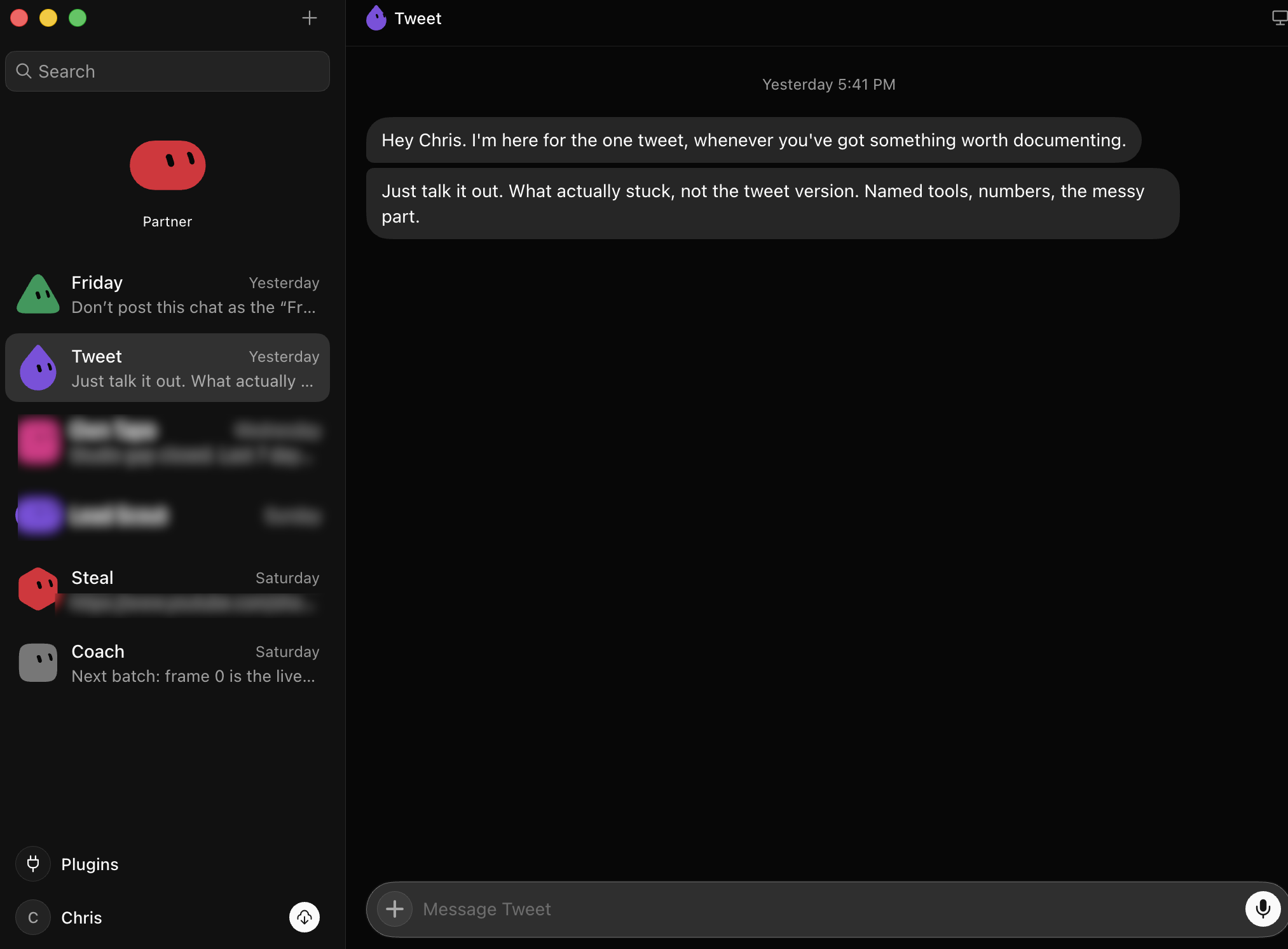 The pocket side of the split: my real bot team in the Grok Bot macOS app, captured August 28.
Where Cowork wins: the desk
This is a real Cowork session from my week:
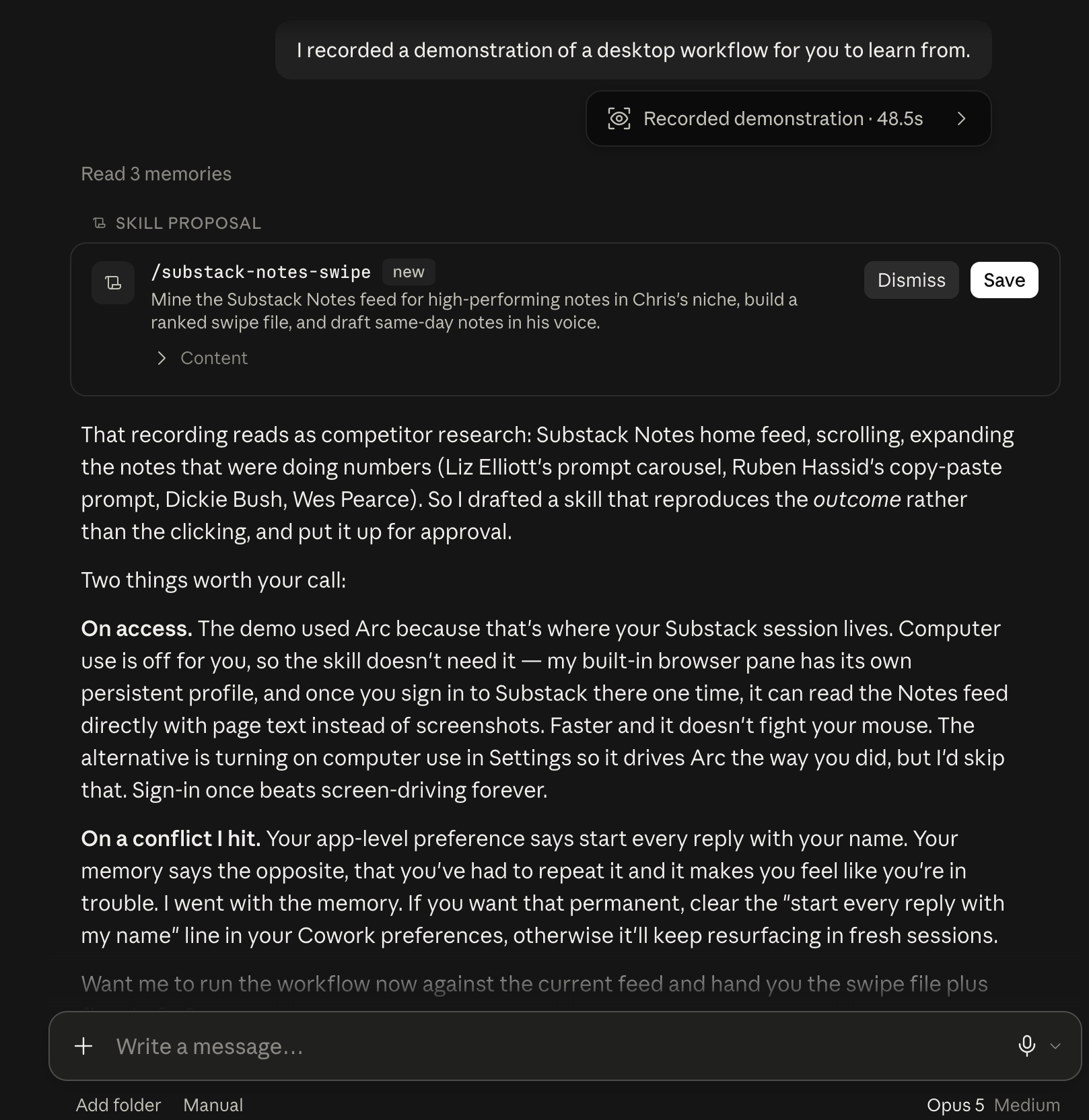 Cowork watched a 48-second screen recording of a workflow I do by hand, then drafted a reusable version of it and put it up for my approval. It also caught a conflict between two of my own saved preferences and told me which one it followed.
Look at what’s happening in that screenshot, because no feature grid shows you this. Cowork watched me work for 48 seconds and figured out what I was trying to get done from the clicks.
Then it proposed a permanent automation and caught two of my own preferences fighting each other. That’s Cowork making real calls inside my actual system, with my actual files.
That’s where Grok Bot lost to Claude in my week. When the task was deep, multi-step, and touched things I care about, I did not even consider handing it to a bot in someone else’s cloud.
Claude is stingier with usage, and I feel that. But one 48-second recording turned into a reusable skill, and no phone bot did anything like that for me all week.
New to running Claude as a work tool? Start here: Claude guides.
The honest costs on both sides
Grok Bot’s honest costs: it is early beta and acts like it. My lead-scout experiment produced nothing in week one and I may kill it. And the way it works, your logins live on a cloud computer that acts as you. Think before you hand it accounts that matter.
Cowork’s honest costs: Claude usage. Anthropic is the stingy one of the two, and even the current 50% usage boost is an extension, not a promise.
Meanwhile my Grok limits have reset weekly, sometimes more than once, and bot work does not touch the chat pool. If your bet is “who gives me more machine per dollar,” xAI is playing that game harder. If it is “who does the most careful work,” that is Claude.
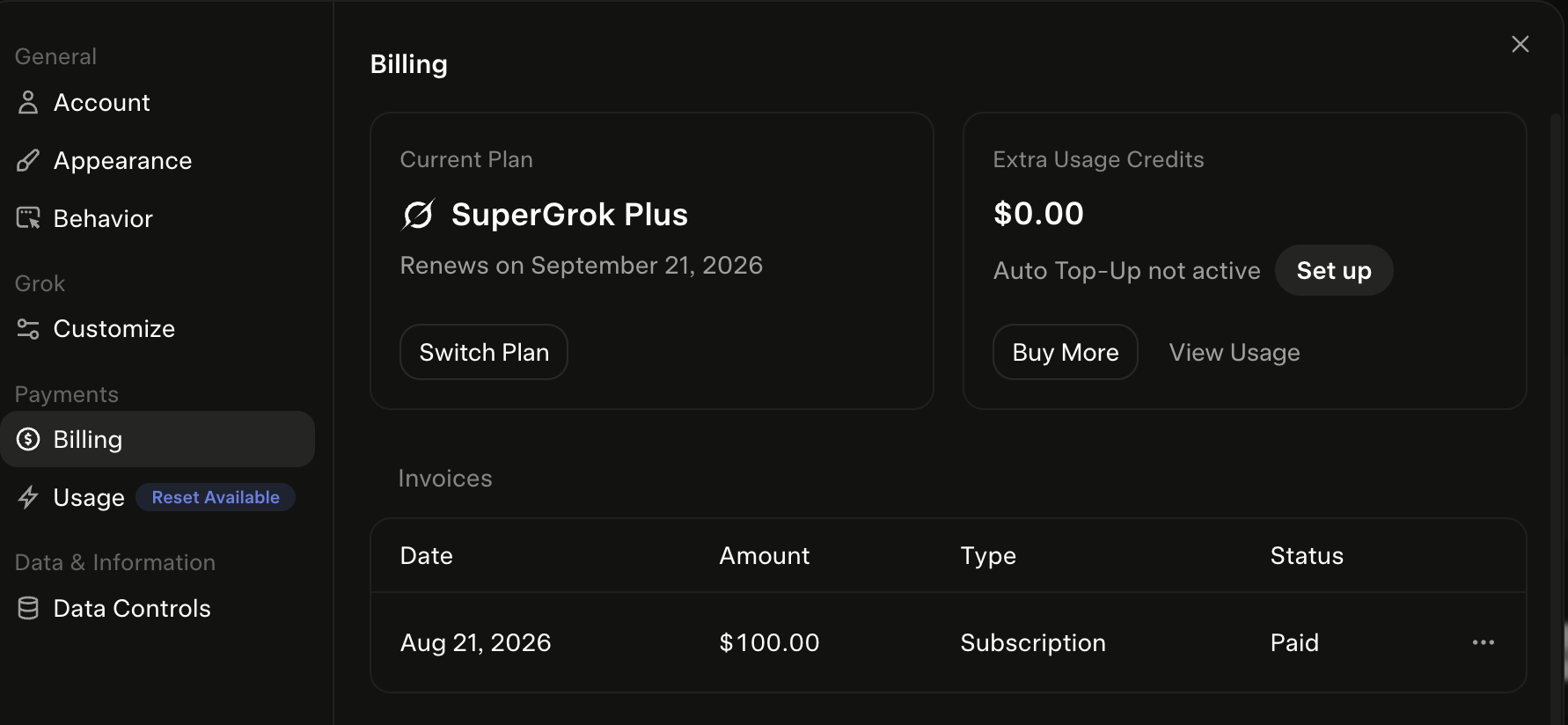 The receipt for the usage claim: my SuperGrok Plus billing screen, August 28, “Reset Available” badge showing.
The comparison creators are circling the same fight: Simon Scrapes titled his review “Did Grok Bot Just Overtake Claude?” and Riley Brown ran a three-way super-app test. Watch both. You’ll notice the fight always comes down to which room of your life the tool sits in.
Claude Cowork vs Grok Bot: which one to start with
- You already pay for Claude: open Cowork today; it is in your plan. Start with one folder and one recurring task.
- You do not pay for anything yet and want the assistant feeling: SuperGrok at $30. It is the cheapest real agent on the market right now.
- You are me, running a one-person operation around a full job: both, split by room. Pocket work to Grok Bot, desk work to Cowork.
How I know what is on this page
Product facts: xAI’s launch post and pricing page, and Claude’s official Cowork pages, all read August 28, 2026, dated on my AI plan tracker.
The verdicts: my own two paid accounts and my own week, including the Cowork session screenshot above and the bot team on the Grok side. Where a claim is mine and not official, like how my own bots behave day to day, I have said so.
Make your limit last
I burned 50% of my weekly Claude limit in one day. On the biggest plan.
These are the 4 fixes I use now so it lasts the whole week: a one-screen model cheat sheet and two rules you paste in. No code. They show up right here, and I'll email you the day your plan changes.

Written by
Chris AlarconChris Alarcon shows people who don’t code the boring Claude setup that actually works. He runs his one-person operation on these systems and shares every workflow, prompt, and tool combo in public. Start with the 15 prompts he uses every day.