In this article
- 1 A Skill Is a Folder of Instructions Claude Picks Up Only When It Needs Them
- 2 Skills, Projects, and Custom Instructions Do Three Different Jobs
- 3 Anthropic’s Own Trigger for Building a Skill Is Retrospective
- 4 Why You Can’t Find Skills in Your Settings (the Code Execution Gate)
- 5 Start With the Skills Anthropic Already Built for You
- 6 The Graduation Ladder: Manual Chat, Then Reps, Then Encode, Then Schedule
- 7 The Signal You’re Done Iterating
- 8 What Actually Goes in Your First Skill
- 9 Two No-Code Ways to Actually Create One
- 10 After the Skill Exists, Verify It Like You Do Not Trust It
- 11 When a Skill Is the Wrong Tool
- 12 Frequently Asked Questions
- 13 Do This in This Order
Every guide ranking for this query teaches you to build a skill in the first five minutes. Folder, frontmatter, ZIP, done. That order is backwards, and it is the reason most non-coders try Skills once and quietly stop.
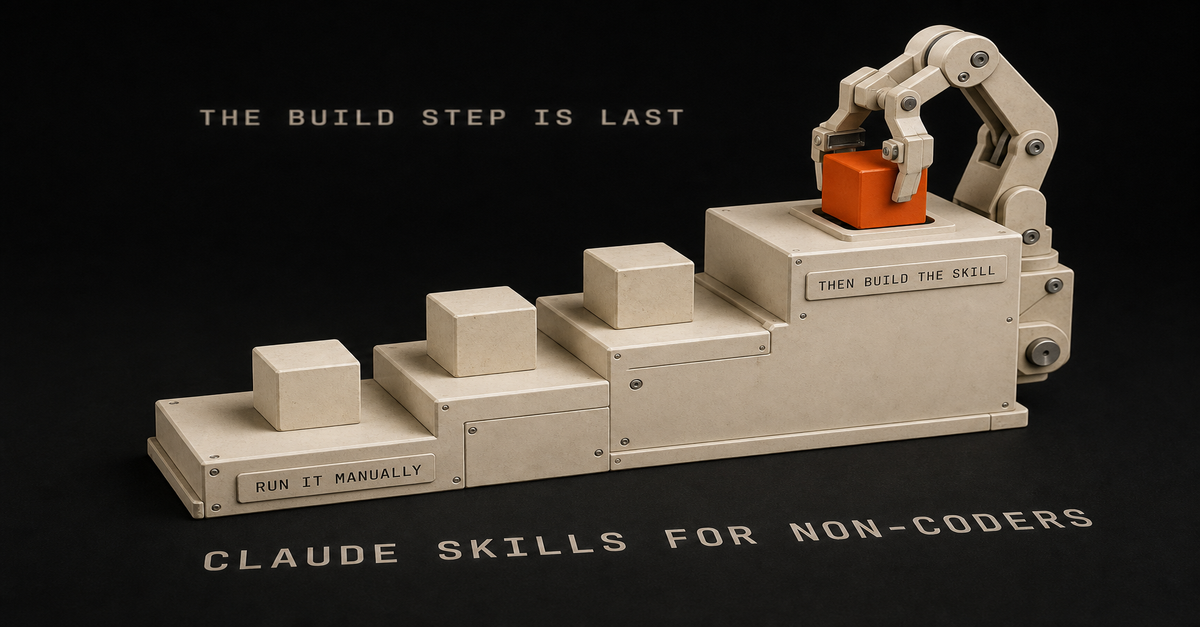
The build step is the last step.
Chris Alarcon’s rule for this one: you are going to change your mind, so run the task manually until you stop changing it, and only then write it down.
That is the rule he lands on in his Claude vs ChatGPT for Excel breakdown, and the useful surprise is that Anthropic’s own documentation agrees with it, not with the tutorials. More on that in a second, because it is the whole post.
A Skill Is a Folder of Instructions Claude Picks Up Only When It Needs Them
Anthropic’s definition is one sentence: Skills are folders of instructions, scripts, and resources that Claude loads dynamically to improve performance on specialized tasks.
The word doing the work is dynamically. Per the same page, when you ask Claude to complete a task, it reviews available skills, loads relevant ones, and applies their instructions.
So a skill is not always-on. It sits there until a task matches, then fires.
That is also why the description field matters more than anything else you write. A skill needs two things in its frontmatter: a name capped at 64 characters and a description capped at 200. Anthropic calls the description critical, because Claude uses it to decide when to invoke your skill. A perfect procedure with a vague description never runs.
Skills, Projects, and Custom Instructions Do Three Different Jobs
Most of the confusion on this query is people building a skill when they wanted a Project. Anthropic draws the line themselves: Projects provide static background knowledge that is always loaded, while Skills provide specialized procedures that activate dynamically.
| What it is | When it loads | Use it for | |
|---|---|---|---|
| Custom instructions | Standing preferences | Every conversation, always | Tone, format defaults, how you want to be addressed |
| Projects | Static background knowledge | Always, inside that Project | Client docs, brand guide, product spec, past reports |
| Skills | A procedure with steps | Only when a task matches the description | A repeatable process you run the same way every time |
The quick test: if the answer is stuff Claude should know, that is a Project. If it is how Claude should do a thing, that is a skill. If it is how you like to be talked to, that is custom instructions.
Getting this wrong costs you weeks, because a badly-scoped skill fails silently. It just never triggers.
Anthropic’s Own Trigger for Building a Skill Is Retrospective
This is the line that should end the “build your first skill in 5 minutes” genre. From Anthropic’s skills documentation: create a skill when you keep pasting the same instructions, checklist, or multi-step procedure into chat, or when a section of your standing instructions file has grown into a procedure rather than a fact.
Read the tense. When you keep pasting. Past evidence of repetition you have already lived through.
The tutorials teach the trigger prospectively: have an idea, encode it, ship it. Anthropic’s trigger is the opposite. It requires that you already did the thing enough times to be annoyed by doing it again.
That difference is not academic. Encode a procedure you have not tested and you have not saved time, you have installed a wrong answer that fires automatically and looks confident every time. You will not catch it, because the output will be plausible.
The vendor’s own doc is the receipt here. Build second.
Why You Can’t Find Skills in Your Settings (the Code Execution Gate)
If Skills is missing from your Claude settings, you almost certainly have not turned on code execution, and no tutorial mentions this.
Skills are available for users on Free, Pro, Max, Team, and Enterprise plans, so the plan is rarely the problem. The gate is a capability toggle.
- Free, Pro, and Max: open Settings, go to Capabilities, turn on “Code execution and file creation.” Then Skills appears under Customize.
- Team and Enterprise: an Owner has to enable it first in Organization settings under Skills. If you are not an Owner, you cannot unlock this yourself. Ask.
Yes, a non-technical person has to enable something called code execution. That is the gate, that is what it is called, and flipping it is the whole job.
Where skills work once it is on: claude.ai on web, desktop, and mobile; Claude Code; Claude Cowork; the Microsoft 365 add-ins for Excel, PowerPoint, Word, and Outlook; and the API.
One trap worth knowing before you plan around Cowork. Cowork is a paid surface only, on Pro, Max, Team, and Enterprise, which is a narrower list than Skills itself. And per Anthropic, Cowork sessions and cloud sessions, including routines, do not read the skills folder on your machine. Both interactive and scheduled Cowork sessions load the skills enabled for your claude.ai account, synced at session start.
Translation: a skill saved locally will not show up in your scheduled Cowork run. It has to live on your account.
Start With the Skills Anthropic Already Built for You
You can get real value out of Skills without ever authoring one, which reframes this entire query for a non-coder.
Anthropic ships skills built in to claude.ai for Excel spreadsheet creation and manipulation, Word document creation, PowerPoint presentation generation, and PDF creation and processing. Partner skills from Notion, Figma, and Atlassian sit in the Skills Directory.
That covers a large share of what actually lands in a normal work inbox. Deck, doc, spreadsheet, PDF.
So the honest first week is: turn on code execution, browse the directory, use the bundled skills on real work, and author nothing. If you never get past this step, Skills still paid for itself.
The Graduation Ladder: Manual Chat, Then Reps, Then Encode, Then Schedule
The right order is a ladder with four rungs, and every rung has to earn the next one.
- Run it manually in chat. Paste the input, describe what you want, read the output.
- Do it again, several times, and change your mind out loud. This is the rung people skip.
- Stop changing your mind. When the format holds across runs, the procedure is finally knowable.
- Write it down as a skill, then automate it.
Chris’s inbox automation is the worked example, and he published the sequence in his Claude Cowork scheduled tasks breakdown. He ran the inbox summary manually first. He describes starting by asking for what he wanted without fully understanding what he actually needed, then iterating on the format run by run: I need this, I do not need this, I like this format. Only once it repeatedly did the job right did he move it onto a schedule.
The manual reps were not wasted time before the automation. They were the spec.
His companion rule from the Excel breakdown is the same shape: start with one simple skill and keep doing everything else manually until you trust it. One skill, fully earned, beats five you are quietly babysitting.
If you are still deciding where any of this fits in your week, the Claude at Work pillar lays out which lane each task belongs in before you automate anything.
The Signal You’re Done Iterating
The real tell is not a duration. It is having a clear goal and knowing what good looks like, and the only way you know what good looks like is that you have done the work manually yourself.
Here is how I actually judge it with my own skills: I use the product, so I can read an output and place it. This is good enough. This is on par with what I would have done. This is better than I would have done it. That scale only exists in your head because of the manual reps. Skip them and you literally cannot know when the skill is done, because you have no standard to judge against.
The practical version: after each manual run, note whether you edited the output. When runs stop surprising you and you catch yourself saying “on par with mine,” you have the green light.
And be pragmatic about production. You are not going to spend five weeks perfecting a skill while shipping nothing. Get it to good enough for production, ship with it, and keep refining. Realistically that is a week or two of iterating when you have time, and either way the work keeps moving: run it manually while the skill catches up, or refine until it clears your bar. Once it is in production it earns its keep on real output you are QA-ing anyway.
What Actually Goes in Your First Skill
Your first skill should be the most boring repeatable thing you do, not the most impressive.
Good first candidates share a shape: same input type every time, same output format every time, and a judgment call you have already made and settled.
- The weekly status update you write from the same three sources
- The way you reformat a client’s messy export before you look at it
- The specific structure your boss wants meeting follow-ups in
- The checklist you run before sending anything external
Write it as instructions, not prose. Steps, the format you want, and one line about what to do when input is missing. Then spend real effort on the description field, because that string is what decides whether the skill ever fires.
Two No-Code Ways to Actually Create One
There is a terminal-free path, and there is also a skill whose job is writing skills.
The upload path. Create the skill folder, package it as a ZIP, then go to Customize, Skills, the plus button, Create skill, Upload a skill. One structural requirement that trips people up: the skill folder must be the ZIP root, and per Anthropic, files should not sit directly in the ZIP root. Folder in the ZIP, not loose files.
skill-creator. Anthropic maintains a skill that authors skills. Its own description reads: create new skills, modify and improve existing skills, and measure skill performance. Use when users want to create a skill from scratch, edit, or optimize an existing skill. If writing structured instructions is the part you dread, this is the part you delegate.
One correction while you are here. The tip circulating on LinkedIn, where you open an old Cowork chat and prompt Claude to turn the conversation into a Skill, is not documented by Anthropic anywhere in its support material. It may work. It is not a supported path, so do not build your plan on it.
After the Skill Exists, Verify It Like You Do Not Trust It
A skill that runs automatically is a skill nobody is reading closely, which is exactly when wrong output survives longest.
The habit Chris keeps from the Excel breakdown is trust but verify: run the automated version in parallel with your manual process until it matches your answers, and when a number matters, paste the output into a second tool and ask it to QA the first. Spot-check numbers against the source. Read the whole thing on the first few automated runs even when you are sure it is fine.
Skills do not remove the review step. They remove the typing.
If you want to see what the finished automated versions look like in practice, the 20 real Claude Cowork use cases page is the catalog of what people actually run on a schedule.
When a Skill Is the Wrong Tool
Skills are the wrong call more often than the tutorials admit, and knowing when saves you the most time.
- One-off tasks. If you will do it twice this quarter, just prompt it. Encoding costs more than the task.
- Anything still changing. New process, new client, new format the team is still arguing about. Encode it and you will be maintaining a stale procedure inside a folder you forget exists.
- Judgment calls. Deciding what to include is not a procedure. Formatting what you already decided is. Skills automate the second one.
- Stuff that is really reference material. If you want Claude to know things, put them in a Project. Skills hold procedures, not facts.
- Work where being wrong is expensive and unreviewed. Anything financial, legal, or client-facing that would go out without a human reading it. Keep a person on that.
The failure mode is always the same: encoding too early, then trusting output that quietly drifted from what you meant.
Frequently Asked Questions
Do Claude Skills require coding?
No. Anthropic ships built-in skills on claude.ai for Excel, Word, PowerPoint, and PDF work, plus partner skills from Notion, Figma, and Atlassian in the Skills Directory, and using them requires no authoring at all. Creating a custom skill also has a no-terminal path: package the skill folder as a ZIP and upload it through Customize, Skills, Create skill.
Why is Skills missing from my Claude settings?
Skills sit behind the code execution capability. On Free, Pro, and Max, open Settings, go to Capabilities, and enable “Code execution and file creation,” after which Skills appears under Customize. On Team and Enterprise, an Owner has to enable Skills in Organization settings before any individual user can see it.
When should I create a Claude Skill instead of just prompting?
Anthropic’s stated trigger is repetition you have already experienced: create a skill when you keep pasting the same instructions, checklist, or multi-step procedure into chat. If you have not run the task manually enough times that two consecutive runs need no edits, prompting is still the right tool and a skill would just lock in a guess.
Are Claude Skills available on the free plan?
Yes. Skills are available for users on Free, Pro, Max, Team, and Enterprise plans, though code execution must be enabled first. Claude Cowork is stricter and paid-only, on Pro, Max, Team, and Enterprise, so a free user can use skills in chat but not run them on a Cowork schedule.
Do my local skills work in Claude Cowork?
No. Anthropic states that Cowork sessions and cloud sessions, including routines, do not read the skills folder stored on your machine. Both interactive and scheduled Cowork sessions load the skills enabled for your claude.ai account, synced at session start, so a skill has to live on your account to run there.
Do This in This Order
- This week: enable code execution, then use the bundled Excel, Word, PowerPoint, and PDF skills on real work. Author nothing.
- Weeks two through four: pick your single most repetitive task and run it manually in chat every time it comes up, changing the format whenever it annoys you.
- When two runs in a row need no edits: write it down as one skill, with real effort spent on the description field.
- Only then: put it on a schedule, and read the first few automated outputs like you do not trust them.
- If the process is still changing, or the call is a judgment call: do not build the skill. Keep prompting.
The tutorials sell you the last step first because it is the only step that looks like progress. The reps are the work.
Published and last reviewed July 18, 2026. Product capabilities, plan tiers, and setup paths checked that day against Anthropic’s official support and developer documentation, all linked inline. The claim that a Cowork conversation can be converted into a skill in one click is explicitly not documented by Anthropic and is flagged as unverified above. These products change often; the official pages are the source of truth.

Written by
Chris AlarconChris Alarcon builds Ship Lean: the boring Claude and AI setups that actually work, handed to people who don’t code. He runs his own one-person operation on these systems and shares the exact Claude, n8n, content, and workflow setups he uses in public.
Work With Me
Run a business or a team?
I build these systems for clients: I turn your calls, demos, and expertise into a steady stream of buyer-facing content. If that's you, the offer is one click away.
See the offer →Want more workflows like this?
Every Tuesday I send one boring, working AI setup you can steal. Real fixes for real work, no code, no theory.