In this article
- 1 You are probably looking at the wrong Grok Build
- 2 The money answer: Build is free, Claude Code starts at $20
- 3 What actually comes out of each one
- 4 I built a landscaping site in Build mode
- 5 The moment I move it into Claude Code
- 6 Would I put it in front of a client
- 7 So which one should you open
- 8 Common questions
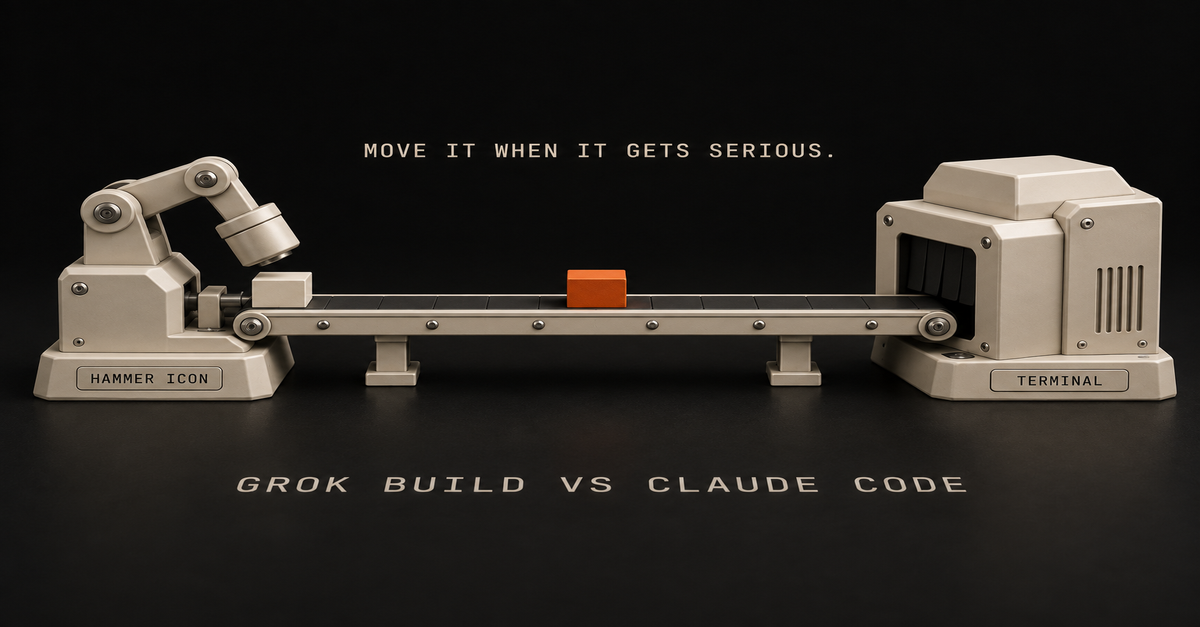
Quick answer: if you pressed the hammer icon in Grok’s chat window, the comparison you found on Google is about a different product. Build mode is free on every plan, needs nothing installed, and publishes to a live link. Claude Code is a terminal agent that starts at $20 and works on your real files. Prototype in Build. Move it into Claude Code when it gets serious.
That last line is the whole Ship Lean split on these two: prototype in Build, move it when it gets serious.
You are probably looking at the wrong Grok Build
There are two products with this name, and Google’s page one is almost entirely about the one you did not mean.
Build mode, inside the Grok chat window. It lives behind the hammer icon in the composer, alongside the other modes. xAI announced it on July 28, 2026, and their pitch was that there is nothing to install and nothing to configure, and you never have to touch the code unless you want to.
The Grok Build CLI. A terminal coding agent aimed at professional engineering, announced back in May 2026.
Same name. Completely different audiences.
When I pulled the results for “grok build vs claude code” on September 18, 2026, every one that was genuinely about Build was about the CLI. One was about Grok Bot, a third product again. Composio’s is the honest one, because it puts CLI in the URL and tells you which thing it reviewed.
So if you searched this because of a button you pressed in a chat window, page one is answering somebody else’s question. What Grok Build is walks through both products and the mode menu; this page is only about choosing.
The money answer: Build is free, Claude Code starts at $20
| Grok Build (chat mode) | Claude Code | |
|---|---|---|
| Free plan | Yes, every plan | No |
| Entry price | $0 | $20/mo (Pro), $17/mo annual |
| Install anything? | No | Yes, terminal or an IDE |
| Where it works | Your browser, iOS, Android | The real files and folders on your laptop, plus the saved history of earlier versions |
| Output | A live page at a grok.me link | Changes to a real project on your machine |
| Published limits | None for Build specifically | Plan usage limits |
xAI changed the gate and most guides never caught up.
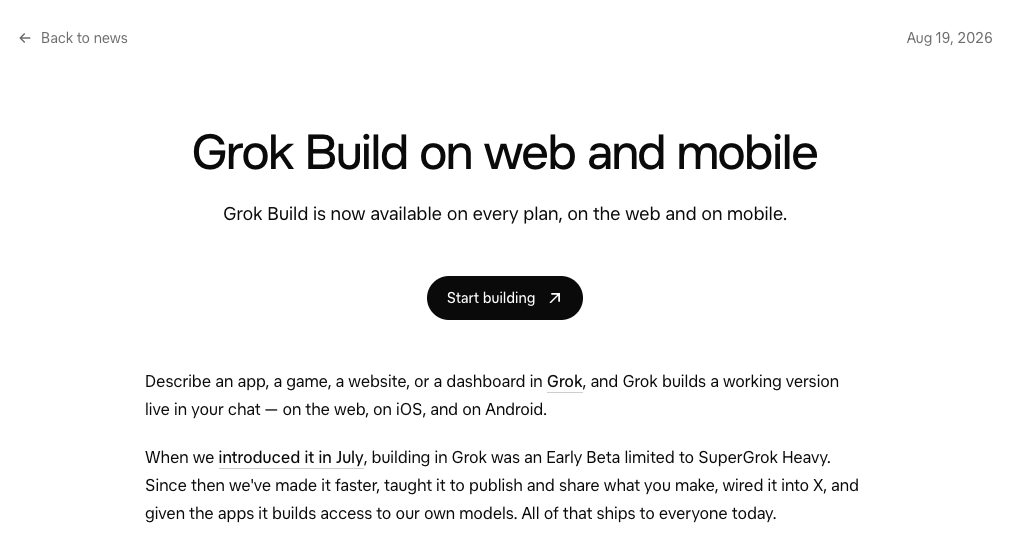
The announcement is dated August 19, 2026, and the line that matters is one sentence: “Grok Build is now available on every plan, on the web and on mobile.”
The paragraph under it explains why so much of the internet is still wrong: “When we introduced it in July, building in Grok was an Early Beta limited to SuperGrok Heavy.”
Three weeks of truth, and then a year of guides repeating it. My own account is the cheapest disproof I can offer: I subscribe at the $100 SuperGrok Plus tier, Heavy mode is not on it, and Build is right there in my composer.
On the other side, Claude’s pricing page lists Claude Code under Pro. The Free tier does not have it.
What actually comes out of each one
This is where the two products stop being comparable in a useful way.
Build mode gives you a page with a Publish button. In xAI’s words, “Every app you publish gets its own address on grok.me, and you decide who can open it: just you, anyone with the link, or the whole internet.” You can point a domain you already own at it instead.
That publish step is the entire reason a non-coder would care, and no benchmark table on page one mentions it.

Claude Code gives you changes to something that already exists. It runs in your terminal, on the real files and folders on your laptop, including the saved history of every previous version of your work. There is no Publish button because publishing is not the job. Modifying a project you already have is the job.
One makes a thing. The other changes your things.
I built a landscaping site in Build mode
On September 10, 2026 I gave Build mode a one-pager for an invented landscaping business and let it run.

That is the real preview, with the Publish button sitting in the toolbar. It was a test, not a client job, and nothing got shipped to a real business.
What finished: the page. Hero, sections, copy, all of it live in the conversation, no install, no configuration, nothing to deploy.
It also produced a contact form, which is where a page like this usually falls apart.

A form that renders is not a form that delivers mail to a business owner, and that gap is the honest edge of what this tool does for you.
The same build, in sixty seconds:
The 60-second version, from my Shorts: Grok builds the app from one sentence and hands you the link.
For prototyping, I think it is genuinely great. You can generate images in Imagine, generate mockup sites, and get to something you can look at fast. I do not think “less capable” automatically means bad. Grok is finding a level that is respectable, and the stack you get with the subscription is enticing enough to try.
The moment I move it into Claude Code
Here is the line, and the word that decides it is serious.
Prototype, mockup, something you are building to find out whether it is worth building? Stay in Build. That is what it is good at and it costs nothing.
New, complex, or something other people are going to depend on? That is Claude Code, with Claude’s strongest planning model behind it, which is the choice I unpack on Fable vs Opus.
The reason is not loyalty, it is model position, and xAI’s own founder is the clearest source on it.
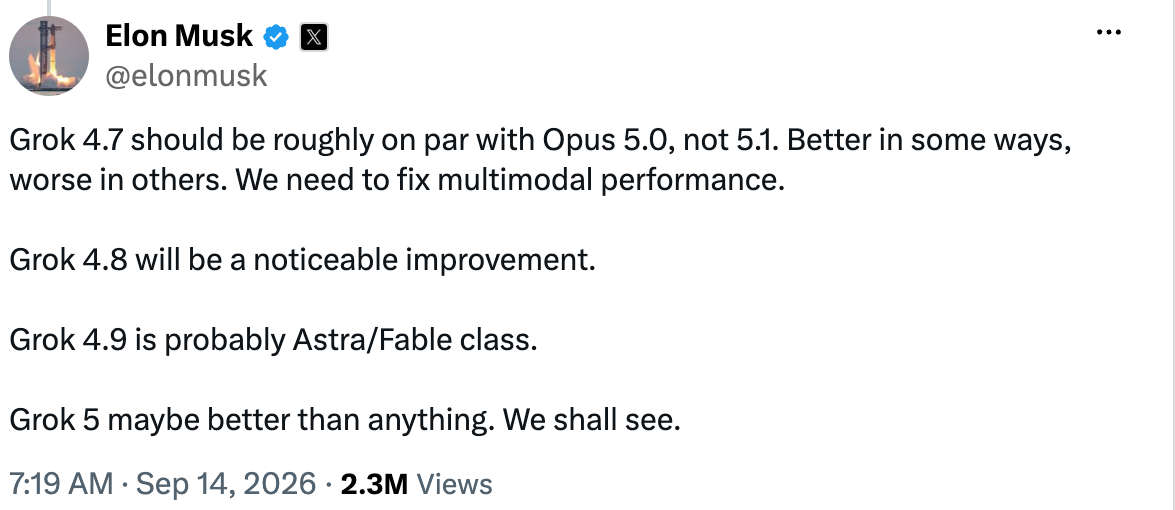
On September 14, 2026, Elon Musk posted: “Grok 4.7 should be roughly on par with Opus 5.0, not 5.1. Better in some ways, worse in others. We need to fix multimodal performance.”
Read what that actually says. Grok 4.7 is not released yet, and when it arrives its own creator is positioning it against Opus 5.0, not against the current frontier. So on a serious project the question is whether you want to work a model generation back, or at the front. For something that matters, that is not a hard call.
I want to be fair about this, because it would be easy to be snide. I am not saying Grok is bad. I have access to it, I think I should lean on it more for certain builds, and I think it is worth using.
But for new and genuinely complex work, I want the strongest planning model I can get, and that keeps me in Claude Code.
Omid Saffari, one of the few solo operators who has compared all three, lands in the same place: “For a throwaway side project or to kick the tires, fine.
For the refactor your paying customers depend on this week, not yet.” Worth noting he is reviewing the Grok Build CLI there, not the chat mode, so take it as a verdict on xAI’s coding stack rather than on the hammer icon.
The line is not size. It is consequence.
Would I put it in front of a client
For a prototype, yes, and this is where the two Grok products earn their keep together.
Imagine is where I generate images, thumbnails, and visual mockups of a redesign. Build is where I make the actual working page you can click. For showing a client a direction before anyone has committed a budget, that combination is fast and it is cheap.
What I would not do is hand over a Build-mode page as the finished product for a business that depends on it. Prototype, decision, then build it properly. The prototype is not the deliverable, it is the argument for the deliverable.
One warning before you plan around any of this: xAI publishes no Grok Build usage limit, so every specific number you will find quoted for one was invented by the person quoting it, and Grok usage limits explained tracks what is actually published.
So which one should you open
- If you clicked the hammer icon and want to know if it is a toy: it is not, for prototypes. It is free, it publishes, and it is worth an afternoon.
- If you have no subscription to either: Build mode is free on every Grok plan and Claude Code is not free at all. Start where it costs nothing.
- If you are prototyping for a client: Build for the page, Imagine for the visuals, and do not confuse either with the finished job.
- If the thing is new, complex, or something other people will depend on: Claude Code, at $20 minimum, and use the terminal.
- If you are choosing a terminal coding agent and you write software for a living: you want the CLI comparison, which is what page one is already giving you. This page is not that.
- If you are actually weighing Grok’s chatbot against Claude Code: that is a different pairing, covered on Grok Bot vs Claude Code.
For the non-Grok side of the same decision, Codex vs Claude Code is the version of this argument where one of the tools is free on every ChatGPT plan. The Claude at Work hub has the rest of the map.
Common questions
Is Grok Build the same as Claude Code?
No. Claude Code and the Grok Build CLI are both terminal coding agents. Build mode in the Grok chat window is a different product that installs nothing and publishes to a link. Most comparisons you will find are about the CLI.
Is Grok Build free?
Build mode is on every plan, per xAI’s announcement of August 19, 2026. It was Heavy-only for about three weeks after its July launch, which is why so many guides get this wrong.
Which Grok Build does a “Claude Code vs Grok Build” comparison mean?
Almost always the CLI, the terminal product. If you are comparing Claude Code against the hammer icon in your chat window, most of page one is reviewing something else. The same confusion drives searches for grok build vs codex and grok bot vs grok build, which are three separate xAI products.
When should I move from Grok Build to Claude Code?
When the project becomes something other people depend on. Prototypes and mockups are fine in Build. New, complex work that other people will depend on belongs in Claude Code.
Is Grok 4.7 released?
Not as of September 18, 2026. Musk posted on September 14 that it should land roughly on par with Opus 5.0, better in some ways and worse in others, with multimodal performance still to fix. There is no launch page or model card.
Where this comes from: xAI’s August 19 announcement and FAQ, and Anthropic’s pricing page, read and screenshotted September 18, 2026. I pay for SuperGrok Plus and Claude Max. The landscaping build is my own test from September 10, never shipped to anyone. I have not tried the Grok Build CLI. No benchmarks and no invented usage limit. Last reviewed September 2026.
Plan-change alerts
Your plan is gonna change. Nobody emails you when it does.
I pay for Claude, ChatGPT and Grok, so I check the pricing pages every week anyway. When one moves a price or a limit, you get one email that day. No newsletter, no schedule. Last one I caught: Fable 5 quietly dropped out of Claude Pro.

Written by
Chris AlarconChris Alarcon builds Ship Lean: the boring Claude and AI setups that actually work, handed to people who don’t code. He runs his one-person operation on these systems, around a full-time job, and shares every workflow, prompt, and tool combo in public. Start with the 15 prompts he uses every day.
Work With Me
Setting this up for your team?
I do that. The right plan per seat, the boring setup that makes it stick, and the first three chores handed off. A 2-hour workshop or a done-with-you build, for teams of 2-50.
See how it works →