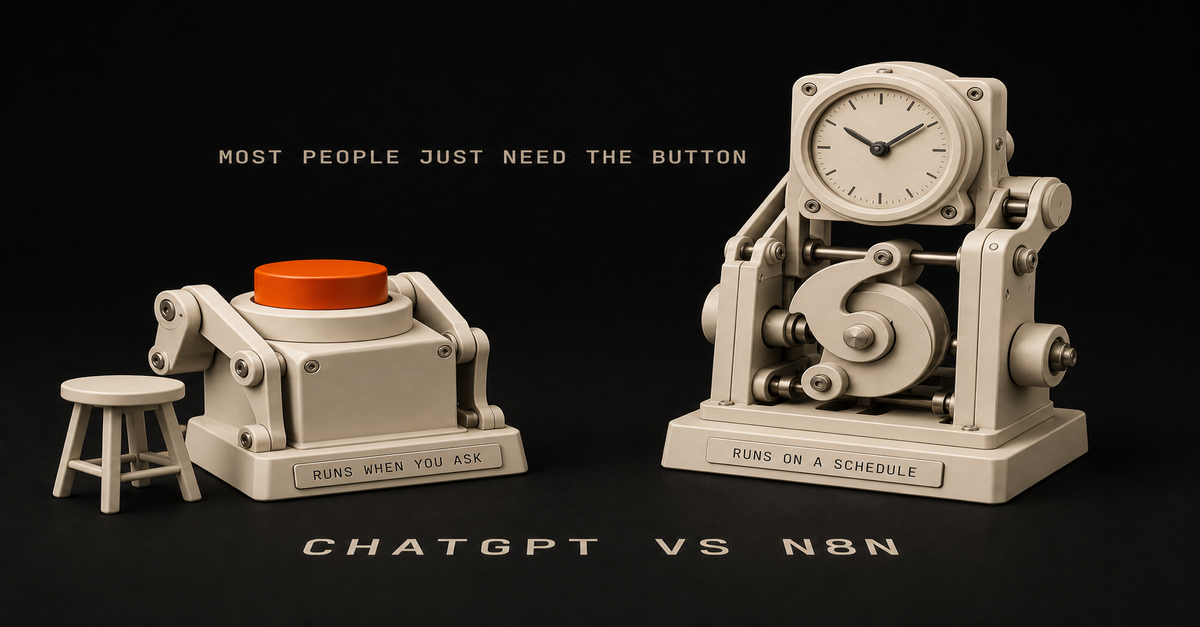
Most people asking this question do not need n8n.
Here is the test. If a task happens when you ask for it, and you are sitting there while it happens, a good reusable prompt covers it. n8n earns its place in exactly one situation: the same task has to run on a schedule or a trigger, without you, across two or more apps. That describes far fewer tasks than YouTube makes it sound.
I use both tools every week, so this is not tool loyalty. It is more like "do not buy a forklift to carry groceries."
What is the actual difference between ChatGPT and n8n?
They are not competitors. They do completely different jobs.
ChatGPT (or Claude) is a thinking tool. You give it something, it gives you something back. Summarize these meeting notes. Draft this awkward email. Turn 40 survey responses into the five complaints that actually matter. You are present for every exchange, and that is fine, because the task only exists when you ask for it.
n8n is plumbing. It moves data between apps when something happens. A form gets submitted, so a row lands in a spreadsheet and a Slack message goes out. Nobody is sitting there. That is the entire point of it.
The confusion comes from demo videos where n8n has an AI step in the middle, so it looks like "ChatGPT, but automated." True as far as it goes.
But that AI step does the same job ChatGPT does in your browser tab. The real question is never which tool is smarter. The question is whether the task needs to happen without you.
How do you know if you need n8n? Ask 3 questions
Run any task you are thinking about through these:Does it repeat on a schedule or a predictable trigger? Every Monday morning. Every time a form comes in. Every new invoice.
Does it cross two or more apps? Form to spreadsheet to email. Inbox to tracker to Slack.
Does it need to run when you are not watching? Overnight, during meetings, while you are on leave.Three yeses: automation software is worth a look. Two or fewer: a saved prompt almost certainly covers it, and it covers it today, for free, with nothing to maintain.
Real examples:"Summarize my meeting notes into action items." You are present, one app, on demand. Prompt.
"Help me draft replies to difficult parent emails." On demand, you review every word anyway. Prompt.
"Every Friday at 4pm, pull this week's form responses, summarize the complaints, and email me the digest." Scheduled, three apps, runs alone. That is a real n8n job.
"When a new applicant submits the intake form, score them against the role requirements and add the score to my tracking sheet." Triggered, multiple apps, unattended. Also a real n8n job.Notice the pattern. The prompt tasks are about judgment and wording. The automation tasks are about moving the same data the same way, over and over, with nobody watching.
ChatGPT vs n8n: quick comparisonThe task
UseSummarize notes, docs, or transcripts on demand
ChatGPT promptDraft or rewrite emails in your voice
ChatGPT promptTurn messy feedback into clear themes
ChatGPT promptPrep for a meeting from an agenda and past notes
ChatGPT promptMove form responses into a sheet automatically
n8nSend a weekly report without touching it
n8nWatch an inbox and route requests to the right person
n8nScore or sort new entries the same way every time
n8n with an AI stepAnything you do once or twice, ever
Neither. Just do it.If your whole list lands in the top half of that table, you have your answer. Save your prompts and skip the software.
What does n8n really cost if you cannot code?
The tutorials skip this part, so I'll be the honest friend here.
Money. n8n Cloud starts around $25 a month. The "free" self-hosted version needs a server, usually $5 to $10 a month, plus you become responsible for installing it, updating it, and backing it up. If words like Docker mean nothing to you, self-hosting is not free. It is a part-time hobby.
Heads up: some links in this post are affiliate links: a small kickback to me at no cost to you. I only recommend tools I've actually run.
Setup time. Your first real workflow takes an afternoon, not the 8 minutes the video showed. Most of that time is not building. It is connecting accounts: API keys, permission screens, and figuring out why Google says no. Plan 3 to 4 hours for workflow number one.
Debugging. Workflows break silently. A password-like credential expires. An app changes how it sends data. The workflow you built in March fails quietly in June, and you find out because the Friday report never showed up. Then you are staring at a red error node and a message written for engineers.
Maintenance. Every workflow you build is a small machine you now own. A few simple ones might need an hour a month. But it never goes to zero, and you are the repair person.
None of this means avoid n8n. It means n8n has to earn that overhead. A saved prompt has zero of these costs, which is why it should always be your first move.
When is a reusable prompt all you need?
If you are present when the task happens, the prompt is the automation.
The trick is writing it once, properly, and saving it, instead of improvising a new mediocre prompt every time.
A reusable prompt spells out four things: who the AI should act as, what input you will paste in, the exact format you want back, and one example of a good output. That takes 15 minutes to write and pays you back every week after.
Then keep your prompts somewhere you can grab them: a doc, a notes app, whatever you will actually open. If you want a starting set, I keep 15 reusable work prompts here, built for exactly this kind of on-demand work.
The honest comparison: a prompt like this saves you 20 minutes every time you use it, costs nothing, and cannot break while you sleep. That is a high bar for automation software to clear.
When does n8n actually make sense?
Volume and absence. Those are the two things that flip the answer.
If 30 form submissions arrive every week and each one needs the same three steps, you are not doing judgment work anymore. You are being a conveyor belt. Same if the task has to fire at 6am or while you are on vacation. No prompt fixes "I was not there."
If a task passes the 3-question test, the pattern that holds up is boring: a trigger, a step that gathers the data, an AI step for any judgment call, a human approval for anything customer-facing, then route the result.
I wrote up that exact pattern in the n8n AI agent workflow if you get to that point.
Also, an option nobody mentions: you do not have to build it yourself. If the task clearly qualifies but the setup sounds miserable, ask IT, or pay a freelancer for a day.
A capable n8n freelancer can build a clean first workflow in a day. The building is the cheap part. The maintaining is what you are really signing up for, so decide who owns that before anything gets built.
One more fork in the road: if you or a technical coworker work in code all day, the comparison changes shape. That version of the decision is in Claude Code vs n8n.The 60-second version, from my Shorts: More Automations = Better Results. Or Does It?.What I would do first
Skip the software question for one week and do this instead:List every task you repeat weekly. Most people find 8 to 12.
Run each one through the 3 questions: schedule or trigger, 2+ apps, runs without you.
For everything that fails the test, write and save the prompt today. That is 15 minutes per task.
For the one or two that pass, score them with the automation priority audit before you sign up for anything. It forces the time-saved versus time-spent math that the excitement skips.When I run this with people, the usual result is nine prompt tasks and one genuine automation candidate. That ratio is normal. It is also good news: you can fix most of your repetitive work this afternoon, without buying, hosting, or maintaining anything.
The boring answer wins here. Prompts first. n8n only when a task proves it deserves a machine.
FAQ
Is n8n better than ChatGPT?
Neither is better. They do different jobs. ChatGPT answers when you ask it something. n8n moves work between apps on a schedule or trigger, without you present. Most people only need the first one.
Can ChatGPT replace n8n?
For on-demand tasks where you are present, yes. A saved prompt covers summarizing, drafting, and rewriting. ChatGPT cannot replace n8n for tasks that must run unattended across multiple apps.
Do I need to know how to code to use n8n?
You can build simple workflows without code, but it gets technical fast: API credentials, error logs, and data formats. Budget real time for setup and debugging, or pay someone to build it.
Is n8n free?
The software can be self-hosted free, but you pay for a server, plus your time for setup, updates, and fixing broken workflows. n8n Cloud starts around $25 a month and removes the server work.This post is part of the n8n AI agents hub: definitions, tutorials, workflow patterns, and the build-vs-run decision pages in one place.
Direct Answer
Package the offer as a small website project plus a monthly retainer that owns one automation. The AI coding part is delivery, not pitch.
Local owners do not buy AI. They buy more booked jobs, faster lead responses, fewer no-shows, and a site that does not embarrass them. You sell that.
You deliver it with Claude Code drafting the site and n8n owning the workflow that produces the result. The offer reads: a flat-fee site, then a monthly fee for one workflow you own end to end. One scope, one outcome, one invoice.
Heads up: some links in this post are affiliate links: a small kickback to me at no cost to you. I only recommend tools I've actually run.
Use This When And When To Skip ItUse this
Skip thisYou can ship a small site and one working n8n workflow in a weekend
You have never deployed either and want to learn on a paying clientYou will answer the phone, drive to a meeting, and fix a broken Zap on a Saturday
You want a fully remote, faceless buyerYou want predictable monthly revenue from 3 to 8 clients
You want one $100k contract and no support loadYou like scoping in plain English and writing one-page proposals
You need a brand, a deck, and a sales team to feel readyTradeoff: this is a feet-on-the-ground offer. The reward is fast cash and a real reference. The cost is showing up.
The System
Trigger -> referral, local search, in-person ask, or a clear pain ("we miss calls")
Inputs -> one decision-maker, current website, current lead flow, one number they want to move
Decision -> site project + which single workflow gets the retainer
Claude step -> drafts site, intake form, and n8n workflow JSON inside your repo
Artifact -> deployed site, one live workflow, a 1-page operating doc the owner can read
Approval -> owner reviews the workflow output for one week before it runs unattended
Output -> monthly retainer invoice, monthly result note (what ran, what failed, what changed)
Feedback -> the one number they wanted to move, checked monthlyThe model writes the code. The workflow owns the result. You own the relationship and the gate.
Steal This Workflow
Here is the offer, broken into pieces you can copy.
1. Pick one outcome per client. Not "we will do your marketing." Pick one of: faster reply to inbound leads, automated review requests after a job closes, appointment reminders that cut no-shows, or a seasonal offer that fires on a weather trigger. One outcome means one workflow.
2. Scope the entry project. A 5 to 7 page site, a contact form that posts to a webhook, and one CRM or sheet as the source of truth. Fixed price. Two-week delivery. Written scope, written exclusions.
3. Draft with Claude Code in a real repo. Open Claude Code inside the client repo, hand it the brief, and let it write the Astro or Next pages, the form handler, and the n8n workflow JSON. Read the diff. Reject the parts that drift. Do not paste from a chat tab into production.
4. Run the workflow JSON through a real audit. Community templates and AI-generated JSON both ship credentials, webhooks, and code nodes you did not write. Pass anything before it goes live through the n8n workflow JSON auditor.
5. Build and QA before you hand it over.
npm run build
npm run qa:searchThe site is the proof. A broken sitemap or missing title tag tells the owner the work is sloppy.
6. Sign the retainer on one workflow. Monthly fee. One workflow owned. The contract names the workflow, the trigger, the input source, the output, and what counts as a failure. If they want a second workflow, that is a second retainer.
7. Send a one-page monthly note. Three lines: what ran, what failed, what you changed. The note is the renewal mechanism. Most local owners never get this from a vendor.
8. Use a planner to keep scope honest. When the owner asks for a second workflow inside the same fee, open the Claude Code n8n workflow planner and show them the node map. A picture turns "one more thing" into "that is a second project."
What This Looked Like For This Page
This page started as a Reddit source signal in the weekly AEO run, not as an idea I had in the shower.
The run pulled 936 raw Reddit RSS entries, scored 314 candidates, generated 25 AEO briefs, and marked 9 of those as publish_now. This topic passed because:Gate
Why it passedSource language
The thread used "first real AI coding income" and "local service business" instead of abstract "AI consulting" languageArtifact
The answer maps cleanly to one project plus one workflow plus one monthly note, which a reader can copyCluster fit
It links into Claude Code, n8n, the workflow planner, and the AI stack post without forcingThe page is research-inspired by the thread, not a claim that I ran these specific clients.
What Most People Get Wrong
The mistake is leading with "AI" in the sales conversation.
The owner is trying to decide if their phone will ring more next month. They do not care about Claude versus GPT. They care if the new system breaks their existing scheduling.
The pitch should sound like "you are losing 4 leads a week because nobody replies in under an hour, here is what I will do about it for a fixed fee" and not like a feature list.
Three more breakages that show up in the threads:Scope creep eats the retainer. Owners ask for "just one more thing" until the monthly fee becomes a part-time job. Name the workflow in the contract. Anything else is a new project.No approval week. The workflow goes live on day one, fires on the wrong record, and the owner cancels. Give it a one-week review window where every output gets manually read before it sends.The retainer has no artifact the owner can read. They cannot see what they are paying for. The monthly one-page note is the artifact.How I Would Build This
My version uses Claude Code for the build, n8n for the running workflow, and the repo for the audit trail.
Claude Code in the client repo. Each client gets a small Astro or Next repo with the voice and brand notes as files Claude Code reads on every run. The model never re-negotiates tone, link structure, or schema.
n8n owns the running workflow. The n8n AI agent workflow pattern handles trigger, decision, and approval. The lead intake or review request runs through the same shape as the n8n AI agent tutorial. One human gate before anything customer-facing fires.
Audit anything you did not write. Community JSON and AI-generated JSON both need a pass through the n8n workflow JSON auditor before activation.
The stack stays small. Repo, Claude Code, n8n, one CRM or sheet, one site host. The longer AI stack for solo founders writeup goes deeper on what to keep and what to cut.
The SEO layer for your own offer. Use the same workflow you use for clients on yourself. The Claude SEO workflow post explains how to wire Claude as a workflow step instead of a chat tab so your own service page is not the weakest part of the funnel.
Next Step
If you are sitting on AI coding skills and no offer, do one thing this week. Pick a local business you already know, write the one-page proposal as a fixed-fee site plus a one-workflow retainer, and send it.
If you want to map the workflow before the conversation, the Claude Code n8n workflow planner sketches the trigger, intake, decision, approval, and result so you walk in with a node map instead of a vibe.
Source Signal
Research-inspired by a Reddit thread describing a builder's first real AI coding income from a local service business: a website project, a monthly growth retainer, and a larger internal automation. Treat the thread as one operator's note, not as Chris's results. Original: the r/SaaS thread, "My first real AI/coding income case."
Related AEO PagesClaude SEO workflow
Weather-triggered HVAC booking workflow
Learning AI workflows from scratch
Pre-launch social media automationFAQ
Why pitch local service businesses instead of SaaS customers?
Local owners pay for outcomes they can see this month. They are the right buyer for an operator who is still learning the sales motion.
What is the actual offer shape?
A fixed-fee site project as the entry, then a monthly retainer that owns one workflow end to end.
Where does Claude Code fit?
Claude Code drafts the site and the workflow JSON inside your repo. You read the diff and approve the deploy.
How do I price it without guessing?
Flat fee for the site, flat monthly fee for one workflow. Skip hourly until you know how long the work takes.
When should I skip this offer entirely?
Skip it if you will not answer the phone, drive to one meeting, or maintain a workflow you shipped six months ago.
Direct Answer
Use Claude as one step inside a defined workflow, not as a chatbot you re-prompt every week.
A chatbot has no memory of your site, no schema rules, no internal-link map, and no approval gate. A workflow has a trigger, inputs, a decision rule, an artifact, and a review step.
Claude only sees the inputs you load. The output is the same shape every time. The system improves because you fix the workflow, not the prompt.
The smallest version: pull Search Console data on a schedule, score the query, brief the page in a file in your repo, draft in Claude Code with the repo as context, edit against a checklist, build, QA, publish. Same path every run.
Use This When And When To Skip ItUse this
Skip thisYou publish 2+ pages a month and they keep drifting in voice
You are writing one-off pages with no clusterYou have a repo with existing posts, voice notes, schema, and an internal-link map
You have fewer than five existing postsGSC is connected and showing impressions you are not converting
You have no GSC data yet. Fix that firstYou want the same shape every week without re-explaining tone
You enjoy the chat-window flow and only ship monthlyTradeoff: a workflow takes one weekend to wire. A chat window takes zero. The workflow pays back the second week.
The System
Trigger -> weekly cron or new GSC opportunity
Inputs -> GSC query, target page, internal-link map, schema rules, voice profile
Decision -> answer page, comparison, workflow, tool, or refresh?
Claude step -> draft against the brief with the repo as context
Artifact -> markdown file, frontmatter, internal links, FAQ schema
Approval -> human read for voice, claims, and receipts
Output -> commit, build, deploy, ping IndexNow
Feedback -> GSC impressions, CTR, position at 14/30/50 daysClaude owns: writing the draft, expanding the brief, drafting the FAQ, proposing internal links.
Claude does not own: deciding what to publish, approving claims, hitting publish, measuring results.
That split is the whole point. The model is one node. The workflow is the system.
Steal This Workflow
This is the actual shape that runs on this site. Copy the file paths, swap your repo.
1. Pull the data weekly.
npm run gsc:refresh
npm run reddit:aeo-scout
npm run aeo:weeklyOutput: a ranked list of real questions and queries with enough signal to become an answer page.
2. Pick the page type by query shape.Query shape
Asset"what is X"
Answer page + FAQ schema"X vs Y"
Comparison page"how to X"
Tutorial or workflow page"X calculator / template / planner"
Free tool"best X for Y"
List or stack page3. Write the brief as a file in the repo, not a chat message.
outputs/aeo-page-briefs/<run>/briefs.mdThe brief must contain the source query, the exact source language, the direct-answer angle, the artifact the page will ship, and the internal links it should hit.
4. Hand the brief to Claude with the repo as context.
claude --model opus -p "Read the brief at outputs/aeo-page-briefs/<run>/briefs.md. Read the voice profile. Read existing posts in src/content/posts/ so you do not duplicate angles. Draft the page per the AEO standard. Return markdown only."Claude reads voice, existing posts, schema rules, and the internal-link map from the repo. It does not re-negotiate tone.
5. Run the deterministic QA gate before you touch the build.
python3 /Users/chrisalarcon/Documents/Productivity/.claude/skills/ship-lean-aeo-page-factory/scripts/score_aeo_page.py path/to/draft.mdIf it returns below 8.5, revise. If any category scores 0, the page fails even at a high total.
6. Build, QA, deploy.
npm run build
npm run qa:searchCheck: title and meta unique, sitemap includes the URL, canonical correct, schema present, no broken internal links.
7. Ship and inspect.
After deploy, submit the URL to IndexNow and inspect it in GSC:
node scripts/gsc-inspect.mjs https://yourdomain.com/blog/<slug>8. Measure at 14, 30, and 50 days. Refresh the pages with impressions but weak CTR before writing new ones.
Every step has an owner, an input, an output, and a gate. The Claude step is one row in that table.The 60-second version, from my Shorts: My Dead Blog Hit 22-Click Days and Hosting Costs $0.What This Looked Like For This Page
This page did not start with "write me an SEO post about Claude."
It started as a recent Reddit source signal, then moved through the same page-factory path:
npm run reddit:aeo-scout -- --run-name 2026-05-14-weekly-aeo
npm run aeo:weekly -- --run 2026-05-14-weekly-aeo --run-name 2026-05-14-weekly-aeoThat run pulled 936 raw Reddit RSS entries, scored 314 candidates, generated 25 AEO briefs, and marked 9 as publish_now.
This topic won because it had the three things a real AEO page needs:Gate
Why it passedSource language
The question was not abstract. People were talking about using Claude for SEO work, not "AI content strategy" as a vague categoryArtifact
The answer could become a workflow map with commands, repo paths, QA gates, and a skip ruleCluster fit
It naturally links into Claude Code, n8n, GSC, AEO pages, and my content systemThe draft then went through an Opus pass, a Codex QA pass, and this local gate:
python3 /Users/chrisalarcon/Documents/Productivity/.claude/skills/ship-lean-aeo-page-factory/scripts/score_aeo_page.py src/content/posts/how-to-use-claude-as-an-seo-workflow/index.mdThat is the part most "AI SEO" content skips. The model can write the page, but the workflow decides whether the page deserved to exist.
What Most People Get Wrong
The mistake is treating Claude like a search assistant.
Open a fresh chat. Paste a keyword. Ask for an outline. Ask for a draft. Ask it to rewrite the intro. Next week, do it again with a different keyword. The output is fine. Nothing compounds.
Three specific things break.No memory of your site. Claude does not know what you already published, what you internally link, or what your schema looks like. You end up with thin pages that compete with each other for the same query.No decision rule. Every chat is a fresh negotiation about angle, length, and tone. You re-explain your voice on Monday and again on Friday.No approval gate. A chat window encourages "looks good, ship it." A workflow forces a checklist read: direct answer up top, no invented metrics, internal links present, schema correct.The fix is not a better prompt. The fix is a workflow that uses the prompt as one step.
How I Would Build This
My version uses Claude Code for judgment steps and n8n for routing.
Inputs live in the repo, not in chat.Voice profile and brand rules as files Claude Code reads on every run.
A list of existing posts and their primary queries so the model does not propose duplicate angles.
A schema reference for BlogPosting and FAQPage so the FAQ block is always valid.
An internal-link map of tool, workflow, and pillar pages.Claude Code as the draft step. Use the Claude Code n8n workflow planner to sketch where Claude sits in the pipeline. The model reads the brief and the repo. It writes one draft. It does not pick the topic.
n8n as the router. Use the n8n AI agent workflow pattern for triggers and routing. n8n pulls GSC data on a schedule, queues briefs, posts drafts to a review channel, pings IndexNow after deploy. The same approval pattern from the n8n AI agent tutorial keeps a human in the loop before anything goes live.
Heads up: some links in this post are affiliate links: a small kickback to me at no cost to you. I only recommend tools I've actually run.
Importing community workflow JSON safely. If you grab community n8n workflows for SEO tasks, run them through the n8n Workflow JSON Auditor before activating. Unknown JSON can include credentials, webhooks, and code nodes you did not write.
The stack stays small. Claude Code, n8n, GSC, the repo. That is enough. The full AI stack for solo founders post goes deeper on what to keep and what to cut.
Next Step
If you are still pasting prompts into a Claude chat for SEO work, do one thing this week. Pick the next page you plan to write. Build the brief in a file in your repo. Open Claude Code in that repo. Run the draft step there instead of in a chat tab.
If you want the same routing layer I use, the Claude Code n8n workflow planner maps the trigger, brief, draft, approval, and publish nodes for you. The model did not change. The workflow did.
Source Signal
Research-inspired by a Reddit thread where an operator described moving SEO work out of Claude chat and into a defined workflow. Treat the thread as one builder's note, not as proof of Chris's results. Original: the r/ClaudeCode thread, "Guys, I stopped using Claude as a chatbot for SEO work."
The pattern matches the broader rule I work by: the model is one step, the workflow is the system, and the approval gate is non-negotiable.
Related AEO PagesAI coding local service offer
Weather-triggered HVAC booking workflow
Learning AI workflows from scratch
Pre-launch social media automation
Self-hosted n8n Zapier gotchasFAQ
What does it mean to use Claude as an SEO workflow?
Treat Claude as one step in a defined pipeline: GSC query in, brief in, repo context in, one draft out, human approval before publish.
Do I need Claude Code or will Claude.ai work?
Claude.ai is fine for one-off drafts. Claude Code is stronger because it reads your repo, voice profile, and internal-link map on every run.
Where does n8n fit?
n8n owns triggers and routing: pull GSC on a schedule, queue briefs, post drafts to review, ping IndexNow after deploy. Claude owns the judgment steps.
Can I automate the whole thing end to end?
No. Keep a human approval gate. Automate the boring steps. Approve the taste calls.
When should I skip this entirely?
Skip it if you publish under one page a month, have no existing cluster, or have no GSC data yet. Wire the data first.This post is part of Claude Guides, the hub with every plan decision, task comparison, and setup guide for using Claude without code.
Direct Answer
Self-hosted n8n can be cheaper than Zapier when automation volume makes the bill a real business constraint, but the gotcha most tutorials skip is credentials. Zapier holds OAuth tokens you cannot export, so every workflow you migrate needs a fresh OAuth or API key, which means downtime per integration if you migrate sequentially.
Heads up: some links in this post are affiliate links: a small kickback to me at no cost to you. I only recommend tools I've actually run.
The migration order that does not break production: lowest-stakes Zaps first (internal notifications, log writes), medium-stakes second (enrichment, sheet sync), highest-stakes last (billing, customer-facing).
Run the new n8n workflow in parallel with the old Zap for a week. Cut over only after the n8n version has produced the same output for seven days. The cost math is real. The time math is the part most posts skip.
Use This When And When To Skip ItUse this
Skip thisThe Zapier bill is a real line item and the workflows are stable
Low volume, no automation cost painYou have one weekend to migrate the low-stakes layer and a month for the rest
You want everything moved by MondayYou are comfortable with Docker, a managed host, or n8n Cloud
You have never deployed anythingAutomation cost is a real line item, not a complaint about the bill
The bill is small and the business is bottlenecked elsewhereTradeoff: this migration costs a weekend plus a month of parallel running. The reward is lower platform cost and code-level access to your workflows. The cost is owning the uptime.
The System
Trigger -> "Zapier is now a real line item and I want code-level access"
Inputs -> Zap inventory (export the list), task volume per Zap, integrations used
Decision -> migrate in 3 waves (low, medium, high stakes); parallel run for 7 days each
Hosting -> managed first (Hetzner, Railway, n8n Cloud); Docker only after 10+ workflows
Approval -> each Zap stays live until the n8n version has produced identical output 7 days
Output -> n8n workflows replacing Zaps in waves, with a documented credential map
Failure -> the old Zap is the rollback for 7 days; do not delete it until parity is real
Feedback -> task-run cost, error rate, time spent maintaining; reviewed monthlyThe migration is not "rebuild every workflow." It is "rebuild in waves, run in parallel, cut over after parity."
Steal This Workflow
This is the migration order and the credential map. Eight steps, three waves.
1. Export the Zap inventory. List every Zap, its trigger, its action, its task volume, and the integrations involved. A 30-Zap stack will have 8 to 12 unique integrations. The credential count, not the Zap count, is the real migration cost.
2. Pick the host before you build the first workflow. Managed: Hetzner with the n8n one-click, Railway, or n8n Cloud. Docker on your own VPS is a second project. Do not make it your first.
3. Wave 1: low-stakes Zaps. Internal Slack notifications, log writes to a sheet, daily digest emails to yourself. Migrate 3 to 5 of these in one weekend. They prove the host, the credentials, and your workflow vocabulary.
4. Build n8n workflows with a planner first. Use the Claude Code n8n workflow planner to map the trigger, decision, and action before you drag a single node. Walking into n8n with a map cuts the build time in half.
5. Audit every workflow JSON you did not type yourself. Templates from the n8n community library, AI-generated JSON, and shared workflows from forums all ship credentials, webhooks, and code nodes you did not write. Pass each through the n8n workflow JSON auditor before activation.
6. Wave 2: medium-stakes Zaps. Lead enrichment, sheet sync, CRM updates. Run each n8n workflow in parallel with the old Zap for 7 days. If outputs match, cut over. If not, find the difference.
7. Wave 3: high-stakes Zaps. Billing, customer-facing automations, anything that affects revenue or invoices. Same 7-day parallel run. Do not migrate two high-stakes Zaps in the same week.
8. Document the credential map. A single file: integration, OAuth or API key, where the credential lives, expiry date, owner. This file is what saves you in 9 months when a token rotates.The 60-second version, from my Shorts: How to self-host n8n for $5/month (without any tech skills).What This Looked Like For This Page
This topic came from the weekly AEO run, not from a stack I migrated this week.
The run pulled 936 raw Reddit RSS entries, scored 314 candidates, generated 25 AEO briefs, and marked 9 as publish_now. This one passed because:Gate
Why it passedSource language
The thread used "spent 24 hours rebuilding my Zapier stack on self-hosted n8n" and "the gotcha that nobody warned me about" in real builder voiceArtifact
The answer maps to a 3-wave migration order with a credential map a reader can copyCluster fit
It links into n8n, Claude Code, the workflow planner, and the JSON auditor without forcingThe page is research-inspired by the thread, not a claim that I ran this exact 24-hour migration.
What Most People Get Wrong
The mistake is treating this as a one-weekend project across the whole stack.
Three failure modes:They migrate everything in one weekend. Day three, a billing Zap fails silently, an invoice does not go out, a customer churns. The fix is the 3-wave order and the 7-day parallel run. Slow is fast here.They underestimate credentials. A 30-Zap migration is really an 8 to 12 integration migration. Each integration needs a fresh OAuth, a documented expiry, and a test run. Most teardown posts brag about workflow count and skip credential count.They self-host before they need to. Managed n8n is fine for the first 6 months. Docker on a VPS is a separate skill. Do not stack two unfamiliar things in one weekend.The cost savings are real. The time cost is also real. If you ignore the time cost, the savings are a lie.
How I Would Build This
My version uses managed n8n first, the planner for every workflow, and the auditor on anything imported.
Start managed, move to self-hosted later. Hetzner with the n8n one-click or n8n Cloud handle the first 10 workflows. Self-managed Docker is the second project, not the first.
Plan every workflow before you build. The Claude Code n8n workflow planner sketches trigger, decision, action, and gate. Walk in with a map, walk out with a workflow.
Use the n8n agent pattern for the gated workflows. Anything customer-facing follows the n8n AI agent workflow pattern. The shape from the n8n AI agent tutorial handles trigger, judgment, approval, and action.
Audit every imported JSON. Run it through the n8n workflow JSON auditor. This step catches credentials in code nodes and webhooks pointing at hosts you do not own.
The stack stays small. One host, one n8n instance, one credential map, one log sheet. The AI stack for solo founders post goes into what to keep and what to cut.
Use the same SEO workflow on your migration writeup. A teardown post about your migration is one of the highest-converting pieces of content a builder can ship. The Claude SEO workflow post shows how to wire Claude as a workflow step instead of a chat tab.
Next Step
If you are paying Zapier more than you want and the stack has 10 or more Zaps, do one thing this weekend. Export the inventory. Pick the 3 lowest-stakes Zaps. Build them in n8n. Run them in parallel for 7 days.
The Claude Code n8n workflow planner gives you the trigger, decision, and action nodes for each migrated workflow in one map. Use it on the first three.
Source Signal
Research-inspired by a Reddit thread describing a 24-hour Zapier-to-self-hosted-n8n migration with real numbers and an unwarned gotcha. Treat the thread as one operator's note, not as proof of Chris's results. Original: the r/n8n thread, "Spent 24 hours rebuilding my Zapier stack on self-hosted n8n."
Related AEO PagesClaude SEO workflow
AI coding local service offer
Weather-triggered HVAC booking workflow
Learning AI workflows from scratchFAQ
Is self-hosted n8n actually cheaper than Zapier?
Sometimes. It depends on task volume, hosting, maintenance, and your comfort owning uptime. Add your time before deciding.
What is the gotcha most tutorials skip?
Credentials. Zapier holds OAuth tokens you cannot export. Every integration needs fresh credentials.
What is the right migration order?
Low-stakes first, medium next, high-stakes last. Parallel run each for 7 days.
Do I need Docker or can I use a managed host?
Use a managed host until 10+ workflows. Docker is a second project.
When should I skip this and stay on Zapier?
When the Zapier bill is not a real constraint, you have no DevOps comfort, or the business is bottlenecked elsewhere.This post is part of the n8n AI agents hub: definitions, tutorials, workflow patterns, and the build-vs-run decision pages in one place.
Quick answer: Use Zapier when you want the fastest simple automation between popular apps. Use n8n when you need a real AI agent workflow: tools, structured output, branching, retries, self-hosting, and deeper control. For systems like mine, Zapier is a shortcut and n8n is what actually runs the work.
Heads up: some links in this post are affiliate links: a small kickback to me at no cost to you. I only recommend tools I've actually run.
If you are new to the concept, start with what an n8n AI agent is. If you already know you want n8n, use the n8n AI Agent Workflow Builder.
Quick ComparisonQuestion
n8n AI Agent
Zapier AI ActionsBest for
Custom AI workflows with tools
Fast app-to-app AI actionsBuilder type
Technical solo builder, operator, team
Nontechnical operator, speed-first builderAgent depth
Stronger for tool-using workflows
Better for simple AI-assisted actionsHosting
Cloud or self-hosted
CloudWorkflow control
High
MediumDebugging
Node-level runs and logs
Simpler task historyBest first use
Agentic routing, enrichment, approval
Simple summaries, drafts, app updatesNeither one is better across the board. Pick based on what the workflow needs.
What n8n Does Better
n8n is stronger when the workflow has real logic:the agent needs to choose between tools
the output needs a structured schema
you need custom code in the middle
you want to self-host
the workflow needs approvals before publishing
the run history matters because this is becoming an operating systemThat makes n8n a better fit for AI workflows you plan to keep running.
For example, a Search Console workflow might:Pull query/page data.
Ask an AI Agent node to classify the opportunity.
Use a tool to inspect the current page.
Return structured fields: refresh, build, or ignore.
Create a draft task.
Ask for human approval before publishing.That is more than "summarize this row." It's a small system with a few moving parts.
What Zapier Does Better
Zapier is stronger when speed and app coverage matter more than control.
Good Zapier use cases:summarize a form submission
draft a Slack reply
move a lead into a CRM
create a simple email draft
connect two common SaaS tools quicklyIf the workflow is simple, Zapier may be the better first move, because you get something useful working fast.
The Hidden Question: Do You Need an Agent?
Most workflows do not need an agent.
Use simple automation when the rule is clear:Task
UseNew form submission goes to CRM
Simple automationNew meeting gets a Slack reminder
Simple automationSupport message needs urgency classification
AI stepSearch query needs refresh/build/ignore judgment
AI agentPublic content needs approval
AI agent plus human reviewIf the workflow is just moving data, don't turn it into an agent. If the workflow needs judgment, tools, and routing, n8n gets more interesting.
My Pick
For a solo builder trying to grow organic traffic, I would use:Codex or Claude Code to build and refresh pages
n8n to pull recurring signals, route tasks, and manage approvals
Zapier only when a simple SaaS handoff is faster than building a custom n8n workflowThat way you own the core system, and you still take the shortcut when it's actually faster.
When I Would Choose Each
Choose Zapier if:you need a working automation today
the workflow has two or three simple steps
you do not care about self-hosting
you do not need custom agent toolsChoose n8n if:you are building an AI agent workflow
you need structured output and branching
you want lower-level control
you want self-hosting or deeper data ownership
you want the workflow to become part of your operating systemFor deeper n8n patterns, read the n8n AI Agent Tutorial and n8n AI agent vs workflow automation.This post is part of the n8n AI agents hub: definitions, tutorials, workflow patterns, and the build-vs-run decision pages in one place.
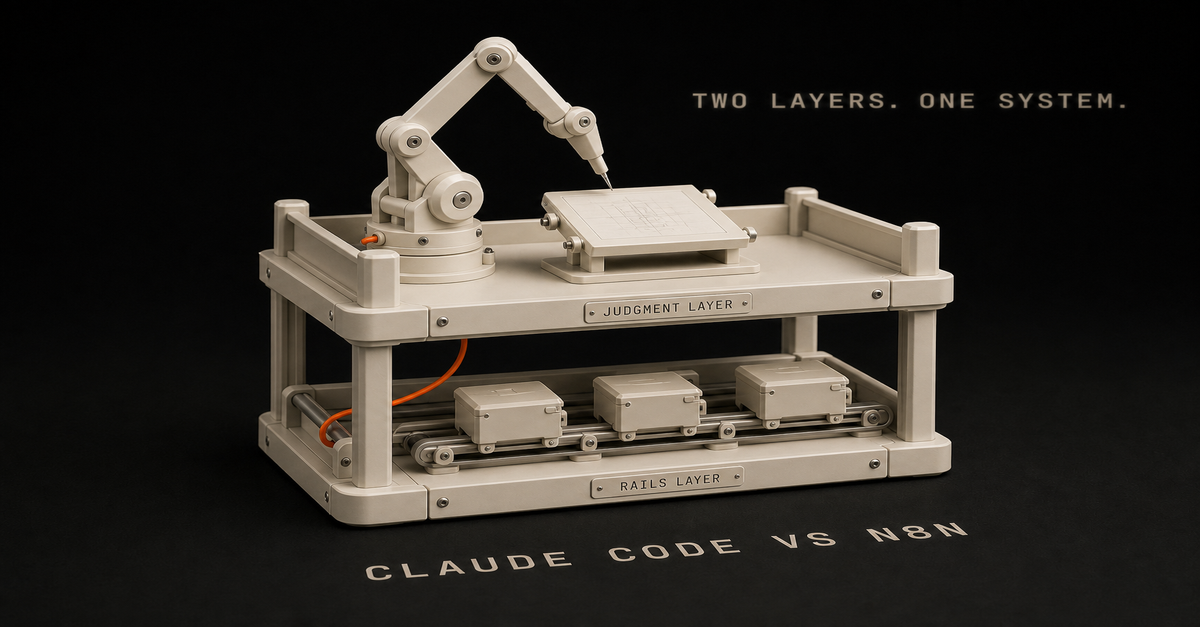
Claude Code and n8n are not replacements for each other.
They're two different layers of how a solo builder runs things.Layer
Tool
JobBuild and judgment
Claude Code
Read context, edit files, draft, review, implementTrigger and routing
n8n
Detect events, gather inputs, retry, notify, routeApproval
Human
Protect quality, voice, brand, money, productionIf your workflow needs repo context, use Claude Code.
If your workflow needs a recurring trigger, use n8n.
Heads up: some links in this post are affiliate links: a small kickback to me at no cost to you. I only recommend tools I've actually run.
If your workflow needs both, use both.
Why solo builders confuse them
Both can touch AI.
Claude Code can run commands and make changes. n8n can call an LLM. So it is tempting to ask, "Which one should run the business?"
That's the wrong question. The better one is:
Which part of the workflow needs judgment, and which part needs reliability?
Claude Code is for judgment.
n8n is for reliability.
A practical example
Say you want to turn a Search Console export into a new page.
n8n should:detect the export
save the file
notify the system
route the final outputClaude Code should:read the repo
score opportunities
create or update the page
add internal links
run the buildYou should:approve before publishingThat's the pattern I use.
Start with the planner
Before building, use the Claude Code + n8n Workflow Planner.
If the workflow is agent-heavy, use the n8n AI Agent Workflow Builder.
If you are building the full workflow stack, start with the n8n AI Agents hub. The point is simple: Claude Code builds, n8n runs, and a human approves.
I also keep a public starter repo for this split: Claude Code Systems Kit. It has the decision matrix, Claude routines, OpenClaw runner pattern, n8n approval notes, and workflow spec templates.
FAQ
Should solo builders use Claude Code or n8n?
Use Claude Code for codebase work, repo context, writing, and judgment. Use n8n for triggers, routing, integrations, retries, and schedules.
Can Claude Code and n8n work together?
Yes. n8n can detect the event and gather inputs; Claude Code can create the draft, plan, script, or diff; then n8n can route it for approval.
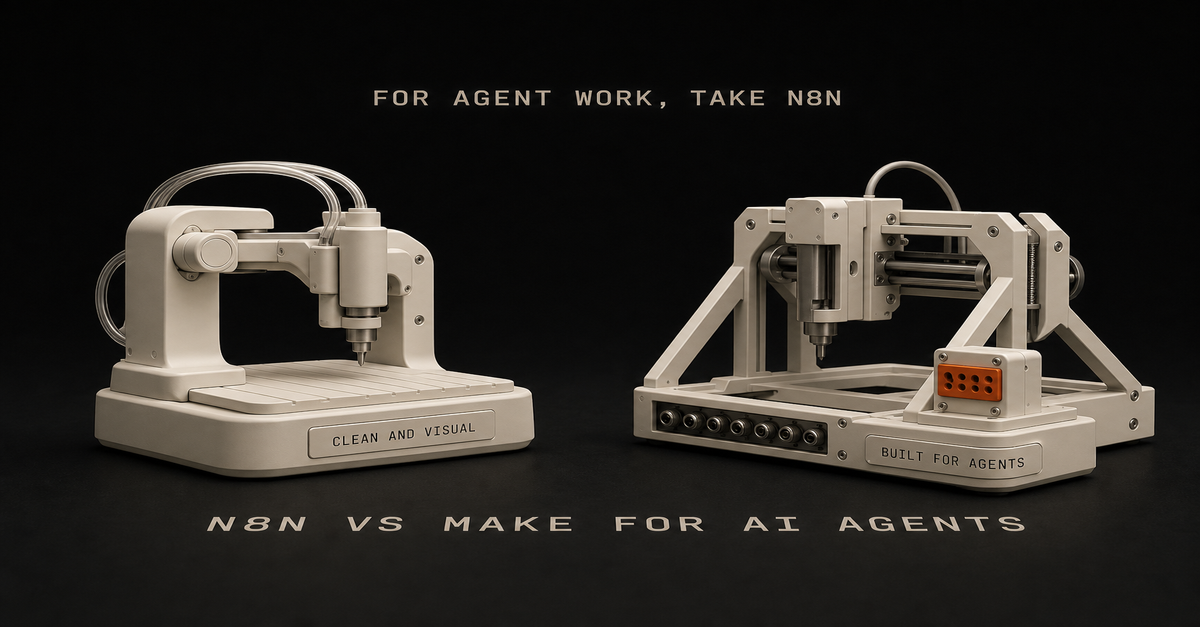
For AI agent workflows, I would usually pick n8n over Make.
Heads up: some links in this post are affiliate links: a small kickback to me at no cost to you. I only recommend tools I've actually run.
Not because Make is bad. Make is clean, visual, and easier for a lot of app-to-app automations.
But for the technical or technical-adjacent solo builder, n8n has the better shape:Need
PickEasiest visual app automation
MakeSelf-hosting and control
n8nCode nodes and custom logic
n8nAI agent workflows with tools
n8nSimple marketing ops workflows
Make or n8nLower marginal cost at scale
n8n self-hostedWhere Make wins
Make is good when the workflow is visual and app-heavy.
Use it when:you want the easiest builder
you are connecting common SaaS apps
the workflow is not deeply technical
you do not care about self-hosting
you want a polished visual interfaceIf the goal is "move this from app A to app B with some formatting," Make is fine.
Where n8n wins
n8n is stronger when you want control.
Use it when:the workflow needs code
you want self-hosting
you care about cost at scale
you need custom API calls
you want agent tools and more flexible logic
you are comfortable debuggingThat last one matters. n8n gives you more flexibility, but it's not always easier.
The AI agent workflow angle
AI agent workflows tend to need:context gathering
tool access
memory/history
conditionals
retries
logging
approval steps
custom actionsn8n fits that shape well.
Make can do plenty, but n8n feels more natural when the workflow starts drifting from "connect apps" into "build an operating system."
My recommendation
If you are a solo builder using Claude Code, GitHub, Vercel, APIs, and custom workflows, start with n8n.
If you are a non-technical operator who wants polished app automation fast, start with Make.
If you already have Make working, do not migrate for sport. Move only when you hit control, cost, or flexibility limits.
Build your first n8n agent map with the n8n AI Agent Workflow Builder.
FAQ
Is n8n or Make better for AI agent workflows?
n8n is usually better for technical solo builders who want control, code nodes, self-hosting, and agent-style workflows. Make is easier for visual app automation.
Should solo builders start with n8n or Make?
Start with Make if you want the easiest visual builder. Start with n8n if you want more control and expect to build AI agent workflows.This post is part of the n8n AI agents hub: definitions, tutorials, workflow patterns, and the build-vs-run decision pages in one place.
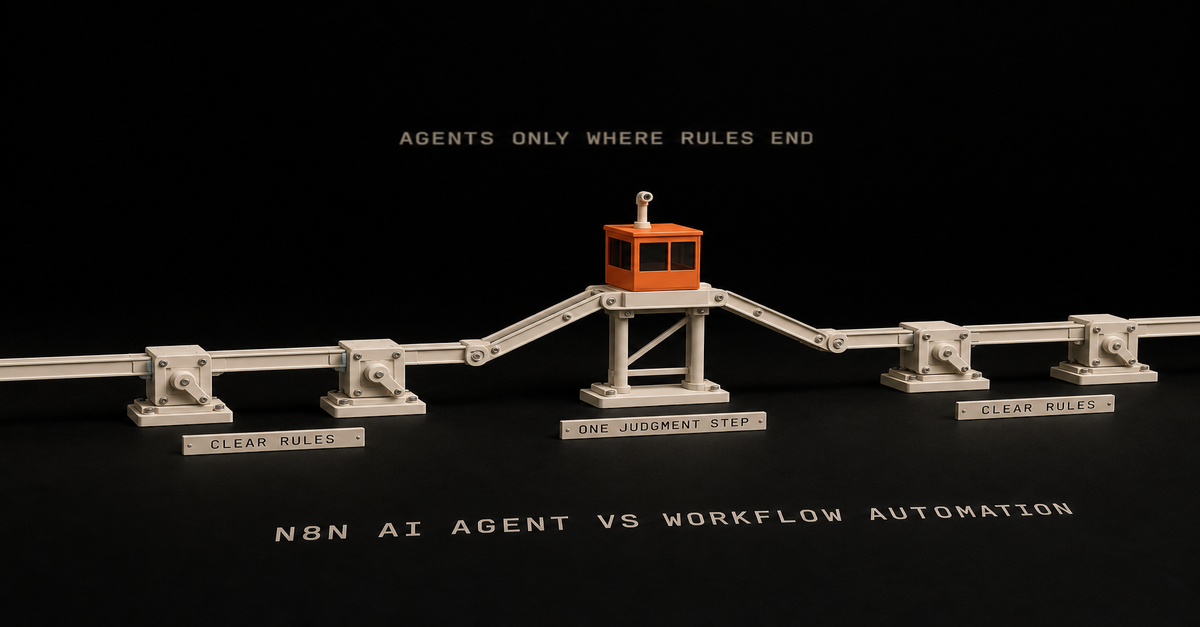
Use normal workflow automation when the rules are clear.
Use an n8n AI agent when one step needs judgment.
Heads up: some links in this post are affiliate links: a small kickback to me at no cost to you. I only recommend tools I've actually run.
That's the decision. If you already know you need the agent version, the full n8n AI agent workflow pattern shows the build: trigger, context, scoped tools, human approval, and logging.Situation
UseCopy data from form to CRM
Normal workflowSend Slack alert after status changes
Normal workflowClassify messy customer messages
AI agentScore Search Console queries for content ideas
AI agentDraft a newsletter from a build log
AI agent plus approvalPublish automatically to production
Probably notWorkflow automation is for known steps
Normal automation is best when you can describe the rule clearly:when this happens, do that
if status is approved, send email
every Monday, pull this report
when form submits, create taskYou do not need an AI agent for that.
Adding one usually makes the workflow slower, harder to debug, and more expensive.
AI agents are for fuzzy steps
Use an agent when the workflow needs to interpret something:Is this lead qualified?
Is this query worth a page?
Does this transcript contain a strong proof moment?
Is this support message urgent?
Should this draft be published, revised, or killed?A simple if/then branch can't answer those. You need judgment.
The clean hybrid pattern
The best setup is usually both:n8n triggers the workflow.
n8n gathers data.
The agent handles the fuzzy decision.
n8n routes the result.
A human approves high-risk output.That gives you automation without pretending the agent should own the whole process.
Use the Claude Code + n8n Workflow Planner to split the work before building. If you're choosing between a coding agent and a workflow runner, read AI coding agent vs workflow automation.
What solo builders should build first
Start with a workflow where bad output is annoying, not a disaster.
Good:content idea scoring
transcript repurposing
newsletter draft creation
lead triage draft
workflow planningBad:customer refunds
publishing without review
deleting production data
sending sales emails with no approvalThe point is to keep the agent useful and give it clear limits.
FAQ
What is the difference between an n8n AI agent and workflow automation?
Workflow automation follows known rules. An n8n AI agent handles the judgment step inside a workflow.
Should every n8n workflow use an AI agent?
No. Use normal automation when the steps are clear and rule-based. Add an agent only when the workflow needs reasoning.This post is part of the n8n AI agents hub: definitions, tutorials, workflow patterns, and the build-vs-run decision pages in one place.
An n8n AI agent is a workflow step that uses an LLM plus tools to make decisions inside an automation. The agent reads context, chooses or calls tools, returns a structured result, and lets n8n route the next step.
Heads up: some links in this post are affiliate links: a small kickback to me at no cost to you. I only recommend tools I've actually run.
The short version:Part
Jobn8n
Trigger, gather data, route output, retry failuresAI agent
Read context, decide, draft, classify, score, or planTools
Let the agent check data or take actionHuman approval
Protect anything public, expensive, or brand-sensitiveThe mistake is thinking the AI Agent node is magic by itself. It is not.
The node becomes useful when it has a clear job, enough context, and access to the right tools.
If you want the full build sequence, read the n8n AI agent tutorial. If you want the repeatable pattern, use the n8n AI agent workflow. This page is the short definition.
The plain-English version
Think of n8n as the operations desk.
It knows when something happened. A form came in. A video published. A Search Console export landed. A Notion status changed.
The AI agent is the person at the desk who can read the packet and make a call.
Should this lead go to sales? Should this query become a tool page? Should this transcript become a newsletter? Is this task worth automating?
That decision is the agent's job.
The routing, logging, retries, and notifications are n8n's job.
What makes it agentic?
An agentic workflow has more than a prompt.
It has:a trigger
context
a decision
tools or actions
memory or history when needed
a clear output
an approval gate when consequences existWithout tools or actions, the agent is usually just an LLM response inside a workflow.
That can still be useful. But it is not the same as an agent that checks, decides, and routes.
A simple n8n AI agent workflow
Here's the pattern I'd start with:n8n detects a new input.
n8n gathers the context.
The agent makes one specific decision.
n8n saves the decision.
A human approves if needed.
n8n routes the output.Use the n8n AI Agent Workflow Builder to map that before you build.
For the full path, use the n8n AI Agents hub. It connects this definition to the workflow pattern, builder tool, and Claude Code/n8n handoff.
So which page do you need?Search intent
Best next pagewhat is n8n ai agent
Stay here for the definition.n8n ai agent tutorial
Use the build tutorial.n8n ai agent workflow
Use the workflow pattern.Good first use cases
For solo builders, good use cases are boring:score Search Console queries
classify inbound leads
turn a build log into a newsletter draft
summarize support requests
route content ideas
check if a workflow is worth automatingBad first use case: "run my whole business."
Start with one judgment step.
n8n AI agent vs Claude Code
n8n AI agents are good inside recurring workflows.
Claude Code is better when the task needs repo context, file edits, code changes, or actually building the thing.
Use both when the workflow needs a trigger and something that can work in your code:n8n detects and gathers
Claude Code edits or drafts
human approves
n8n routesRead the full decision rule in Claude Code vs n8n.
FAQ
What is an n8n AI agent?
An n8n AI agent is an automation step that uses an LLM plus tools to reason over context and take actions inside a workflow.
Is the n8n AI Agent node agentic by itself?
Not really. It becomes agentic when it can use tools, check context, make decisions, and route work instead of only generating text.
When should solo builders use an n8n AI agent?
Use it when one repeatable workflow needs judgment, classification, drafting, scoring, or routing.
What is the difference between an n8n AI agent and an n8n AI agent workflow?
The agent is the judgment step. The workflow is the full system around it: trigger, context, tools, approval, routing, logging, and retries.
 Chris Alarcon