I’ve changed my ChatGPT plan three times since I started paying: $20, then $200, down to $100 to pay for Grok Bot, then back up to $200 after OpenAI’s dots release. I do it on the app. Nothing surprised me. Pretty easy to cancel.
So when a friend pays $20 for Plus and wants out, I don’t overthink it. I mean, free is easy, right? Just cancel it.
The rest of this page is the exact taps for wherever you paid, what you keep afterwards, and the refund rule, all read off OpenAI’s own pages on October 18.
The cancel button only works where you paid
This is why people end up on Reddit saying they can’t cancel. OpenAI’s cancellation article is blunt: you cancel through the platform where you bought it, and a chatgpt.com subscription doesn’t even show up in your Apple or Google Play subscriptions.
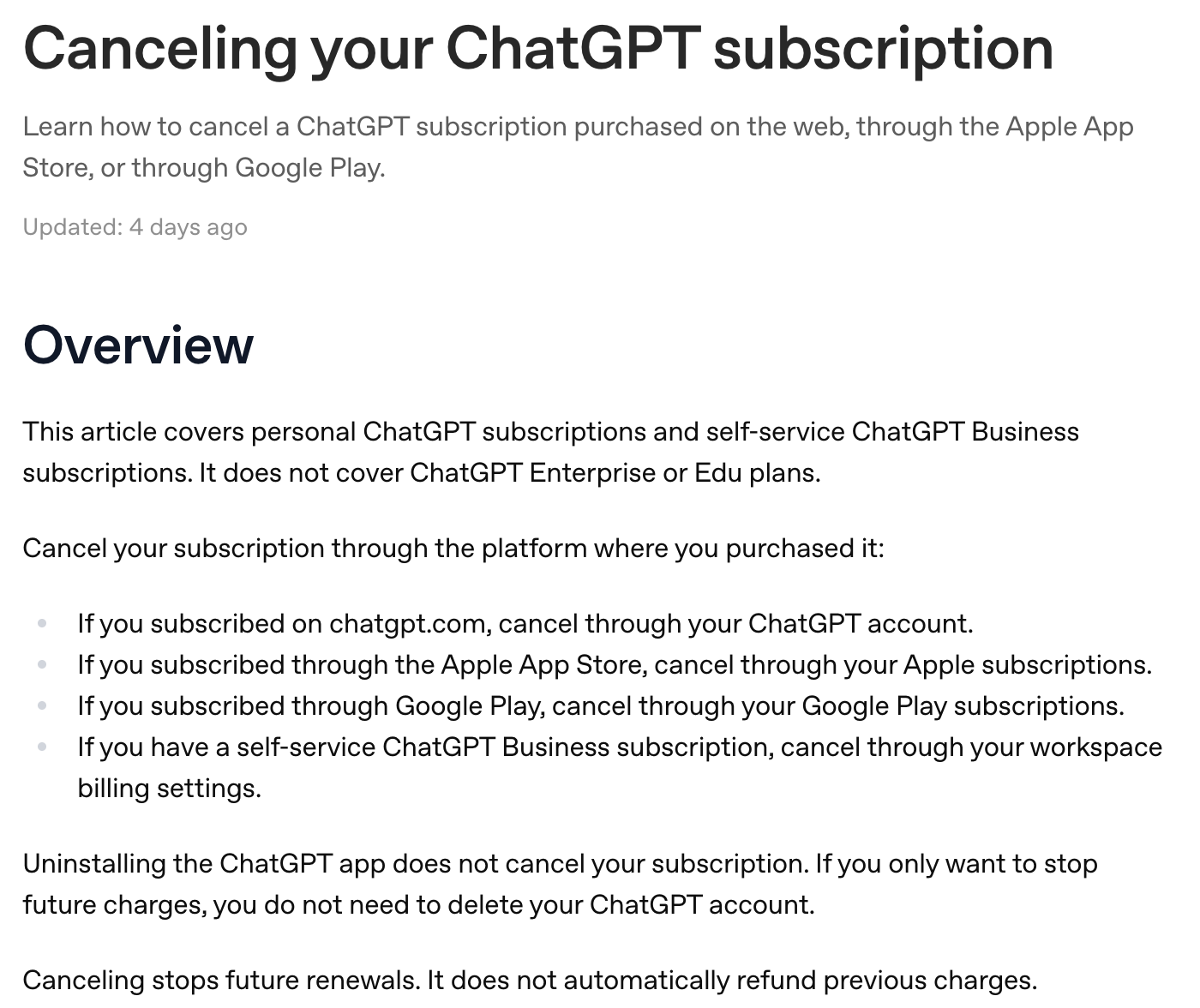 OpenAI’s cancellation article, captured October 18, 2026.
So the four places are:
- You paid on chatgpt.com: cancel in your ChatGPT account settings.
- You paid through the App Store: cancel in your Apple subscriptions.
- You paid through Google Play: cancel in your Google Play subscriptions.
- You’re on a self-service Business workspace: cancel in workspace billing, or ask the owner.
Not sure which one bills you? Search your email for the receipt. It comes from OpenAI, Apple or Google, and that tells you the door.
If you clicked Cancel and nothing happened, OpenAI lists the usual causes: you’re signed in to a different ChatGPT account than the one that pays, or a different Apple or Google account than the one that bought it. Duplicate charges usually mean two subscriptions on two accounts.
The steps for each of the 4 places
On chatgpt.com (web)
- Sign in at chatgpt.com.
- Open your account menu and select Settings.
- Select Billing.
- Under Cancel plan, select Cancel.
One heads-up on labels. OpenAI’s own Plus and Go help pages still say Settings, then Account. The cancel article says Billing, and so does my own desktop app:
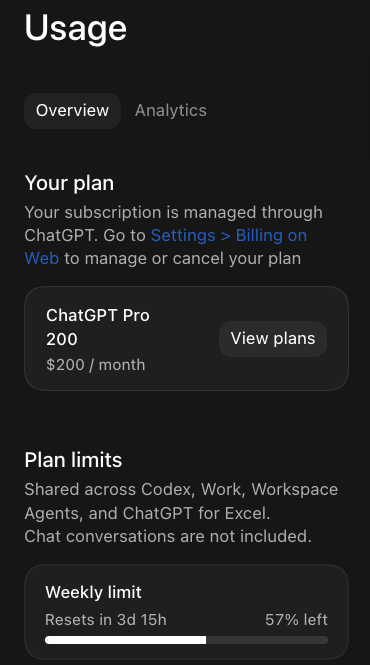 My ChatGPT desktop app, October 10, 2026.
That pane says it plainly: “Go to Settings > Billing on Web to manage or cancel your plan.” So the desktop app shows your plan, and for the cancel itself it sends you to the web.
On iPhone or iPad (paid through Apple)
- Open the iPhone Settings app.
- Tap your name.
- Tap Subscriptions.
- Tap ChatGPT.
- Tap Cancel Subscription, then confirm.
If there’s no Cancel button and you see an expiration date instead, OpenAI says it may already be cancelled.
On Android (paid through Google Play)
- Open the Google Play Store app, signed in to the Google account that bought it.
- Open Subscriptions.
- Select ChatGPT.
- Select Cancel subscription and follow the confirmation.
On a computer, the same thing works from Google Play subscriptions: Manage next to ChatGPT, Cancel subscription, pick a reason, Continue.
On a ChatGPT Business workspace
- Sign in, open the account menu, select Workspace settings.
- Select Billing, then Manage plan.
- Select Cancel subscription.
No access to billing? Only the workspace owner can do it.
If you can’t sign in
For a chatgpt.com subscription, OpenAI Support can cancel it without you getting back in. They need the account or billing email plus any two of: the card’s last four digits, the expiry date, the billing address, or the date of the last charge. Never send the full card number.
Will they try to keep you? Maybe, and I usually say no
When I’ve changed plans, here’s how I remember it: they usually give you that bonus, like, oh, you want it at 30% discount? I usually put no.
Treat that as my rough memory, not a promise. OpenAI’s cancellation and promotions pages don’t mention any cancel-time discount, so don’t count on one. If one shows up, take it only if you were going to keep using Plus anyway.
What you keep after Plus ends
Your paid features stay on until the end of the period you already paid for. After that, the account drops to Free (or to Go, if you switched). From OpenAI’s pricing page as it read on October 18, 2026:
Your chats and Projects are not deleted. There’s an old Reddit thread called “Careful when you cancel ChatGPT Plus” where the poster’s project folders vanished. Today’s table lists Projects on Free.
Custom GPTs: OpenAI’s GPTs article says you can keep using the GPTs you made. Editing them still depends on your plan, and new GPT creation is off on every personal plan, Plus included. OpenAI is also retiring GPTs in favor of Plugins, starting with Enterprise on December 11, 2026.
Ads: OpenAI’s ads FAQ says ads may appear on Free and Go, and that Plus will not have ads. If ads would drive you nuts, count that before you cancel. My breakdown is in ChatGPT ads explained.
Want a copy anyway? You don’t need an export to cancel, since your history stays. If you’re also deleting the account, export first: Settings, Data controls, Export data, Export, Confirm export. OpenAI says it can take up to 7 days and the link dies 24 hours after it arrives.
Refunds are the exception, not the rule
Cancelling stops the next charge. It does not refund the last one.
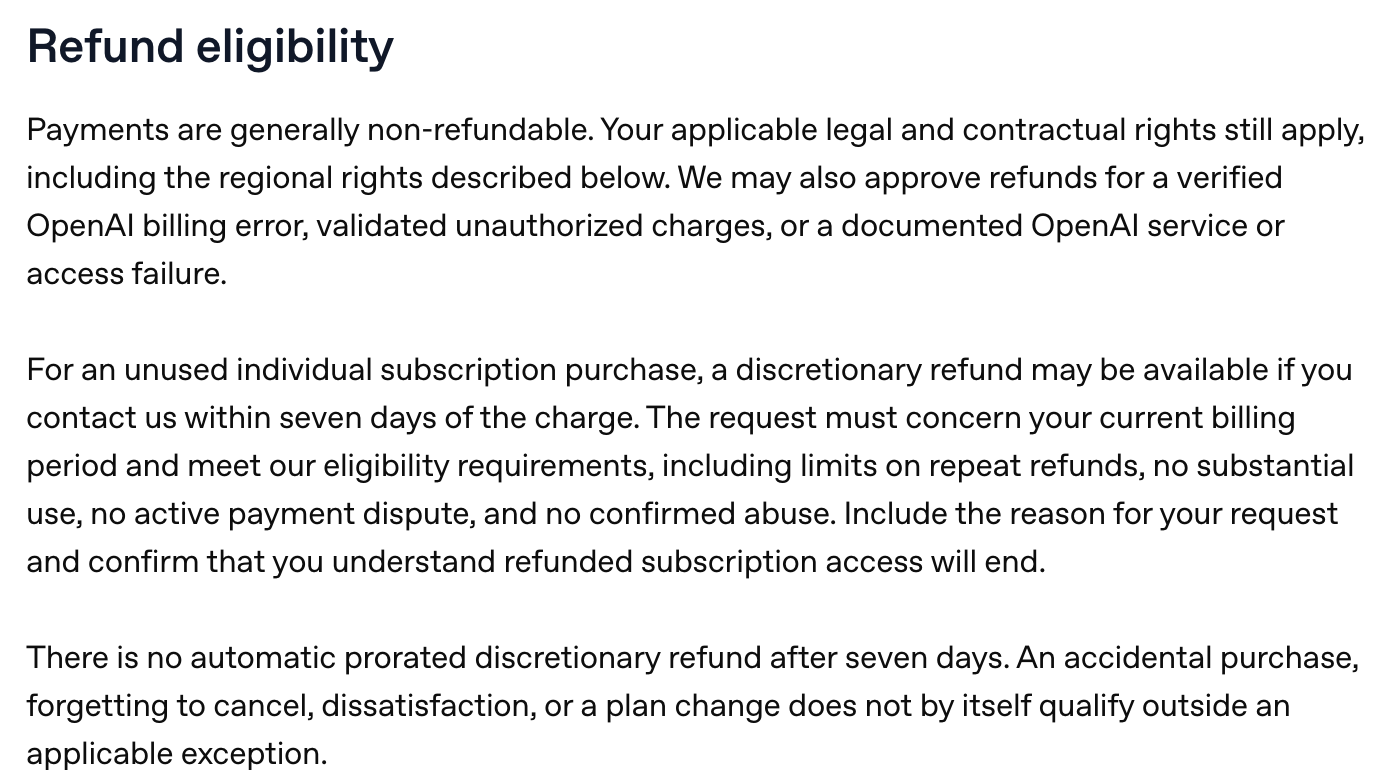 OpenAI’s refund page, captured October 18, 2026.
From OpenAI’s refund article, which OpenAI updated on October 18, 2026, the day I checked it:
- The window: a discretionary refund may be possible for an unused subscription if you ask within seven days of the charge. Forgetting to cancel, an accidental purchase, or a plan change doesn’t qualify on its own.
- How to ask (web or Google Play): sign in to the account that was charged, open the chat widget on help.openai.com, and request it. It shows you an eligibility summary first. OpenAI quotes 5-7 business days to process web refunds and 10 for Google Play.
- Paid through Apple: request the refund from Apple, not OpenAI. Apple’s route is reportaproblem.apple.com.
- EU, UK and Turkey: a prorated refund if you cancel within 14 days of purchase. Korea has its own 7-day full refund rule if you haven’t used it.
If a refund is granted, your Plus access for that charge ends early.
Engadget’s August 24 guide says accidental purchases are “generally eligible for a refund if you contact OpenAI within 14 days of the charge.” OpenAI’s page today says seven days, and accidental doesn’t count by itself.
Cancel, drop to Go, or keep Plus: my rule
I always let the pain decide. That’s always my model.
So for the friend who’s paying $20 and wants out, the answer is cancel and go free. You keep your history, your Projects and the app on your phone. If a limit starts hurting later, you’ll know, and you can pay again in two minutes.
Don’t force yourself into a plan if you think you’re gonna use it. Just use what you know you’ll use.
That’s my problem with stepping down to Go as a reflex. Go makes sense when you already know the pain: you keep hitting free limits, or you rely on scheduled tasks, which Free doesn’t have. If you can’t name that, free is free.
If you do switch Plus to Go, OpenAI’s Go article explains the mechanics: Settings, then Account, no refund, Plus runs to the end of your cycle, then you’re billed the Go rate. The full trade is in ChatGPT Go vs Plus.
And if you’ve cancelled and come back more than once, that’s your answer: keep paying. I’ve done that loop with Claude Pro: cancelled it, then paid again because I kept reaching for it.
Quick version, by who you are:
- You barely open it: cancel, stay on Free.
- You use it every day but only for chat and quick questions: cancel and see if Free holds for a month.
- You keep hitting free limits or you need scheduled tasks: switch to Go.
- You use it for work you act on, or you hate ads: keep Plus. My full take is in is ChatGPT Plus worth it.
Leaving for Claude? Keep the free ChatGPT account
If you’re cancelling because you’re moving to Claude, don’t delete ChatGPT. Drop it to free, keep your history readable, and keep it for questions on the go. I wrote the whole move up in how to switch from ChatGPT to Claude, including the export and memory import.
More on running Claude and ChatGPT in a normal job lives in Claude guides.
Where this comes from
I read OpenAI’s cancel, refund, Go, Plus, export, GPTs and ads pages, plus chatgpt.com/pricing, on October 18, 2026. The plan changes and the app screenshot are mine. I haven’t cancelled ChatGPT Plus itself, since I’m on Pro, and I didn’t click cancel for this page.
Published October 18, 2026. Checked against OpenAI’s own pages, linked inline.
Frequently asked questions
How do I cancel ChatGPT Plus?
Cancel on the platform that bills you. On chatgpt.com: Settings, then Billing, then Cancel under Cancel plan. On iPhone: Settings, your name, Subscriptions, ChatGPT, Cancel Subscription. On Android: Play Store, Subscriptions, ChatGPT, Cancel subscription. OpenAI says to do it at least 24 hours before your next billing date.
Will I get a refund if I cancel ChatGPT Plus?
Usually not. OpenAI's refund page says payments are generally non-refundable. A discretionary refund may be possible for an unused subscription if you ask within seven days of the charge, but forgetting to cancel, an accidental purchase or a plan change does not qualify by itself. EU, UK and Turkey residents get a prorated refund if they cancel within 14 days of purchase.
Do I lose my chats if I cancel ChatGPT Plus?
No. Cancelling ends the paid features at the end of your billing period, not your account. OpenAI's pricing page lists unlimited chat history and Projects on the Free plan too. What you lose is Plus-only stuff like GPT-6 Astra, GPT-6.1 Sol and Sites, scheduled tasks if you drop all the way to Free, and the no-ads guarantee.
Does deleting the ChatGPT app or my account cancel Plus?
Uninstalling the app never cancels anything. Deleting your ChatGPT account cancels a subscription billed directly on chatgpt.com, but not one billed through Apple, and OpenAI says to check Google Play too. If you only want the charges to stop, you do not need to delete the account.
How do I stop ChatGPT auto payment?
Cancel the subscription where you bought it. OpenAI says cancelling stops future renewals, and your paid features stay on until the end of the period you already paid for. Then check that platform shows the plan as no longer renewing.
Can I switch from ChatGPT Plus to Go instead of cancelling?
Yes. OpenAI says to change plans from your profile icon, then Settings, then Account. You are not refunded: Plus stays active until the end of your billing cycle, then the account switches to Go and you pay the Go rate from then on.
How do I cancel ChatGPT Plus if I can't log in?
If you paid on chatgpt.com, OpenAI Support can cancel it. Give them the email on the account or the billing email, plus any two of: the card's last four digits, its expiry date, the billing address, or the date of the last charge. Never send the full card number. Apple and Google subscriptions have to go through Apple or Google.