Claude Code Video Editing: How I Cut 7 Shorts a Week, and the Part I Still Do by Hand
Chris Alarcon ·
$ you'll have
A recorded clip that gets cut, polished and scheduled, with you reviewing the cut and OK'ing the final.
ok your job, with the steps below
- Time
- About 1 hour to record and 1.5 to 2 hours of review (my numbers)
- Cost
- Claude Pro ($20/mo) or Max (from $100/mo)
- Tools
- Claude Code · FFmpeg · CueCam or Tella · Auphonic
Why this setup, and what you need
Last week Claude Code cut 7 of my Shorts, and I didn’t change a single cut. When the finished video hits my phone, I think close is 90%, maybe 95% for shorts. Long-form sits around 90%.
If you heard “Claude Code can edit video” and pictured a robot making your creative calls, that’s not how it goes. And you’re not gonna need to learn a video editor either.
My input is probably an hour to record and maybe an hour and a half to two to edit on both long and short form. The AI runs for a few hours on top of that, but I’m not the one doing it.
This is what comes out the other end:
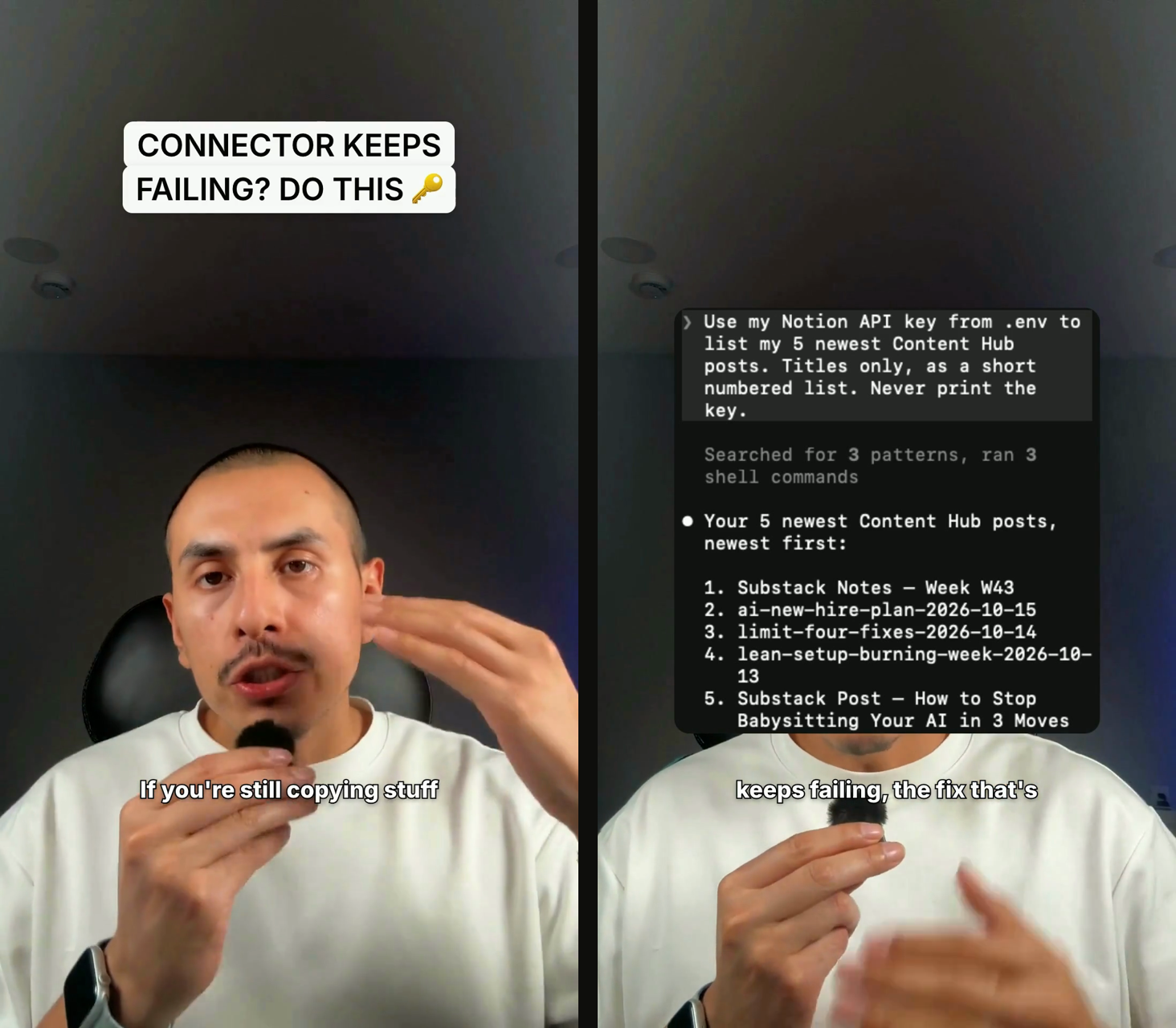 Two frames from one of my finished Shorts, October 15, 2026.
The title card, the captions and the screenshot over my head were all put there by the pipeline. I recorded it, picked the idea, and OK’d it. Below is every step in the order I actually do it, including the parts I still do by hand.
What you need (as of October 18, 2026)
- Claude Pro or Max. Claude Code isn’t on the Free plan. Claude’s pricing page lists Pro at $20 a month ($17 billed annually) and Max from $100. Never opened it? Start with Claude Code for people who don’t code.
- FFmpeg on your computer. FFmpeg is the free tool that does the actual cutting and rendering. Claude Code writes the commands.
- A way to record. I use CueCam on my phone for Shorts and Tella for long-form.
- A work laptop? The video file stays on your machine, but the transcript and still frames go to Claude, and the audio goes to any transcription service you use. Check with IT before client footage goes in.
- Skip for now: your own review app. Mine came after months of plain Claude Code sessions.
Claude Code never watches your video. Anthropic’s vision docs list JPEG, PNG, GIF and WebP as the supported formats. So the trick is a transcript plus still frames, and FFmpeg does the rest.
Step 1: Pick an idea you actually have an opinion on
Idea → my notes → riff out loud
This part is still mine. I still choose the topic, I still choose the vision, I pull from my own vector database of notes, and I still riff on it in my own words.
My rule for the idea: I gotta love the topic, I gotta feel strong about it, and I gotta get my own opinion about it.
Where my ideas come from is in the Claude Code content system.
This works for anyone who talks to camera for their business: a shop owner doing product Shorts, a coach, or a contractor filming tips.
Step 2: Let the skill build the script, then challenge it
My riff → a Claude Code skill → a script on a format I picked → my review
The system uses templates and formats we found to work. My job is to choose the idea and bring the meat and potatoes. Then the skill assembles the script on a proven format, on a template that I chose.
Then I review it. Does this look good to me? Do I agree with it? I might challenge it. Only once it’s approved do I record.
The surprise for me was on camera. I’m not stressed about what comes after the hook anymore, and I’m not fumbling as much. A skill is just a saved set of instructions; how to use Claude skills covers the idea.
Step 3: Record once, on your phone or in Tella
Shorts: CueCam on my phone → save to Photos · Long-form: record in Tella
I go in my room, record, and download the clip to my phone. That’s the whole recording step for Shorts.
Long-form is the same process, except I record in Tella. I’m still paying for Tella, and honestly the value I see now is just the recording.
Step 4: Let the clip start cutting itself
Phone → iCloud → Cutroom → the cutting phase starts on its own · Long-form: Cutroom > Import from Tella
The moment I download it to my phone, it syncs through iCloud and lands in Cutroom, the app we built for this with Claude Code. Then it starts the first phase, the cut, without me touching anything.
Technically, iCloud carries the clip to my MacBook, and a small relay app there sends it to the Mac mini where Cutroom runs.
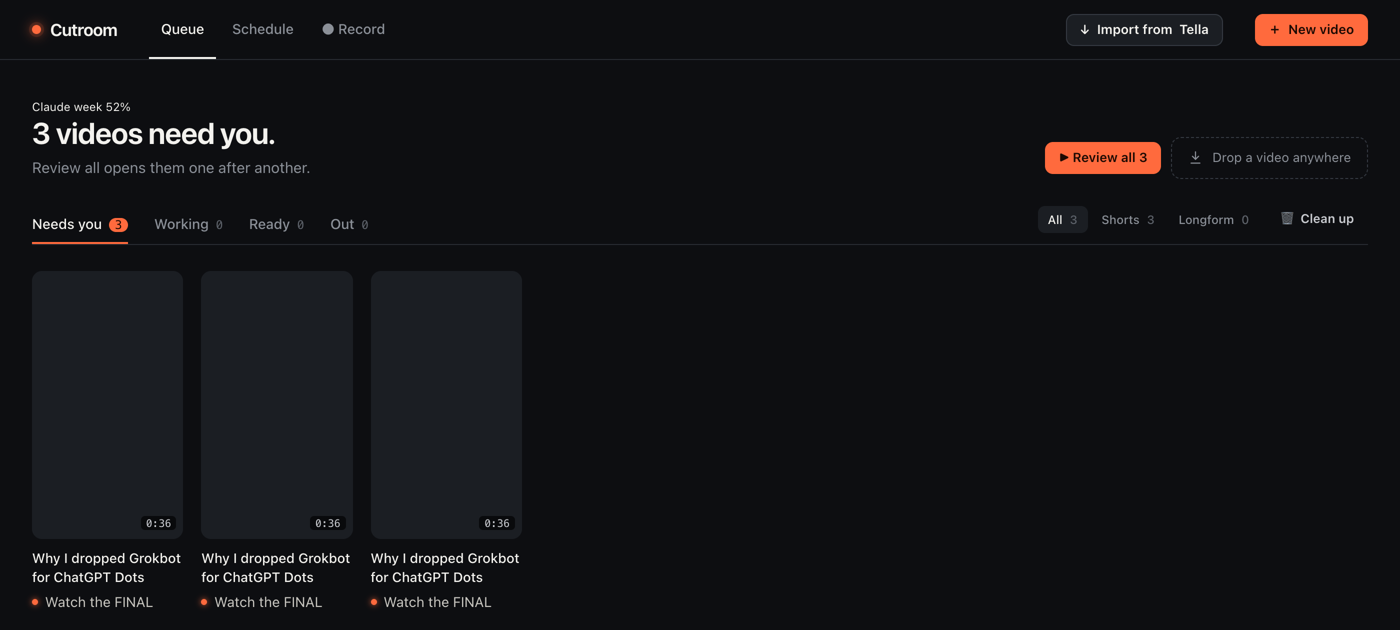 My Cutroom queue, October 18, 2026.
For long-form, I hit Import from Tella, pick my latest video, and it does the rest. Before this, I’d download it, wait five minutes, hope I didn’t forget, copy it into the folder by hand, and then tell the AI to please start editing.
Under the hood, the cut transcribes the clip, has Claude (Opus, high effort) write a cut list from the words, renders it with FFmpeg, then transcribes the render again to check nothing got clipped.
It doesn’t just delete cuts, it actually deletes bad takes, anything over fluff.
I showed an early version of this cut on camera back in January:
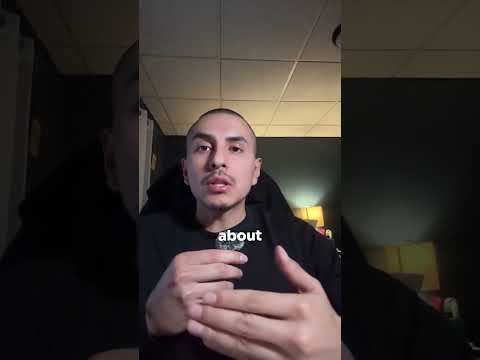
From my Shorts: I built an AI that edits my videos automatically.
Step 5: Review every cut and click next
Cutroom > the review screen > watch the cut > agree, then Next
Once they’re all done cutting, I review them in my own video player. Do I agree? Do I not?
If I agree, I click next on every Short, and long-form too. If an edit got missed, I either make it myself or I tell the AI to make it, all inside Cutroom.
I’m not re-editing here. I’m reviewing the cut it already made.
Step 6: Approve, and the polish runs without you
Approve → polish: title, screenshots over the talking, captions, color, sound, cover frame
After I approve, it moves to polishing on its own. It does the final render and passes the sound through Auphonic for leveling, so my voice sits at an even volume.
It generates the description, the captions, everything. A separate grader checks the rendered frames before anything comes back to me.
Step 7: Watch the FINAL, OK it, and it schedules itself
Cutroom > The FINAL > ✓ Looks good · schedule it (or ↩ Send back with a note)
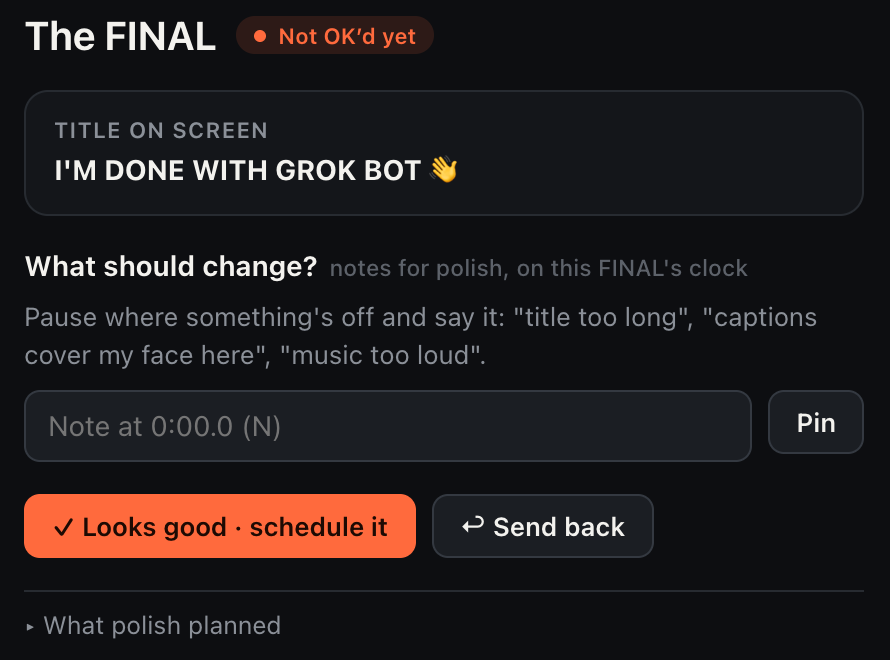 The FINAL screen in my Cutroom app, October 18, 2026.
That one button is the gate. Nothing posts until I’ve watched it and clicked Looks good. If something’s off, I pin a note at that moment and send it back.
Then it schedules everything, Shorts and long-form. Even long-form works now, which is something we never could do consistently before: schedule with a button.
At this point I’m making minor edits, if any.
Check it worked: count what you changed after the AI cut
Compare the AI’s cut to your final, every video
Cutroom saves the AI’s cut next to my final at every Approve, so I can see what I actually changed. This is the log as of October 18, 2026:
| Video | AI cut kept | My final kept | What I changed |
|---|---|---|---|
| 7 Shorts, recorded October 13 | the full AI cut | the same | nothing |
| Long-form, October 9 | about 17 min 28 s | about 16 min 11 s | filler at the start of lines, a side comment mid-demo, a repeated hedge, a rambling tangent, repeated recaps |
| Long-form, October 16 | about 12 min 18 s | the same | nothing |
That’s one long-form with edits so far. Not a rule yet, just what I’m watching.
You can run the same count with no app. Keep the AI’s version, keep yours, and write down what you cut.
Why I stopped paying for Descript, and what Tella still does
Pay money. That’s what made me stop. Descript was offering little value for what I paid, about 30 bucks a month by my memory.
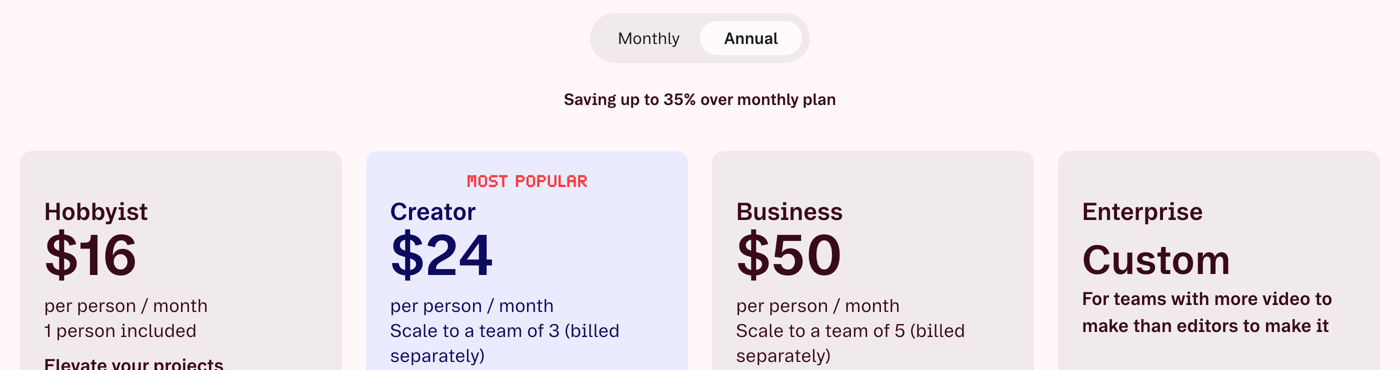 Descript’s pricing page, annual billing, October 18, 2026.
Today Descript’s pricing page shows Hobbyist at $16 and Creator at $24 a month billed annually. Monthly billing costs more.
I also used to edit the Shorts by hand. In Tella, before you download, you have to decide: are you gonna do split screen? Then you pick a template.
It’s a whole bunch of steps. It takes 15 minutes for a short to do that. Then you download all of them.
Now AI does it for me. What pushed me was seeing what people were building, testing it myself, and then watching Opus 5.5 build my apps consistently: a personal finance app, a kitchen app, my own meditation app. That’s when I started asking, do we need this tool anymore?
Now I’m asking the same about Tella. Not out of spite. Our workflow can be so custom that Tella holds us back a little.
Maybe we take something open source like OBS Studio and build our own recorder on it. That’s my plan, not something I’ve done.
What Claude costs me for all this is in is Claude Max worth it.
It breaks on anything it has to judge by the picture
Claude Code reads words. So it’s great at cutting retakes, dead air and filler, and weak at choices that depend on how the shot looks.
Hacker News user vidarh watched it work around that: it “proceeded to generate a ‘contact sheet’ of the video using ffmpeg, interpreted the image to figure out which frames it needed.”
The skeptic, barefootford, has a point too: “Without hand holding Claude will just call ffmpeg and look at a few frames.”
That’s why my pipeline uses real screenshots tied to the words I say, plus a grader that checks the rendered frames. And it’s why I still review every cut and OK every FINAL.
Try one piece of it on a single clip this afternoon
Claude Code > a folder with one clip > paste this
This is a starting prompt, not my pipeline. I haven’t run these exact words, so watch what comes back.
In this folder there's one video, clip.mp4, of me talking to camera.
1. Transcribe it and show me where the long pauses and repeated takes are.
2. Make a cut list that removes them. Show me the list before you render.
3. After I say OK, use FFmpeg to render clip-cut.mp4. Don't touch clip.mp4.
4. Then make a 9:16 vertical copy called clip-vertical.mp4.
Then watch clip-cut.mp4 start to finish yourself, like you’d watch my FINAL.
Record, pick the idea, and let it take the grunt work
I used to fumble after the hook and click through templates for every Short. Now my hours go into the two things only I can do: the idea and the review.
My rule: all I gotta do is record, choose the idea, and then babysit the editing a little bit. Not even babysit, but QA and review and see the bigger picture.
So record one clip this week, let Claude Code cut it, and be the one who says OK. More Claude setups for work are on Claude guides.
FAQ
Can Claude Code edit videos?
Yes, but not like a video app. Claude Code reads a transcript of your clip and still frames pulled from it, then writes FFmpeg commands that cut and render a new MP4. There is no timeline, so you still review the result yourself.
Can Claude watch a video?
No. Anthropic’s vision docs list JPEG, PNG, GIF and WebP images as the supported formats, and for animations only the first frame is used. Video editing setups work around that with a transcript plus still frames that FFmpeg pulls out of the clip.
Do I need to know FFmpeg to edit video with Claude Code?
No. FFmpeg has to be installed on your computer, but Claude Code writes the commands for you. Your job is to say what you want cut and then watch what comes back.
Is Claude Code video editing free?
Not fully. Claude Code is not on Claude’s Free plan. Pro is $20 a month billed monthly or $17 a month billed annually, and Max starts at $100 a month, per Claude’s pricing page on October 18, 2026. FFmpeg itself is a free download.
How long does Claude Code video editing take?
The machine time is a few hours for a batch, but you are not sitting there. My own estimate is about an hour to record and an hour and a half to two hours of review across my long-form and Shorts.
Where this comes from
Plan prices, the vision limits and Descript’s prices come from their own pages, read October 18, 2026. The screens are my own Cutroom app and two frames from a Short it finished on October 15.
The steps, the 90% and the hours are mine. I haven’t timed what this saves me, and I haven’t replaced Tella yet.
Published October 18, 2026. Checked that day against the vendor pages linked inline.

Written by
Chris AlarconChris Alarcon shows people who don’t code the boring Claude setup that actually works. He runs his one-person operation on these systems and shares every workflow, prompt, and tool combo in public. Start with the free 1-page setup.
The boring setup
It still won't know you tomorrow.
The Setup is one folder. Drop it into a Project, answer three questions, and Claude or ChatGPT writes your memory file and your voice file itself. It stops forgetting you, stops sounding like AI, and runs three real jobs by name. Twenty minutes tonight. No code. $39, 30-day refund.
See The Setup →Get the free 1-page setup
The boring 1-page setup. No code, no jargon. Get it now, then one short email from me each Tuesday.
