Quick answer: you connect them through Zapier MCP, and it is click-through, not code. Create a server at mcp.zapier.com, add only the app actions you want Codex to have, connect it once, and Codex can now act in your other apps: add sheet rows, create Notion pages, send a Slack ping. Ten minutes, one paste.
But know the direction before you start: Codex can reach into Zapier. Zapier cannot start Codex. That single fact sorts out most of the confusion around this search.
I use Codex a lot, including in my demos. This page is the setup written for a normal person, because the only real how-to out there was written for engineers shipping pull requests.
Codex Can Act In Your Apps; Zapier Cannot Start CodexYou want
Do thisCodex to act in your other apps (Sheets, Notion, Slack, Gmail)
Zapier MCP, steps belowThe fastest route inside Codex
The official Zapier plugin, two commandsA Zap to kick off a Codex run
Does not exist as of Aug 28, 2026; Zapier's app directory returns 404Automations that run on their own schedule without you
Different tool conversation: Codex vs n8nTo build with the Zapier SDK in code
You are not the reader this page is for, and that is fineFirst, the direction, because nobody says it
Every article assumes the connection is symmetrical. It is not.
Codex reaching into Zapier: works, and it is the whole point. Through MCP, Codex gets hands in 9,000+ apps during a session you are running.
Zapier starting Codex: not a thing. Checked August 28, 2026: Zapier's Codex app pages return 404, and that can change. There is no trigger called "run Codex."
The only workaround is hosting your own webhook receiver, which is real engineering. If your dream was "every morning at 8, Zapier wakes Codex up," that dream is currently a workflow-software job, not a Zapier one.
That is the Ship Lean rule for this pair: Codex reaches out, Zapier never reaches in.
The Whole Setup Is Five Clicks In The Zapier Dashboard
This is Zapier's own documented flow, translated from engineer to human:Go to mcp.zapier.com and sign in with your Zapier account (free to create).
Click "+New MCP Server" and choose Other as the client.
Click "+Add tool" and pick your first action: choose the app (say, Google Sheets), then the specific action (say, "create spreadsheet row"), then connect that account.
Repeat for each action you actually want. This is the safety step hiding in plain sight: Codex can only ever use the actions you added. If you never add "send email," it cannot send email. Scope tight; add more later.
Click "Connect" at the top of the dashboard and follow the instructions to add the server to your Codex account. On the desktop app this is a single paste.One nice mechanical fact from OpenAI's MCP docs: the ChatGPT desktop app, Codex CLI, and IDE extension share the same MCP configuration. Set it up once, it carries everywhere. ChatGPT on the web is the exception; there it rides plugins instead.
The shortcut, if a terminal does not scare you: Zapier ships an official Codex plugin. Two commands, codex plugin marketplace add zapier/marketplace then codex plugin add zapier@zapier, and you are done. If typing commands is a wall, skip it; the dashboard route above needs none.Zapier's MCP-for-Codex guide, captured August 14, 2026. Their examples are all GitHub and Jira; the steps work the same for Sheets and Notion.
What I would wire first, and it is not what Zapier suggests
Zapier's guide demos GitHub issues, Jira tickets, and deploy logs. Useful if you are an engineer; useless for most people. The pattern that would actually earn this setup, for work shaped like mine, is Codex-does-the-thinking, app-gets-the-result:Draft lands where you work: Codex writes or edits something in a session, then files it into Notion as a page instead of leaving it in the chat.
Numbers land in the sheet: you have Codex pull together your weekly stats, and the MCP action appends the row to the spreadsheet you already track.
The ping when it is done: long task finishes, one Slack or email action tells you.Notice the shape: the intelligence stays in Codex, and Zapier is just hands. The moment you catch yourself designing multi-step Zap logic around Codex, stop; you are rebuilding workflow software the hard way.
When you should skip Zapier entirely
Honest counter-position, because our house view has not changed: a capable agent usually needs fewer connectors than you think. Codex already reads and writes files, browses, and runs work in place.
If your "integration" is really "get the answer into a doc," ask Codex to produce the file and skip the plumbing. Add Zapier MCP when a result must land inside a specific app you live in, not as a reflex.
And if what you actually want is the always-on scheduled kind of automation, the decision tree for that lives in Codex vs Zapier and Codex vs n8n. This page is the how; those are the whether.
If you are: already living in Notion or Sheets and want Codex results to land there, do the MCP setup above. Comfortable in a terminal, use the plugin. Wanting something to run at 8am without you, skip this page and read Codex vs n8n.
How I know what is on this page
Setup steps: Zapier's own MCP guide, the official Zapier plugin repo, and OpenAI's MCP docs, all read August 28, 2026, quoted at the claim. The missing-connector fact: checked live the same day against Zapier's app directory, and it can change, so re-check if you are reading this months later. The judgment calls, what to wire and when to skip it, are mine as a regular Codex user, labeled as such. I have not wired this exact Zapier MCP setup myself; the setup steps come straight from the docs above. Where Zapier publishes no limits or pricing for MCP, this page says so instead of guessing.
Quick answer: nobody on the internet is comparing the two actual $100 plans, so here it is from someone paying for both. ChatGPT Pro at $100 buys depth: 5x the usage of Plus on the best research stack, one pool. SuperGrok Plus at $100 buys breadth: high chat and media usage, plus Grok Bot, an agent with its own cloud computer whose work does not touch your chat meter. Here is the Ship Lean split: deep thinking money goes to OpenAI, always-on assistant money goes to xAI.
And a naming correction that half the searches get wrong: there is no "Grok Pro." The $100 tier is SuperGrok Plus. Meanwhile most articles think ChatGPT Pro only exists at $200; Zapier's ranking comparison still prints that price. Both halves of this matchup are invisible to the pages ranking for it.
Published August 28, 2026. Last reviewed August 28, 2026.
Grok vs ChatGPT Pro at $100: pick in one lineYour situation
PickResearch, writing, hard multi-step thinking is your work
ChatGPT Pro, $100You want an assistant working while you sleep, plus a strong chatbot
SuperGrok Plus, $100You hit Plus limits occasionally but not weekly
Stay on ChatGPT Plus at $20You want the agent feeling for the least money
SuperGrok at $30; Bot is included there tooCareful work inside real files and projects
That is a Claude Max conversationWhat ChatGPT's $100 officially buys
From OpenAI's Pro tiers page: "Pro $100 unlocks 5x higher usage than Plus, while Pro $200 unlocks 20x usage than Plus." Both Pro tiers carry the same capabilities: the Pro-class models, Codex, deep research, image creation, memory. The tier is purely a usage ladder.
Notice what the page does not promise: no exclusive model, no agent feature gated at $100. And one sentence worth respecting before you buy: "OpenAI Support does not reset ChatGPT or Codex usage limits." What you buy is the ceiling; when you hit it, you wait.
What xAI's $100 officially buys
From xAI's pricing page, read August 28: SuperGrok Plus is everything in the $30 SuperGrok, plus "significantly higher usage across Chat, Imagine, Voice & Build," 1080p video, "lightning-fast replies," and priority at peak times.
The line that changes the comparison came two days earlier. In the August 26 expansion, xAI put Grok Bot in every SuperGrok and Cursor tier, and said this: "Grok Bot comes with its own usage, separate from your Grok and Cursor plans, so anything you hand off to a Bot won't count against your existing usage."
Read that twice. At $100, OpenAI sells you one bigger bucket. xAI sells you a bucket plus a second, non-competing bucket attached to an agent with its own computer. That structure, not model quality, is the real difference between these two hundreds.
Why I downgraded ChatGPT from $200 to fund this
I was on ChatGPT's $200 tier, and because I paid for it, I justified it: I routed everything hard at OpenAI's top reasoning lane. Honest result? Quality was high and my process got slow and bloated. Certain checks took half an hour, and my overall workflow ran about a quarter longer because I made my top model bless everything.
That is not a knock on the model; it is what happens when you buy a ceiling and then feel obligated to live at it.
Dropping to the $100 Pro forced the cleanup I should have done anyway: tighter instructions, fewer reflex escalations, the strongest lane saved for genuinely hard questions. My work did not get worse. My hundred dollars of savings went to SuperGrok Plus, and my whole Grok Bot analytics team now runs on the freed money.What the reallocated hundred bought: my actual bot roster, captured August 28.
The bigger before-and-after of my paid stack is on the AI plan tracker, receipts dated.
One pool versus two: the usage feel is not comparable
The two companies do not even publish comparable numbers: OpenAI gives you a multiplier, xAI gives you adjectives. So here is the lived version, labeled as such.
ChatGPT Pro: I have not hit the wall since downgrading, but the wall is firm when you find it, and support will not move it. One pool, spend it wisely.
SuperGrok Plus: I hit my limit this week, and then it reset early; my billing screen carries a "Reset Available" badge. On top of that, all my bot work runs outside the chat pool entirely. It genuinely feels like two subscriptions for one price. The mechanics, with the official quotes and my meters: Grok usage limits explained.The receipt: SuperGrok Plus, $100 paid August 21, with the Reset Available badge, captured August 28.
Early verdicts from people testing the same waters match my read. HN user h14h on Grok Bot: "it's a pretty slick experience. I fully expect this paradigm to catch on quickly."
And HN user mike_hearn shows how invisible the middle tier is: "Cost: just uses my regular ChatGPT Plus subscription, $20/month... perhaps if I did I'd need the $200/month sub." No $100 in the mental model at all.
Where each one honestly loses
ChatGPT Pro loses on structure. No second pool, no always-on agent with its own machine at this tier, and the $100 tier is so under-marketed that comparison sites do not know it exists.
SuperGrok Plus loses on depth. When I need the hardest research and reasoning, I still reach for my OpenAI subscription, and my most careful build work does not go to either of these; it goes to Claude. Grok Bot is also early beta and acts like it some days: my lead-scout experiment produced nothing in its first week. And the model roadmap excitement, like a stronger Grok landing in September, is rumor until xAI ships it.
My verdict by personResearcher, writer, analyst: ChatGPT Pro at $100. The 5x ceiling on that stack is the product.
Operator who wants leverage while away from the desk: SuperGrok Plus. The separate Bot pool is the sleeper feature nobody prices in.
Curious but budget-capped: neither. SuperGrok at $30 gets you Bot access, and ChatGPT Plus at $20 is still the default first subscription. Still working out where AI fits your job at all? Start at Claude at work.
Me: both, on purpose, after downgrading the $200. Depth from OpenAI, breadth from xAI, and the deep project work in Claude. That is the whole stack philosophy in one sentence.How I tested this, and what is lived versus published
Tier facts: OpenAI's Pro tiers help page and xAI's pricing page plus the August 26 announcement, all read August 28, 2026, dated on the tracker. The lived half: I pay for both plans right now; the downgrade story, the limit hit, and the reset are my own account this month. Community voices: named Hacker News users, quoted verbatim at their links. Where numbers are not published, this page says "lived experience" instead of inventing a spec.
Quick answer: Grok stopped counting messages in June 2026. Paid plans now share one weekly compute pool across Chat, Imagine, Voice, Build, and API, shown as a percentage in Settings, and xAI publishes zero per-tier numbers. The two things that actually matter: Grok Bot work is metered separately from that pool, and the weekly reset is looser than the angry threads suggest, though a reset is not a promise. I am on the $100 SuperGrok Plus plan, I hit my limit this week, and this page is what actually happened.
Every "Grok gives you X messages per day" page you have read is wrong by design. There is no such number to know.
Grok limits in one table: one weekly compute pool, no message countsQuestion
AnswerHow limits work
One shared weekly compute pool per account, since June 2026Where to see yours
Settings, then Usage: a % bar, per-product breakdown, and your reset datePublished per-tier numbers
None. Verified by absence across pricing, plans, and the FAQWhat drains it fast
Video and image generation; chat barely touches itGrok Bot
Its own separate usage, per the launch postHitting 100%
Paid features pause; free Chat and Voice keep working; credits from $5My rule for Grok: chat is cheap, pixels are expensive, and the Bot is a different wallet.
The June change: compute, not messages
From xAI's own FAQ: "You get one shared weekly usage pool that you can spend however you like across any Grok product," and different products cost different amounts, where "a chat message uses little compute; generating a high-quality video or running a long coding task uses far more."
That second sentence is the trap. Reddit user u/Belzepoop found it the hard way: "I just generated 12 pictures with quality mode and it took me 6% from a weekly limit, from 9% to 15%! This is crazy!" Twelve images, six points of a week. A chatter and a video-maker on the same tier live in different universes, which is exactly why xAI cannot print one message number, and why the SEO farms printing "SuperGrok: ~100/day" are inventing it.
What I actually hit on the $100 plan, and what happened next
I run Grok hard: my Grok Bot team works daily. This week I hit my limit on SuperGrok Plus. Braced for a seven-day wall, I got a reset instead: xAI has reset users more than once in a week, publicly and unannounced. My billing screen still shows a "Reset Available" badge sitting next to Usage:My actual SuperGrok Plus billing screen, August 28. The "Reset Available" badge next to Usage is the undocumented mercy of this whole system.
I am not a one-off. u/Fast-Leek-4689 posted: "just opened Grok to consume left over limit, WOW My weekly Limit is at 0% consumed and renewal date and time remains Jul 9", a day early. In the same thread u/quietcorner_ went from 30% used to 3% overnight. And xAI's own @bot account announced a global reset when Bot access expanded: "We're also resetting weekly usage limits for all users. Enjoy!"
One honest counterweight on Grok resets: at least one user reported a reset that came with a smaller pool than the week before. Resets are real and frequent; they are not a contract.
The separate Grok Bot pool, carefully
Grok Bot metering is the part xAI half-answers, so here it is at exactly the confidence it deserves.
What is official: the launch post says "Grok Bot comes with its own usage, separate from your Grok and Cursor plans, so anything you hand off to a Bot won't count against your existing usage." And in the docs' usage breakdown, the products listed on your meter are API, Build, Chat, Imagine, and Voice. Grok Bot is not on that list.
What I observe: my bots work every day, and my Grok Chat usage reads zero. Part of that is that I genuinely have not chatted much; I live in Claude and Codex, so treat my zero as consistent evidence, not proof.
What nobody publishes: the Bot FAQ adds a wrinkle, saying that with both a Cursor and a SuperGrok subscription, "Grok Bot uses whichever has more usage." So the Bot has its own included weekly usage AND can lean on a subscription. How those interact tier by tier is written nowhere. This page will say "we don't know" instead of pretending.
One more messy detail, mostly resolved: the Bot docs still name SuperGrok Plus, Heavy, and Cursor plans as the eligible tiers, but xAI's August 26 expansion post and the pricing page both now put Grok Bot on the $30 SuperGrok tier too. The docs are the stale ones. Still, if the $30 path is your plan, confirm it on checkout day; this product has changed twice in a month.
I keep Grok Chat empty on purpose
My split, which is also why I rarely feel the wall: heavy careful work lives in Claude and Codex, always-on monitoring and routines live on the Bot's own pool, and Grok Chat stays a spare brain I reach for on the go. If you are a one-subscription person, the same principle applies smaller: give the compute-expensive stuff (video, images) a budget day instead of sprinkling it, because the pool is weekly and mixed.
If you mostly chat, you will never see the wall. If you generate video or images, budget one day a week for them. If you are running always-on work, put it on Grok Bot, because that meter is not your Chat meter.
And if you are deciding which tier survives your usage, that is the worth-it breakdown, plus the ladder receipts on my AI plan tracker. Still working out which AI subscription earns a slot at all? Start with Claude at work.
What this page is based on: xAI docs read August 28, plus my own account
Official mechanics: xAI's Grok FAQ, Grok Bot FAQ, launch post, and pricing page, all read August 28, 2026. Where xAI publishes nothing, the page says so; every "no number exists" claim was checked against pricing, plans, and docs the same day. The lived half: my own SuperGrok Plus account, my own limit hit and reset, my own meters, screenshot above. Community corroboration: named Reddit users and xAI's own posts, quoted verbatim, linked. This system changed materially in June and July 2026; if you are reading this months later, check the dates on the tracker first.
Quick answer: stop asking which one wins. They sit in different rooms of your life. Grok Bot is a teammate with its own computer in xAI's cloud that you text from your phone: monitoring, scraping, routines, the always-on stuff. Claude Cowork is the worker at your actual desk, inside your real files and projects, where careful work happens. I pay for both, $100 SuperGrok Plus and a paid Claude plan, and I use both daily. Here is the split as I actually live it.
The Ship Lean split, if you want it in one line: Grok Bot carries your pocket. Cowork carries your desk.
Published August 28, 2026. Last reviewed August 2026 against xAI's and Anthropic's live pages.
Quick decisionYour situation
PickYou want an assistant you text from your phone that works while you sleep
Grok BotYour work lives in documents, folders, and real projects on your machine
Claude CoworkYou bounced off agent tools because setup was too technical
Grok BotYou already pay for Claude Pro or Max
Cowork first; it is already included$30 is your whole experiment budget
Grok Bot on SuperGrokYou are actually choosing between the chatbots
Different page: Grok vs ClaudeGrok Bot is a cloud teammate with its own computer and its own usage pool
Launched August 11, 2026, early beta. Per the launch post: "your team of always-on agents. They have their own computer, work inside tools and apps like you do, and keep working 24/7." The computer is a real machine in xAI's cloud, so jobs do not stall when you step away. You teach a bot by doing a workflow once while it watches; it saves it as a routine and reruns it on its own.
Two facts every comparison page misses, both official:Entry is $30, not $200. xAI's pricing page lists "Grok Bot access" on the SuperGrok tier as of August 28. The enterprise-paywall story ranking around the web is stale.
Its usage is separate. The launch post states bot work "won't count against your existing usage." That matched my week: bots running, chat usage untouched. Details: Grok usage limits explained.Access rides SuperGrok or Cursor plans; the closest OpenAI equivalent is ChatGPT Work, covered in Cowork vs ChatGPT Work.
Claude Cowork is the worker inside your own files, and it now has its own browser
Per Claude's Cowork page: give it a goal and "it works across your files and tools," then delivers work for review. It ships on every paid Claude plan from $20 Pro up, on macOS and Windows desktop, web, and iOS and Android.
And the objection everyone still repeats is dead: Cowork now has a browser built into it, separate from your own logins and tabs, and scheduled tasks run unattended with your laptop closed. If your mental model of Cowork is six months old, it is wrong. Where it sits next to Claude's coding tool is its own question: Claude Cowork vs Claude Code.
Where Grok Bot wins: the pocket and the clock
My real setup after week one: a bot called Partner manages a small team, with each bot on its own computer with its own skills. They read my channel analytics and come back with specific calls. Another bot scrapes AI news for me three times a day. I built all of it in plain English, and I check on it from my phone. (Full week-one story with the roster screenshot: What is Grok Bot.)
This is the OpenClaw dream with the pain removed. OpenClaw was the first "AI on the go" moment and I loved it, but it was buggy and daunting for most people. Grok Bot is that idea with an actual dedicated computer, a stronger model, a genuinely good mobile app that syncs with desktop, and a dedicated usage pool. For the people who could not survive OpenClaw setup, this is the answer, hands down.The pocket side of the split: my real bot team in the Grok Bot macOS app, captured August 28.
Where Cowork wins: the desk
Here is a real Cowork session from my week, not a hypothetical:Cowork watched a 48-second screen recording of a workflow I do by hand, then drafted a reusable version of it and put it up for my approval. It also caught a conflict between two of my own saved preferences and told me which one it followed.
Read what is happening in that screenshot, because no feature grid captures it. Cowork watched me work for 48 seconds, understood the outcome rather than the clicks, proposed a permanent automation, and flagged a contradiction in my own preferences. That is judgment inside my actual system, with my actual files.
That is the lane where, in my week, Grok Bot lost to Claude. When the task was deep, multi-step, and touched things I care about, I did not even consider handing it to a bot in someone else's cloud. Claude is stingier with usage, and that is a real cost I feel, but one 48-second recording turning into a reusable skill is work no phone bot did for me all week.
New to running Claude as a work tool? Start here: Claude at work.
The honest costs on both sides
Grok Bot's honest costs: it is early beta and acts like it. My lead-scout experiment produced nothing in week one and I may kill it. And its whole model means your logins live on a cloud computer that acts as you; think before you hand it accounts that matter.
Cowork's honest costs: Claude usage. Anthropic is the stingy one of the two, and even the current 50% usage boost is an extension, not a promise. Meanwhile my Grok limits have reset weekly, sometimes more than once, and bot work does not touch the chat pool. If your bet is "who gives me more machine per dollar," xAI is playing that game harder. If it is "who does the most careful work," that is Claude.The receipt for the usage claim: my SuperGrok Plus billing screen, August 28, "Reset Available" badge showing.
The comparison creators are circling the same fight: Simon Scrapes titled his review "Did Grok Bot Just Overtake Claude?" and Riley Brown ran a three-way super-app test. Watch both; notice that the disagreement is always about which room of your life the tool sits in.
Claude Cowork vs Grok Bot: which one to start withYou already pay for Claude: open Cowork today; it is in your plan. Start with one folder and one recurring task.
You do not pay for anything yet and want the assistant feeling: SuperGrok at $30. It is the cheapest real agent on the market right now.
You are me, running a one-person operation around a full job: both, split by room. Pocket work to Grok Bot, desk work to Cowork, and neither subscription resents the other.How I know what is on this page
Product facts: xAI's launch post and pricing page, and Claude's official Cowork pages, all read August 28, 2026, dated on my AI plan tracker. The verdicts: my own two paid accounts and my own week, including the Cowork session screenshot above and the bot team on the Grok side. Where a claim is mine and not official, like how my own bots behave day to day, I have said so.
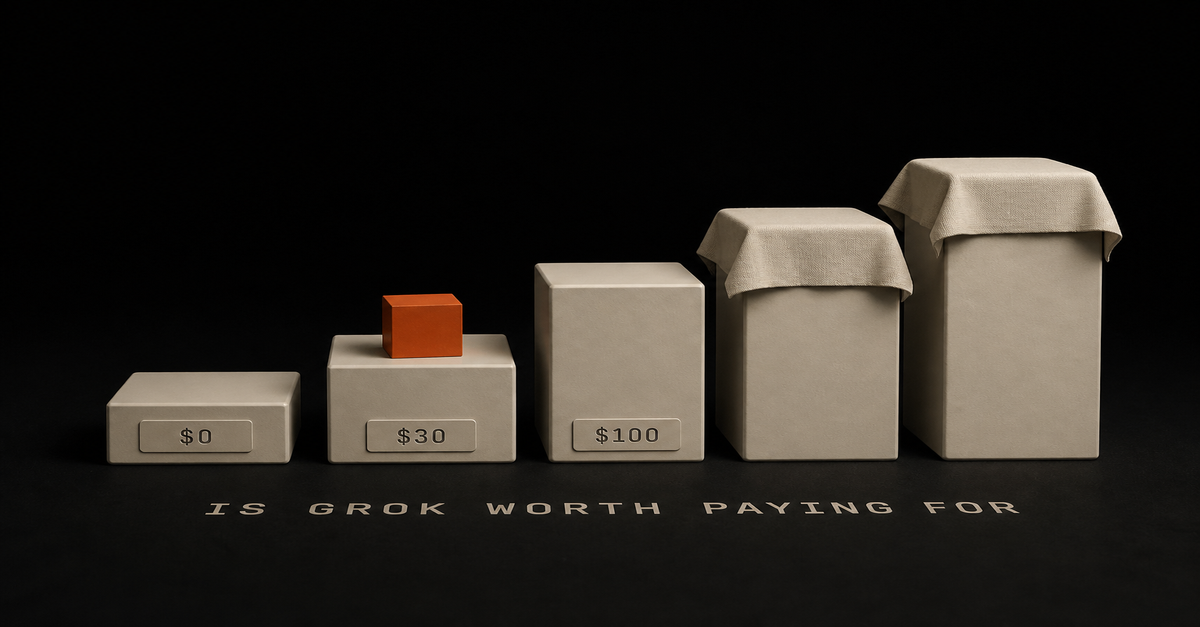
Quick answer: there is no plan called Grok Pro, and the fact that you searched it is the most normal thing in the world. The real ladder: Free at $0, SuperGrok Lite at $10, SuperGrok at $30, SuperGrok Plus at $100, and SuperGrok Heavy at $300. I pay for SuperGrok Plus. My verdict: since August 11, the $30 tier is one of the best deals in AI because it includes Grok Bot, and the $100 tier is for people who will actually work the machine hard. I am one of them.
The Ship Lean read on Grok: the $30 tier buys an employee, the $100 tier buys headroom, and the free tier buys the news.
Published August 28, 2026. Prices last verified on xAI's pricing page August 28; plan rows rechecked September 10, 2026.
Every review ranking for this question was written before August 11, 2026. That date matters because it is the day the product being reviewed changed.
Quick decisionYour situation
PickOccasional questions, want current info from X and the web
Free tierWant an AI assistant with its own computer for the price of a gym membership
SuperGrok, $30You will run bots daily and generate media without babysitting a meter
SuperGrok Plus, $100You want the top rung, highest usage at the fastest speed
SuperGrok Heavy, $300One $20-25 budget for your first AI subscription
Different fight: Claude Pro vs ChatGPT PlusxAI publishes five consumer prices
Verified September 11, 2026 against xAI's pricing page and my own signed-in subscription screen, and tracked with a dated changelog on my AI plan tracker. The logged-out page prints three prices; the signed-in screen prints all four:My subscription screen, September 11, 2026. Plus is marked "Current Plan" because it is my tier.Free, $0: real-time web and X search (limited), voice mode, connectors. No Grok Bot. The card undersells it: xAI's comparison table also checks Grok 4.6, still images and Grok Build for Free. Full breakdown in Grok free vs SuperGrok.
SuperGrok Lite, $10: the entry paid rung. Apps from a single prompt, Expert mode in chat, AI image and video creation, longer conversations than free, and increased limits at regular speed.
SuperGrok, $30: Grok 4.6, image and video generation via Imagine, voice mode, higher rate limits, and "Grok Bot access." That last line is the buried headline of the whole ladder, and it is why "is SuperGrok worth it" has a different answer than it did in July.
SuperGrok Plus, $100: everything in SuperGrok, plus "significantly higher usage across Chat, Imagine, Voice & Build," 1080p video, priority at peak times, early access. If your question is "is SuperGrok Plus worth it," it is a usage question, not a features question.
SuperGrok Heavy, $300: everything in Plus, plus the highest usage at the fastest speed, the most powerful intelligence for extremely hard problems, X Premium+ included at no extra cost, and dedicated support. Where these two numbers come from: the signed-in subscription screen, screenshotted above. x.ai/pricing lists Lite and Heavy with no price at all, which is why almost every roundup quotes $30 and $100 and stops. I am a paying subscriber, so I can see the rest.One more thing the reviews have not caught up to: the pricing page footer now reads SpaceXAI LLC, and Grok Bot itself installs through Cursor's infrastructure. Small print, but it tells you where the attention is going.
What I actually pay, with the receiptMy actual billing screen, captured August 28. SuperGrok Plus, $100 paid on August 21, renewing September 21. The "Reset Available" badge next to Usage is xAI's undocumented mercy: limits refill, sometimes early.
I did not add Grok on top of everything. I budgeted for it: I downgraded off the $200 ChatGPT plan I was paying for and gave the difference to xAI. That downgrade forced me to clean up a genuinely bloated workflow, which turned out to be a favor. The full story of running both $100 subscriptions is its own page: ChatGPT Pro vs SuperGrok Plus.
What the $100 unlocked over free, in practice: Grok Bot, where I built a small analytics team and a news scraper in week one (here is what Grok Bot actually is), plus enough usage headroom that I work without watching a meter. Mostly.
The weekly pool is the real complaint, and the resets are the real surprise
Here is what the angry threads are about, and they have a point. Since June 2026, xAI's own FAQ says all Grok products share one weekly usage pool, shown as a percentage, with no published per-tier numbers anywhere. Reddit user u/Loogaroo45031 said it straight: "What really bothers me about the paywall is the total lack of transparency regarding the number of image or video generations included in each plan."
Two things I learned by paying for Grok instead of reading about it:
The resets are looser than advertised. I hit my limit on the $100 plan this week. Then it reset: xAI resets weekly, and in my account it has reset more than once in a week; that "Reset Available" badge in my billing screenshot is the feature in the wild. I was braced for a ChatGPT-style wall and got a refill instead, though a reset is a mercy, not a contract.
Grok Bot does not drain your chat pool. Per the launch post, bot work is metered separately from your Grok plan usage. The UI does not show me two meters side by side, so I take xAI at its word on the mechanism; what I can see is my chat usage sitting at zero all week while my bots ran daily. It genuinely feels like getting two subscriptions for one price. The full mechanics, hedges included: Grok usage limits explained.
Free Grok is genuinely enough if you only chat
Concede the obvious: if you ask an AI a few questions a day and care about current events, free Grok is strong. The real-time X search is the thing no other free tier has. Reddit user u/Ooze3d captured the pre-Bot souring on paid tiers: "Around Christmas 2025 / Jan 2026, it was absolutely worth it. Now it's just a weekly countdown without any clear rules." If chat is all you want, that complaint is still fair, and staying free is a fine answer.
The calculation only flips when you want the assistant. The free tier does not include Grok Bot. The $30 tier does.
My verdict by personYou are AI-curious with $0: free Grok plus free ChatGPT. Genuinely fine, and if you are working out what AI is even for at your job, start with Claude at work. Watch the adjacent traps too: X Premium is a different subscription billed by X, not xAI, and Extra Usage Credits (from $5) plus Auto Top Up are priced worse than plan usage.
You have $30 and want to feel what the agent era is like: SuperGrok. An assistant with its own computer for the cost of two takeout orders, and the money is deliberate instead of mindless.
You will put bots to work daily: SuperGrok Plus at $100. That is my tier, my invoice is above, and it renews on September 21. If my bots keep earning their keep, I will consider Heavy next. That is $300 a month, so it will have to earn it in a way $100 already does.
You mostly want the best chat model for deep work: that is still a Claude vs ChatGPT decision, not a Grok one.How I know what is on this page
Prices and tier contents: read off xAI's pricing page and docs FAQ on August 28, 2026, with the plan comparison rows and the full five-rung consumer ladder rechecked there on September 11, 2026, dated on the tracker. The paying-user half: my own billing screen, screenshotted above, and my own week of hitting and un-hitting the limit. Community sentiment: named Reddit users quoted verbatim with links. Where xAI publishes no number, this page says so instead of inventing one.
Quick answer: Grok Bot is xAI's AI teammate product, launched August 11, 2026, still labeled early beta. Each bot gets its own computer in the cloud, signs into your tools, and keeps working after you close your laptop. It starts at $30/month, and its work does not count against your Grok chat usage. I pay for it, I built a small team on it in week one, and it is the first agent product I would hand to a non-technical person, beta caveats included.
The Ship Lean read, in one line: Grok Bot rents your assistant a computer, Claude works in your files, and the $30 tier is the whole story.
One naming correction before anything else, because it burns people in search: this is not the @grok bot that replies to tweets. Same company, different product. This one you hire.
Grok Bot Is an Assistant With Its Own Cloud Computer, From $30Question
AnswerWhat is it
AI teammates with their own cloud computers, from xAILaunched
August 11, 2026, early beta, per the launch postCheapest way in
SuperGrok at $30/month lists "Grok Bot access" on xAI's pricing page, checked August 28Where it runs
Desktop app (macOS .dmg) plus iOS; it syncs between themUsage
Separate pool; bot work does not drain your Grok chatWho it is for
People who want an assistant that works while they sleep, without setup pain"Its own computer" is the whole product
Every explainer repeats the phrase and never translates it. Here is the translation.
Your bot lives on a machine in xAI's cloud. It stays awake when you step away, signs into websites and apps there, and works "including platforms with no clean API or MCP" in xAI's own words. You teach it by doing a workflow once while it follows along; it saves the routine and runs it on its own next time.
Bots can even message each other and coordinate.
That is also the honest part nobody says out loud: your logins end up on a cloud computer that acts as you. HN user wiradikusuma asked the exact right question: "How does it work with login-walled sites like LinkedIn then? And what does 'own computer' mean?" The answer is: it works because the computer is real, and you should think before handing it accounts you care about.
I Built Three Bots in Week One, and One Flopped
I am on the $100 SuperGrok Plus plan, and I spent the week attacking my own gaps. Three builds:My actual bot roster in the Grok Bot macOS app, captured August 28. Partner runs the team. Each bot has its own skills and access to my data, and per xAI's docs they all share one persistent cloud computer scoped to my account, which is why a single login covers the whole roster.
A mini marketing team that watches my analytics. My gap is that I make content constantly but only review the numbers for one channel. So I built Partner, a co-founder bot that manages a small team: Friday, Tweet, Steal, and Coach. They read my actual channel data and come back with specific calls: this dropped, steal this video, this flopped because of that.
A mini team hawking my analytics, telling me what to improve every week.
A news scraper. Three times a day it collects the latest AI drops for me. It already cleaned up some of my lists. Simple, boring, exactly what an assistant should do.
A lead scout, which flopped. I pointed a bot at my services page and told it to find my ideal clients and start conversations. First week was a dud. I might drop it. I am telling you this because it is an experiment, not a system, and any page that only shows you wins is selling something.
The thing that actually surprised me: the usage math
I hit my usage limit on the $100 plan this week. Then it reset. In my experience the resets land weekly, sometimes more than once, though xAI does not publish that schedule anywhere. Meanwhile the launch post says Grok Bot "comes with its own usage, separate from your Grok and Cursor plans."
Two pools, one price. The careful version of that claim, with the official quotes and where the docs go quiet, is in Grok usage limits explained.The other half of the subscription: Grok chat running a live "what's trending" search on my desktop, captured August 28. Chat and Bot are separate products on separate meters.
This is the OpenClaw idea, shipped properly
If you remember OpenClaw, that was the first "AI on the go" moment: amazing when it worked, buggy and daunting to set up. Grok Bot is that idea as version 2.0: an actual computer instead of your session, a stronger model (Grok 4.6), a real mobile app that syncs with the desktop, and a dedicated subscription instead of duct tape.
I am not alone in that read. HN user thenbrent put it as: "Right now Grok Bot looks a lot easier to get started and maintain with a simpler UI (arguably better), but OpenClaw and Hermes give you more configurability and choice." That is the honest trade: easier and more polished, less control.
It Starts at $30, Not the $200 Reddit Says
The launch had real pricing confusion, and stale answers are still ranking. Reddit threads claim it needs $120 per seat or a $200 to $300 plan. As of August 28, xAI's pricing page lists "Grok Bot access" on the $30 SuperGrok tier, with SuperGrok Plus at $100 for much higher usage. During the beta, the Bot docs and the pricing page have not always agreed on tiers, and HN user gexla called that out directly: "This is super confusing."
So the practical rule: read the pricing page the day you buy, not a blog post from launch week, mine included. I keep the receipts dated on my AI plan tracker, and my own billing screen is on the worth-it breakdown:My actual billing screen, August 28: SuperGrok Plus, $100, paid August 21. Note the Grok Bot agent tiers (Bot Lite, Bot Heavy) still carry no published price — separate from the SuperGrok subscription ladder, which runs $10 / $30 / $100 / $300.
Who should get it, who should not
Get it if you want a personal assistant, not a coding partner. The pitch that lands with normal people is: for $30 budgeted deliberately, you get an assistant with its own computer, on your phone. Tailored news pulls, monitoring, reminders, the boring recurring stuff. For people who bounced off agent tools because setup was too technical, this is the answer, hands down.
Skip it if your work lives in your files. My deep work still happens in Claude, where the agent works inside my actual projects on my actual machine. That comparison gets its own page: Grok Bot vs Claude Cowork. If you are deciding between the model chatbots themselves, that is Grok vs Claude and Grok vs ChatGPT. And for where any of this fits into an employed person's week, start at Claude at work.
Wait if beta bugs scare you. It is labeled early beta, and it earns the label sometimes. My lead scout produced nothing in week one. The product moved a boundary; it did not become magic.
How I know what is on this page
Product and pricing facts: xAI's launch post, bot page, and pricing page, all read August 28, 2026, dated on the tracker. The builds and the usage story: my own paid account, with the bot roster screenshot above from my actual desktop app. The skepticism: Hacker News users quoted verbatim with links, because the confusion is part of the truth of a two-week-old product.
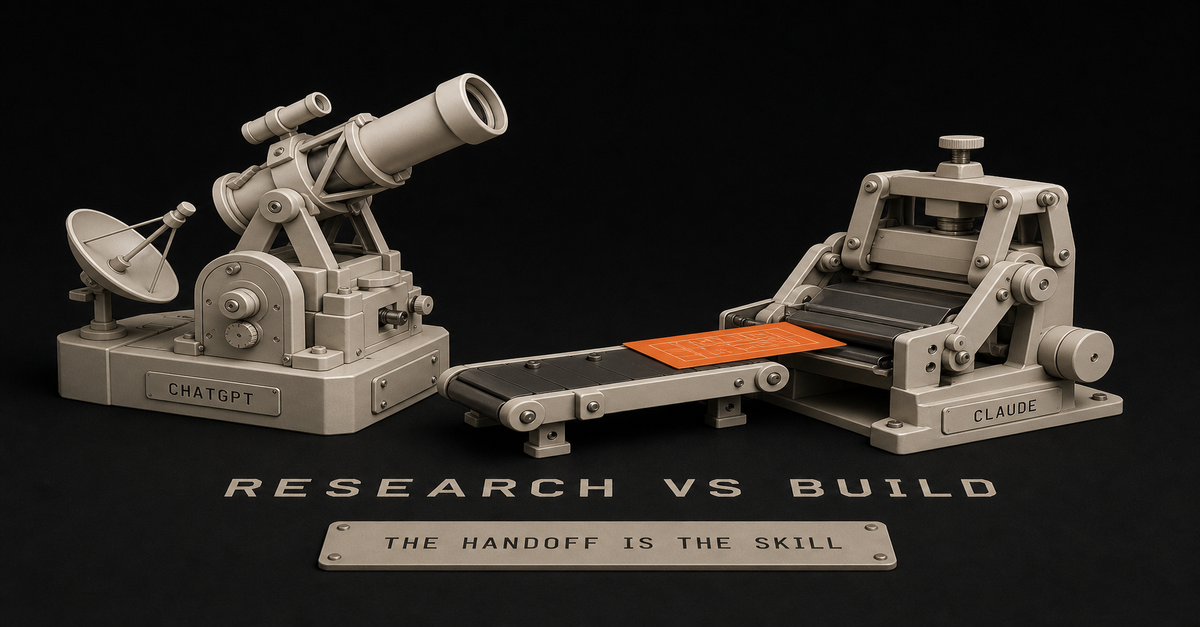
Quick answer: I never thought I would write this sentence, but here it is: for research, ChatGPT wins - even against Fable 5, which I consider the strongest model available. ChatGPT's Sol Ultra tier is phenomenal at digging into a question. Claude wins the moment research has to become something real.
The Ship Lean split: ChatGPT wins the research. Claude wins the build. The handoff is the skill.
My credentials for this one are just receipts: I pay $200/month for each. Both tools earn it, at different points of the same project.
Quick decisionResearch job
PickOpen-ended digging on a hard question
ChatGPT (Sol Ultra tier)Talking a problem through until it makes sense
ChatGPT, voiceReading your own live dashboards and analytics
ChatGPT's agent, in the browserTurning findings into a document or system
ClaudeResearch inside your own files and projects
ClaudeCited quick answers on current events
Honestly, free PerplexityA real session, start to finish
The clearest way to show the split is a session I actually ran, not a hypothetical.
I needed to figure out why my YouTube shorts were slipping and what to change. Here is how it went:OpenAI's own plan documentation, captured August 21, 2026. The Sol Ultra reasoning tier this post keeps praising lives at the top of this ladder.
Phase 1 - research, in ChatGPT, by voice. I opened voice and said, roughly, "look at my analytics." Its agent works in a real browser, so it logged into my YouTube dashboard - no API, no exports - and read the backend with me. Huge unlock, and most people have no idea it exists.
We walked the numbers together and saw where shorts were dropping. Then we brainstormed. This is the part that felt genuinely new: it was not question-answer, it was partner-mode. What about this? What about that? For 30 to 60 minutes we went hard at it, until I had actual clarity instead of a pile of facts.
Phase 2 - the plan. With clarity reached, I had it draft the plan properly. It looked at my existing setup and produced a proposal I understood and believed in. That last part matters: I did not want a plan handed down, I wanted the plan we had just reasoned our way to, written up.
Phase 3 - the build, in Claude. We started building in ChatGPT's coding side, and honestly, for this job it was not the right fit. So I took the finished plan to Claude and built it there. Execution is where Claude is strongest right now - it has the model for it and the working surface for it. Plan in, working system out.
That workflow - research and clarity in one tool, execution in the other - beats either tool alone, every time I run it.
(ChatGPT vs Claude for research, if you searched it that way - same split, same page.)
ChatGPT wins the research phase on voice, browser, and Sol UltraSol Ultra is phenomenal. OpenAI's top reasoning tier - the one that ships with the Pro plans - digs deeper on open questions than anything else I have used, my own beloved Fable included. It pains me slightly. It is true.
Voice makes research a conversation. Thinking out loud is how humans actually reason through problems. ChatGPT is the only tool where that experience is good enough to use daily - on walks, in the car, on the go.
The browser agent reads your real data. Logging into your own analytics and interrogating live numbers, no exports, no API keys, is a different category of research session.
Better interface for the meandering middle of research: branching, revisiting, riffing. It feels like a workspace, and OpenAI keeps investing in exactly this - the business-facing side of ChatGPT is growing fast.Claude wins the moment research becomes a buildExecution. When findings must become a document, a system, or code that runs, Fable 5 is the strongest builder I have used. The research phase produces a plan; Claude ships it.
Your own material. Research over your files, past work, and ongoing projects lives naturally in Claude's Projects and Cowork.
Instruction-holding on long outputs. The final artifact follows the spec - structure, voice, constraints - with less drift. In research-to-deliverable work, that is the difference between one pass and four.The 60-second version, from my Shorts: Stop Claude and ChatGPT Contradicting Each Other on Your Work.Concessions, both directions
ChatGPT's research win is not total: for cited quick lookups, free Perplexity is often the faster tool, and for source-grounded work over a fixed pile of documents, Google's NotebookLM is a sleeper pick. And Claude's build win is not total either: plenty of light execution - emails, summaries, quick drafts - is fine in ChatGPT, and switching tools for it would be ceremony.
No one model takes it all. That is not a hedge; it is the actual finding from paying top dollar for both, month after month.
How I compared these
Both tools: daily paid use at the $200 tiers, across real research-to-build projects like the session above. Plan and pricing facts on this page and the tracker are read from official pages, dated August 21, 2026. Verdicts are mine and labeled as experience, not benchmarks.
Three setups, three movesOne subscription, research-heavy work: ChatGPT - my full worth-it verdict. Add free Perplexity for citations.
One subscription, build-heavy work: Claude - sized via Pro vs Max.
Both, or planning to get both: steal the workflow above verbatim: voice-research in ChatGPT until clarity, plan on paper, build in Claude. The general comparison lives at Claude vs ChatGPT, and the top-tier money question at Claude Max vs ChatGPT Pro.Last reviewed August 2026.
Quick answer: Claude 5 is Anthropic's new model family, and Fable 5 is its first model - a new tier that sits above Opus in capability. In plain English: the ceiling moved. Tasks that used to almost work now just work. That sentence sounds like marketing until it happens inside your own workflow, so this post gives you mine, before and after.
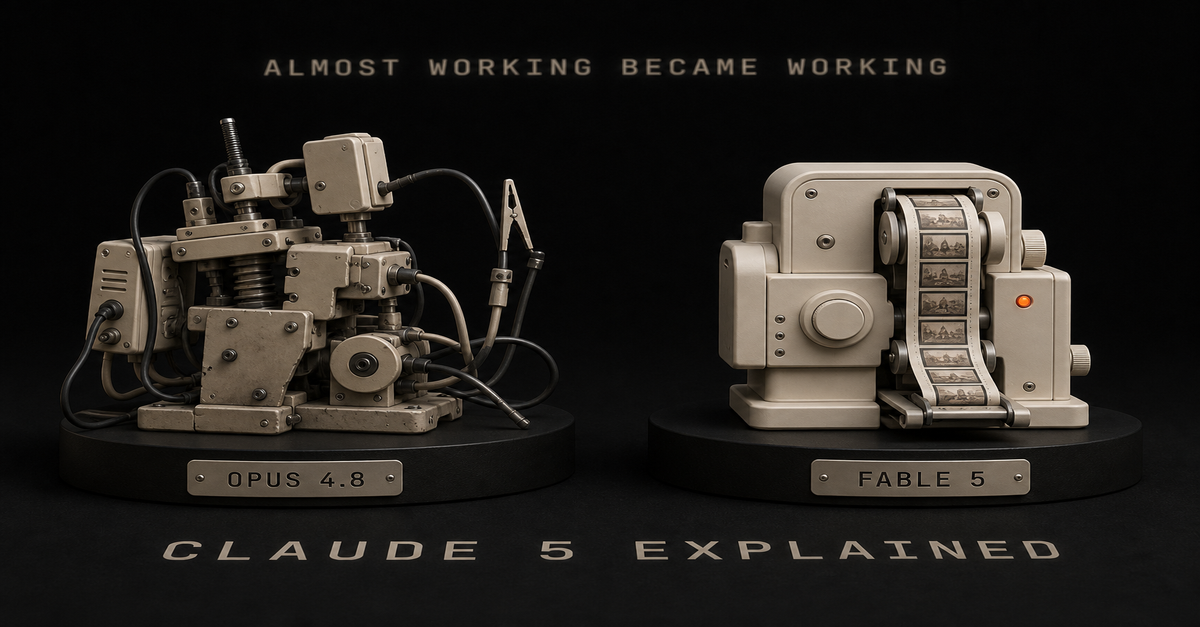
The honest compression: Opus 4.8 needed a plumber. Fable 5 just did the job.
The plain-English version of what launched
Anthropic's Claude 5 family launched June 9, 2026, led by Fable 5 - with a bumpy start: access was suspended June 12 and redeployed July 1, all logged openly on Anthropic's own announcement. The parts that matter to a normal person:Anthropic's own announcement, captured August 21, 2026. Launch June 9, access suspended June 12, redeployed July 1 - the timeline is right on the page.Fable 5 is a new class of model above Opus - Anthropic calls the tier Mythos-class. Fable 5 and Claude Mythos 5 share the same underlying model; Fable is the version everyone can use, with additional safety measures, while Mythos goes only to approved organizations.
Opus 5 is still around and still excellent. The standard lineup did not get worse; the ceiling above it got higher.
The plan gotcha: since July 20, Fable 5 is not part of Claude Pro's normal usage - it bills as separate usage credits there. On Max plans it is included, capped at 50% of weekly limits, per Anthropic's pricing page. I track every plan detail like this, dated, on my AI plan tracker.My before-and-after, with receipts on YouTube
Here is the change measured in my actual work, not benchmarks.
Before, on Opus 4.8: I was trying to build a visual-aid system for my short videos - the thing that adds graphics, titles, and proof screenshots onto a talking-head clip automatically. Complex, multi-step, lots of judgment. On 4.8 I could get close. There was always some plumbing left, and what came out was a bit Frankenstein: parts bolted together, me holding the wrench.
After, on Fable 5: it just did it. I rebuilt the skill with Fable, and over the following weeks it got reliable enough that it now runs my shorts post-production. I record a talking head; the system does the visuals.My actual shorts page, captured August 21, 2026. The price overlays and proof cards on these videos are generated by the pipeline Fable 5 rebuilt - the thing Opus 4.8 could only almost do.
You do not have to take my word - the receipts are public. Go to my YouTube shorts and compare this week's videos against ones from four months ago. Night and day. Part of that is me - lighting, style, topics evolving - but the visual layer you see on recent shorts is the Fable-built pipeline doing work that the previous generation could not finish.
And it is not just me. My feeds during the launch window were full of people shipping fully polished videos from scratch, even avatar versions of themselves. Fable moved a boundary: complex creative-technical pipelines went from expert projects to things a determined non-coder can have built for them, in plain English.The 60-second version, from my Shorts: There are 4 different Claudes. Here's which one does what.The plan decides how much Fable you actually getPlan
Fable 5 access
Who it fitsFree
Not included
Everyday questions on standard modelsPro ($20/mo)
Pay-per-use usage credits
Full work surface, Fable on demandMax ($100/$200)
Included, up to 50% of weekly limits
AI doing real work every dayFree and everyday use: you do not need Fable. The standard models are genuinely strong, and most people would not feel the difference on normal tasks.
Pro at $20: you get the full working surface - Claude Code, Cowork, Projects - on the standard models, with Fable available as pay-per-use credits. My full verdict on that tier: Is Claude Pro worth it.
Max at $100/$200: Fable inside your plan up to half your weekly limit. If your work leans on AI all day, this is where the new ceiling is actually usable daily - sizing guide in Claude Pro vs Max.
A practical tip from daily use: Opus 5 on high effort is phenomenal and covers most real work. I reach for Fable when the task is genuinely hard, not by default. That habit stretches any plan a long way.My picker, September 2026. Fable 5.1 is one tap away under More models, but Opus 5 stays the default, and the Effort dial is what actually moves your meter.
The honest limits
No clean sweep here. For research workflows, I still find ChatGPT's Sol Ultra phenomenal - in my experience sometimes better than Fable at digging through a question (that full comparison is here). And the competition is genuinely hot: xAI is shipping faster than anyone and their agent products are moving weekly (my read on that).
No one model is going to take it all. Claude is the design-and-build freak, ChatGPT the research generalist with the better everyday app, Grok the fast-moving bet. The Claude 5 launch did not end that race; it raised Anthropic's ceiling in it.
How I know what is on this page
Model-family facts: Anthropic's own announcement, linked above. Plan and pricing facts: read off Anthropic's official pages August 21, 2026, dated on the tracker. The before-and-after: my own production pipeline, with the output public on my channel - linked so you can check the receipts yourself.
Three seats, three movesCurious non-coder: ignore the model-name noise. Get any paid Claude plan, use the standard models, and let one real chore be your benchmark.
Pro user hitting the ceiling on hard tasks: try Fable via usage credits on your hardest workflow before upgrading plans. If it finishes what Opus almost finishes, the Max math starts making sense.
Deciding between labs at the top: Claude Max vs ChatGPT Pro is the $200 decision, written from paying for both.More plain-English Claude guidance: Claude at Work.
Last reviewed August 2026. Plan facts verified against official pages on August 21, 2026.
Quick answer: hell yes. And if $20 a month feels expensive for what ChatGPT Plus does, I am going to be straight with you: you are not evaluating the tool, you are avoiding it. AI is here to stay. You will use it eventually - the only question is whether you start while it is an advantage or after it becomes a requirement.
If $20 feels expensive, you are pricing the tool. Price the hours.
Where I am coming from: I pay for ChatGPT at the top tier and for Claude Max at $200. I am not an OpenAI fan defending the home team - Claude runs my business. And ChatGPT Plus is still the first $20 I tell normal people to spend.
Quick decisionYou are
Do thisNew to paid AI
Plus at $20, todayLight chatting only
Go at $8, eyes open about ads and no Sol or AstraWork gives you Copilot, no personal use yet
Stay free, revisit in a quarterHitting Plus limits weekly
The Pro tiers, or the $200 lab decision belowPlus buys the reasoning model and the deep features
Verified against OpenAI's own plan article, August 21, 2026 (prices and plan facts also tracked, with dates, on my AI plan tracker):GPT-5.6 Sol, the reasoning model - the single biggest thing Free and Go do not have
Deep research, scheduled tasks, record mode, developer mode, expanded Codex
Custom GPTs, projects, memory, the best voice mode in consumer AI
54K context on instant chats, 256K on reasoning
$20/month, monthly billing only - OpenAI does not offer annual on PlusOpenAI's own Plus plan article, captured August 21, 2026. The pricing pages render prices in the browser now; the help center is where the plan facts actually live.
And the part the spec sheet cannot show: OpenAI is generous with usage in practice. Limits reset frequently - lately it has felt like multiple times a month - and the practical mileage per dollar is the best in consumer AI right now.
Why ChatGPT first, even from a Claude guy
People assume I would say Claude here. For a first subscription, I do not, and this is the honest reasoning: you will get more out of the easier tool.
ChatGPT has the better app, the better voice, the smoother on-the-go experience. I use it on my phone constantly - talking through ideas while walking, research on the go. I never do that with Claude; the desktop is where Claude earns its $200 from me. A newcomer lives on their phone. Start where you will actually use the thing.
Claude has the strongest model in Fable 5 and the serious work surface - Cowork, Claude Code - and when your output starts to depend on AI, that comparison tips differently. First $20, though: ChatGPT.The 60-second version, from my Shorts: 300 Million People Use ChatGPT Every Week and Most Have No Idea What It Can Do.Who should NOT buy PlusYou only chat, lightly. Go at $8 covers unlimited everyday text chats. Know the trade: you get Think on GPT-5.6 Luna but not Sol or Astra, and OpenAI lists Go as ad-eligible.
Your AI use is entirely inside your job's tools. If your company gave you Copilot and your AI life is company data, use the approved tool for that and revisit when you have personal use.
You are already deep in another paid ecosystem that is working. Switching costs are real; a working Gemini setup beats a neglected Plus.The two things that would make me cancel
Worth stating in advance so the recommendation stays honest:Strict usage limits. If Plus started cutting real sessions short - use it a little and it bangs out - the value story dies. That is not today's situation, but it is the thing to watch.
Ads for paying users. The moment a paid surface shows ads, I start planning my exit toward local models. Go's docs already carry the "may include ads" line; if that language ever crawls up to Plus, cancel-worthy.Neither has happened on Plus. That is precisely why it is still an easy yes.
How I judge "worth it"
Not benchmarks - replacement value. Plus replaces: a research assistant for planning and digging, a writing partner, a voice thinking-partner on walks, a second opinion on everything. If it saves you two hours a month, it paid for itself at any wage worth automating. For me it clears that bar without trying, which is exactly why the $20 tier is the least interesting bill I pay.
Where you land, and what to doNever paid for AI: ChatGPT Plus, today. Give it one real job this week - planning, a document, research - not just questions.
Budget-tight: Go at $8, with eyes open about what the $12 gap buys.
Power user outgrowing Plus: the two Pro tiers at $100 and $200 are "5x" and "20x" Plus usage per OpenAI's docs - and at that spend, read Claude Max vs ChatGPT Pro first, because the real decision at $200 is between labs, not tiers.
Wondering about the other $20: Claude Pro vs ChatGPT Plus, tier for tier.Last reviewed September 5, 2026. Correction made that day: this page listed ChatGPT Go at $12 and said Go has no reasoning model. Go is $8, read off OpenAI's rendered pricing page, and it does reason via Think on GPT-5.6 Luna. What Go lacks is GPT-5.6 Sol and GPT-6 Astra. Other plan facts verified against OpenAI's official pages on August 21, 2026.
 Chris Alarcon